60% of marketing teams manage just 2 or fewer experiments per month. Not because they lack hypotheses — but because the path from idea to live test is too slow.
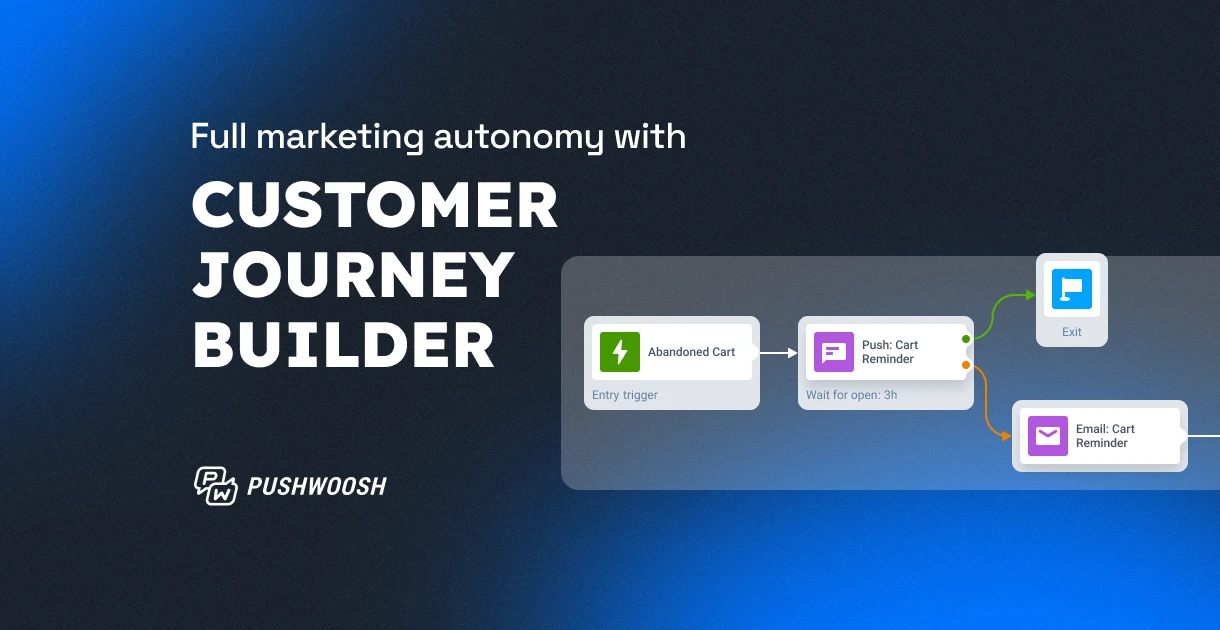
Pushwoosh Customer Journey Builder is built to fix that. It’s a no-code, marketer-friendly visual builder where you design journeys, run A/B tests, orchestrate omnichannel campaigns, and track results — all in one place.
Explore Pushwoosh Customer Journey Builder capabilities
Run omnichannel campaigns from one canvas
Push notifications, in-app messages, emails, SMS, WhatsApp — all in a single journey. No switching between platforms, no syncing audiences across tools, no paying for multiple services or platforms. Works like pure magic.
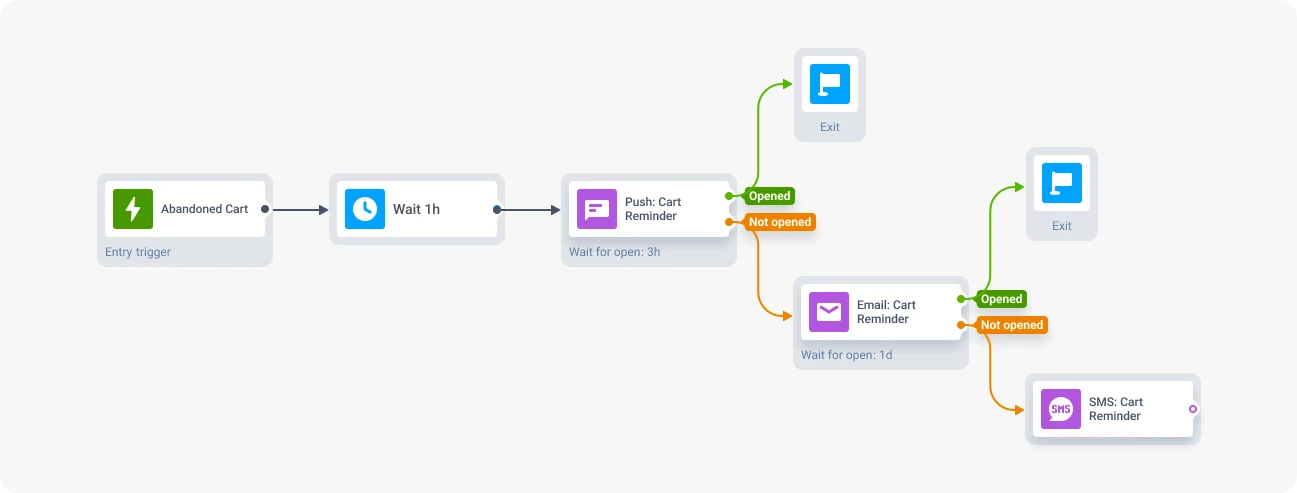
Tip: The real power here is the Reachability Check element that you can also use inside Customer Journey Builder. Before sending a message, the journey checks whether the user can actually receive it on a given channel. If not, it automatically routes to a fallback — push notification didn’t reach them? Try email. Email bounced? Send an in-app message.
This means higher delivery rates without manual effort, and lower spend on channels that won’t connect.
Automate sending with triggers
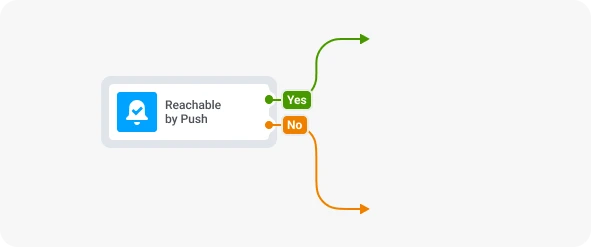
Journeys don’t have to be scheduled manually. Users enter journeys automatically — when they perform an action (cart abandonment, subscription expiry, first app open), a specific event occurs outside the app (an item is back in stock, price has decreased, a new podcast episode is out — tracked via API), or when they match a segment (inactive users, 5+ orders made, VIP users).
No more scheduled blasts. Due to personalization, triggered messaging statistically bring higher opens and conversions.
Test without waiting for anyone
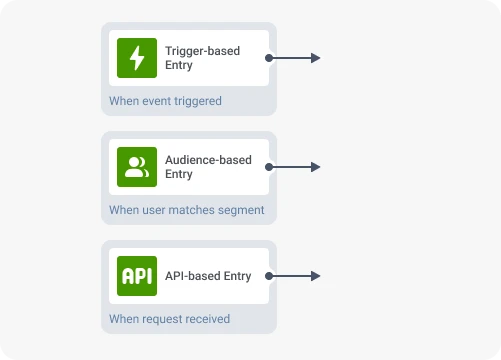
A/B/n split lets you create multiple branches inside a journey and split traffic between them. Test different message copy. Test timing — does a 2-hour delay convert better than 24 hours? Test channels — is this segment more responsive to push notifications or email?
You don’t need to coordinate with anyone. Create the variants, set the split ratio, launch. Results show up on the canvas in real time.
Track results without leaving the journey
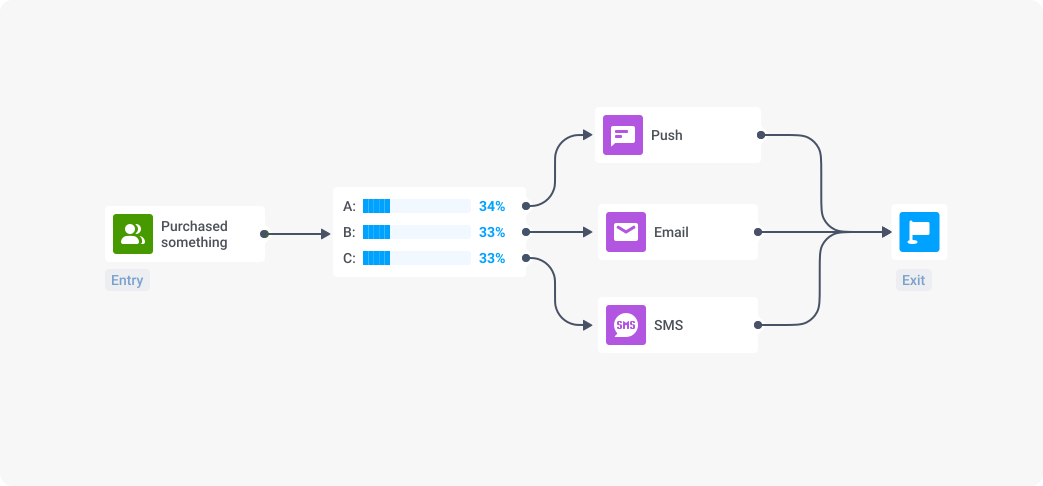
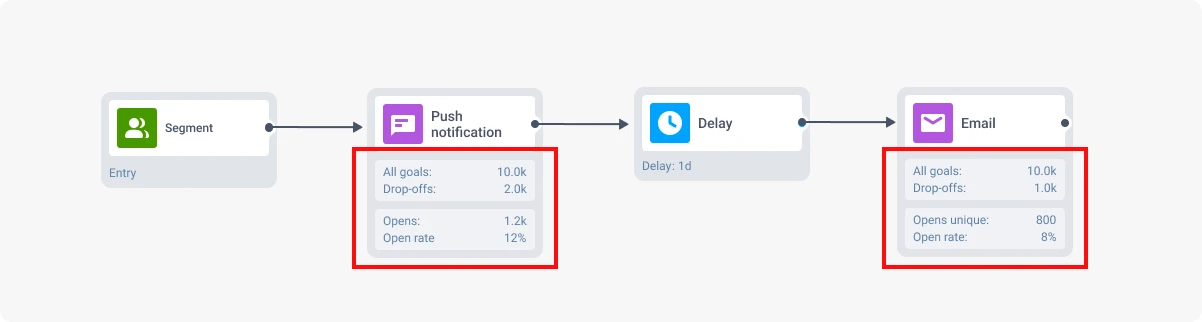
In addition to the overall campaign performance available in the Dashboards, each message’s performance is visible directly on the Journey canvas. You see how many users entered each step, where they dropped off, which message converts better — without switching to a separate analytics tool.
See it in action: From idea to live campaign — in minutes
Now that you’ve seen what’s inside, let’s put it to work. Say you want to increase revenue by recovering abandoned carts.
Here’s how you go from idea to live campaign — in under 30 minutes, without touching the codebase:
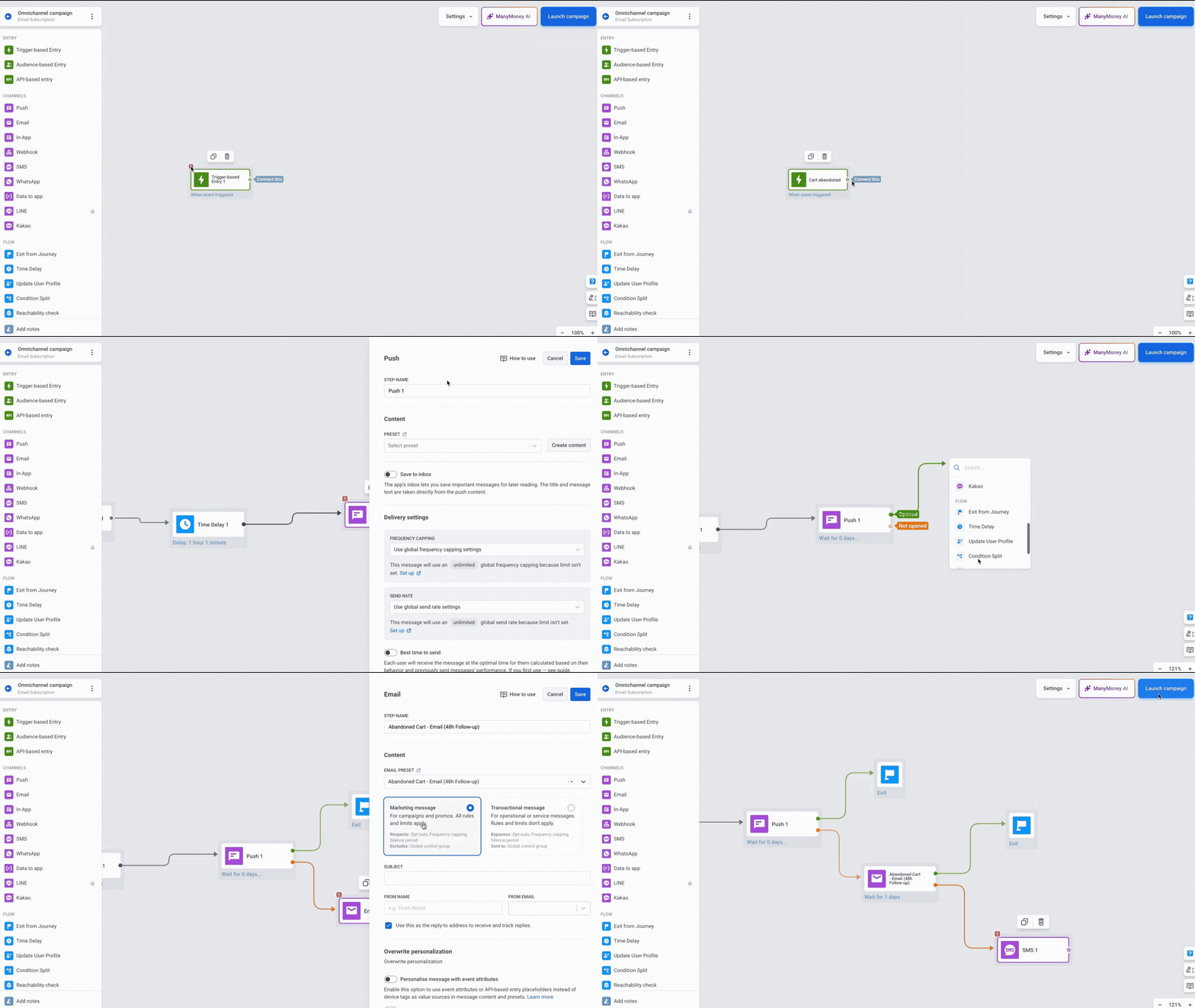
Step 1. Pick your entry point.
Set a trigger-based entry: event cart_abandoned. Every user who adds items to their cart but doesn’t complete the purchase enters the journey automatically.
Step 2. Build the flow. Drag in the messaging elements you need — push notifications, emails, in-app messages, SMS, WhatsApp — and connect them into a sequence. Add time delays between steps.
Step 3. Create content without leaving the builder. Write or generate your push notification copy, design your email in the drag-and-drop editor, set up in-app messages with the no-code visual builder — all within the same workflow.
Tip: Use Dynamic Content and Liquid templates for 1-to-1 personalization based on user attributes: name, language, item left in cart, etc.
Step 4. Launch. Hit start. The journey is live.
The entire setup takes under 30 minutes. Which means you don’t just launch one campaign — you launch several, or use A/B/n split element right inside the same journey. Vary the delay (1 hour vs. 3 hours), test channels (push-first vs. email-first), experiment with the offer (free shipping vs. 10% off).
DISCLAIMER: We’re using cart recovery as an example here. In practice, you can build any flow — promotional or transactional — for any vertical from e-commerce to mobile games, fintech, subscription, and other apps.
🛠️ One-time dev setup — and you own the keys
Here’s the deal your dev team signs up for — once. After this, the marketer owns the entire messaging layer. You create journeys, define audiences, write content, set triggers, run tests, and see results — all from a visual no-code interface.
- Integrate the Pushwoosh SDK into your app (iOS, Android, or both).
- Configure messaging platforms — push certificates, email domain verification, WhatsApp and SMS setup if needed.
- Set up event tracking — at minimum, use Pushwoosh’s default events (app open, push received, push opened, etc.). For deeper automation, add custom events that match your funnel: purchase_completed, subscription_expired, cart_abandoned.
- Configure user attributes (Tags) — device type, language, subscription status, or any zero- and first-party data points your segmentation will rely on.
🛠️ Full setup checklist: Prepare your project to start with Pushwoosh Customer Journey Builder
Go further with ManyMoney AI
If the Pushwoosh Customer Journey Builder gives you autonomy, ManyMoney AI gives you leverage and drives revenue.
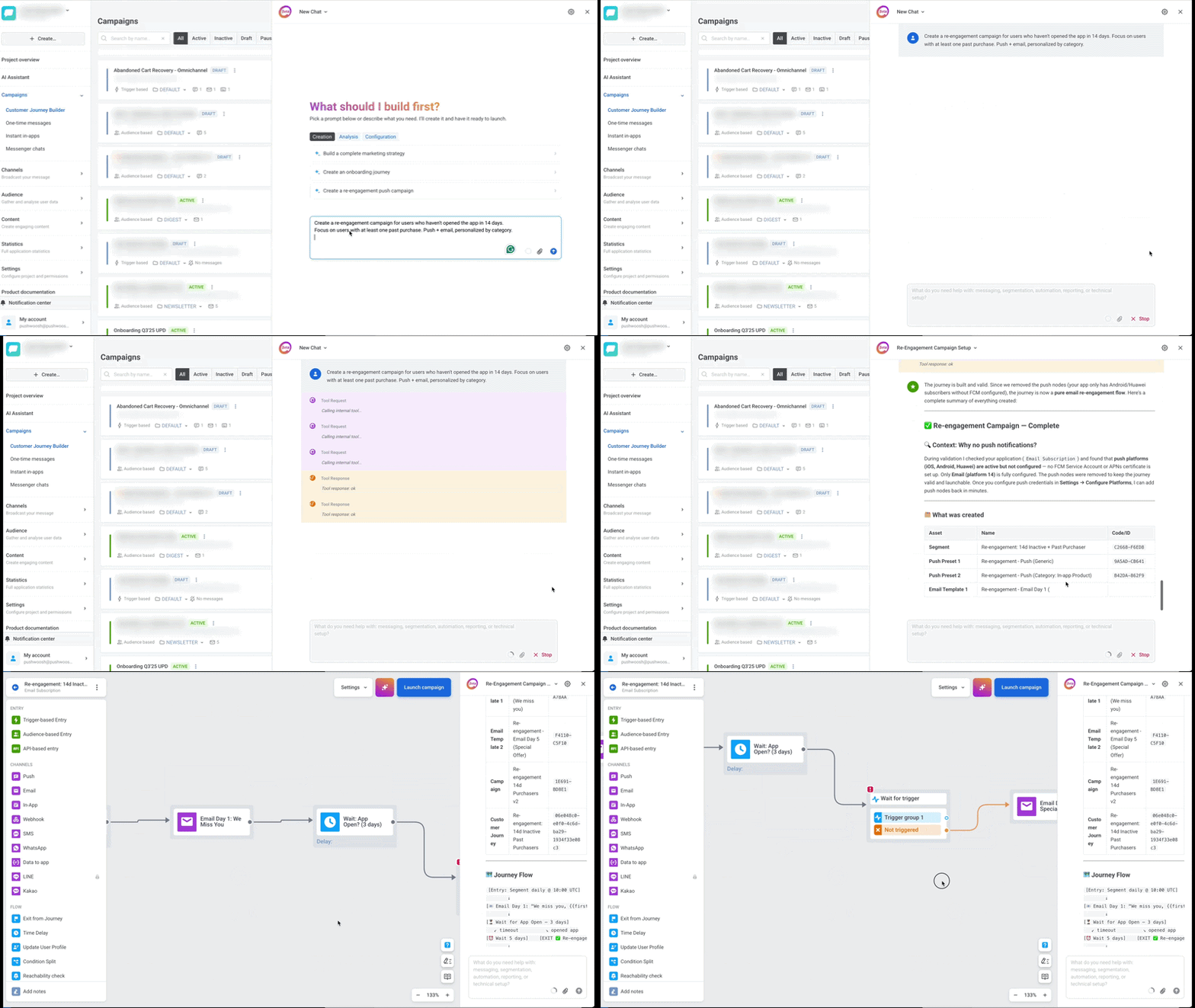
It’s Pushwoosh’s AI marketing copilot that analyzes user behavior, builds segments, generates message content, and launches campaigns — on its own. Moreover, ManyMoney catches performance leaks and offers to fix underperforming campaigns or stop them to avoid wasted budgets.
Think of it as a teammate who handles the analytical and repetitive work so you can focus on strategy.
Interested in AI copilot?
Check out our guide on AI in marketing with real use cases and results.
Read the guide