Your user base may still be growing, but real engagement is slipping: fewer app sessions, fewer feature interactions, fewer purchases. When activity drops across the product, it’s time to win those users back with a re-engagement email campaign.
In this guide, you’ll learn what re-engagement emails are, how to identify slipping users, and how to build high-performing win-back email campaigns with proven strategies, examples, and templates.
And along the way, you’ll see how Pushwoosh helps automate re-engagement journeys across email and other channels.
What is a re-engagement email?
A re-engagement email (also called a win-back or reactivation email) is a targeted message sent to subscribers who haven’t interacted with your app, emails, or other engagement channels for a specific period of time. Its goal is simple: remind inactive users why they signed up, spark renewed interest, and encourage them to take action again.
Unlike regular promotional emails or newsletters, a re-engagement email is behavior-based. It’s triggered by inactivity — such as no email opens for 60 days, no purchases in 90 days, or no recent app usage — and explicitly tailored to bring lapsed users back into your active audience.
These messages often appear as “We miss you,” “Here’s what’s new,” or win-back offers, and they can be single emails or multi-step re-engagement email campaigns.
Why re-engagement email campaigns matter for your revenue
Re-engagement emails are one of the highest-ROI programs you can run because they focus on people who already know your brand and have already said “yes” once by subscribing, registering, installing your app, or making a purchase. These contacts require far less effort and investment to convert again than brand-new leads, so instead of endlessly buying new traffic, you can maximize the value of the audience you already have.
With a solid re-engagement email campaign, you can:
- Recover revenue from lapsed customers and inactive users who simply need a reminder or renewed value proposition.
- Improve deliverability by removing or suppressing chronically unengaged contacts, which strengthens your sender reputation and helps your emails land in the inbox, not the spam folder.
- Increase customer lifetime value (CLV) and prevent churn: re-engaged users often return to purchase, renew subscriptions, or restart product use.
- Keep your email list healthy by generating stronger engagement signals, reducing spam complaints, and minimizing bounces.
In other words, a well-done re-engagement email campaign helps to build a more stable, predictable foundation for long-term retention and growth of your product or app.
When to send a re-engagement email (and to whom)
There’s no universal “X-day rule” for re-engagement emails.
To send re-engagement emails effectively, you first need to understand who counts as inactive. This depends on your product, your email frequency, and the behaviors that signal meaningful engagement.
Define inactivity based on real behavior
Different businesses use different thresholds, but typical events include:
- Email inactivity: No opens or clicks for 30–90 days
- App inactivity: No sessions for 14–30 days
- Purchase inactivity: No orders for 30–60 days
- Lifecycle drop-off: Not completing onboarding or abandoning a meaningful action
These signals help you identify subscribers who are drifting away, early enough to still influence their behavior and prevent churn.
Advanced level: Use RF(M) segmentation
If your engagement model is more complex, RFM segmentation gives you deeper insight by categorizing users based on how recently and how frequently they’ve interacted with your brand. This is especially powerful for email because it not only identifies inactive users but also predicts those about to become inactive.
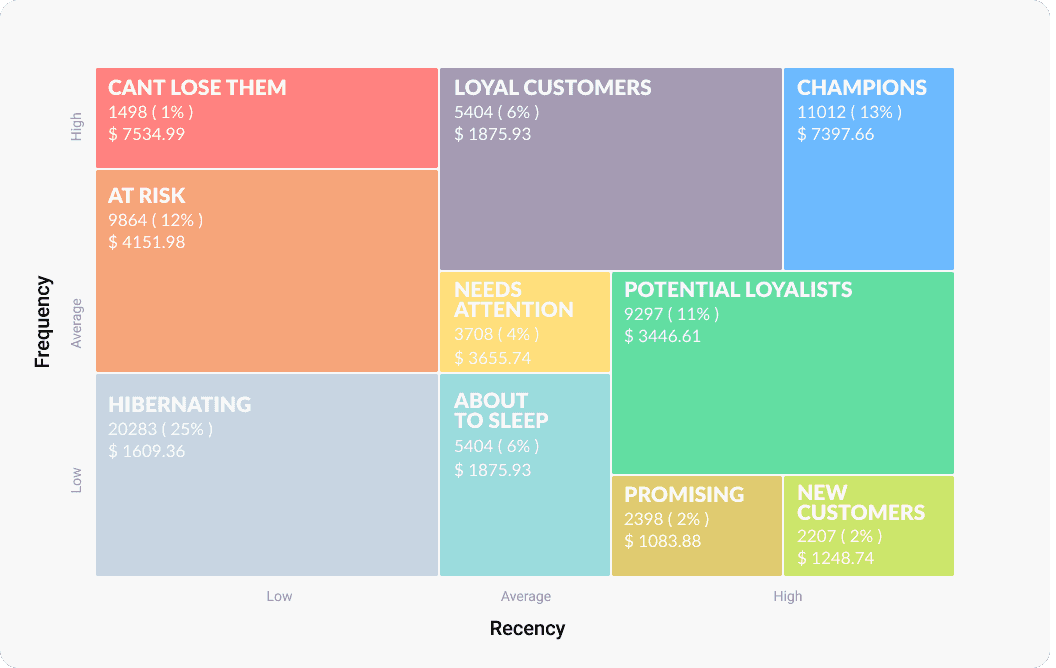
Key RFM segments ideal for re-engagement email campaigns include:
- ‘At risk’: Recently active, but showing declining engagement
- ‘About to sleep’: Haven’t interacted in a while and close to churning
- ‘Needs attention’: General drop in activity, but recoverable with targeted messaging
- ‘Can’t lose them’: Valuable users who show early signs of churn
Once RF(M) segments are generated, you can send them directly into Pushwoosh Customer Journey Builder and trigger different re-engagement email campaigns based on urgency or user value.
How to build a re-engagement email campaign (steps)
You’ve identified inactive users. Now it’s time to bring them back.
Here’s how to automate a re-engagement email campaign in Pushwoosh, step by step:
Step 1. Set the segment
Start by selecting one of the default events pre-installed in Pushwoosh, or create a custom event if you need something more specific to your product or app.
For example, you can build a re-engagement segment based on the ‘ApplicationOpen’ event. In Pushwoosh’s segment builder, simply specify how long the user must remain inactive to be included in the campaign:
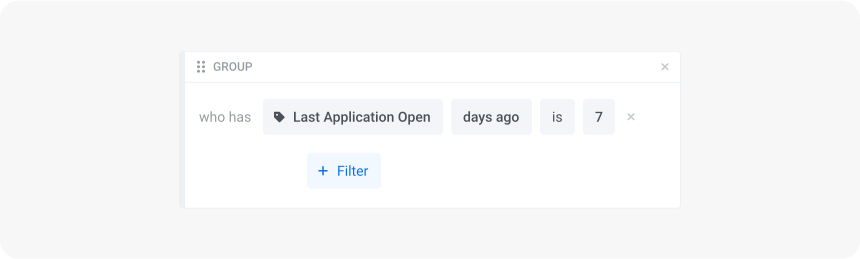
Pic description: Setting the segment for inactive users who haven’t opened the app for 7 days
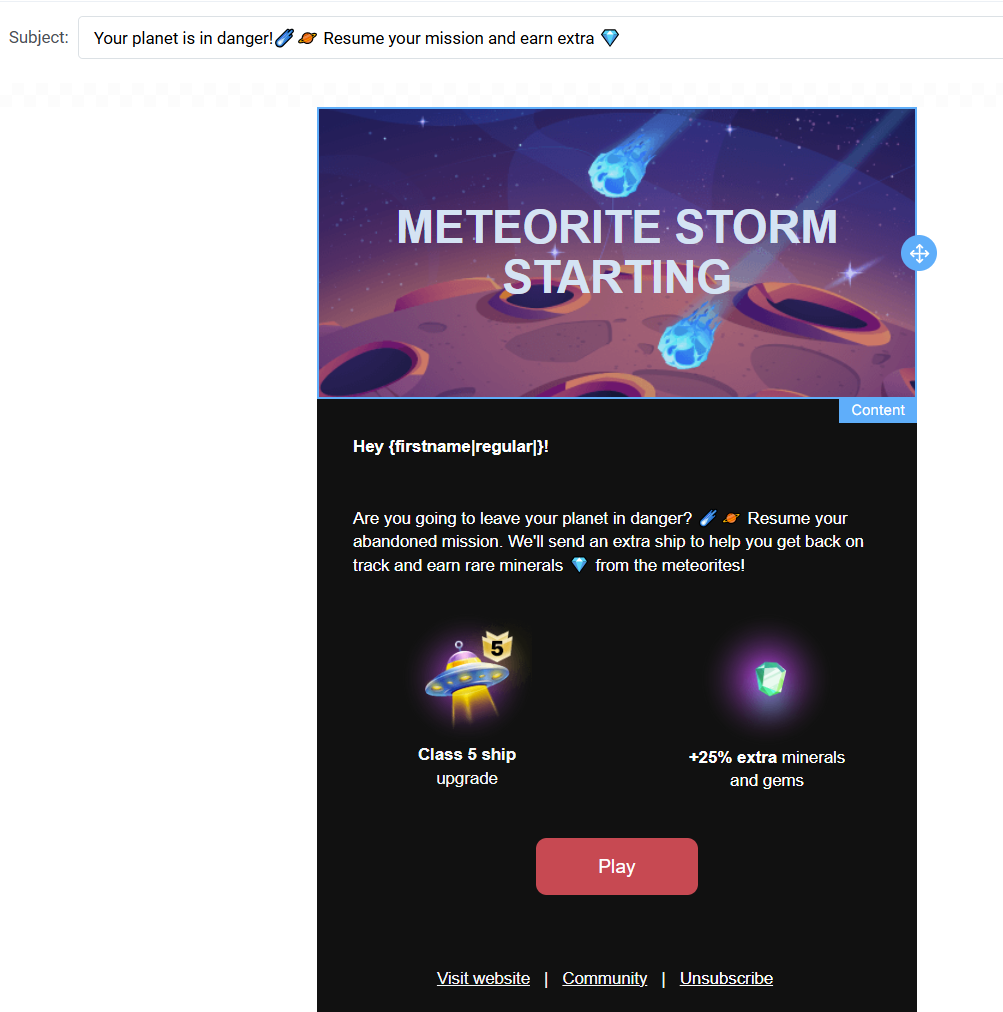
Step 2. Design the content of your re-engagement email
Next, create the message you want to send to this segment.
Log in to Pushwoosh and go straight to Content > Email content > click Create email content > Use a template > pick the re-engagement email template > customize it to your style in minutes.
Step 3. Launch the automated campaign
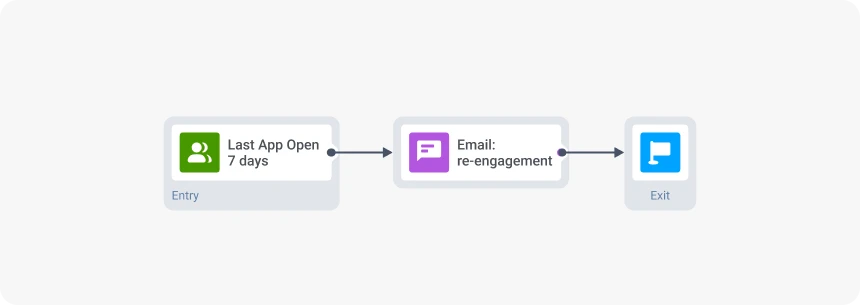
Finally, launch your automated flow in Pushwoosh Customer Journey Builder. Drag in your entry condition, add the re-engagement email, and configure the exit logic — all in a few clicks.
Re-engagement email examples
Re-engagement emails work best when they match the reason a user became less active: whether they stopped opening the app, paused their subscription, haven’t purchased in a while, or show no reaction to other communication channels.
Here are the most effective types of re-engagement emails you can use for your next re-engagement email campaign.
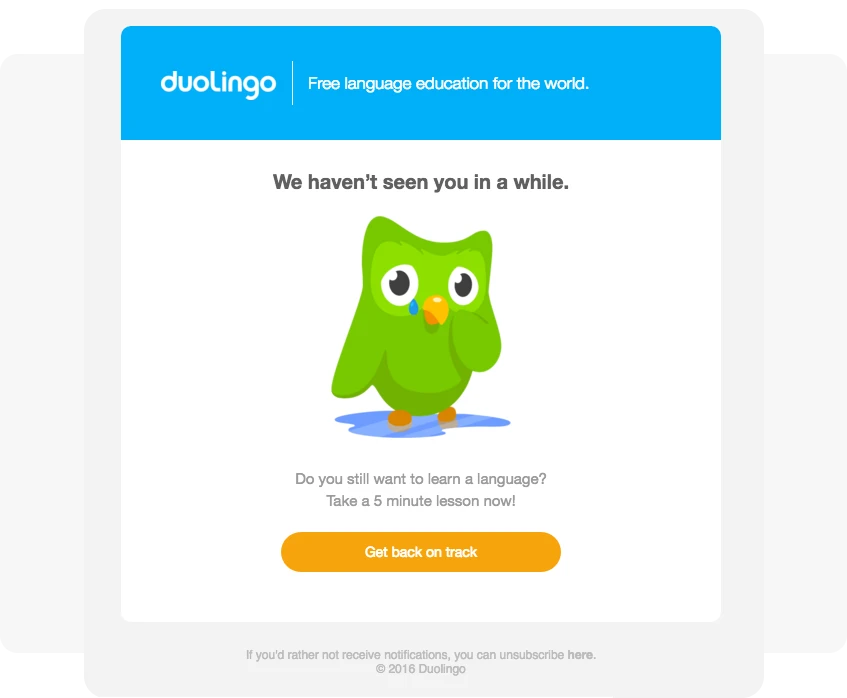
“We miss you” re-engagement email
Best for: users who haven’t opened the app, used features, opened messages (push notifications or emails), or interacted with your brand recently.
Trigger: No ‘App Opened’, ‘Feature Used’, or ‘Email Opened’ events for 7–30 days.
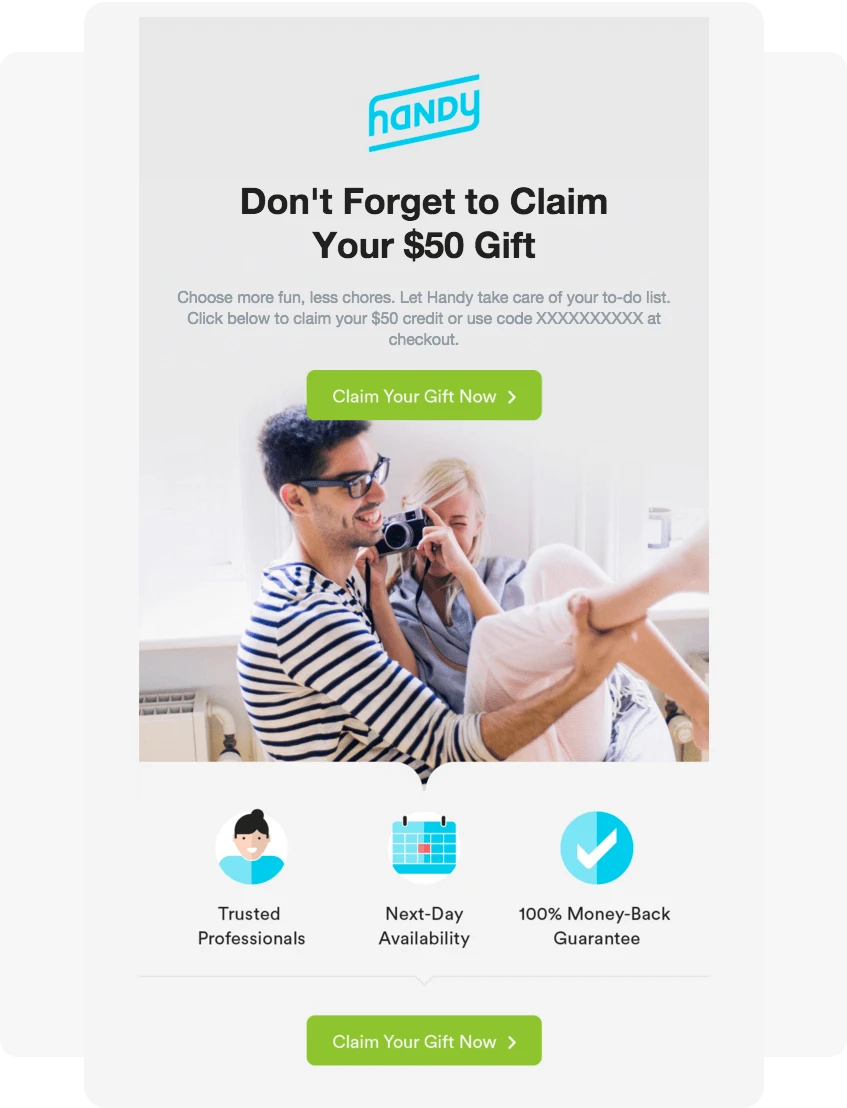
Incentive-based win-back email
Best for: lapsed customers who previously purchased or subscribed.
Trigger: No ‘Purchase completed’, ‘Subscription renewed’, or ‘Feature used’ events in 30–90 days.
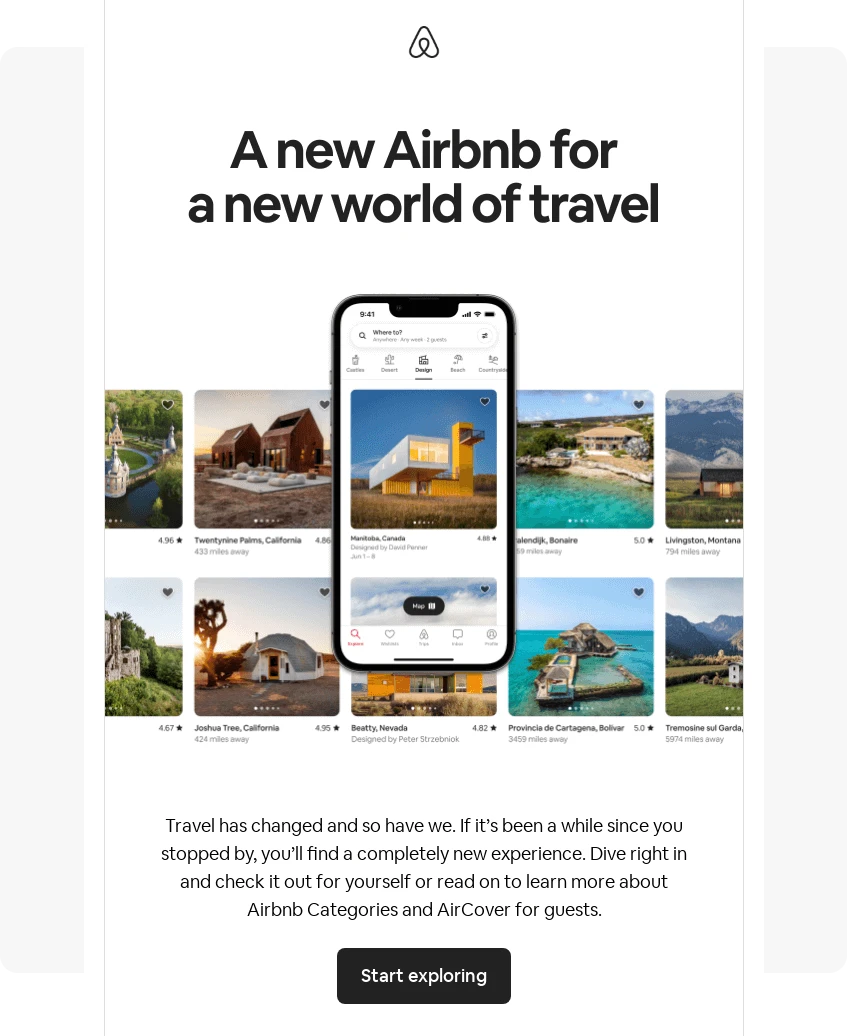
New-ins / “What’s new” re-engagement email
Best for: showcasing new features, updates, or product arrivals.
Trigger: User hasn’t visited the app/site or engaged with messages since the major update or product drop.
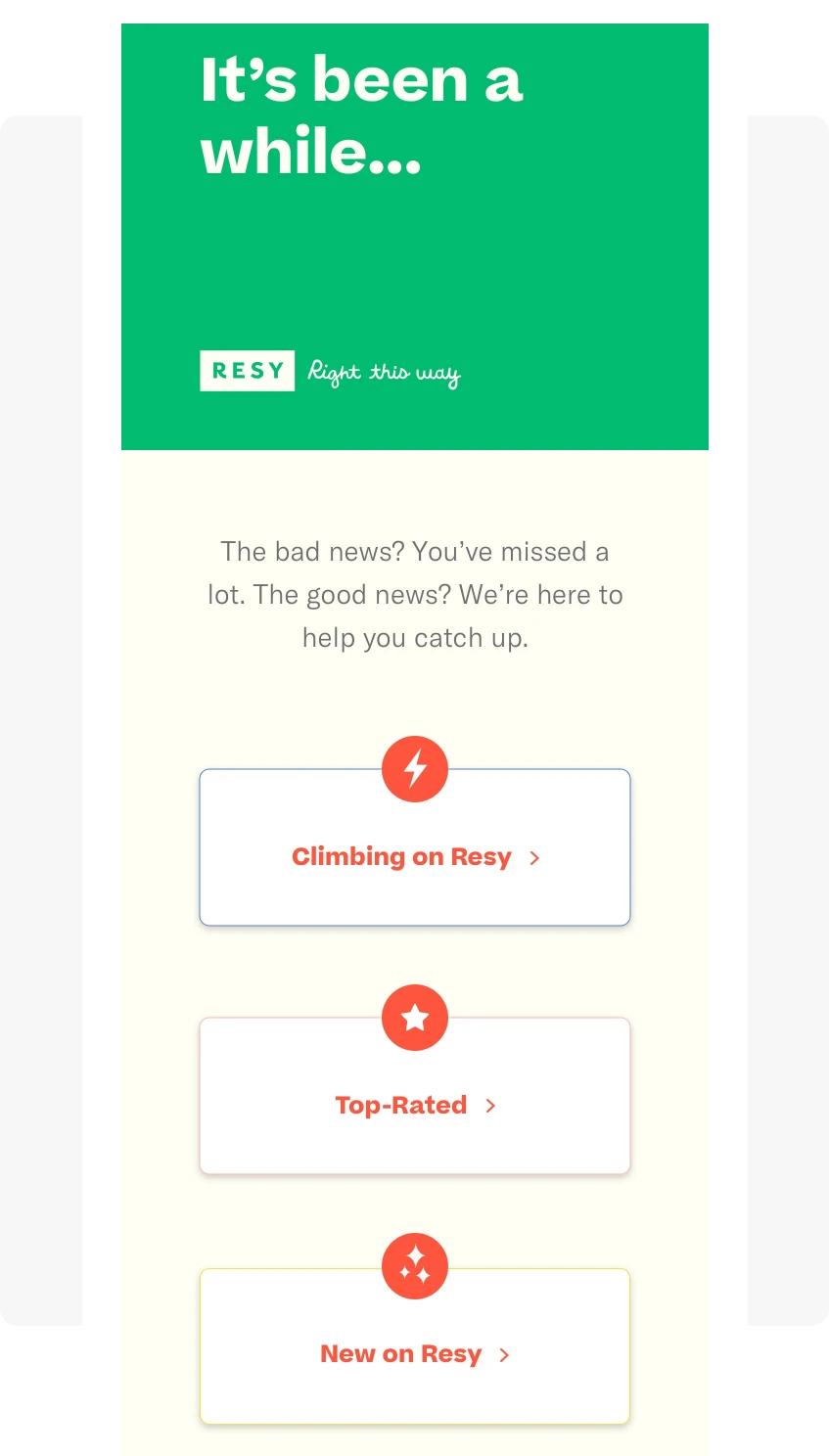
Content recap / “What you’ve missed” email
Best for: media, education, or content-driven products.
Trigger: No ‘Content viewed’, ‘Article read’, ‘Lesson completed’, or ‘App opened’ event for 14–30 days.
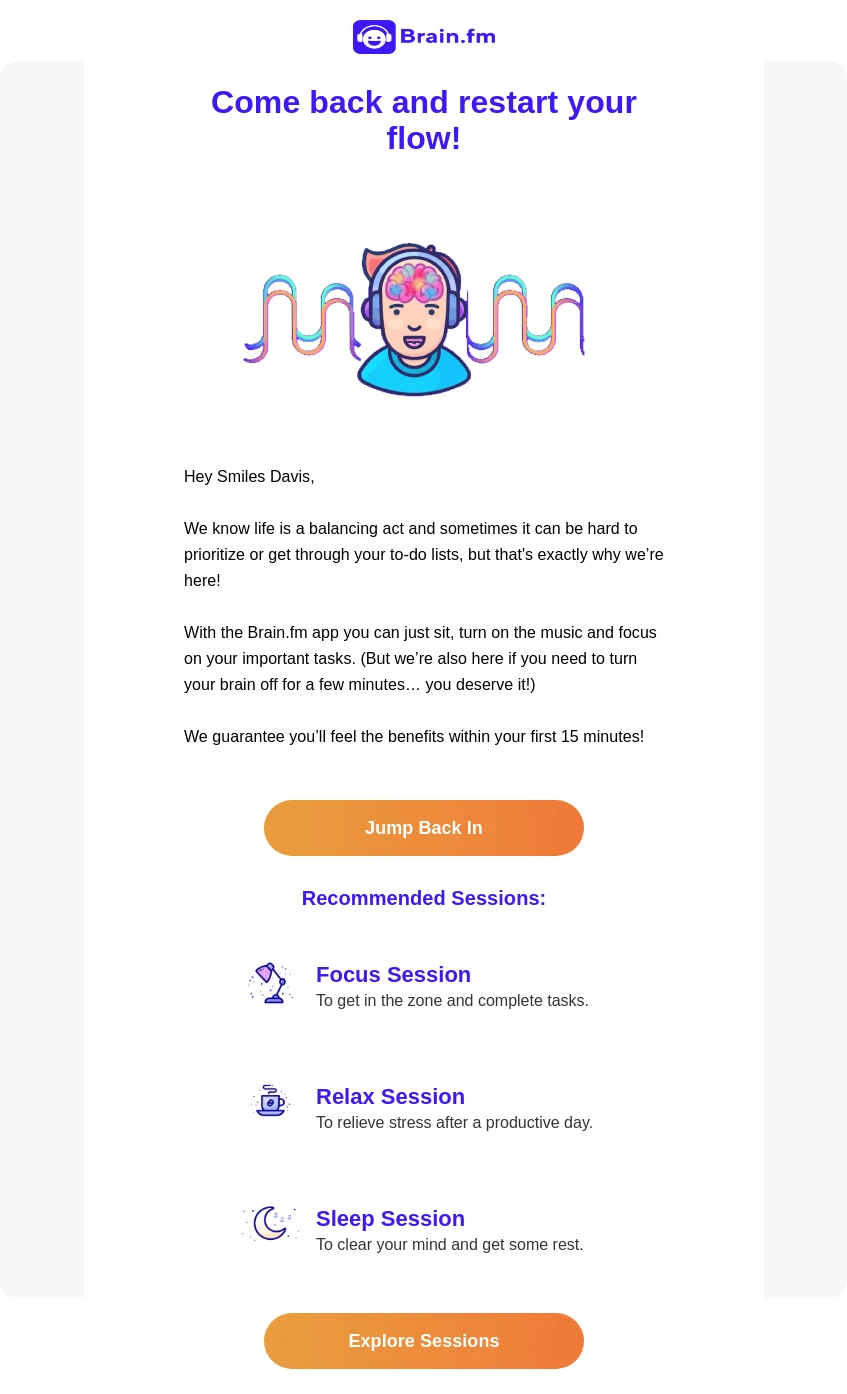
Trial or subscription re-engagement email
Best for: users who signed up but didn’t activate or quickly dropped off.
Trigger: ‘Trial ended’ or ‘Subscription expired’ events.
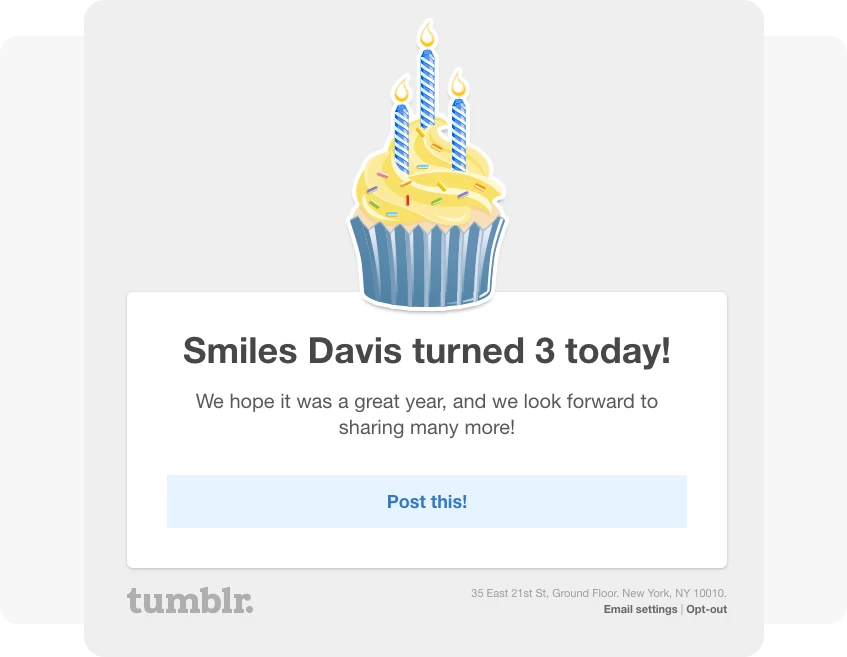
Birthday, milestone, or anniversary re-engagement email
Best for: delightful, personalized touchpoints.
**Trigger: ‘**User Birthday’ event, account anniversary date, or a milestone achieved (e.g., workout streak, finance goal, level completed).
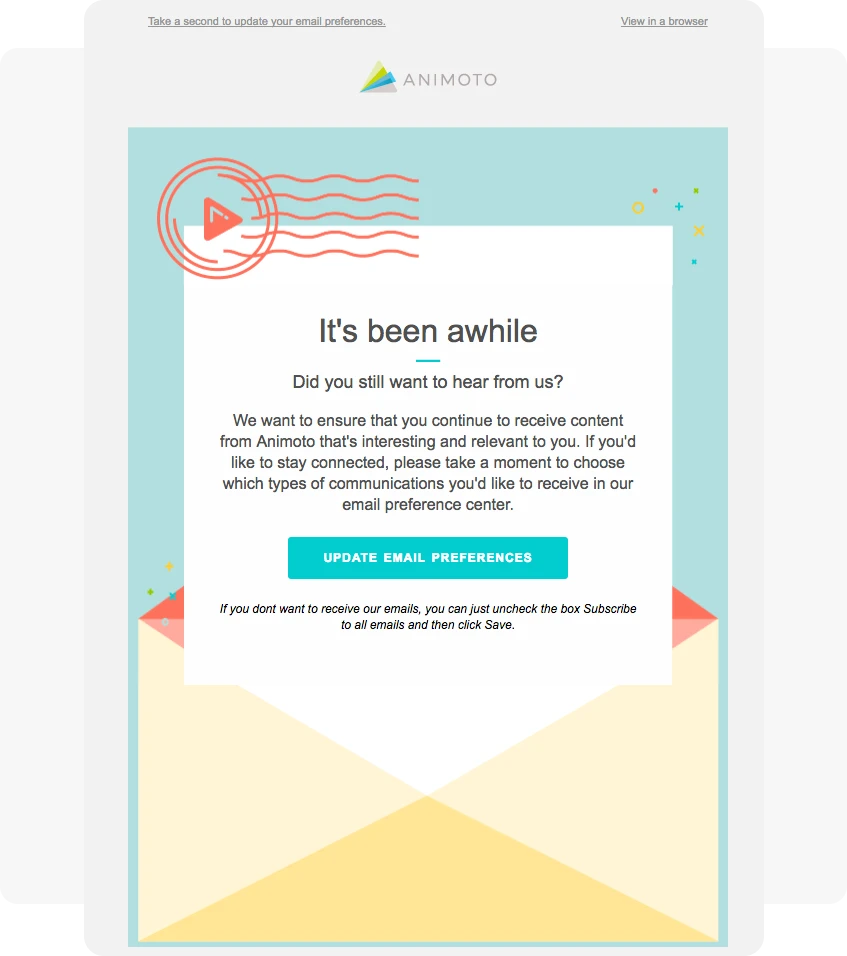
“Update your preferences” re-engagement email
Best for: long-term inactive users you want to either re-engage or suppress.
Trigger: No ‘Email opened’ for 60–180 days, or user ignores past re-engagement attempts through other channels.
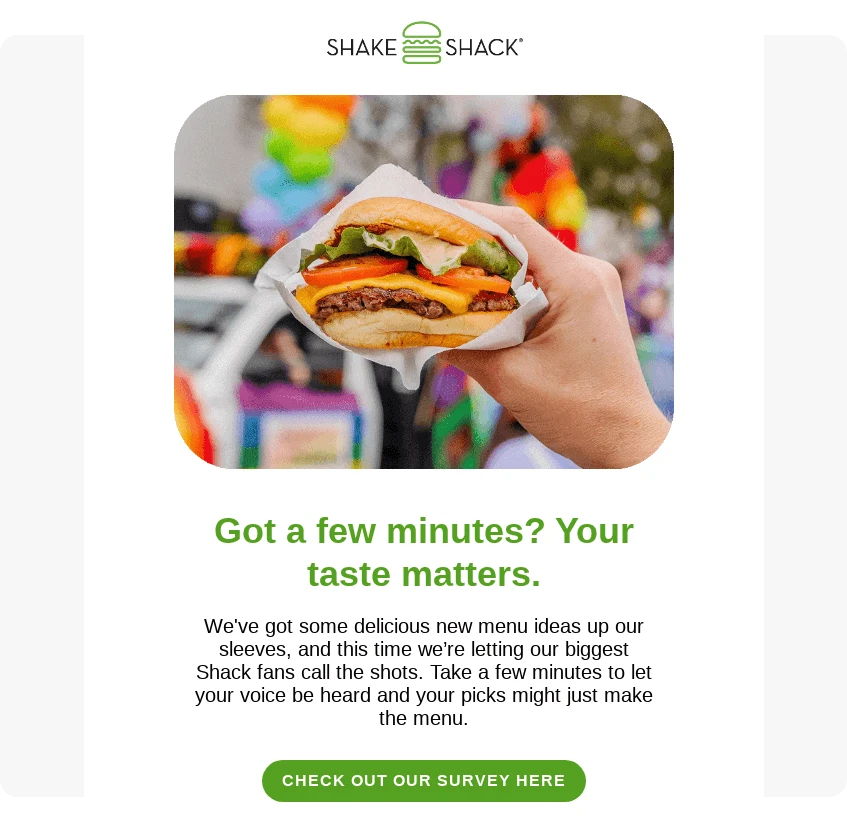
Survey & feedback re-engagement email
Best for: learning why users disengaged.
Trigger: No engagement events for a set period (e.g., 30–90 days), or after a churn identifier (e.g., ‘Subscription canceled’).
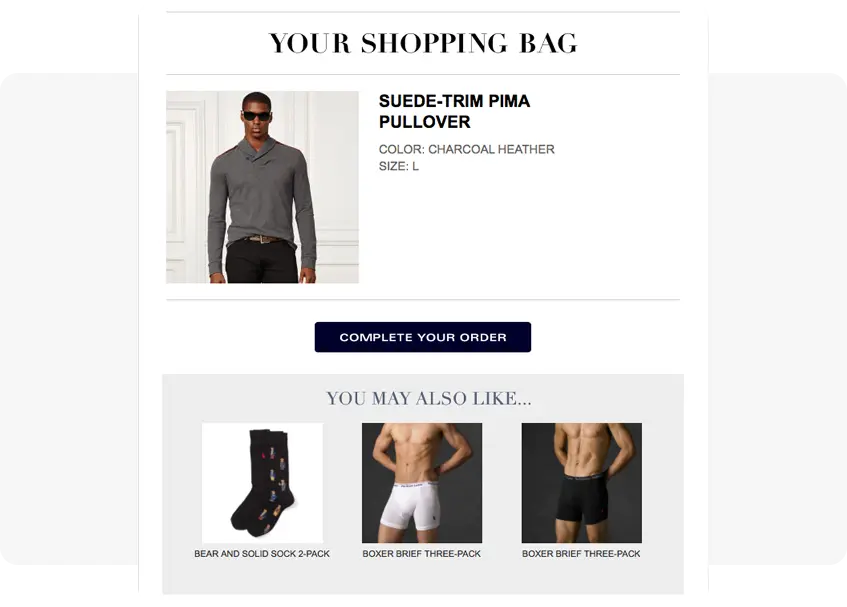
Abandoned cart email
Best for: e-commerce, food delivery, and other apps with strong browsing behavior.
Trigger: User added items to the cart but didn’t purchase.
Re-engagement email templates
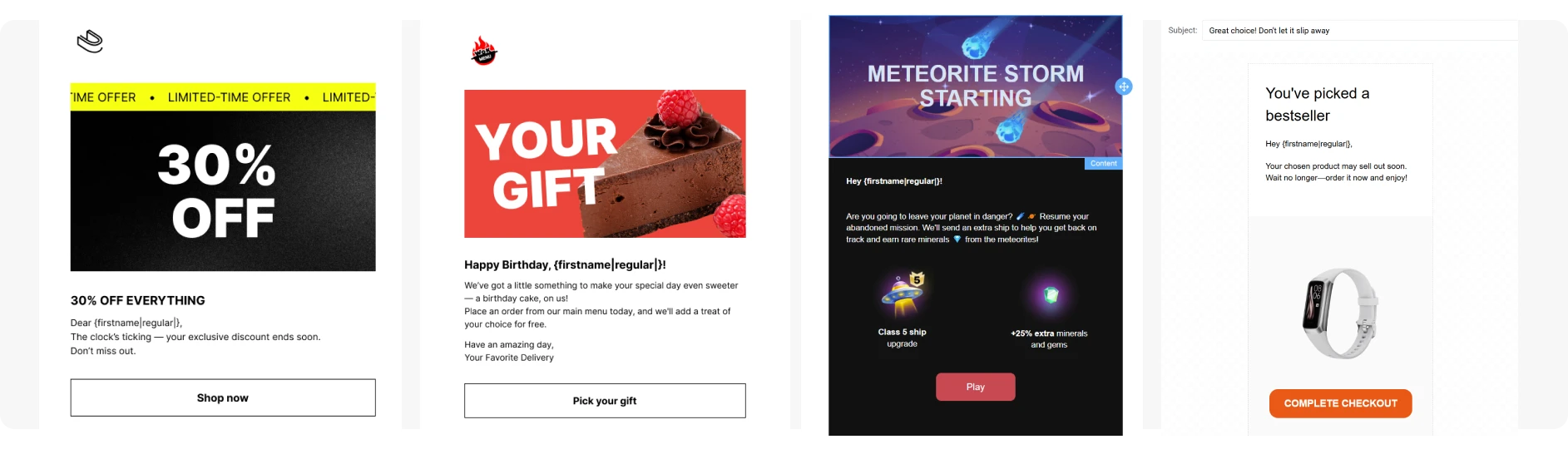
You don’t need to design every re-engagement email from scratch. Pushwoosh comes with a number of ready-to-use email marketing templates that you can quickly customize to fit your use case.
Below are several template examples you can start with, each suited for a specific type of re-engagement scenario:
Best practices for re-engaging inactive email subscribers & increasing revenue
Re-engaging inactive email subscribers takes more than a single message.
Below are the essential re-engagement email best practices to help you not only reconnect with subscribers but also boost app usage and ensure your re-engagement campaigns drive real business impact.
Use progressive sequences, not a single email
A one-off “We miss you” message rarely changes behavior. Short, progressive sequences perform significantly better because they meet users at different stages of readiness.
A simple, effective 3-step re-engagement email campaign sequence:
- Email #1 — Soft check-in
Warm, low-pressure reminder (“We miss you,” “Here’s what’s new”). - Email #2 — Stronger value or incentive
Personalized recommendations, new features, or a limited-time offer. - Email #3 — Last-chance confirmation
Ask if they want to stay subscribed to clean your list and protect deliverability.
Limiting the flow to 2–4 emails avoids overwhelming an already disengaged audience.
Use Pushwoosh Customer Journey Builder to automate the entire sequence, add delays, and send re-engagement emails to a specific audience.

Double down on personalization
Using first_name in your emails is no longer enough.
Effective re-engagement emails use behavioral data, preferences, and context to make every message feel individually crafted.
To make your re-engagement emails truly relevant, use dynamic content that adapts to each user in real time. This allows you to automatically adjust text, visuals, offers, and recommendations based on who the email is going to.
In Pushwoosh, you can personalize emails using:
- Merge tags for instant personalization based on user attributes or past behavior.
- Liquid templates to dynamically pull data from your backend or API.
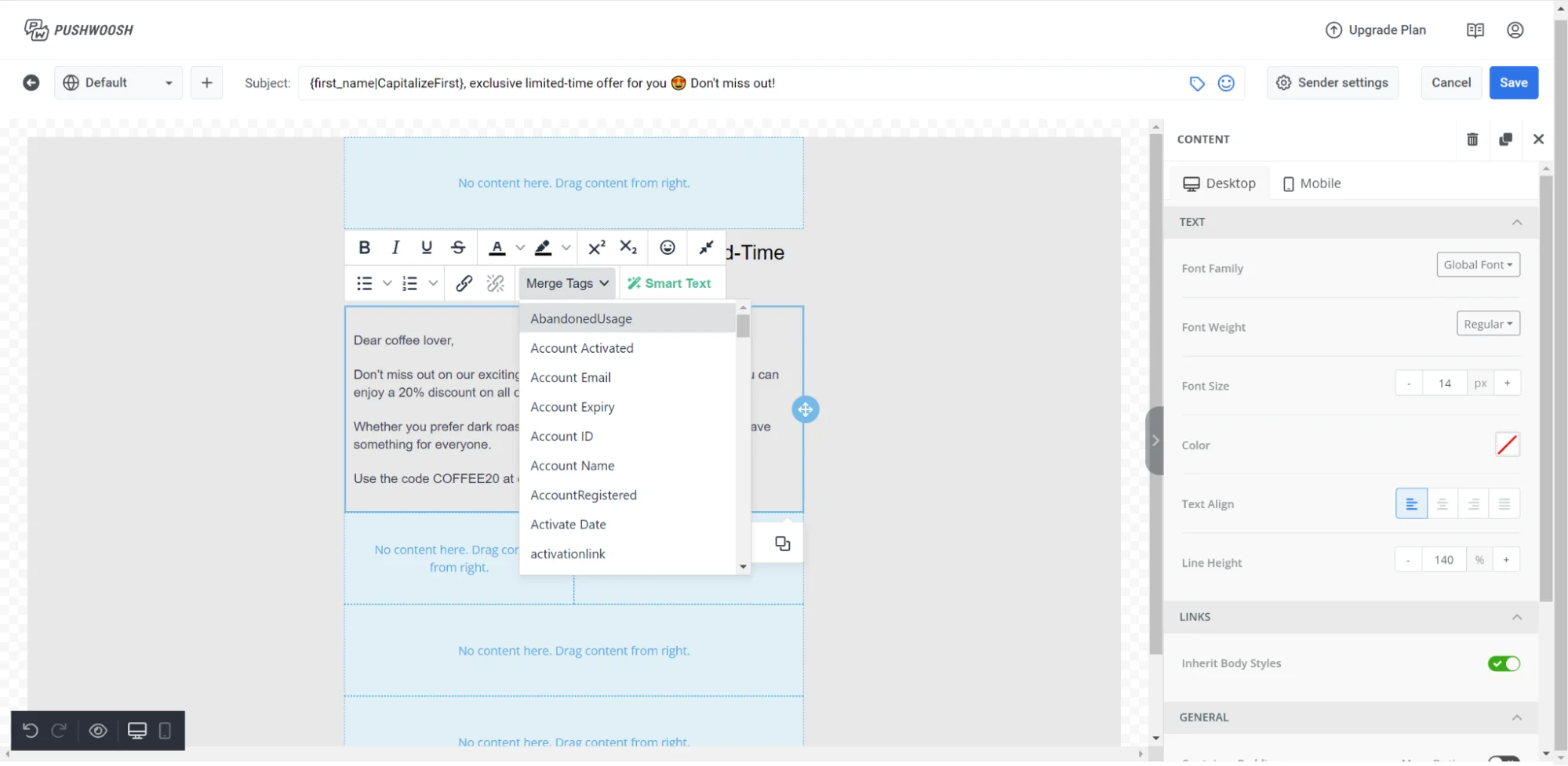
This level of email personalization helps your re-engagement emails resonate and significantly increases the chances of bringing inactive users back.
Choose the best send time
Timing is a significant factor in whether your re-engagement email gets noticed, especially when you’re trying to reach users who have already slowed down their activity. Sending your message when they’re most likely to check their inbox can significantly improve open and reactivation rates.
General engagement patterns show that:
- Weekdays: late mornings (9 AM–12 PM) and early evenings (5 PM–8 PM) typically perform best
- Weekends: early mornings (7 AM–9 AM) often see stronger engagement, especially for e-commerce and lifestyle brands
However, averages only tell part of the story. Real results depend on each user’s time zone, daily rhythm, device habits, and product usage patterns. These factors vary widely across segments.
Use strong, clear CTAs
Inactive users shouldn’t have to guess what to do next.
Your re-engagement email needs one simple, action-oriented CTA that guides them back into the product or experience. Avoid multiple competing buttons: a single, focused CTA consistently performs best.
Depending on the goal of your re-engagement campaign, effective CTAs may include:
- Return to the app
- See what’s new
- Continue where you left off
- Get my reward
- Finish checkout
- Update my preferences
Avoid vague CTAs like “Click here.” Clear intent reduces friction and makes it easier for inactive users to re-engage.
Respect consent & make opt-out easy
Healthy re-engagement begins with respecting user choice.
Making opt-out options easy to find helps ensure compliance, protects your sender reputation, and lets you continue communicating with people who genuinely want to hear from you.
Always include:
- A visible unsubscribe link
- A preference center where users can adjust frequency or content types
- Options to pause emails or switch to another channel
You can also use a final “Do you still want to hear from us?” message in your sequence to clean your list.
A transparent, user-friendly opt-out experience reduces spam complaints and improves deliverability, helping your future re-engagement campaigns perform better.
A/B/n test your re-engagement campaigns
Even the best re-engagement email can underperform if it doesn’t resonate with inactive users. What works for one segment, lifecycle stage, or industry may fall flat for another. That’s why consistent A/B/n testing is essential: it helps you understand what drives true reactivation, not just opens.
What to test in your re-engagement emails
- Subject lines: Try different tones, lengths, personalization, or urgency levels.
- Send times: Compare morning vs. evening, weekdays vs. weekends, or use send-time optimization for accuracy.
- Email content: Test layouts, visuals, copy length, or dynamic content blocks.
- CTAs: Experiment with wording, placement, or button styles to reduce friction.
- Offers: Compare incentives like discount %, free shipping, bonus items, or feature-based value.
Remember to test one variable at a time, analyze the results, and scale what works. Over time, testing transforms intuition into a data-driven re-engagement strategy.
Measure email performance beyond opens
Email open rates are useful, but they’re not enough on their own. An inactive user may open the email without taking any meaningful action. Focus on email metrics that show whether your campaign truly brought users back
Email performance:
- Opens & clicks (baseline indicators)
- Conversions from email (completed actions)
- Unsubscribes & spam complaints (health + deliverability)
Product & business impact:
- Reactivation rate: logins, app sessions, feature usage
- Revenue actions: repeat purchases, renewals, upgrades
- Long-term retention: engagement among re-engaged cohorts
- Value per re-engaged user: revenue or activity generated after reactivation
Pair re-engagement emails with other channels
Email alone may not be enough to win back inactive users, especially those who no longer check their inbox regularly. Combining communication channels may help you increase the chance of reactivation without overwhelming your subscribers with repeated messages.
Common pairings for re-engagement:
- Push notification + email: Push grabs attention fast; email provides detail.
- Email + SMS: Useful for time-sensitive offers, reminders, or renewal alerts.
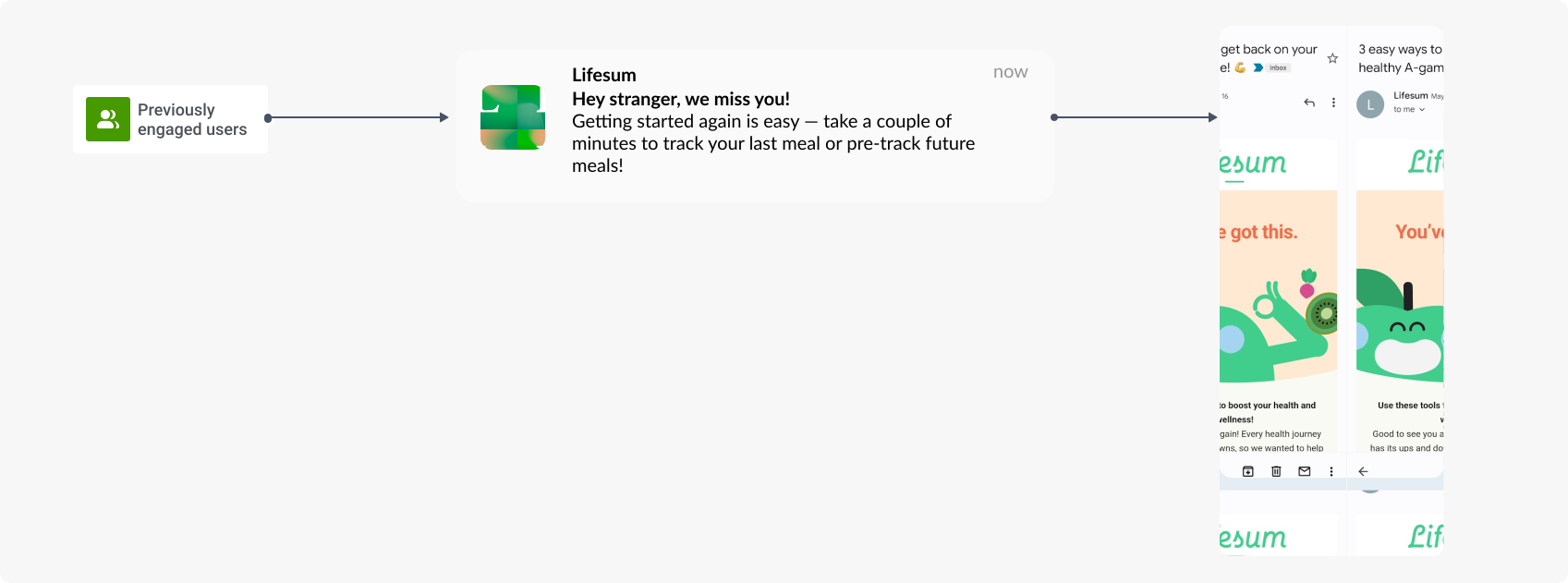
Here is what an automated omnichannel re-engagement campaign may look like in Pushwoosh:
Automate high-converting re-engagement emails with Pushwoosh
Re-engaging inactive users and paying customers is one of the fastest ways to boost revenue, revive retention, and strengthen long-term loyalty.
With Pushwoosh, you can identify slipping users, build behavior-based segments, and automate multi-step re-engagement journeys across email, push notifications, SMS, WhatsApp, and in-app messages — all on a single, intuitive platform with real-time analytics showing which messages actually bring users back.