You ordered cool new headphones but received no order confirmation in your email. You start worrying about getting scammed and thinking of ways to get your money back. Experiences like this show how important transactional emails are. They’re not just confirmations; they play a big part in the customer experience, letting you know about sign-ups, order statuses, or cancellations. In this article, we’ll dive into the definition of a transactional email and how to send transactional emails, with examples and tips.
What is a transactional email?
Transactional email (also called a transactional message or system email) is an automated, non-promotional email sent to a recipient in response to their action, like placing an order, creating an account, or resetting a password.
The main types of transactional emails include:
- Order and activity confirmations
- Account and security confirmations
- Service updates
These automated emails contain personalized information about the user’s activity, such as the items ordered and the amount due.
Transactional emails always have high open rates, as users expect to receive them.
The best part for any marketer is that users don’t need to subscribe to receive them. At the same time, you could include a link to manage preferences so customers can choose whether to receive push notifications or SMS.
Transactional emails vs marketing emails: What’s the difference?
The main difference between transactional and promotional emails is that customers must opt in to receive the latter. Your collection, processing, and handling of customers’ personal information must comply with GDPR, the U.S. CAN-SPAM Act, Canada’s Anti-Spam Law (CASL), and other region-specific regulations.
You will regularly send both marketing and transactional emails. The table below provides examples of when to use each type.
| Marketing emails | Transactional emails |
|---|---|
| 1. Welcome series 2. Educational series 3. Newsletters 4. Product promotions 5. Event invitations | 1. Order and activity confirmations 2. Account and security notifications 3. Service updates |
Transactional email examples (& types of transactional emails)
All transactional emails should be concise and provide only relevant information about a user’s actions. Before we jump to transactional email templates and use cases, let’s scrutinize specific email elements with references to the best practices on how to write them.
The anatomy of a transactional email
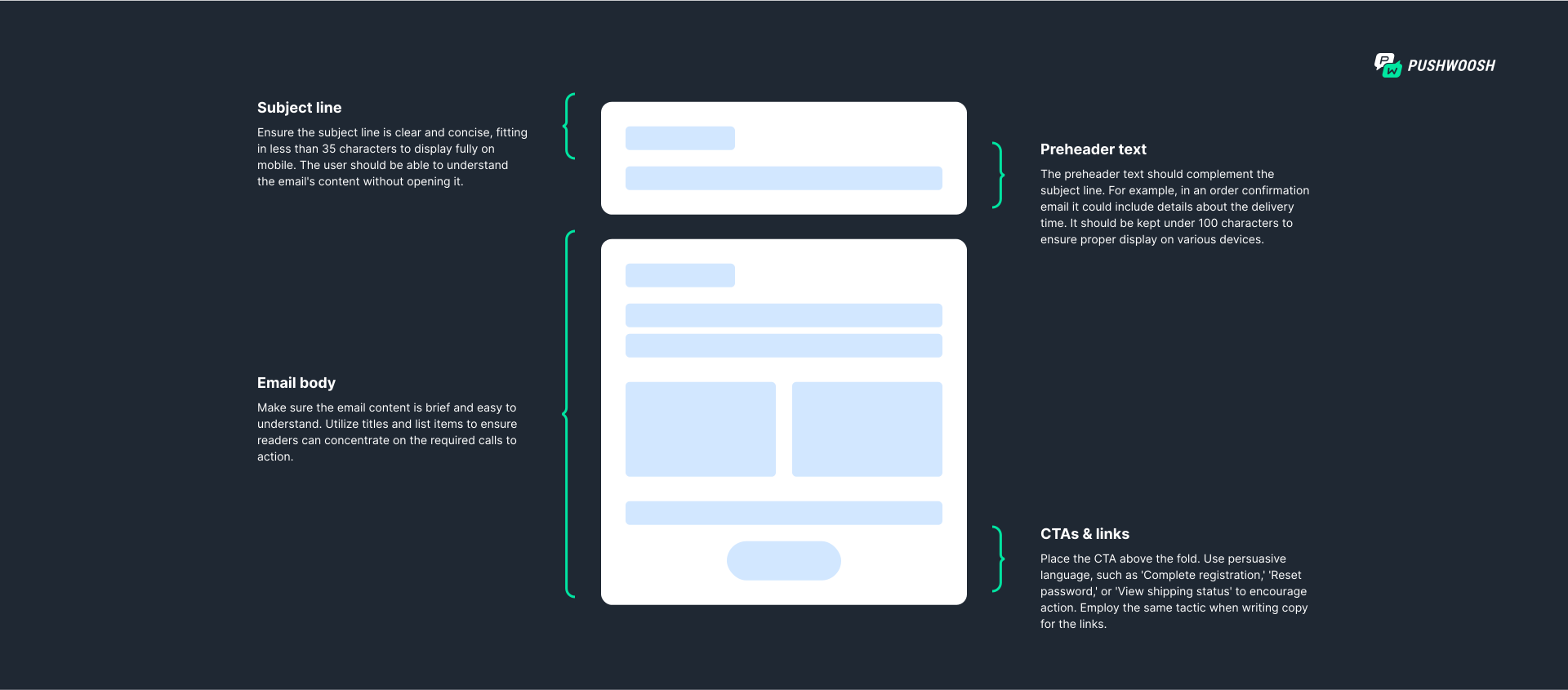
Let’s move to the most common transactional email types, with examples and templates.
Order and activity confirmation transactional email examples
Order confirmation
Order confirmation emails reassure customers that their orders have been successfully placed. They usually include order details and delivery information. For e-commerce businesses, these emails are also an opportunity to cross-promote products where local regulations allow it.
Here’s an example of an order confirmation email sent by iHerb.
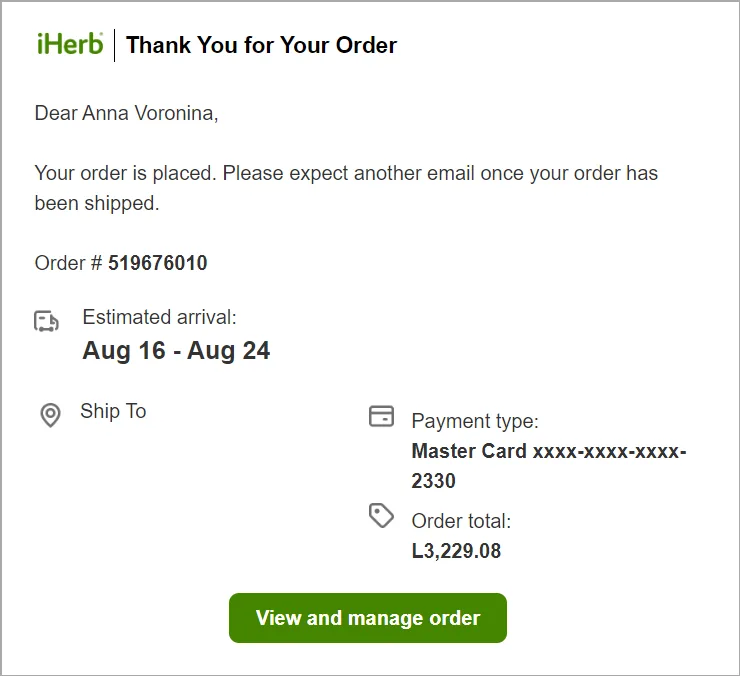
iHerb order confirmation email
Order confirmation email template
If you’re looking for guidance on creating an effective order confirmation email, starting with a pre-made template can be a good choice. For example, consider this email template ready for use in Pushwoosh. Its layout includes a customer’s name, order details, and clear information on what to expect next.
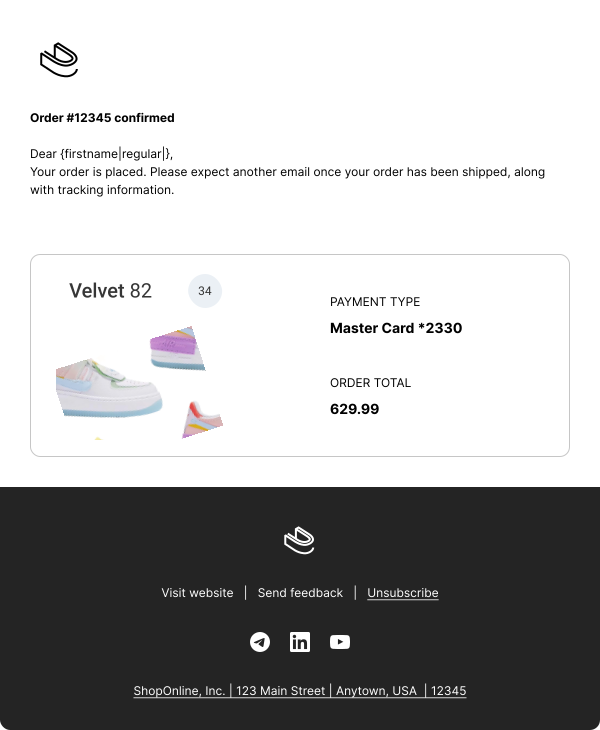
👉To use this transactional email template: Log in or Sign up for Pushwoosh, go to Content > Email Content > press ‘Create email content’ > press ‘Choose a template.’ Several email templates will then appear, ready to use as is or customize. The one above is called ‘Order Confirmation.‘
Shipping confirmation
A shipping confirmation email should include three key pieces of information:
-
A notification that the product has been successfully shipped
-
Details of the order
-
Tracking information.
Tracking information helps to keep customers informed about their purchases and the next steps they need to take.
Look at this example of a shipping notification email from ASOS.
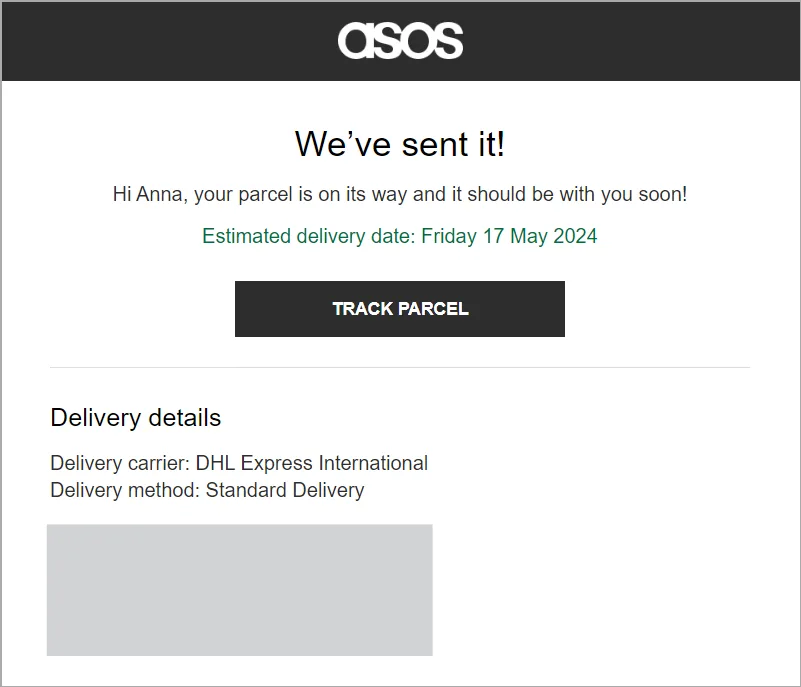
ASOS shipping confirmation email
Payment confirmation
The payment confirmation email should confirm that the payment has been made for a product or service. It needs to include the exact amount charged and the payment method.
Check out how Bolt delivers all this information at a glance.
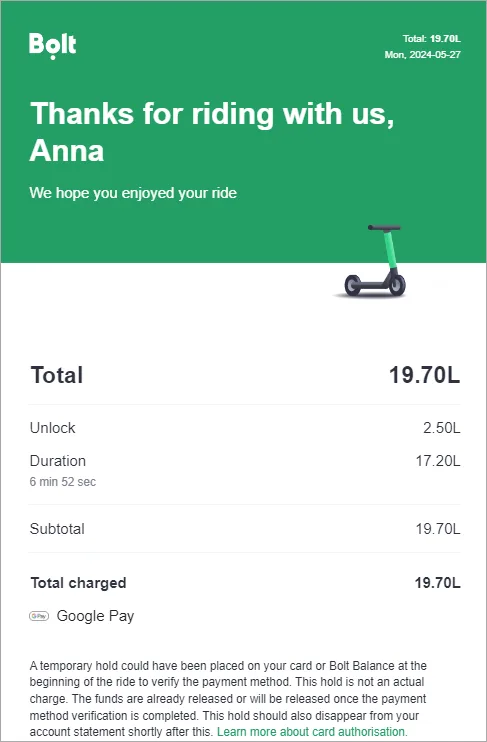
Bolt payment confirmation email
Delivery confirmation
When creating your delivery confirmation email template, include the order tracking number, list of shipped items, payment details, expected delivery date, and support contacts.
This well-structured example from DHL gives users all the information they expect.
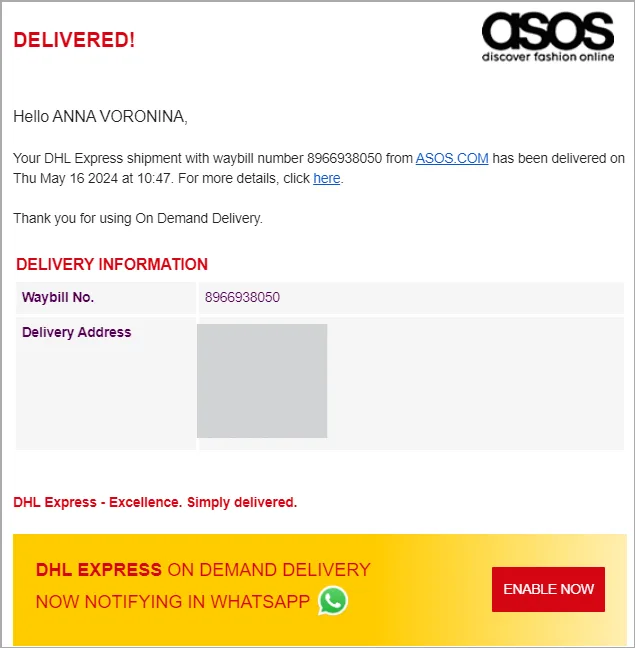
DHL delivery confirmation email
Return confirmation
An effortless return process is crucial to customer satisfaction. Return confirmation emails are an integral part of the post-purchase email strategy, and Bata excels in this aspect.
The email below includes essential details, including the return and refund timeframe, product name and price, quantity, and order number.
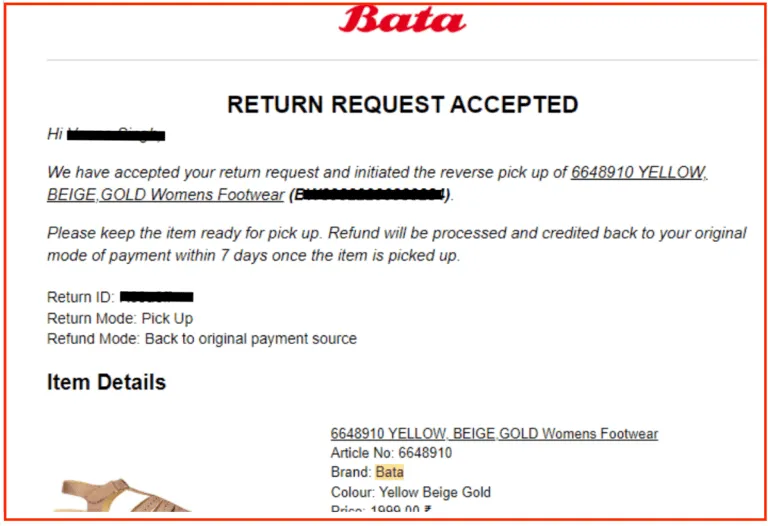
Bata return confirmation email
Refund confirmation
Sending prompt refund confirmation emails helps customers feel at ease when doing business with you, knowing they’ll get their money back soon. Include the refund amount, the timeframe for the money return, and your contact information in this template.
See how Trolley’s team wrote it for their customers.
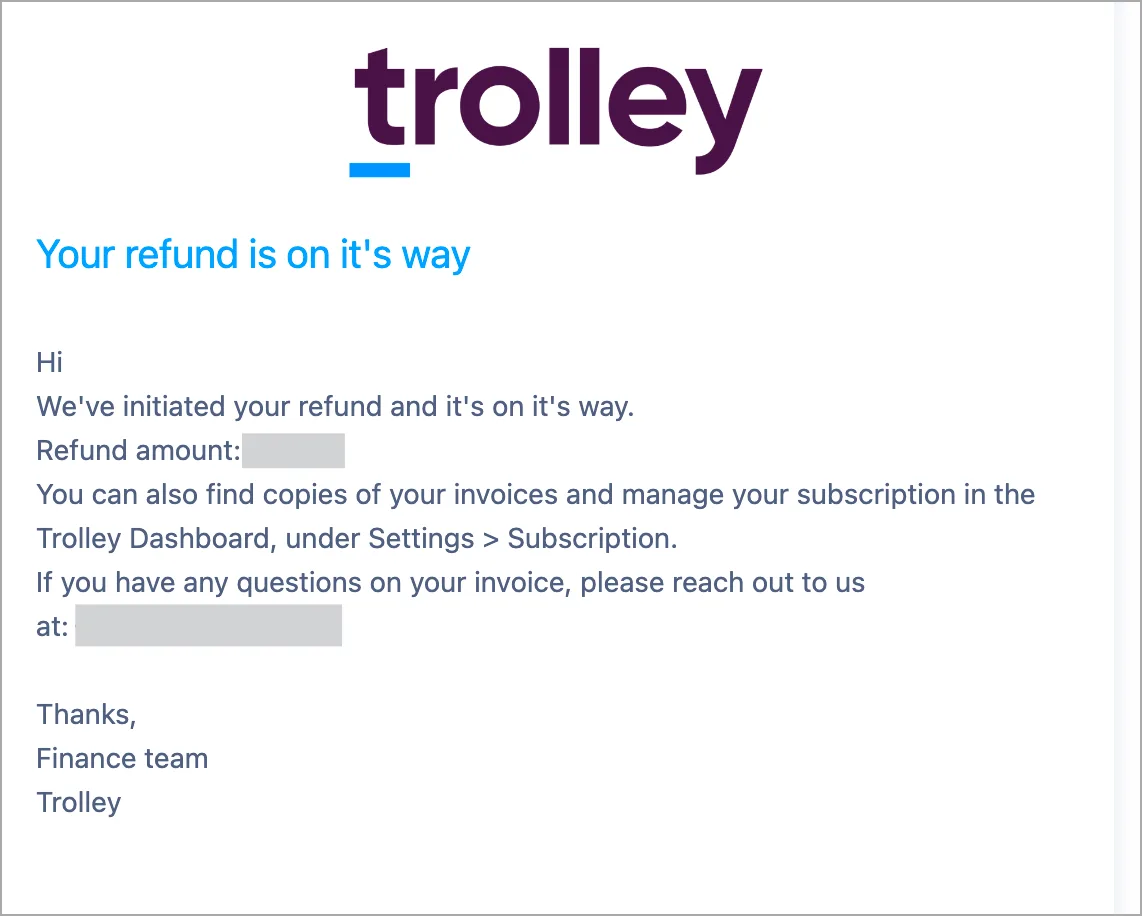
Trolley refund confirmation email
Appointment confirmation
Personalize your appointment confirmation email with as many variables as necessary to make the customer feel validated. It should include all essential information, such as the appointment’s date, time, and subject. Also, include your contact details if the customer needs to make changes.
HotDoc included all the useful info for their patients in the appointment confirmation email.
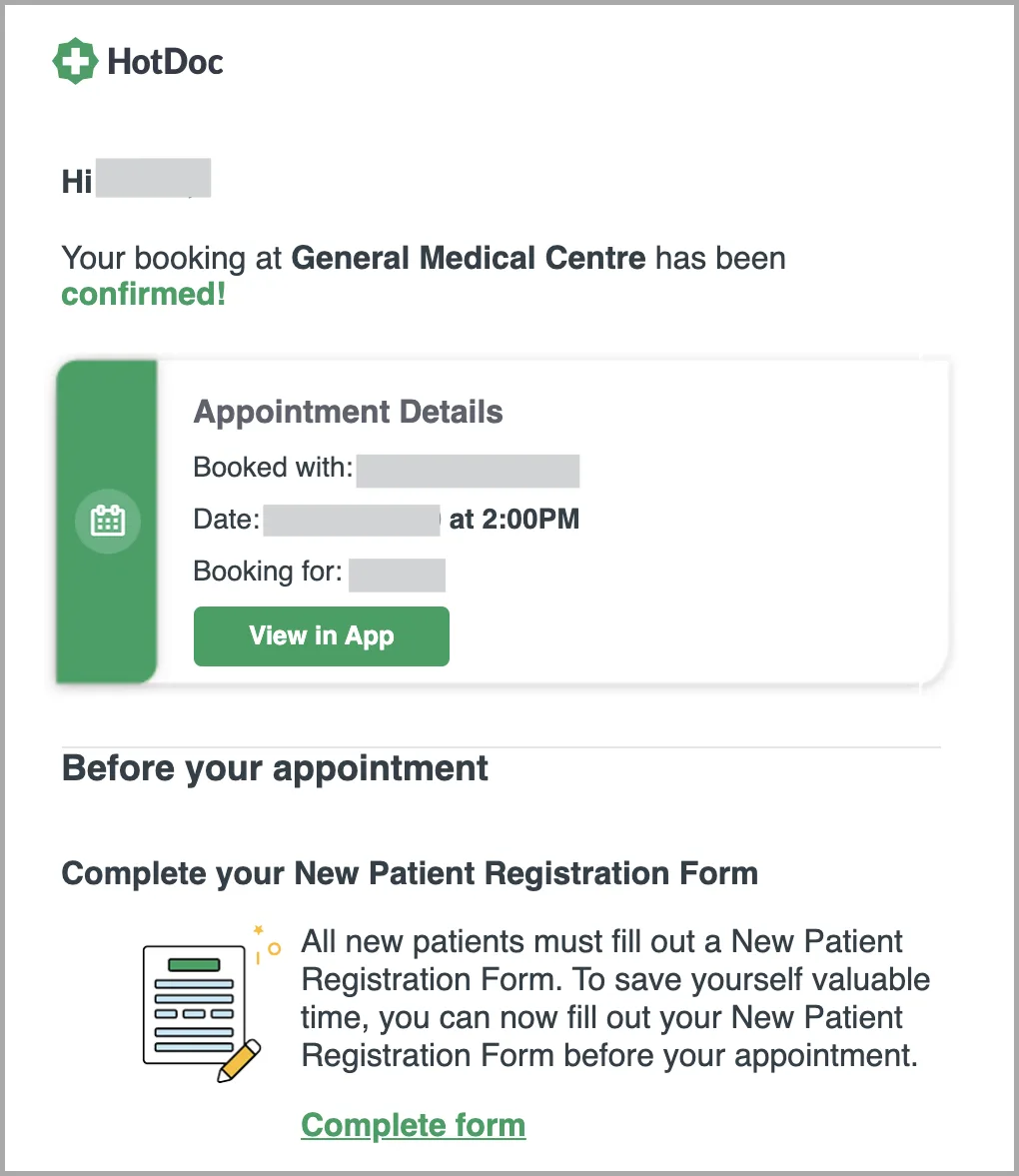
HotDoc appointment confirmation email
Cancellation confirmation
When a customer cancels an order or subscription, the cancellation email confirms their request and gives marketers a chance to win users back. In Hulu’s example, the only thing they ask users to do is to come back. The email is short and to the point, with two ideas: the first confirms the cancellation, and the second focuses on reactivation.
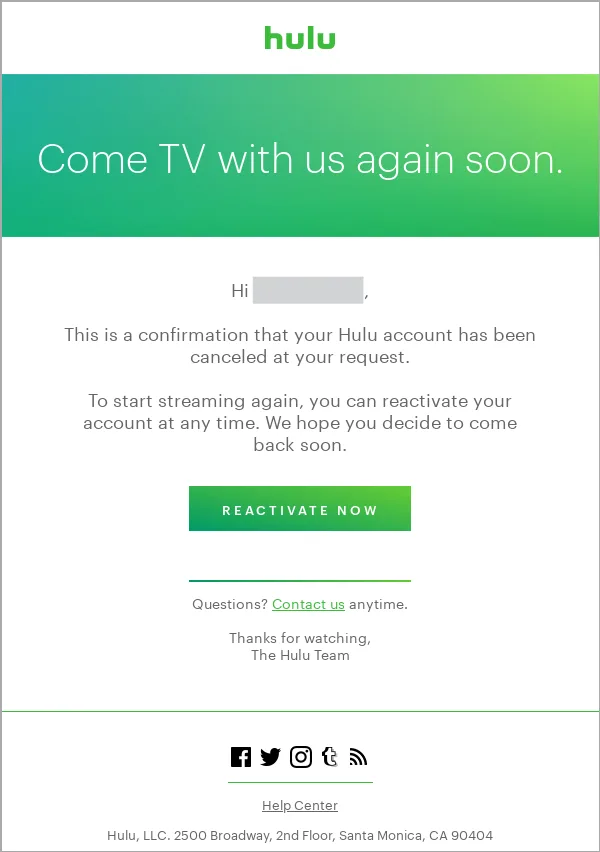
Hulu cancellation confirmation email
Account and security notification transactional email templates
Account activation
The account activation email example from Headspace contains essential information for recipients. It explains why the customer needs to verify their account, what they need to do to complete the process, and when the verification link will expire.
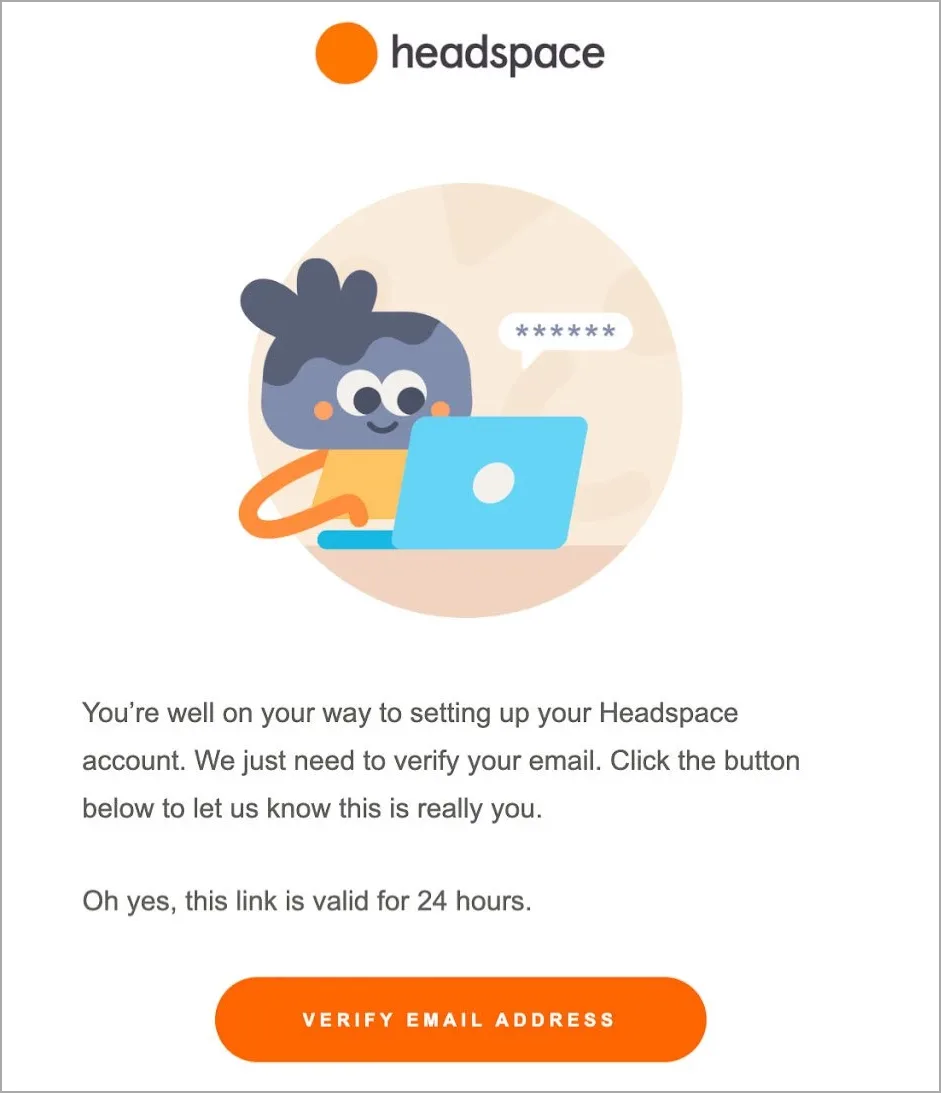
Headspace account activation email
Security alerts (e.g., suspicious login attempts)
When creating a security alert email, it’s important to make it direct and personal and include a clear CTA. Ensure that all necessary details, such as location, time, and device type used for account login, are included. Additionally, a friendly touch like ‘Sent with love from Airbnb’ sign-off will remind the user that the company values their account security.
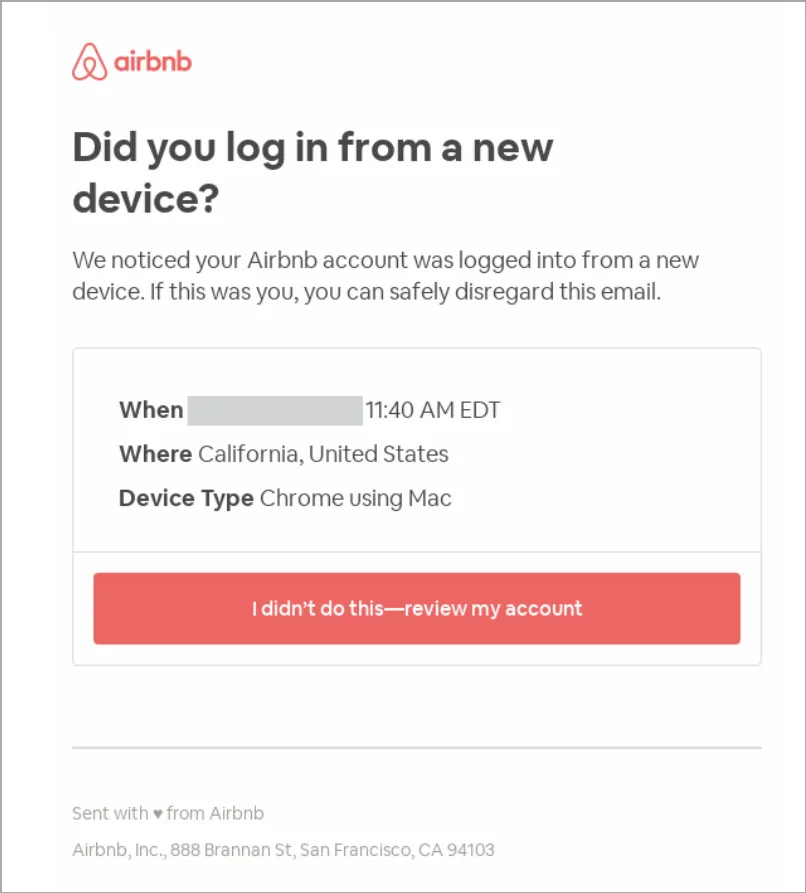
Airbnb security alert email
Two-factor authentication (2FA) codes
Two-factor authentication emails provide a strong defense against fraud. This email template should include a code with a short expiration, advice on adding security layers to users’ accounts, and your contact information. Deel included all this information for their users.
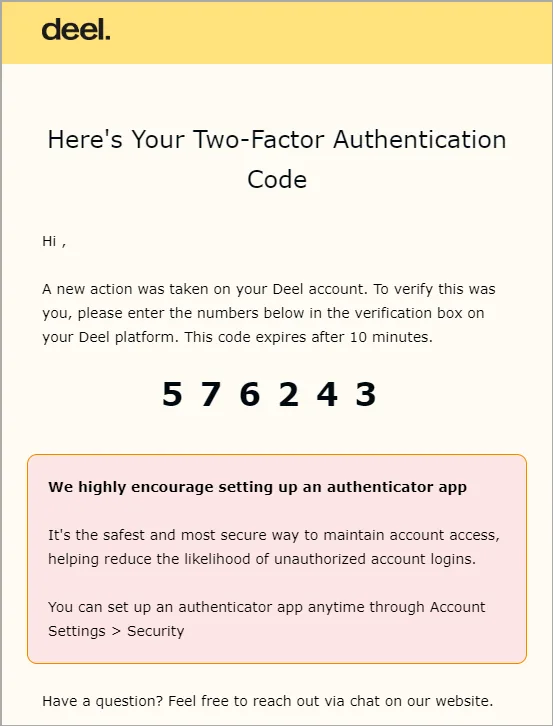
Deel 2FA email
Password reset emails
Reset password emails will likely be opened as users intend to continue using your service. Capitalize on this opportunity to craft an on-brand message with clear instructions, similar to Netflix’s approach.
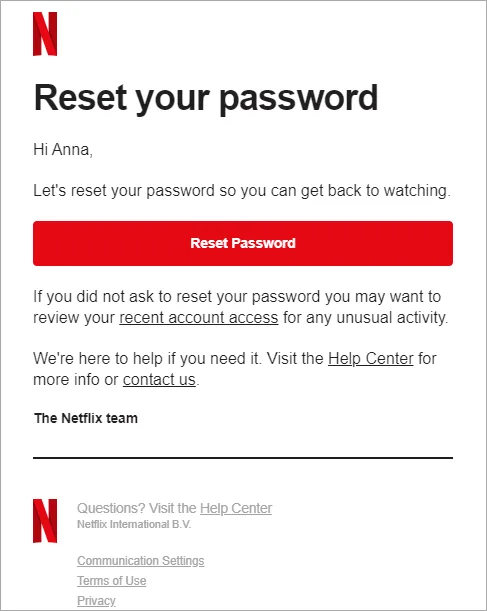
Netflix password reset email
Service updates transactional email examples
Subscription renewal emails
When sending subscription renewal emails, it’s helpful to include a reminder to customers to add a backup payment method. Doing so could significantly increase the number of successful transactions in the future. Google Play, for example, uses this approach in its subscription renewal emails.
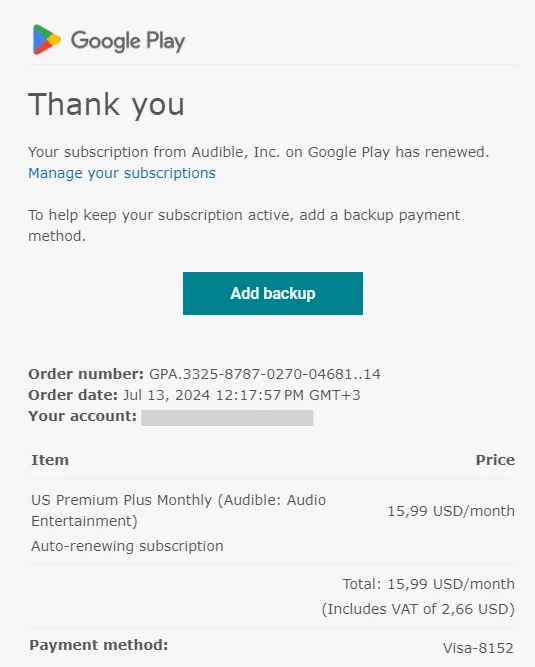
Google Play subscription renewal email
Subscription expiration notices
Subscription expiration notices should be friendly yet straightforward. Bold the most essential elements for easy scanning. If the subscription renewal is automatic, it should function as a simple courtesy notice. If there are any questions or concerns, encourage replying to the email to get in touch, just like the team at Reincubate suggests.
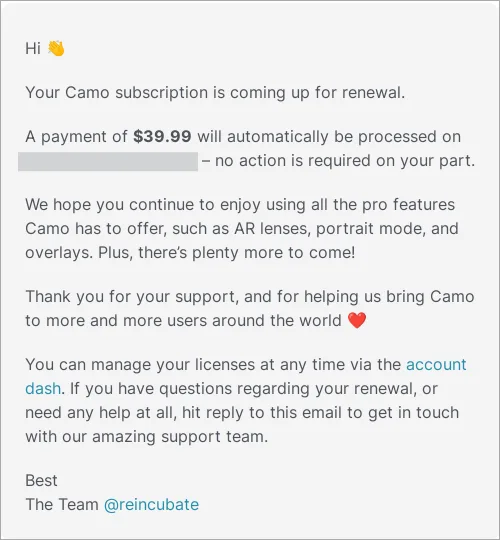
Reincubate subscription renewal email
Billing updates or invoices
A billing update email is meant to verify that the payment information we have on file is accurate. It’s a pre-dunning email to help avoid customer churn caused by outdated payment details.
Let’s review Lyft’s approach. This email stands out for its prominent product image, which clearly shows where to update payment information in the app.
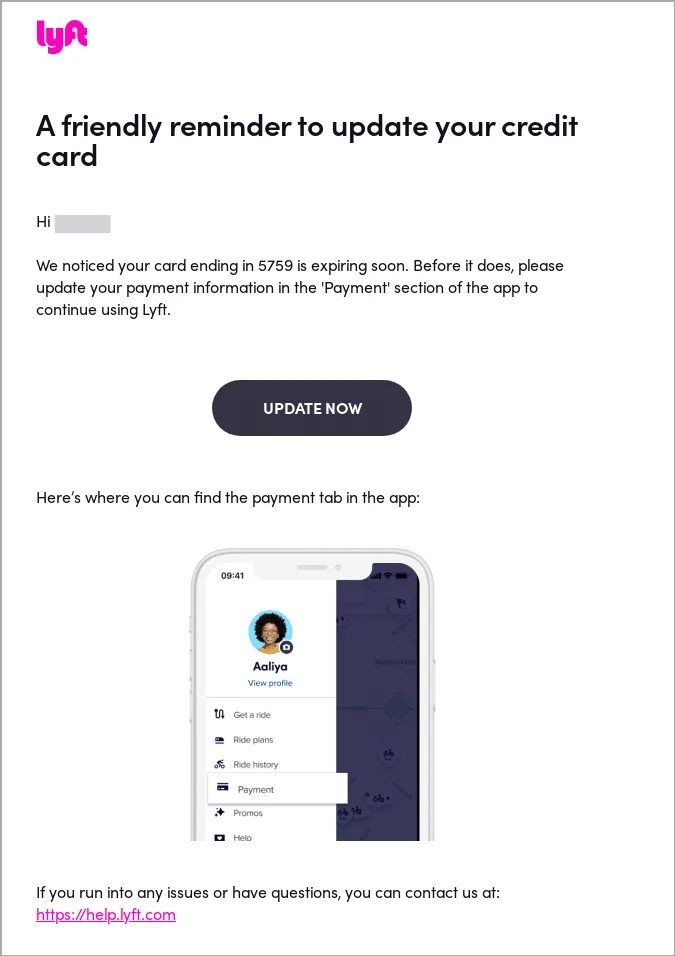
Lyft billing update email
Changes to the terms of service or privacy policy
The email describing the changes in terms and conditions is typically longer than the transactional emails we’ve reviewed today. Let’s analyze the email from Figma. It clearly explains how users can adjust their AI settings, gives an overview of the new AI terms, and specifies when the terms will take effect.
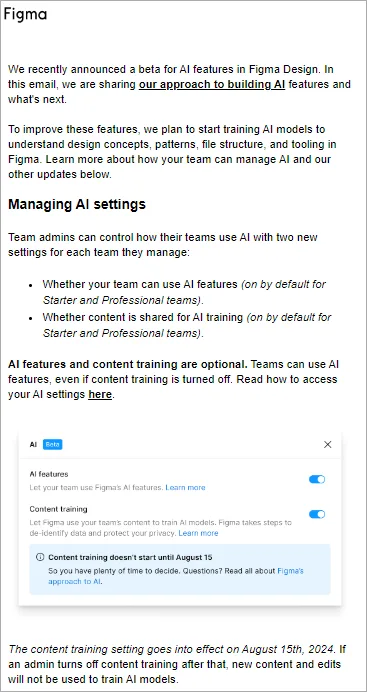
Figma changes to AI terms email
How to send transactional emails (step-by-step)
Sending transactional emails requires a reliable setup, proper domain authentication, and smooth integration with your product’s workflows. Follow these steps to ensure your messages are delivered quickly, consistently, and at the exact moment your users expect them.
1. Choose a transactional email service or provider
Start by selecting a dedicated transactional email service, not a general marketing tool. Your transactional email provider must support high-volume sending, fast delivery, and consistent inbox placement (Pushwoosh can 😎).
2. Authenticate your domain to ensure top-class deliverability
Optimize your email deliverability by configuring the essential authentication records for your sending domain. This step builds trust with mailbox providers and significantly improves your chances of landing in the inbox.
Follow these configuration steps:
- Authenticate your sender’s domain by setting up SPF, DKIM, and DMARC records. This helps establish your sender identity and increases the chances of your emails reaching the inbox.
- Build a strong sender reputation by gradually increasing email volume. This helps email providers trust your domain and improves deliverability rates.
- Avoid using spam triggers in your emails, such as excessive exclamation points, all caps, or overly complex HTML.
- Regularly clean your email list to reduce bounce rates and remove invalid email addresses.
- Promptly address email complaints to avoid being blacklisted.
Proper configuration is especially important for transactional emails, as users often rely on them to complete critical actions. For more guidance, see our full email deliverability article.
3. Integrate email sending into your product using APIs or SDKs
Next, make sure your transactional email provider integrates seamlessly with your app or backend system.
Use APIs and SDKs to connect email-sending functionality directly to your product logic, for example:
- Trigger a confirmation email when a user completes a purchase
- Send a password reset email instantly after a user requests it
- Notify users about subscription changes or payment issues in real time
Seamless integration ensures your transactional emails arrive at exactly the right moment, improving user satisfaction and conversion rates.
4. Connect your product events
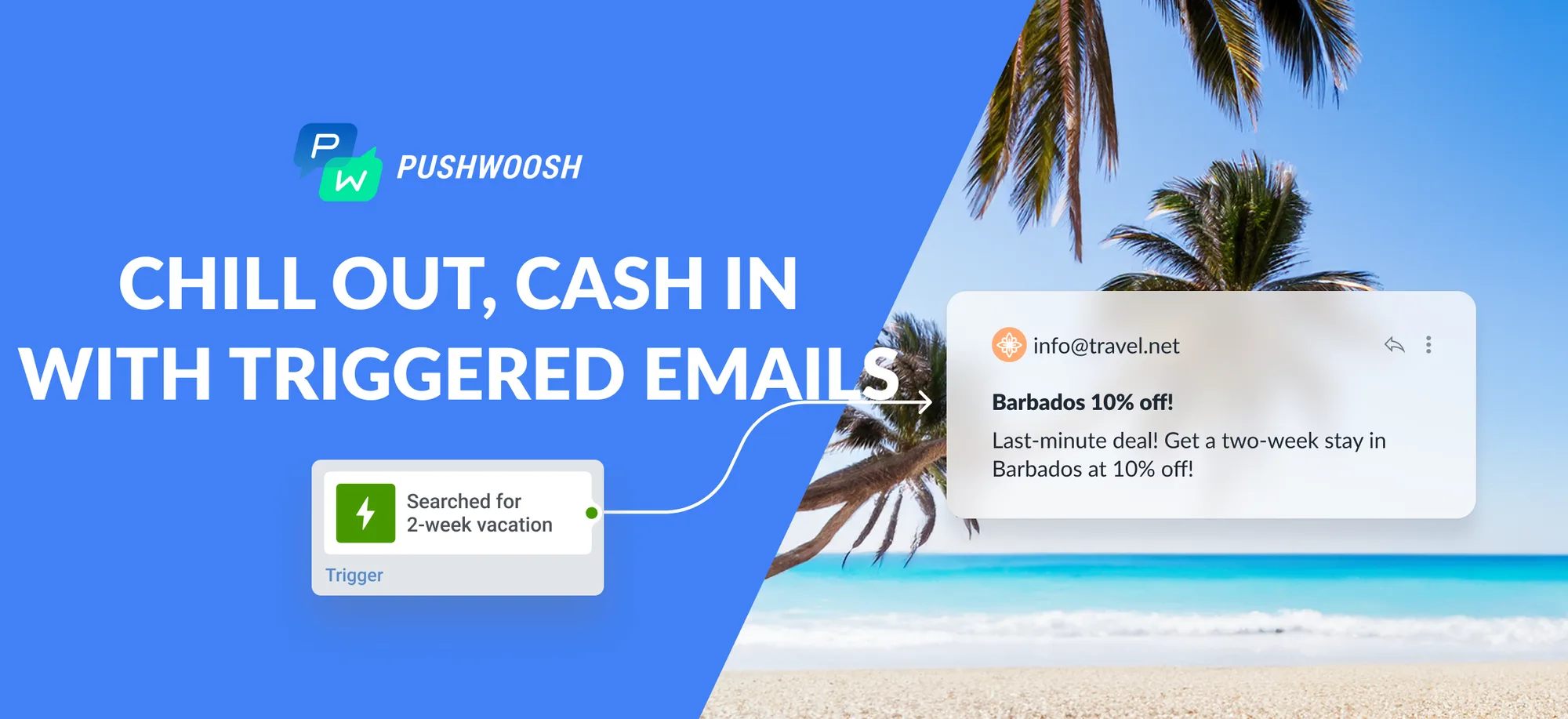
Transactional emails are always tied to a specific event or user action, like ‘Order placed’ or ‘Password changed’. In Pushwoosh, you can set up transactional message delivery using Trigger-based entry or Wait for Trigger element.
For more detailed info, check out our guide on triggered emails.
Transactional email best practices
Looking for how to improve transactional emails and make them more transparent, more reliable, and more helpful for your users? These best practices will help you optimize every part of your transactional messages, so they consistently reach the inbox and provide the seamless experience your customers expect.
Hone user experience at each step of the journey
Create customizable, on-brand templates for each transactional action you need. Include CTAs above the fold. Use clear, action-oriented subject lines to match the email’s content and increase open rates.
For example, when reaching out to customers who’ve left items in their shopping
carts, your subject line could read: {item name} is still waiting for you.
Always include a ‘ReplyTo’ address so customers can easily reach out to you. Also, provide an unsubscribe option to maintain your sender’s reputation.
Use omnichannel communication to boost reach
Managing communication preferences is similar to curating a playlist. Just like you choose the perfect song for each playlist, users can pick their preferred way to receive messages. Ask users whether they’d like to receive transactional messages via push notifications, in-app messages, or SMS to ensure they’re opened and read.
At the same time, choose a backup channel that will be automatically activated for critical alerts. Collaborate with your team to ensure the brand’s voice is consistent across all channels and maintain a smooth user experience.
Personalize content to enhance user experience
Use dynamic content in your transactional email templates to incorporate recipient-specific details. For example, in order confirmation messages, you could dynamically insert a delivery date.
To take personalization a step further, tailor transactional messages based on customer segments (e.g., VIP, new, or returning customers), offering each group customized content and relevant next steps to optimize engagement.
Make sure your emails look great on mobile devices
Transactional emails are often opened on mobile devices, especially for actions like password resets or order confirmations. Ensure that emails render correctly on various screen sizes and use readable font sizes for mobile users. Make it easy for users to take action on their mobile devices.
Comply with regulations in your region
Handle user data carefully and comply with relevant regulations such as GDPR and CCPA. It is crucial to adhere to anti-spam laws like CAN-SPAM and CASL to avoid legal issues.
Additionally, provide a clear and user-friendly way for users to unsubscribe from transactional emails.
Continuously test & optimize
1️⃣ Perform a pre-launch test series of your transactional emails by sending test emails to different email clients and devices to identify potential issues.
2️⃣ Run A/B tests to determine which subject lines, copy, or layouts work best for your audience.
3️⃣ Assess your success by tracking key metrics such as open, click-through, and bounce rates.
Start sending powerful transactional emails with Pushwoosh
Pushwoosh is more than a transactional email provider. It is an omnichannel customer engagement platform that helps you orchestrate all your critical messages — transactional or marketing — in one place.
With Pushwoosh, you can:
- Send transactional emails, push notifications, in-app messages, SMS, and WhatsApp in a single, coordinated flow
- Trigger messages based on real-time events
- Build automated workflows in Customer Journey Builder
- Continuously optimize performance with A/B/n testing, delivery analytics, and conversion tracking
FAQ
Do transactional emails need an unsubscribe link?
Yes. It is recommended to include an unsubscribe link in transactional emails to stay compliant and maintain a strong sender reputation. While some purely operational messages may not legally require an opt-out option, adding one helps you avoid complaints, reduce spam reports, and signal trustworthiness to mailbox providers.
Are abandoned cart emails considered transactional?
No. Abandoned cart emails are generally classified as marketing emails because they aim to encourage a purchase rather than complete an action the user initiated. Since they are promotional, they require user consent and must follow marketing compliance rules.
Can I include promotions or cross-sells in transactional emails?
Yes, but be cautious. Adding promotional elements to a transactional email can change its legal classification to marketing, requiring opt-in consent and an unsubscribe link. Follow the 80/20 guideline: at least 80% of the message should remain transactional and essential.