Mobile in-app messaging catches users while they’re already in your app. No opt-in stands in the way, which is exactly why it converts where push and email often stall. This guide answers what in-app messaging is, why it works, the formats it comes in, and how leading apps use it, illustrated with 21 real examples.
What is in-app messaging?
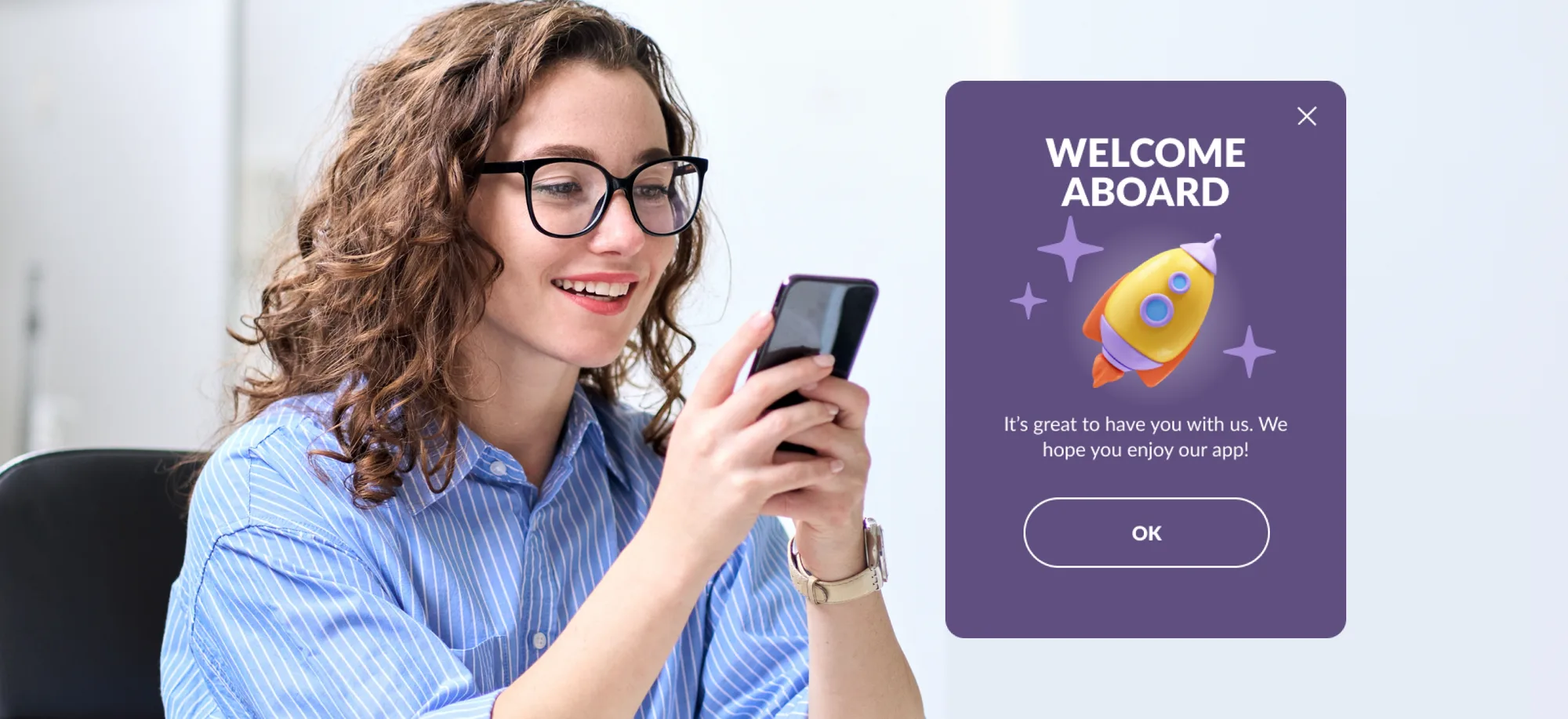
So, what is in app messaging? In-app messaging is the practice of sending targeted messages to users while they’re actively using your mobile app. An in-app message is the individual unit: a popup, banner, interstitial, or inline card that appears in response to what the user is doing, right inside the app interface.
Unlike push notifications, which reach users outside the app and require an opt-in, in-app messages appear during an active session and need no prior consent. That means they can reach 100% of your active audience. Because they surface in context, in-app messages tend to feel like a helpful part of the experience.
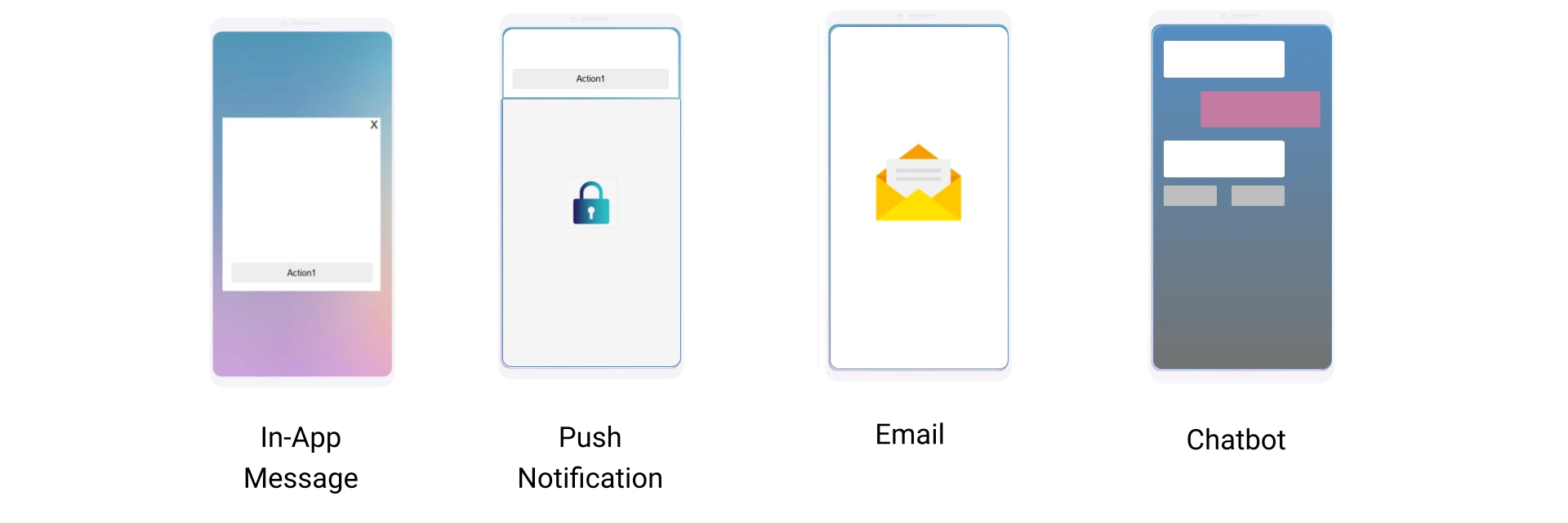
The channel covers a wide range of jobs: onboarding new users, announcing features, prompting subscriptions, collecting feedback, and confirming transactions. The rest of this guide breaks down the benefits, the formats, and the use cases with examples.
In-app messages benefits: why the channel works
Seven concrete reasons the channel earns its place, from reach to feedback.
Reach your entire active audience. Push and email need an opt-in, and a big share of users never give it. In-app messages need none, so every user active in your app is reachable.
Deliver urgent messages and know they’re seen. In-apps target users who are active right now. An urgent notification lands during the session and gets a response while the user is still looking at the screen.
Drive target actions. In-app messaging works for new user onboarding, purchase conversion, and in-app surveys alike.
Keep the experience smooth. In-app messages show up inside the app, so users aren’t pulled away from what they’re doing. A well-timed tip or promo code can even feel like a favor.
Stay on brand. With the Pushwoosh in-app messaging solution, you can design an in-app that matches your brand guidelines exactly, editing colors, text, buttons, and layout in a few clicks. Push notifications, by contrast, are constrained by OS requirements.
Collect feedback instantly. In-apps are ideal for surveys and ratings. Users type an answer, tap a button, or pick a star rating, which takes less time than any standalone survey and lifts your response rate.
Stay independent of any messaging platform. In-app messaging doesn’t rely on WhatsApp, Facebook, or any external messenger, so you control deliverability and don’t have to adapt to another platform’s policies.
The numbers bear this out. Across Pushwoosh customers, in-app messaging reaches 94% of engaged users monthly, contributes to a 34% lift in D30 retention, and drives up to 25x higher conversion into target actions.
What kind of apps benefit from in-app messaging?
Every kind, across all industries and monetization models: media and entertainment, e-commerce, gaming, and subscription apps all use in-app announcements to reach active users.
The results back it up. Telecom Armenia used in-app messages for onboarding and feature promotion and saw a 50% higher engagement rate. Mobile game Bladestorm paired in-apps with push for 4.58% revenue growth. HungryNaki used in-apps to show perks to first-time users and grew DAU 10x in six months. Online broker AvaTrade nudged users into registration with in-app messages and saw 9.4x higher CTRs on personalized content.
For a deeper library, our in-app messaging ebook covers use cases by industry, the events that make the best triggers, and 35 more examples from leading apps.

In-app message formats: 7 types with examples
In-app messages come in several formats, each suited to a different job. Here they are with real in-app notification examples.
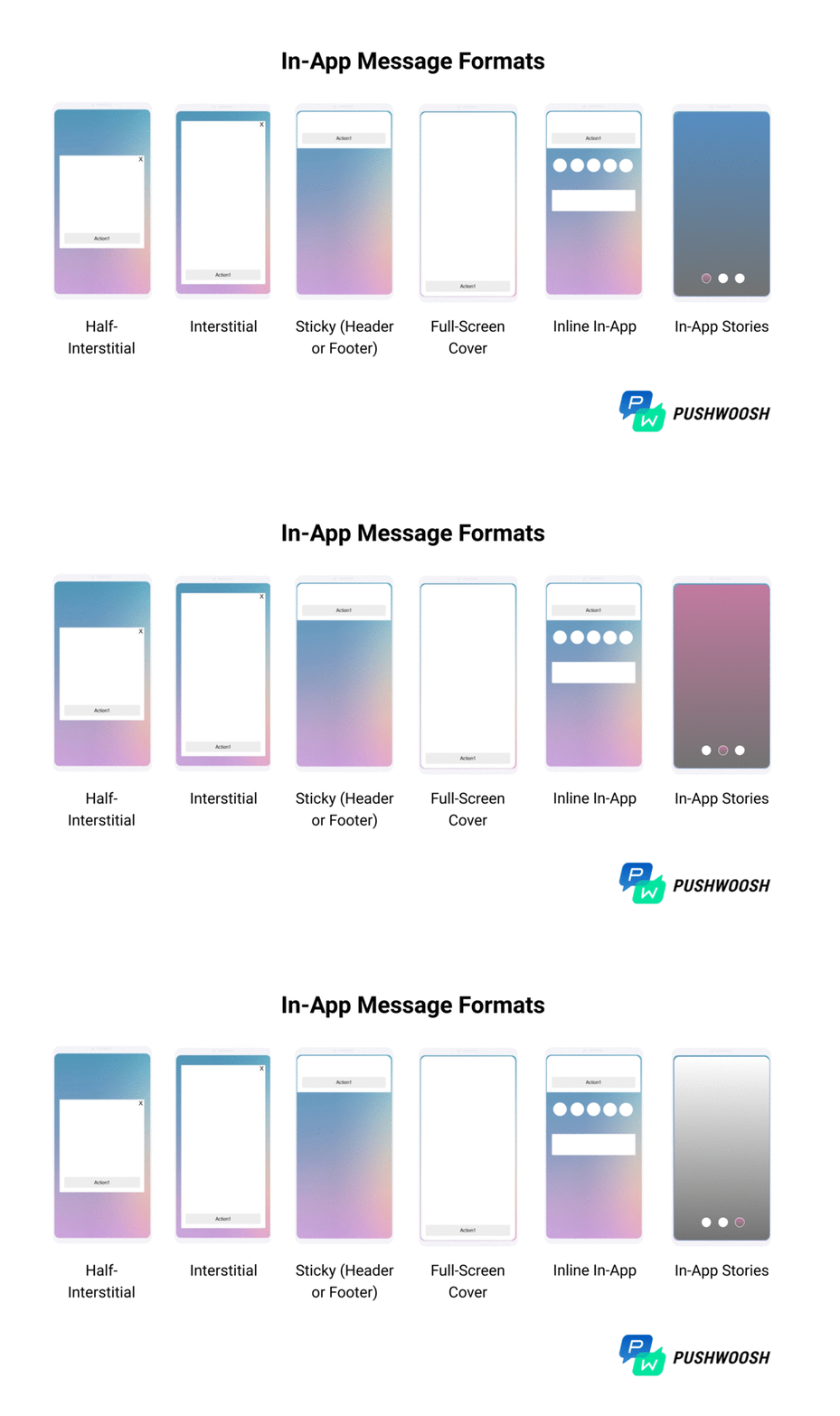
1. Half-interstitial in-app message
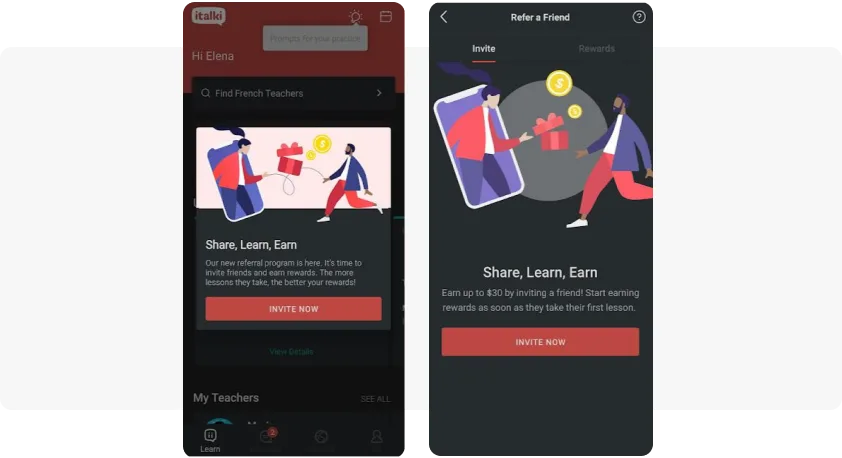
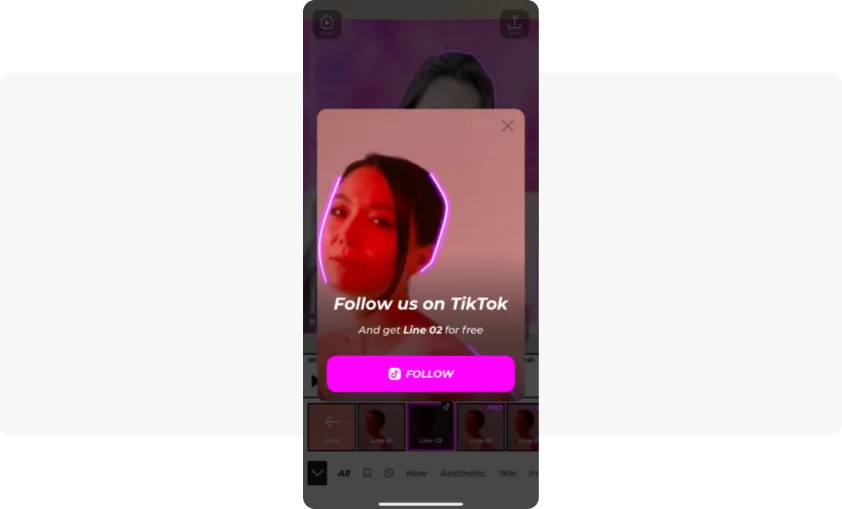
A popup that covers the center of the screen. It’s typically used for a service notification or to guide users through the app during onboarding. Promo offers and referral announcements fit this format too.
italki uses half-interstitial in-app messages to draw language learners into its referral program. VOCHI grows its TikTok following by offering an editing feature in exchange for a follow.
2. Interstitial in-app message
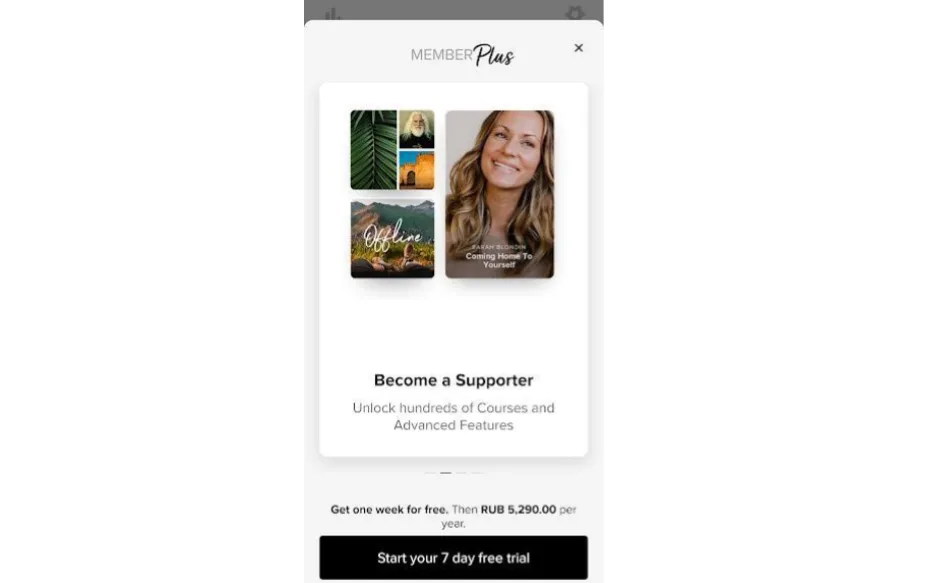
A popup that covers most of the screen. Discount offers in e-commerce and subscription apps usually arrive this way, and it’s also used to show users their progress in adopting the app.
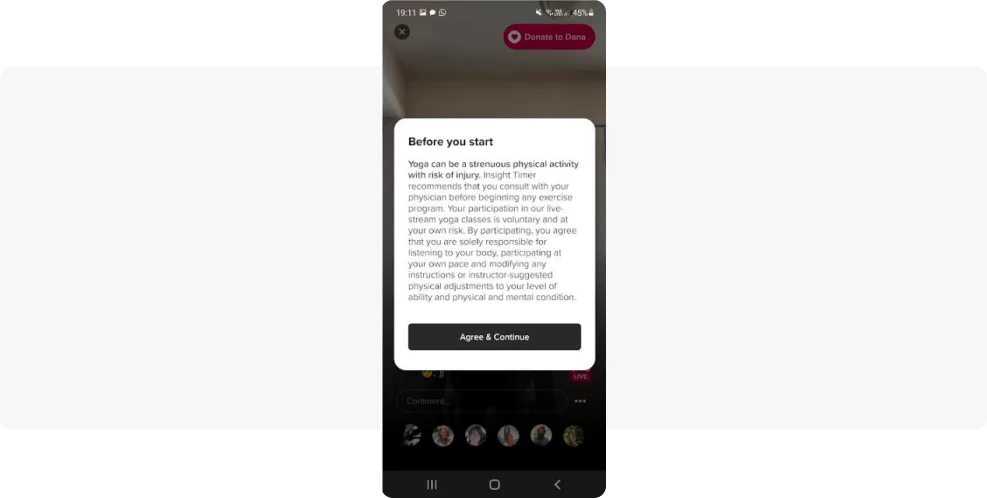
Insight Timer uses interstitial in-app messages to encourage users to upgrade.
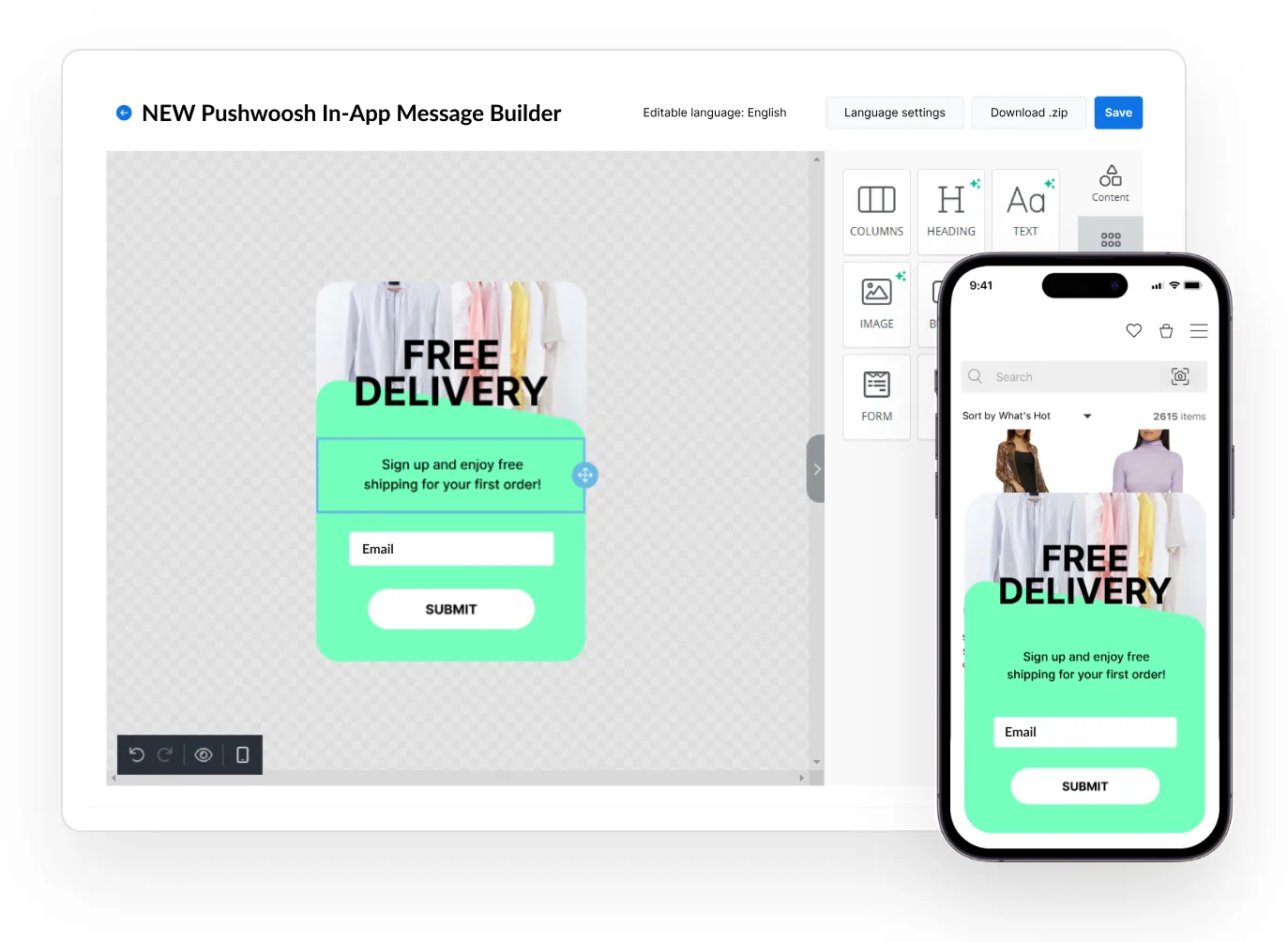
You can create in-app messages like these yourself with no coding and almost no design skills, using the drag-and-drop Pushwoosh In-App Builder.
3. Sticky in-app message (header or footer)
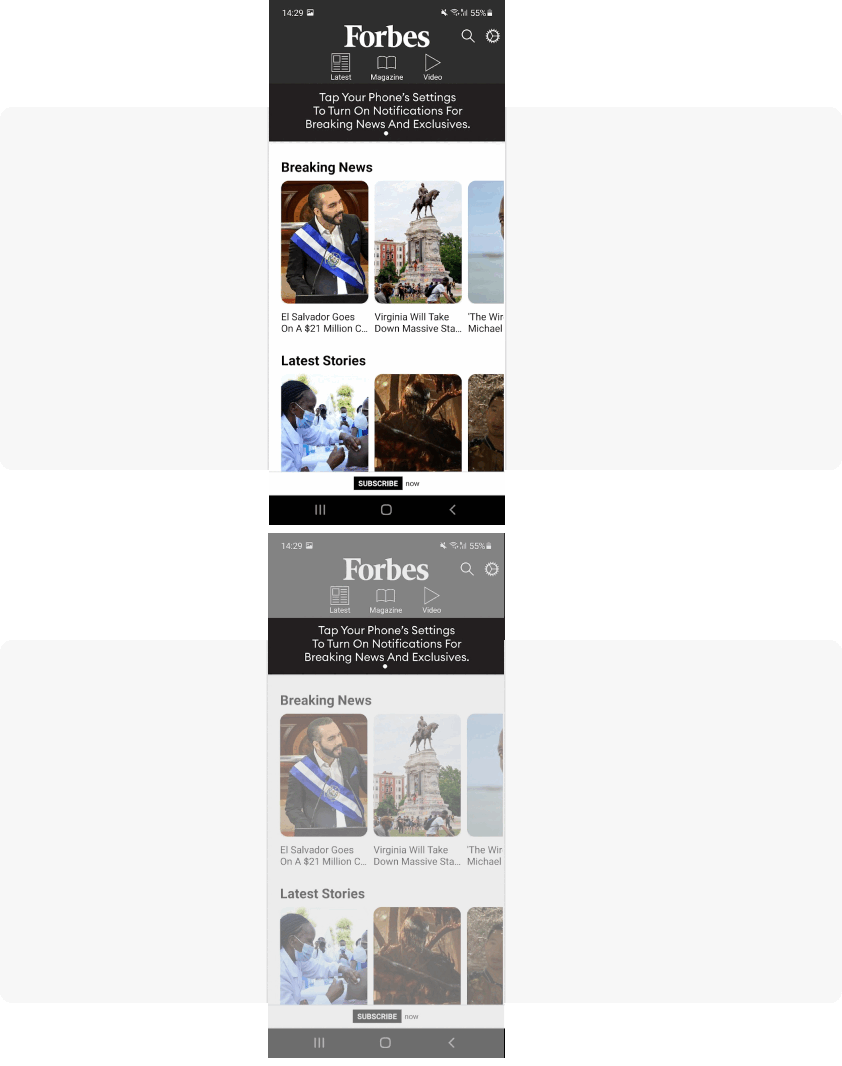
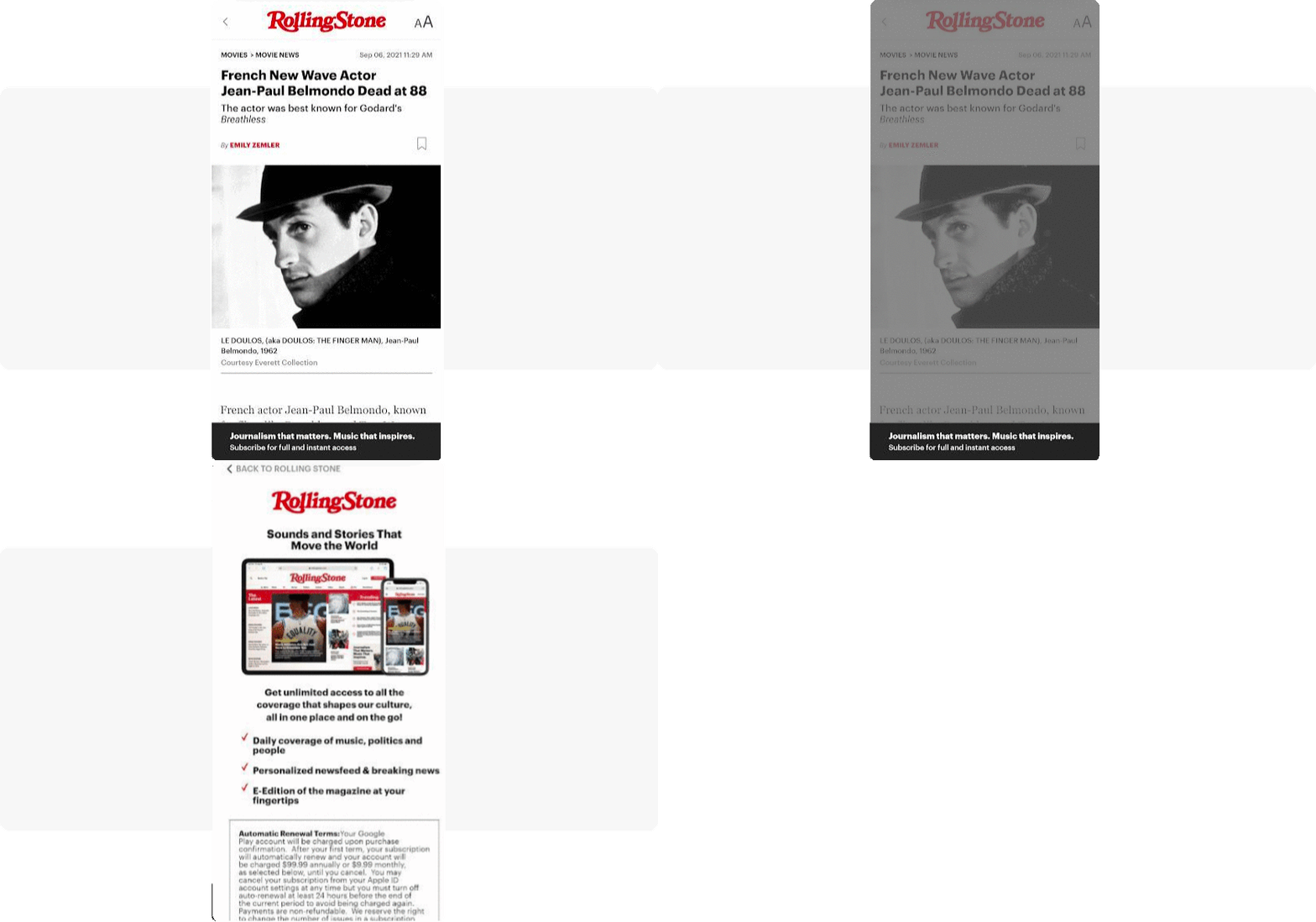
This format sits in the header or footer of the screen, usually with a background image, short copy, and a CTA button styled to match the app. The most common use is asking users to opt in for newsletters or push notifications, the so-called opt-in prompt.
Forbes uses a sticky header to prompt push opt-ins. Rolling Stone uses in-app messaging to promote its paid subscription through a sticky footer that expands into a full-screen in-app on tap. Insight Timer announces a new feature with a sticky footer.
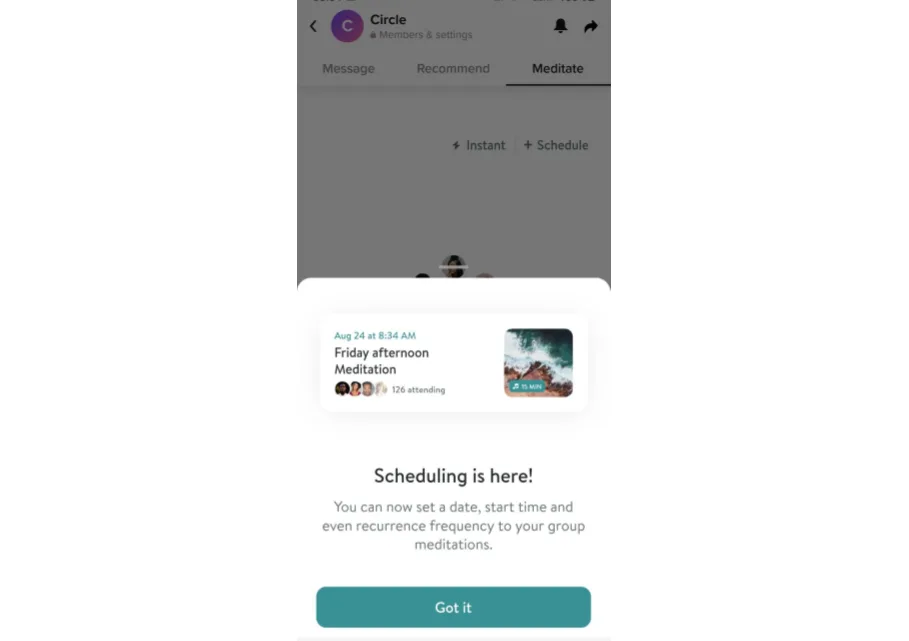
4. Full-screen cover
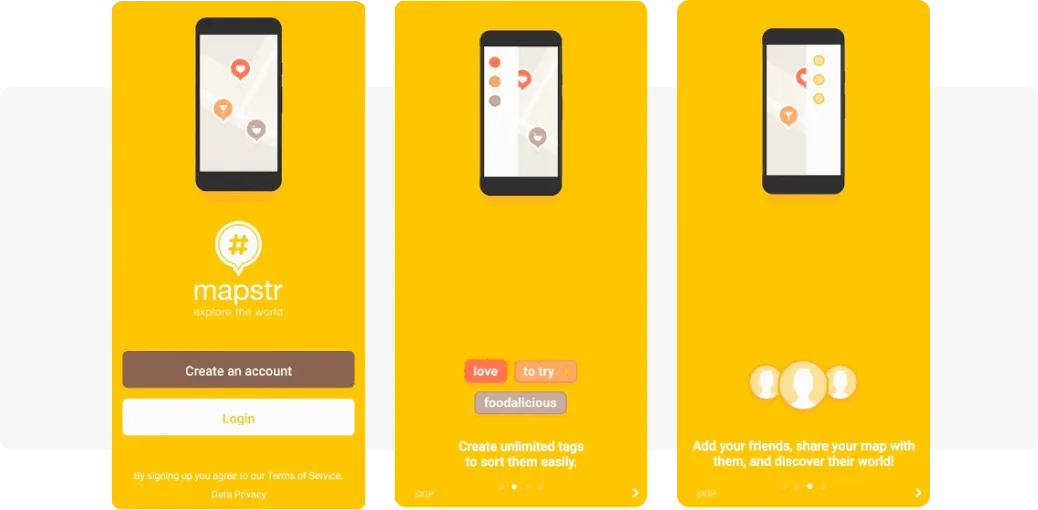
As the name says, this format covers the entire screen. Apps use it for action-based prompts like newsletter opt-ins, e-commerce discounts, and user onboarding.
Mapstr onboards new users with full-screen in-app messages.
5. Inline in-app message
An inline in-app message sits right within the app content, so it reads as an organic part of the experience. It doesn’t interrupt users, which makes them more likely to respond. Apps use inline in-apps to promote non-essential features and to gain push subscribers.
For ASOS, inline in-apps are the go-to format. Low-key messages keep users focused on what drives revenue: the clothes.
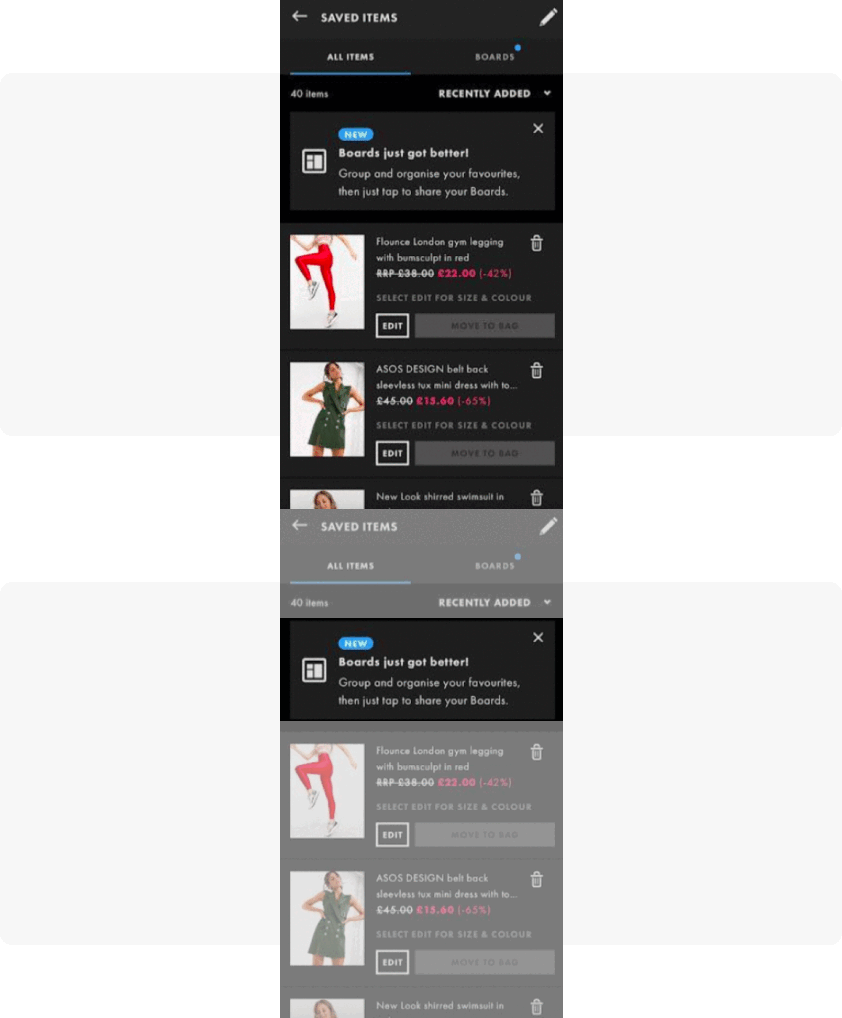
With Pushwoosh, you can add inline in-apps to your strategy to enhance the user flow with a natural, unobtrusive touch.
6. In-app stories
Stories is a dynamic format that mirrors social-media stories. You can apply it to a basic popup or an inline in-app message.
Waze designed its onboarding as in-app stories: a three-piece animated slider that advances on its own, so the user sees each value the app offers without lifting a finger.
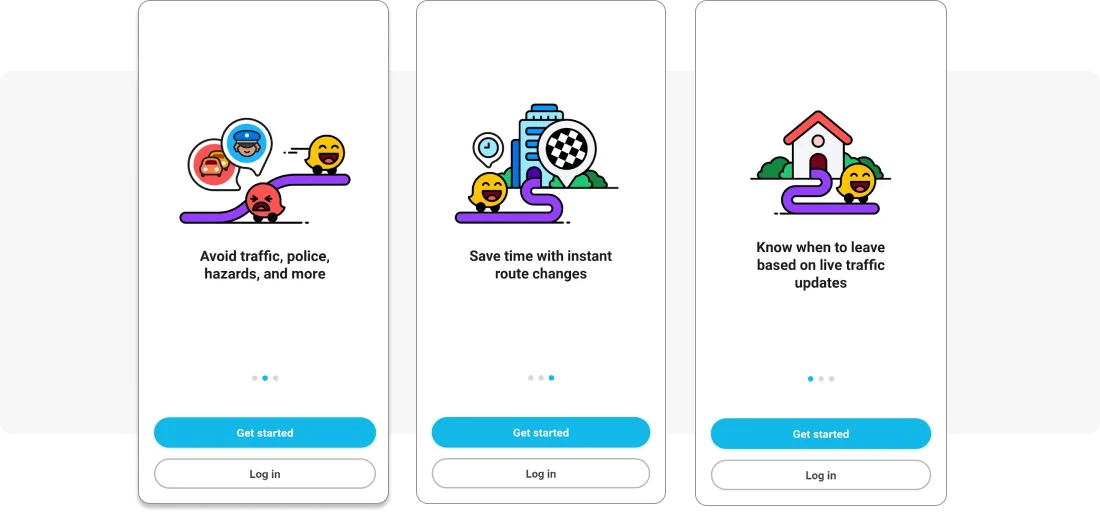
In-app stories are quick to launch with Pushwoosh. You add links to a few images, define the user segment and trigger event, and set it live.
7. In-app videos
In-app video engages users through visual storytelling. It works well for feature showcases, tutorials, testimonials, and promotions, and it explains a complex idea faster than a wall of text.
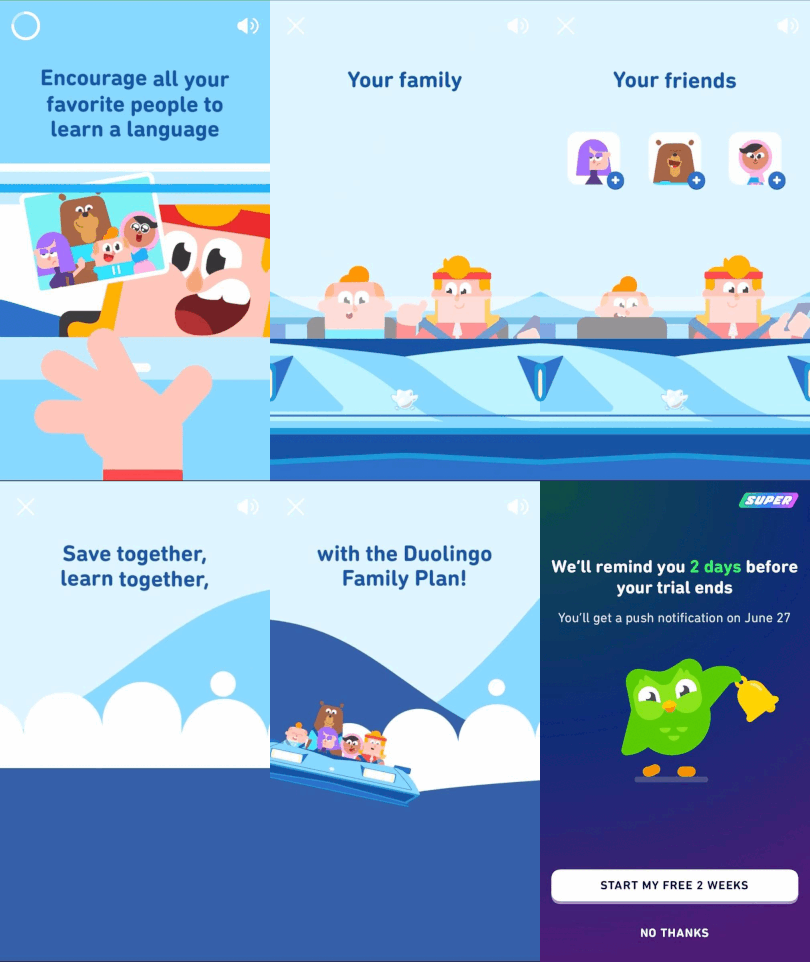
Duolingo uses in-app videos to show off the benefits of its Family plan.
In-app messaging examples: use cases and best practices
Below are the core in-app messaging use cases, mapped to the user lifecycle. These in app messaging examples pair each use case with a real in-app message example you can model.
1. Onboarding in-app message examples
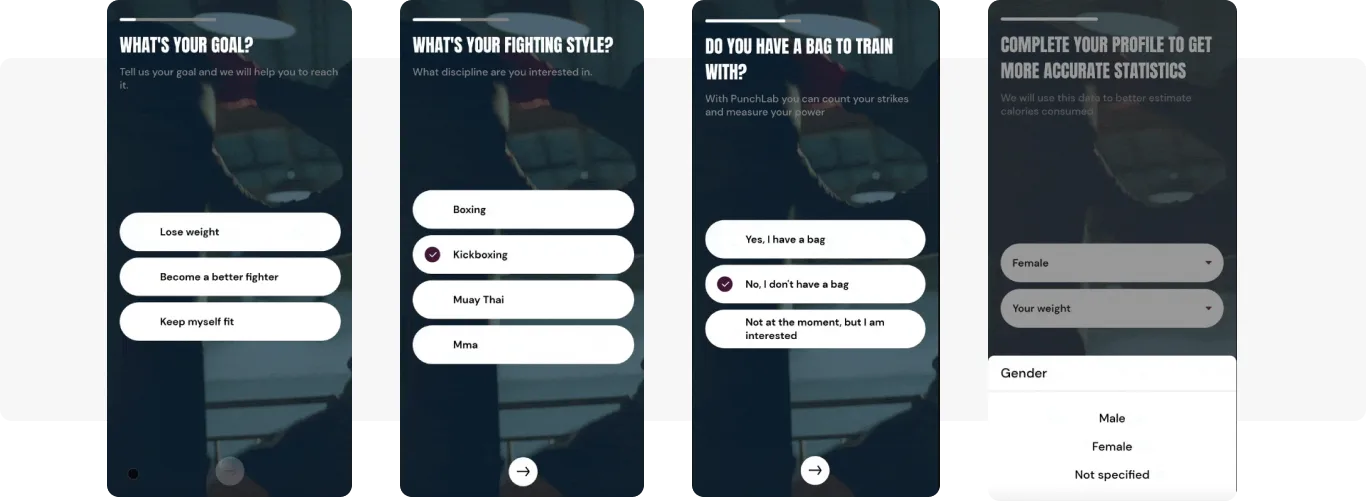
Welcome flows usually take the form of an in-app carousel: a sequence of messages triggered by a specific action, typically an ‘ApplicationOpen’ event. Onboarding in-apps show your product’s value and guide users through their first steps, so they stay longer, hit the AHA moment, and come back.
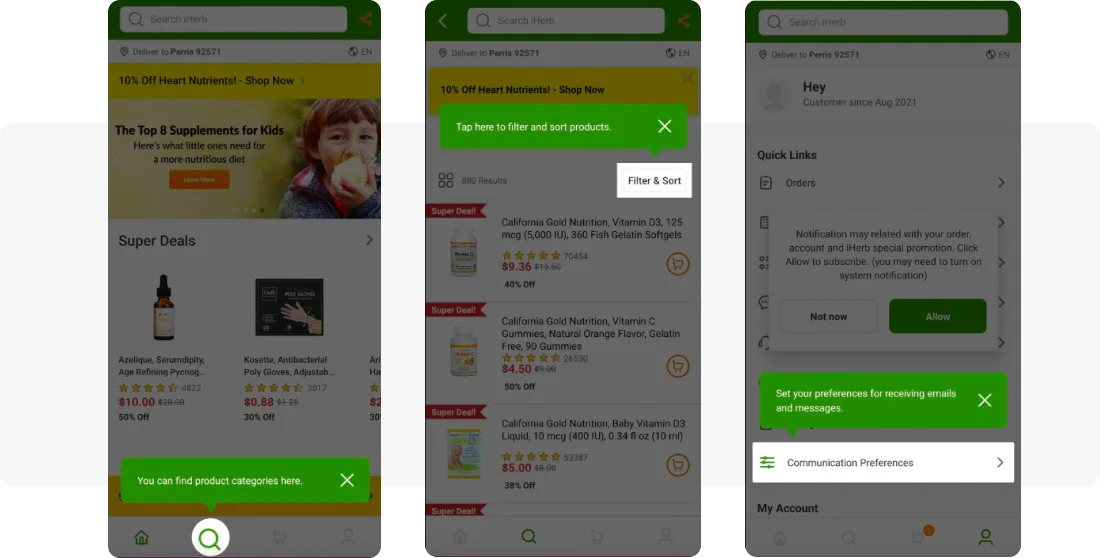
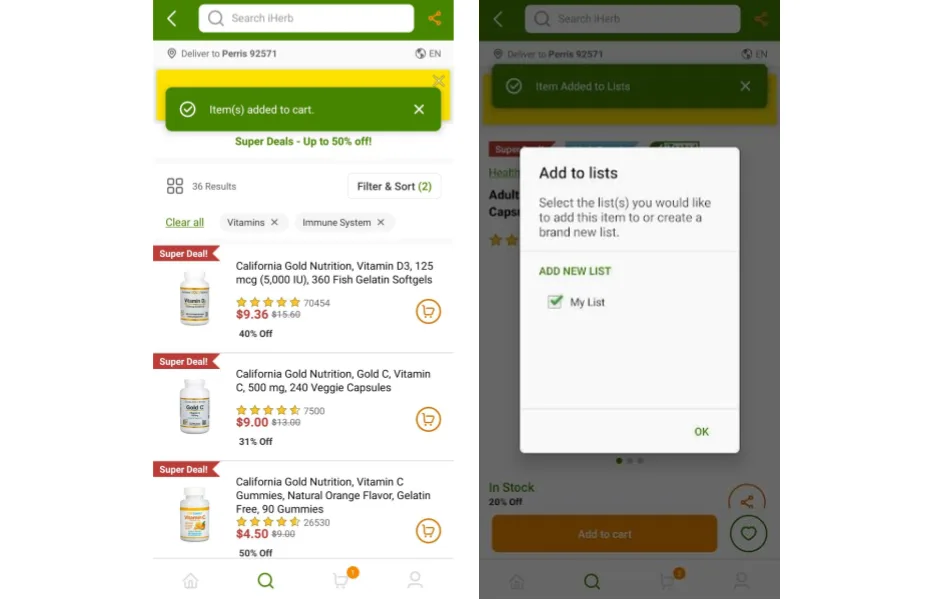
Punchlab onboards with full-screen covers. iHerb uses inline in-apps for the same job.
2. Promotional in-app message use cases
With in-app messaging you can promote your own and partners’ content, which works especially well for media apps monetizing content, plus special offers like holiday discounts targeted at specific user segments, and referral or social-sharing programs.
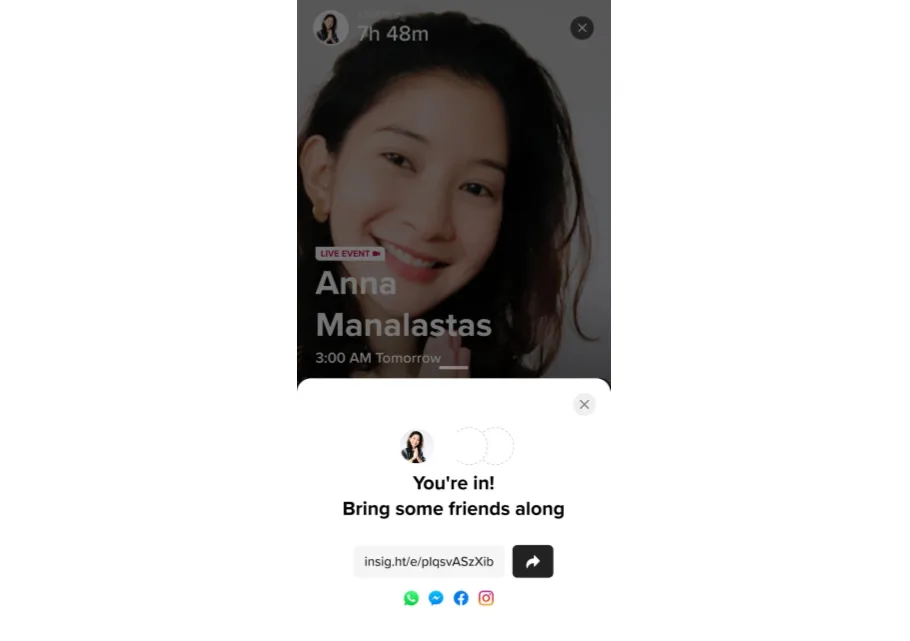
Insight Timer uses in-app messages to promote referrals, prompting a user to share an event with friends right after they sign up. The italki example above works the same way for social sharing.
3. Feature announcement and adoption
When you ship a new feature, in-app messaging draws attention to it and speeds up adoption. You can also de-risk a rollout by testing a feature on a selected segment first and watching how they react.
ASOS uses a range of in-app formats, full-screen, sticky, and inline, to promote new features.
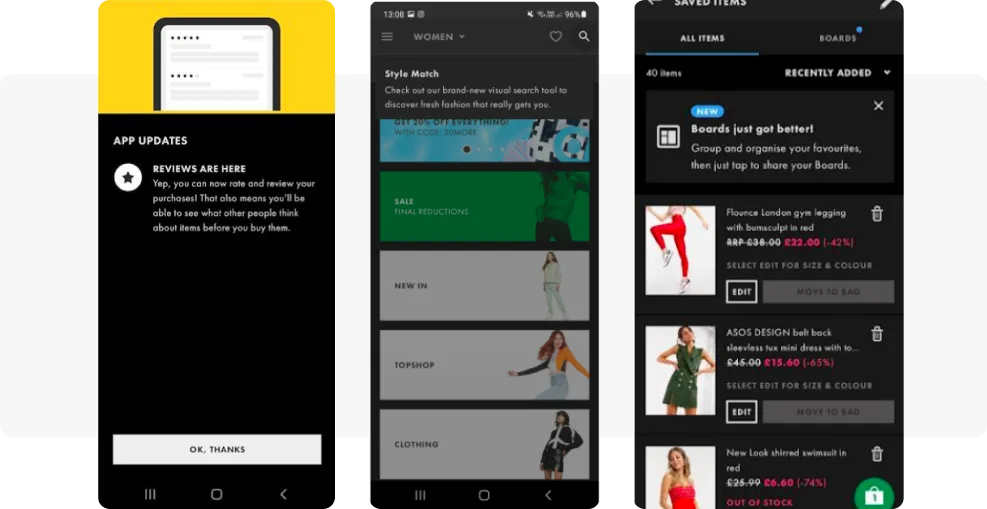
4. Customer service and transactional in-app messaging
A banking app can use in-app messages to flag insufficient funds or update a card-delivery status. In e-commerce, the classic case is a transactional in-app confirming an item was added to a cart or wishlist, or an order status update as a popup.
iHerb sends service inline in-apps. In-apps also work for warnings and tooltips on the app flow. When Insight Timer needed to communicate the risk of injury during yoga, they designed an in-app and got the message across fast.
5. Upgrade subscription plans
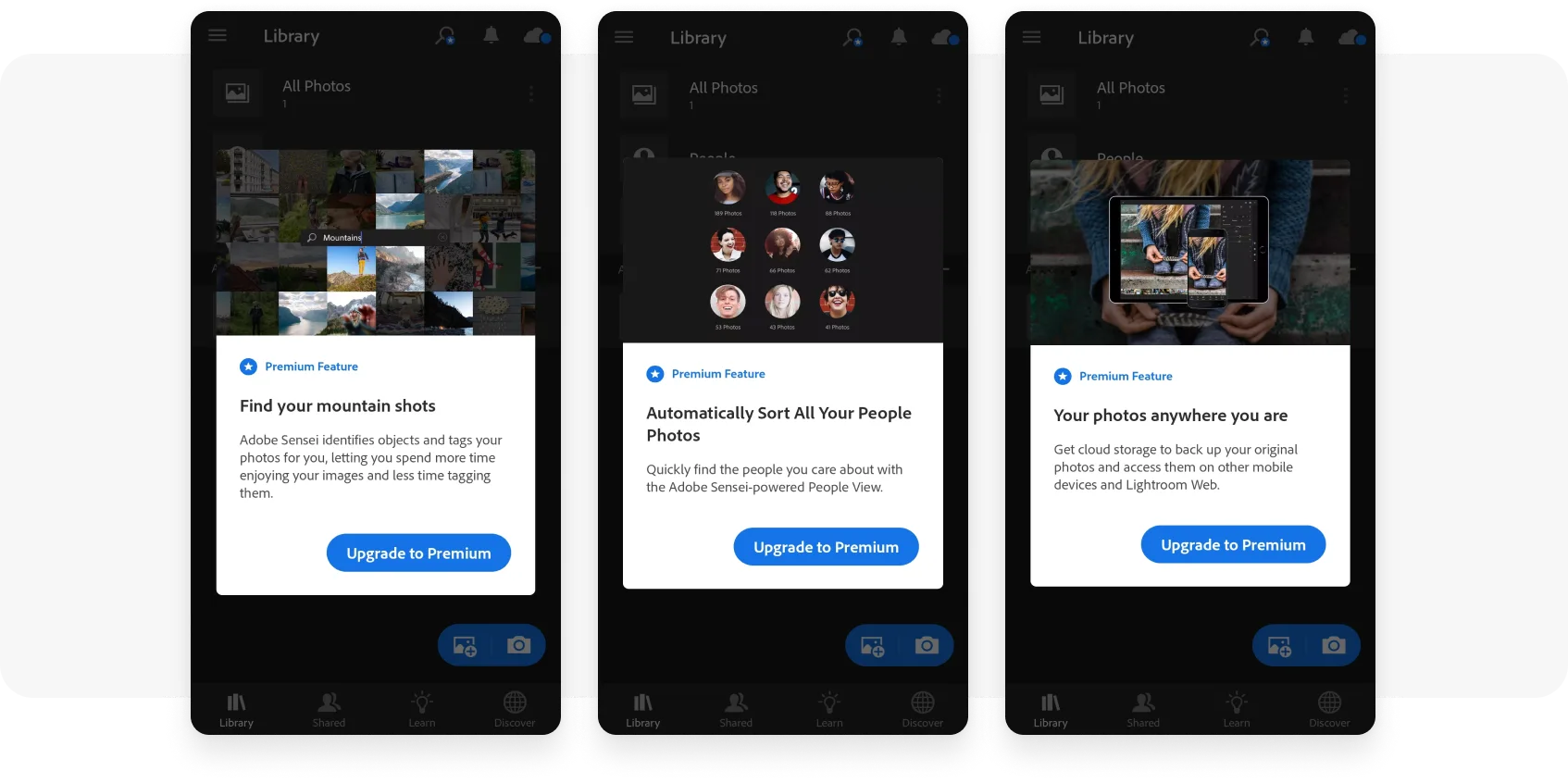
Subscription apps can show in-app messages to users nearing the end of a trial or still on a basic plan. A timely message spells out the value of premium or plays on fear of missing out.
Lightroom prompts upgrades with a series of in-apps highlighting premium features.
6. Increasing push notification opt-in
Combined with push, in-app messaging lets you reach up to 100% of your user base. The high relevance of in-apps translates into more conversions and more revenue.
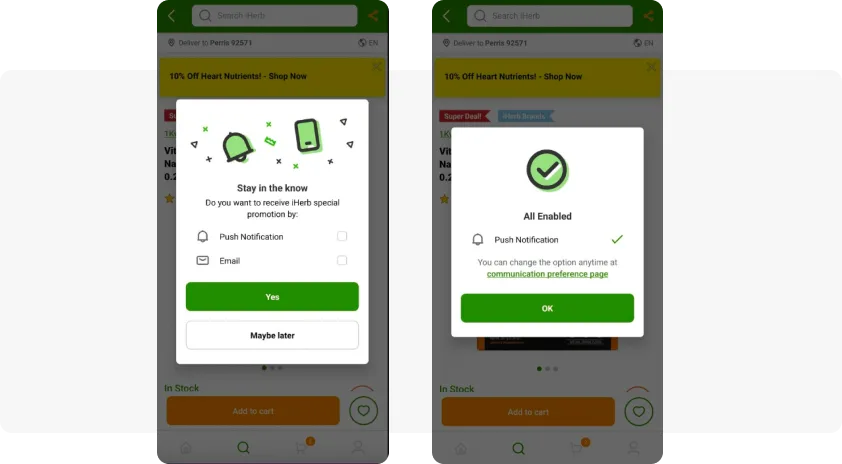
iHerb shows an in-app suggesting users opt in for push and email. Learn more ways to increase your push opt-in rate.
Best practices across the lifecycle
The Pushwoosh in-app messaging solution maps cleanly to each lifecycle stage: onboard newcomers, activate them on first value, drive subscriptions after the AHA moment, promote offers, stimulate feature adoption, drive push opt-ins, inform users of order and account updates, and collect feedback with rating prompts. A few habits keep it working: trigger on real behavior instead of a broadcast blast, respect Silent Hours and Frequency Capping so you don’t fatigue users, and segment so each message reaches the audience it fits.
Add in-app messaging to your omnichannel strategy with Pushwoosh
Adding in-app messaging to your mobile strategy lifts engagement and drives conversions for the actions you care about. With the Pushwoosh Customer Journey Builder, you can plan campaigns that combine in-apps, push notifications, and email, define the events that trigger them, and segment users by behavior and profile.
Building the messages is quick with the no-code in-app editor, and you don’t need coding or design skills to do it. You can start from ready-made templates, drag and drop text and images, or upload custom HTML, then add richer formats like interactive stories, surveys, and promo wheels, with AI-assisted suggestions for content. The result is relevant in-app messaging that responds to user behavior and lifts campaign ROI.
Pushwoosh is a customer engagement platform built for lifecycle marketing. With behavior-based segmentation, triggered messaging across push, in-app, email, SMS, and WhatsApp, and a visual Customer Journey Builder, you can turn user interactions into revenue.