Push notifications meaning
Push notifications are concise, real-time messages sent directly to users’ devices from apps or websites — even when the app or site is not in use. They appear as lock screen alerts, banners, or notification center items, delivering personalized, on-demand content to mobile and desktop users.
Because push notifications reach app users instantly across iOS, Android, and web browsers, they have become one of the most effective channels for driving user engagement, retention, and repeat purchases.
Pushwoosh is an omnichannel customer engagement platform that helps product and marketing teams send, segment, and automate push notifications across every channel — mobile, web, and desktop — from a single dashboard.
Push notification anatomy
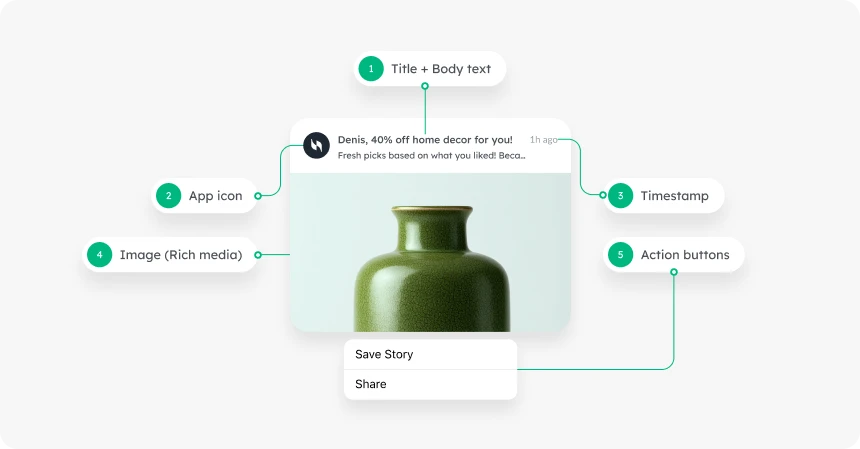
Here is a breakdown of the key components of a push notification:
- Title (headline) — grab attention in 25–50 characters.
- Message (body text) — keep it clear, benefit-oriented, and action-driven (40–150 characters).
- Rich media — images, GIFs, or videos that make messages visual and increase tap rates.
- Action buttons (CTAs) — prompt instant interaction: Shop Now, Track Order, Read More.
- App icon — helps app users instantly recognize the source of the message.
- Timestamp — indicates when the notification was received, adding context and relevance.
Benefits of push notifications for your app
Push notifications help you engage users, improve retention, drive conversions, and boost revenue. Here are the core benefits:
- Re-engage inactive users — bring lapsed app users back with personalized offers or targeted messages.
- Drive repeat purchases — send behavior-based messages tied to purchase history and in-app actions.
- Deliver time-sensitive notifications — alert users to flash sales, breaking news alerts, or order status in real time.
- Onboard new users — guide app users through key features with behavior-triggered welcome sequences.
- Boost user engagement — increase session frequency with personalized messages that respond to what users do inside the app.
Communication via push notifications has proven to be one of the most effective ways to retain users and improve customer lifetime value (CLV). To see how leading apps apply these tactics in practice, browse our library of 70+ real-world examples.
Types of push notifications
Push notifications come in different forms depending on the device, channel, and user context. Understanding these push notification types helps marketers choose the right channel for each goal.
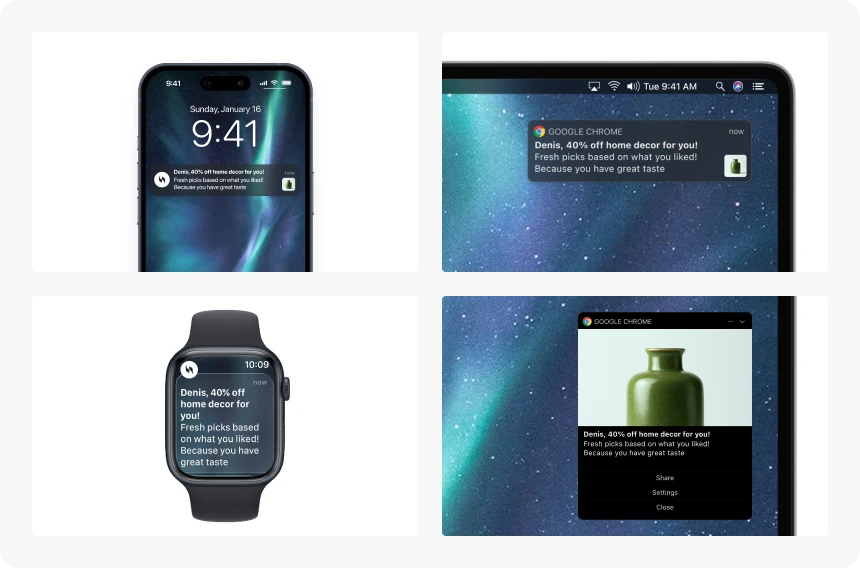
Mobile app push notifications
Sent directly from a mobile app to a user’s smartphone, mobile push notifications appear on the lock screen or notification center. They work across iOS devices and Android devices, and are ideal for re-engaging inactive users, reminding them of in-app actions, and promoting limited-time offers.
iOS devices use Apple Push Notification service (APNs); Android devices use Firebase Cloud Messaging (FCM). Both mobile operating systems require explicit user permission before push messages can be delivered.
Web push notifications
Delivered via browsers such as Chrome, Safari, or Firefox, web push notifications reach users even when they are not on your website. They work on both desktop and mobile web, and are ideal for content updates, e-commerce reminders, or personalized deals for audiences who have not installed your app.
Desktop push notifications
Desktop push notifications appear on users’ computers during an active browser session. They help businesses communicate instant updates — order confirmations, breaking news alerts, or service notifications — without requiring a mobile app install.
Wearable push notifications
Sent to smartwatches or fitness trackers, wearable push notifications deliver real-time updates in glanceable form: event reminders, activity prompts, or health-tracking insights.
Transactional vs. promotional push notifications
Push notifications fall into two functional categories:
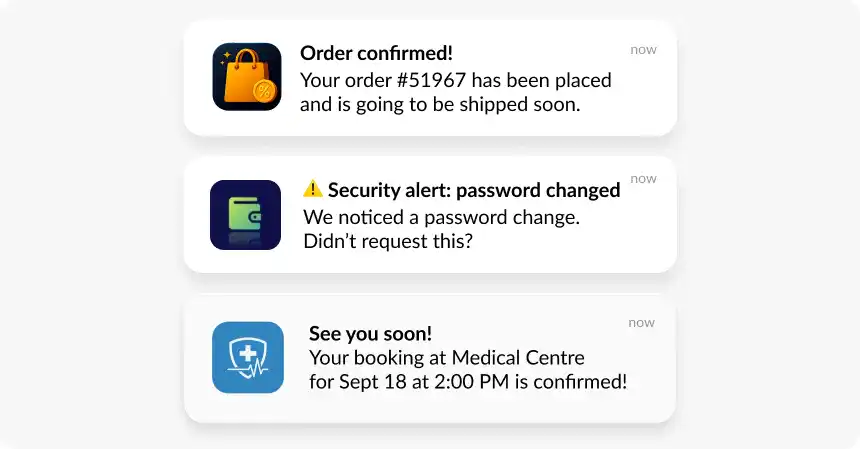
Transactional push notifications deliver functional updates such as order status, booking confirmations, payment alerts, or password resets. Users expect these and engage with them at high rates.
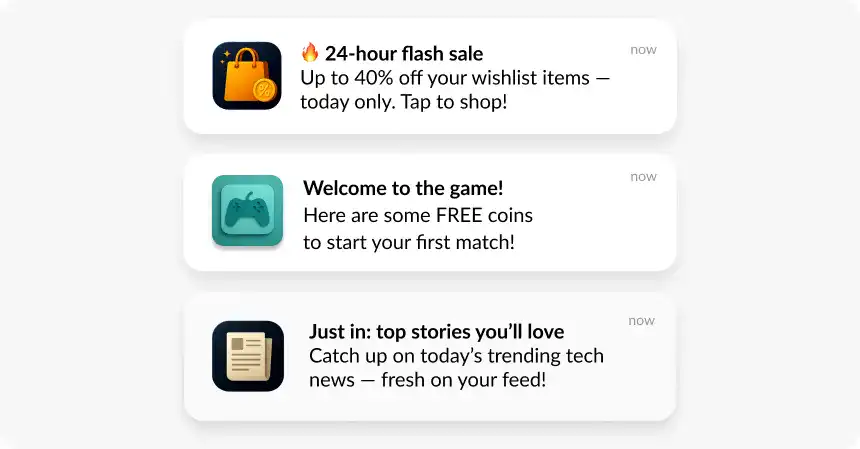
Promotional push notifications are marketing messages used to announce offers, flash sales, new content, or loyalty rewards. They are effective when segmented and sent at the right frequency.
Using both types with relevance and proper segmentation improves user retention and drives repeat conversions.
4 reasons to use push notifications
1. Promote products, offers, and drive sales
Push notifications offer an instant channel to spotlight new arrivals, limited-time deals, and seasonal promotions. For e-commerce, food delivery, and subscription apps, timely promotional notifications can directly influence purchasing decisions and drive immediate conversions. Abandoned cart push notifications are one of the highest-ROI use cases — a well-timed message can recover a sale in minutes.
2. Engage customers with behavior-based messaging
The most impactful push notifications are personal and timely. Triggering messages based on specific user actions — adding an item to a cart, reaching a game milestone, or subscribing to a news category — ensures you send relevant content that continues the conversation a user already started. This significantly boosts user engagement, session duration, and feature adoption.
3. Collect feedback and build trust
Actionable push notifications with inline rating buttons make it easy to ask for feedback right after a purchase, delivery, or positive support interaction. Offering a small incentive — a discount or loyalty points — demonstrates appreciation and builds long-term trust with app users.
4. Retain users and drive repeat purchases
Retaining existing users is more cost-effective than acquiring new ones. By segmenting your audience based on behavior, preferences, or lifecycle stage, you can deliver tailored incentives and reminders that encourage users to return. A solid push notification strategy ties these touchpoints together across the full user lifecycle — from activation through re-engagement.
How do push notifications work on iOS, Android, and the web?
Here is a simplified breakdown of what happens behind the scenes when a user receives a push notification:
-
App registration — when a user installs an app and grants permission, the app initiates registration with the device’s operating system.
-
Device token assignment — the OS assigns a unique device token to the app-device pair. This token acts as a delivery address for all future messages.
-
Token sent to server — the client app sends the device token to its backend server or push notification service provider.
-
Notification crafted — when there is a need to notify users (new message, promotional offer, system alert), the app server creates the notification content.
-
Routing — the server forwards the content and token to the OS push service: APNs for iOS devices, FCM for Android users.
-
Delivery to device — the OS service routes the message to the user’s device. It appears on the lock screen, in the notification center, or as a banner, depending on device settings.
The entire flow typically takes seconds and can be triggered by real-time user actions, app server events, or automated push notification campaigns set up in a marketing automation platform.
Opting in for push notifications
Getting app users to opt in is the first step in building effective communication. With Android 13+, apps must now request the POST_NOTIFICATIONS runtime permission before delivering push messages — bringing Android in line with iOS, where user permission has always been required.
How to increase push opt-in rates
- Use in-app priming — display a custom soft-ask message before the system dialog, with a benefit-focused preview.
- Time it right — wait until users complete a key action or explore a valuable feature before asking.
- Preview the value — mention specific benefits: real-time order updates, exclusive discounts, breaking news alerts.
- Personalize the message — reference user-specific behavior to make the opt-in prompt feel relevant, not generic.
- Apply segmentation logic — tailor prompts based on user behavior or lifecycle stage. Frequent users respond to convenience; new users need reassurance.
- Give users control — reassure app users they can update notification preferences at any time and will not be overwhelmed.
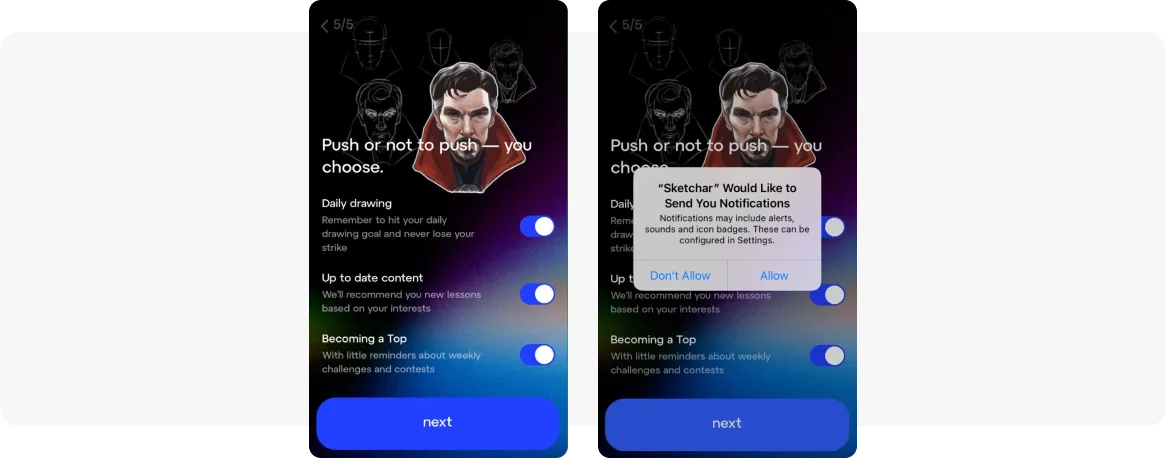
A great real-life example comes from the drawing app Sketchar: before showing the system opt-in dialog, it presents a pre-permission screen that lets users choose which types of notifications they want to receive.
Push notification opt-in benchmarks (Pushwoosh Study 2025)
Android consistently outperforms iOS in opt-in rates across most industries. The exception is Rewards & Loyalty, where iOS shows a higher rate.
| Platform | Lowest opt-in rates | Highest opt-in rates 🔝 |
|---|---|---|
| iOS | Hypercasual Games, Streaming, Telecom | Banking, Business, Services |
| Android | Hospitality & Real Estate, Rewards & Loyalty, Streaming | Business, Insurance, Services |
Best practices for effective push notifications
Push notifications have impressive engagement rates — but overusing them causes users to mute alerts permanently. Apply these push notification best practices whenever you create push notifications for your audience:
- Timeliness — send notifications when they are most relevant. A shipping update right after purchase is welcome; the same message three days later is noise.
- Relevance — use behavioral segmentation and user data to send targeted messages that match each user’s context and preferences.
- Brevity — keep notification body text under 150 characters. Users scan notifications; they do not read them.
- Permission-first mindset — respect user permission settings and give users easy control over notification preferences to reduce opt-outs.
- Personalized messages — use dynamic content to insert names, locations, or recent purchases. Personalized messages consistently outperform generic broadcasts.
Real-world examples of effective push notifications
Understanding the theory behind push notifications is essential, but seeing them in action is more useful. Top brands turn pushes into powerful engagement tools by combining smart copy, precise segmentation, and deep personalization. These push notification examples show you how.
🧠 Compelling copy
Effective push notifications use one of four copywriting approaches:
• Humor — light-hearted messages that entertain and build brand affinity.
• Curiosity — piquing interest to encourage clicks.
• Urgency — creating time-sensitive notifications that prompt immediate action.
• Provocation — challenging statements that engage users.
Examples:
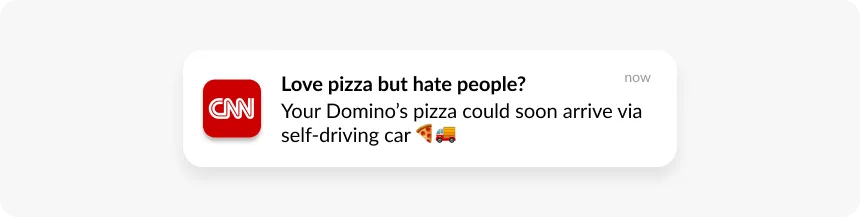
CNN, joking about the new opportunity to avoid human interactions with the help of self-driving cars:
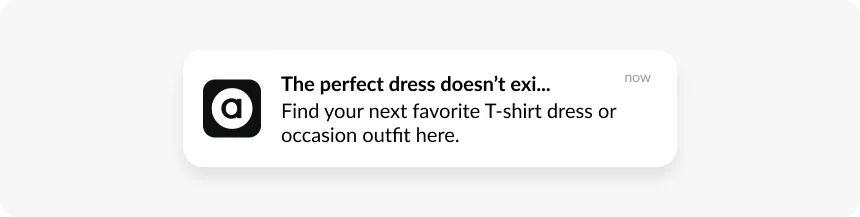
ASOS, cutting the title off in the middle, just like in that famous meme:
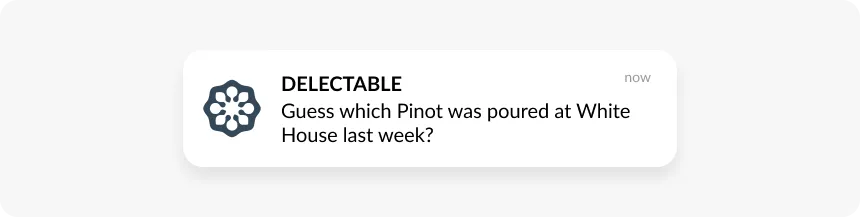
Delectable, sparking wine lovers’ curiosity:
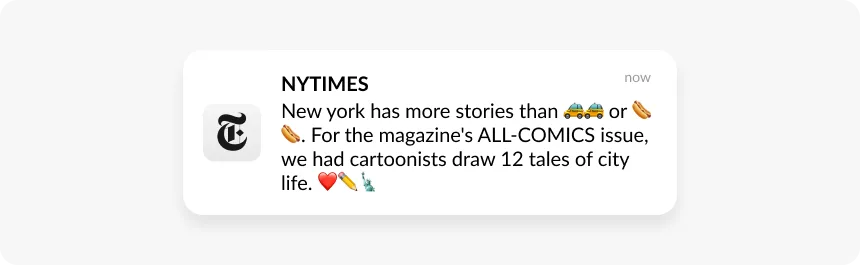
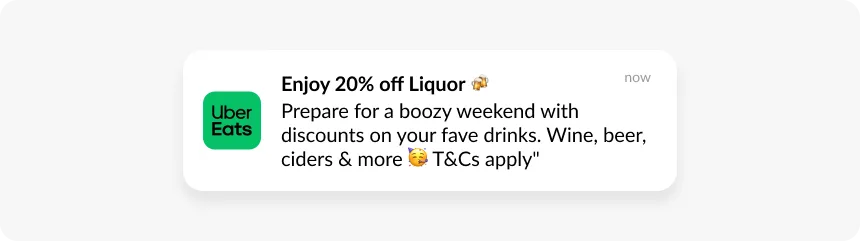
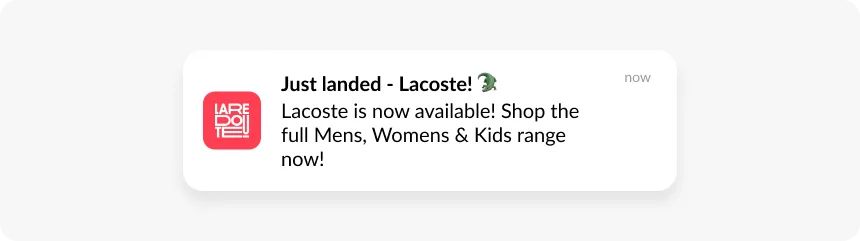
Emojis in push notifications are part of compelling copy too — they make messages shorter, more expressive, and instantly brand-recognizable. The trick is knowing which ones to use, how many, and where to place them.
The NY Times knows that sometimes using emoji instead of words is a nice way to make your text shorter:
Uber Eats strategically places emojis that enhance the message rather than distract from it:
La Redoute cleverly uses “Just Landed — Lacoste 🐊” where the crocodile emoji identifies the brand:
🎯 Segmentation
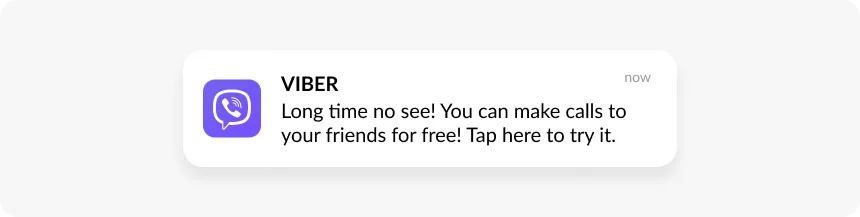
By segmenting app users based on real-time and historical behavior, preferences, and purchase history, you deliver relevant information to the right audience at the right moment. The more precise the segment, the better the results.
Viber, sending messages to users who haven’t launched the app in a while:
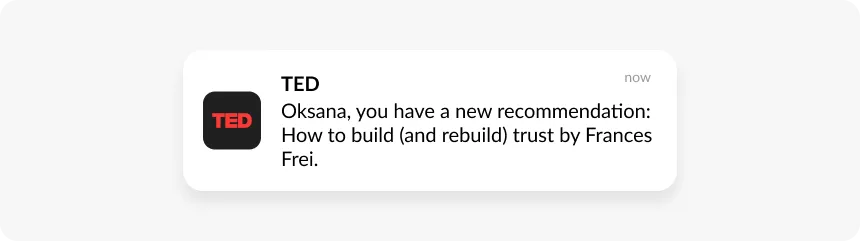
TED, segmenting audience based on topic preferences:
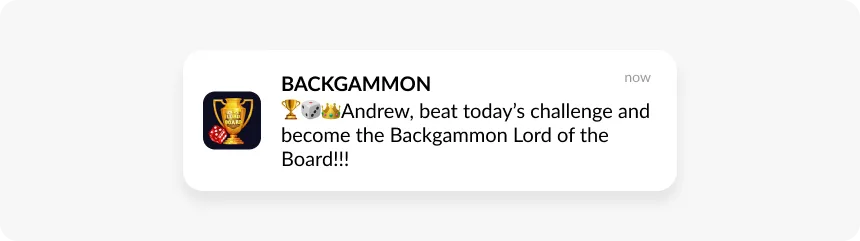
Backgammon, segmenting players based on their game level:
🧑 Personalization
Personalized messages boost engagement by making each notification feel 1:1. Use dynamic content, time zone and activity windows, location-based pushes, language localization, and custom CRM attributes to tailor each message.
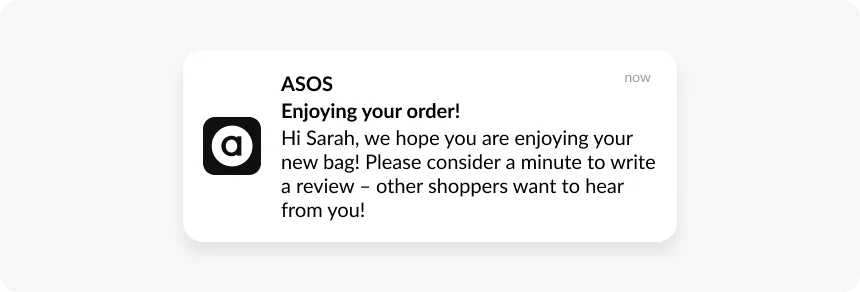
ASOS, following up on a purchase:
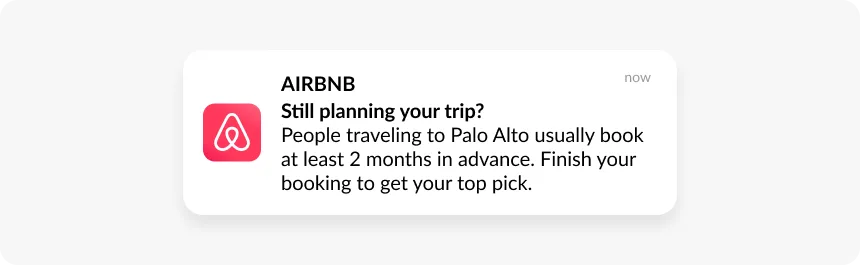
Airbnb, nudging a traveler to complete their booking in the region they’ve been browsing:
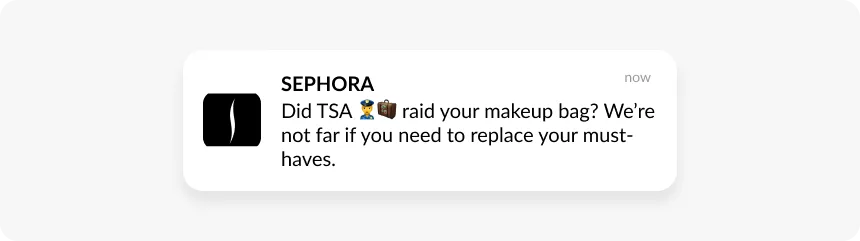
Sephora, sending a fun message for those who have just arrived at an airport and can potentially buy something in the closest Sephora store:
🖼️ Rich media
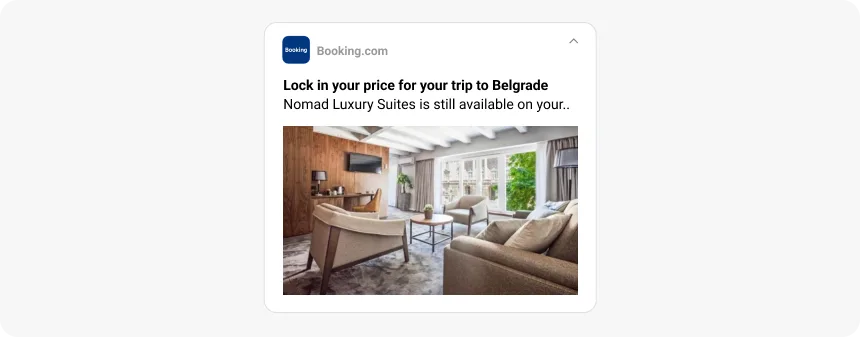
Rich push notifications — with images, GIFs, or video — stand out in crowded notification centers and increase tap rates. Use them for product showcases, breaking news alerts, or any message where visual context adds meaning and urgency.
Booking.com, using a rich image to make the offer feel tangible and impossible to scroll past:
Scale your push notification campaigns with Pushwoosh
Pushwoosh combines everything you need to send, automate, and optimize push notification campaigns at scale:
- Mobile and web push notifications across iOS, Android, and all major browsers
- Customer Journey Builder for automated, behavior-triggered push notification campaigns
- Audience segmentation to send targeted messages to the right users at the right time
- Analytics to measure campaign performance and optimize for engagement and revenue
- ManyMoney AI — autonomous AI marketing that finds ready-to-buy users and optimizes for revenue 24/7
Improving user retention is not about sending more push notifications. It is about sending the right message, to the right app user, at exactly the right moment.