ज़्यादातर push notification गाइड्स उन मैसेजेस पर फोकस करती हैं जो यूज़र देखते हैं। Silent push notifications वो हैं जो यूज़र कभी नहीं देखते — और ये बिल्कुल अलग काम कर रहे होते हैं।
एक silent push आपके ऐप को background में जगाता है, एक task चलाता है, और उसे वापस sleep में डाल देता है। कोई alert नहीं, कोई sound नहीं, कोई badge नहीं। यूज़र ऐप खोलता है और fresh content पहले से लोडेड पाता है। उसे पता ही नहीं चलता कि कोई push हुआ था। यही तो पूरा पॉइंट है।
भारत जैसे Android-first मार्केट में, जहां 95%+ डिवाइसेज़ Android पर चलते हैं और बहुत सारे यूज़र्स बजट फोन और unstable network पर होते हैं, app freshness और speed का यूज़र experience पर सीधा असर पड़ता है। यह गाइड कवर करती है कि silent push notifications iOS और Android पर कैसे काम करते हैं, code में implementation कैसा दिखता है, और इन्हें customer journey automation के हिस्से के तौर पर strategically कैसे इस्तेमाल करें। साथ ही आप देखेंगे कि Pushwoosh cross-platform silent push delivery को कैसे हैंडल करता है और इसे automated workflows में कैसे integrate करता है।
Silent push notifications क्या होते हैं?
Silent push notifications server-initiated मैसेजेस होते हैं जो ऐप को background में जगाते हैं बिना यूज़र को कुछ दिखाए। कोई alert नहीं, कोई sound नहीं, कोई badge नहीं। OS push रिसीव करता है, ऐप को कुछ पल के लिए activate करता है, ऐप अपना background task चलाता है, फिर वापस sleep में चला जाता है।
Standard push से फ़र्क़ सिंपल है: एक visible push यूज़र के लिए एक मैसेज है; एक silent push ऐप के लिए एक instruction है।
उन background सेकंड्स में ऐप क्या कर सकता है?
- नया content fetch करना। लेटेस्ट articles, अपडेटेड product catalog, या refreshed feed pull करें ताकि यूज़र के ऐप खोलते ही सब तैयार हो।
- Data sync करना। server पर या दूसरे channels के ज़रिए हुए बदलावों के साथ local state अपडेट करें — website पर हुई कोई purchase, backend system में हुआ status change।
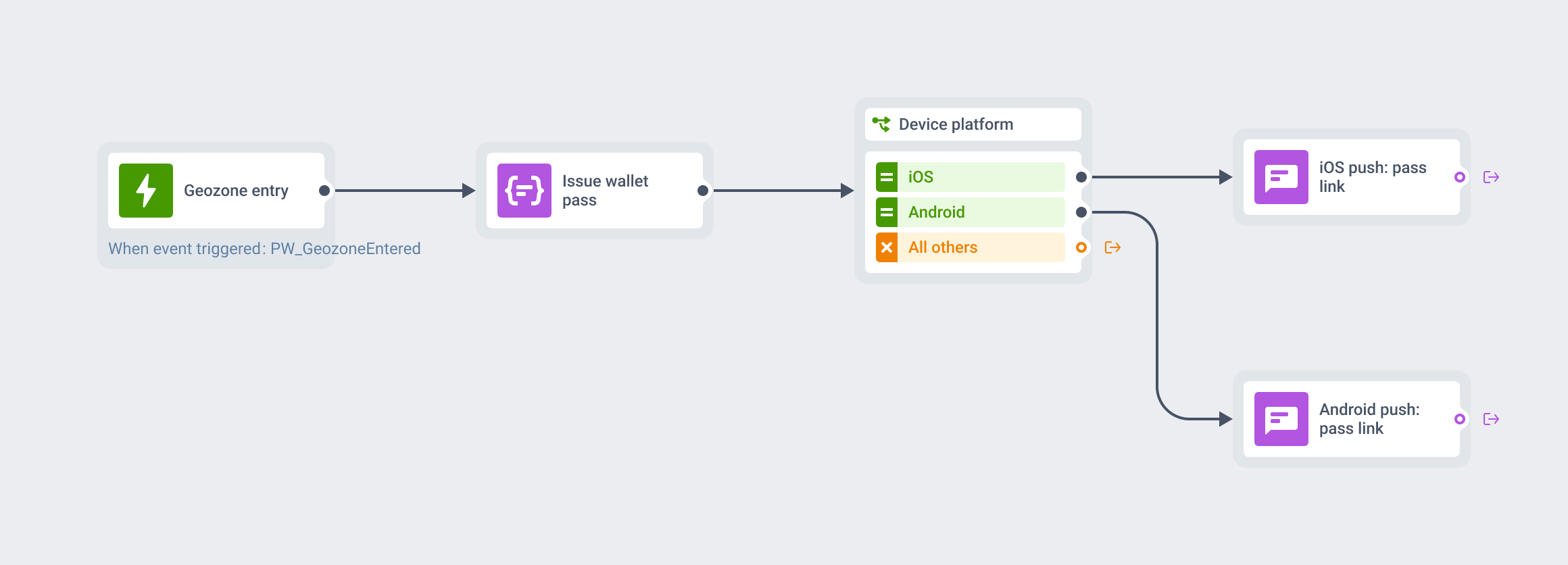
- Location evaluate करना। चेक करें कि यूज़र किसी geofence में दाख़िल हुआ या निकला, बिना किसी visible notification को trigger बनाए।
- User tags या segment data अपडेट करना। लेटेस्ट behavioral signals वापस CDP में push करें ताकि targeting accurate रहे।
- आने वाले visible notification के लिए content pre-load करना। एक in-app message या rich push payload सेट करें ताकि trigger होते ही instantly render हो।
प्रैक्टिकल वैल्यू: यूज़र एक ऐसा ऐप खोलते हैं जो पहले से up to date है। कोई loading spinner नहीं, कोई stale data नहीं। speed और freshness का यह perception retention पर measurable असर डालता है — तब भी जब यूज़र शब्दों में नहीं बता पाते कि ऐप इतना अच्छा क्यों लगता है।
Silent push notifications कैसे काम करते हैं
Delivery chain वही है जो एक regular push notification की है: आपका server APNs (iOS) या FCM (Android) को एक payload भेजता है, service उसे device तक पहुंचाती है, OS उस पर action लेता है। फ़र्क़ है payload structure में और इसमें कि payload पहुंचने पर OS क्या करता है।
Delivery flow
- Server payload भेजता है। आपका backend या Pushwoosh एक specially crafted message APNs या FCM को भेजता है।
- Service device तक पहुंचाती है। APNs या FCM stored device token का इस्तेमाल करके payload को सही device तक route करती है।
- OS ऐप को जगाता है। payload में silent push flags पहचानकर OS ऐप को background में कुछ पल के लिए activate करता है।
- ऐप background task चलाता है। आपका code execute होता है: data fetch करना, state sync करना, location check करना, एक tag अपडेट करना।
- ऐप completion signal देता है। iOS पर ऐप एक completion handler कॉल करता है। Android पर
onMessageReceived()return करता है। OS ऐप को वापस sleep में डाल देता है।
Background window limited होता है। iOS लगभग 30 सेकंड देता है। Android पर यह device और power state के हिसाब से अलग होता है। यह भारत में ख़ास तौर पर अहम है — entry-level और mid-range Android फोन (Xiaomi, realme, Samsung के बजट मॉडल्स), जो भारतीय यूज़र बेस का बड़ा हिस्सा हैं, अक्सर aggressive battery management रखते हैं। Background tasks को तेज़ होना चाहिए या उन constraints के अंदर काम करने के लिए design किया जाना चाहिए।
Payload differences: iOS बनाम Android
| Parameter | iOS (APNs) | Android (FCM) |
|---|---|---|
| Silent कैसे mark करें | aps dict में content-available: 1; कोई alert/sound/badge key नहीं | Data-only message: data payload मौजूद, कोई notification object नहीं |
| APNs/FCM headers | apns-push-type: background; apns-priority: 5 | priority: normal (default) या time-sensitive tasks के लिए high |
| Background time limit | ~30 सेकंड; completionHandler कॉल करना ज़रूरी | onMessageReceived main thread पर चलता है; भारी काम offload करें |
| OS throttling | ~3/घंटा से ज़्यादा या बहुत पास-पास भेजने पर throttle | Doze mode और App Standby background delivery को restrict करते हैं |
| Key handler | application(_:didReceiveRemoteNotification:fetchCompletionHandler:) | FirebaseMessagingService में onMessageReceived() |
| User visibility | कोई नहीं — कोई alert, sound या badge नहीं | कोई नहीं — कोई notification display नहीं होता |
iOS पर सबसे common गलती है apns-push-type: background के साथ apns-priority: 5 सेट करना भूल जाना। अगर priority 10 पर सेट है (visible pushes का default), तो Apple message को reject कर सकता है या बिना alert body के भी इसे visually दिखा सकता है। low priority ही APNs को signal देती है कि यह एक background task है, urgent notification नहीं।
Android पर critical rule सिंपल है: FCM payload में कोई notification object नहीं। अगर notification object मौजूद है, तो Android इसे regular push notification की तरह हैंडल करके display कर देता है। Silent push = सिर्फ़ data।
iOS implementation
भारत में iOS share ~3-5% है, इसलिए ज़्यादातर भारतीय ऐप्स के लिए Android-first approach prioritize करना समझदारी है। फिर भी अगर आपका ऐप cross-platform है, तो iOS silent push भी सही तरह सेट करना ज़रूरी है।
Xcode configuration
कोई भी code लिखने से पहले Xcode में Background Modes enable करें:
- अपना project खोलें और app target सेलेक्ट करें।
- ‘Signing & Capabilities’ में जाएं और ’+ Capability’ पर क्लिक करें।
- ‘Background Modes’ add करें और ‘Remote Notifications’ चेक करें।
Apple Developer Portal पर आपके App ID में Push Notifications enabled होने चाहिए। यह change करने के बाद अपनी provisioning profiles regenerate करें।
Remote notifications के लिए register करना
Silent pushes के लिए भी APNs के साथ device registration ज़रूरी है। इसे AppDelegate में हैंडल करें:
import UIKitimport UserNotifications
@UIApplicationMainclass AppDelegate: UIResponder, UIApplicationDelegate {
    func application(_ application: UIApplication,        didFinishLaunchingWithOptions launchOptions:            [UIApplication.LaunchOptionsKey: Any]?) -> Bool {
        UNUserNotificationCenter.current().delegate = self        UNUserNotificationCenter.current().requestAuthorization(            options: [.badge, .sound, .alert]        ) { granted, _ in            if granted {                DispatchQueue.main.async {                    application.registerForRemoteNotifications()                }            }        }        return true    }
    func application(_ application: UIApplication,        didRegisterForRemoteNotificationsWithDeviceToken deviceToken: Data) {        let token = deviceToken.map {            String(format: "%02.2hhx", $0) }.joined()        // Pushwoosh iOS SDK token submission अपने आप हैंडल करता है    }}
Silent push को handle करना
यह वह method है जिसे silent push आने पर iOS कॉल करता है:
extension AppDelegate {
    func application(_ application: UIApplication,        didReceiveRemoteNotification userInfo: [AnyHashable: Any],        fetchCompletionHandler completionHandler:            @escaping (UIBackgroundFetchResult) -> Void) {
        guard let aps = userInfo["aps"] as? [String: AnyObject],              aps["content-available"] as? Int == 1 else {            completionHandler(.noData)            return        }
        // यहां अपना background task चलाएं        fetchLatestContent { success in            completionHandler(success ? .newData : .noData)        }    }}
30-सेकंड window बंद होने से पहले हमेशा completionHandler कॉल करें। अगर नहीं करेंगे, तो iOS ऐप को terminate कर सकता है और आगे के silent pushes को throttle कर सकता है। कुछ fetch किया तो .newData पास करें, कुछ नहीं बदला तो .noData, task में error हुआ तो .failed।
Silent push के लिए APNs payload
{ "aps": { "content-available": 1 }, "update_type": "content_refresh", "content_id": "latest_feed"}इस payload के साथ ज़रूरी APNs headers:
- apns-push-type: background
- apns-priority: 5
Android implementation
भारत Android-dominant मार्केट है, इसलिए ज़्यादातर भारतीय ऐप्स के लिए यह सेक्शन सबसे अहम है। आपके ज़्यादातर silent push यहीं deliver होंगे।
FCM setup और manifest
अपने AndroidManifest.xml में FirebaseMessagingService add करें:
<service android:name=".MyFirebaseMessagingService" android:exported="false"> <intent-filter> <action android:name="com.google.firebase.MESSAGING_EVENT" /> </intent-filter></service>Kotlin में data messages handle करना
FirebaseMessagingService को extend करें और onMessageReceived implement करें:
class MyFirebaseMessagingService : FirebaseMessagingService() {
    override fun onNewToken(token: String) {        // Pushwoosh Android SDK token submission अपने आप हैंडल करता है    }
    override fun onMessageReceived(remoteMessage: RemoteMessage) {        // Silent push = सिर्फ़ data payload, कोई notification object नहीं        if (remoteMessage.data.isNotEmpty()            && remoteMessage.notification == null) {            handleSilentPush(remoteMessage.data)        }    }
    private fun handleSilentPush(data: Map<String, String>) {        when (data["update_type"]) {            "content_refresh" -> {                // अपने server से नया content fetch करें                refreshContentFeed(data["content_id"])            }            "segment_update" -> {                // अपडेटेड tags Pushwoosh को push करें                syncUserSegmentData()            }            "location_check" -> {                // मौजूदा geofence status evaluate करें                evaluateGeofences()            }        }    }}
Silent push के लिए FCM payload
Payload में एक data object होना चाहिए और कोई notification object नहीं:
{ "to": "DEVICE_TOKEN", "data": { "update_type": "content_refresh", "content_id": "latest_news_feed" }}priority को ‘high’ सिर्फ़ time-sensitive background tasks के लिए सेट करें। ज़्यादातर content refresh यूज़ केस के लिए standard priority ठीक है और इससे ग़ैरज़रूरी battery impact से बचा जाता है — यह भारत के बजट डिवाइसेज़ पर ख़ास तौर पर मायने रखता है, जहां users battery drain पर तीखी प्रतिक्रिया देते हैं और ऐसे ऐप्स अक्सर uninstall कर देते हैं।
Pushwoosh के साथ cross-platform silent push
iOS और Android पर silent push को manually मैनेज करने का मतलब है दो अलग payload formats, दो सेट delivery headers, और दो सेट SDK integrations मेंटेन करना। Pushwoosh इसे abstract कर देता है।
जब आप Pushwoosh के ज़रिए silent push trigger करते हैं — UI या API से — तो platform हर target platform के लिए सही payload अपने आप generate करता है। APNs को सही headers के साथ content-available: 1 मिलता है। FCM को data-only message मिलता है। आप campaign एक ही बार configure करते हैं।
Device token management centralized है। iOS tokens, Android tokens, और web push subscriptions सब एक ही जगह स्टोर और अपडेट होते हैं। जब कोई token बदलता है (reinstall, OS upgrade), तो Pushwoosh refresh को हैंडल करता है।
Non-technical team members के लिए, Pushwoosh एक UI देता है जहां बिना payload लिखे silent pushes schedule और trigger की जा सकती हैं। इससे silent pushes को Customer Journey Builder workflows में visible notifications और in-app messages के साथ integrate करना प्रैक्टिकल हो जाता है।
Strategic use cases
Silent push notifications तब सबसे ज़्यादा valuable होते हैं जब visibility असल में आपके ख़िलाफ़ काम करेगी। यहां वो scenarios हैं जहां ये एक standard push से बेहतर fit होते हैं।
| Use case | Silent push क्या trigger करता है | Visible push से बेहतर क्यों |
|---|---|---|
| Content pre-fetch | ऐप नए articles, products या feed items fetch करता है | यूज़र fresh content के साथ ऐप खोलता है; कोई loading screen नहीं |
| Geofence evaluation | ऐप यूज़र location बनाम stored geofences चेक करता है | Location check बिना visible notification के होता है; in-app message या local push तभी fire होता है जब conditions match करें |
| Segment update | ऐप अपडेटेड tags या events Pushwoosh को भेजता है | off-app activity (जैसे web purchase) के बाद targeting data accurate रहता है |
| Pre-delivery setup | ऐप in-app message या offer screen pre-load करता है | Visible notification या in-app message बिना lag के instantly दिखता है |
| RFM recalculation | ऐप लेटेस्ट purchase/activity data CDP को push करता है | यूज़र real time में सही RFM segment में जाता है; follow-up campaigns accurately trigger होते हैं |
News और media ऐप्स के लिए content pre-fetch
एक news ऐप जो breaking news alert भेजता है, उसे 30 सेकंड पहले भेजे गए silent push से फ़ायदा होता है। silent push ऐप को जगाता है, जो article fetch करके locally cache कर लेता है। जब visible alert fire होता है, तो उस पर tap करते ही article instantly खुल जाता है। story लोड होने का कोई इंतज़ार नहीं।
भारत में regional-language news और content ऐप्स — जो अक्सर 2G/3G या flaky 4G पर चलने वाले tier-2 और tier-3 शहरों के यूज़र्स को serve करते हैं — के लिए यह pattern game-changing है। typical wake-up time पर भेजा गया silent push यूज़र के ऐप खोलने से पहले ही morning content pre-fetch कर लेता है। ऐप fast महसूस होता है क्योंकि वह सच में fast है — data पहले से वहां मौजूद है।
बिना visible trigger के geofence evaluation
एक यूज़र किसी store के पास से गुज़रता है। standard approach: एक location-based push notification भेजना। समस्या: यूज़र का opted in होना ज़रूरी है, timing ग़लत हो सकती है, और उसे tracked महसूस हो सकता है।
Silent push approach: जब यूज़र किसी region के अंदर होता है तो server एक silent push भेजता है। ऐप precise geofence को client-side चेक करता है। अगर conditions match करती हैं, तो ऐप सही moment पर एक in-app message या local notification activate करता है। visible communication तभी होता है जब logic pass हो — खुद trigger के तौर पर नहीं। retail और QSR ऐप्स (जैसे food delivery या hyperlocal grocery brands जो भारत के बड़े शहरों में तेज़ी से बढ़ रहे हैं) के लिए यह एक powerful, privacy-friendly approach है।
off-app activity के बाद segment data accurate रखना
एक यूज़र आपकी website पर purchase करता है। उसका RFM segment तुरंत अपडेट होना चाहिए। लेकिन ऐप को तब तक पता नहीं चलता जब तक यूज़र उसे खोल न ले।
यह भारतीय e-commerce और FinTech ऐप्स के लिए ख़ास तौर पर relevant है। Flipkart-स्टाइल Big Billion Days या Amazon Great Indian Festival जैसे high-traffic sale events के दौरान, यूज़र website, mobile web और ऐप के बीच switch करते रहते हैं। web purchase के बाद भेजा गया silent push ऐप को background में जगाता है, जो लेटेस्ट purchase event Pushwoosh को sync करता है। यूज़र real time में सही RFM segment में चला जाता है। एक follow-up campaign — loyalty reward, cross-sell, thank-you sequence — accurate data के आधार पर fire होता है। UPI-driven FinTech ऐप्स (PhonePe, Paytm जैसे मार्केट में) के लिए यही pattern transactional state को synced रखता है।
In-app messages के लिए content pre-loading
जिन in-app messages को render होने के लिए server fetch की ज़रूरत होती है, उनमें noticeable lag हो सकता है। यूज़र के in-app message trigger करने की उम्मीद से पहले भेजा गया silent push content pre-fetch करके locally स्टोर कर लेता है। जब message fire होता है, तो वह तुरंत display हो जाता है।
यह pattern onboarding flows, feature announcements, और promotional overlays के लिए अच्छा काम करता है जहां content personalized होता है और ऐप binary में hardcode नहीं किया जा सकता। EdTech ऐप्स (भारत में BYJU’S और Unacademy जैसे बड़े players वाला मार्केट) में यह course reminder और learning nudge को बिना lag के पेश करने में मदद करता है।
Best practices
OS throttling limits का सम्मान करें
iOS बहुत बार-बार आने वाले silent pushes को throttle करता है। Apple की guidance मोटे तौर पर 2-3 प्रति घंटा है, या ज़्यादा से ज़्यादा हर 21 मिनट में एक। जो ऐप्स इससे आगे जाते हैं, उनके silent pushes बिना किसी error के delay या drop हो सकते हैं।
Android का Doze mode और App Standby device idle होने पर background execution को restrict करते हैं। high-priority FCM messages Doze के दौरान ऐप को जगा सकते हैं, लेकिन इन्हें selectively इस्तेमाल करना चाहिए। standard priority messages device के Doze से बाहर आने तक defer हो जाते हैं।
प्रैक्टिकल rule: silent pushes सिर्फ़ तब भेजें जब background task सच में time-sensitive हो। एक natural cadence पर content एक बार pre-fetch करना (सुबह, या server-side update के बाद) ठीक है। data fresh रखने के लिए हर 10 मिनट में भेजना नहीं।
Payloads छोटे और tasks तेज़ रखें
Silent push payload एक signal होना चाहिए, data transfer नहीं। बस इतना भेजें जितना ऐप को बताने के लिए ज़रूरी हो कि क्या fetch करना है और कहां से। असल data fetch push आने के बाद ऐप के अंदर होती है।
Background tasks को time limit के अच्छे अंदर पूरा होना चाहिए। अगर किसी task को कुछ सेकंड से ज़्यादा लगते हैं, तो उसे interruptible design करें: progress save करें, completion handler कॉल करें, और अगले मौके पर pick up करें। लंबे background tasks OS termination का जोखिम रखते हैं और battery life पर इतना असर डाल सकते हैं कि यूज़र को महसूस हो।
Power states और OEM variants के पार test करें
Silent push behavior Android OEMs के पार काफ़ी अलग होता है — और यह भारत में non-negotiable है। Xiaomi, realme, OPPO, Vivo और OnePlus, जो मिलकर भारत के बड़े हिस्से के डिवाइसेज़ बनाते हैं, सबमें aggressive battery optimization होता है जो whitelist न किए गए ऐप्स के लिए background execution को पूरी तरह रोक सकता है। इन manufacturers के real devices पर test करें, सिर्फ़ stock Android emulators पर नहीं।
iOS पर, low power mode में और ऐप force-quit करके test करें। उन states में silent push delivery कम reliable होती है, और आपके background logic को उस case को हैंडल करना चाहिए जहां यूज़र के ऐप खोलने से पहले task नहीं चला।
Downstream events के ज़रिए effectiveness track करें
Silent pushes click metrics नहीं देते। इनकी effectiveness उन events के ज़रिए track करें जिन्हें ये trigger करने वाले होते हैं: content_refreshed, segment_updated, geofence_evaluated। अगर silent push campaign के बाद ये events expected rate पर fire होना बंद कर दें, तो delivery throttle हो रही है या background handler fail हो रहा है।
Pushwoosh Analytics app events को campaign data के साथ surface करता है। अपने background task completion events को silent push sends से map करें ताकि pipeline के काम करने की पुष्टि हो सके।
One-off sends नहीं, journey automation में integrate करें
अकेले में भेजा गया silent push एक technical operation है। एक Customer Journey में embedded silent push एक strategic operation है। सबसे useful patterns silent pushes को एक ऐसे step की तरह इस्तेमाल करते हैं जो downstream में एक बेहतर visible interaction enable करता है: promotional push से पहले segment अपडेट करना, in-app message से पहले content pre-fetch करना, location-based alert से पहले geofence evaluate करना।
Pushwoosh का Customer Journey Builder silent pushes को visible notifications और in-app messages के साथ journey steps के रूप में support करता है।
Pushwoosh के साथ app freshness और campaign precision बढ़ाएं
Silent push notifications बेहतर user experiences के नीचे का infrastructure layer हैं। open पर fresh content, accurate segment data, seamless geofence-triggered interactions — इनमें से कोई भी background app updates के बिना reliably काम नहीं करता। भारत के तेज़ी से बढ़ते Android-first ऐप ecosystem में, जहां हर millisecond और हर percentage point retention मायने रखता है, यह एक decisive edge है।
Pushwoosh cross-platform silent push delivery, payload formatting, token management, और Customer Journey integration हैंडल करता है — SOC 2 Type I, ISO 27001:2022, HIPAA और GDPR compliance के साथ, EU और US data centers पर। Developers को clean SDK abstractions मिलते हैं; marketing teams को automated workflows में silent push एक first-class step के रूप में मिलता है।