हम email को और मज़बूत बना रहे हैं, clean list से inbox तक और ऐसे subscribers तक जो साथ बने रहें। यह release तीनों steps को कवर करता है। साथ में RCS messages और schedule पर आने वाली reports भी हैं।
यह रहा क्या-क्या शिप हुआ 👇
एक साफ़ list से शुरुआत कीजिए 🧹
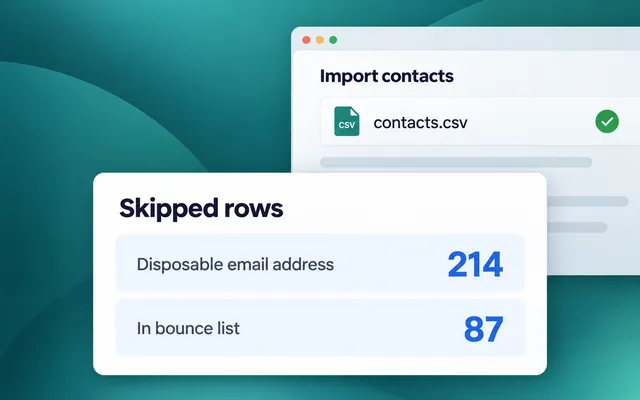
क्या बदला: CSV import के बाद पहले disposable addresses और पहले से bounce हो चुके addresses बिना किसी explanation के 1 Failed counter में चले जाते थे। अब import report हर reason को उसकी अपनी row और अपना count देती है।
यह क्यों मायने रखता है: पहले send से पहले ही आप देख लेते हैं कि list में क्या गड़बड़ है। बहुत सारे disposable addresses कमज़ोर signup form की ओर इशारा करते हैं। बहुत सारे bounced addresses का मतलब है कि list पुरानी है और mail भेजने से पहले उसकी सफ़ाई ज़रूरी है।
देखिए Gmail आपके domain को कैसे देखता है 📬
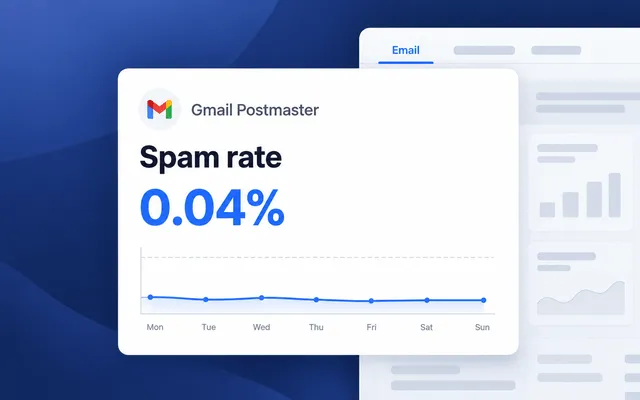
क्या बदला: अपने sender domain को 1 TXT record से Gmail Postmaster से connect कीजिए, सीधे domain card में (Settings → Configure Platforms → Email)।
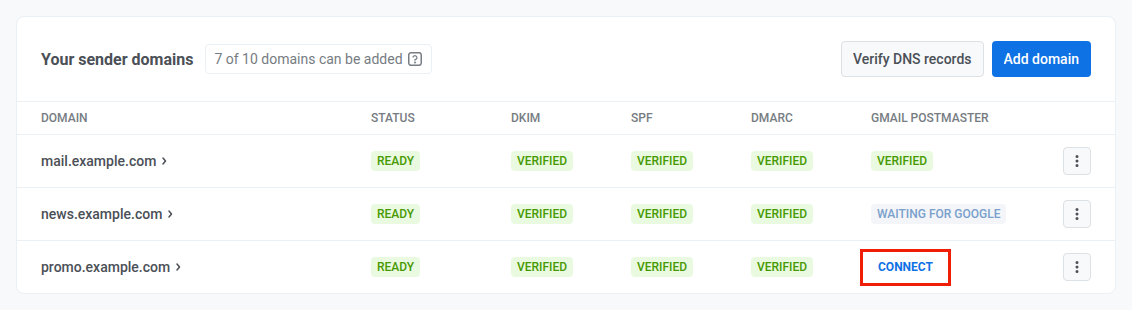
Google के verify करते ही Project overview का Email tab उस domain के लिए Gmail का अपना data दिखाता है। अगर अभी तक कोई domain connected नहीं है, तो वही tab आपको एक domain connect करने के लिए invite करता है।
इसे कैसे पढ़ें:
- Spam rate Gmail users से, Gmail के thresholds के मुकाबले जांचा गया। 0.1% से कम healthy है। 0.1% से value orange हो जाती है और At risk badge लग जाता है। 0.3% पर Gmail mail reject करना शुरू कर देता है।
- Gmail ने जो mail refuse किया: refuse हुए mail का हिस्सा, मुख्य reason, और उसके बारे में क्या करना है। अगर reason Pushwoosh की तरफ़ है, तो badge यही बताता है, और आपको कुछ fix नहीं करना होता।
- Gmail sender requirements domain card में: aligned From address, one-click unsubscribe, और unsubscribes का पालन, हर एक पर Compliant या Needs work mark।
यह ऐसा दिखता है: एक बड़े holiday send के बाद spam rate 0.12% तक चढ़ जाता है और orange हो जाता है। आप इसे Pushwoosh में देखते हैं और Gmail के आपका mail refuse करने से पहले ही अगले send से dormant subscribers हटा देते हैं।
Unsubscribe पर click करने वाले subscribers को बनाए रखिए 💌
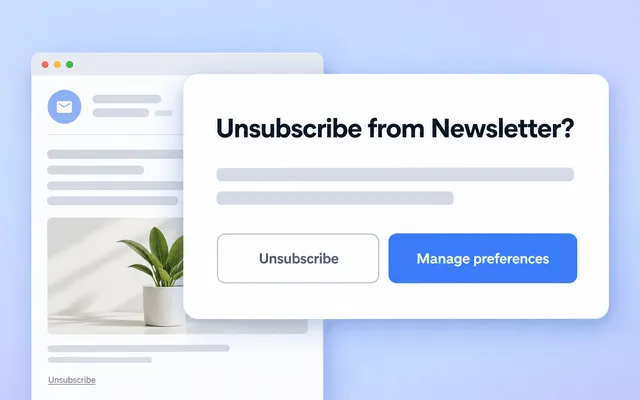
क्या बदला: अब आप तय करते हैं कि किसी के Unsubscribe पर click करने के बाद क्या होता है, step by step।
- पहले confirmation। हर account पर Unsubscribe link अब एक confirmation page खोलता है। जब तक user confirm नहीं करता, कुछ नहीं बदलता, इसलिए गलती से हुआ click या links follow करने वाला mail scanner अब आपसे कोई subscriber नहीं छीनता। यह step आप Unsubscribe flow में बंद कर सकते हैं।
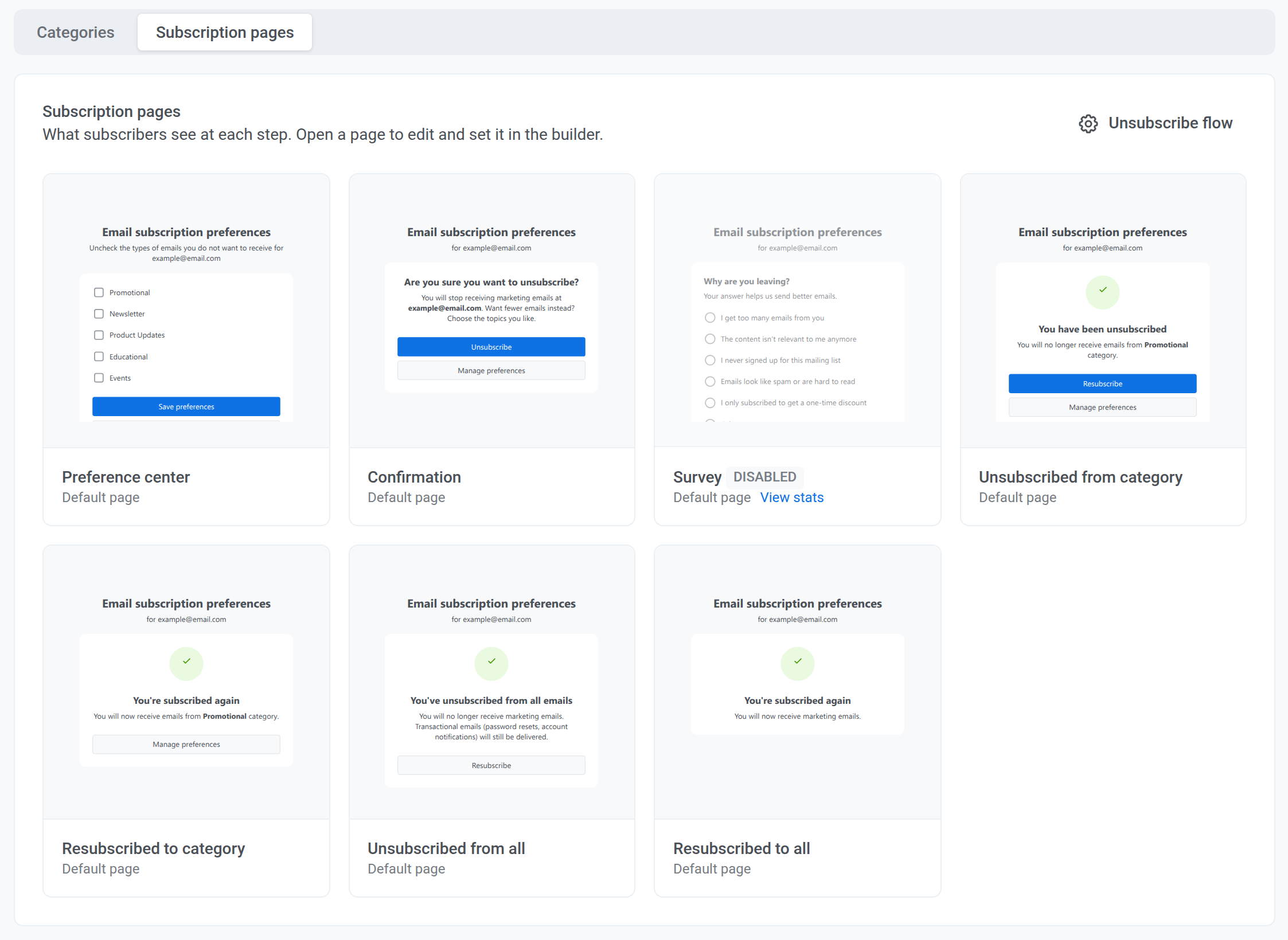
- आपके अपने pages। Preference center, confirmation, survey, और “unsubscribed” pages पहले हर brand के लिए एक जैसे दिखते थे। अब आप इनमें से हर एक को page builder में अपने brand style में edit करते हैं। Language versions, एक Resubscribe button, या preferences manage करने का link जोड़िए। Save करते ही changes live हो जाते हैं।
- जाते-जाते एक survey। Survey on कीजिए, और हर answer Unsubscribe Reason tag में पहुंच जाता है। Users कोई option चुन सकते हैं, अपना जवाब लिख सकते हैं, या skip कर सकते हैं।
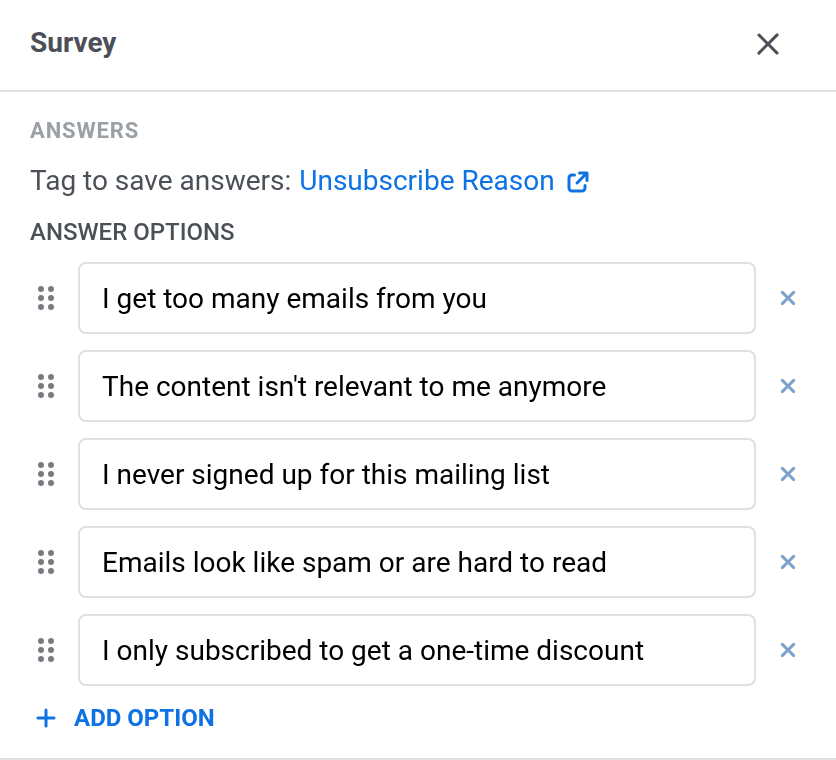
यह कहां काम आता है: जो users “बहुत ज़्यादा emails” जवाब देते हैं, वे एक segment में जाते हैं जिसे रोज़ के promos के बजाय उनकी रखी हुई categories में हफ़्ते में 1 digest मिलता है।
Email के अलावा और क्या शिप हुआ, देखिए
Cards और buttons के साथ RCS messages भेजिए 💬
क्या बदला: SMS presets पहले text या MMS भेज सकते थे। अब आपके अपने Twilio account के ज़रिए वे RCS भेज सकते हैं। Message फ़ोन के built-in messaging app में आपके brand की chat की तरह खुलता है, आपके logo, cards, carousels, और buttons के साथ। जिन फ़ोन में RCS नहीं है, उन्हें इसकी जगह एक regular SMS मिलता है।
यह कैसे काम करता है:
- Preset में: नया RCS section हर language से एक Twilio content template जोड़ता है। Quick reply buttons template से आते हैं।
- Journeys में: RCS preset वाला SMS element tap के लिए 24 घंटे तक इंतज़ार करता है और user को उस button की branch पर भेजता है जो उसने चुना।
- Stats में: deliveries RCS और SMS fallback में बंट जाती हैं, और आप देखते हैं कि RCS messages का कितना हिस्सा पढ़ा गया।
यह ऐसा दिखता है: एक payment reminder अभी पे करें और कल याद दिलाएं buttons के साथ आता है। पहले पर tap checkout पर ले जाता है। दूसरा एक दिन इंतज़ार करता है और reminder फिर से भेजता है।
आपको क्या चाहिए: Pushwoosh में connected आपका Twilio Account SID और Auth token, साथ में RCS sender वाली एक Messaging Service। Carriers RCS senders को country-by-country approve करते हैं, जिसमें Twilio के मुताबिक 4–6 हफ़्ते या उससे ज़्यादा लगते हैं, इसलिए registration जल्दी शुरू कीजिए।
Schedule पर email से stats reports पाइए 📊
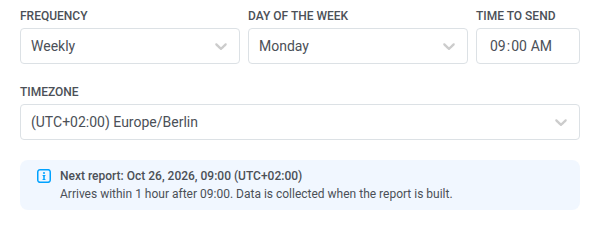
क्या बदला: Project overview से message stats पहले हाथ से export करने पड़ते थे। अब Export statistics के बगल वाला Auto-reports button CSV को daily, weekly, या monthly email करता है, आपके चुने हुए time और time zone में।
Channels चुनिए (push, email, या दोनों), source (one-time messages, journeys, या दोनों), और message type। 25 तक recipients जोड़िए, और उन्हें Pushwoosh login की ज़रूरत नहीं। जब report की ज़रूरत न हो तो उसे pause कीजिए, या तुरंत पाने के लिए Send now पर click कीजिए।
यह ऐसा दिखता है: हर सोमवार 9:00 बजे आपके manager और आपकी agency को पिछले हफ़्ते के push और email stats उनके inbox में मिल जाते हैं। आपकी team में किसी को कुछ भी export नहीं करना पड़ता।
ज़्यादा smart journeys और stats ⚙️
- Journey list में bulk actions। पहले drafts एक-एक करके delete होते थे, और finished journeys एक-एक करके archive। अब कई cards select कीजिए और सब पर 1 action लागू कीजिए। जिन journeys का status fit नहीं होता वे skip हो जाती हैं, और dialog दिखाता है कि कौन-सी। Learn more →
- A/B/n splits में सही goals। जब branches journey में आगे जाकर मिल जाती थीं, तो goal उस तक पहुंचने वाली हर branch के लिए गिना जाता था। अब यह सिर्फ़ उसी branch के लिए गिना जाता है जिससे user वाकई गुज़रा, ताकि हर variant के results साफ़ रहें। Learn more →
- Conversions tab पर in-apps। Conversions tab में one-time messages और journeys दिखते थे। अब journeys के बाहर भेजे गए in-apps को impressions और clicks के साथ अपनी rows मिलती हैं।
तेज़ content और setup 🖼
- हल्के PNGs और आसान crops। Media storage settings में किसी project के लिए PNG compression on कीजिए, और हर upload दिखाता है कि उसने कितनी जगह बचाई। Crops अब एक frame इस्तेमाल करते हैं जिसे आप drag करते हैं, दोनों sides editable हैं, और एक अलग panel image के हर version को real previews के साथ दिखाता है। Learn more →
- JSON key के बिना Google Wallet। पहले आपको अपना service account बनाकर उसकी key upload करनी पड़ती थी। अब आपको सिर्फ़ अपनी issuer ID और अपने issuer में Pushwoosh service account के लिए एक invite चाहिए (Settings → Configure → Android → Google Wallet)। Learn more →
- भेजने से पहले App Inbox messages test कीजिए। Inbox preset preview में एक Test app inbox message button है जो message आपके test devices पर भेजता है। One-time inbox send form का layout भी ज़्यादा साफ़ हुआ है: audience step segment counts और conditions Edit conditions के साथ दिखाता है। Learn more →
और भी शिप हुआ:
- One-time messages अब last modified date से filter होते हैं, और calendar के नीचे एक hint period limits समझाता है। Learn more →
- Push preset का click action अब Deep link or URL कहलाता है, इस hint के साथ कि एक regular https link भी काम करता है, जैसे कोई YouTube video या web page। Learn more →
- Message properties से device filter 1 click में copy कीजिए और उससे test segment बनाइए।
- Menu में किसी project पर hover कीजिए और उसका पूरा नाम देखिए।
- Legal step नए project wizard में शुरू से ही दिखता है, Create पर click करने से पहले।
- Web campaigns और Web content को ज़्यादा साफ़ lists, filters, और setup wizard मिले हैं। Learn more →
खुद Updates try कीजिए
ऊपर बताया हर feature आपके account में live है।
जो कुछ शिप हुआ उसकी पूरी list के लिए, release notes देखिए।
संबंधित लेख
सभी देखें