Zyaadatar push notification problems delivery ke baad dikhte hain. Message aata hai - aur user use dismiss kar deta hai, app ko mute kar deta hai, ya uninstall kar deta hai. Send karne aur succeed hone ke beech ka gap ek targeting, copy aur timing ka problem hai, infrastructure ka nahi.
Yeh guide 23 practices cover karti hai jo us gap ko close karti hain: aisi notifications kaise likhein jin par click ho, kab bhejein, itni precisely kaise segment karein ki har message relevant lage, aur jo actually kaam kar raha hai use kaise measure karein - Pushwoosh ke examples ke saath.
Generic push notification strategies kyun fail hoti hain
Users har din dozens notifications receive karte hain. Jo dismiss hoti hain woh zaruri nahi ki sabse frequent hon - woh sabse kam relevant hoti hain. Aapke poore user base ko bheji gayi ek flash sale push kuch convert karegi; saath hi un users se opt-out bhi generate karegi jinhone aapka app kisi bilkul alag cheez ke liye install kiya tha.
iOS Focus Modes users ko non-critical notifications bundle ya silence karne dete hain. Android notification channels users ko per app channel-level mute controls dete hain. Ek muted channel par bheji gayi notification simply appear hi nahi hoti.
Practical consequence: ab relevance sirf CTR ko nahi, deliverability ko bhi affect karti hai. Generic broadcast strategies har send ke saath yeh cost accumulate karti hain.
Copy, design aur action: ek push par click kab hota hai
1. Aise titles likhein jo benefit seedha batayein (25-50 characters)
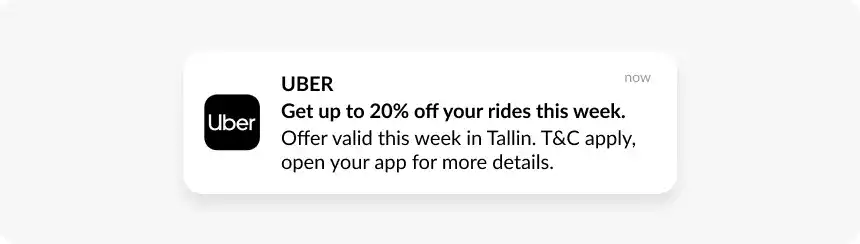
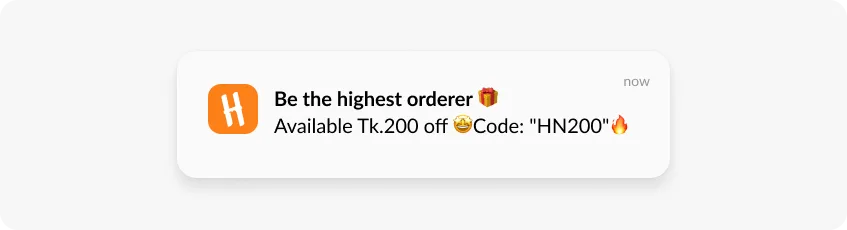
Title woh pehli cheez hai jo users padhte hain. ‘Your wishlisted jacket is 20% off’ ‘Special offer inside’ se behtar perform karta hai. Ek strong verb aur ek specific value se lead karein - aisi teaser copy skip karein jo users ko guess karne par majboor kare.
2. Message body 100 characters ke neeche rakhein
Title ko us detail ke saath expand karein jo offer ko real banata hai: deadline, product ka naam, discount amount. Lock screen par truncation hota hai - bade segment ko bhejne se pehle real device par test karein ki aapki copy kaise render hoti hai.

3. Rich media tabhi use karein jab woh specific information add kare
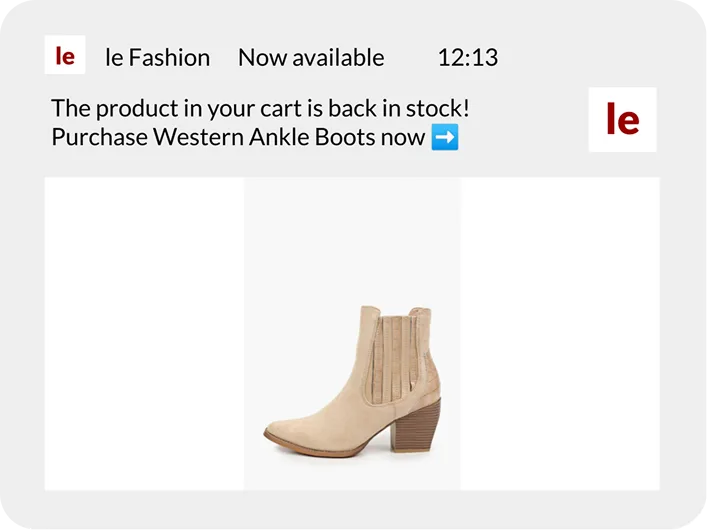
Cart recovery push mein ek product image user ko exactly dikhati hai ki unhone kya chhoda. Ek generic banner kuch add nahi karta jo headline ne pehle hi na keh diya ho. Rich media tab apni jagah earn karta hai jab woh user aur message ke liye specific ho - aur jab woh sirf filler ho to woh jagah kho deta hai.
4. Action buttons active verbs ke saath likhein
‘Complete purchase’ aur ‘Save for later’ cart recovery push ke do sabse common responses cover karte hain. ‘Shop now’ ‘View’ se behtar hai. Do achhe se labeled buttons char vague buttons se behtar perform karte hain. iOS par aapko 4 tak milte hain; Android par 3 tak - default mein saare slots mat bharein.
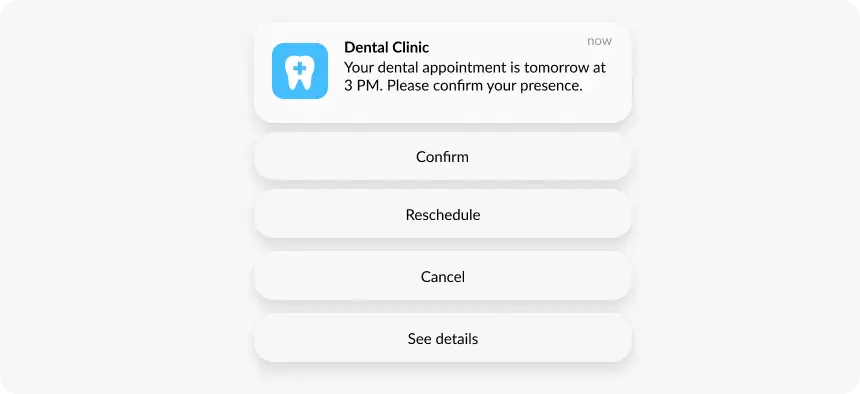
5. Hamesha specific screen par deep link karein
Har promotional push ko us exact screen par ek deep link chahiye jiske baare mein message hai. Discounted jacket ke baare mein ek notification jo homepage open karti hai, us ek single click par apna zyaadatar conversion potential kho deti hai.
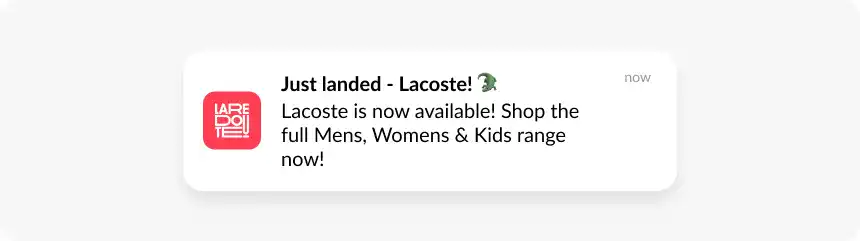
6. First name se aage personalize karein
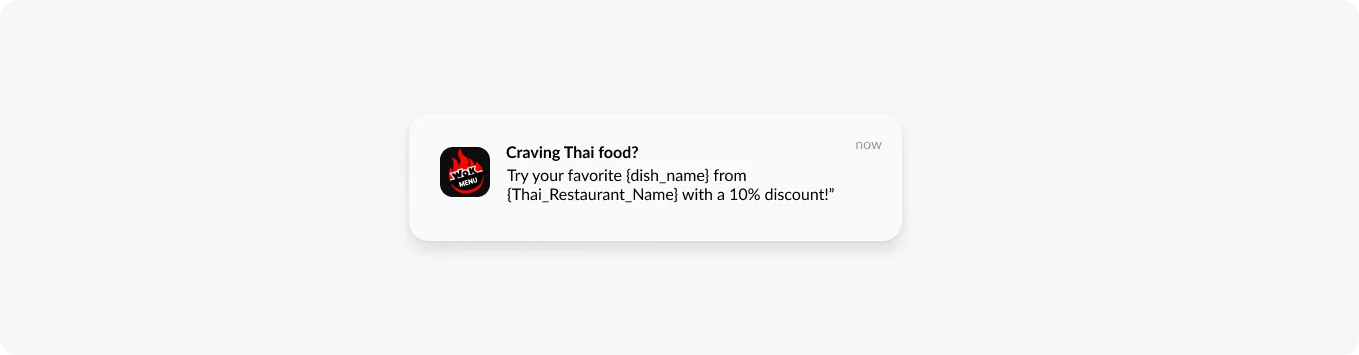
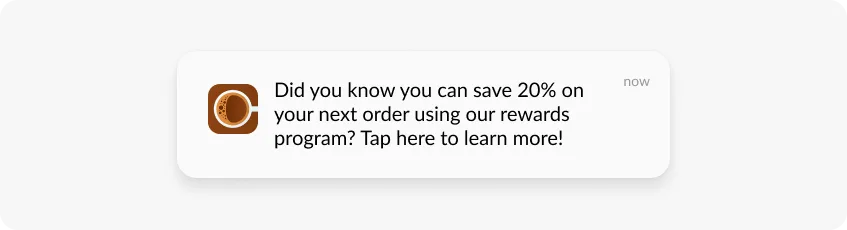
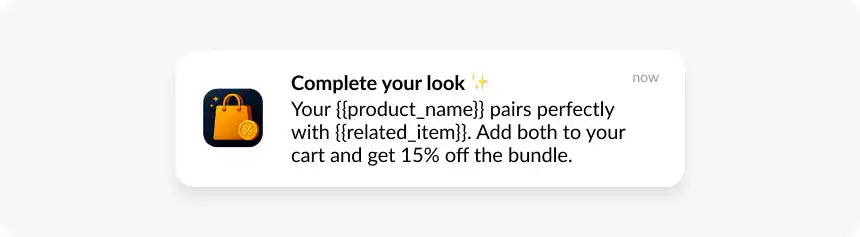
Pushwoosh mein Dynamic content fields user-specific data seedhe notification mein pull karte hain: jo specific product unhone dekha, loyalty points balance, unke CLV tier se juda discount code. ‘Hi Alex, your wishlisted running shoes are 20% off’ vs. ‘Check out our sale on footwear’ - farak event aur tag tracking se aata hai.
7. Urgency ko ek real deadline dein
‘Flash sale ends at midnight’ pressure banata hai. ‘Limited time offer’ bina specific end time ke utna land nahi karta - aur jo users baar-baar yeh framing dekhte hain woh ignore karna shuru kar dete hain. Urgency ko genuine time constraints ke liye reserve karein aur test karein ki woh actually CTR badha raha hai ya nahi.
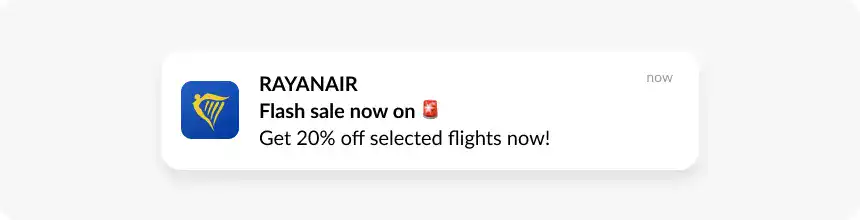
8. Emojis ko 1-2 tak seemit rakhein jo message ko reinforce karein
Cart recovery push mein ek 🛒 relevant hai. Flash sale push mein emojis ki ek string low-quality lagti hai. Per notification 5 ke andar rahein aur ensure karein ki har ek meaning mein kuch add kare.
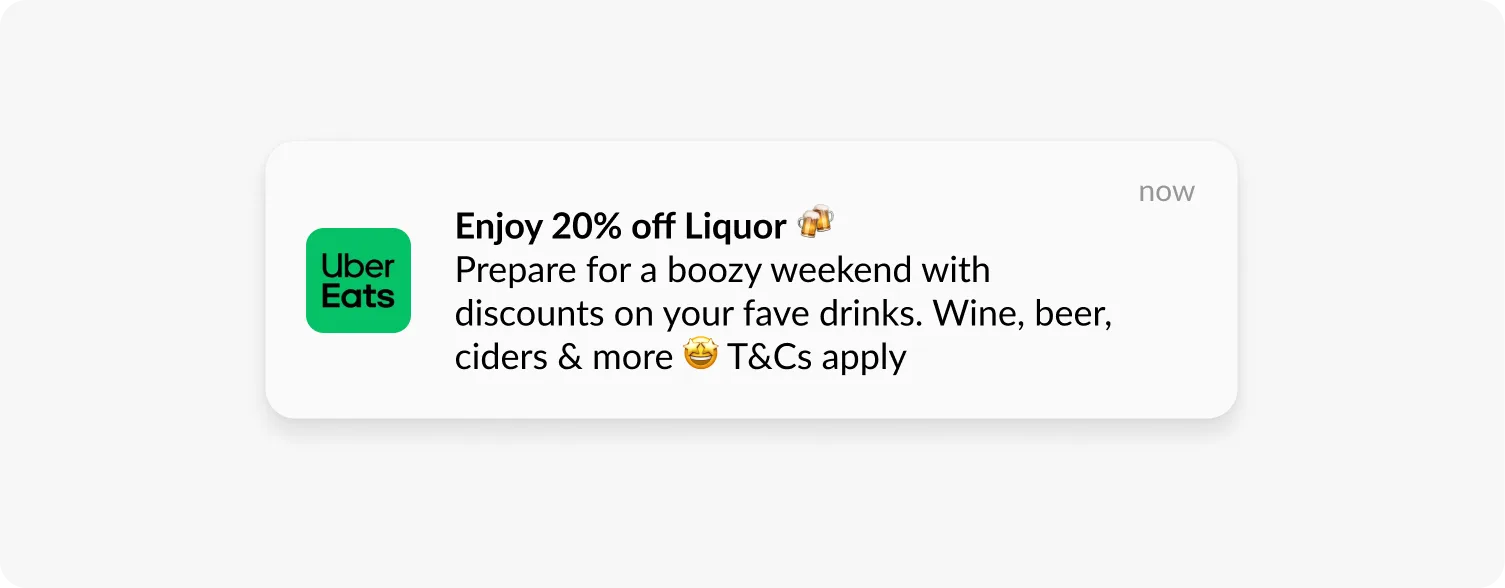
Notification permissions earn karna aur banaye rakhna
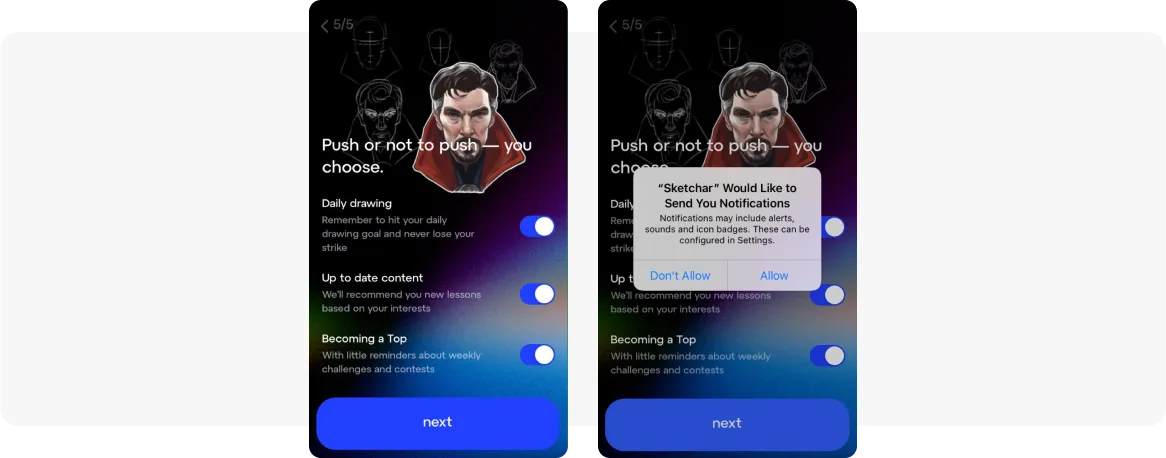
9. OS permission prompt se pehle ek soft ask use karein
Native iOS permission prompt ek one-shot opportunity hai. Ek baar user decline kar de, to use settings manually badalni padti hai re-enable karne ke liye - bahut kam log karte hain. Soft ask ek custom in-app screen hai jo explain karti hai ki user kya receive karega aur use allow karna kyun worth hai. Agar woh soft ask dismiss kar dete hain, to OS prompt kabhi fire nahi hota.
Kab dikhayein: onboarding completion ke baad, pehli purchase ke baad, ya jab koi feature jo notifications se benefit leta hai relevant ho jaye. First launch par nahi.
10. Users ko channel-level control dein
Notification channels (Android) aur in-app preference centers users ko control dete hain ki woh kaunse notification types receive karein bina poori tarah opt out kiye. Jo user order updates chahta hai par promotional pushes nahi, use woh choice karne ka option hona chahiye. Yeh control offer karna opt-outs kam karta hai.
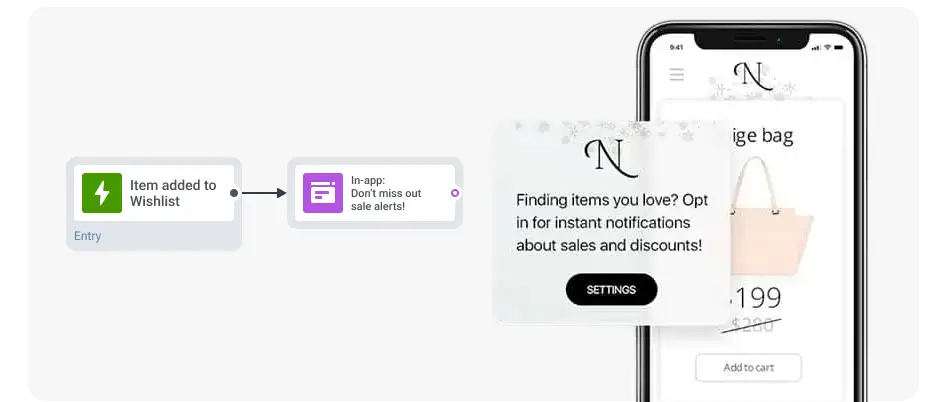
11. Decline kiye users ko in-app messages ke through re-engage karein
Jo users ne initial prompt decline kiya unhe in-app messages ke through tab reach kiya ja sakta hai jab woh active hon. Ek meaningful positive interaction ke baad, ek in-app message notifications re-enable karne ka case ek specific value proposition ke saath bana sakta hai: ‘Enable notifications to get restocked alerts for your saved items.’ Generic re-permission language avoid karein.
Segmentation aur personalization
12. Tags aur events se behavioral segments banayein
Demographic segments - country, device type, OS version - basics cover karte hain. Behavioral segmentation use karti hai ki users actually kya karte hain yeh define karne ke liye ki har message kaun receive karega. Pushwoosh mein, Tags persistent attributes hain (product_category: electronics) aur Events actions hain (added_to_cart, completed_purchase). Precision ke liye inhe combine karein:
-
Jin users ne product dekha par 2 ghante mein cart mein add nahi kiya - price-drop ya low-stock alert.
-
Jin users ne cart mein add kiya par 30 minute mein purchase nahi kiya - cart abandonment sequence.
-
7 din mein koi app open nahi par purchase history hai - unki last category se juda re-engagement offer.
13. Spend prioritize karne ke liye RFM segmentation apply karein
RFM users ko Recency, Frequency aur Monetary value ke hisaab se group karta hai. Champions (high R, high F, high M) waise bhi high rates par convert karte hain - unhe over-discount karna unhe offers ke liye wait karna sikha deta hai. At-risk users ko unki last purchase category se juda ek win-back offer chahiye, na ki ek generic ‘we miss you’ push. New users ko ek first-purchase incentive chahiye.
Pushwoosh ki RFM segmentation users ko automatically categorize karti hai.
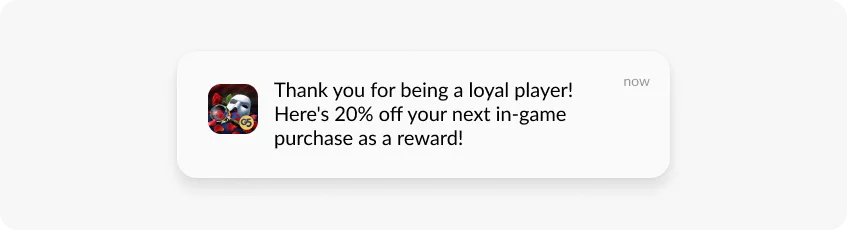
14. Scale par per-user personalization ke liye dynamic content fields use karein
Dynamic content fields send time par user-specific data notification mein pull karte hain: first name, ek recent event se product name, loyalty balance, ek tag se category. Ek campaign template har user ke liye alag render hoti hai bina manual customization ke.
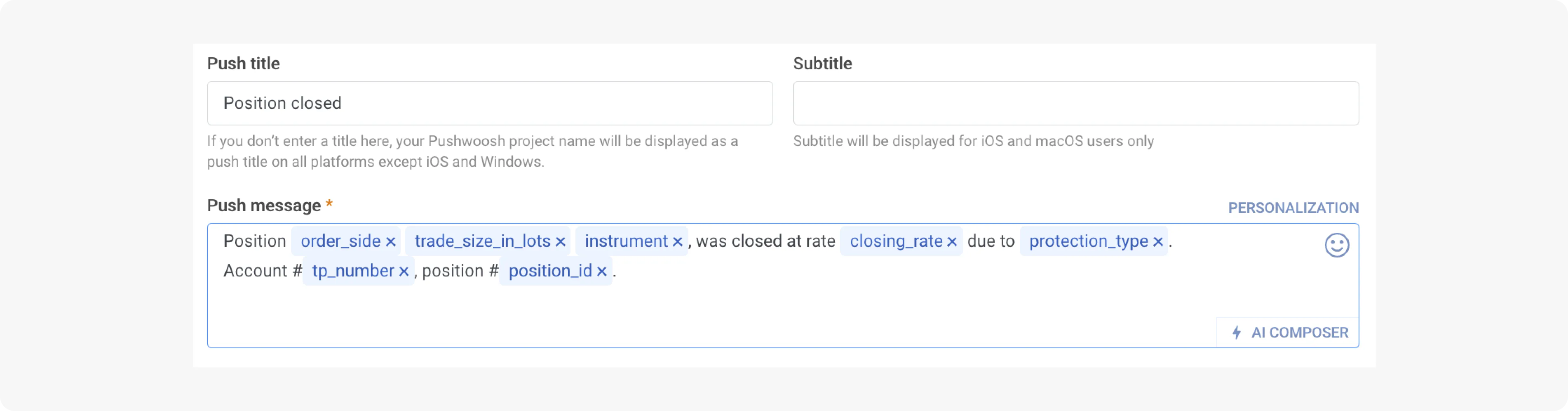
15. Segments ko dynamic rakhein taaki woh automatically update hon
Jo user abandonment segment se convert ho jata hai use bina manual intervention ke abandonment messages milna band ho jana chahiye. Pushwoosh mein dynamic segments user behavior badalne par real time mein update hote hain - yeh converted users ko over-messaging se rokta hai aur targeting ko current rakhta hai.
Customer journey automation
16. Ek two-step cart abandonment sequence chalayein
Step 1, abandonment ke 30 minute baad: specific item ki rich media image aur ek direct cart deep link ke saath push. Abhi koi discount nahi - yeh un users ko catch karta hai jo distract ho gaye the.
Step 2, 24 ghante baad (sirf non-converters ko): ek discount ya free shipping offer ke saath push. Step 1 ke sabhi ko discount bhejna us offer ko un users par waste karta hai jo waise bhi convert ho jate.
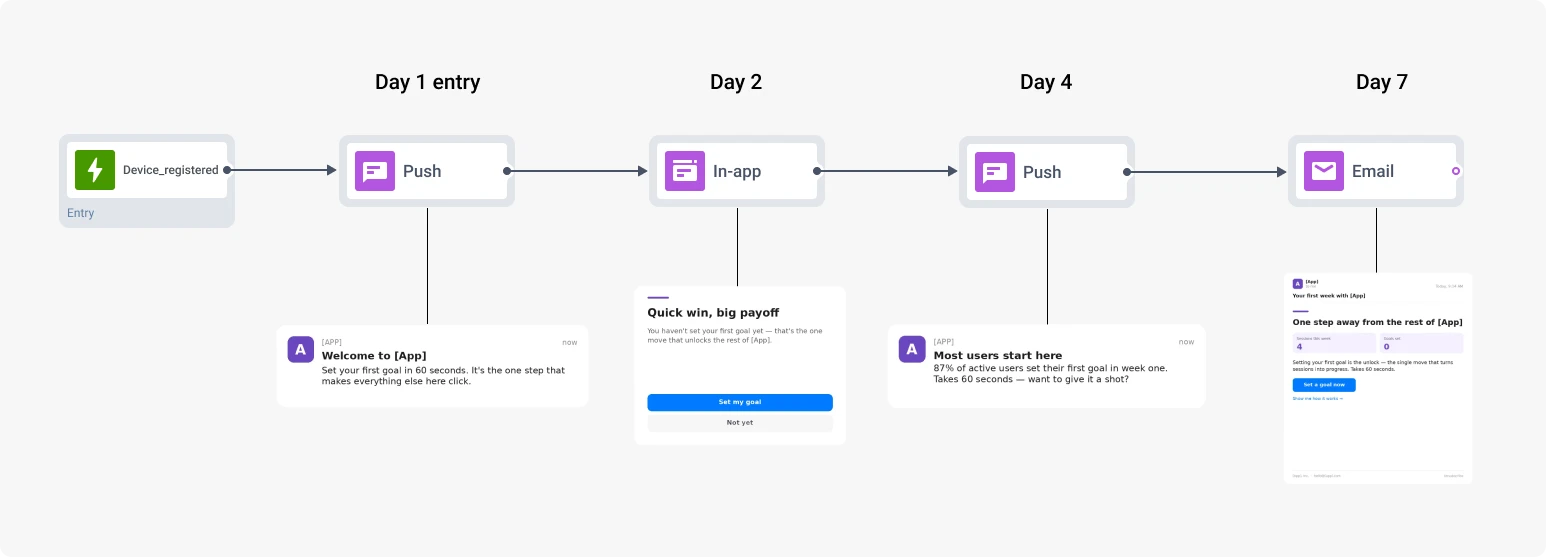
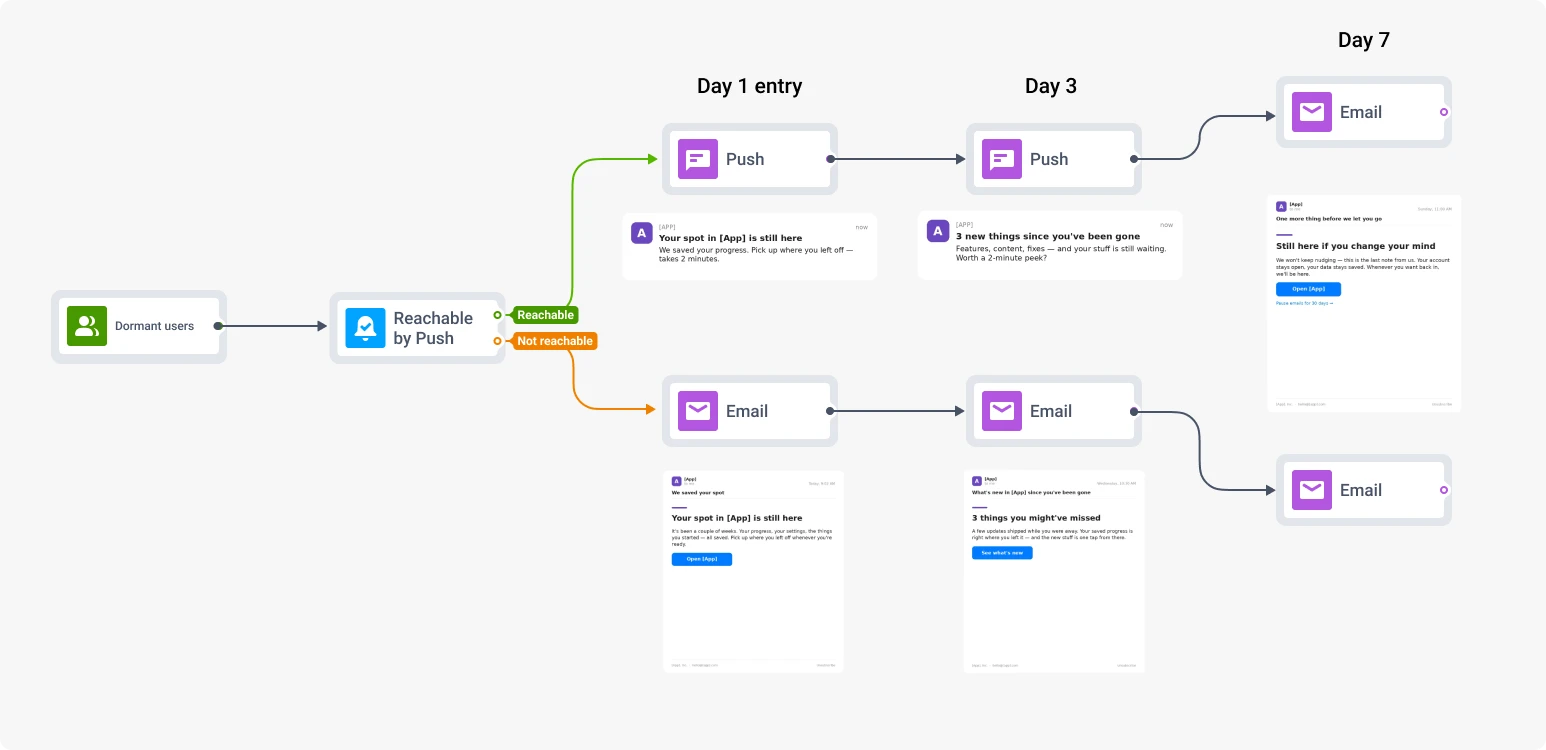
17. Behavioral exits ke saath onboarding series banayein
-
Day 1: Core value proposition introduce karti welcome push. Key feature par deep link, homepage par nahi.
-
Day 3: First-purchase incentive ya social proof. ‘10% off your first order’ user ke explore karne ke baad behtar land karta hai.
-
Day 7: Us feature ko target karein jo unhone abhi tak use nahi kiya. Pehle week ka behavioral data batata hai ki kya push karna hai.
Har step conversion par journey se exit karta hai. Jo user day 2 par purchase karta hai use day-3 first-purchase incentive nahi milta.
18. Users ke poori tarah lapse hone se pehle churn signals target karein
Ghatti session frequency, app mein kam time, feature abandonment - yeh early signals hain. Ek fintech user jisne 10 din se transactions log karna band kar diya use spending insight ke baare mein push milti hai jo unhe milti agar woh catch up karte. Ek fitness user jisne 5 din se workout log nahi kiya use unke goal se juda push milta hai. Message ko specific drop-off address karna chahiye, general absence ko nahi.
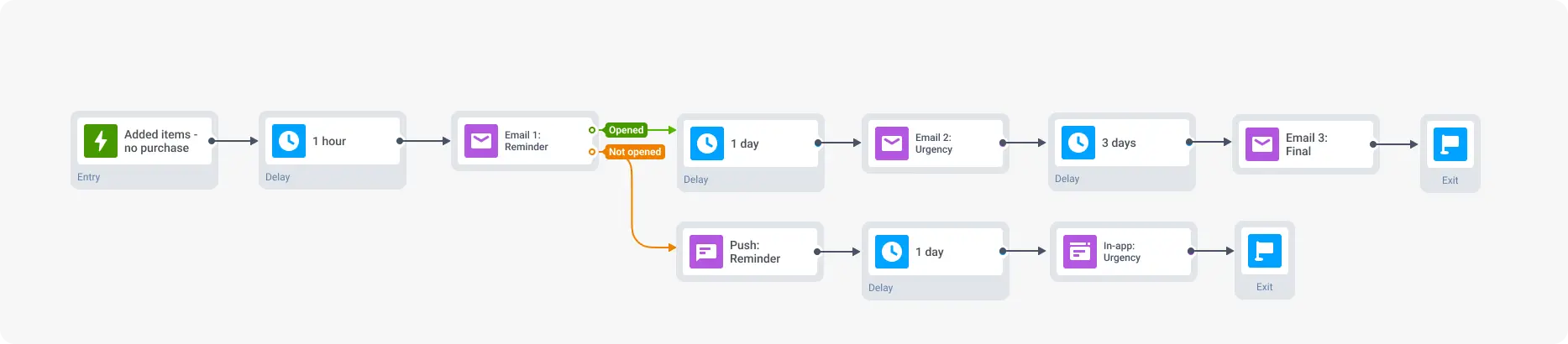
Pushwoosh ka Customer Journey Builder entry triggers, delays, conditional splits aur cross-channel fallbacks ko ek visual interface mein handle karta hai.
Timing, frequency aur AI-assisted delivery
19. Minimum ke taur par user ke local timezone mein bhejein - phir hour se test karein
Timezone optimization floor hai. Neeche di gayi table ek starting point ke taur par industry-level benchmarks dikhati hai - schedule par commit karne se pehle similar segments ke against A/B tests chalayein aur analytics mein CTR by hour check karein.
| Industry | Promotional push | Transactional push |
|---|---|---|
| E-commerce | Lunch (12-1 PM), evening (7-9 PM) local time | Trigger par turant |
| Gaming | Early evening (5-8 PM), weekend afternoons | Game event par turant |
| News aur media | Morning commute (7-9 AM); breaking news ke liye turant | Story publish par turant |
| Fintech | Admin ke liye work hours (10 AM-4 PM); personal finance ke liye evening | Transaction par turant |
| Travel | Planning ke liye weekends | Booking, check-in, flight updates ke liye turant |
Research context: retail apps ka peak CTR 8-9 AM aur 6-8 PM par dikhta hai, sabse kam engagement 4-5 PM par. News apps ek early spike 7 AM par aur ek second peak 11 AM par dikhati hain. Monday aur Tuesday saari industries mein Saturday se consistently behtar perform karte hain. Source: Business of Apps push notification statistics; Pushwoosh news apps study 2025.
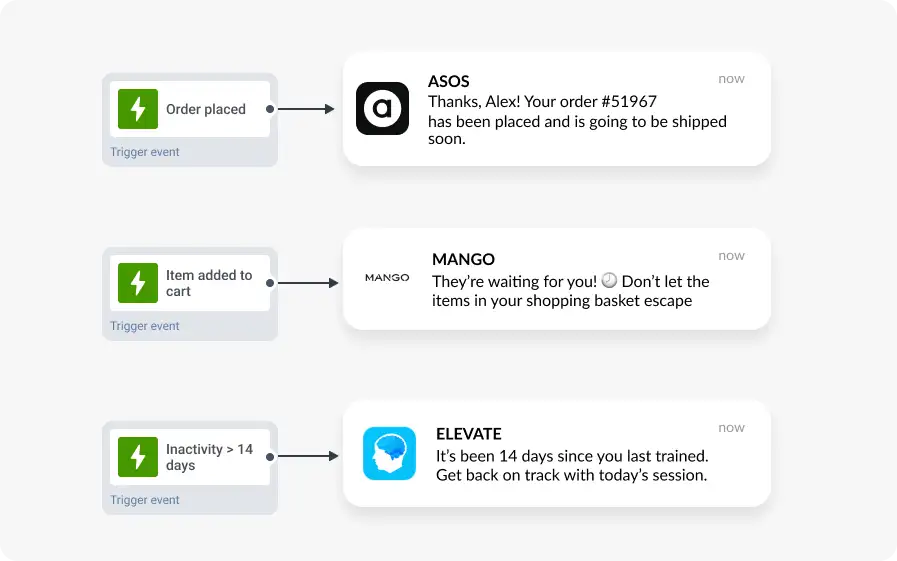
20. Scheduled sends ke upar action-based delivery prioritize karein
Ek notification jo user ne abhi jo kiya - ya abhi jo karne mein fail hua - usse trigger hoti hai woh inherently relevant hoti hai. Trigger ke 30 minute baad bheji gayi cart abandonment push almost hamesha wahi push ko ek predetermined ‘optimal hour’ par bheje gaye se behtar perform karegi.
21. Frequency caps segment ke hisaab se set karein, globally nahi
Per user 2-3 promotional pushes per week se shuru karein, triggered messages se alag. Per campaign opt-out rate monitor karein - ek specific send ke baad ka spike ek relevance signal hai. 46% users opt out kar denge agar unhe ek week mein 2-5 messages milte hain bina clear relevance ke (Localytics). Aapke sabse engaged users at-risk users se zyada tolerance rakhte hain - poore board par ek single cap mat lagayein.
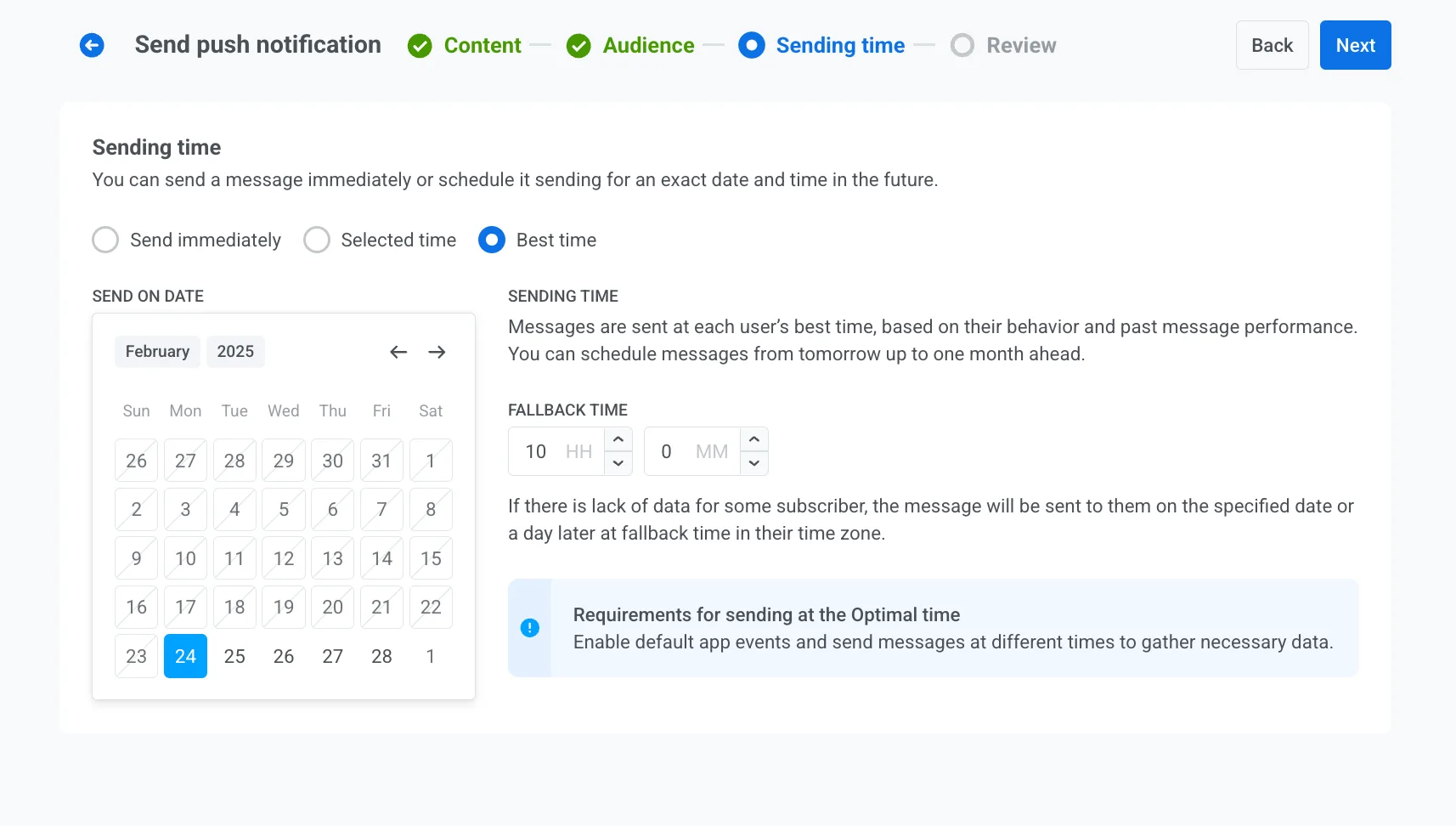
22. Mixed audiences ke liye AI-based send time optimization use karein
Pushwoosh ka AI har user ke historical engagement patterns ke aadhaar par optimal delivery window predict karta hai. Yeh timezone adjustment se aage jata hai - yeh identify karta hai ki har individual user kab apne phone ko actively dekhne ki sabse zyada sambhavna rakhta hai. International audiences ya unpredictable usage patterns ke liye, per-user timing typically open rates ko fixed send times ke mukable meaningfully badhata hai.
Performance measure karna: metrics aur benchmarks
23. CTR ke saath opt-out rate bhi track karein
Campaign launch hone se pehle define karein ki success kaisa dikhta hai. Conversion event pehle se set karein taaki results padhte waqt attribution clean ho.
| Metric | Benchmark range | Problem kaisa dikhta hai |
|---|---|---|
| Opt-in rate | 50-70% (industry ke hisaab se badalti hai) | 40% se neeche - permission strategy par kaam chahiye |
| Delivery rate | 95%+ | 90% se neeche - token staleness ya infrastructure issue |
| CTR | 5-10% achha; 10%+ top-tier | 2% se neeche - copy, targeting ya CTA problem |
| Conversion rate | 3-5% achha; 5%+ exceptional (triggered) | 1% se neeche - deep link ya landing page problem |
Key takeaway: ek campaign jiska strong CTR opt-outs mein spike ke saath correlate karta hai uska net-negative CLV impact ho sakta hai. Dono track karein.
Deep links mein UTM parameters use karein aur launch se pehle conversion events configure karein. Push campaigns ko attribute kiya gaya revenue channel performance ko business outcomes se jodta hai. Iske bina, aap aise CTR ke liye optimize kar rahe hain jo purchases se correspond kare ya na kare. Zyada insights paane ke liye built-in analytics at Pushwoosh use karein.
Use case ke hisaab se best practices
Engage: onboarding, activation aur content discovery
-
Welcome series. In-app behavior se juda multi-step sequence. Har message us action par exit karta hai jise woh drive karne ki koshish kar raha hai.
-
Feature adoption. Un users ko segment karein jinhone onboarding ke baad ek specific feature activate nahi kiya. Install ke 3-5 din baad ek specific benefit ke saath triggered push, feature description ke saath nahi.
-
Content recommendations. Aise users ka behavioral segment jinhone ek category mein multiple articles padhe, tab triggered jab us category mein naya content publish ho.
-
Geo-triggered notifications. User ek store ya event ke paas ek geofence mein enter karta hai: ek contextual offer jo sirf us moment mein relevant ho. Kam use karein.
Retain: churn prevention aur loyalty
-
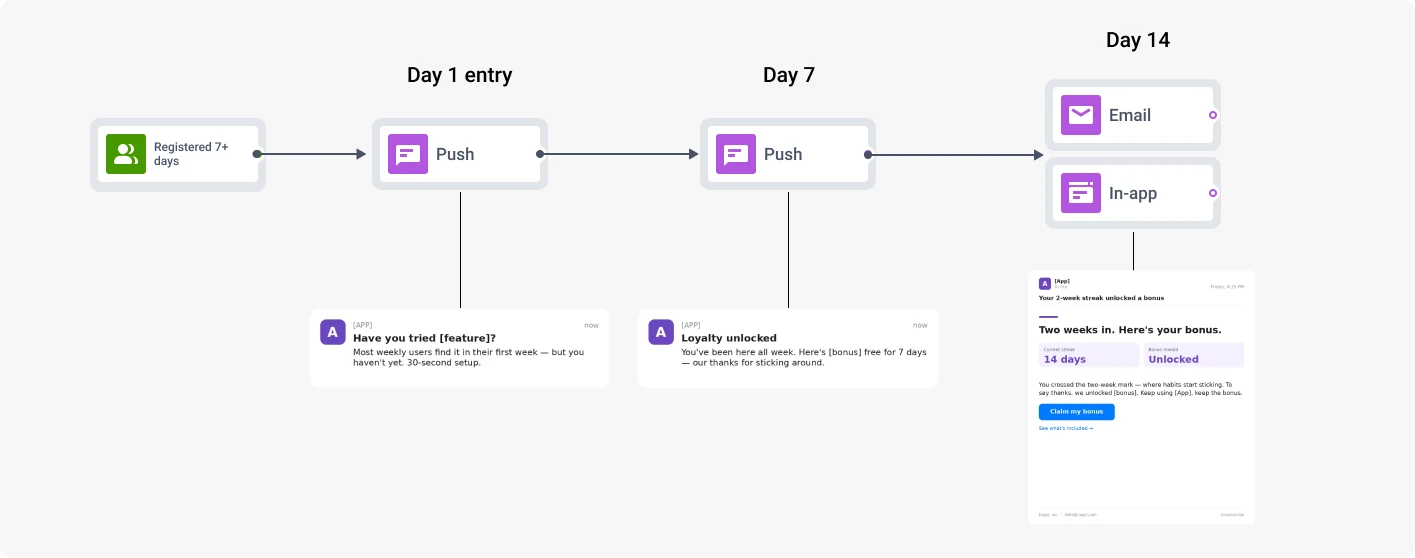
Proactive churn prevention. Ghatti engagement patterns entry triggers ke taur par, sirf inactivity days nahi. Intervention jitna jaldi, recovery rate utna behtar.
-
Loyalty milestones. ‘5 years with us’ ya ‘You just hit 100 workouts’ - specific, generic loyalty messaging nahi.
-
Win-back sequences. At-risk aur lapsed users ka RFM-based targeting unki last known interest category se jude offers ke saath.
Earn: conversions, upsells aur revenue recovery
-
Abandoned cart recovery. Two-step automated sequence. Notification mein product image, direct cart deep link, discount sirf step 2 mein non-converters ko.
-
Flash sales. Frequent buyers ka RFM-based targeting exclusivity framing ke saath. Real deadlines vague ‘limited time’ language se behtar perform karte hain.
-
Trial expiration. Expiration se day 7, day 3 aur day 1 par pushes ke saath journey. Escalating offer: day 7 par educational, day 1 par specific discount.
-
Upsell aur cross-sell. Purchase events se triggered. Purchase ki product category recommendation decide karti hai.
Pushwoosh ke saath CTR aur retention improve karein
Relevance hi woh hai jo time ke saath compound hone wale campaigns ko un campaigns se alag karti hai jo channel ko erode karte hain. Behavioral aur RFM segmentation, soft ask permission flows, conditional logic ke saath automated journeys, AI-assisted timing aur campaign-level revenue attribution saath mil kar kaam karte hain. Inme se koi bhi ek needle move karta hai; saare ek saath ek retention program hai.
Pushwoosh behavioral aur RFM segmentation, Customer Journey Builder, AI send time optimization, dynamic content personalization, A/B testing aur real-time analytics ko ek platform mein jodta hai.
Pushwoosh ko action mein dekhein - request a demo.