ज़्यादातर mobile push notification platforms reliably deliver करते हैं। असली फर्क — segmentation की depth, journey automation, और SDK से पहले campaign तक का समय — feature list में नहीं, रोज़ के operations में दिखता है। भारत जैसे Android-dominant मार्केट में, जहां करोड़ों यूजर्स वाले ऐप्स को scale पर run करना होता है, यही फर्क growth और churn के बीच की रेखा बन जाता है।
यह गाइड बताती है कि push service चुनते समय क्या देखना चाहिए, मुख्य platforms की तुलना कैसी है, और Pushwoosh में SDK integration से live campaign तक कैसे पहुंचें।
Mobile push notification services क्या हैं?
Mobile push notification services वे platforms हैं जो push notification delivery का पूरा lifecycle manage करते हैं: device token registration, audience segmentation, message construction, APNs (iOS) और FCM (Android) के ज़रिए delivery, और analytics।
Mobile और web push का फर्क साफ़ समझ लेना ज़रूरी है:
- Mobile push. उन यूजर्स तक जिन्होंने आपका native iOS या Android ऐप install किया है। In-app permission ज़रूरी। Delivery infrastructure के तौर पर APNs और FCM इस्तेमाल होते हैं। भारत में चूंकि ~95% डिवाइस Android पर हैं, ज़्यादातर ऐप टीम्स के लिए FCM ही असली delivery engine है।
- Web push. Browser के ज़रिए उन यूजर्स तक जिन्होंने आपकी website पर opt-in किया। कोई app install नहीं चाहिए। Browser बंद होने पर भी काम करता है। Chrome, Firefox, Edge और (iOS 16.4 से) Safari पर supported।
एक push notification service दोनों की complexity को abstract करती है: token management, हर platform के लिए payload formatting, delivery failure पर retry logic, और वह analytics layer जो sends को outcomes से जोड़ती है। Services में फर्क delivery के आसपास होने वाली हर चीज़ में आता है — आप audiences कैसे बनाते हैं, sequences कैसे design करते हैं, और results कैसे मापते हैं।
Mobile push notifications कैसे काम करते हैं
Delivery chain वही रहती है, चाहे आप कोई भी service इस्तेमाल करें:
- यूजर permission देता है. iOS पर कोई भी notification भेजने से पहले explicit permission ज़रूरी है। Android पर install पर यूजर default opt-in होते हैं (Android 12 और पुराने) या install पर prompt होते हैं (Android 13+)। भारत के Android-first मार्केट में Android 13+ का opt-in flow सही करना सबसे ज़्यादा असर डालता है।
- Device token बनता है. OS उस device पर उस app installation के लिए एक unique token generate करता है। यही token delivery address है।
- SDK token को platform पर भेजता है. आपका ऐप, push service SDK के साथ integrated, token को platform के servers तक भेजता है और उसे user profile से link करता है।
- Campaign configure होता है. आप message compose करते हैं, audience segment define करते हैं, और platform के dashboard में trigger या schedule सेट करते हैं।
- Platform APNs या FCM को भेजता है. Push service हर platform के लिए payload सही format करती है और इसे Apple या Google की delivery infrastructure पर भेजती है।
- Device notification receive और display करता है. OS notification को lock screen या notification center पर render करता है।
- Interaction track होती है. Taps, dismissals, और इसके बाद होने वाली in-app actions SDK द्वारा capture होकर analytics में दिखती हैं।
Push notification services जहां फर्क बनाती हैं वह है: token accuracy कितनी अच्छी रहती है, आप कितनी precisely तय कर सकते हैं कि message किसे मिले, और campaign logic का कितना हिस्सा आप developer के बिना automate कर सकते हैं।
Mobile push notification service में क्या देखें
ज़्यादातर platforms baseline को reliably cover करते हैं। नीचे दिए criteria वहां हैं जहां practice में असली फर्क दिखता है।
| Criterion | क्या evaluate करें | Red flags |
|---|---|---|
| Segmentation depth | क्या आप behavioral events पर target कर सकते हैं, सिर्फ demographics पर नहीं? | सिर्फ geo, device type, या last-seen date ही targeting options हों |
| Journey automation | Visual, no-code builder बनाम API-only workflows | हर automation step के लिए developer या support ticket चाहिए |
| Delivery reliability | SLA, retry logic, APNs/FCM error handling | Delivery rates या failure reasons पर कोई transparency नहीं |
| Setup time | SDK integration से पहले campaign तक | हफ्तों लंबा onboarding जिसमें professional services ज़रूरी |
| Analytics depth | क्या आप push को revenue और CLV से जोड़ सकते हैं, सिर्फ opens से नहीं? | सिर्फ delivery और open rate; कोई conversion या revenue attribution नहीं |
| AI features | Per-user send time, content suggestions, churn prediction | AI सिर्फ checkbox feature, बिना मापे जा सकने वाले lift के |
| Compliance | GDPR, CCPA, data residency options | कोई DPA नहीं, data residency choice नहीं, अस्पष्ट data handling policy |
| Pricing transparency | Published per-MAU, per-contact, या per-message rates जिन्हें आप खुद model कर सकें | Custom pricing जिसमें हर सवाल के लिए sales call चाहिए |
Segmentation depth
Demographic segmentation (country, device, OS version) तो बेसिक है। Retention use cases के लिए जो platforms विचार करने लायक हैं, वे सभी in-app events के आधार पर behavioral segmentation support करते हैं। सवाल यह है कि वह segmentation कैसे configure होती है — एक no-code interface के ज़रिए, या हर नई audience के लिए developer का समय मांगने वाली API calls के ज़रिए।
RFM segmentation (Recency, Frequency, Monetary) behavioral segmentation से अलग capability है और हर जगह उपलब्ध नहीं होती। E-commerce, gaming और subscription ऐप्स के लिए — भारत में जहां Flipkart और Amazon जैसे sale events पर traffic कई गुना बढ़ता है — यह तय करने का सबसे भरोसेमंद model है कि किन यूजर्स को priority देनी है और कौन churn risk पर हैं।
Engineering bottlenecks के बिना journey automation
Marketing teams की push notification services को लेकर सबसे आम शिकायत delivery rates की नहीं होती — यह होती है कि हर automated sequence सेट करने के लिए developer चाहिए। एक visual, no-code Customer Journey Builder इसे हल करता है। आप cart abandonment sequence, welcome series, या re-engagement flow बिना engineering ticket के design कर सकते हैं।
देखें कि journey builder conditional logic (अगर यूजर ने purchase किया तो sequence से exit), delays, journey के भीतर A/B splits, और cross-channel fallbacks (push फिर कोई response न मिले तो email) handle करता है या नहीं। ये advanced features नहीं हैं — किसी भी serious lifecycle program की बुनियादी requirements हैं।
Delivery reliability और transparency
सभी बड़ी push notification services delivery infrastructure के तौर पर APNs और FCM इस्तेमाल करती हैं, इसलिए infrastructure level पर raw delivery rates लगभग एक जैसे होते हैं। फर्क इसमें आता है कि platform edge cases कैसे handle करती है: stale tokens, delivery failures, और OEM-specific Android restrictions। भारत में यह खास तौर पर मायने रखता है — Xiaomi, OPPO, Vivo और OnePlus जैसे डिवाइस के aggressive battery-optimization layers background delivery को रोक सकते हैं, इसलिए OEM handling एक असली अंतर है।
Transparency यहां मायने रखती है। आपको दिखना चाहिए कि message क्यों deliver नहीं हुआ — token invalid, यूजर ने opt-out किया, ऐप force-stopped — सिर्फ एक aggregate delivery percentage नहीं।
SDK integration से पहले campaign तक का समय
यह वह setup criterion है जिसे ज़्यादातर टीम्स evaluation में underweight करती हैं लेकिन operations में तुरंत महसूस करती हैं। सीधी SDK documentation और no-code campaign interface वाली platform के लिए, integration से पहले live campaign तक का रास्ता घंटों में नापा जा सकता है। जिन platforms को professional services onboarding या जटिल initial configuration चाहिए, उनके लिए यह हफ्तों का होता है।
Evaluation के दौरान इसे test करें: staging environment में SDK integrate करें और एक test campaign भेजकर देखें। असली अनुभव किसी भी feature comparison से ज़्यादा बताता है।
टॉप mobile push notification services: तुलना
नीचे की table उन platforms को cover करती है जिन्हें mobile-first टीम्स सबसे ज़्यादा evaluate करती हैं। Pushwoosh को आगे के section में detail से cover किया गया है।
| Platform | किसके लिए बेस्ट | Standout | Pricing |
|---|---|---|---|
| Pushwoosh | lifecycle campaigns चलाने वाली mobile-first टीम्स, free tier से आगे तक | No-code RFM + behavioral segmentation और Customer Journey Builder; तेज़ setup | Pay-as-you-go, हर 1,000 MAU पर; पहले 1,000 free |
| OneSignal | Startups और indie apps, 1,000 MAU से कम | सबसे तेज़ setup; free tier अब सिर्फ 1,000 MAU तक (autumn 2026 से) | 1,000 MAU तक free; Growth plan $19/month + $0.012 per MAU |
| Airship | Dedicated technical teams वाले large enterprises | Real-time data streaming और deep API | Enterprise custom |
| Braze | Enterprise omnichannel programs | Canvas journey builder; unified customer profile | Enterprise custom (सबसे ऊंचे में से) |
| Iterable | Email, SMS, push में API-first growth teams | Workflow studio + AI send-time (native web push नहीं) | Contacts के हिसाब से tiered |
| FCM | In-house campaign tooling बनाने वाली engineering teams | Free delivery infrastructure; कोई campaign layer नहीं | Free |
| CleverTap | Behavioral analytics को priority देने वाले mid-market ऐप्स | Built-in RFM और cohort analysis | MAU के हिसाब से tiered; free tier |
| MoEngage | Omnichannel में scale करती mobile-first टीम्स | Send-time और predictive segmentation के लिए Sherpa AI | MAU के हिसाब से tiered |
| Leanplum | CleverTap migration evaluate करते मौजूदा customers | A/B testing और personalization (अब CleverTap में) | CleverTap के साथ unified |
| Insider | Enterprise e-commerce और retail | पूरे cross-channel stack में predictive audiences | Enterprise custom |
| Customer.io | Transactional + marketing चाहने वाले SaaS और subscription ऐप्स | Flexible data model; मज़बूत workflow logic | People tracked के हिसाब से tiered |
Mobile push notification services: detailed breakdown
1. Pushwoosh
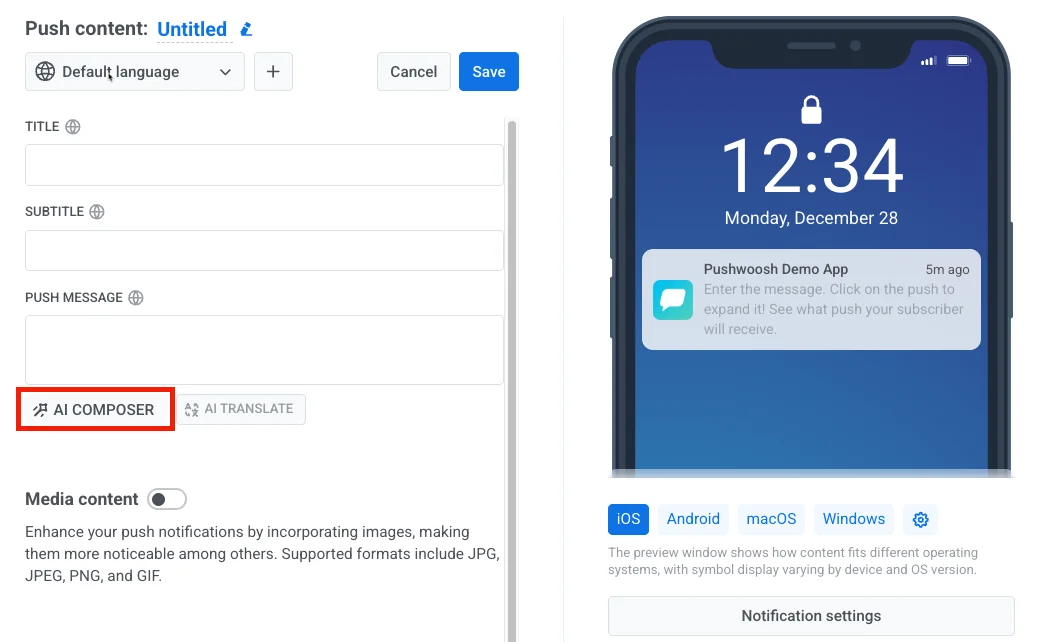
Pushwoosh एक omnichannel customer engagement platform है जो mobile-first टीम्स के लिए बना है। इसका core differentiator है no-code campaign management और advanced segmentation का एक ही platform में combination — RFM segmentation, Tags और Events के ज़रिए behavioral targeting, और Customer Journey Builder, सब SDK integrate होने के बाद बिना developer के accessible हैं।
Setup तेज़ होने के लिए design किया गया है। iOS और Android के लिए SDK integration आमतौर पर ऐसे developer को कुछ घंटे लेती है जिसने पहले platform के साथ काम न किया हो। पहला campaign उसी दिन जा सकता है।
- किसके लिए बेस्ट: e-commerce, gaming, FinTech (PhonePe/Paytm जैसा UPI-driven मार्केट), EdTech (BYJU’S/Unacademy जैसे बड़े players वाला), news और media, और subscription ऐप्स — free tier से आगे तक। वे टीम्स जो हर campaign change में engineering dependency बनाए बिना complex lifecycle campaigns चलाना चाहती हैं।
- Pricing: Pay-as-you-go, monthly active users के हिसाब से — हर महीने पहले 1,000 MAU free। Omnichannel $13 प्रति 1,000 MAU और सिर्फ Email $5 प्रति 1,000 monthly recipients, standard plans के लिए कोई custom quotes नहीं। जिन टीम्स को सिर्फ push channels चाहिए वे सस्ता Push only plan ले सकती हैं — मौजूदा rates यहां देखें pushwoosh.com/pricing।
2. OneSignal
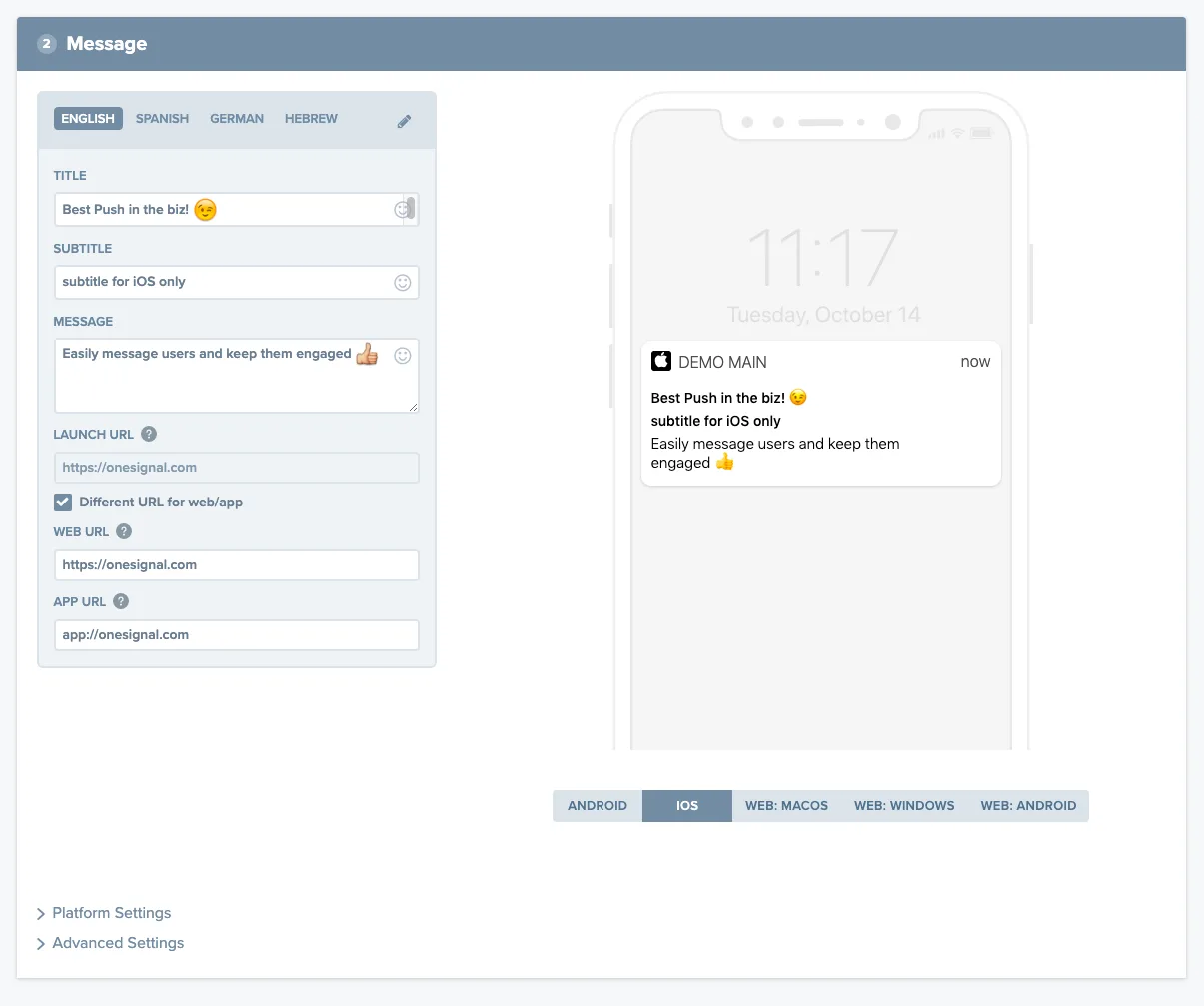
छोटे ऐप्स और early-stage products के लिए OneSignal सबसे ज़्यादा इस्तेमाल की जाने वाली push notification service है। SDK integration अच्छी तरह documented है और setup अनुभव मार्केट में सबसे तेज़।
Free tier की अब एक पक्की ceiling है। नए accounts के लिए 1 सितंबर 2026 से और मौजूदा accounts के लिए 1 अक्टूबर से, Free plan पर mobile push और in-app messaging 1,000 monthly active users से ऊपर भेजना बंद हो जाता है; web push और email पर कोई असर नहीं। दो बातें तय करती हैं कि आप असल में सीमा के कितने पास हैं: यह count पूरे organization-wide होता है, तो कई छोटे ऐप्स मिलकर एक ही limit के खिलाफ जुड़ जाते हैं, और यह rolling 30-day window इस्तेमाल करता है, तो inactive subscribers हटाने का असर दिखने में एक दिन नहीं, एक महीना लगता है।
दूसरी ceiling segmentation है। OneSignal के free और mid-tier plans बेसिक filters तो support करते हैं लेकिन custom events या RFM models पर आधारित behavioral segmentation नहीं। जो टीम्स simple demographic targeting से आगे बढ़ती हैं, वे आमतौर पर growth के 12-18 महीनों के भीतर दूसरे platforms देखने लगती हैं।
- किसके लिए बेस्ट: Startups, indie developers, 1,000 MAU से कम वाले ऐप्स, पहली बार push test करती टीम्स।
- Pricing: 1,000 MAU से नीचे free। इसके ऊपर, Growth plan $19/month plus $0.012 per MAU — 10,000 MAU पर $139, 25,000 पर $319, और 50,000 से ऊपर self-serve खत्म हो जाता है।
3. Airship
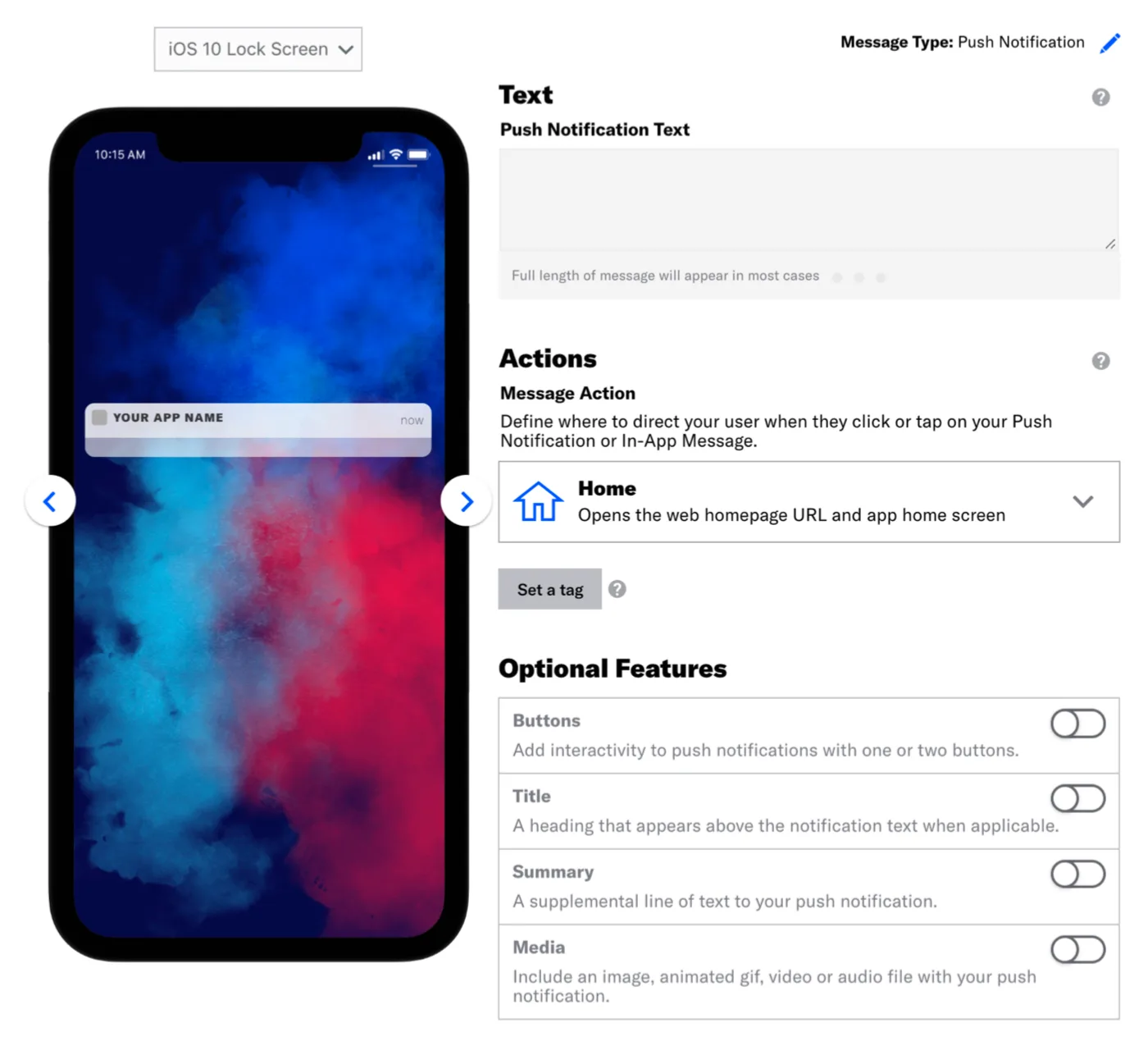
Airship बड़े enterprises के लिए positioned है जिनके पास high data volumes और complex multi-channel requirements हैं। Real-time data streaming capabilities और API depth मज़बूत हैं। Tradeoff है implementation complexity — Airship को आमतौर पर setup और maintain करने के लिए dedicated technical resources चाहिए, और इसकी learning curve ज़्यादातर alternatives से steeper है।
- किसके लिए बेस्ट: High data volumes, dedicated technical teams, और complex cross-channel orchestration needs वाले large enterprises।
- Pricing: Enterprise custom। Multi-month procurement process की अपेक्षा रखें।
4. Braze
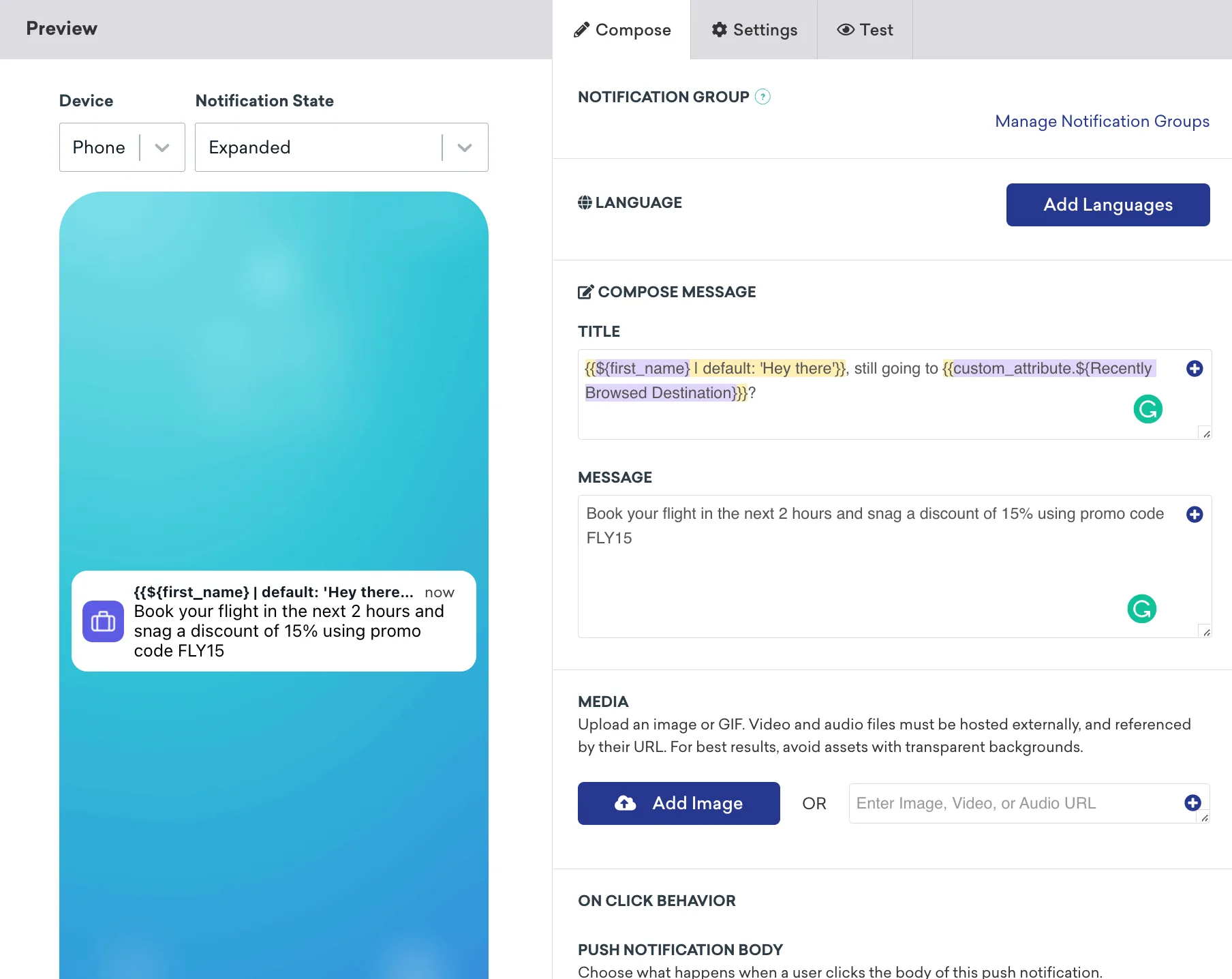
जो enterprise marketing टीम्स हर channel में unified customer profile चाहती हैं, उनके लिए Braze default choice है। Canvas journey builder powerful है और developer tools बेहतरीन हैं। मुख्य friction point cost है — Braze pricing enterprise budgets के लिए structured है, और feature breadth की वजह से टीम्स अक्सर उन capabilities के पैसे देती हैं जो वे इस्तेमाल नहीं करतीं। भारतीय टीम्स के लिए, जहां budget discipline मायने रखती है, यह एक बड़ा विचार है।
- किसके लिए बेस्ट: Enterprise scale पर complex omnichannel programs चलाते brands, dedicated marketing operations resources के साथ।
- Pricing: Enterprise custom, आमतौर पर मार्केट में सबसे ऊंचे में से।
5. Iterable
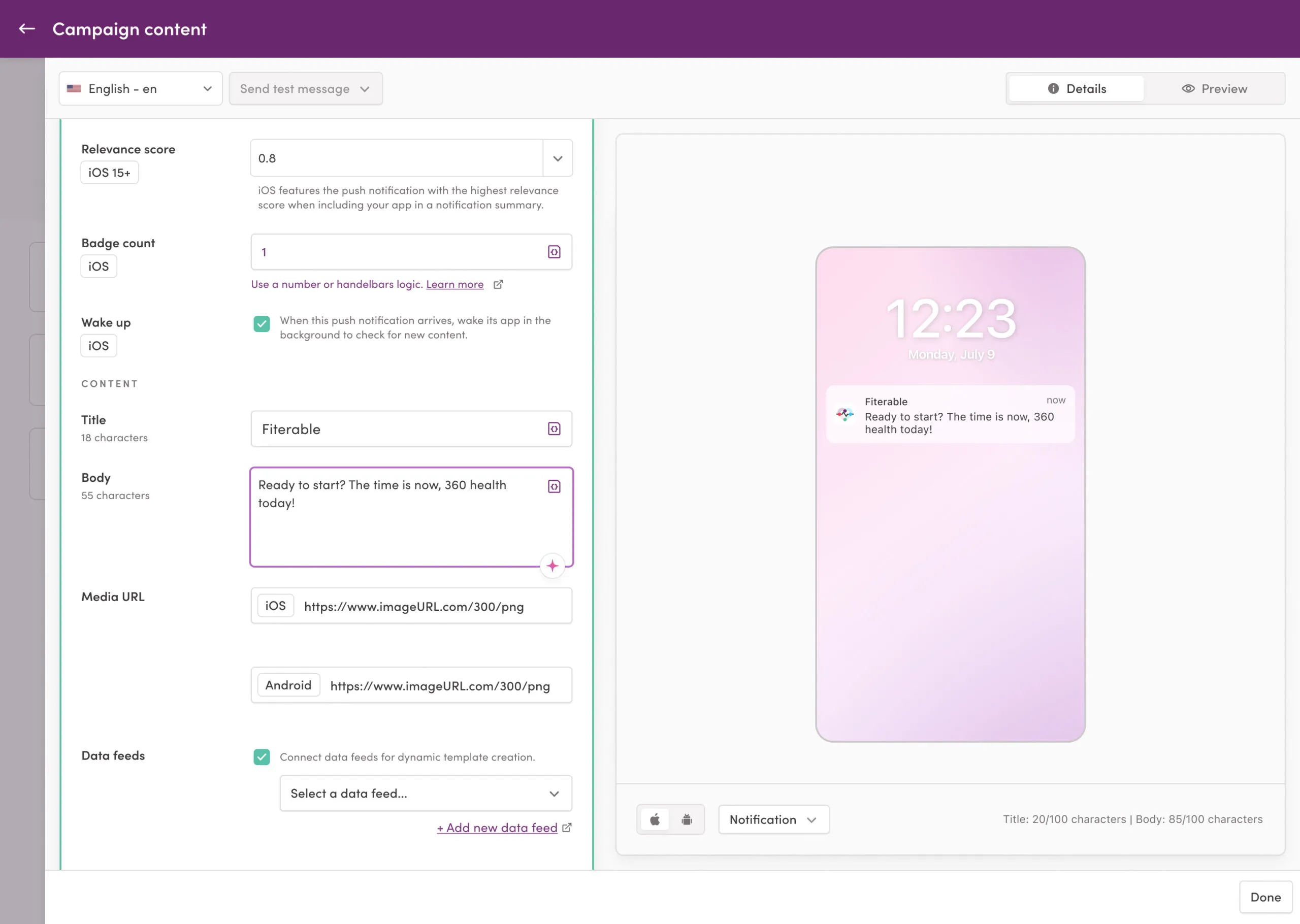
Iterable उन growth teams को पसंद आता है जो flexibility और API-first design को priority देती हैं। Workflow studio सक्षम है, AI send time optimization अच्छा है, और integration ecosystem broad। Pushwoosh की तुलना में, Iterable web push को natively support नहीं करता, और RFM segmentation के लिए ज़्यादा manual configuration चाहिए।
- किसके लिए बेस्ट: मज़बूत data infrastructure, API-first stacks, और email, SMS व mobile push में फैले campaigns वाली growth teams।
- Pricing: Contacts के हिसाब से tiered। Comparable mobile push functionality के लिए Pushwoosh से ऊंचा price point।
6. Firebase Cloud Messaging (FCM)
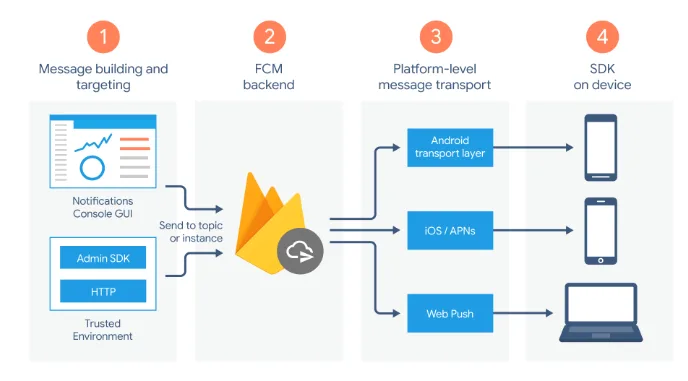
Firebase Cloud Messaging Google की free push notification infrastructure है — वही delivery layer जो इस list के ज़्यादातर platforms के नीचे बैठता है। भारत में चूंकि Android प्रभावी है, FCM ही असल में हर mobile push का रास्ता है। एक standalone tool के रूप में FCM message delivery तो handle करता है लेकिन कोई segmentation, कोई journey builder, और आपके खुद बनाए के अलावा कोई analytics नहीं देता। यह एक infrastructure component है, campaign platform नहीं।
शुरू से शुरू करती टीम्स कभी-कभी platform costs से बचने के लिए सीधे FCM इस्तेमाल करती हैं। Tradeoff है इसके आसपास सब कुछ खुद बनाना: audience management, scheduling, analytics, A/B testing। यह बहुत simple messaging needs वाली engineering-heavy टीम्स के लिए समझ में आता है, और lifecycle campaigns चलाने वाली किसी भी टीम के लिए कम।
- किसके लिए बेस्ट: Delivery infrastructure पर पूरा control चाहने वाली और in-house campaign tooling बनाती engineering teams। Marketing-led campaign programs के लिए उपयुक्त नहीं।
- Pricing: Free।
7. CleverTap
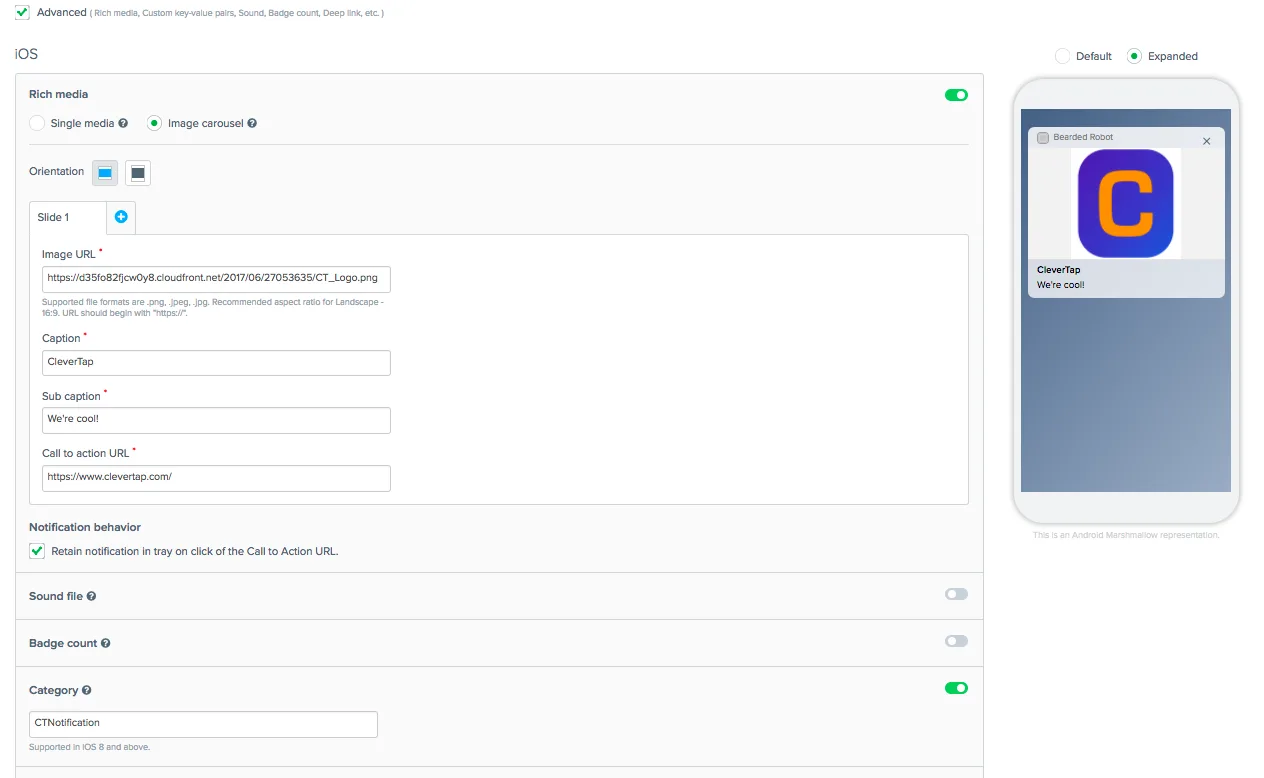
CleverTap मज़बूत analytics और lifecycle automation capabilities वाला mobile marketing platform है, और भारतीय मार्केट में इसकी पहचान अच्छी है। इसके built-in RFM और cohort analysis tools marketing teams को user behavior की वह visibility देते हैं जो ज़्यादातर platforms enterprise tiers के लिए रिज़र्व रखते हैं। Journey builder visual है और push, in-app, email व SMS समेत multi-channel sequences support करता है।
CleverTap की pricing scale पर काफी बढ़ जाती है — mid-market volumes पर competitive है लेकिन बड़े MAU counts वाले ऐप्स के लिए महंगी हो सकती है। Analytics की depth simpler platforms पर इसका सबसे मज़बूत differentiator है।
- किसके लिए बेस्ट: Deep behavioral analytics और lifecycle automation को priority देते mid-market mobile ऐप्स। E-commerce और FinTech के लिए मज़बूत fit।
- Pricing: MAU के हिसाब से tiered। Early-stage ऐप्स के लिए free tier उपलब्ध।
8. MoEngage
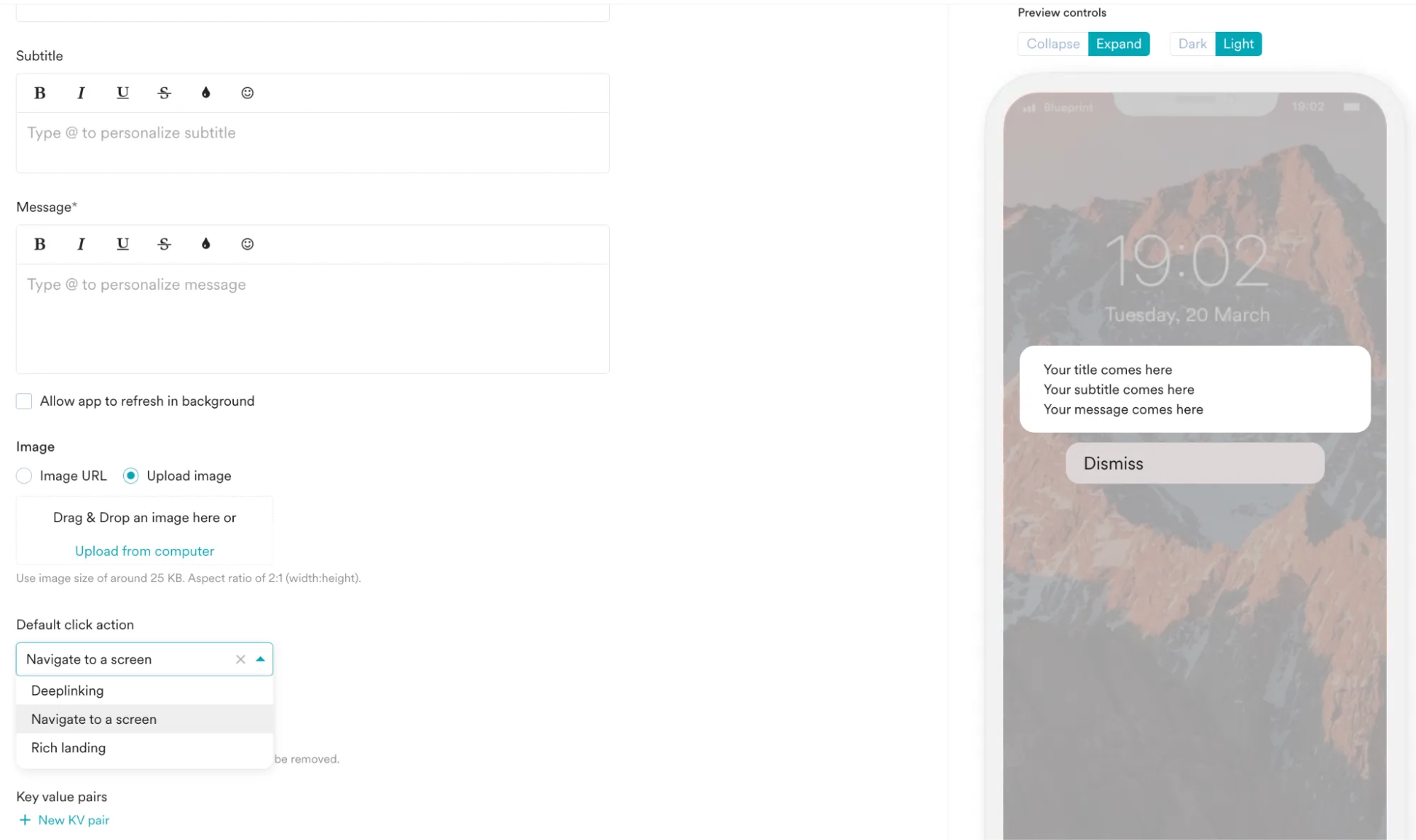
MoEngage push, in-app, email और SMS में AI-driven features वाला insights-led engagement platform है। इसका Sherpa AI engine send time optimization और predictive segmentation handle करता है। यह platform उन टीम्स के लिए खास तौर पर मज़बूत है जो data pipelines manually बनाए बिना campaigns personalize करने के लिए behavioral data इस्तेमाल करना चाहती हैं।
Onboarding अनुभव Pushwoosh या OneSignal से ज़्यादा involved है — MoEngage कुछ marketing ops maturity वाली टीम्स के लिए बना है। Web push support और omnichannel reach इसे other channels में expand करती mobile-first टीम्स के लिए full-stack option बनाते हैं।
- किसके लिए बेस्ट: Omnichannel में scale करती mobile-first टीम्स, AI-driven personalization और behavioral segmentation पर focus के साथ।
- Pricing: MAU के हिसाब से tiered। Growth और enterprise tiers।
9. Leanplum (अब CleverTap का हिस्सा)
Leanplum को CleverTap ने acquire कर लिया और इसकी functionality धीरे-धीरे CleverTap platform में integrate होती गई। मौजूदा Leanplum customers को समय के साथ CleverTap पर migrate किया जा रहा है। नए evaluations के लिए, assess करने लायक relevant platform CleverTap है — एक standalone product के तौर पर Leanplum नए signups के लिए effectively end-of-life पर है।
Leanplum मार्केट में जो लाया वह था मज़बूत A/B testing और personalization tooling, खास तौर पर in-app content के लिए। ये capabilities अब CleverTap के broader feature set के भीतर हैं।
- किसके लिए बेस्ट: मौजूदा Leanplum customers को CleverTap migration evaluate करना चाहिए। नई टीम्स को सीधे CleverTap से शुरू करना चाहिए।
- Pricing: Acquisition के बाद effectively CleverTap pricing के साथ unified।
10. Insider
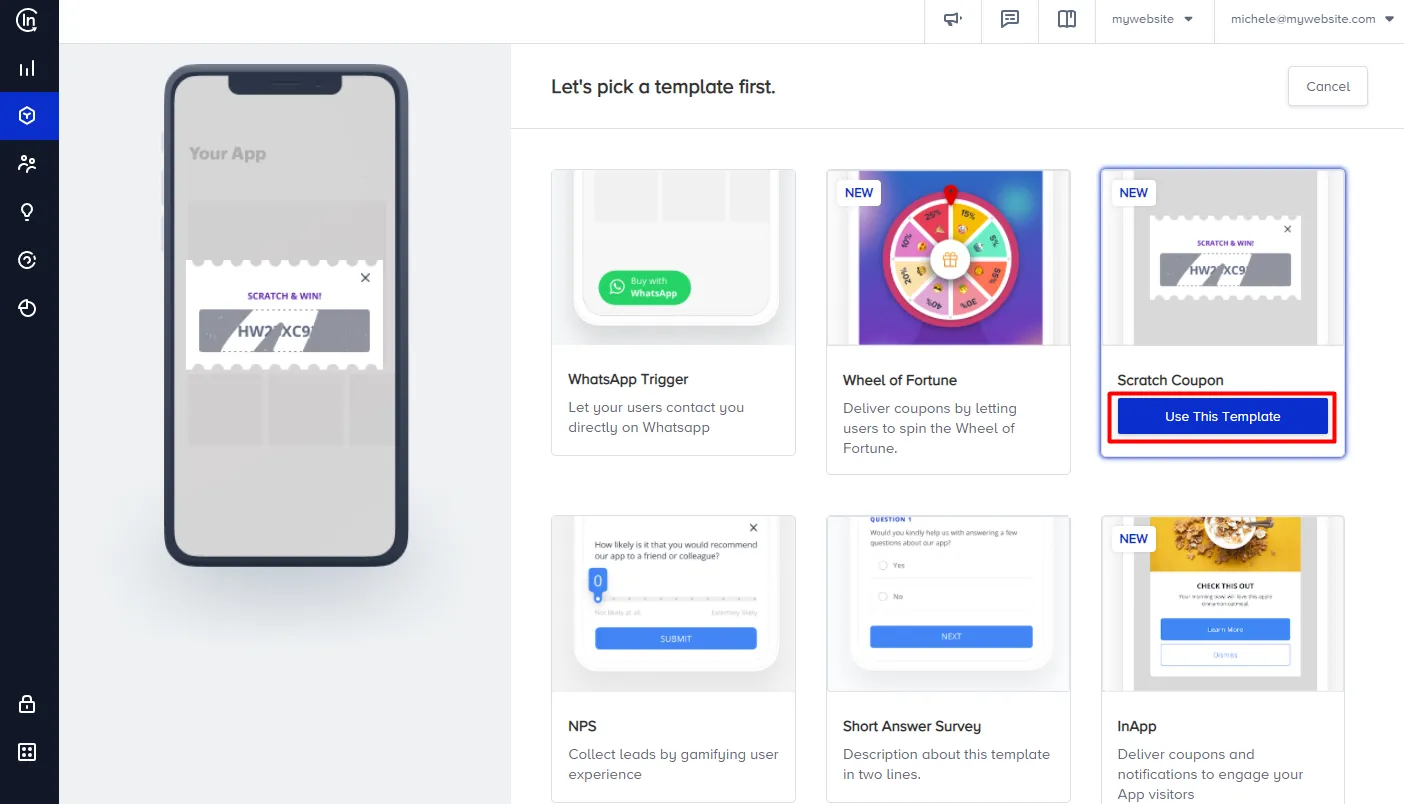
Insider मज़बूत e-commerce और retail use cases वाला cross-channel growth management platform है। इसकी segmentation capabilities में behavioral data पर बने predictive audiences (likelihood to purchase, churn risk, discount affinity) शामिल हैं। Platform push, web push, in-app, email, SMS और onsite personalization को एक ही tool में cover करता है।
Insider मार्केट के enterprise end पर positioned है। Implementation में आमतौर पर professional services शामिल होती हैं और pricing वही दर्शाती है। जिन टीम्स को हर channel में deep e-commerce personalization चाहिए, उनके लिए यह breadth investment को justify करती है। मुख्य रूप से mobile push पर focused टीम्स के लिए यह ज़रूरत से ज़्यादा platform है।
- किसके लिए बेस्ट: पूरे cross-channel personalization programs चलाते enterprise e-commerce और retail teams।
- Pricing: Enterprise custom।
11. Customer.io
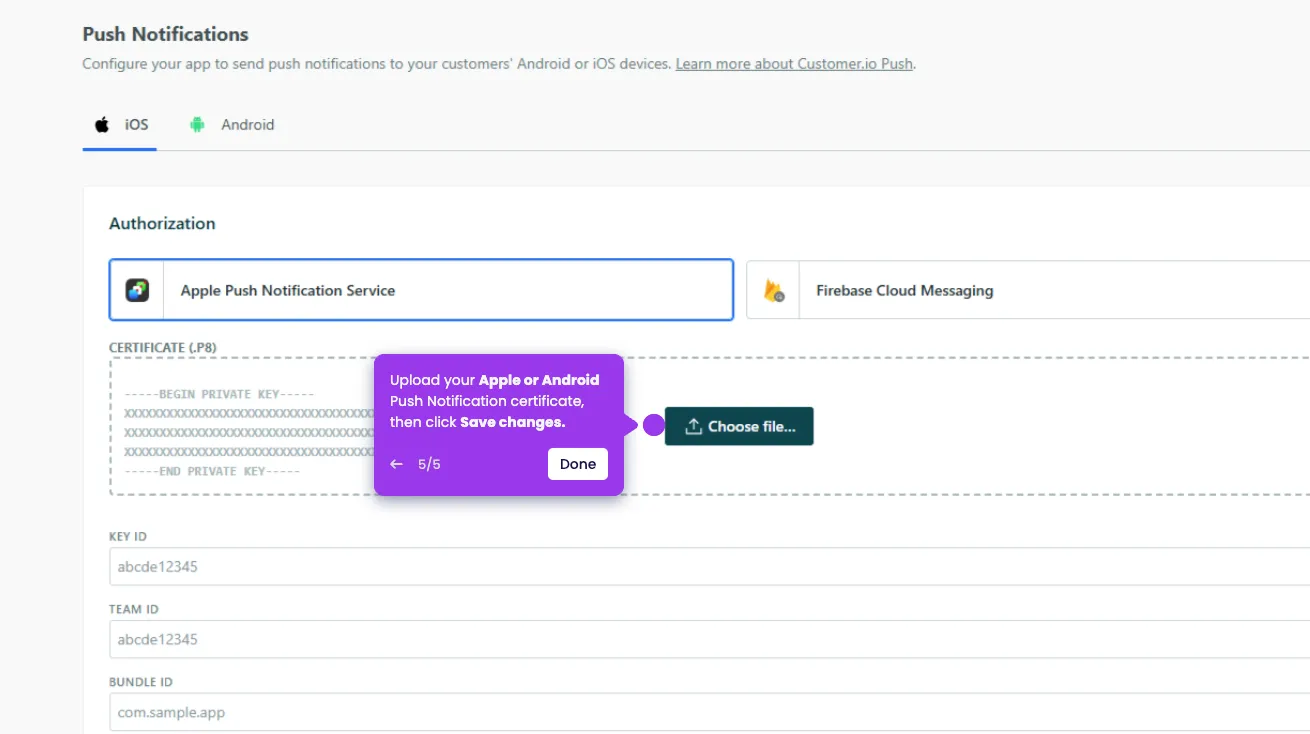
Customer.io एक flexible data model के इर्द-गिर्द बना messaging automation platform है जो आपके भेजे किसी भी event या attribute को accept करता है। यह push, email, SMS और in-app messages को support करता है, एक ऐसे workflow builder के साथ जो complex conditional logic अच्छी तरह handle करता है। यह platform SaaS और subscription ऐप टीम्स में popular है क्योंकि यह transactional और marketing messaging को एक ही tool में handle करता है।
Pushwoosh की तुलना में tradeoff mobile-specific depth है। Customer.io में built-in RFM segmentation नहीं है, और इसकी push capabilities — solid होते हुए भी — मुख्य रूप से mobile के लिए बने platforms से कम feature-rich हैं। जिन टीम्स का primary channel lifecycle automation वाला mobile push है, उनके लिए Pushwoosh वही ground stronger mobile-specific tooling के साथ cover करता है।
- किसके लिए बेस्ट: SaaS और subscription ऐप्स जिन्हें एक ही platform में transactional और marketing messaging चाहिए, segmentation के लिए data-model-first approach के साथ।
- Pricing: Tracked people की संख्या के हिसाब से tiered। Transparent pricing।
Pushwoosh कैसे setup करें और पहला campaign कैसे भेजें
Setup path iOS और Android के लिए एक ही है। एक developer SDK integration एक बार handle करता है; उसके बाद सब कुछ Pushwoosh dashboard के ज़रिए बिना code accessible है। भारत के Android-first मार्केट को देखते हुए, नीचे का flow Android setup को primary मानता है, iOS को parallel।
Step 1: SDK integration (developer, ~2-4 घंटे)
अपने iOS और Android projects में Pushwoosh SDK जोड़ें। Android के लिए, Gradle के ज़रिए SDK जोड़ें और इसे अपने FCM credentials के साथ configure करें — भारत में चूंकि ज़्यादातर audience Android पर है, यही आपका primary integration है। iOS के लिए, Pushwoosh console में APNs credentials (.p8 key) configure करें और CocoaPods या Swift Package Manager के ज़रिए SDK जोड़ें।
SDK device token registration अपने आप handle करता है। पूरी integration documentation: docs.pushwoosh.com।
Step 2: Pushwoosh console में अपना ऐप configure करें (~30 मिनट)
Pushwoosh console में अपना ऐप बनाएं, Android के लिए अपनी FCM server key जोड़ें, और iOS के लिए अपनी APNs .p8 key upload करें। यह platform को Google और Apple की delivery infrastructure से जोड़ता है। एक बार configure होने के बाद, Pushwoosh यहां से सभी FCM और APNs communication handle करता है।
Step 3: device registration verify करें (~10 मिनट)
अपना ऐप किसी test device पर install करें। SDK integration के बाद इसे एक बार खोलें। Device token कुछ सेकंडों में Pushwoosh console में आपके ऐप की devices list के तहत दिखता है। यह confirm करता है कि pipeline काम कर रही है, इससे पहले कि आप कोई campaign बनाएं।
Step 4: अपना पहला segment define करें (~15 मिनट)
पहले campaign के लिए भी ‘all users’ option छोड़ें। एक specific segment से शुरू करें: पिछले 7 दिनों में install करने वाले यूजर्स, किसी specific city या state के यूजर्स, या onboarding पूरा कर चुके लेकिन purchase न करने वाले यूजर्स। Pushwoosh console में, segments tags और events पर filter conditions इस्तेमाल करके visually बनते हैं। देखें: segmentation documentation।
Step 5: campaign बनाएं और भेजें (~20 मिनट)
Campaign editor में, ‘Push notification’ चुनें, अपना title और message body लिखें, relevant screen का deep link जोड़ें, applicable हो तो rich media attach करें, अपना segment select करें, और schedule करें या तुरंत भेजें। पूरे segment को भेजने से पहले, ‘Send test’ इस्तेमाल करके verify करें कि notification real device पर सही render होता है।
पहला campaign भेज दिया। Analytics dashboard real time में delivery, open और click data से भरना शुरू कर देता है।
Step 6: अपनी पहली automated journey बनाएं (~1-2 घंटे)
Baseline setup confirm होने के बाद, Customer Journey Builder में जाएं। Cart abandonment sequence एक भरोसेमंद पहली journey है: subsequent purchase event के बिना add_to_cart event पर entry trigger, 30-मिनट delay, पहला notification, 24-घंटे delay, अब भी purchase न करने वाले यूजर्स को discount के साथ दूसरा notification, purchase event पर exit। भारत में दिवाली या Big Billion Days जैसे sale events के दौरान यह sequence खास तौर पर असरदार रहती है।
यह sequence बिना किसी आगे के manual काम के अपने आप चलती है। पहले हफ्ते से performance data बनाना शुरू करने के लिए message copy या timing पर A/B test splits जोड़ें।
सही push notification service चुनें और Pushwoosh के साथ भेजना शुरू करें
Push notification services के बीच फर्क operations में दिखता है, feature lists में नहीं। Demographics पर रुक जाने वाली segmentation हर downstream campaign को सीमित करती है। हर change के लिए developer मांगने वाला journey builder एक स्थायी bottleneck बनाता है। Opens दिखाने वाले लेकिन revenue नहीं, ऐसे analytics से channel को justify करना मुश्किल हो जाता है।
Pushwoosh उन mobile-first टीम्स के लिए बना है जिन्हें advanced segmentation, no-code automation, और पहले campaign तक तेज़ समय चाहिए — बिना enterprise pricing या enterprise onboarding timelines के। भारतीय ऐप्स के scale और budget discipline के लिए यह खास तौर पर फिट है।
भरोसे के लिए: Pushwoosh SOC 2 Type I और ISO 27001:2022 प्रमाणित है, GDPR और HIPAA अनुपालन के साथ, EU और US डेटा सेंटर्स में — एंटरप्राइज़-ग्रेड सुरक्षा हर प्लान में।
या plans देखने के लिए सीधे pushwoosh.com/pricing पर जाएं।