Most push notification problems show up after delivery. The message arrives - and the user dismisses it, mutes the app, or uninstalls. The gap between sending and succeeding is a targeting, copy, and timing problem, not an infrastructure one.
This guide covers 23 practices that close that gap: how to write notifications that get clicked, when to send them, how to segment precisely enough that each message feels relevant, and how to measure what’s actually working - with examples from Pushwoosh.
Why generic push notification strategies fail
Users receive dozens of notifications daily. The ones that get dismissed aren’t necessarily the most frequent - they’re the least relevant. A flash sale push sent to your entire user base will convert some; it will also generate opt-outs from users who installed your app for something completely different.
iOS Focus Modes let users bundle or silence non-critical notifications. Android notification channels give users channel-level mute controls per app. A notification sent to a muted channel simply doesn’t appear.
The practical consequence: relevance now affects deliverability, not just CTR. Generic broadcast strategies accumulate this cost with every send.
Copy, design, and action: what makes a push get clicked
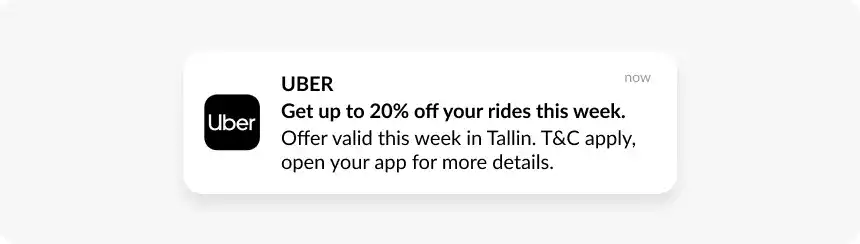
1. Write titles that state the benefit directly (25–50 characters)
The title is the first thing users read. ‘Your wishlisted jacket is 20% off’ outperforms ‘Special offer inside’. Lead with a strong verb and a specific value - skip teaser copy that makes users guess.
2. Keep the message body under 100 characters
Expand on the title with the detail that makes the offer real: the deadline, the product name, the discount amount. Truncation happens on the lock screen - test how your copy renders on a real device before sending to a large segment.

3. Use rich media only when it adds specific information
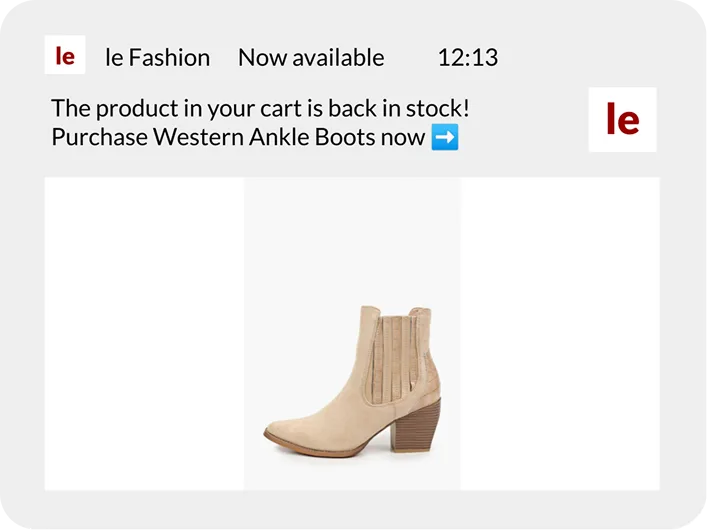
A product image in a cart recovery push shows the user exactly what they left. A generic banner adds nothing the headline didn’t already say. Rich media earns its place when it’s specific to the user and the message - and loses it when it’s just filler.
4. Write action buttons with active verbs
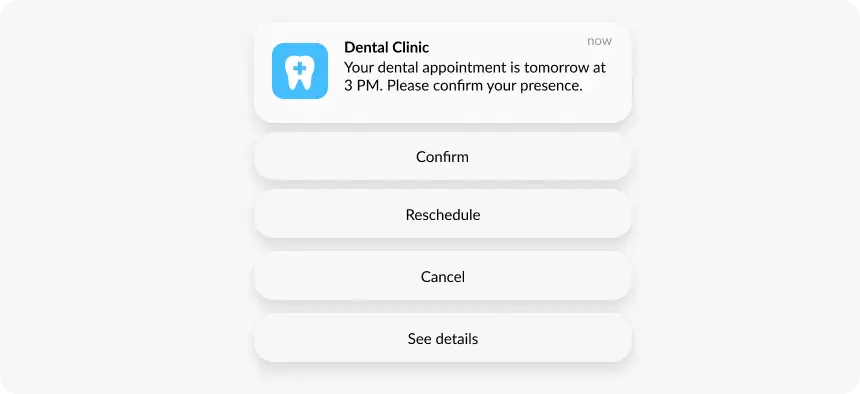
‘Complete purchase’ and ‘Save for later’ cover the two most common responses to a cart recovery push. ‘Shop now’ beats ‘View’. Two well-labeled buttons outperform four vague ones. On iOS you get up to 4; on Android up to 3 - don’t fill all slots by default.
5. Deep link to the specific screen, always
Every promotional push needs a deep link to the exact screen the message is about. A notification about a discounted jacket that opens the homepage loses most of its conversion potential at that single click.
6. Personalize beyond the first name
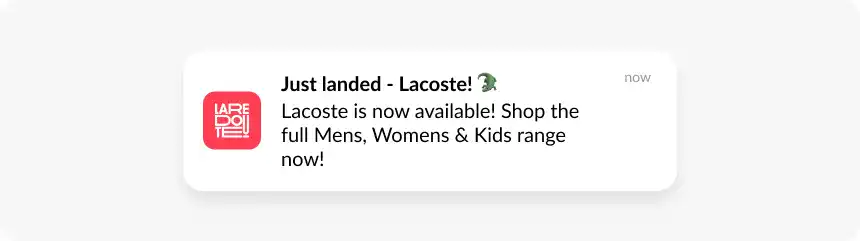
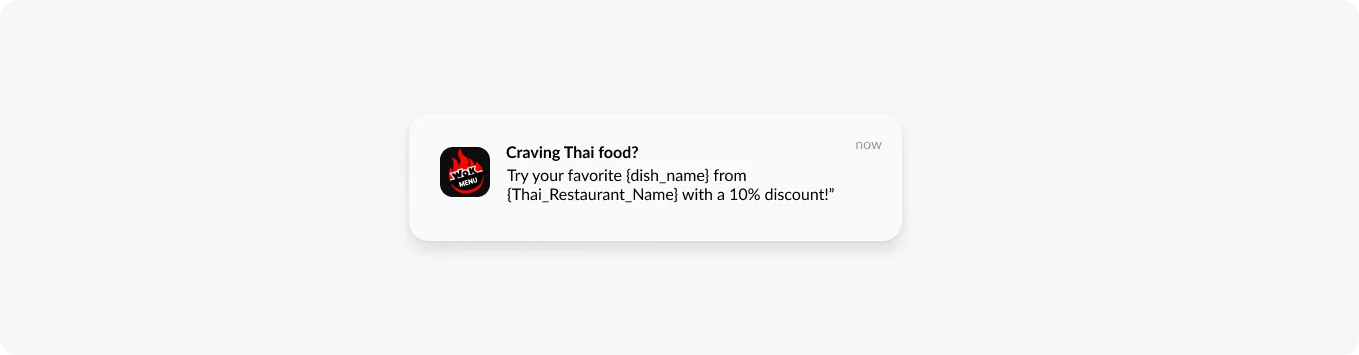
Dynamic content fields in Pushwoosh pull user-specific data directly into the notification: the specific product they viewed, the loyalty points balance, the discount code tied to their CLV tier. ‘Hi Alex, your wishlisted running shoes are 20% off’ vs. ‘Check out our sale on footwear’ - the difference comes from event and tag tracking.
7. Give urgency a real deadline
‘Flash sale ends at midnight’ creates pressure. ‘Limited time offer’ without a specific end time doesn’t land the same way - and users who see that framing repeatedly start ignoring it. Reserve urgency for genuine time constraints and test whether it’s actually lifting CTR.
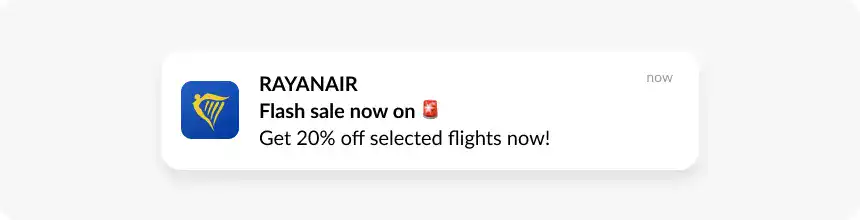
8. Limit emojis to 1–2 that reinforce the message
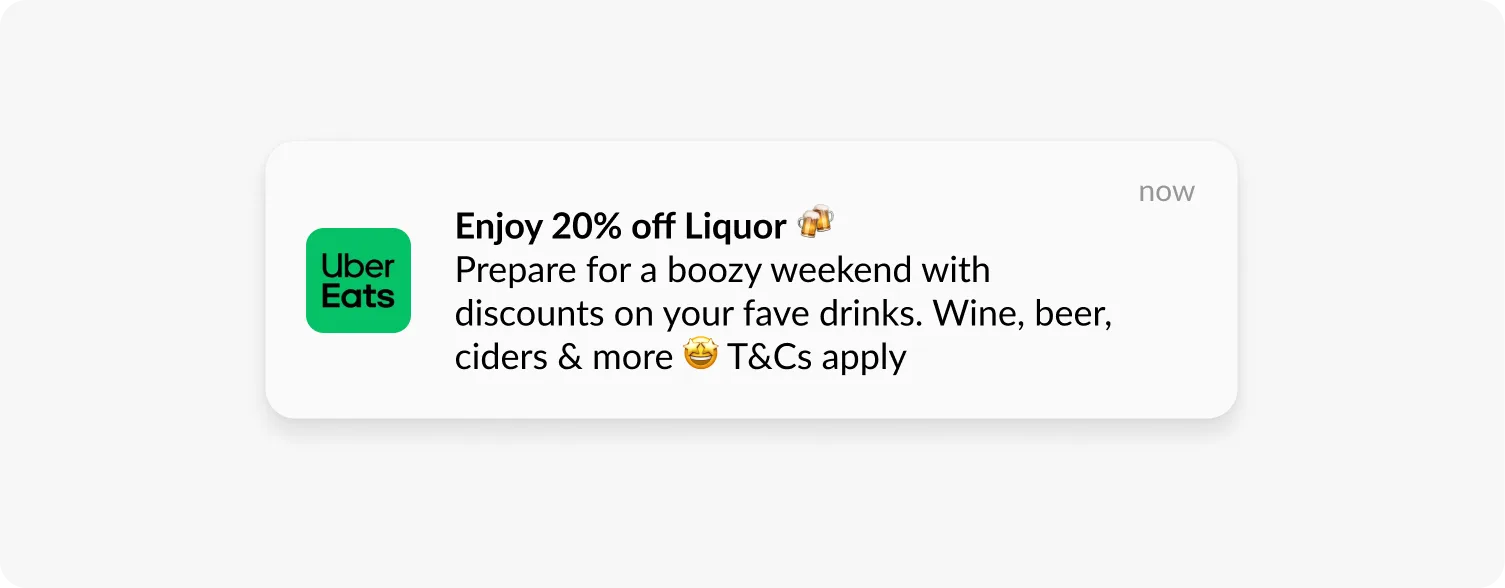
A 🛒 in a cart recovery push is relevant. A string of emojis in a flash sale push reads as low-quality. Stay within 5 per notification and make sure each one adds something to the meaning.
Earning and keeping notification permissions
9. Use a soft ask before the OS permission prompt
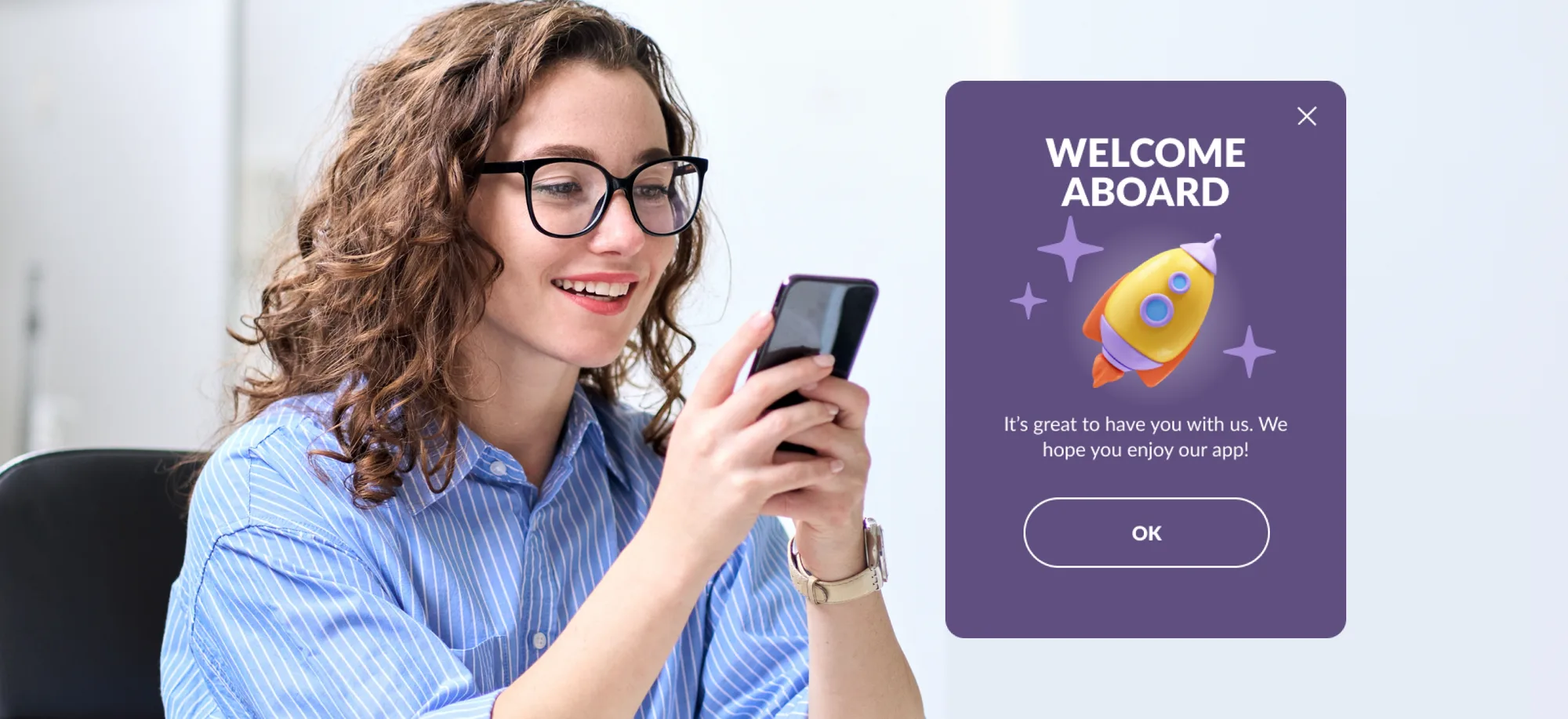
The native iOS permission prompt is a one-shot opportunity. Once a user declines, they have to change settings manually to re-enable - very few do. A soft ask is a custom in-app screen that explains what the user will receive and why it’s worth allowing. If they dismiss the soft ask, the OS prompt never fires.
When to show it: after onboarding completion, after a first purchase, or when a feature that benefits from notifications becomes relevant. Not on first launch.
10. Give users channel-level control
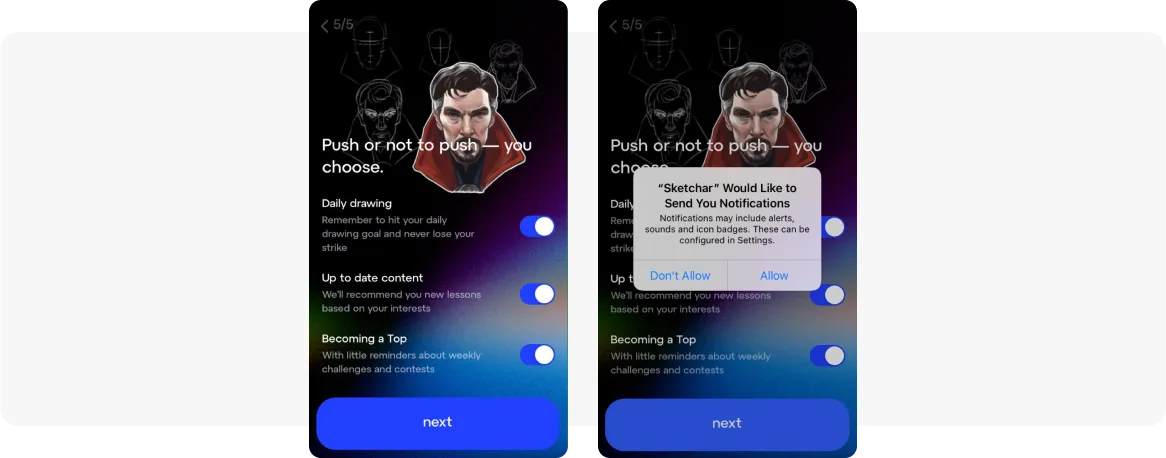
Notification channels (Android) and in-app preference centers let users control which notification types they receive without opting out entirely. A user who wants order updates but not promotional pushes should be able to make that choice. Offering this control reduces opt-outs.
11. Re-engage declined users through in-app messages
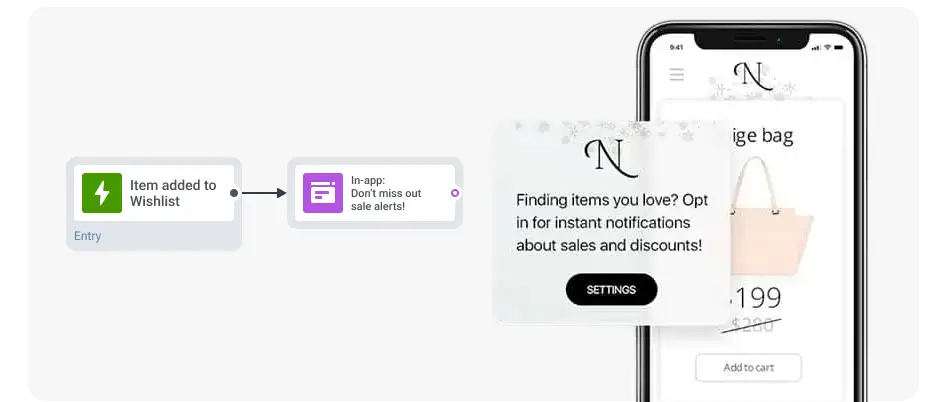
Users who declined the initial prompt can be reached through in-app messages when they’re active. After a meaningful positive interaction, an in-app message can make the case for re-enabling notifications with a specific value proposition: ‘Enable notifications to get restocked alerts for your saved items.’ Avoid generic re-permission language.
Segmentation and personalization
12. Build behavioral segments from tags and events
Demographic segments - country, device type, OS version - cover the basics. Behavioral segmentation uses what users actually do to define who receives each message. In Pushwoosh, Tags are persistent attributes (product_category: electronics) and Events are actions (added_to_cart, completed_purchase). Combine them for precision:
-
Users who viewed a product but didn’t add to cart in 2 hours - price-drop or low-stock alert.
-
Users who added to cart but didn’t purchase in 30 minutes - cart abandonment sequence.
-
No app open in 7 days with a purchase history - re-engagement offer tied to their last category.
13. Apply RFM segmentation to prioritize spend
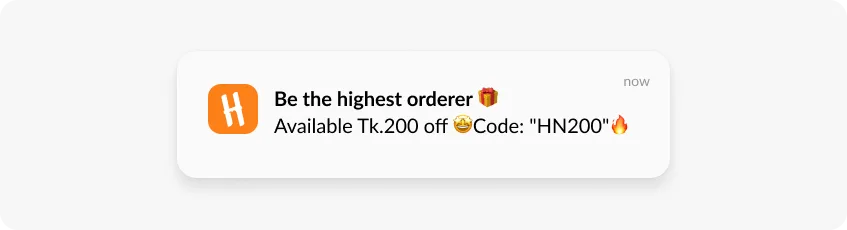
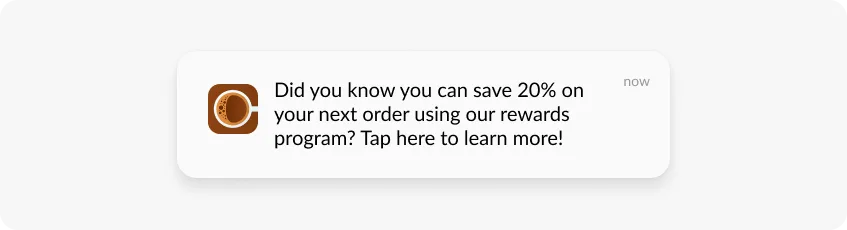
RFM groups users by Recency, Frequency, and Monetary value. Champions (high R, high F, high M) convert at high rates regardless - over-discounting them trains them to wait for offers. At-risk users need a win-back offer tied to their last purchase category, not a generic ‘we miss you’ push. New users need a first-purchase incentive.
Pushwoosh’s RFM segmentation categorizes users automatically.
14. Use dynamic content fields for per-user personalization at scale
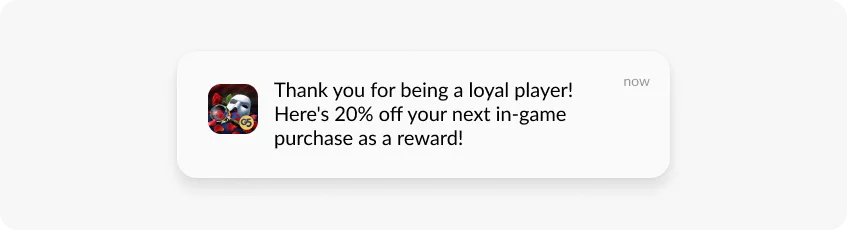
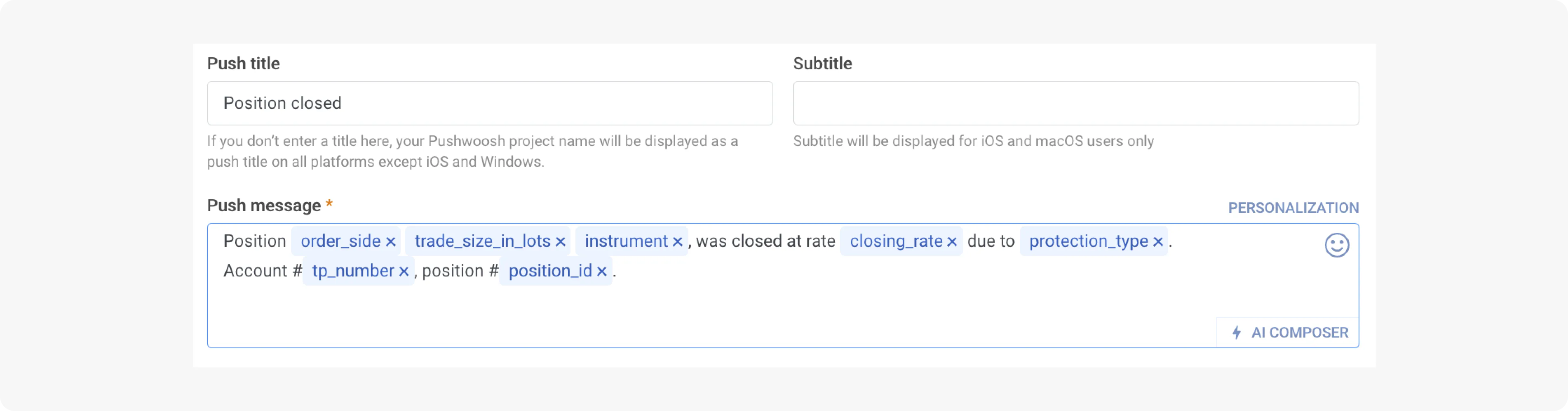
Dynamic content fields pull user-specific data into the notification at send time: first name, product name from a recent event, loyalty balance, category from a tag. One campaign template renders differently for every user without manual customization.
15. Keep segments dynamic so they update automatically
A user who converts out of the abandonment segment should stop receiving abandonment messages without manual intervention. Dynamic segments in Pushwoosh update in real time as user behavior changes - this prevents over-messaging converted users and keeps targeting current.
Customer journey automation
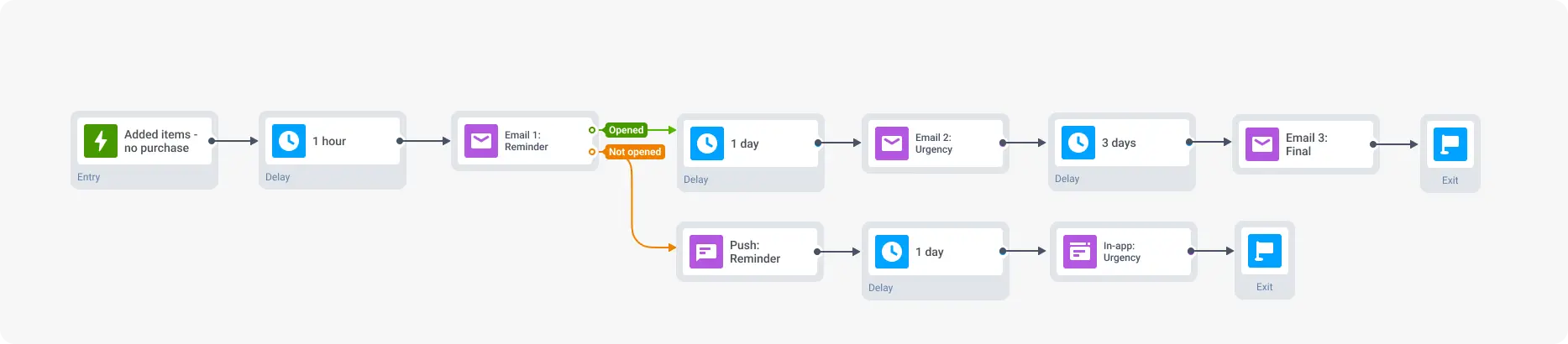
16. Run a two-step cart abandonment sequence
Step 1, 30 minutes after abandonment: push with a rich media image of the specific item and a direct cart deep link. No discount yet - this catches users who got distracted.
Step 2, 24 hours later (non-converters only): push with a discount or free shipping offer. Sending the discount to everyone in step 1 wastes the offer on users who would have converted anyway.
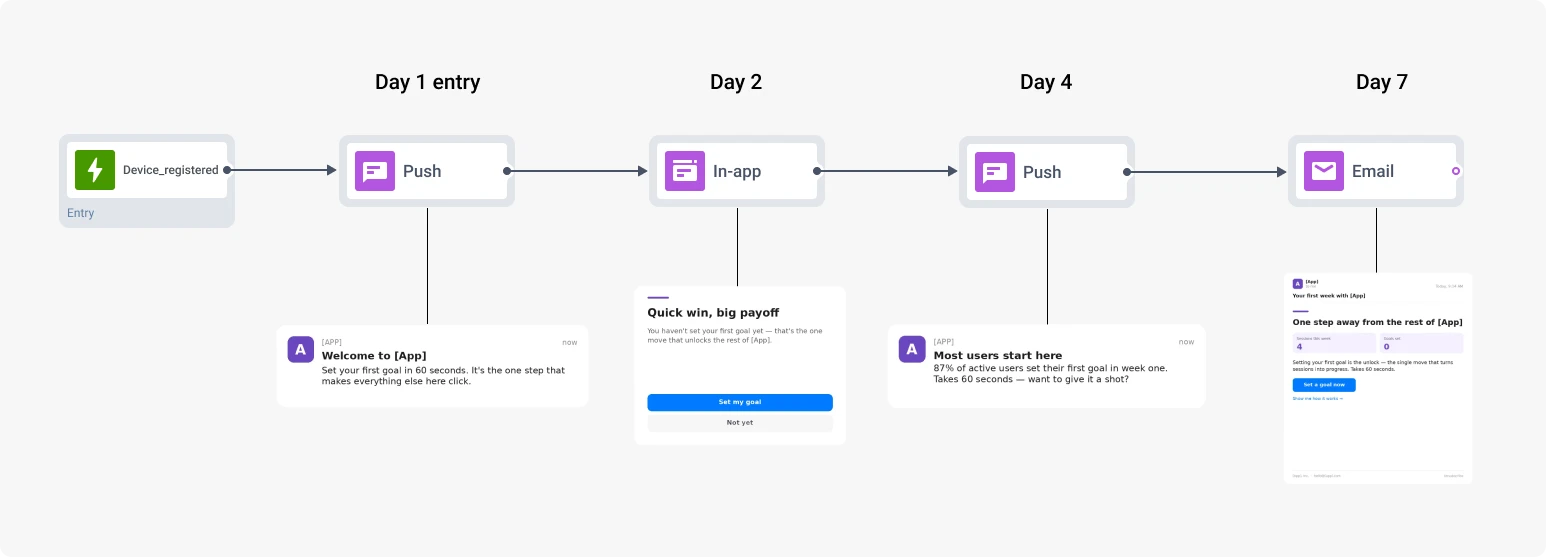
17. Build onboarding series with behavioral exits
-
Day 1: Welcome push introducing the core value proposition. Deep link to the key feature, not the homepage.
-
Day 3: First-purchase incentive or social proof. ‘10% off your first order’ lands better after the user has explored.
-
Day 7: Target the feature they haven’t used yet. Behavioral data from the first week tells you what to push.
Each step exits the journey on conversion. A user who makes a purchase on day 2 doesn’t receive the day-3 first-purchase incentive.
18. Target churn signals before users fully lapse
Declining session frequency, reduced time in app, feature abandonment - these are early signals. A fintech user who stopped logging transactions for 10 days gets a push about the spending insight they’d have if they caught up. A fitness user who hasn’t logged a workout in 5 days gets a push tied to their goal. The message should address the specific drop-off, not the general absence.
Pushwoosh’s Customer Journey Builder handles entry triggers, delays, conditional splits, and cross-channel fallbacks in a visual interface.
Timing, frequency, and AI-assisted delivery
19. Send in the user’s local timezone as a minimum - then test by hour
Timezone optimization is the floor. The table below shows industry-level benchmarks as a starting point - run A/B tests against similar segments and check CTR by hour in analytics before committing to a schedule.
| Industry | Promotional push | Transactional push |
|---|---|---|
| E-commerce | Lunch (12–1 PM), evening (7–9 PM) local time | Immediate on trigger |
| Gaming | Early evening (5–8 PM), weekend afternoons | Immediate on game event |
| News and media | Morning commute (7–9 AM); immediate for breaking news | Immediate on story publish |
| Fintech | Work hours (10 AM–4 PM) for admin; evening for personal finance | Immediate on transaction |
| Travel | Weekends for planning | Immediate for booking, check-in, flight updates |
Research context: retail apps see peak CTR at 8–9 AM and 6–8 PM, with the lowest engagement at 4–5 PM. News apps show an early spike at 7 AM and a second peak at 11 AM. Monday and Tuesday consistently outperform Saturday across industries. Source: Business of Apps push notification statistics; Pushwoosh news apps study 2025.
20. Prioritize action-based delivery over scheduled sends
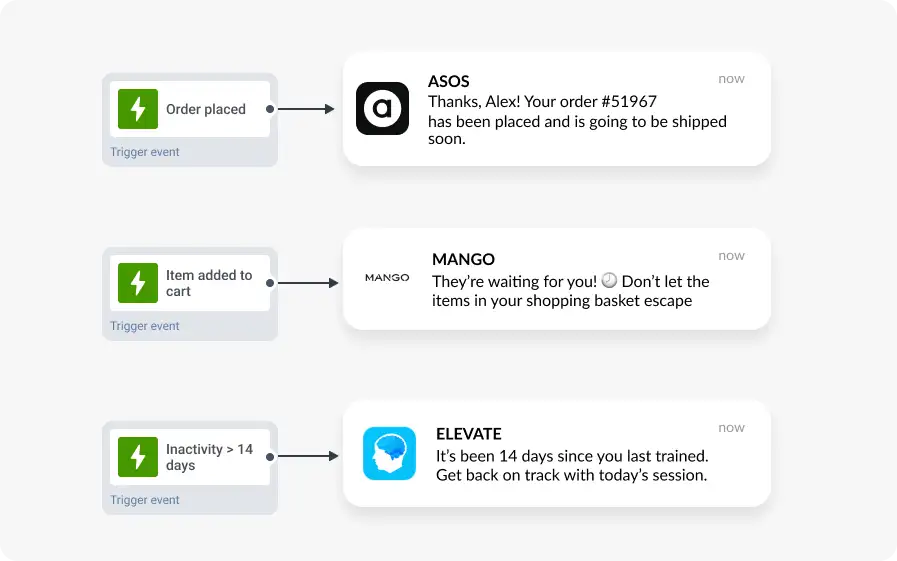
A notification triggered by what a user just did - or just failed to do - is inherently relevant. A cart abandonment push sent 30 minutes after the trigger will almost always outperform the same push sent at a predetermined ‘optimal hour’.
21. Set frequency caps by segment, not globally
Start at 2–3 promotional pushes per week per user, separate from triggered messages. Monitor opt-out rate per campaign - a spike after a specific send is a relevance signal. 46% of users will opt out if they receive 2–5 messages in one week without clear relevance (Localytics). Your most engaged users have higher tolerance than at-risk ones - don’t apply a single cap across the board.
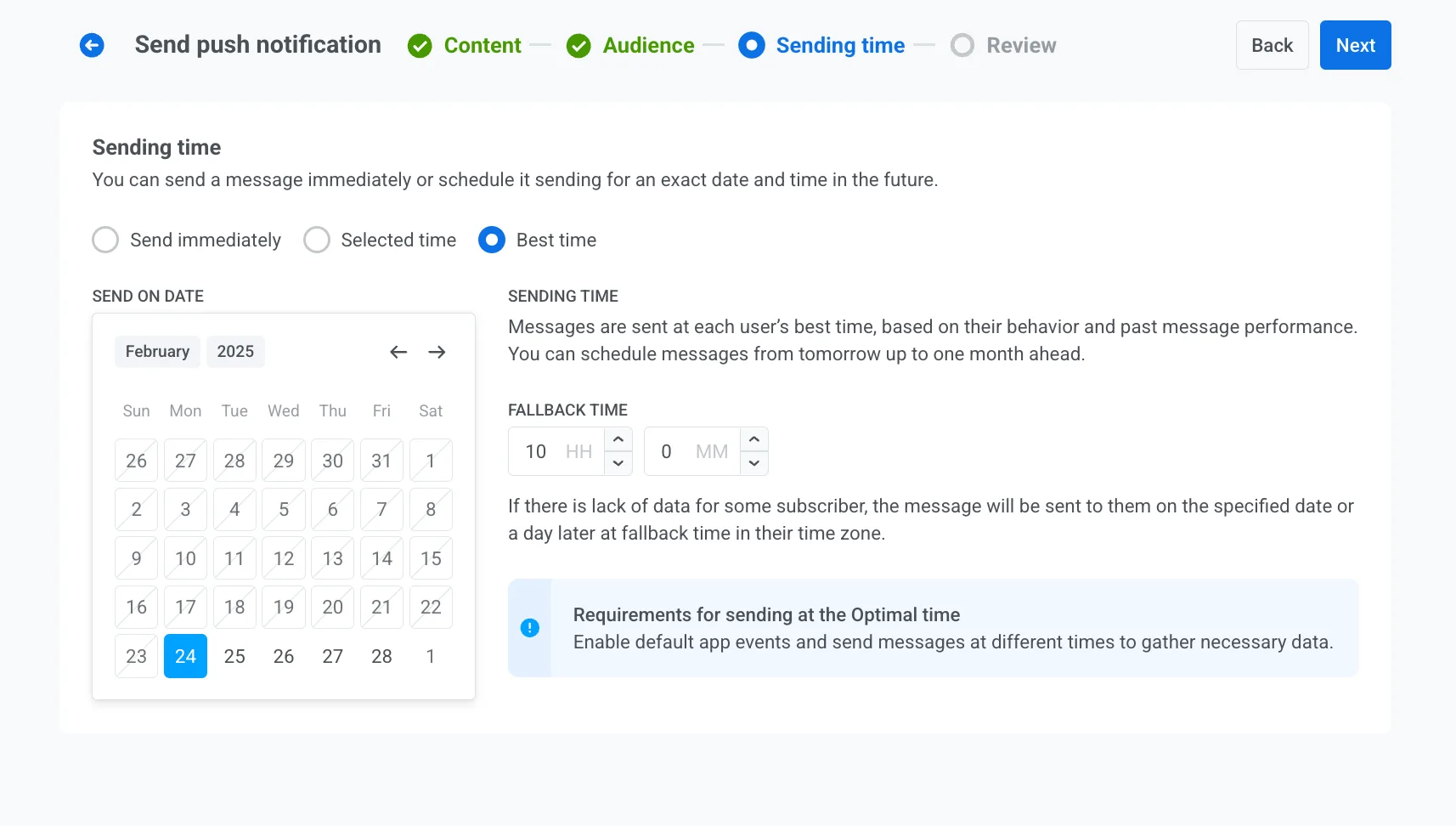
22. Use AI-based send time optimization for mixed audiences
Pushwoosh’s AI predicts the optimal delivery window per user based on their historical engagement patterns. This goes beyond timezone adjustment - it identifies when each individual user is most likely to be actively looking at their phone. For international audiences or unpredictable usage patterns, per-user timing typically lifts open rates meaningfully compared to fixed send times.
Measuring performance: metrics and benchmarks
23. Track opt-out rate alongside CTR
Define what success looks like before a campaign launches. Set the conversion event in advance so attribution is clean when you read results.
| Metric | Benchmark range | What a problem looks like |
|---|---|---|
| Opt-in rate | 50–70% (varies by industry) | Below 40% - permission strategy needs work |
| Delivery rate | 95%+ | Below 90% - token staleness or infrastructure issue |
| CTR | 5–10% good; 10%+ top-tier | Below 2% - copy, targeting, or CTA problem |
| Conversion rate | 3–5% good; 5%+ exceptional (triggered) | Below 1% - deep link or landing page problem |
Key takeaway: a campaign with strong CTR that correlates with a spike in opt-outs may have net-negative CLV impact. Track both.
Use UTM parameters in deep links and configure conversion events before launch. Revenue attributed to push campaigns connects channel performance to business outcomes. Without it, you’re optimizing for CTR that may or may not correspond to purchases. Use built-in analytics at Pushwoosh to gain more insights.
Best practices by use case
Engage: onboarding, activation, and content discovery
-
Welcome series. Multi-step sequence tied to in-app behavior. Each message exits on the action it’s trying to drive.
-
Feature adoption. Segment users who haven’t activated a specific feature after onboarding. Triggered push 3–5 days post-install with a specific benefit, not a feature description.
-
Content recommendations. Behavioral segment of users who read multiple articles in a category, triggered when new content in that category publishes.
-
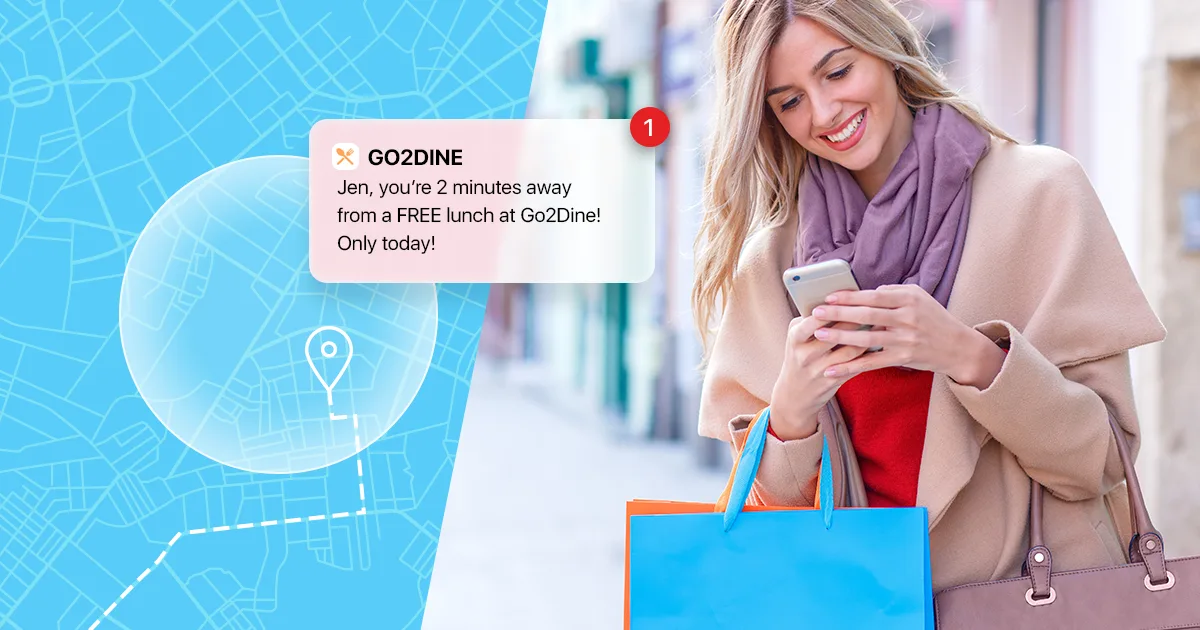
Geo-triggered notifications. User enters a geofence near a store or event: a contextual offer relevant only in that moment. Use sparingly.
Retain: churn prevention and loyalty
-
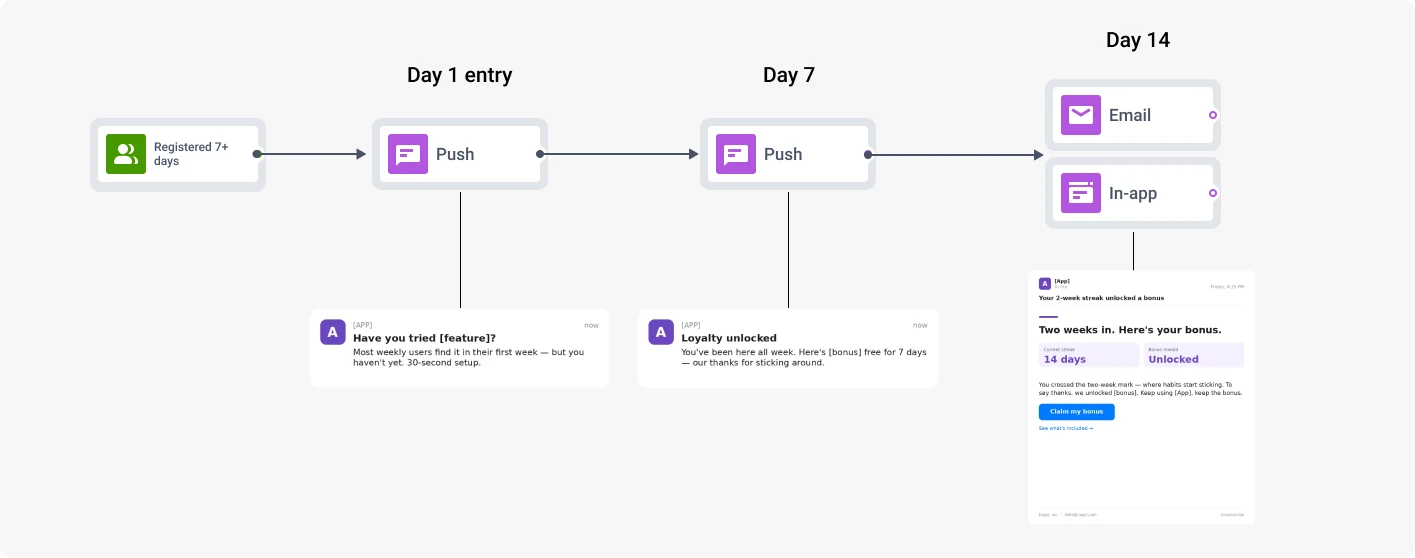
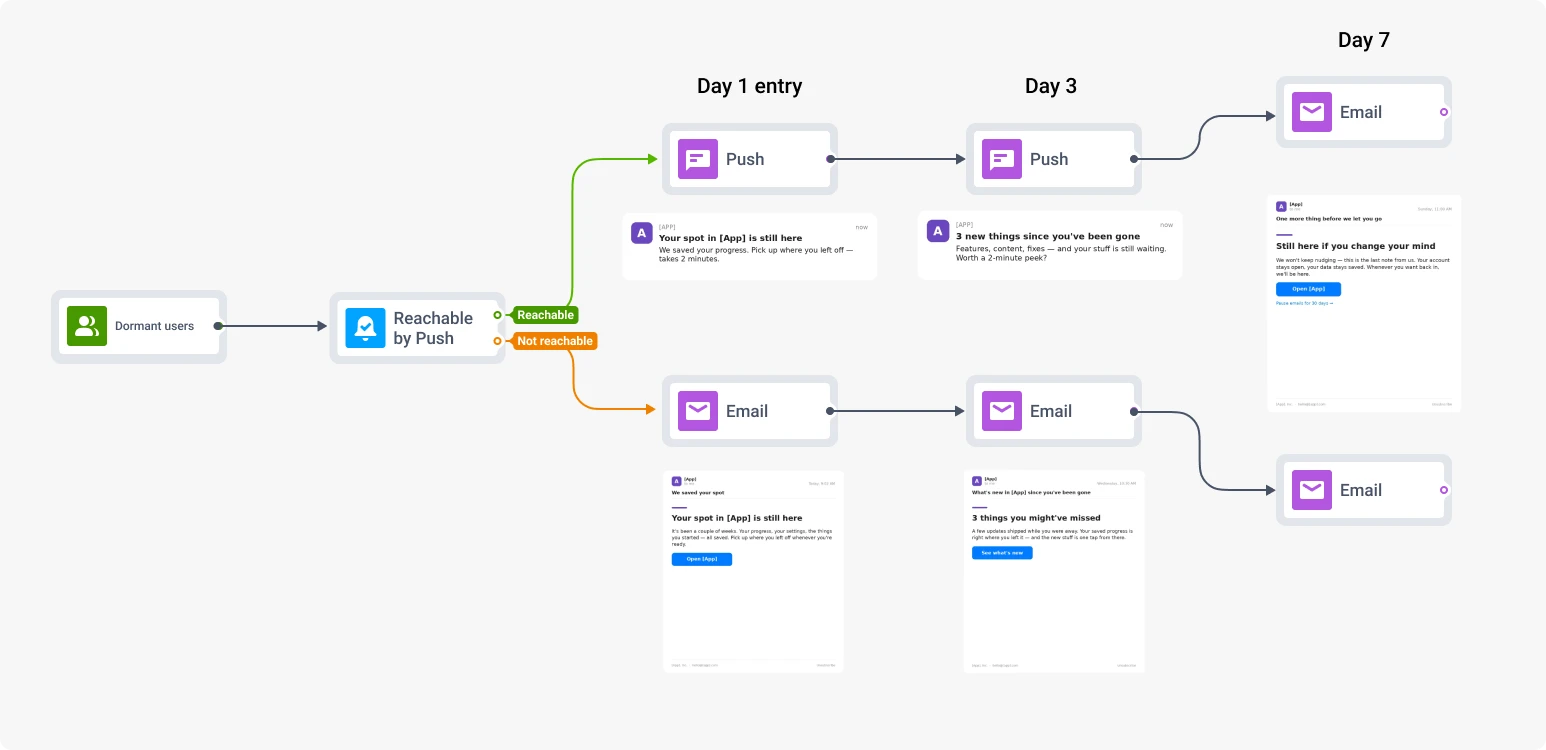
Proactive churn prevention. Declining engagement patterns as entry triggers, not just inactivity days. The earlier the intervention, the better the recovery rate.
-
Loyalty milestones. ‘5 years with us’ or ‘You just hit 100 workouts’ - specific, not generic loyalty messaging.
-
Win-back sequences. RFM-based targeting of at-risk and lapsed users with offers tied to their last known interest category.
Earn: conversions, upsells, and revenue recovery
-
Abandoned cart recovery. Two-step automated sequence. Product image in the notification, direct cart deep link, discount only in step 2 to non-converters.
-
Flash sales. RFM-based targeting of frequent buyers with exclusivity framing. Real deadlines outperform vague ‘limited time’ language.
-
Trial expiration. Journey with pushes at day 7, day 3, and day 1 before expiration. Escalating offer: educational on day 7, specific discount on day 1.
-
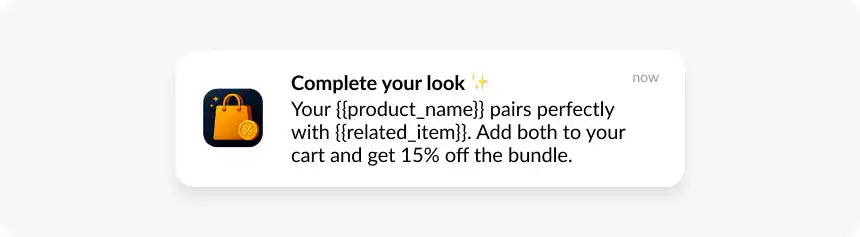
Upsell and cross-sell. Triggered by purchase events. Product category from the purchase determines the recommendation.
Improve CTR and retention with Pushwoosh
Relevance is what separates campaigns that compound over time from ones that erode the channel. Behavioral and RFM segmentation, soft ask permission flows, automated journeys with conditional logic, AI-assisted timing, and campaign-level revenue attribution work together. Any one of them moves the needle; all of them together is a retention program.
Pushwoosh connects behavioral and RFM segmentation, Customer Journey Builder, AI send time optimization, dynamic content personalization, A/B testing, and real-time analytics in one platform.
See Pushwoosh in action - request a demo.