August’s first batch lands on the analytics side: Pushwoosh now takes revenue in as its own event, and control group analytics show how much of that revenue your messaging actually drove. Native in-app messages shipped too.
Here’s what changed 👇
Track revenue in Pushwoosh with a conversion event 🤑
Pushwoosh now collects revenue as its own kind of event. Every purchase, renewal, or payment lands as a PW_Conversion — one clean number you can build on.

Setup is light: send it from your code after a purchase, or map an event you already fire — Stripe and Shopify webhooks included — with no code at all. The point is what you can do once the revenue is in.
What this looks like in practice:
- Segment by real spend. Build an RFM segment of high-value buyers from actual purchase amounts and recency — no custom revenue logic per event. Your VIP flow targets people who spend, not people who only open.
- See which journeys make money. Attribute revenue to a Customer Journey or campaign, and your abandoned-cart flow stops reporting only click-throughs and starts showing the revenue it recovered.
- One revenue number across sources. Combine in-app purchases and Stripe or Shopify webhook payments into a single dataset, instead of stitching each source together by hand.
You already decide what to send, to whom, and how often. You just make those calls on opens and clicks, because that’s all we hand back to you. Send
PW_Conversionand the same decisions get made on money: which campaigns to keep, which to kill, which segments earn more sends — and which ones are costing you unsubscribes for nothing.

A few ways teams put it to work:
- E-commerce. Map your Shopify checkout webhook to
PW_Conversion, and your abandoned-cart flow stops reporting in opens — you see the revenue it actually recovers, and whether it’s worth the sends. - Subscription apps. Point it at your Stripe renewal event to see which win-back and renewal-reminder journeys bring lapsed subscribers back to paying, instead of guessing from click-through.
- Gaming and apps with in-app purchases. Feed in-app purchases in and build RFM segments that surface your top spenders — then send them offers you’d never send the whole base.
Measure the real impact of your messaging 📊
Revenue flowing in is half the story. The other half is proving your messaging is what drove it — and that’s what control group analytics now answer.
The Global control group holds back a fixed slice of your users from all marketing messages while still delivering transactional ones. The new analytics compare that held-back group against everyone who received your campaigns, so you can see the lift your messaging actually produced.
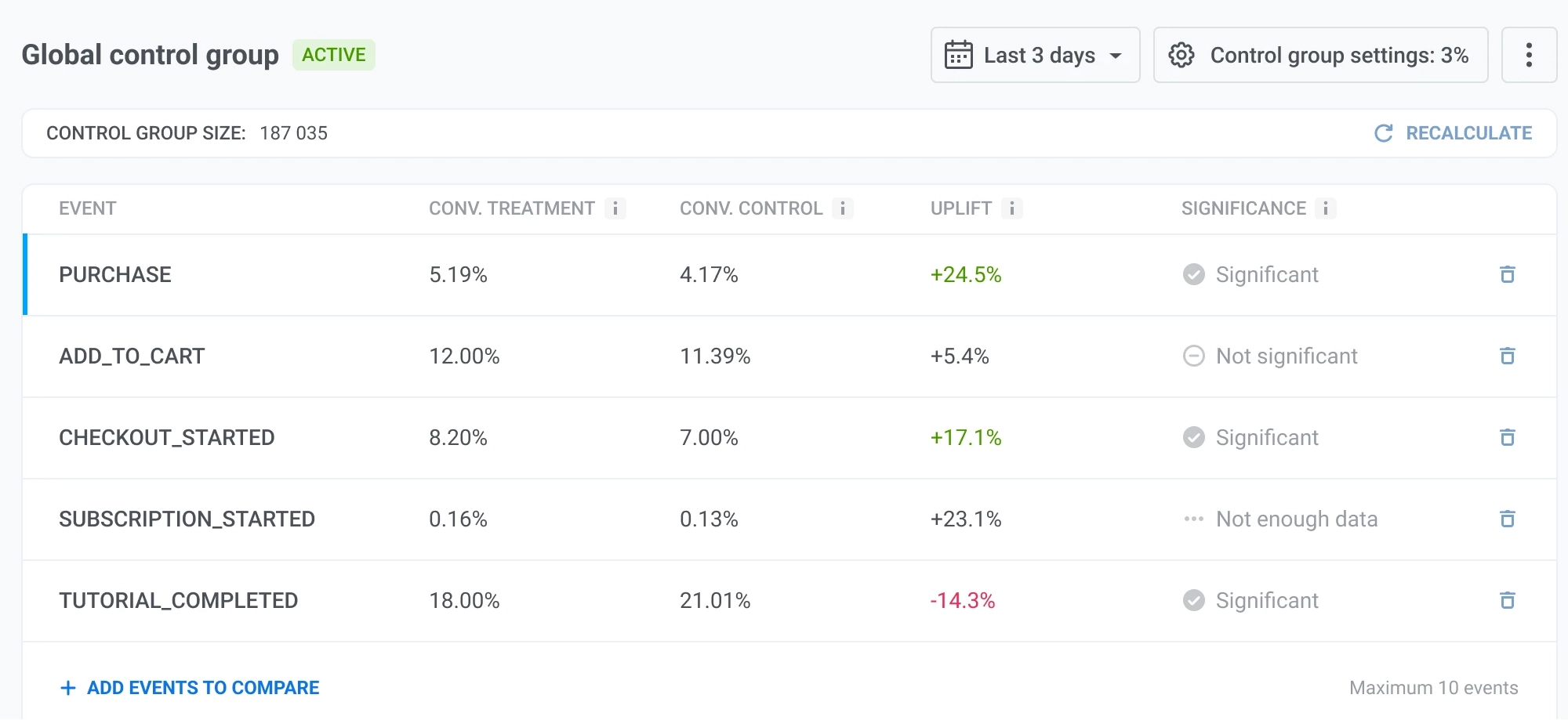
Why it matters: It’s the clean answer to the question — how much of this revenue is really down to marketing? The bigger your audience, the more that holdout comparison is worth.
Pair it with conversion events above and the loop closes. Track the revenue, then measure how much of it your campaigns are actually responsible for.
Design native in-app messages 📱
Native in-app messages are now available in Pushwoosh — in-app content built to render as part of your app’s interface rather than as a web overlay. They open faster, animate more smoothly, and you build them without design or development work.
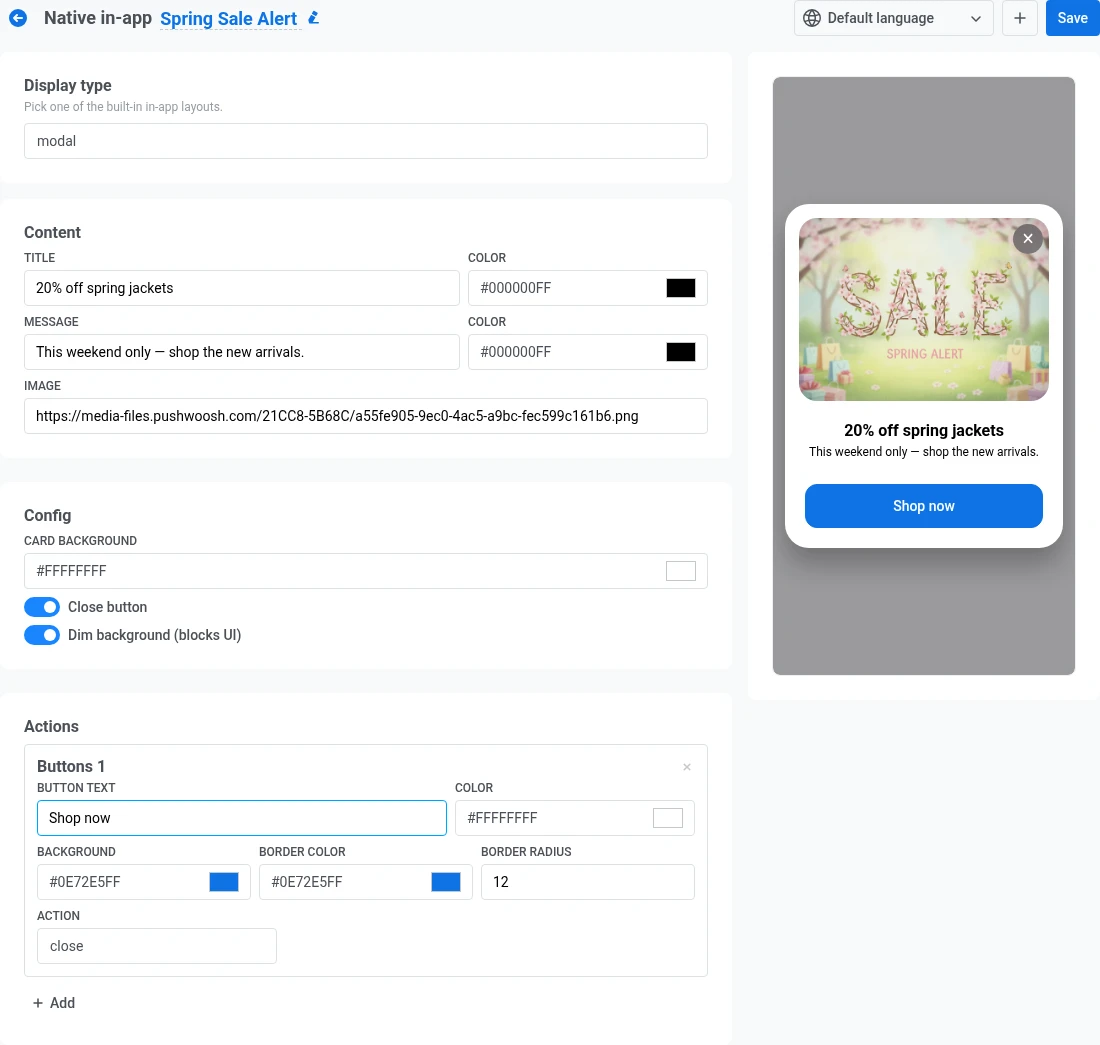
3 display types are available:
- Modal — a centered card, optionally over a dimmed background. Good for a single offer or prompt.
- Fullscreen — an edge-to-edge cover image with your title, message, and buttons on top.
- Stories — a sequence of full-screen slides with progress bars, like the stories format users already know from social apps.
Use cases: Native in-apps fit naturally into onboarding tips, feature nudges, or a quick in-session survey.
The email editor gets smarter ✏️
A batch of upgrades that make the drag-and-drop editor do more of the work:
- Conditional content — Block display conditions now accept any Liquid expression, not just a tag picked from a list. And you can chain IF / ELSE IF / ELSE to show a different variant to each group of recipients, instead of only showing or hiding a single block. Learn more →
- Product catalog in emails — Product blocks now pull live data straight from a connected feed (Google Merchant XML or JSON), so listings stay current without manual edits. Learn more →
- Image fit — Set the size and crop of an image inside Card and Column blocks right in the editor, no code tweak needed. Learn more →
- Keep copies in sync — Edit a reused block once and the change applies everywhere it appears, including emails already scheduled to send. Learn more →
- Brand book — Save your brand’s colors, fonts, and logo once, then reuse them across every email for a consistent look. Learn more →
More polish for in-app and web popups 🔧
3 smaller updates that come up a lot day to day:
- Preview in-apps before you send. Check how a template looks and behaves on a device right inside the Control Panel, before it goes out. Learn more →
- Corner radius for the in-app close button. A slider from 0 to 16px takes the close button from fully round to square, to match your design. Learn more →
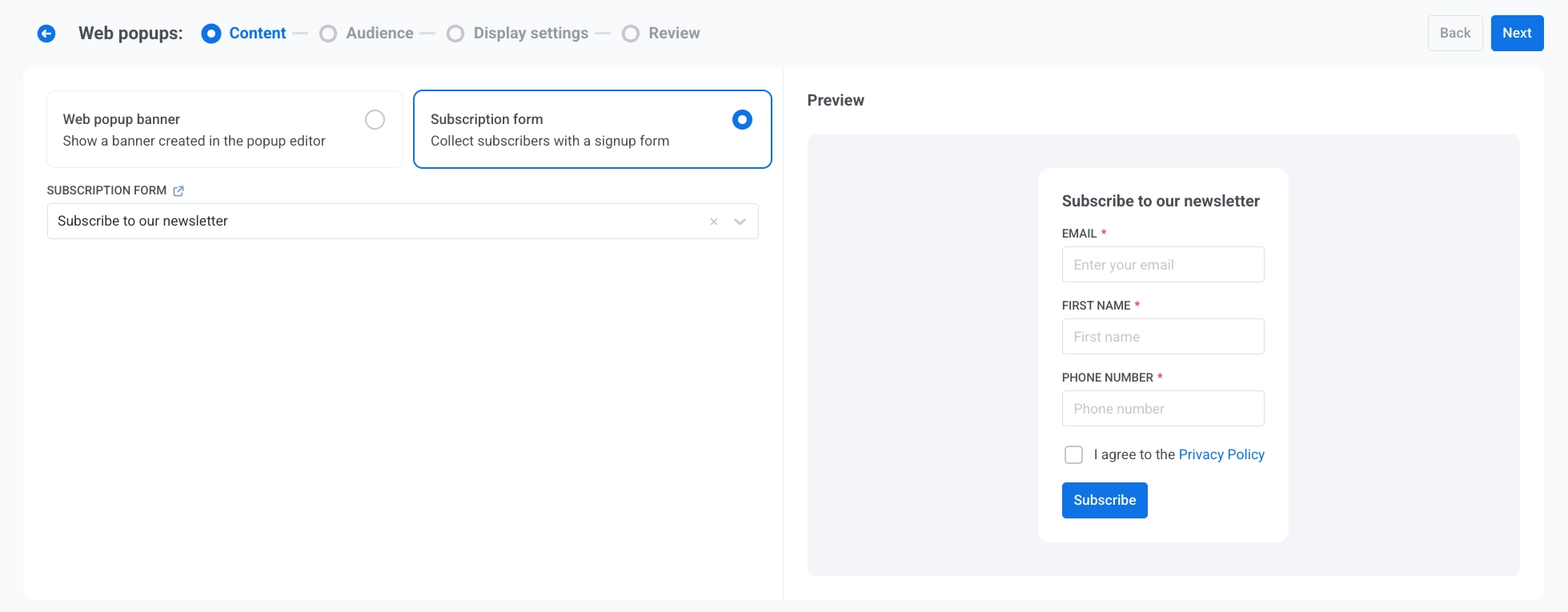
- Subscription forms in web popups. Show an existing subscription form inside a web popup instead of a banner — search for the form by name and drop it in. Learn more →
Try the updates yourself
Every feature above is live in your account. More August updates are on the way — until then, sign in and put these to work.
For the full list, check our release notes.