Vol.3 tied each event to the message that drove it. This week, you can see how much money every campaign brings. Your news feed now sends itself, and new app features can roll out to a share of users with no app release.
Here’s what shipped 👇
See which campaigns bring revenue 💰
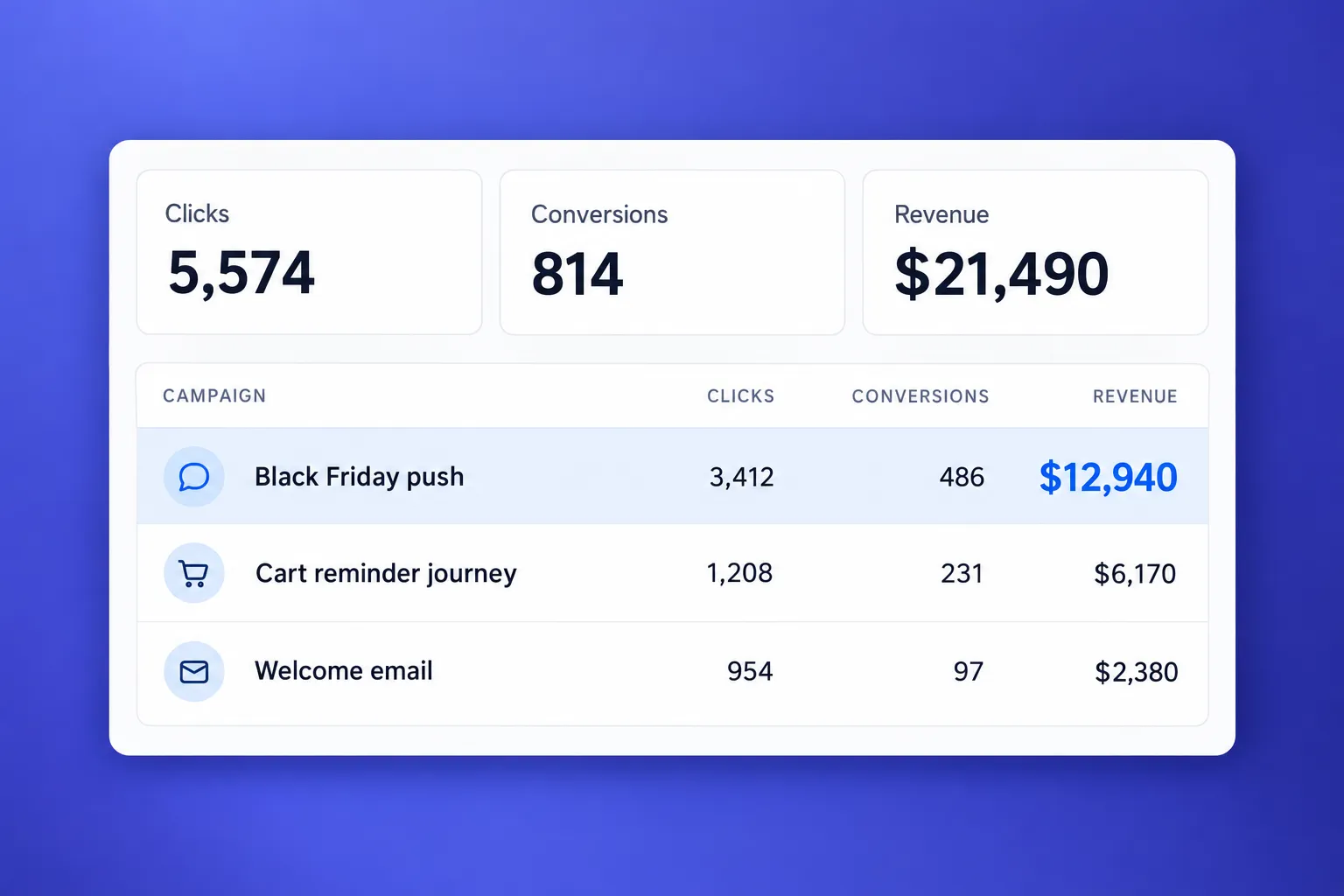
What changed: Project overview has a new Conversions tab. It shows which campaigns led to purchases and how much revenue they brought.
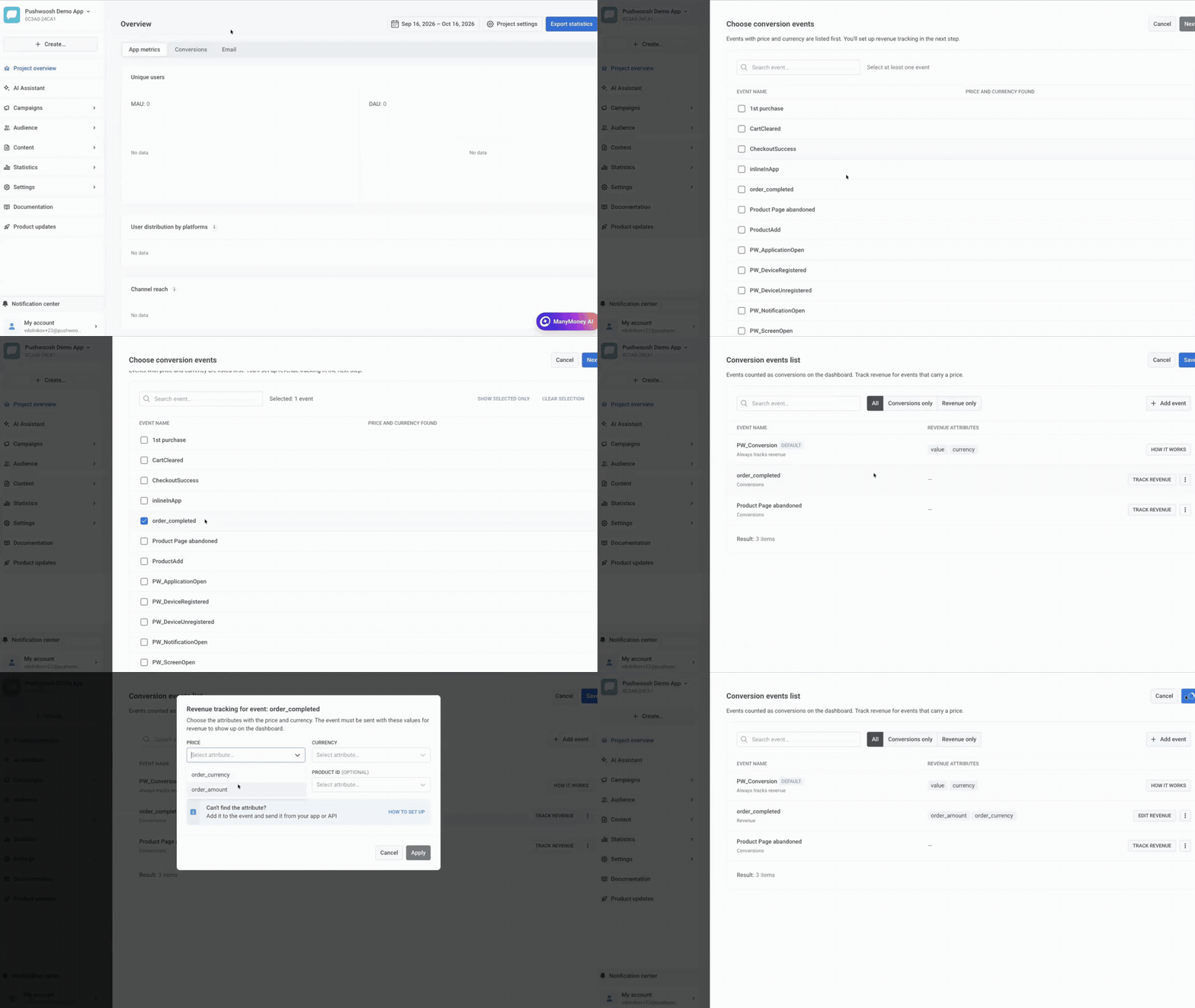
Setup takes a few clicks. Pick the events that count as conversions. Pushwoosh lists events that already carry a price and currency first, so a Purchase or CheckoutSuccess event is usually right at the top. Then map which attributes hold the price and the currency, and save.
How to read it:
- Tiles on top: conversions, unique users, revenue per currency, and the share of conversions that came after your messages.
- A table by campaign with sends, opens, clicks, conversions, and revenue. One-time messages and journeys sit side by side. A journey breaks down by step and by version.
- Filters for the event, channel, campaign type, attribution window (1, 3, 7, or 30 days), and whether a conversion counts after a click or after a send. Switch them any time; nothing needs to be set up again.
Send every new article automatically 📰
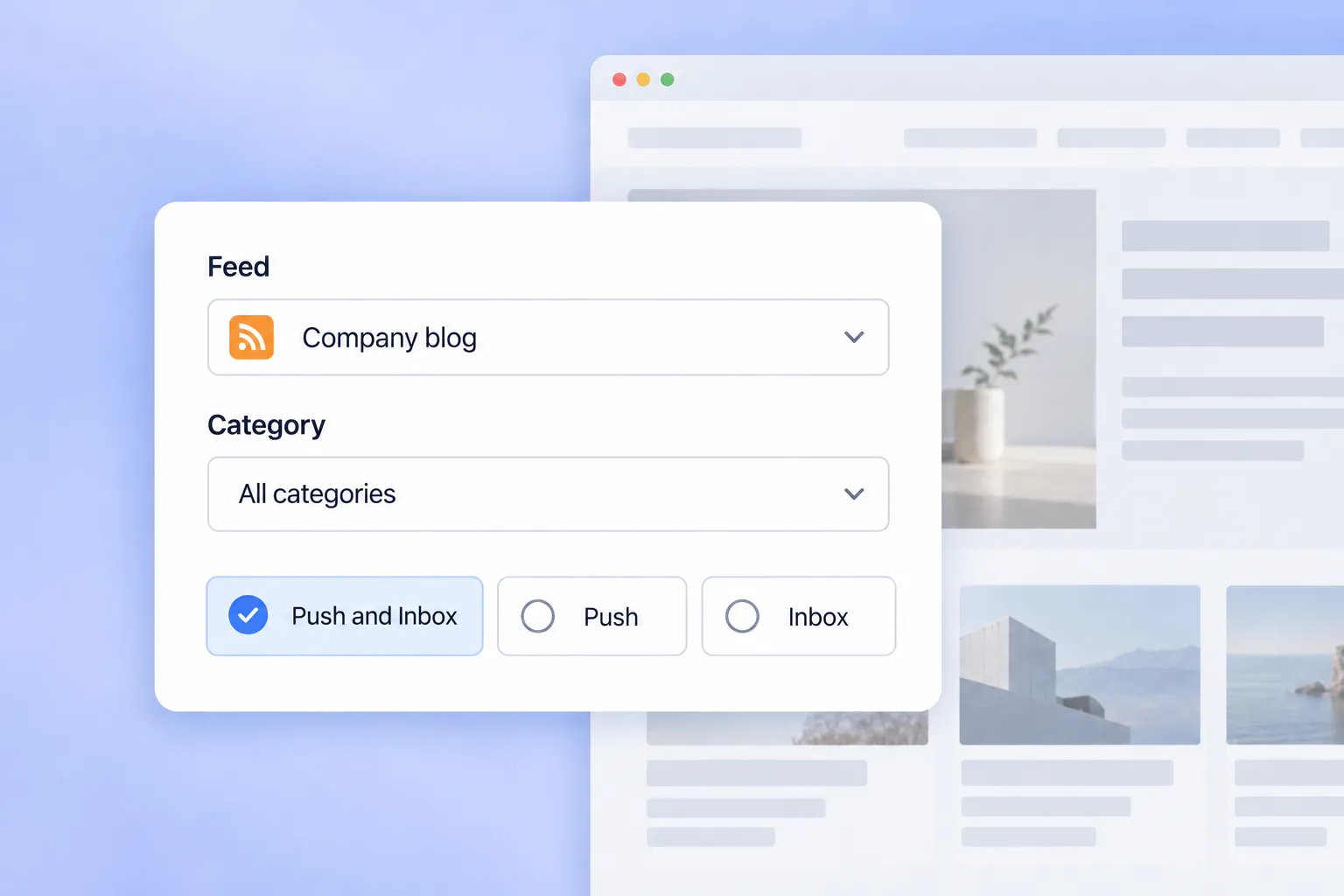
What changed: Campaigns → Feed campaigns is a new campaign type.
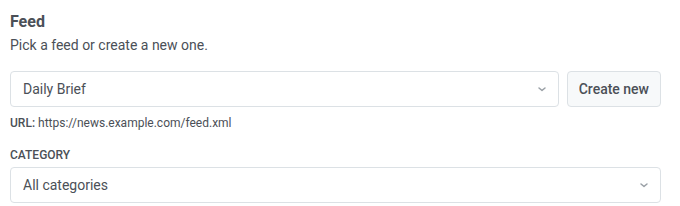
Pick a feed, a category, and a channel once: Push, Inbox, or Push and Inbox. From then on, every new article goes out on its own, with its title, text, image, and link.
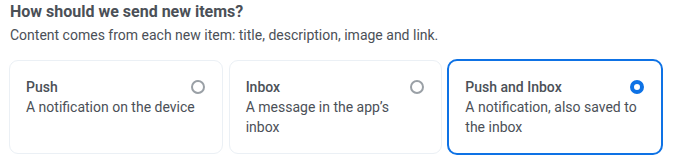
A few settings to know:
- If several articles come out at once, send only the newest, or up to 5, 1 per minute.
- Choose how many days a message stays in the inbox.
- Feed campaigns skip frequency capping, so breaking news never waits in line.
- Only articles published after launch go out. Your archive stays where it is.
Here’s where it fits:
- Media apps: a Breaking category goes to everyone who follows it, minutes after it’s published.
- Ecommerce: a “new arrivals” feed tells shoppers about fresh stock while it’s still in stock.
Find, make, or import images without leaving Pushwoosh 🖼
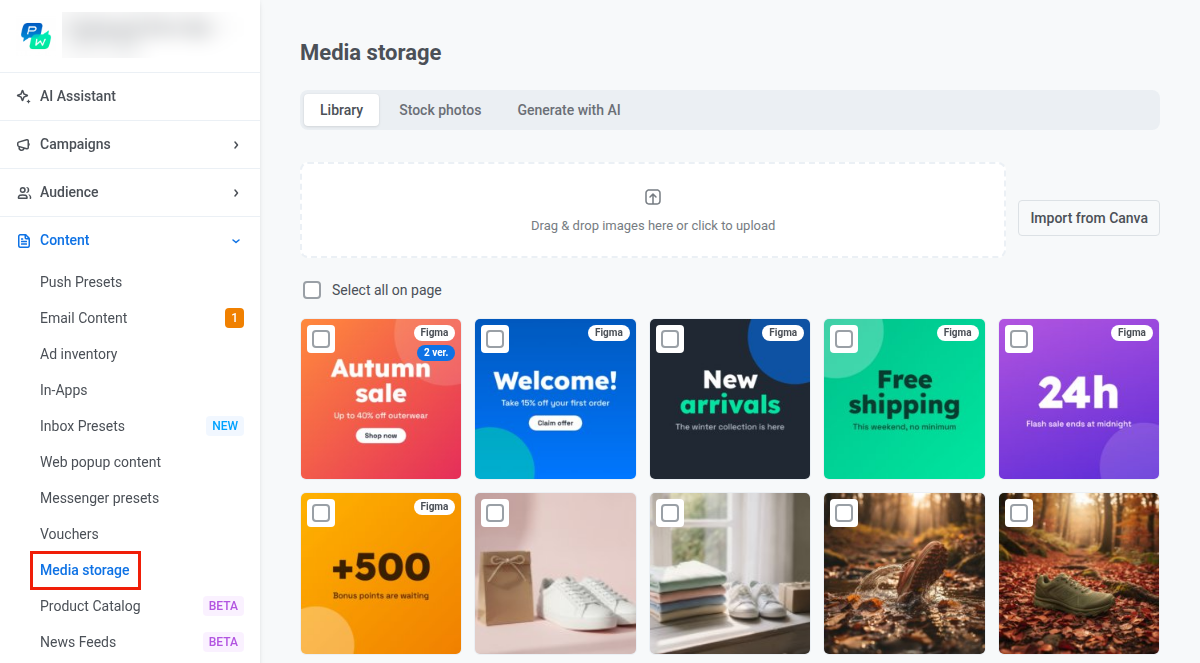
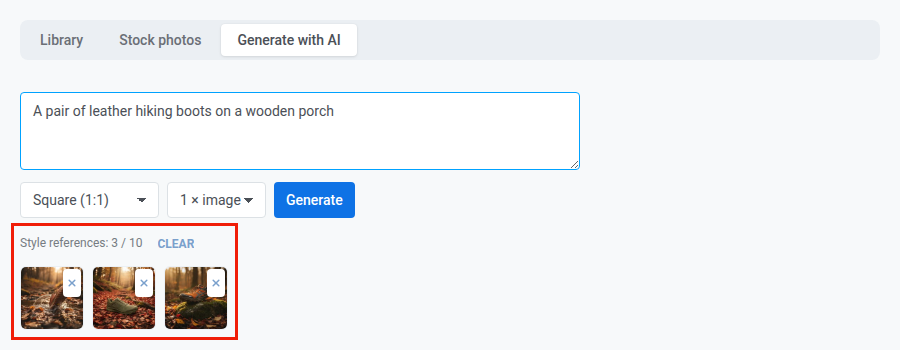
What changed: every image picker, for push, email, in-app, and Wallet passes, now has 2 new tabs:
- Stock photos: free photos from Pexels, with credits handled for you.
- Generate with AI: describe the picture or let it match your push text. Add up to 10 images from your library as a style reference, and your Brand book colors are applied automatically. You get 10 images a day on paid plans and 2 on free plans.
- Canva is open to everyone. Connect your Canva account, import up to 10 pages of a design at once, or open any image with Edit in Canva.
- A Figma plugin that sends frames straight to your media library is coming as soon as Figma approves it.
Turn your website into a channel 🌐
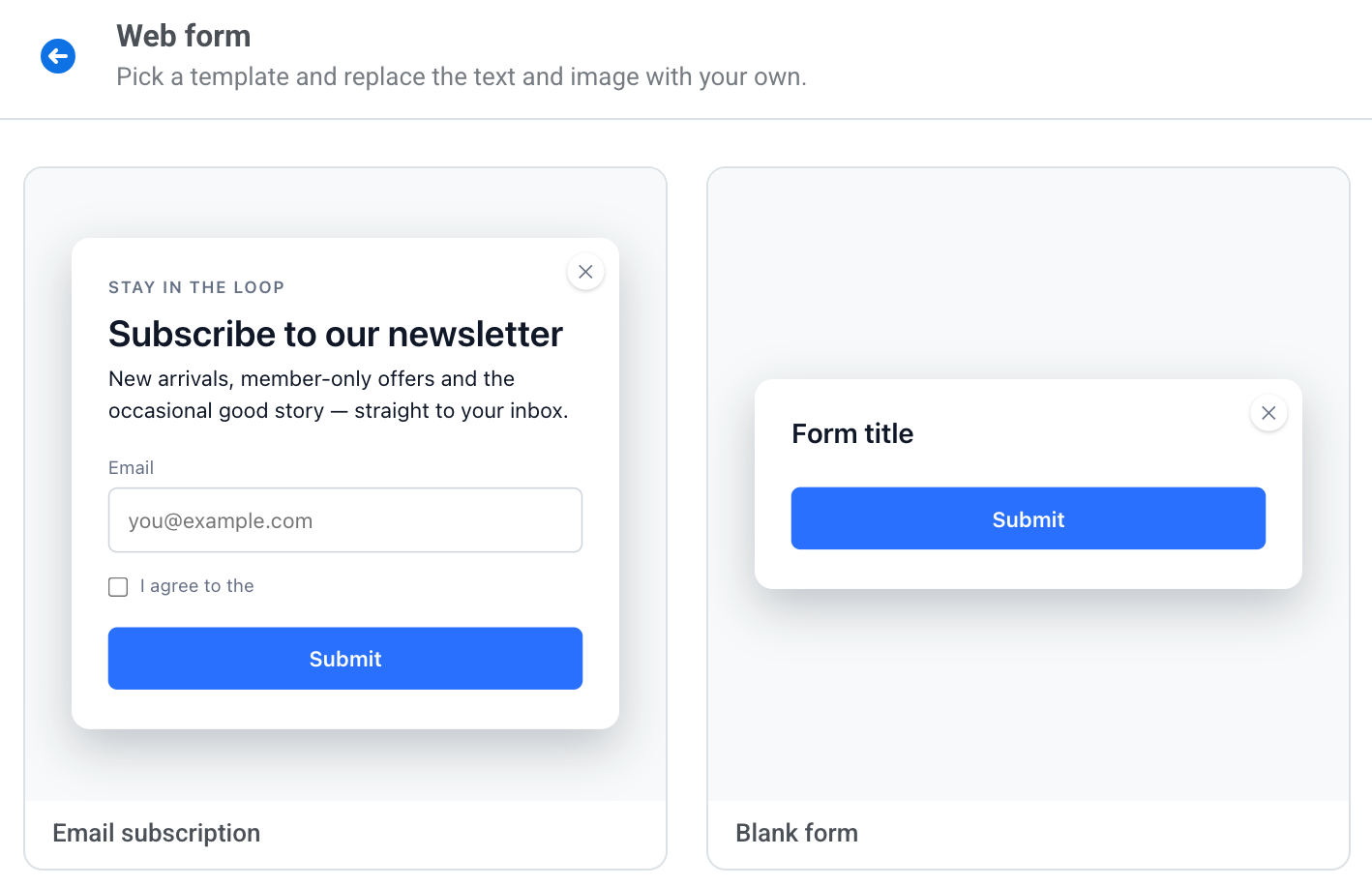
What changed: Web popups are now Web campaigns, and they come in 2 formats. A Popup shows over the page. An Inline block sits inside the page, in a spot your developer marks once with a container.
Both can carry a web form. Collect emails and tag answers, like “Which topics do you want?”, with a consent checkbox. Turn on double opt-in, and Pushwoosh sends a confirmation email before the address joins your list.
Product recommendations on your site. Products from your catalog used to appear only in messages. Turn on On-site recommendations in Product Catalog, list your domains, and the Web SDK shows recommendation blocks on your pages: bestsellers, recently viewed, or products often bought together.
Roll out features without a new release 🚩

What changed: Audience → Feature Flags lets your product team turn app features on and off from Pushwoosh. A flag rolls out to a share of your audience or to a segment, and the Kill switch turns it off for everyone in 1 click if something breaks.
Why it matters: you know exactly who got the new version, so you can talk to them. Build a segment of users who saw the feature, or branch a journey with a Condition split. Users with the new checkout get a “here’s what’s new” push, and the rest get the usual flow.
Consent and deliverability 🔒
- SMS and Viber opt-outs stick. A number that replies STOP or unsubscribes through the carrier now gets its marketing consent tag set to false automatically. It stops getting marketing SMS and Viber, and the funnel counts it as unsubscribed, not as an error. An opt-in mode, where marketing goes only to numbers with consent, is available through support. Learn more →
- WhatsApp and Meta’s new terms. New clients accept Meta’s Marketing Messages API terms right when they connect WhatsApp, and existing ones see a reminder in the Control Panel. Once the terms are accepted, marketing templates go through the new API. Learn more →
- Bounce reasons in the suppression list. The reasons from vol.3 now show next to every suppressed address, with the SMTP code. Filter the list by reason, and find it in the suppression list export and in the export of sending errors. Learn more →
- Who allowed push, and who declined. The new Push Permission Status tag tells “never asked” apart from “said no”, so you can segment users you can still ask. It’s filled for web already and comes with Android SDK 6.17 and iOS SDK 7.2.10 as users update. Learn more →
Smarter journeys and channels ⚙️
- Google Analytics 4 audiences as segments. Next to BigQuery and Postgres, External Segments can now use an audience you already built in GA4. Learn more →
- Multi-Armed Bandit learns from your goal. The best variant used to be picked by opens. Now the reward can be any event, a purchase, say, with a window you set. Learn more →
- Viber carousels. Send an Omni Messaging promo template with 2 to 5 cards from the Viber element. Learn more →
- Apple Wallet setup with the AI assistant. Ask “Set up Apple Wallet for my app”, and the assistant walks you from the certificate to your first pass and Wallet campaign. No Mac or Keychain needed. When the certificate is about to expire, it reminds you and guides the renewal. The same flow for Google Wallet is on the way. Learn more →
Less clicking, fewer surprises 🧹
- Bulk delete that checks first. Tags, events, segments, push and inbox presets, rich media, email templates, and web content now have Bulk actions → Delete. Select many rows, and the dialog shows what will go and what’s skipped because something still uses it. Learn more →
- Sorting in content pickers. Long preset lists in the send form, journey points, and geozones now sort by date or name, remember your choice, and load page by page. “Push 2” comes before “Push 10”. Learn more →
- Change a subscriber’s email or phone. Replace identity in User Explorer updates the address on an email or SMS device and keeps its history. Learn more →
- Why a message didn’t go out. Instead of “No data” and zeros, the stats screen now says the message failed and why: a segment or filter error, a deleted app, or an invalid date. Learn more →
Try the updates yourself
Every feature above is live in your account.
For the full list of what shipped, check the release notes.