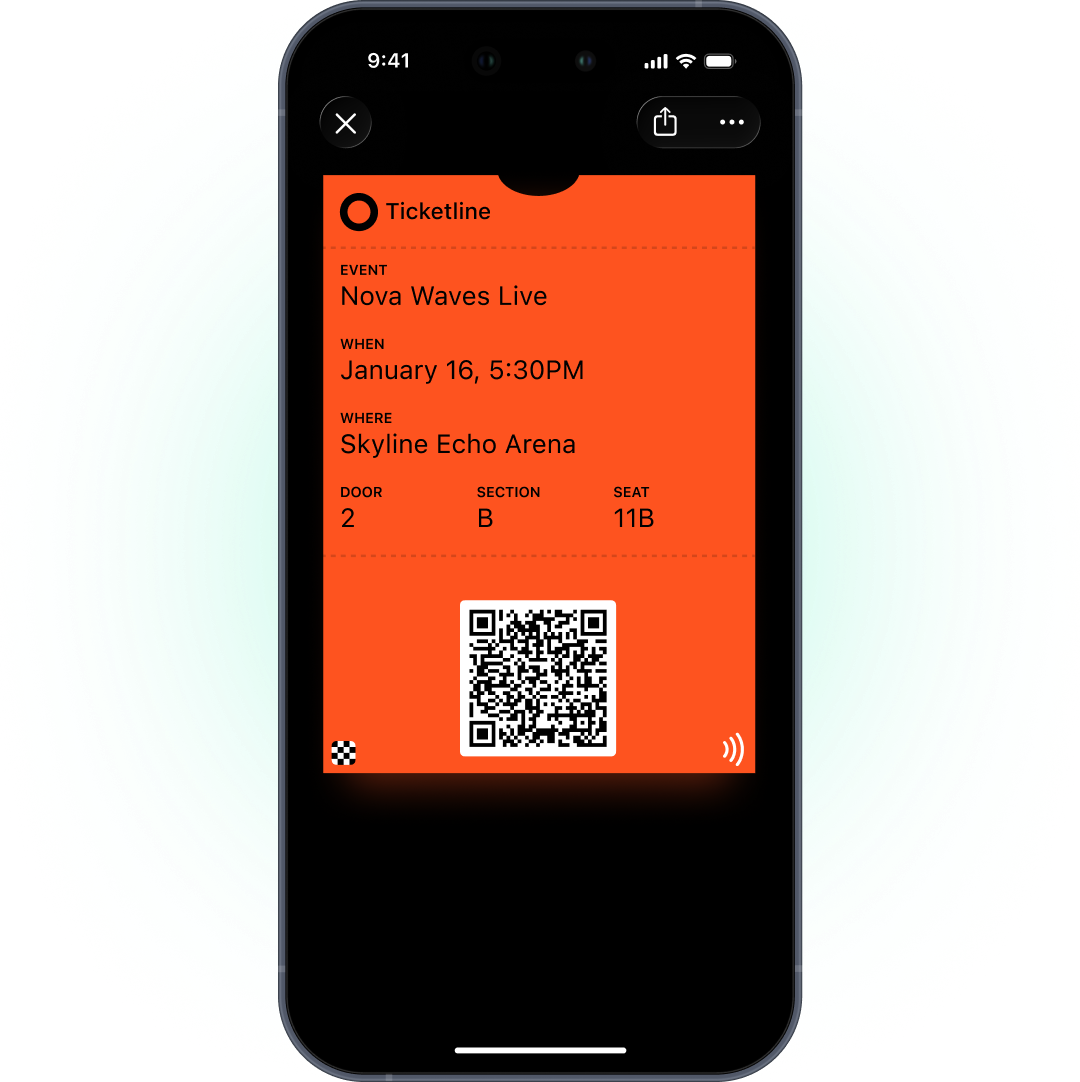
A digital event ticket in Apple Wallet or Google Wallet holds the barcode, date, venue and seat, shows up on the lock screen on event day, and updates if anything changes. Guests don’t need the organizer’s app or a printed PDF. For organizers, the ticket becomes a channel for day-of updates that guests actually see.
In Pushwoosh, tickets and messages share 1 guest profile, so you can run wallet passes for events and ticketing from the same platform as your push and email.
Why tickets belong in the wallet
Not every guest installs your app. A festival audience survey found that 80% install the festival app, which leaves 1 guest in 5 without it (Festival Insights, 2021). A wallet ticket reaches all of them.
Guests have started to expect it. Philharmonie de Paris moved to Apple and Google Wallet tickets, and 35% of its audience switched (competitor case, The Wallet Crew). Ticketmaster has offered enhanced tickets in Apple Wallet since 2024, with stadium maps, parking and weather (market example). The Oscars have used wallet tickets since 2022 (competitor case, Passcreator).
The Event Ticket type
Both platforms have an Event Ticket type. On Google, it’s 1 of only 3 types that get Google’s automatic update notifications, which makes it a good choice for anything time-sensitive.
| Apple Wallet | Google Wallet | |
|---|---|---|
| Pass type | Event Ticket | Event ticket |
| Key fields | Event, date, venue, entrance, seat | Same |
| Barcodes | QR, PDF417, Aztec, Code128 | Same, plus EAN-13 |
| Update alerts | Fields with a change message | Yes, in the 3 hours before the start, max 3 per pass per 24 hours |
| Lock-screen relevance | Relevant date and venue location | Venue location, radius set by Google |
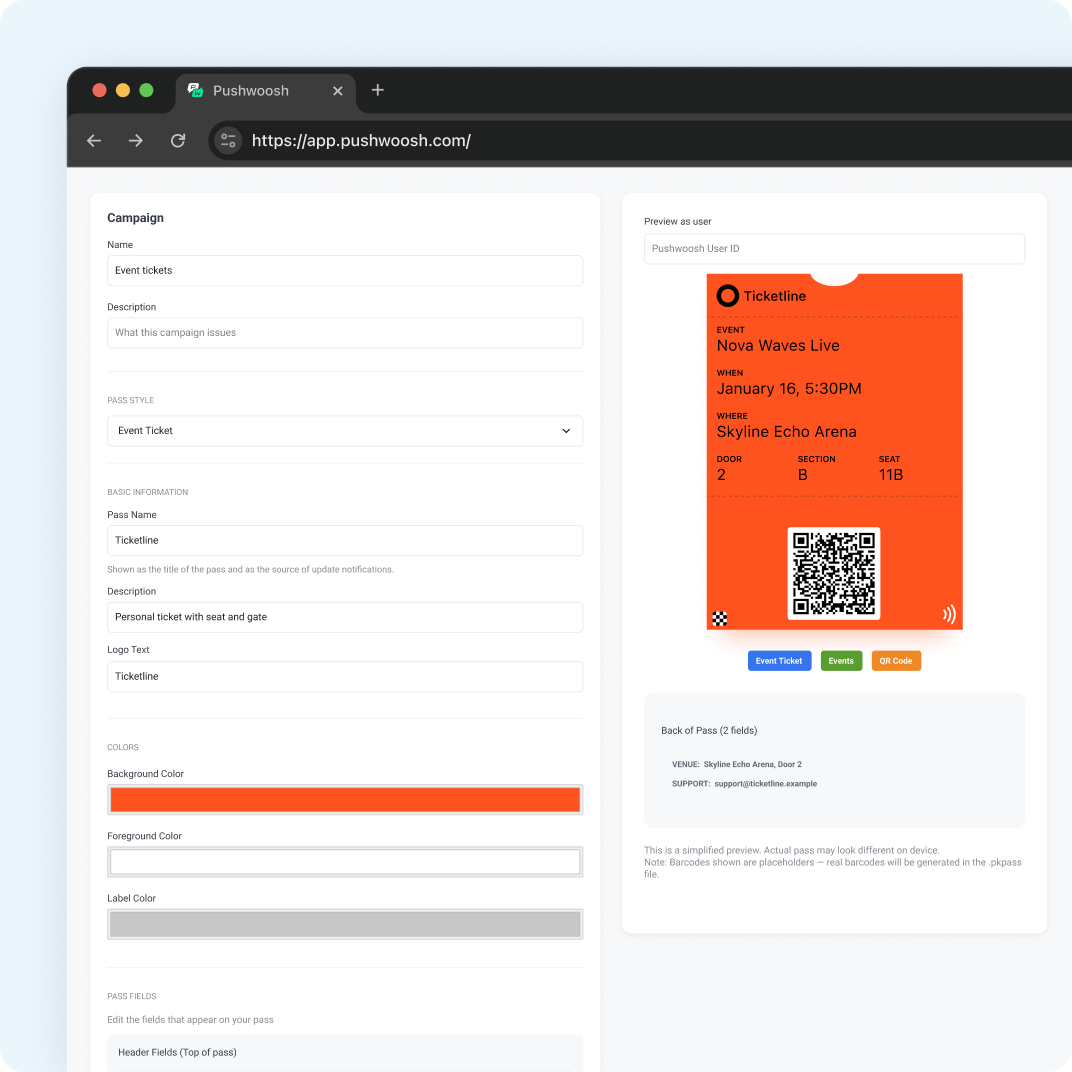
Each ticket is issued to a User ID with its own barcode. Different ticket types, like guest, press or staff, are separate passes with their own design.
Day-of reminders by time and place
Set the relevant date to the event start and add the venue as a location. On event day, the ticket can appear on the lock screen as guests approach. It’s the right reminder in the right place, and you didn’t have to send anything.
Pair it with a push or email the day before covering doors time, transport and what to bring. The ticket handles the moment of arrival.
Updates: time, gate, seat
When something changes, update the ticket through the API and it redraws on every device where it’s saved. Put change messages on the fields guests act on: start time, entrance, seat.
If an event is postponed, update the date on the same ticket rather than issuing a new one. Guests keep 1 ticket, and it’s always right. Issuing a replacement means a new link, a new add, and some guests turning up with the old one.
Fraud: the honest picture
Ticket fraud is a real cost. Reported losses from ticket fraud in the UK reached £9.7 million in 2023-2024, up about 50% on the year before (Action Fraud, via Bitdefender).
A wallet ticket helps by giving guests 1 official place to keep their ticket instead of screenshots and forwarded PDFs. It doesn’t stop fraud on its own, and we won’t pretend it does. A QR code can still be shared, and Pushwoosh has no separate anti-fraud feature. Validation happens at your scanners and in your ticketing system, which should reject any barcode that’s already been used.
Upsell journeys around the ticket
The ticket is the anchor. Selling happens in other channels, because Apple and Google only allow notifications about the pass.
- After purchase. Email with parking, merch pre-orders or upgrades.
- A week before. Push with the line-up or schedule.
- The day before. Push or email with doors time and transport.
- After the event. Email with photos, a survey and the next on-sale date.
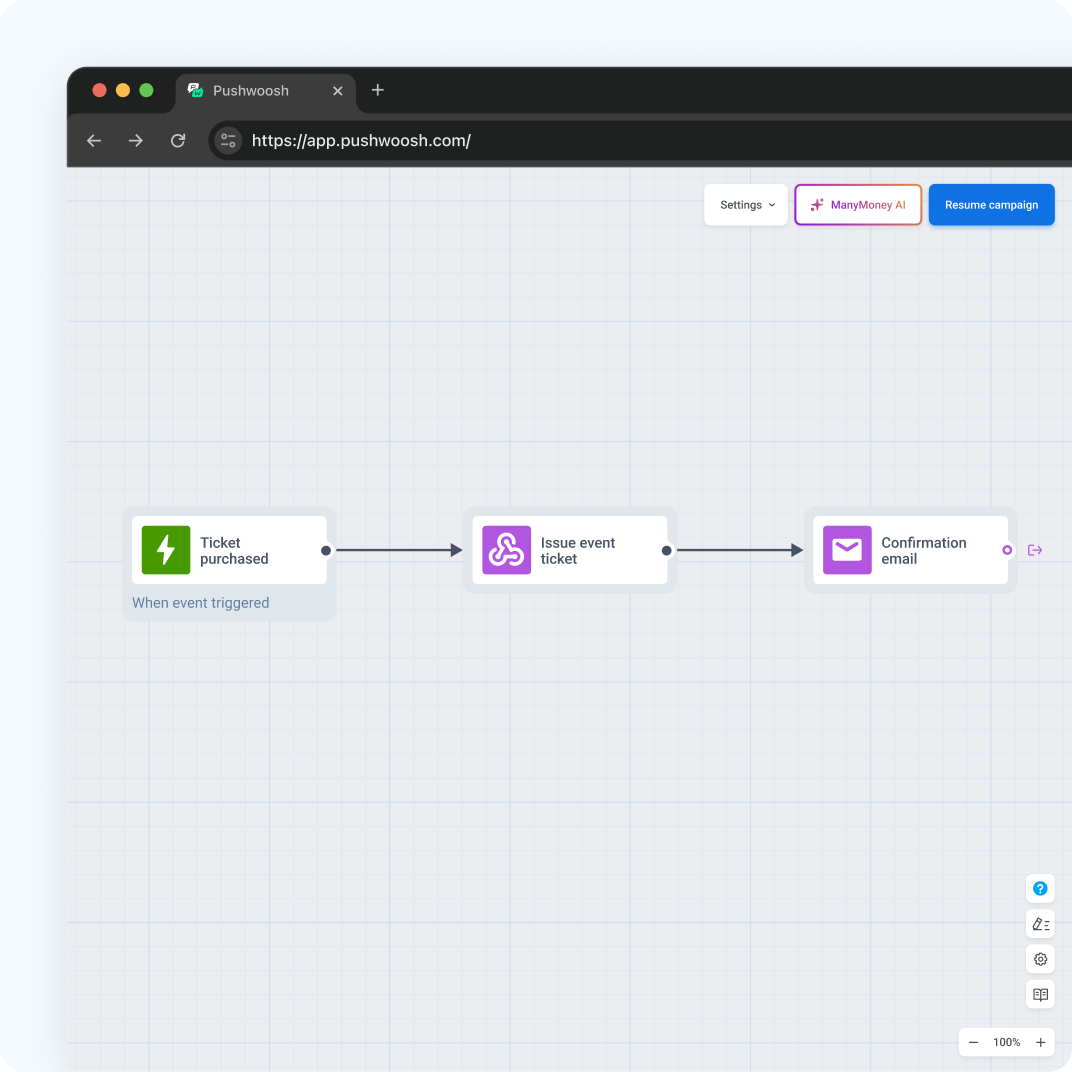
SeatGeek grew email-driven sales by 77% through data-based personalization (competitor case, Iterable). Timing and relevance do more than volume.
Setup
- An Apple Pass Type ID certificate (Apple Developer account, $99 a year) and a Google Issuer ID with the Pushwoosh service account invited to your issuer.
- Event Ticket on both platforms, with the venue location and relevant date.
- An API connection from your ticketing system to issue tickets and send changes.
- A barcode format your venue scanners read.
- Add to Wallet buttons in confirmation emails and the app.
Reach every guest on event day with Pushwoosh
Pushwoosh issues native Apple and Google Wallet event tickets by User ID, updates them through the API, and runs reminders and upsells by push, email and SMS from the same journeys.
Reaching every guest doesn’t mean getting them all to install an app. It means putting the ticket where they’ll look when they arrive.