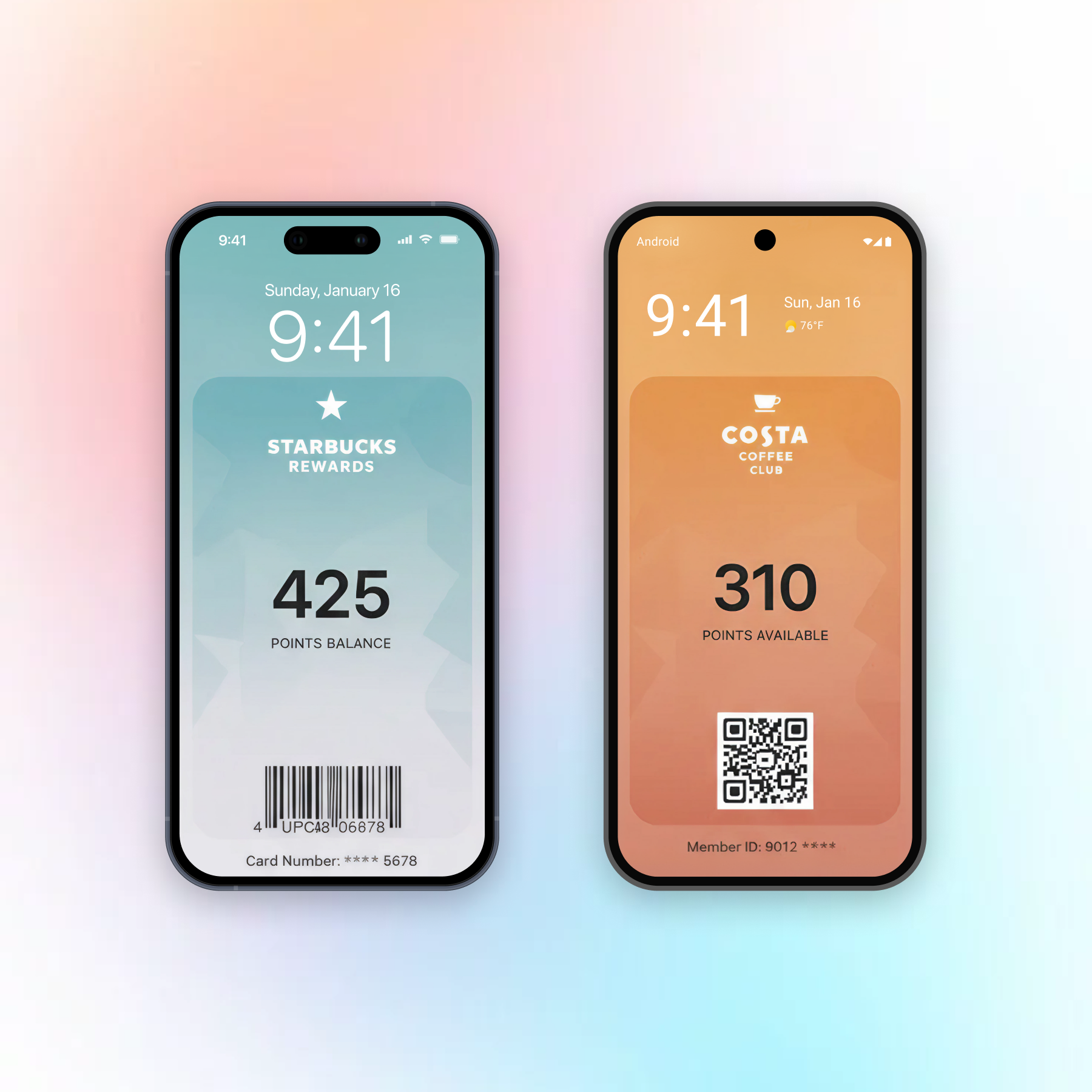
A wallet pass can show up on a customer’s lock screen without any app. Apple Wallet surfaces it when the customer is near a location you set or when the pass’s relevant date comes around. You get up to 10 locations per pass. Wallet, not you, decides the exact moment.
That last part is the one people miss. You don’t send a lock-screen pass the way you send a push. You set conditions and let the phone decide. In Pushwoosh Wallet passes, the pass sits on the same profile as your push, email and journeys.
How lock-screen relevance works
Relevance runs on 2 signals: time and place. A coffee shop stamp card uses place. A concert ticket uses both: the date of the show and the venue.
When the conditions match, Wallet may put the pass on the lock screen. It’s not a message with your copy in it. It’s the card itself, 1 tap away. That’s why it feels helpful rather than pushy: it appears when the customer is already at your door.
| Signal | What it does | Limit | Where you set it in Pushwoosh |
|---|---|---|---|
| Relevant date | The pass may appear around a set date and time | 1 date per pass | Pass builder, Expiration and status |
| Locations | The pass may appear near a map point | Up to 10 per pass, max distance in meters | Pass builder, Location-based relevance |
| iBeacons | The pass may appear near a Bluetooth beacon indoors | Up to 10 per pass (Apple) | Pass builder, iBeacon relevance, or API |
| Expiration date | The pass grays out after this date | 1 date per pass | Pass builder, Expiration and status |
Locations vs iBeacons
Start with map locations. They run on GPS, need no hardware and cover most cases: store entrances, venues, stations, parking lots.
Beacons are small Bluetooth transmitters you install inside a building. They make sense when GPS is too rough, say a specific counter in a big mall or 1 gate in a stadium. The catch is real. You buy the hardware, you place it, you replace the batteries, and the customer needs Bluetooth on.
Our advice: launch with locations, measure, and add beacons only where you can name the spot GPS keeps missing. In Pushwoosh, both go in the Apple pass builder: locations under Location-based relevance, beacons under iBeacon relevance with the beacon’s UUID. The API takes both too.
Apple’s limits to plan around
Apple allows 10 locations and 10 beacons per pass. For each map location you set a max distance in meters: how close the customer must be for the pass to stay relevant. A beacon is matched by its UUID, with optional Major and Minor values to narrow it to 1 venue or 1 beacon.
Apple also keeps the final say. iOS can decide not to show a pass, and location services have to be on.
The 10-location cap is where chains get stuck. A brand with 300 stores can’t fit them all on 1 pass. The fix is to issue passes per customer with the stores nearest to them, which is a job for the API rather than the builder.
Google Wallet and nearby passes
Google Wallet supports up to 10 locations per pass too, but Google controls the geofence radius and decides when to show the notification. You can’t set a max distance. Treat locations as a bonus, not a trigger you can count on. Google’s notification rules are also tighter than Apple’s.
Google’s own update alerts fire only on loyalty, event ticket and flight passes, and on event tickets and flights only when the start time is less than 3 hours away. Google caps notifications at 3 per pass in 24 hours. Pass availability also depends on the customer’s country, so check your markets first.
Use cases that earn the lock screen
Coffee shops are the easy win. The stamp card shows up as the customer walks to the counter, and the barista scans it instead of hearing “I left my card at home”. Watch the share of visits that get a stamp.
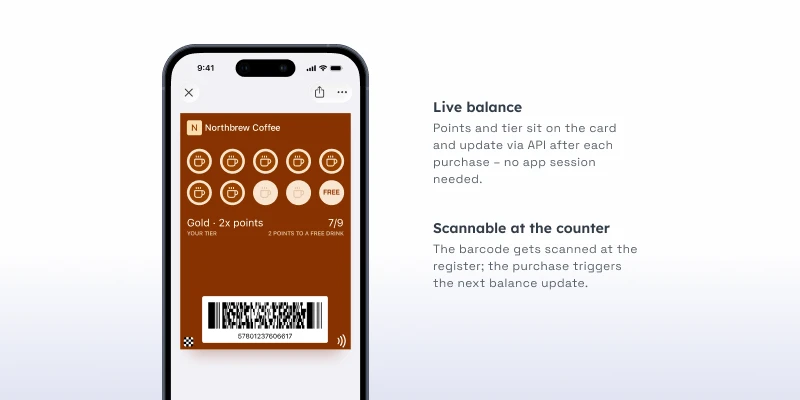
Retail comes next. A loyalty card or coupon at the store entrance helps you tie in-store purchases to a known customer, and that identification rate is the number to track.
Events use date and place together. On event day, the ticket is on the lock screen as guests reach the venue, so nobody digs through email at the gate. Measure throughput and the share of guests scanning from Wallet.
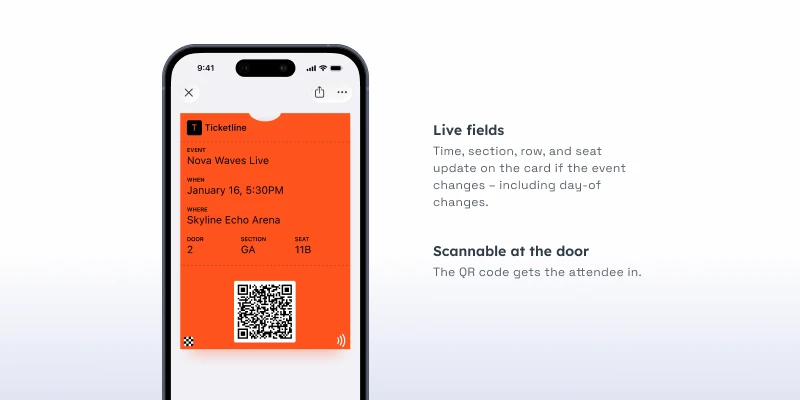
Theme parks and ski resorts can do the same with season passes at the gate or the lift station. The metric there is visits per pass holder over the season.
Keep it about the pass
Apple and Google only allow notifications that relate to the pass. A stamp card showing up at your counter is exactly what the feature is for. Using a pass to push a weekend sale breaks their guidelines and teaches people to delete the card.
If you want a promo when someone arrives, send it as a geozone push from your app or an email. Let the pass stay what it is: the card, the balance, the ticket.
Setting it up in Pushwoosh
-
Create the pass
In the Control Panel, go to Campaigns → Wallet Passes, open All passes, select Apple Wallet and click Create pass.
-
Set the relevant and expiration dates
Under Expiration and status, set a relevant date for time-bound passes, and an expiration date if the pass should gray out.
-
Add locations
Under Location-based relevance, add up to 10 locations, write the lock-screen text for each and set a max distance in meters.
-
Add iBeacons
Under iBeacon relevance, add up to 10 beacons, or set them through the Apple Wallet PassKit API.
-
Issue the pass
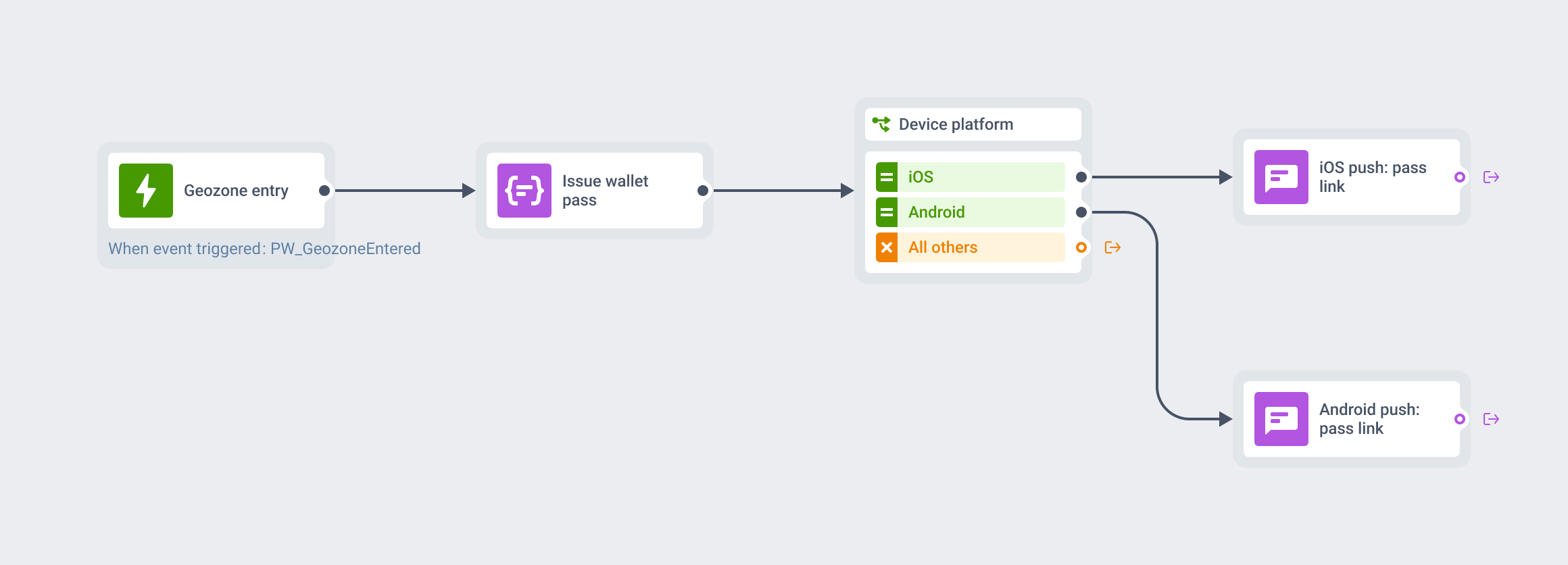
Issue the pass to a User ID. For customers who also have your app, pair it with a geozone push in a journey.
The builder steps are in the Apple Wallet pass builder docs.
Drive more in-store scans with Pushwoosh
Pushwoosh issues native Apple and Google Wallet passes from 1 platform. Locations and beacons go in the builder or through the API, and every pass lives on the same User ID as your push, in-app, email and SMS. A store visit can then kick off the right follow-up in a journey.
More in-store scans don’t come from more notifications. They come from the right card showing up at the right door.