Black Friday and Cyber Week 2025 brought in $44.2 billion in US online sales, and more than half of holiday online spending happened on phones. Most users got the same “Up to 50% off” push at 9 a.m. But a bigger discount won’t get you out of that pile.
Below are 13 Black Friday marketing ideas that go beyond the discount blast, each with how to implement it in practice with Pushwoosh. Plus 1 test that shows which of them actually made you money (to prove your campaign worked).
🔥 Before Black Friday: warm up & build demand
The week before the sale decides who opens your messages on Friday. Use it to reward loyal customers and get your offer to the people most likely to buy.
Idea 1: Give your best customers early access
Open the sale 24–48 hours early for your top RFM customers, the ones who shop often and spend the most. They feel rewarded, you spread the load before the Friday rush. Plus you get an early read on demand: how your best buyers respond tells you what to expect on Black Friday itself.
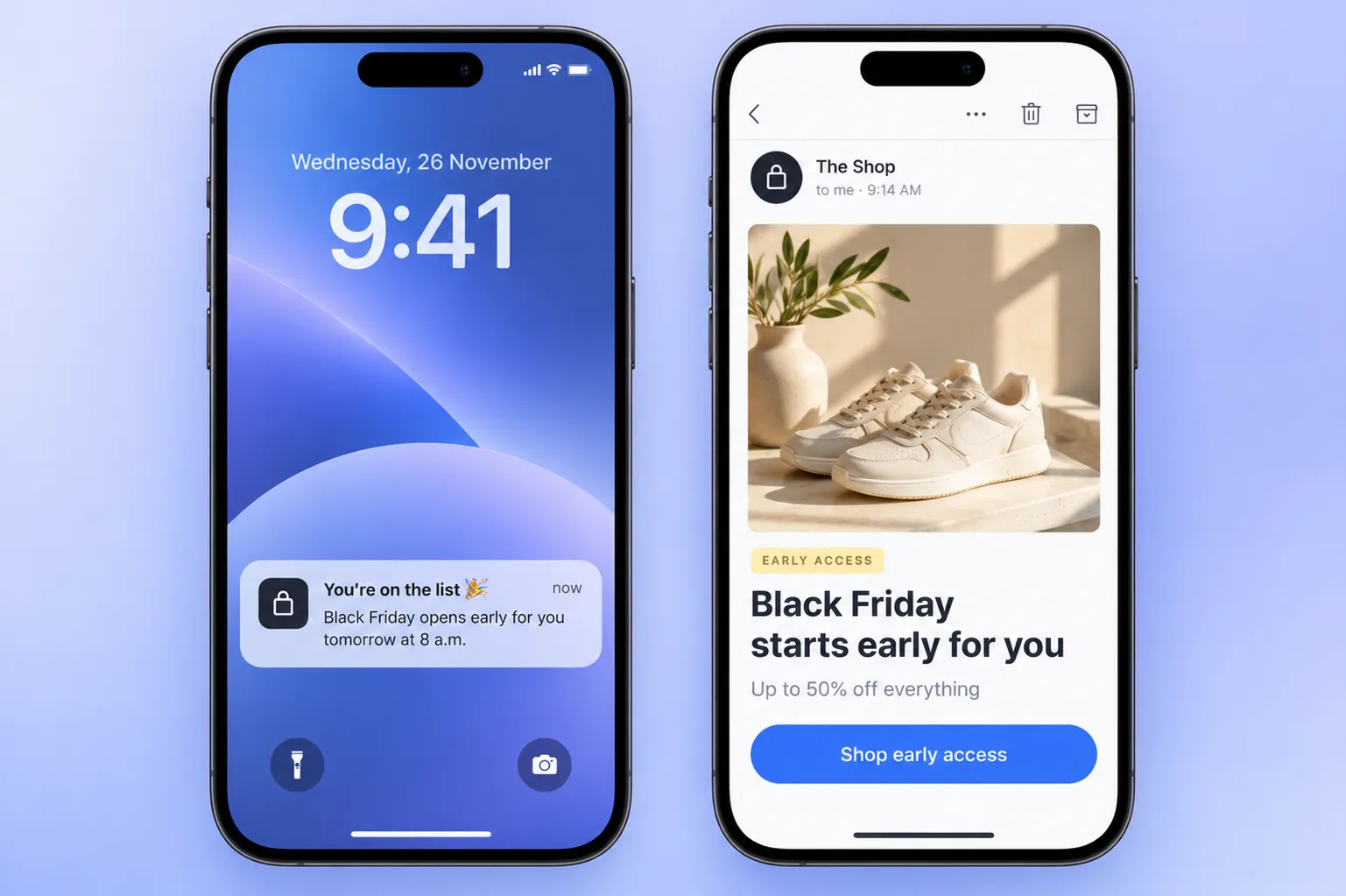
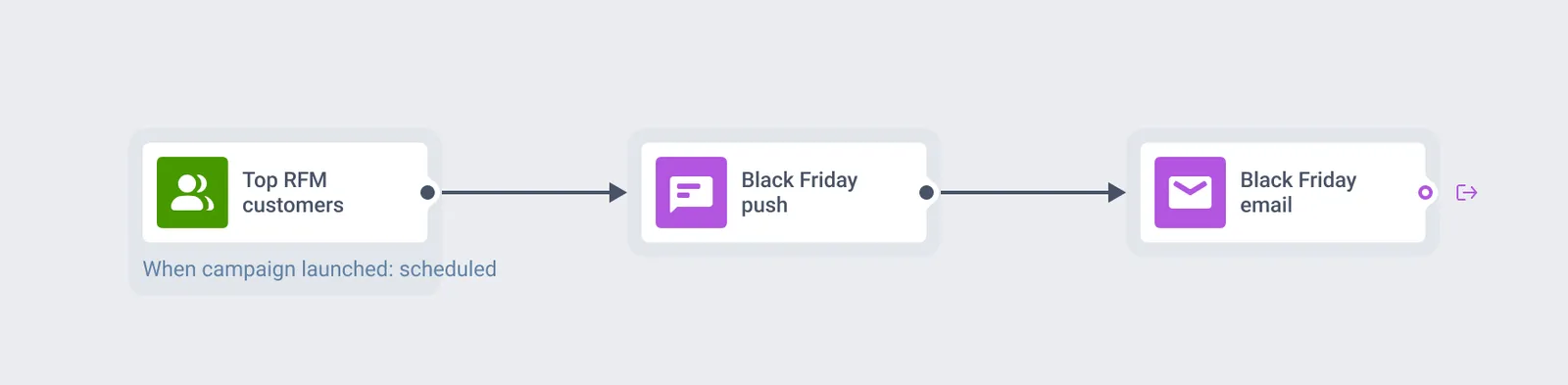
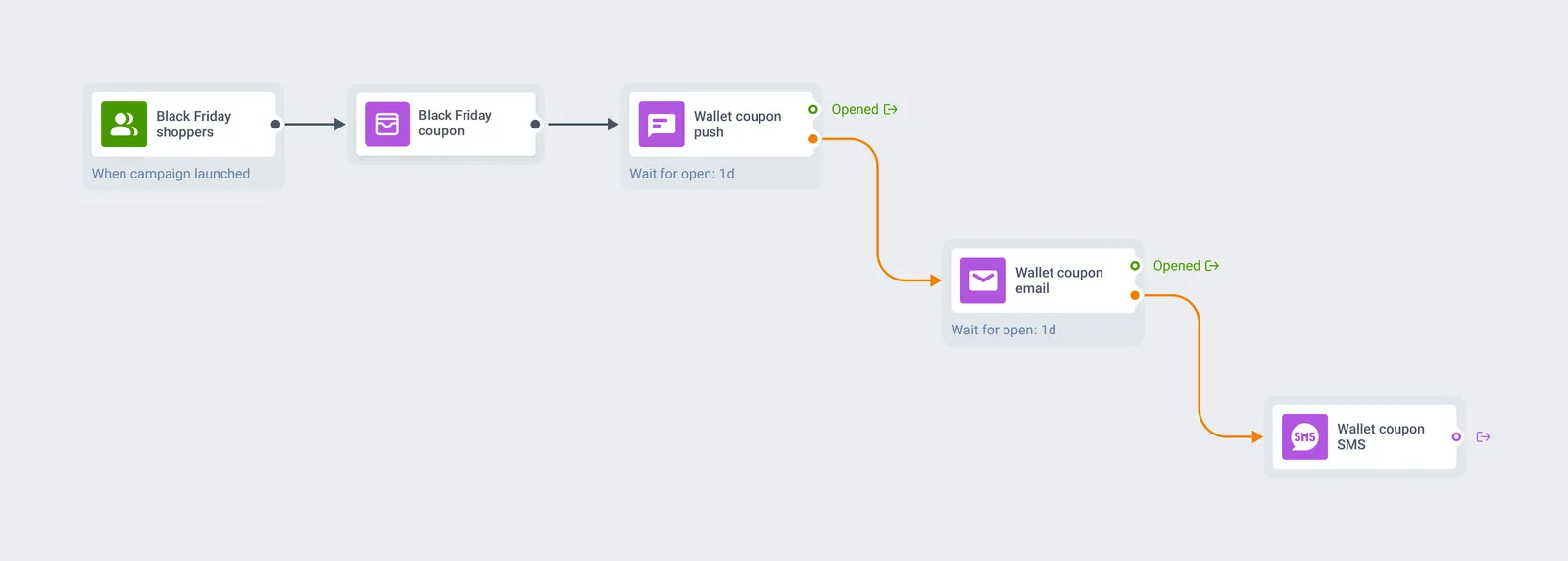
🛠️ How to do it: Find your most loyal customers with RFM segmentation. Then schedule an audience-based journey in Customer Journey Builder with a push and an email: “You’re on the list. Black Friday opens for you tomorrow at 8 a.m.”
Idea 2: Hand out coupons customers can’t lose
A promo code in an email gets buried the next day. A coupon in Apple Wallet or Google Wallet is saved with the customer’s cards and opens in 1 tap at the register.
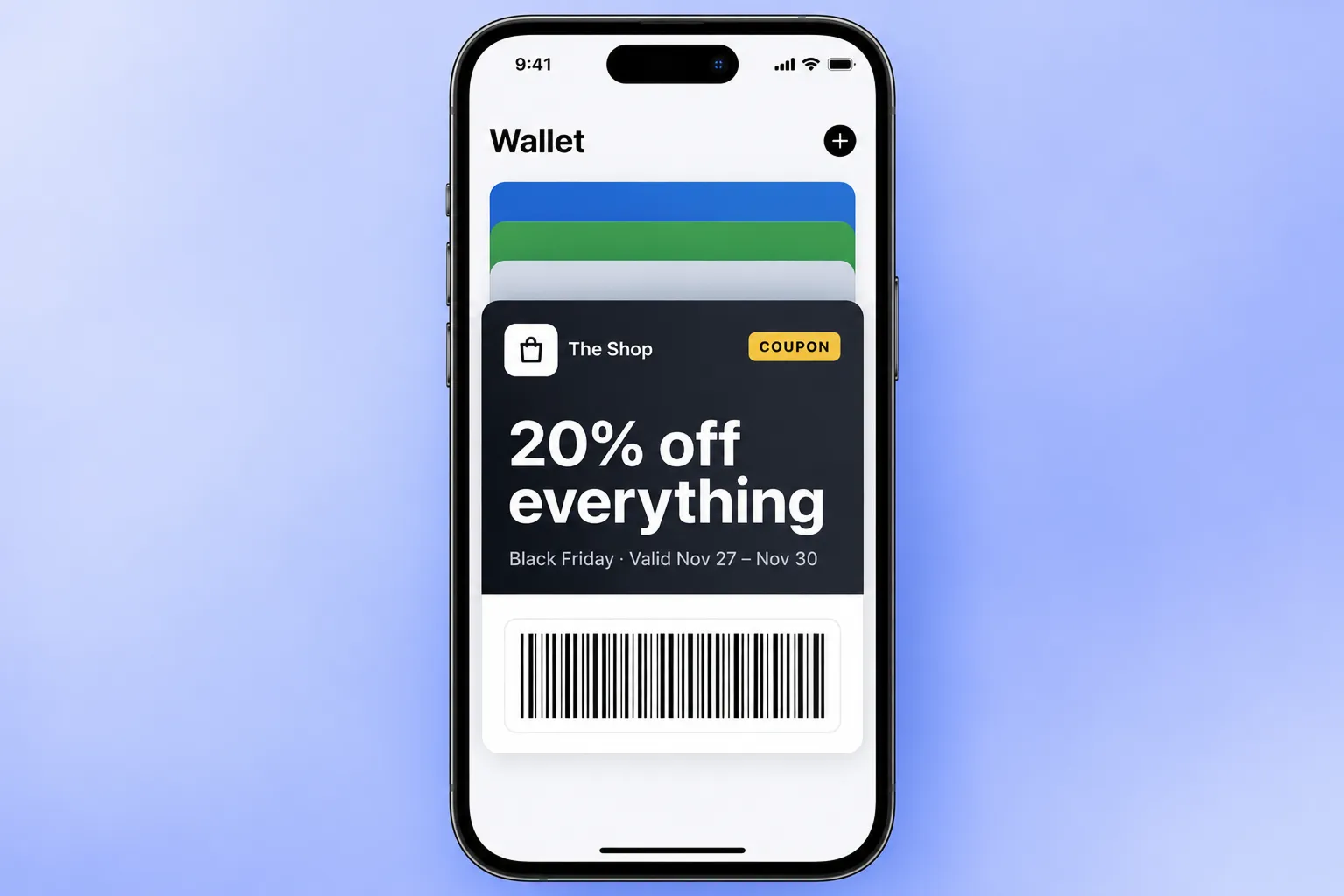
🛠️ How to do it: Issue a Black Friday coupon as a wallet pass right from a journey: the journey creates the pass, and the next push or email delivers the link to save it to Apple or Google Wallet.
Idea 3: Switch your app icon to Black Friday mode
On Black Friday, every brand fights for the same few seconds of attention, so small brand details start to matter. Your app icon is one of them: users see it every time they unlock the phone. A Black Friday version tells them the sale is on before they read a single message.
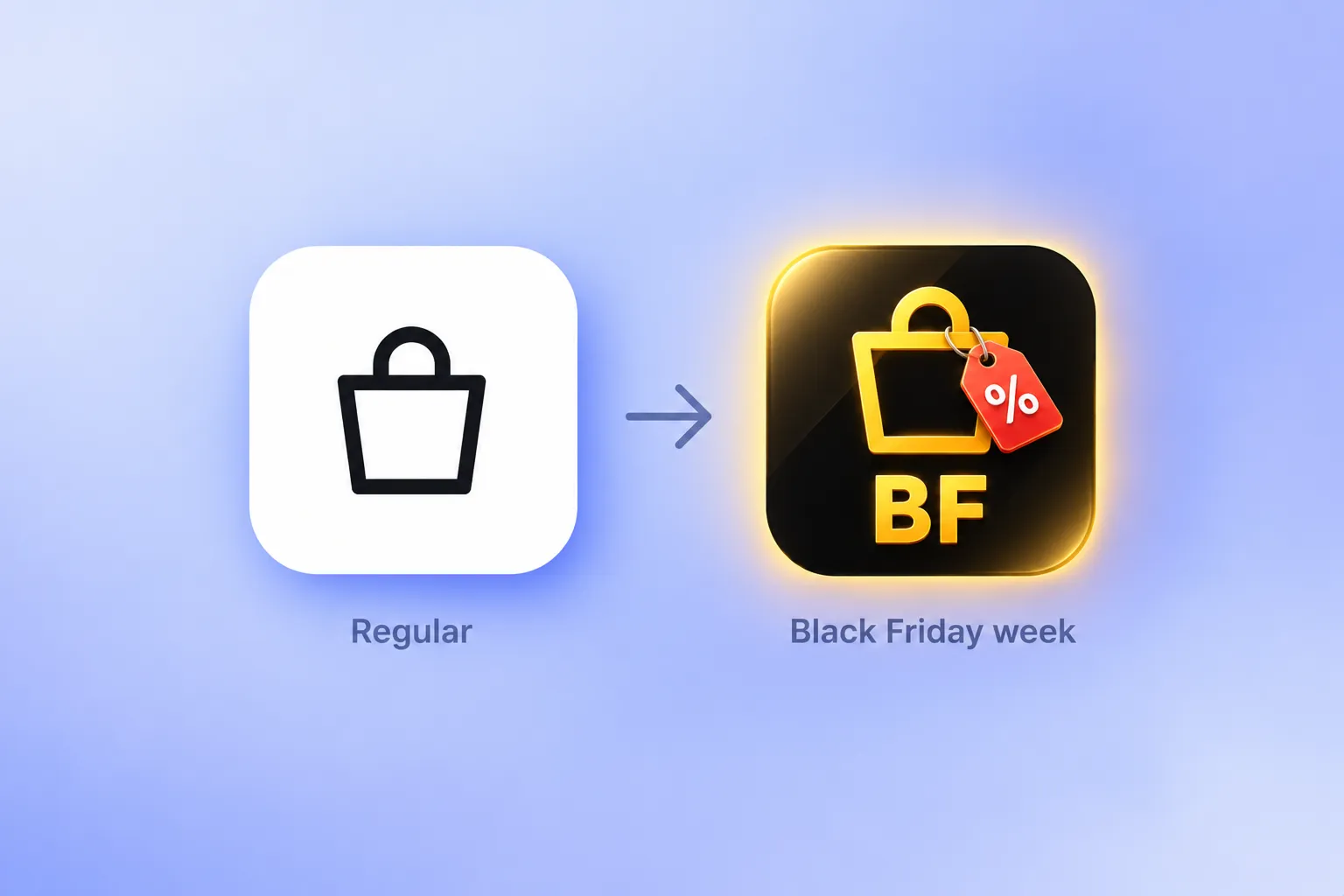
🛠️ How to do it: With an app icon change, you switch the icon remotely with a push carrying custom data.
🛒 On Black Friday: catch shoppers in the moment
On the day itself, every brand is sending. The ideas below win by showing up in the right place at the right time.
Idea 4: Ping shoppers when they walk past your store
A shopper 2 blocks from your store on Black Friday has already done half the work. Give them a reason to walk in.
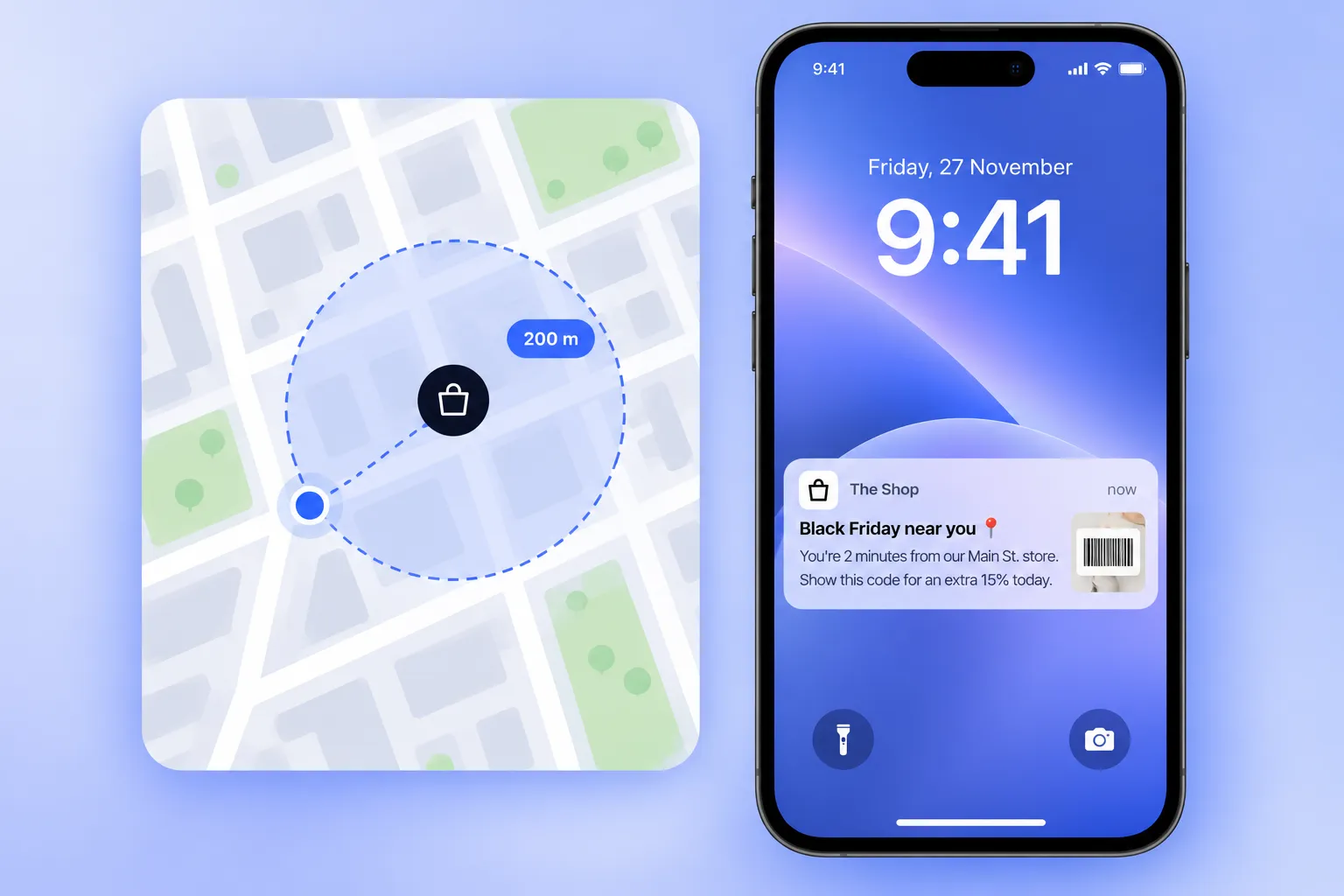
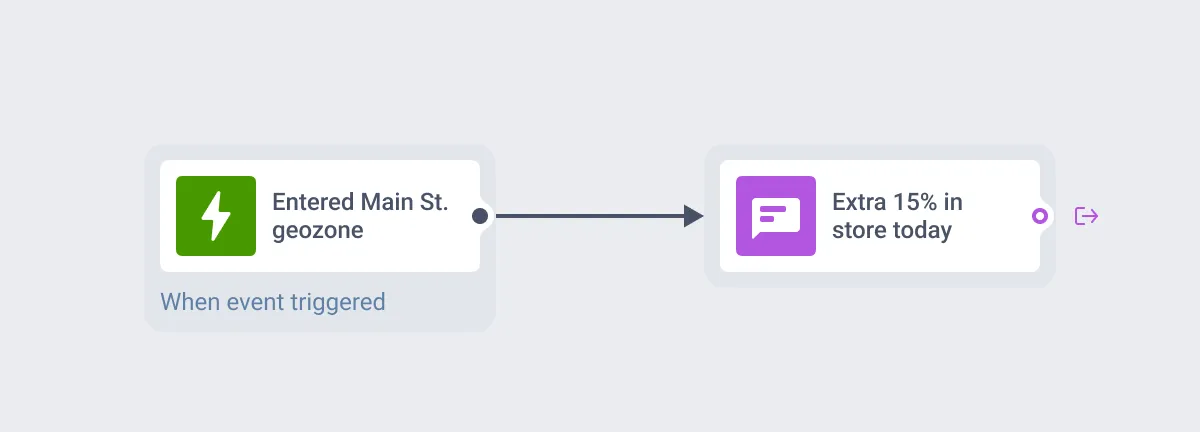
🛠️ How to do it: Draw geozones around your locations (the radius goes from 50 m to 100 km, 200 m by default) and start a journey when a user enters one: “You’re 2 minutes from our Main St. store. Show this code for an extra 15% today.”
Idea 5: Take over the app screen with a sale banner
In-app messages don’t need push permission, so they reach users who turned notifications off. On Black Friday, that’s often your most engaged audience: they open the app on their own.
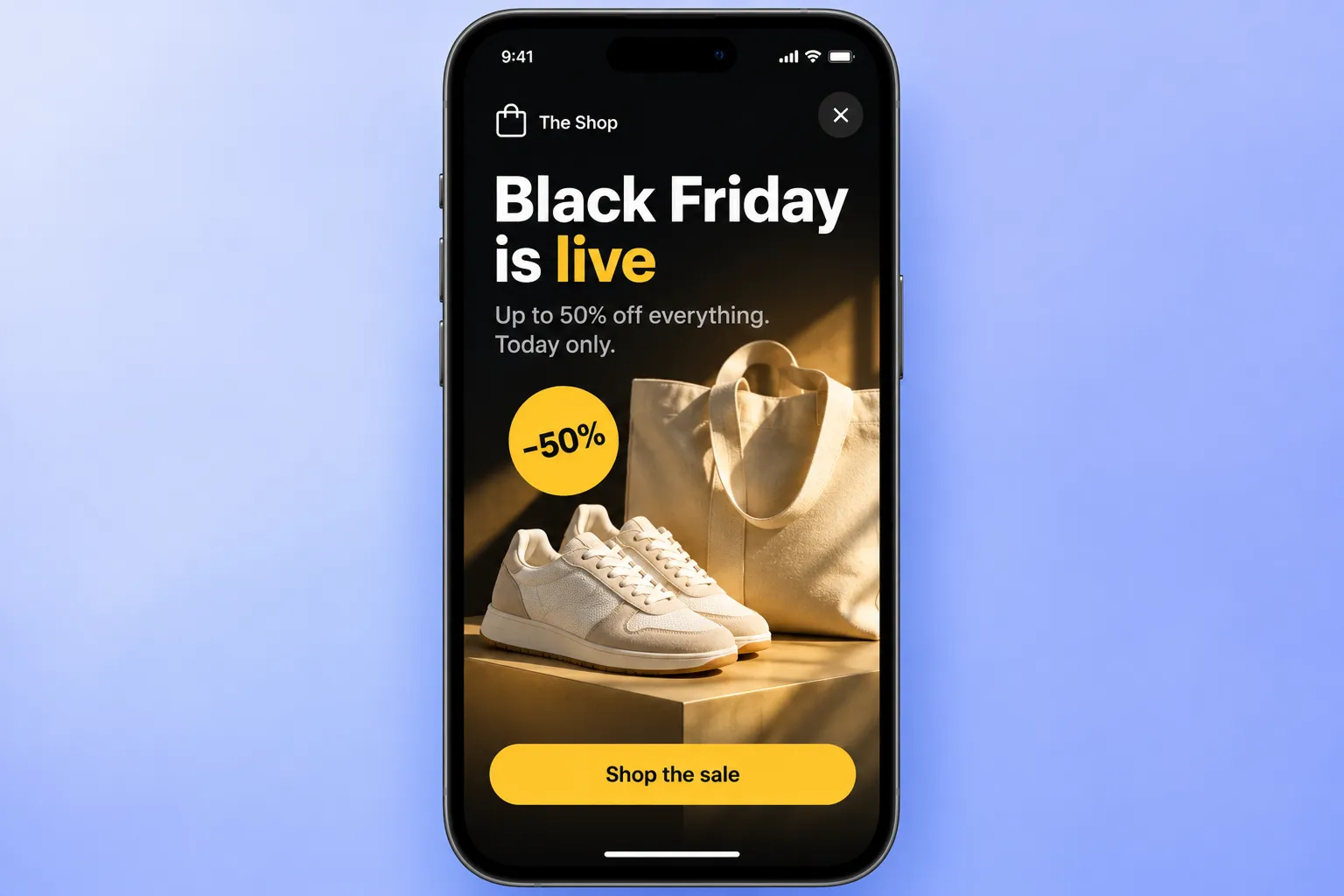
🛠️ How to do it: Show a fullscreen in-app message on the first app open of the day, or when a user lands on a specific screen like the home feed or a category page. 1 banner, 1 offer, 1 button to the sale.
Idea 6: Count down to the end of the deal
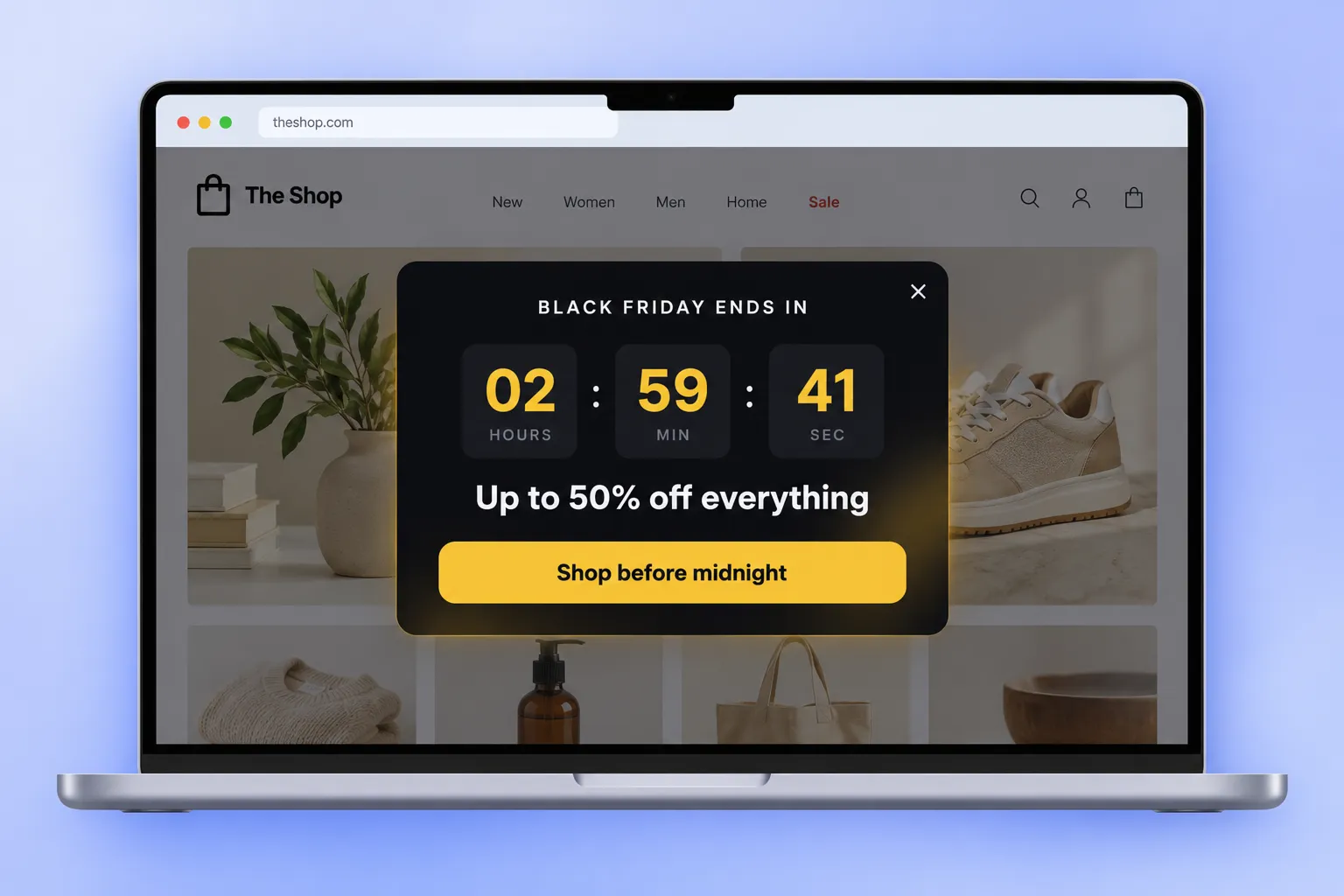
A ticking clock turns “maybe this weekend” into “in the next 3 hours.” It’s the cheapest urgency you can add.
🛠️ Here is how to do it:
- On your website: a web popup with a countdown block running to midnight.
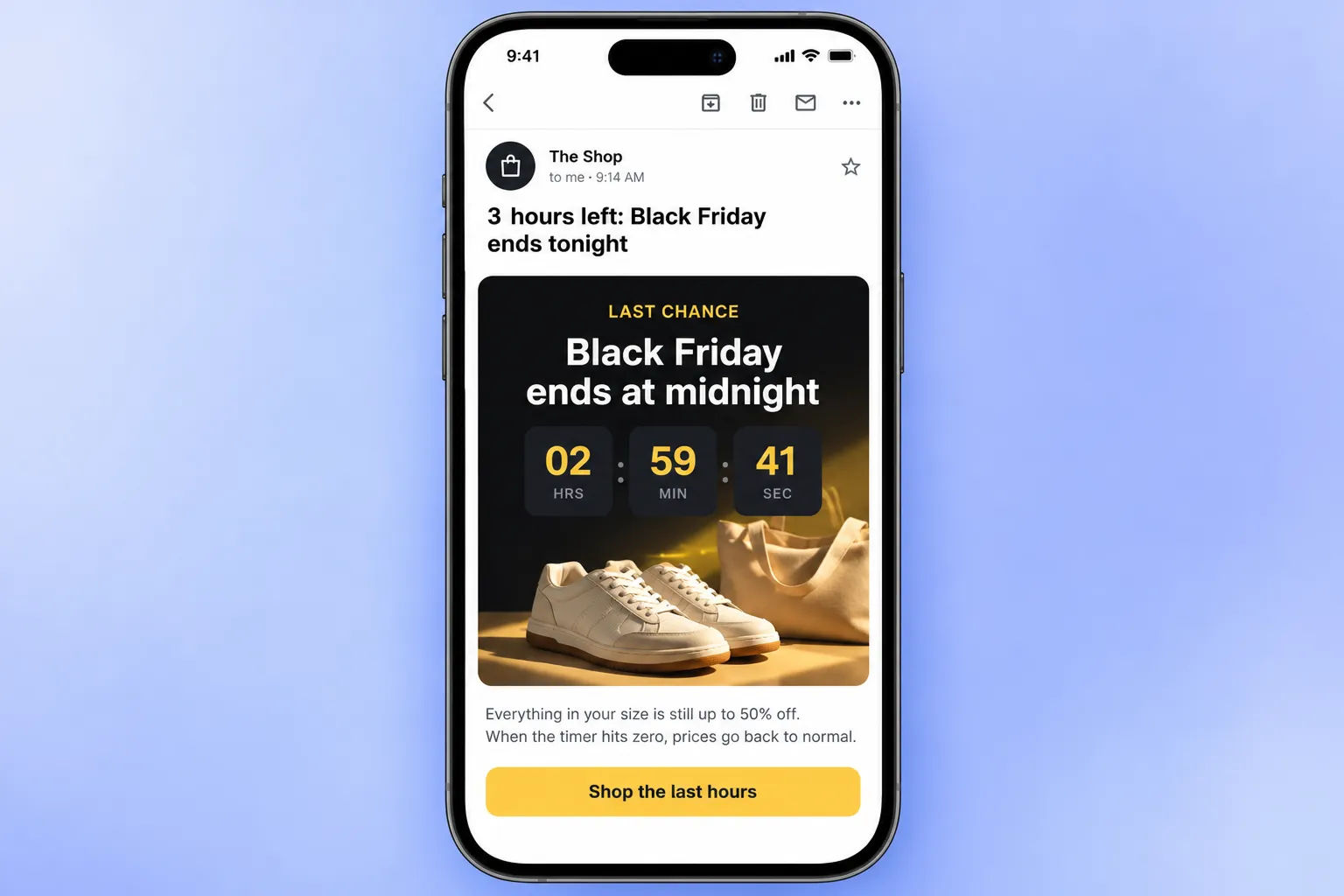
- In email: the same countdown block from the drag-and-drop email builder, so every Black Friday email shows the real deadline.
Idea 7: Issue one-time promo codes per shopper
A shared BLACKFRIDAY30 code hits coupon sites within hours. One-time codes don’t leak, and they show exactly which message drove which purchase.
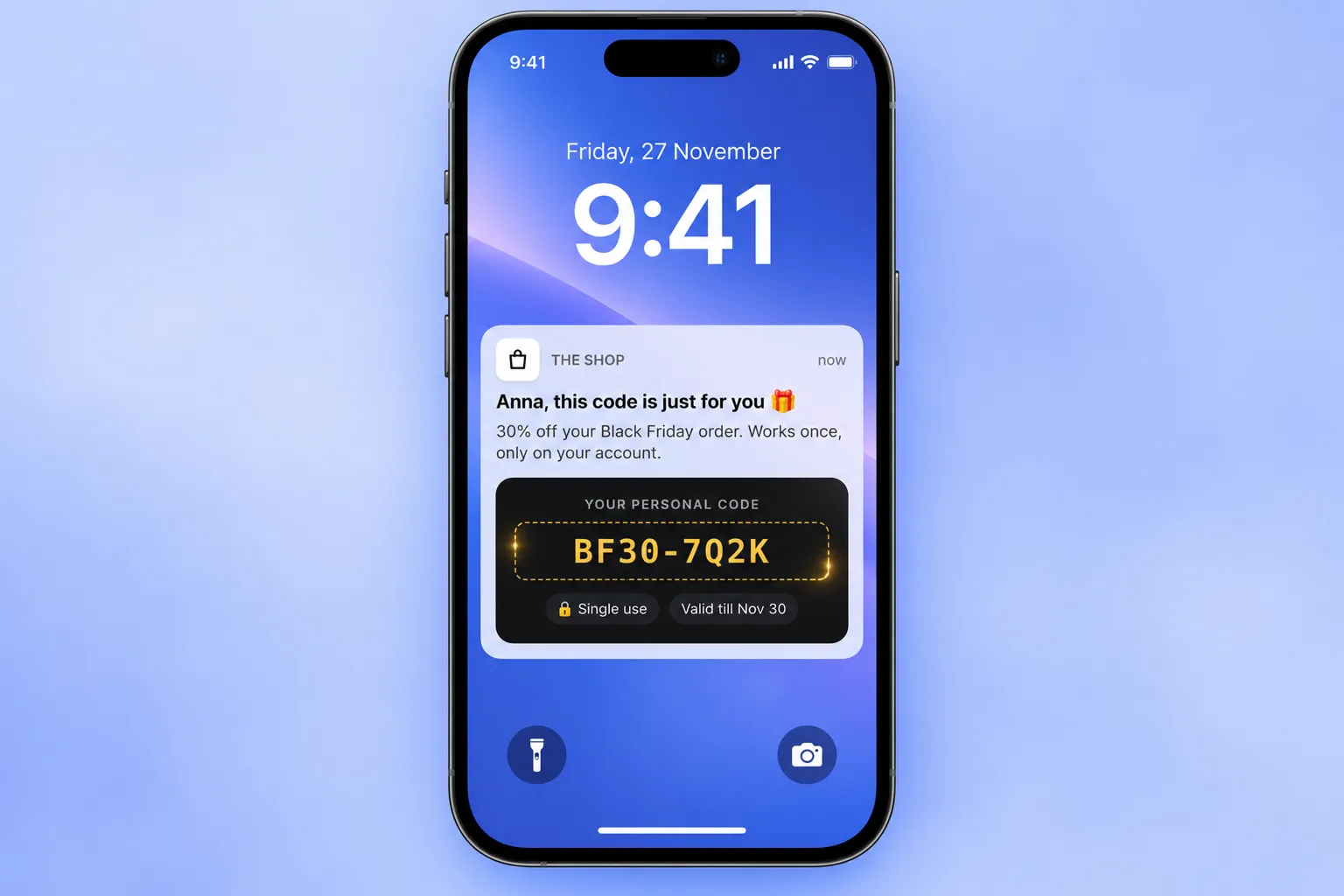
🛠️ How to do it: Upload your codes as a CSV to Vouchers to create a code pool. Then add the {{voucher}} placeholder to your message and pick the pool in the journey. Each recipient gets their own code by push, email, SMS, WhatsApp, or LINE. The smart coupons journey shows the whole flow.
Idea 8: Let users add to cart right from the push
Every extra tap between the push and the purchase loses buyers. Put the action in the notification.
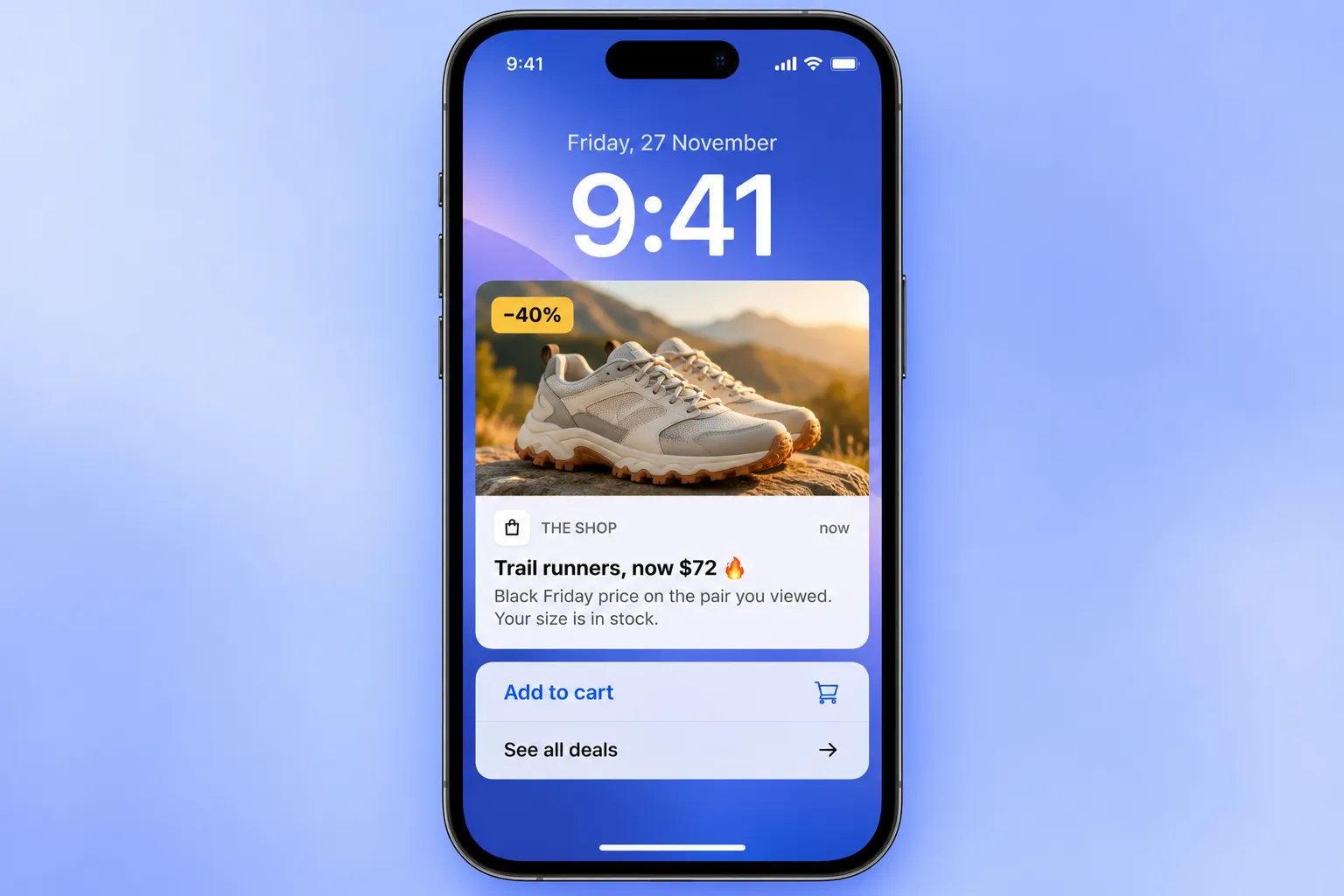
🛠️ How to do it: Send a rich push notification with a picture of the deal and action buttons: “Add to cart” and “See all deals.” Each button opens its own deep link, so “Add to cart” can land the user in a cart with the item already there.
Idea 9: Keep every deal in the app Inbox
On Black Friday, a push lives for seconds before the next brand’s notification buries it. The user who swiped your deal away at 9 a.m. has no way to find it at 10 p.m., when they’re finally ready to buy.
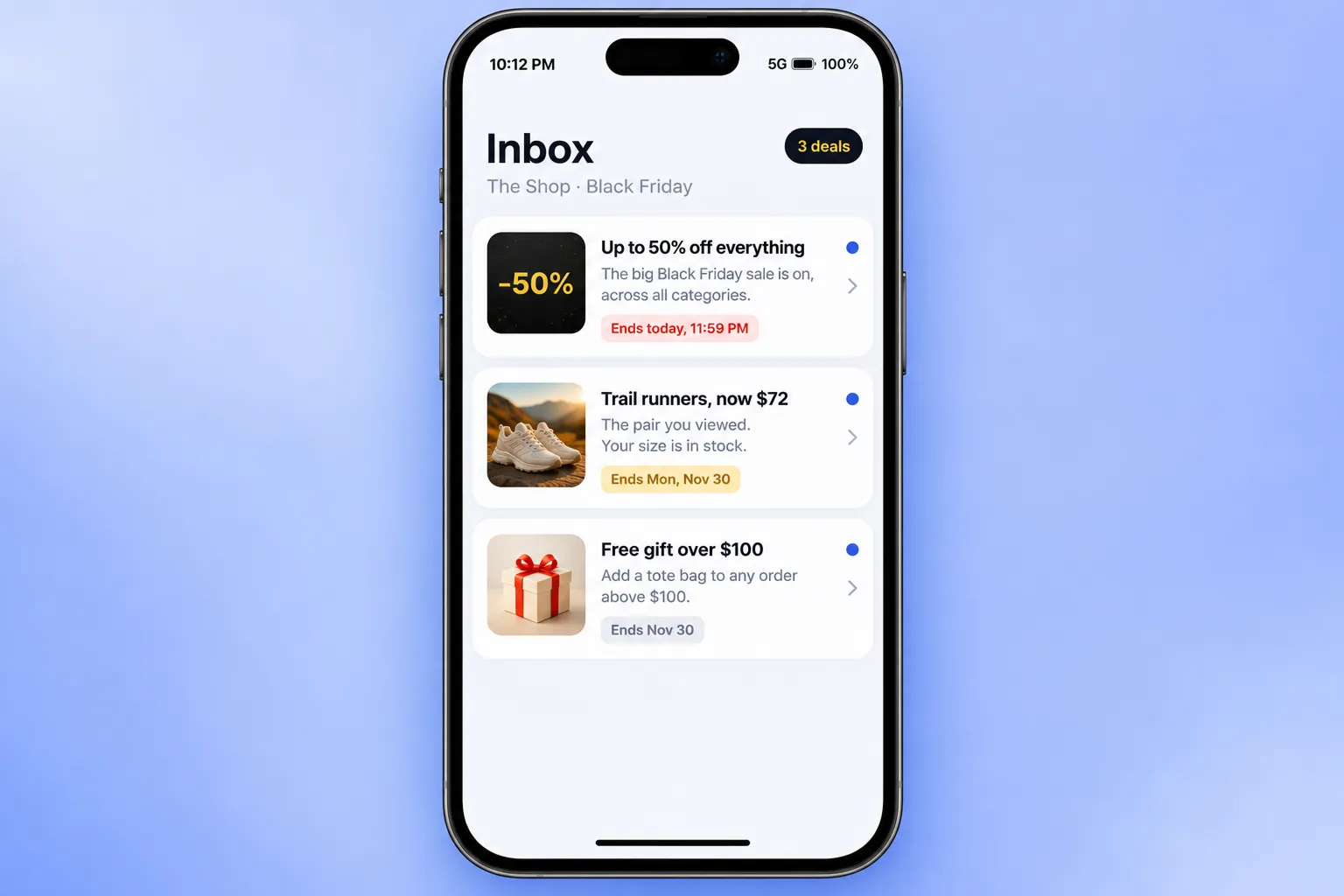
🛠️ How to do it: Send your deals to the Message inbox, which now works as a standalone channel alongside push, email, and SMS. In Customer Journey Builder, the message goes straight to the inbox and reaches web and mobile users.
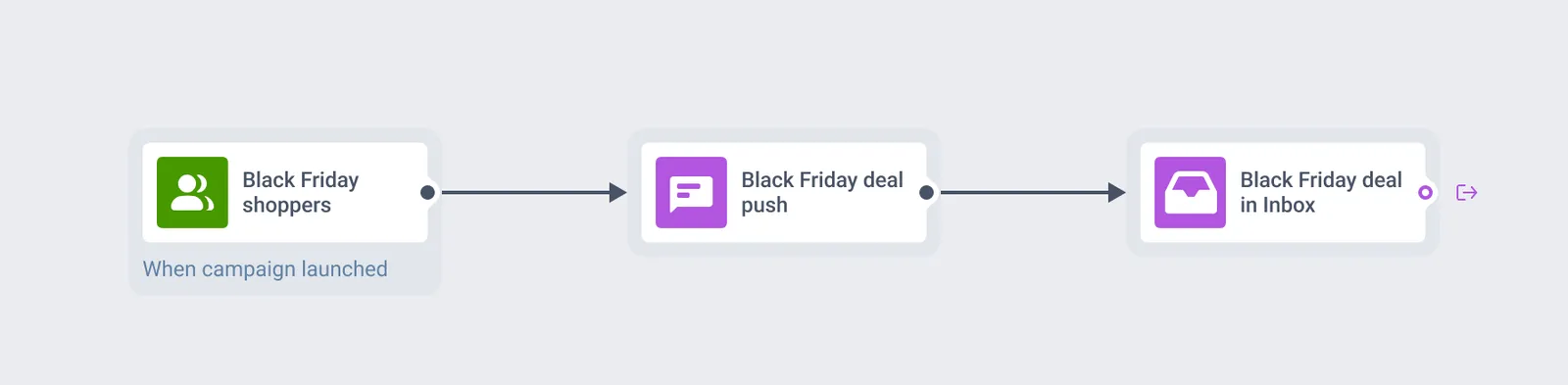
Each deal stays in the app until the expiry date you set, so late shoppers can scroll back and still find the offer.
Idea 10: Fall back to email or SMS when push won’t land
Not everyone has push on, and on Black Friday you can’t afford to miss them. Not everyone wants 6 promos before lunch either.
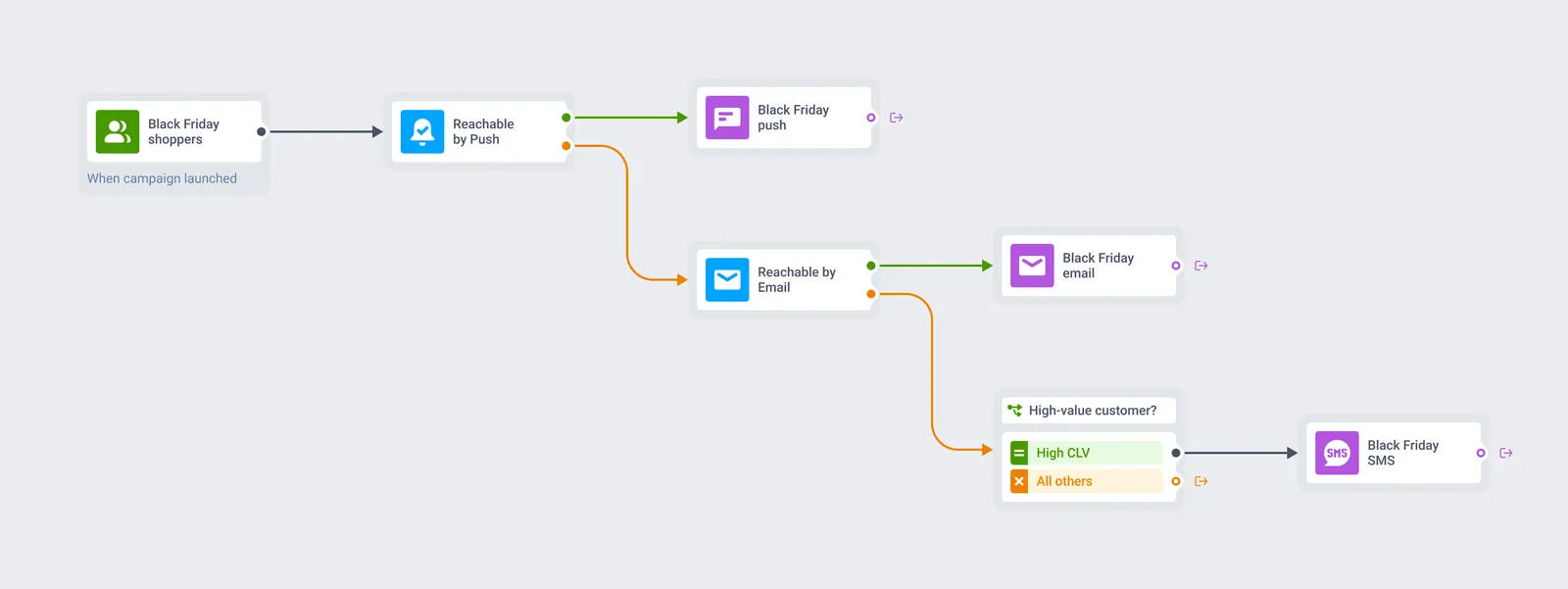
🛠️ How to do it: Add a Reachability check before each message: push first, email if push isn’t available, SMS only for high-value customers you can’t reach any other way.
💻 Cyber Monday and after: convert the late deciders
Some shoppers spend the whole weekend comparing prices and buy on Monday. Others leave carts behind. This part of the week is about closing those sales without discounting for people who would buy anyway.
Idea 11: Recover Black Friday carts with a deadline
A cart abandoned on Black Friday comes with a built-in deadline: the sale ends Monday night. Use it.
🛠️ Here is how to do it:
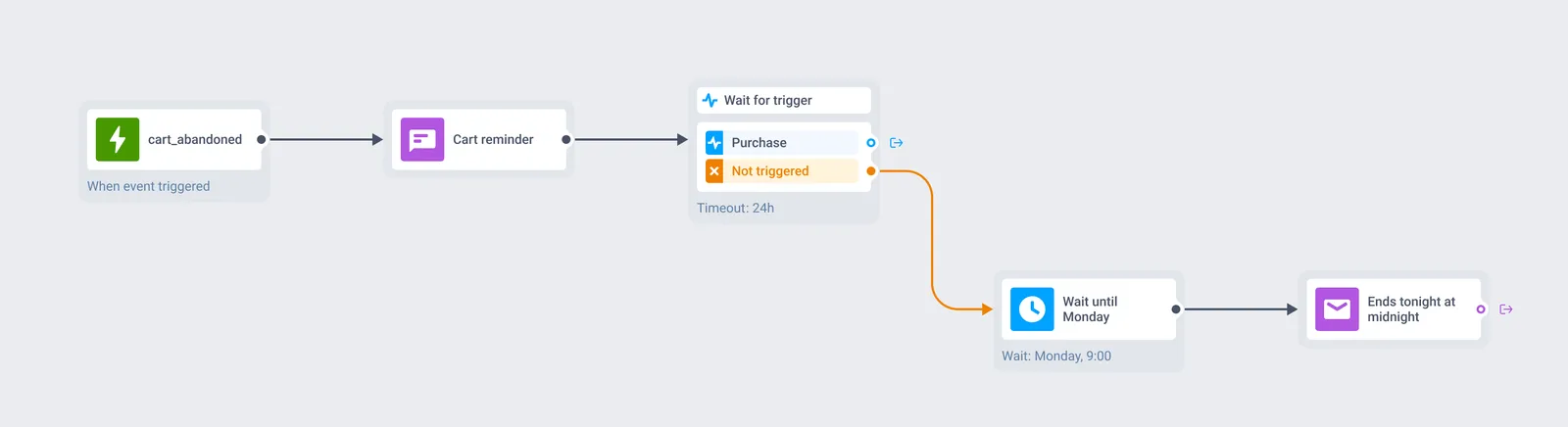
1. Start on the event. Set a trigger-based entry on cart_abandoned. Every shopper who leaves items behind enters the journey.
2. Send a reminder push. “Your cart is still here, and so is your Black Friday price.”
3. Wait for the purchase. Add Wait for trigger. If the user buys within 24 hours, they leave the journey. If not, they move to the next step.
4. Email on Monday morning. The cart, the price, and the deadline: “Ends tonight at midnight.”
Idea 12: Send picks based on what they browsed
Users who browsed but didn’t buy already told you what they want. Show them those items again, now at the Cyber Monday price.
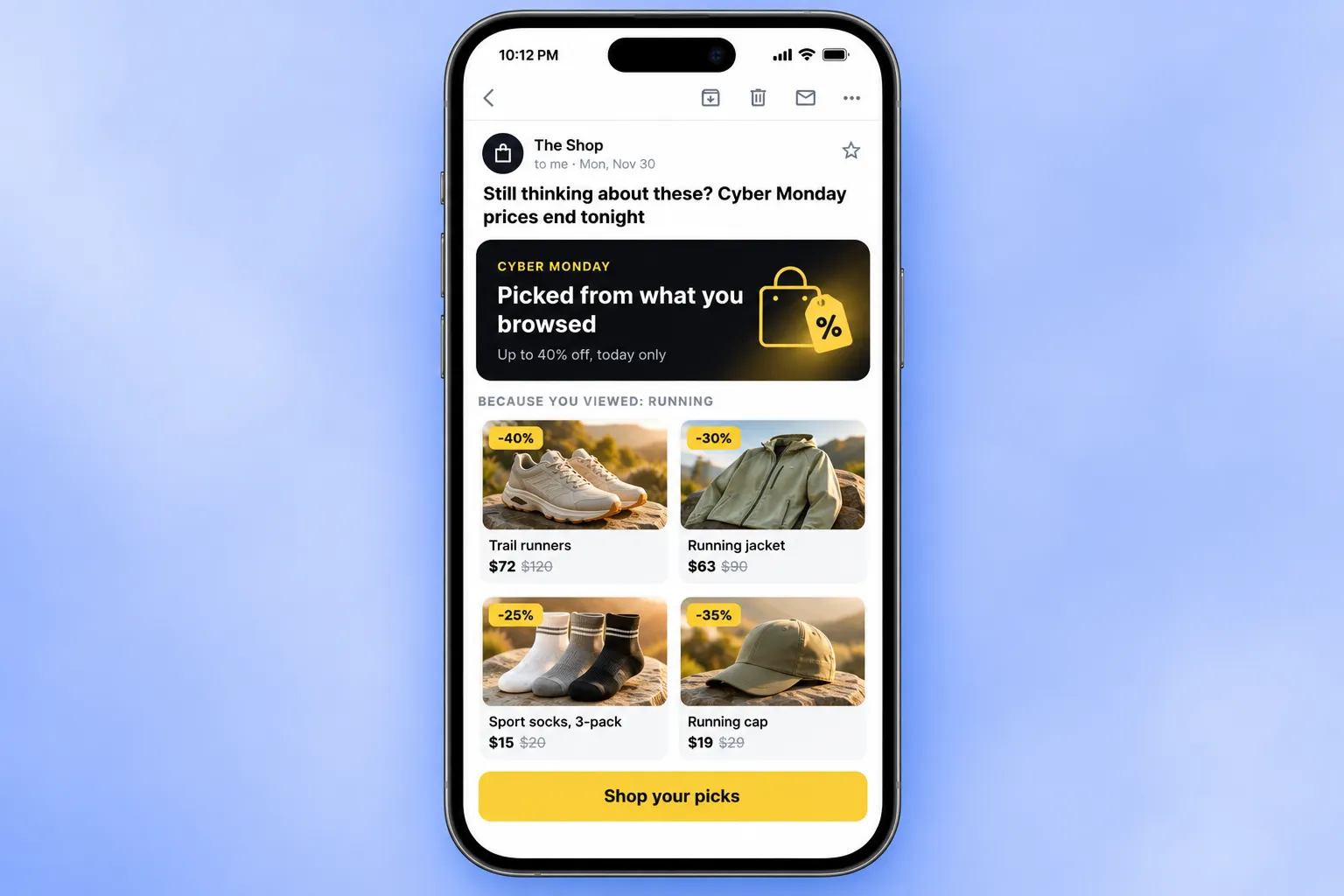
🛠️ How to do it: Connect your Product catalog and add a Products block to the email to fill it with items from the categories each user viewed.
🤑 Prove your Black Friday campaign actually worked
Every year, marketing teams scramble through Black Friday: extra pushes, extra emails, extra discounts.
Every chart goes up, so every campaign looks like a winner. Then January comes, and nobody can say which of it actually paid off, or how many of those buyers would have bought anyway.
This year, start measuring from day one.
Idea 13: Hold out a control group
In Pushwoosh, it takes 1 extra element in your journey to understand which buyers came because of your messages, and which would have bought anyway.
🛠️ How to do it: Add a Holdout Split right after the entry of your Black Friday journey and hold back 5–10% of shoppers. They leave the journey and get nothing from it, while everyone else gets your messages.
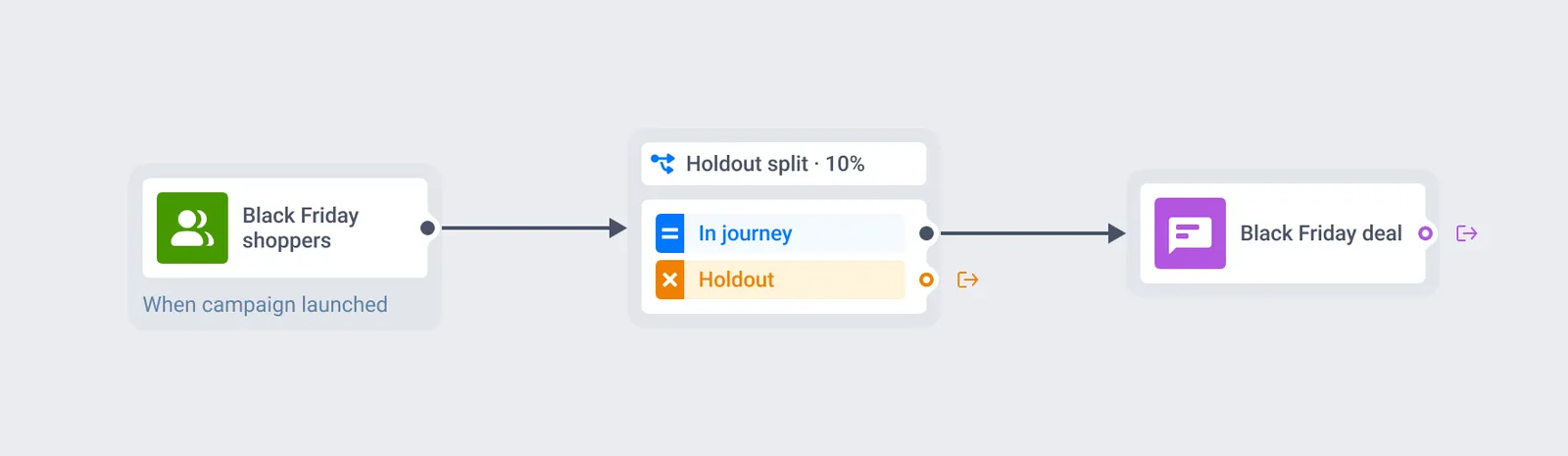
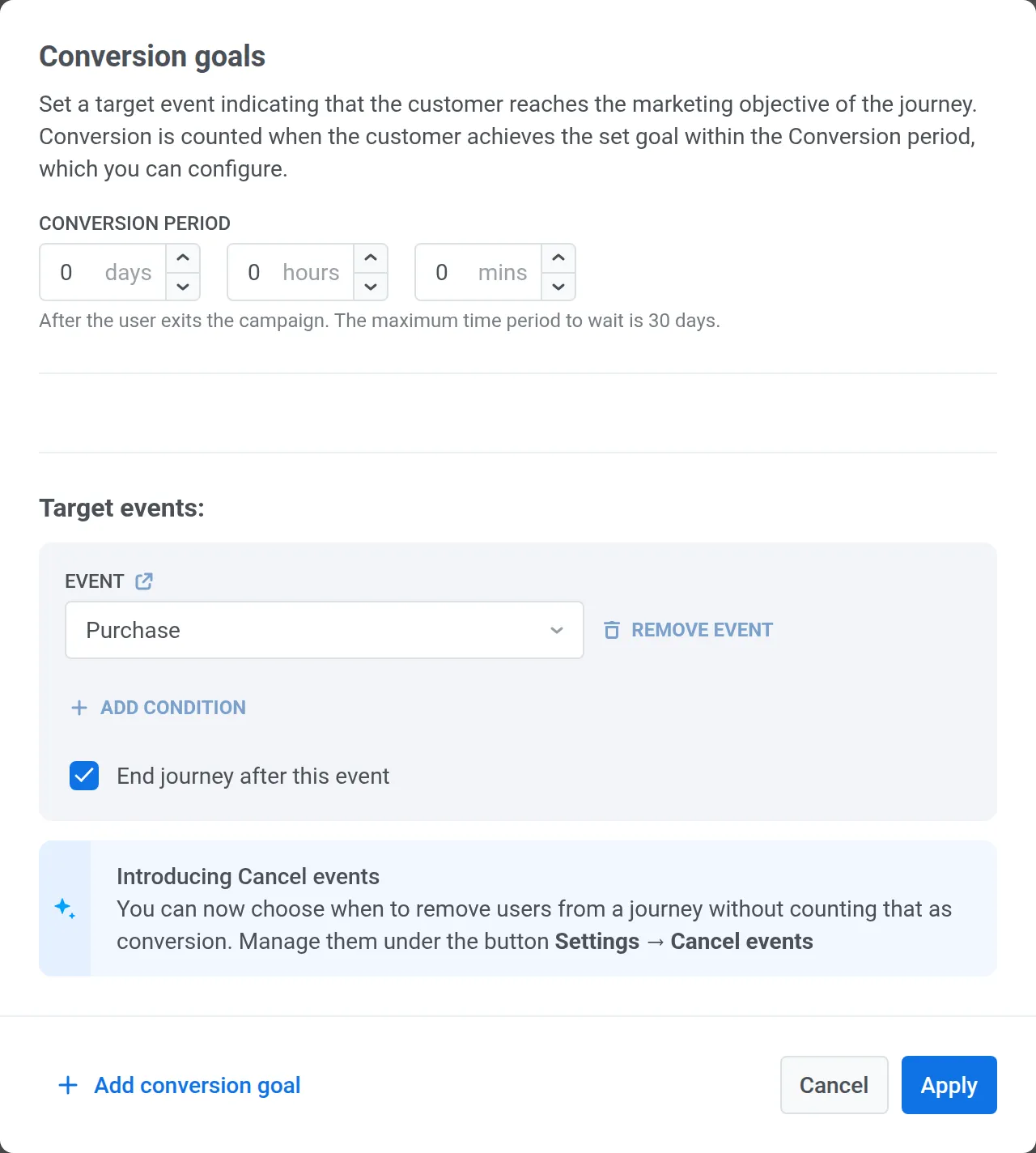
Set the purchase as the conversion goal, and the Goal uplift vs holdout report shows how the 2 groups compare, starting the day after launch.
Launch your Black Friday campaigns with Pushwoosh
Every idea above runs in 1 platform: segments, code pools, Wallet passes, geozones, in-app messages, the Inbox, and the control group that shows what worked.
Pick 2–3 ideas that fit your audience and build them in October. That leaves the week before the sale for testing.