Text-only push notifications still work — but they compete with everything else in the notification tray. Rich push notifications, the ones with images, GIFs, video, and action buttons, land differently. Industry benchmarks put CTR improvement from rich media at around 2-3x versus plain text.
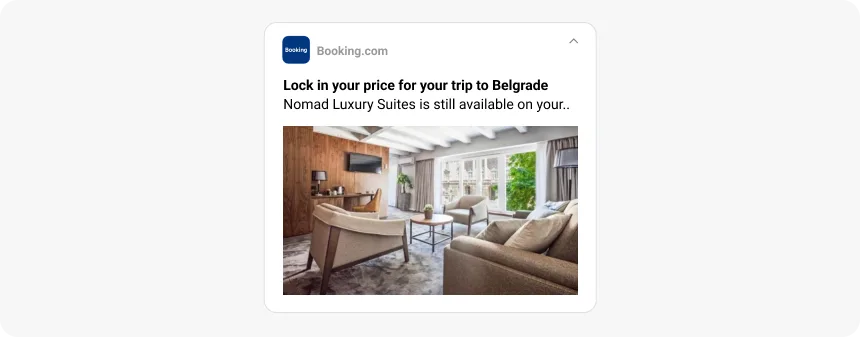
A product image in an abandoned cart reminder shows the user exactly what they left behind. A GIF in a flash sale creates movement in a static list. An action button lets users complete a purchase without opening the app.
This guide covers how rich push works across iOS, Android, and web, what makes it effective, how to segment and time campaigns, and where the common problems are — with examples from Pushwoosh.
What are rich push notifications?
Rich push notifications are mobile or web push alerts that include multimedia content — images, GIFs, video, or audio — alongside interactive elements like action buttons, carousels, or input fields. They communicate more information before the user decides whether to tap, which is the core reason they outperform text-only push.
The anatomy is consistent across platforms: a title, a message body, a rich media attachment, and usually one or two action buttons. What varies is how each platform renders and constrains these elements.
Types of rich push notifications
| Type | Best use case | Key advantage |
|---|---|---|
| Image | Product shots, sale banners, new arrivals | Instant visual context before the user taps |
| GIF | Feature demos, countdown timers, event teasers | Movement without the weight of a video file |
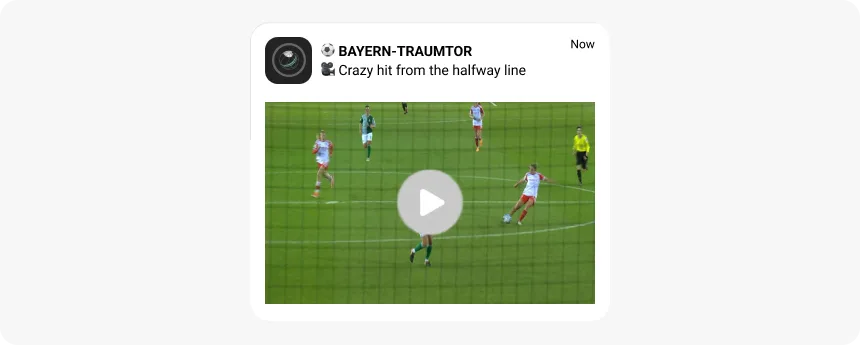
| Video | Product launches, tutorials, short promos | Highest engagement potential; works like a mini-ad |
| Interactive buttons | Cart recovery, surveys, quick actions | User acts without opening the app |
| Carousel | Product collections, multi-angle views, steps | Multiple offers in a single notification |
| Location-based | In-store offers, proximity-triggered promos | Highest contextual relevance possible |
Why rich push outperforms text-only
The performance gap comes down to information density and friction. Here’s what rich push adds that plain text can’t:
-
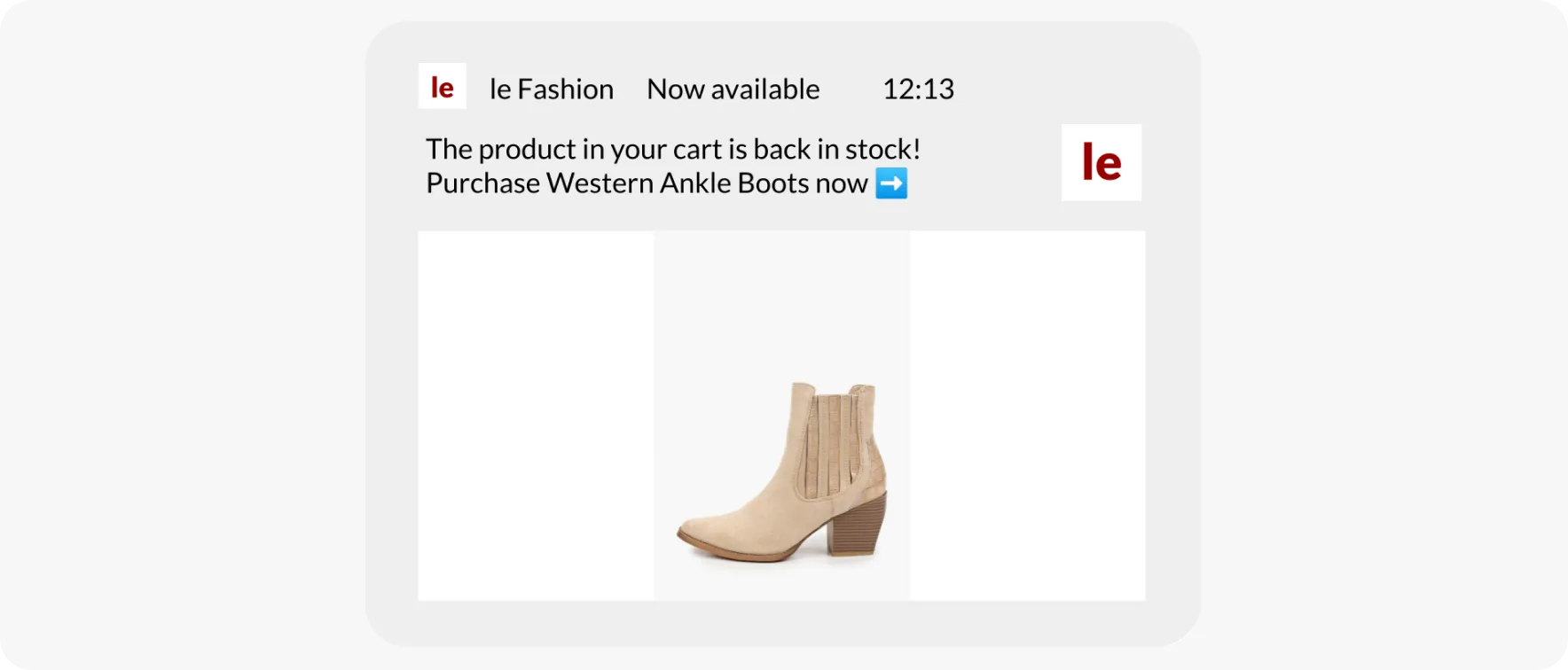
Visual context. A product image in an abandoned cart reminder shows exactly what the user left behind — no guesswork, no cognitive load.
-
Movement. A GIF in a flash sale alert stands out in a static notification list without requiring the user to open anything.
-
Fewer taps to action. Action buttons let users add to cart, claim a discount, or RSVP directly from the notification. Removing the app-load step eliminates the dropout that kills a significant share of click-throughs.
-
Higher CTR. Industry benchmarks put rich media improvement at 2-3x versus plain text — driven by all three factors above.
The user who would have tapped, gotten distracted during app load, and moved on instead completes the action immediately.
How rich push notifications work: from creation to device
The flow from campaign creation to rendered notification involves a few moving parts — especially on iOS where rendering requires an in-app extension.
Campaign creation and delivery
In Pushwoosh, you write the notification copy, upload or link the rich media, configure action buttons with deep links, define the target segment, and set the trigger or schedule. The platform formats the payload for each target platform and sends it to the appropriate delivery service: APNs for iOS, FCM for Android, or the browser push API for web.
iOS: how rich media gets displayed
iOS doesn’t automatically display media from the notification payload. Your app needs a Notification Service Extension — a small background process that intercepts the payload before display, downloads the media from the URL in the payload, and attaches it to the notification. Without the extension, only text shows.
This is a one-time setup for developers. Once the extension is in place, rich media works for all campaigns without additional code changes. See the full breakdown in our guide to iOS push notifications.
Android: native rich media rendering
Android renders rich media natively in the notification shade. No extension required. The OS handles expandable views, larger image display, and interactive buttons directly — giving Android more flexibility for custom layouts and inline actions. More detail in our guide to Android push notifications.
Web push
Web push supports a banner image and action buttons, but has more constraints than native mobile. Display behavior varies by browser — Chrome and Edge support larger images; Safari has historically been more limited. The Service Worker in the browser handles background delivery.
iOS vs. Android vs. web: platform differences that affect campaigns
Designing a rich push campaign without accounting for platform differences means your notification may look great on Android and display as plain text on iOS, or vice versa.
| Parameter | iOS | Android | Web push |
|---|---|---|---|
| Supported media | Images, GIFs, video, audio | Images, GIFs, video | Large images, icons |
| Action buttons | Up to 2-4 (varies by iOS version) | Up to 3 | Up to 2 |
| Customization | Notification Service Extension required for rich media | Expandable views, customizable layouts natively | Limited: image, icon, text |
| Rich media handling | Service Extension fetches media before display | FCM handles payload; media rendered by OS | Service Worker handles background processing |
| User control | Focus modes, per-app notification settings | Notification channels, per-channel sound/vibration | Browser-level permissions, site settings |
| Payload size | Max 4 KB (media fetched separately) | Max 4 KB (media fetched separately) | Max 4 KB (media fetched separately) |
iOS considerations
The Notification Service Extension requirement is the main technical constraint. Rich media doesn’t display on iOS without it. If your app doesn’t have the extension configured, users get text-only notifications regardless of what you send from the platform.
Focus Modes (iOS 15+) let users restrict which apps can notify them during specific periods. This affects reachability during evening and morning windows that often have high engagement. Respect timing preferences and use analytics to identify when your specific audience responds.
Android considerations
Notification channels are the main operational consideration. Android 8.0+ users can mute individual notification channels from your app. If your promotional channel is muted, no rich push will display regardless of campaign quality. Keep promotional and transactional channels separate from launch.
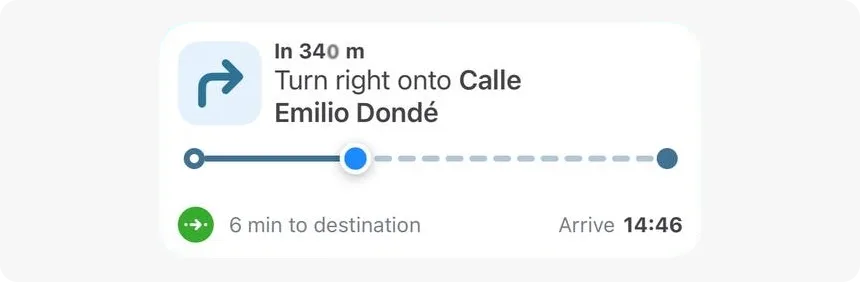
Android’s expandable notification behavior means users see a compressed view first, then expand to reveal the full image or additional buttons. Design for both states: the compressed view needs to work as a standalone message.
Web push considerations
Web push rich media is more constrained than mobile. The banner image is the main visual element; video and GIF support is browser-dependent. For teams running web and mobile push simultaneously, web push works better as a fallback or supplement than as the primary rich media channel.
Best practices for high-converting rich push campaigns
Rich media: what works and what doesn’t
The image or GIF needs to add information the copy doesn’t already contain. A product photo in a cart recovery push shows the user what they left behind — that’s useful. A generic sale banner in the same push adds nothing the headline didn’t already say.
File size guidelines:
-
Images: JPEG or PNG, under 1 MB. Larger files load slowly on mobile connections and some don’t load at all.
-
GIFs: Under 5 MB. Keep them short — 2-3 second loops work better than long animations that take time to start.
-
Video: MP4, under 50 MB for the attachment. Short clips of 10-15 seconds work best for notifications.
Test media rendering on real devices before sending to a large segment. Emulator previews often don’t reflect actual rendering accurately, especially for GIFs on older Android versions.
Copy
The title should state the benefit or the news. ‘Your wishlisted jacket is 20% off’ outperforms ‘Special offer inside’. The user should understand what’s happening before they decide to tap.
The message body adds the detail the title can’t fit: the deadline, the specific product name, the discount code. Keep it under 100 characters — on iOS, longer copy gets truncated on the lock screen.
Urgency language works when the deadline is real. ‘Flash sale ends at midnight’ creates pressure. ‘Limited time offer’ without a specific end time doesn’t. Test both and look at CTR.
Action buttons
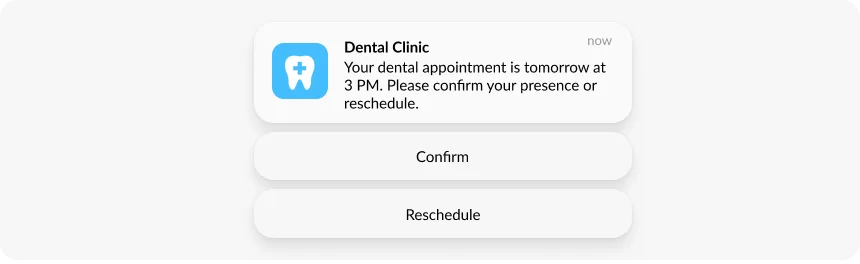
Action buttons are where friction reduction actually happens. Two rules:
-
Use active verbs: ‘Complete purchase’, ‘Claim offer’, ‘Watch now’, ‘View deal’. Not ‘OK’, ‘More’, or ‘Click here’.
-
Deep link to the right screen: The button for ‘Complete purchase’ should open directly to the cart. ‘View deal’ should land on the specific product page. A landing on the homepage loses most of the conversion.
On iOS you can add up to 4 buttons depending on the version; on Android up to 3. Two well-labeled buttons covering the primary action and a secondary option (buy now vs. save for later) work better than four vague ones.
Personalization and segmentation
The segment determines how relevant the rich media is. A product image of the exact item the user viewed is more effective than a category banner. A personalized discount code tied to their CLV tier is more effective than a flat-rate offer sent to everyone.
In Pushwoosh, Tags and Events let you build segments based on behavior: viewed product without purchase, added to cart without checkout, read articles in a category, not opened app in 7 days. Dynamic content fields pull user-specific data into the notification: product name, item image URL, loyalty points balance.
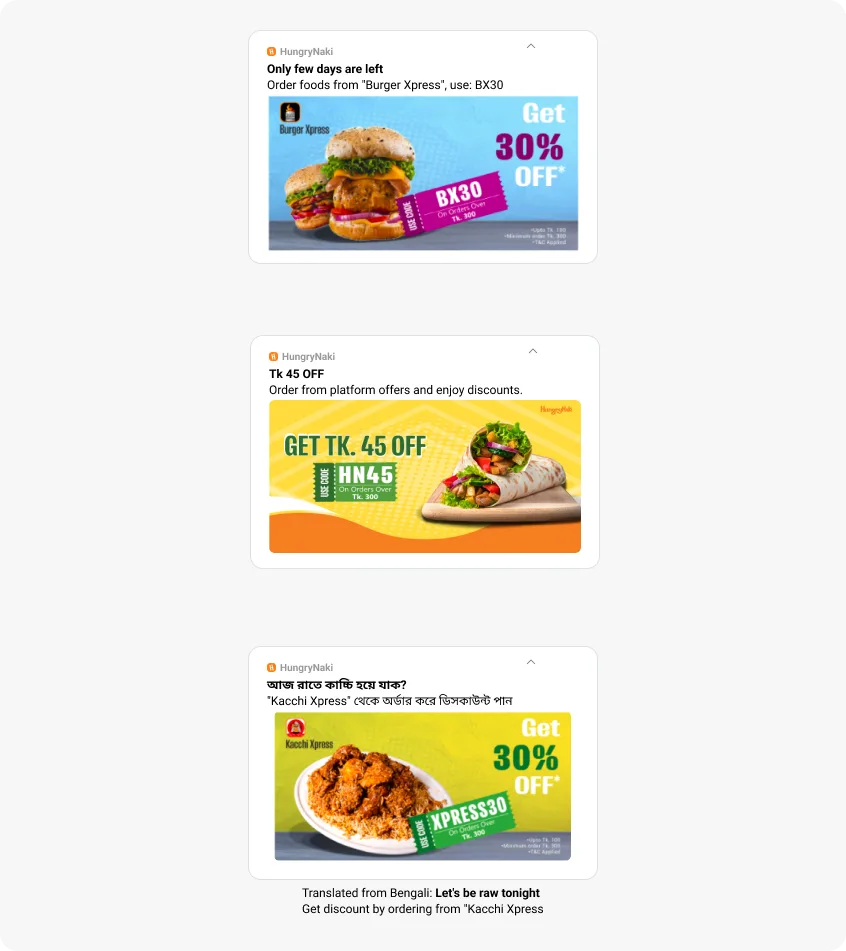
RFM segmentation handles the lifecycle dimension: champions get early access and exclusivity framing; at-risk users get recovery offers tied to their last known interest; new users get first-purchase incentives. Same rich push infrastructure, different message logic per segment.
Timing and frequency
Optimal send time varies by app type and audience. E-commerce peaks at lunch and evenings; news apps see morning engagement; gaming apps respond in the evening. Run A/B tests on send time using similar segments and check CTR by hour in analytics before committing to a schedule.
Frequency capping is necessary for promotional rich push specifically. Users who opted in for shipping updates have different tolerance for promotional messages than users who opted in for deal alerts. Keep separate notification channels and separate frequency rules per channel.
Pushwoosh’s AI-based send time optimization predicts the best delivery window per user from their historical patterns — removing the guesswork from scheduling for international audiences across time zones.
A/B testing
Test one variable at a time: image vs. GIF, product image vs. sale banner, headline copy variant, action button text, send time. Pushwoosh distributes variants automatically, picks the winner on CTR or conversion, and applies it to the remaining audience.
Set minimum sample sizes before running tests. Under 500 users per variant is usually too small to produce a reliable signal. Check statistical significance before calling a winner.
Use cases by industry
E-commerce: abandoned cart recovery
The most reliable rich push use case. A notification 30 minutes after cart abandonment showing the product image with ‘Complete purchase’ and ‘Save for later’ buttons consistently outperforms text-only reminders.
The image is what makes it work. Users who abandon carts often do so because they got distracted, not because they decided against the purchase. Seeing the product again removes the ‘what was I looking at?’ friction.
The numbers back this up. SuperJeweler ran abandoned cart push notifications and hit a 14.68% CTR with an 8% conversion rate — translating to an 8.2% overall revenue lift. Samsung saw cart recovery rates climb 24% after adding web push to its recovery flow.
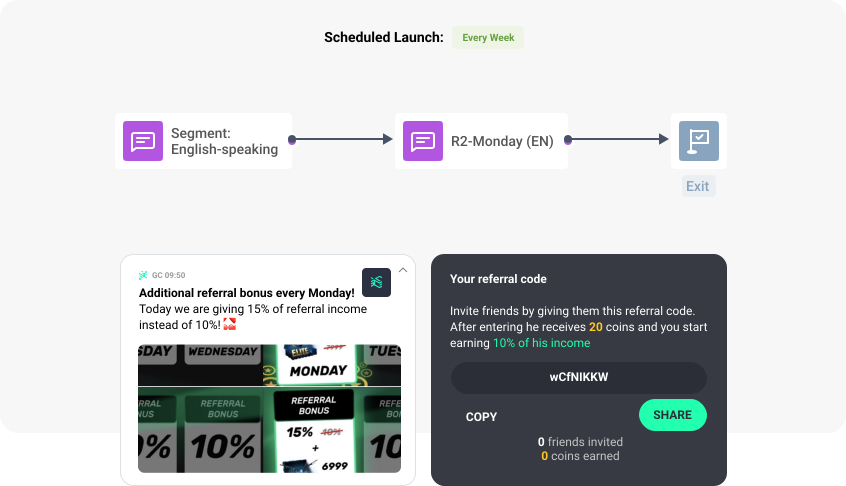
Pushwoosh’s Customer Journey Builder automates the sequence with trigger-based entry on cart abandonment events, dynamic product image insertion from the event payload, and purchase-event exits so converting users don’t receive follow-up messages.
E-commerce: flash sales and new arrivals
Flash sales need to reach the right audience before the window closes. Sending to a broad segment produces lower conversion than sending to users who browsed the relevant category recently. RFM-based targeting of frequent buyers with exclusivity framing — ‘Early access’ or ‘First to know’ — performs better than a sitewide blast.
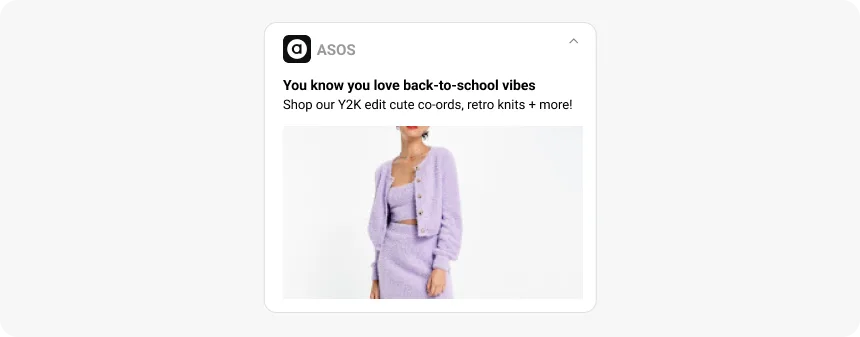
For new arrivals, behavioral segmentation identifies users who browsed a category in the last 7-14 days but didn’t purchase. A notification with a product image from that category lands with more relevance than a general ‘new items are here’ push.
Media and publishing: breaking news and content recommendations
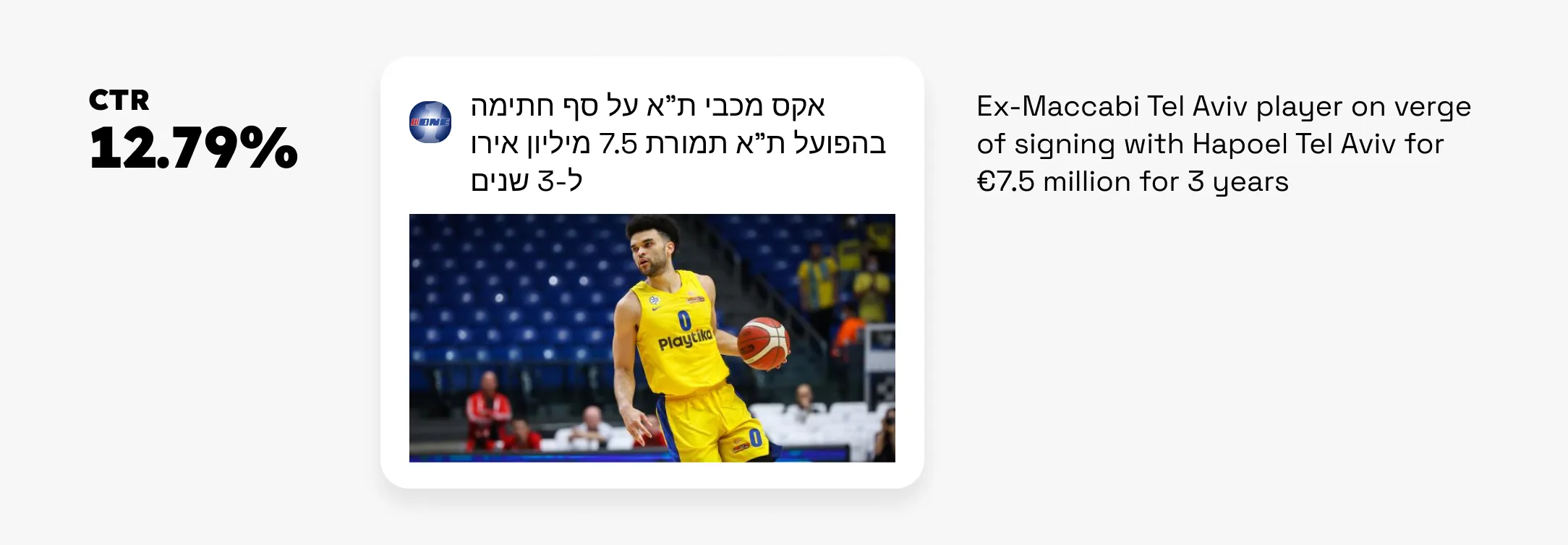
Breaking news alerts with a relevant photo drive higher tap rates than text-only headlines. The image adds credibility and visual context to the story before the user decides to open it. Sports media app ONE hit a 12.79% CTR on rich media news pushes — well above the text-only baseline for news apps.
Personalized content recommendations work through behavioral segmentation: identify users who read multiple articles in a specific topic category, then push new content from that category as it publishes. The personalization only lands if the content actually matches the user’s reading history — the segmentation needs to be precise.
Gaming: re-engagement and feature announcements
GIFs work particularly well for gaming notifications. A short animation of a new character, level, or in-game event communicates excitement faster than copy can. Users who have been inactive for 7 days respond better to a visual incentive — in-game currency, exclusive item — than to a text message about what they’re missing.
Event-based triggers send the notification when a user-specific milestone completes or new content becomes available. Pushwoosh’s Journey Builder handles the trigger logic and RFM segmentation identifies which inactive users are worth the rich push investment.
Analytics and troubleshooting
Metrics to track
-
CTR. Primary signal for creative effectiveness. Rich push benchmarks sit at 5-15% depending on industry and segmentation. Below 5% suggests an issue with media relevance, copy, or targeting.
-
Conversion rate. Percentage of clickers who completed the target action. This is what CTR is in service of.
-
Opt-out rate. A spike after a rich push campaign indicates frequency or relevance problems, not necessarily a creative problem.
-
Delivery rate. Low delivery points to token issues or, on iOS, missing Notification Service Extension configuration.
Pushwoosh Analytics gives real-time visibility into all four metrics segmented by campaign, audience, and media type.
Common issues and fixes
-
Media not loading. Check file size and format first. JPEG, PNG, MP4, GIF are safe. Files over 4 MB fail on slow connections. On iOS, verify the Notification Service Extension is correctly implemented and the media URL is publicly accessible.
-
Action buttons not working. Check that deep link URLs are correct and that the app handles the URL scheme. Test on a physical device, not just an emulator.
-
Low CTR despite good delivery. Run an A/B test on the media. If a text-only variant performs similarly to the rich version, the image isn’t adding value — change the visual. Check whether the notification channel for this campaign type is muted on Android.
-
iOS showing text only. The Notification Service Extension is either missing or not fetching media correctly. Check the implementation and that the media URL in the payload is reachable from the device.
Improve campaign conversion with Pushwoosh rich push
Rich push notifications outperform text-only push when the media is relevant and the action path is clear. The platform difference between iOS and Android affects how you configure delivery. The segment determines whether the image a user sees actually connects to something they care about.
Pushwoosh handles rich media delivery across iOS, Android, and web — including Notification Service Extension support for iOS — alongside RFM and behavioral segmentation, Customer Journey Builder for automated triggered campaigns, A/B testing, and real-time analytics.