Winning a new customer costs roughly five times more than keeping one you already have. For a small business, that gap is the whole game. A loyalty card is the cheapest tool you have to close it, and the paper punch card in your drawer is quietly leaking value every time it gets lost or forgotten.
Digital loyalty cards fix that. They live in the phone your customer already carries, update on their own, and give you a direct line back to people who have already paid you once.
In this guide, you will learn why a loyalty card program pays off faster than most owners expect, how a modern loyalty card system actually works, and how to launch your own in about a week. We will use Pushwoosh Wallet Passes as the worked example, since it lets a small team issue and update cards without a developer.
Why a loyalty card program for small business pays off faster than you think
Retention is where small businesses make their margin. A repeat customer spends more per visit and costs almost nothing to reach a second time. A loyalty card gives them a reason to pick you over the shop next door, and it gives you a record of who they are.
The math is simple. A modest lift in repeat-purchase rate compounds across every regular you have, and it costs you a reward instead of ad spend. You are rewarding behavior you already want more of.
Here is how the two approaches compare in the ways that matter to a small team:
| Plastic or paper card | Digital loyalty card | |
|---|---|---|
| Cost per card | Printing + reprints | Effectively zero after setup |
| Gets lost | Constantly | Lives in the phone |
| Update points/tiers | Manual, at the counter | Automatic, in real time |
| Reach the customer again | No channel | Push and location alerts |
| See who is actually loyal | Guesswork | Real purchase data |
A loyalty card program for small business does two jobs at once: it records who your best customers are, and it gives you the channel to keep them coming back.
Loyalty card for business vs. plastic punch cards: What changed
The punch card did its job for decades. Its limit was that it could not tell you anything back. Once you handed it over, you had no idea whether the customer ever returned, how close they were to a reward, or when they went quiet.
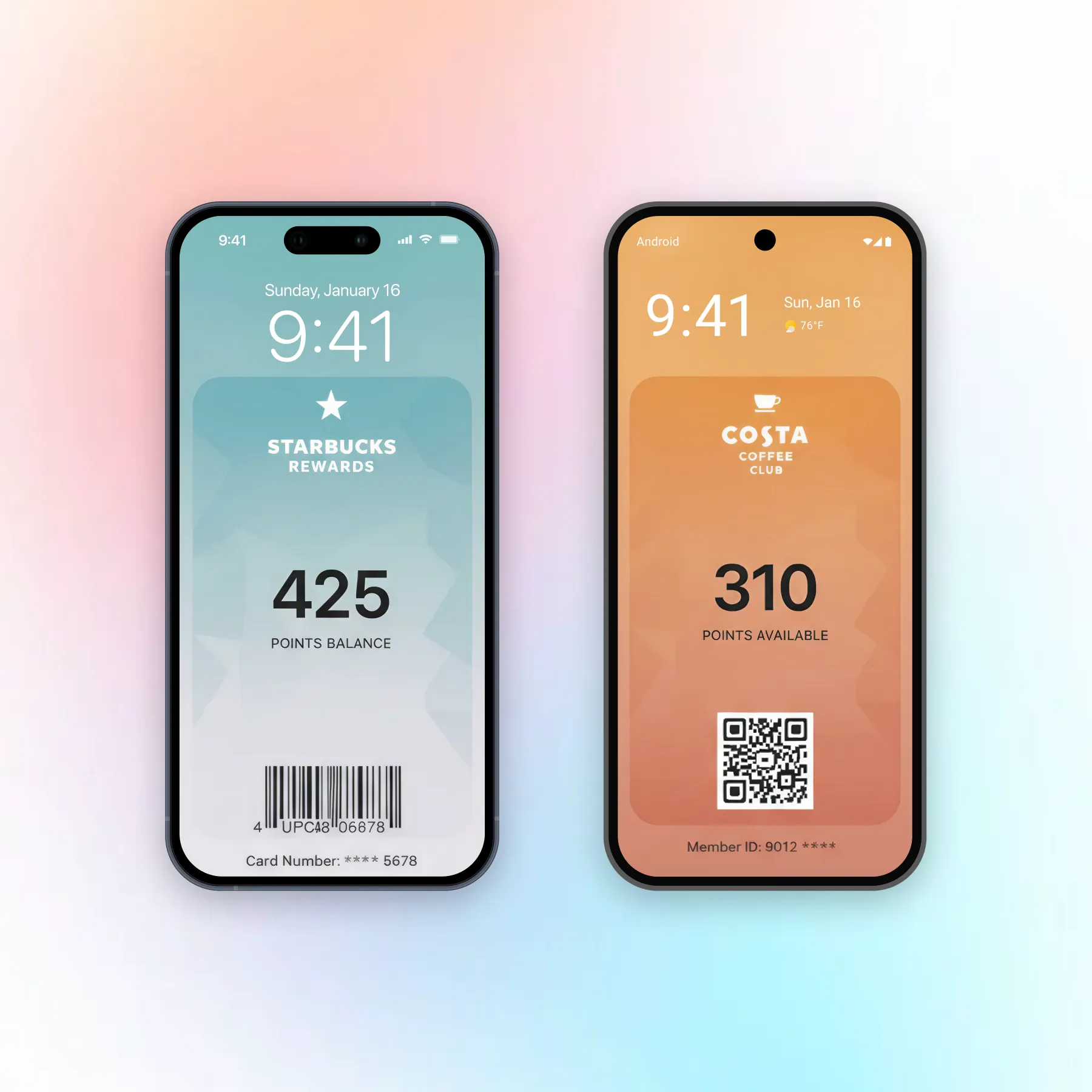
A loyalty card for business today sits in Apple Wallet or Google Wallet and carries live data. The points balance updates the moment a purchase clears. The card can show the customer tier, their next reward, and an offer aimed only at them.
Three things changed:
The card stopped being disposable. It is on a device people rarely lose and never leave home without.
The card started talking back. Every scan is a data point, so you learn who your regulars are instead of guessing.
The card became a channel. You can send a reminder or a nearby-store alert straight to the phone the card lives on.
If you run a cafe or restaurant, the same mechanics power a restaurant loyalty program built on stamps and repeat visits.
How a loyalty card system for small business actually works
You do not need an app, a developer, or a point-of-sale overhaul to run a loyalty card system for small business. The modern setup has three moving parts, and a platform like Pushwoosh handles all three.
Issue the card without an app
You design the pass once in a dashboard: your logo, colors, the points field, a scannable code. Then you distribute it with a link or a QR code. The customer taps “Add to Apple Wallet” or “Add to Google Wallet” and the card is on their phone. No app download, no account setup, no friction at the counter.
For a small business, this is the part that used to be impossible without a budget. Now it is a form and a save button, and the setup steps are covered in the Pushwoosh Wallet passes documentation.
Update points and tiers in real time
When a customer buys something, their balance changes on the card automatically. Reach a new tier, and the card reflects it without anyone reprinting or reissuing anything. The pass in their wallet is always current, which means the reward always feels within reach.
This is the difference that keeps people engaged. A punch card sits static in a drawer; a live card nudges progress every time they look at it.
Bring customers back with location and push
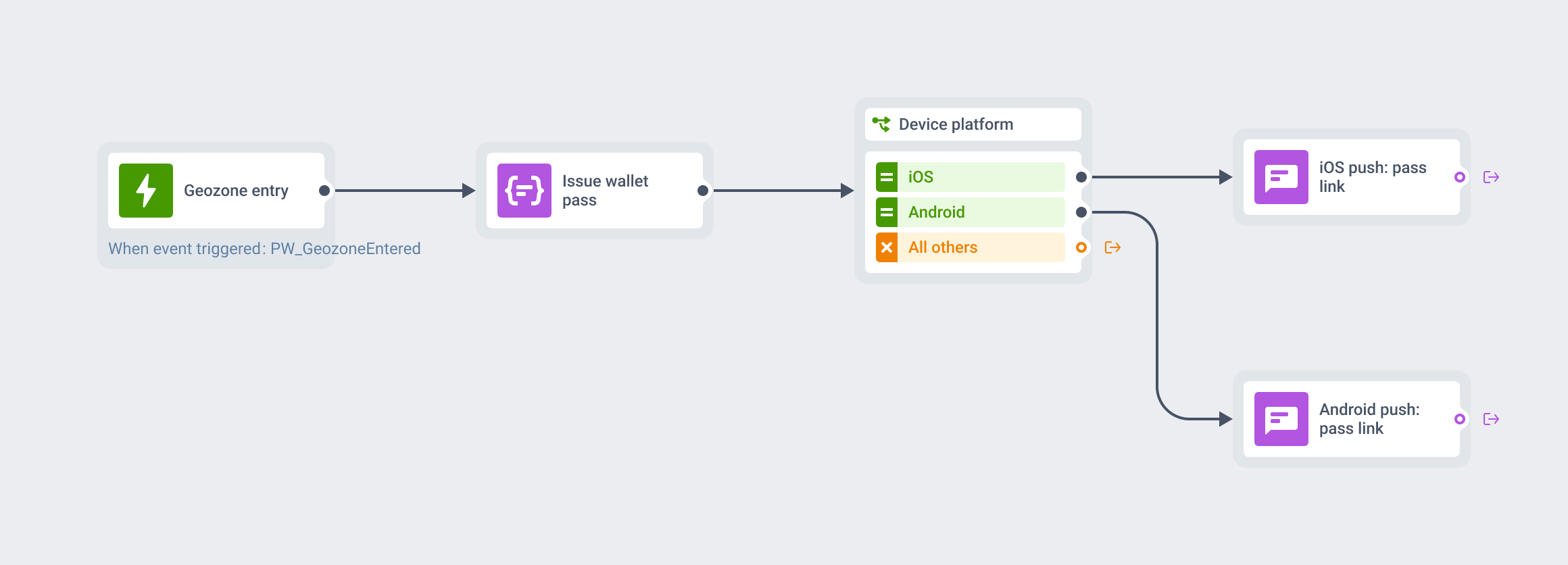
Because the card lives in the wallet, you get two ways back to the customer. A push notification can remind them about expiring points or a double-points day. A location alert can fire when they are near your store, turning a passer-by into a walk-in.
Used with restraint, these bring lapsed regulars back without a discount arms race. You are reminding people who already like you that you are there.
Real-world examples
Here is how the mechanics play out across three common small-business types. Formats are illustrative; adapt the reward to your margins.
Coffee shop / Stamp-based card
Source: standard cafe loyalty mechanic.
The strategy: a digital stamp card where every drink adds a stamp and the tenth is free. A push fires when the customer is one stamp from a reward.
Why it works: it gives the customer a reason to come back on the visit before the free one, exactly when they are most motivated.
Hair salon / Tiered card
Source: appointment-based service loyalty.
The strategy: visit-based tiers (Silver, Gold) that add perks like priority booking or a birthday treatment. The card shows current tier and the next threshold.
Why it works: tiers turn a transactional service into a status the customer does not want to lose, which lifts rebooking rates.
Neighborhood retail / Points + location
Source: local retail loyalty mechanic.
The strategy: points per purchase plus a location alert when a member is nearby, tied to a small member-only offer that week.
Why it works: it pairs a saved-up reward the customer wants to redeem with a timely nudge to walk in and do it.
Launch your loyalty card in a week with Pushwoosh
You can go from nothing to a live card in five working days, and none of it requires engineering.
Day 1-2: decide your structure. Pick one mechanic (stamps, points, or tiers), define the reward, and write down the one behavior you are trying to grow.
Day 3: build the pass in the Pushwoosh Wallet Passes dashboard. Add your branding, the points field, and a scannable code.
Day 4: set up distribution. Generate the “Add to Wallet” link and QR code, and place them where customers already are: the counter, your receipts, your site.
Day 5: turn on one automation. A single welcome message that fires when someone adds the card is enough to start; you can layer reminders and location alerts later.
That is a working loyalty program a small team can run alone, on a channel your customers already keep in their pocket.
Grow repeat revenue with Pushwoosh
Explore how retail loyalty on Wallet passes works, or build your first loyalty card with Pushwoosh and have it live this week.