You’re setting up a digital loyalty card or coupon, and the platform asks which wallet to build for: Apple Wallet or Google Wallet. It feels like a real fork in the road, so you stall, trying to work out which one your customers actually use and whether picking wrong means rebuilding later.
For most businesses the honest answer is both, and the reason is simpler than the feature lists make it look. This guide covers where the two wallets actually differ, where your customers really are by platform, and how to support both without doubling your work. Along the way you’ll see how Pushwoosh Wallet passes turns “two integrations” into one setup.
Apple Wallet vs Google Wallet: the business answer is usually both
If you sell to a general consumer audience, your users are split across iPhone and Android, and a pass that only works on one wallet is invisible to roughly half of them. A wallet pass comparison that ends in “pick one” is usually a comparison that forgot about the customers on the other platform.
For business passes, the two wallets do nearly the same things. Both hold loyalty cards, coupons, event tickets, and boarding passes. Both update those passes over the air. Both let a customer add a pass from a link, a QR code, or inside your app. The differences that matter are about reach and a handful of design and delivery details, not about whether one can do the job.
That leaves one question worth answering: how to cover both wallets without building everything twice. First the differences, then the fix.
Feature-by-feature comparison table
| Capability | Apple Wallet | Google Wallet |
|---|---|---|
| Platform | iOS only (iPhone, Apple Watch) | Android, Wear OS, plus limited iOS via web/in-app |
| Pass types for business | Loyalty, coupons, tickets, boarding passes | Loyalty, coupons, tickets, boarding passes |
| Over-the-air updates | Yes | Yes |
| Design consistency | Uniform across all Apple devices | Varies across Android manufacturers |
| Distribution | Link, QR, in-app "Add to Apple Wallet" | Link, QR, in-app "Add to Google Wallet" |
| Location-based alerts | Yes | Yes |
| Data available to you | In-app behavior only, not payment data | In-app behavior only, not payment data |
The table shows why “both” is the default. There is no capability gap that would make you skip one platform on merit. What differs is the fine print, covered below.
Design and branding limits
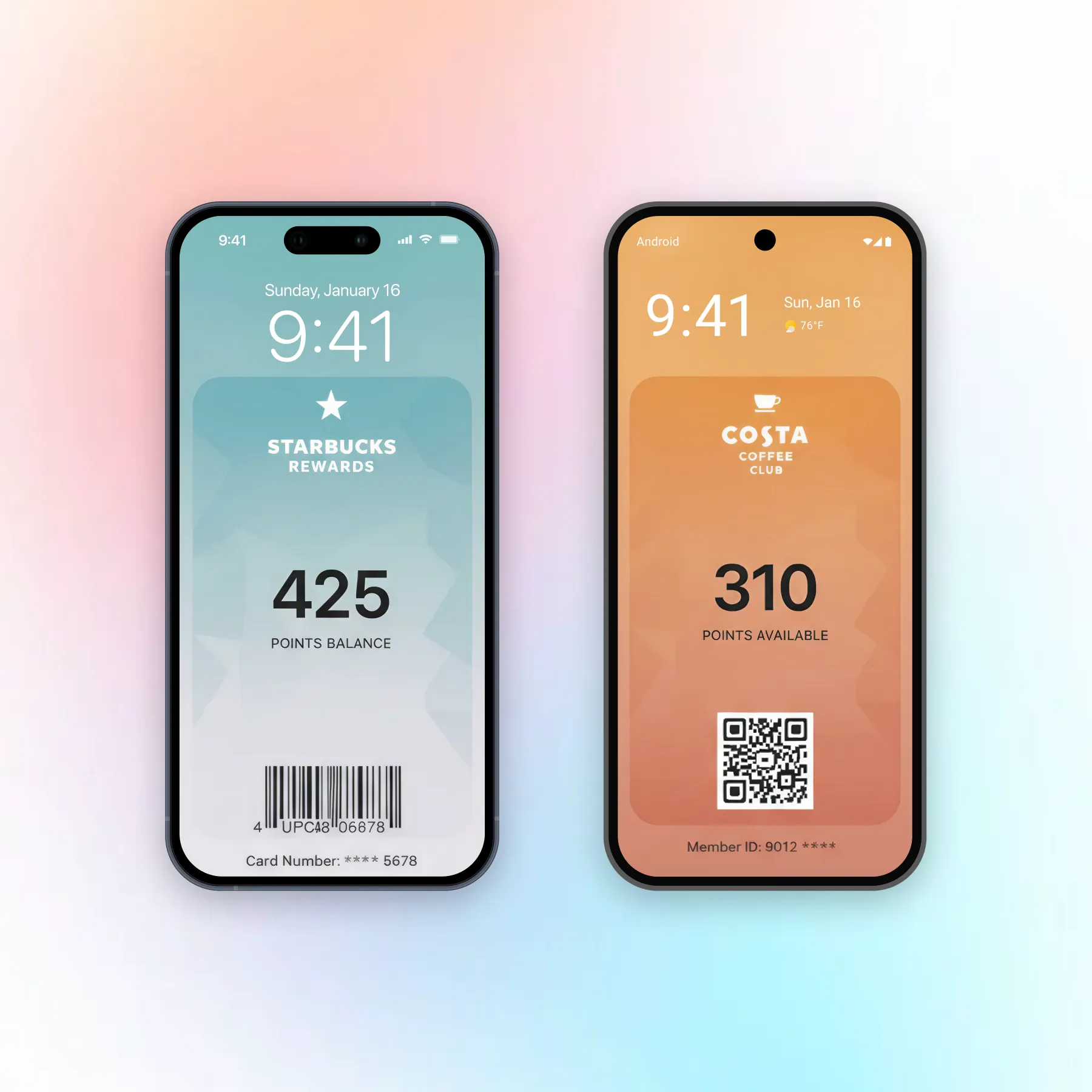
Apple enforces a fixed set of pass templates, so your card looks the same on every iPhone and you have less room to bend the layout. Google’s templates are looser, which gives more design flexibility but less guarantee that the pass renders identically across the many Android devices in the wild.
For a brand, this is a trade between control and reach. Apple gives you predictable pixels; Google gives you a wider audience at the cost of some visual consistency. Neither is a dealbreaker, and both keep your logo, colors, and core fields intact.
Update and push behavior
Both wallets update passes over the air, so a points balance or a gate change reflects without the customer reinstalling anything. The difference is in the notification around the update. Apple ties pass notifications tightly to the wallet itself, with limited styling. Google allows a bit more flexibility in how update alerts surface.
In practice, the meaningful engagement channel is your own push, not the wallet’s built-in notification. That is where a messaging platform matters more than the wallet’s native behavior.
Distribution: install links, QR, in-app
Both platforms give you the same three ways to hand a customer a pass: a web link, a QR code they scan, and an “Add to Wallet” button inside your app. The button label and the wallet it targets change by platform, but the mechanics are identical.
Your distribution surfaces (receipts, signage, app screens, emails) can carry both buttons side by side, and the customer’s device picks the one that fits.
Market share: where your customers actually are
The market share settles the “both” question. In the US, iPhone leads at roughly 58-60% of smartphones, with Android around 40-42%. Globally the split flips hard: Android sits near 70-72% and iOS near 27-29%. Treat these as current estimates; the exact figures move a point or two each quarter.
Two things follow. First, in the US your customer base is close to an even split, so supporting one wallet leaves out four in ten people. Second, the platform that has fewer users tends to have the higher-spending ones: iOS accounts for a large majority of app-store consumer spending despite the smaller install base. Android has the volume; iOS has the higher spenders.
For a business, that combination rules out picking a single platform. Skip Apple Wallet and you lose reach among higher-spending US customers. Skip Google Wallet and you lose most of the world’s users and much of your Android audience at home.
So, which wallet should you pick?
Both. That is the accurate answer for almost any consumer business, and the only real question left is cost of doing it.
Done natively, supporting both means two separate integrations: Apple’s PassKit on one side, Google’s Wallet API on the other, each with its own setup, certificates, and maintenance. That is the work that makes teams want to pick one and move on.
With Pushwoosh Wallet passes it’s one setup that issues and updates passes for both Apple Wallet and Google Wallet from a single dashboard. You design the pass once, distribute it with a link or QR code, and the customer’s device handles the rest. The two-integration problem stops being a reason to leave half your audience behind.
Support both wallets with one setup in Pushwoosh
Reaching every customer shouldn’t cost you two builds. Pushwoosh Wallet passes issues and updates passes for Apple Wallet and Google Wallet from one dashboard, so your loyalty cards and coupons work for the whole audience.