Banks have a problem most marketing teams would envy: users actually want to hear from them. A fraud alert lands differently than a flash sale. A low-balance warning gets opened. The challenge isn’t getting attention; it’s not wasting it.
This guide covers what push notifications do in banking and fintech, which types drive real outcomes, how to handle security and compliance, and what a practical implementation looks like with Pushwoosh.
What are push notifications in banking?
A banking push notification is a real-time message delivered to a user’s mobile device via their banking or fintech app. It appears on the lock screen or in the notification center, even when the app is closed, and is delivered over the internet via Apple Push Notification Service (APNs) on iOS or Firebase Cloud Messaging (FCM) on Android.
Unlike SMS, push notifications support rich media, deep links, and interactive action buttons. Unlike email, they arrive in seconds and don’t require an inbox check. In banking, that immediacy matters: a fraud alert that arrives 30 minutes late is a different product than one that arrives in real time.
Push notifications in financial services split into two functional categories: transactional (account activity, security alerts) and promotional (product offers, engagement nudges). Both require different handling in terms of frequency, tone, and compliance.
Why push notifications matter for banking apps
Push is one of the few channels with a legitimate reason to interrupt a user mid-day. Banks have that permission because the underlying need is real. The question is whether the infrastructure is in place to use it well.
Security and fraud prevention
A transaction confirmation that arrives 30 seconds after a purchase is table stakes. The higher-value use case is anomaly detection: a login from a new device in a different country, a card-not-present transaction for an unusual amount, a password change. These alerts give users a real-time chance to confirm or deny activity, which compresses the fraud window from hours to seconds.
Push-based multi-factor authentication (MFA) also replaces SMS OTPs in higher-security flows. Biometric confirmation within the app, triggered by a push, is more secure and faster than a code sent to a phone number that might be SIM-swapped.
Account activity and balance management
Low-balance alerts, paycheck arrivals, bill payment reminders, and overdraft warnings are high-utility notifications users set up deliberately. Opt-in rates for these are among the highest of any push type in any vertical. They also reduce support call volume: a user who gets a real-time payment confirmation doesn’t need to call to ask whether it went through.
Customer retention and CLV
Users who receive relevant, timely push notifications stay active longer and generate more revenue than users who don’t. The mechanism isn’t complicated: consistent, useful contact builds the habit of opening the app. Every interaction that starts with a push is an opportunity to deepen a financial relationship.
Pushwoosh data across banking apps shows that users in active push campaigns have materially higher 90-day retention than non-subscribers, with CLV differences compounding over time.
Product adoption and cross-sell
The right offer at the right moment outperforms a campaign sent to everyone. A user who just completed their third international transfer is a better candidate for a travel card than someone who hasn’t transacted in 30 days. Behavioral segmentation closes that gap.
Types of push notifications in financial services
Each notification type serves a distinct purpose in the customer lifecycle. Getting the type right matters as much as getting the copy right.
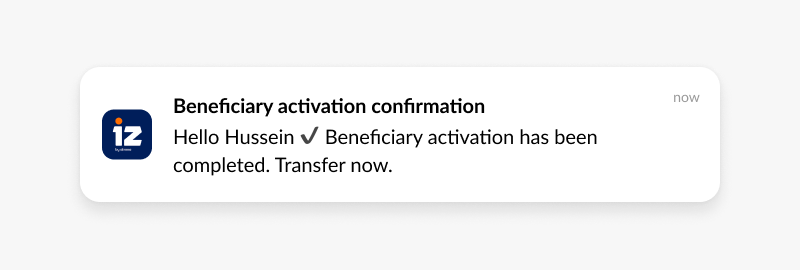
Transactional notifications
Real-time confirmations of account activity. These are the highest-trust notifications in banking because they carry information users are actively waiting for.
- “Your payment of $150 to Acme Corp. has been processed. Ref: #12345.”
- “$1,200 from Payroll Solutions has landed in your checking account.”
- “Your utility bill of $75 is due in 3 days.”
Security alerts
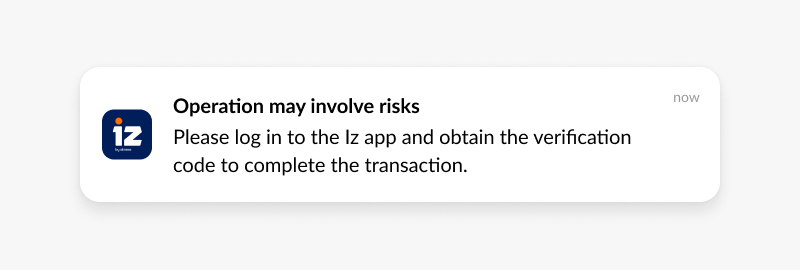
Time-sensitive notifications that empower users to act fast. The copy needs to be direct, the action button obvious, and the deep link immediate.
- “Login from a new device (iPhone 14, London). If this wasn’t you, tap to secure your account.”
- “$850 at Luxury Goods Store — was this you?”
- “Your password was changed. Didn’t do this? Contact us now.”
Informational updates
App changes, maintenance windows, policy updates. These need to be factual and short. Users don’t read them for entertainment; they read them to know whether something affects them.
- “New budgeting tools are live in the app. Explore smart spending insights.”
- “Scheduled maintenance: app will be offline 2-4 AM EST on 10/26.”
Promotional notifications
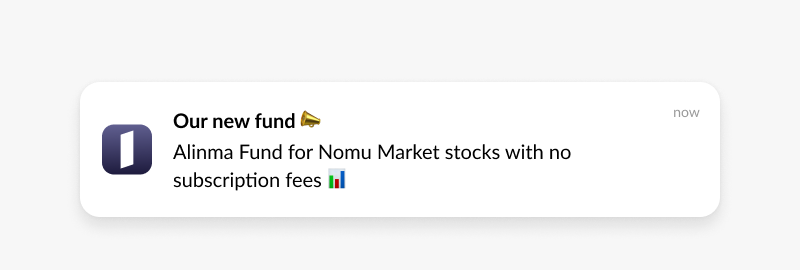
Offers, product launches, rate changes. These have the lowest tolerance for irrelevance. A savings rate offer sent to a user with a savings account balance is relevant. The same offer sent to a new user who hasn’t made a deposit is noise.
- “Unlock 3.5% APY on your savings — limited-time offer.”
- “Upgrade to Platinum Rewards: 3x points on travel.”
- “Get pre-approved for a low-interest auto loan in minutes.”
Behavioral and personalized notifications
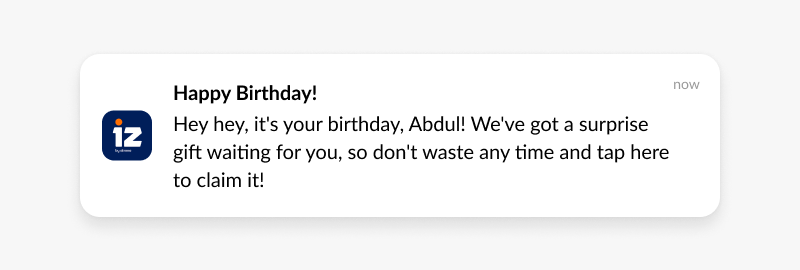
Triggered by specific user actions or inactivity. These have the highest CTR of any notification type because they arrive when the user’s context makes the message meaningful.
- “Your checking balance is below $100. Transfer funds to avoid overdraft fees.”
- “You spent more on dining this month than last. View your spending report.”
- “You’re $50 away from your travel savings goal.”
Banking push notification use cases
Onboarding new users
Most app installs that don’t convert within the first 72 hours never convert. Push notifications are the only channel that reaches a new user outside the app to move them through setup steps.
- Day 1: “Welcome to [Bank]. Complete your profile to unlock all features.”
- Day 2 (profile incomplete): “Just a few steps left. Tap here to finish.”
- Day 3 (still incomplete): “Complete your first deposit and get a $25 bonus.”
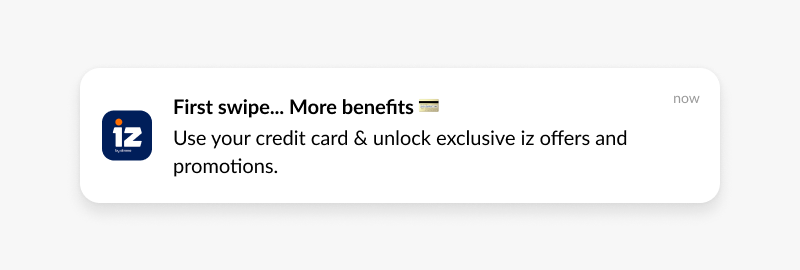
Each step sends only if the previous one didn’t convert. Pushwoosh’s Customer Journey Builder handles this conditional logic visually without code.
Fraud detection and security alerts
Suspicious activity detected means a push goes out within seconds, with two action buttons: Confirm and Deny. Tapping Deny deep-links directly to the card-lock screen. The window between fraud and user response shrinks from hours to under a minute.
- Event: Card used at an unusual merchant or location.
- Push: “$500 at [Merchant]. Was this you?” + Confirm / Report Fraud buttons.
- Deny path: immediate deep-link to lock card and contact support.
Account activity management
Balance alerts, payment confirmations, and overdraft warnings are set up by users who want them. These are among the easiest notifications to get right: the user told you what they want to know, so tell them.
Loan and product abandonment recovery
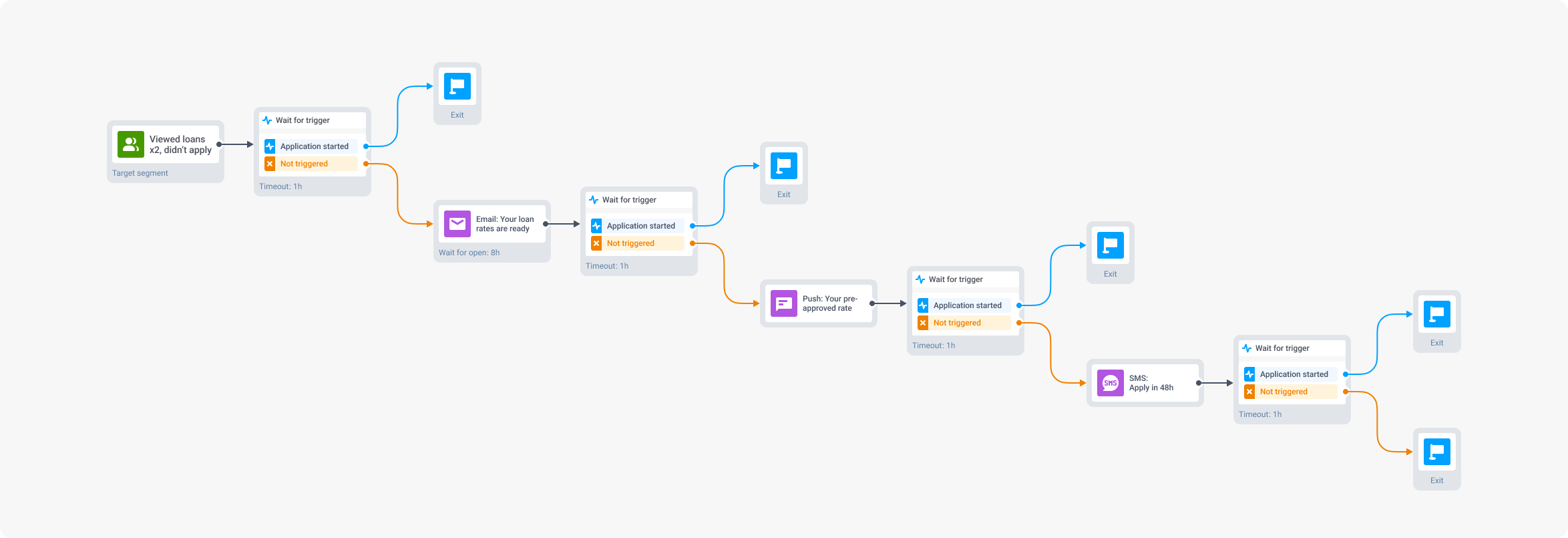
A user who started a loan application and stopped is a warm lead, not a cold one. They already expressed intent. A targeted push 24 hours later converts at a meaningfully higher rate than any acquisition campaign targeting cold prospects.
Win-back campaigns
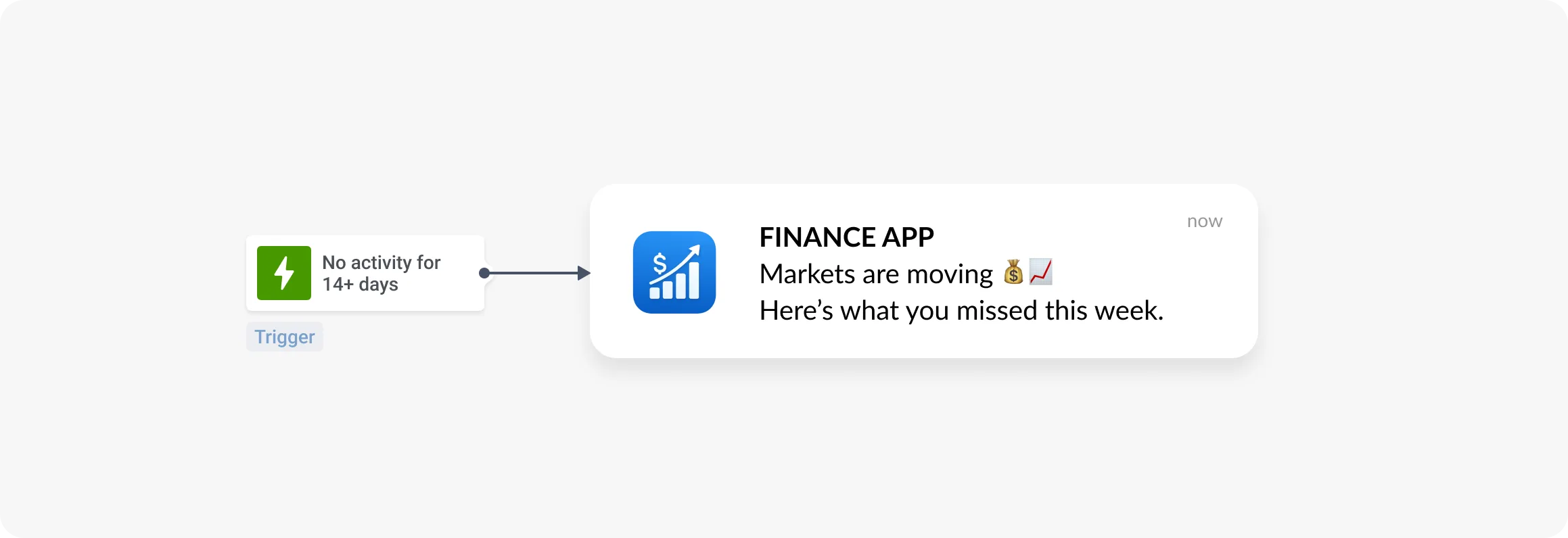
Users who haven’t transacted in 30+ days need a reason to come back that’s specific to them, not generic. RFM segmentation identifies which dormant users are worth targeting (those who were high-value before going quiet) and what kind of incentive makes sense for that segment.
Personalized financial guidance
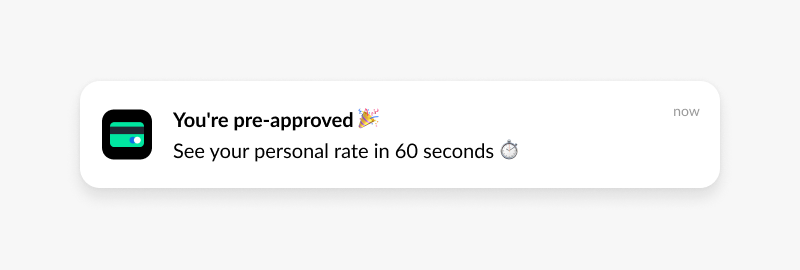
Users identified as frequent travelers get travel card offers. Users who opened the investment tab three times last week get a “ready to get started?” nudge. The segmentation does the work; the push is just the delivery mechanism.
Security, privacy, and compliance
This is the section most push documentation glosses over. For financial institutions, it shouldn’t be a footnote.
Data handling
Push notification payloads should not contain sensitive account data. Full account numbers, card numbers, and balances don’t belong in a notification preview. Use a secure deep link that leads to an authenticated section of the app where users can view details after biometric verification. What rides in the notification: a reference number, a transaction amount, a merchant name. What stays in the app: everything else.
All data in transit must be encrypted with TLS 1.2 or higher. Data at rest requires equivalent protection. This applies to device tokens, user identifiers, and notification content stored in your engagement platform.
Consent and opt-in management
Regulatory requirements for push notification consent vary by region and notification type. Transactional alerts often qualify under legitimate interest or contractual necessity under GDPR, but promotional notifications require explicit opt-in across most jurisdictions.
Users need granular control: the ability to receive fraud alerts without receiving promotional messages. Build notification preference management into the app, not buried in settings. Users who can control what they receive are less likely to opt out entirely.
Regulatory frameworks
| Regulation | Scope | Relevance to push |
|---|---|---|
| GDPR | EU users | Explicit consent for promotional push; right to withdraw; data minimization in payloads |
| CCPA | California residents | Right to opt out of data sharing; disclosure requirements |
| PCI DSS | Cardholder data | Card numbers, CVVs, and auth codes must not appear in notification content |
| FFIEC guidance | US financial institutions | Technology risk management; vendor oversight for third-party platforms |
Pushwoosh provides audit logs, data processing agreements, and flexible consent management tooling to support compliance with all of the above.
Best practices for banking push notifications
Separate transactional from promotional in your opt-in flow
If you ask for a single blanket notification permission, you’re one promotional mis-fire away from losing fraud alert delivery. Segment notification categories from the start: security alerts, account activity, and promotional offers should be independent opt-ins. Users who opt out of promotions should still get fraud alerts.
Personalize or don’t send
The average banking user can tolerate a higher notification frequency than a gaming user, but only if the messages are relevant. A savings rate offer sent to a user whose savings balance is zero isn’t just irrelevant; it damages trust. Behavioral segmentation and RFM targeting exist precisely to prevent this.
Time matters more than volume
Per-user optimal timing consistently outperforms fixed-time sends. Pushwoosh’s Best Time to Send analyzes each user’s historical engagement patterns and delivers messages when they’re most likely to open. In banking, this is especially relevant for promotional content: a loan offer that arrives while a user is actively managing their finances converts at a different rate than one that arrives at 6 AM on a Sunday.
Write like you’re texting, not filing a report
Bank copy tends toward the formal. Push notifications need to be the opposite: short, direct, clear. State what happened. State what the user should do. Remove every word that doesn’t contribute to those two things. “A large transaction was detected on your account. Please review” is ten words too long. “$850 at Luxury Goods — was this you?” is the same information in six words.
Test every segment separately
A subject line that works for high-value active users performs differently on dormant users. An urgency frame that drives action for promotional content can feel alarming in a security context. Run A/B tests within segments, not across the full user base, and measure conversion downstream, not just CTR.
How Pushwoosh supports banking and fintech teams
Fintech and banking apps have requirements that generic engagement platforms weren’t built for: real-time event triggers, granular segmentation, compliance infrastructure, and delivery reliability at scale. Pushwoosh is built for all of these.
- Real-time event triggers — connect transaction events, login signals, and behavioral flags to instant push delivery. Fraud alerts go out in seconds, not minutes.
- Customer Journey Builder — visual, no-code automation for onboarding sequences, abandonment recovery, and win-back flows across push, in-app, email, and SMS.
- Behavioral segmentation and RFM — segment by what users did, not just who they are. High-value dormant users get different treatment than new users with no transaction history.
- Dynamic content personalization — pull real-time account data, transaction details, and user attributes directly into notification copy.
- Compliance tooling — audit logs, data processing agreements, granular opt-in management, and GDPR/CCPA-ready data handling.
- ManyMoney AI — identifies users most likely to convert on product offers, flags churn risk before it becomes churn, and optimizes campaign timing without manual configuration.
Explore the fintech and banking solution page for more, or see Pushwoosh in action below.