What is Pushwoosh messaging MCP?
Pushwoosh MCP lets your AI assistant — Claude, Cursor, or any other — send messages to your users through Pushwoosh. You tell the assistant what to send and who to, in plain language, and it delivers across push, email, SMS, WhatsApp, and more.
Under the hood it stays deliberately simple:
Connect every channel through one tool
One Notify call delivers to push, email, SMS, WhatsApp, Telegram, LINE, or Kakao — built once, used everywhere.
Send in plain language
Your assistant describes the send the way you’d type it in chat, and it goes out for real.
Work inside your AI assistant
Plug into Claude, Cursor, Windsurf, or a custom client — it runs where you already work.
AI assistants have gotten genuinely good at the decision: who to reach, with what, and when. The part nobody had solved was the boring, hard one — actually delivering across every channel a user might be on. That’s what we closed.
Pushwoosh messaging MCP hands that execution to an assistant itself. Now, your agent carries a recommendation all the way through to delivery, and the whole process of communicating with users becomes noticeably more efficient.

Why your AI assistant needs it
An AI assistant that plans the perfect message but can’t send it just hands you a to-do — you still go into Pushwoosh and do it by hand. Messaging MCP removes that step, so the assistant can deliver what it generates. It’s the same shift already happening across the lifecycle: see our prompts for every lifecycle stage for what an AI assistant can plan once it has this kind of execution access.
The server is hosted, so there’s nothing to install — one URL in your client config, and the agent works strictly under your own scoped Server token, limited to the apps and channels you choose.
Real sends wait for your approval before they go out, so the agent can’t broadcast on its own. Calls are idempotent and safe to retry, so a dropped connection won’t double-send, and every response comes back structured with a message code you can trace in Message History.
And because the token runs on infrastructure that’s already SOC 2, ISO 27001, and GDPR certified, the agent’s security posture is our audited one — not something you have to vet from scratch.

What you can build with it (use cases)
Here are real use cases that any mobile app can reuse right now:
⚡ Fire a time-sensitive message the moment it’s relevant
Something happens in your system that the user wants to know about right now.
When a price_drop event fires,notify the users who saved that item that the price just dropped.Send a push and track it.What the MCP does: delivers the push to the matching users the moment the assistant calls it, and returns a message code.
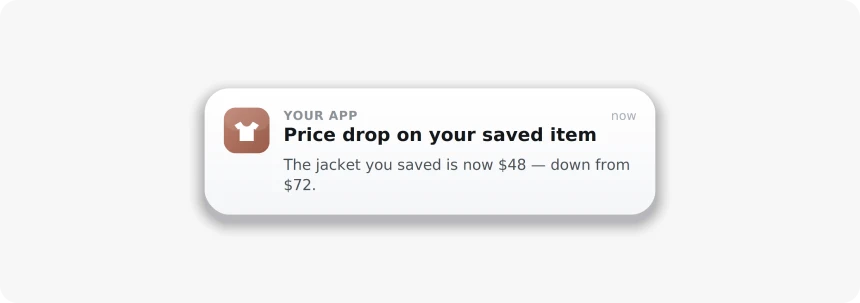
Result: the alert lands while it still matters, with the send visible in Message History.
The trigger is interchangeable: a price drop, a restock, a match going live, a content drop, a flash sale. Same pattern, different event — see event-based marketing automation for the underlying setup.
⏰ Reach users before the expiration date
Some messages only matter up to a certain moment — a free trial about to end, points about to expire, a subscription up for renewal.
Message everyone whose trial ends in 2 days. Send a push;if a device isn't reachable, send email instead.One message per user.What the MCP does: delivers the push, then delivers the email the assistant falls back to for users the push couldn’t reach.
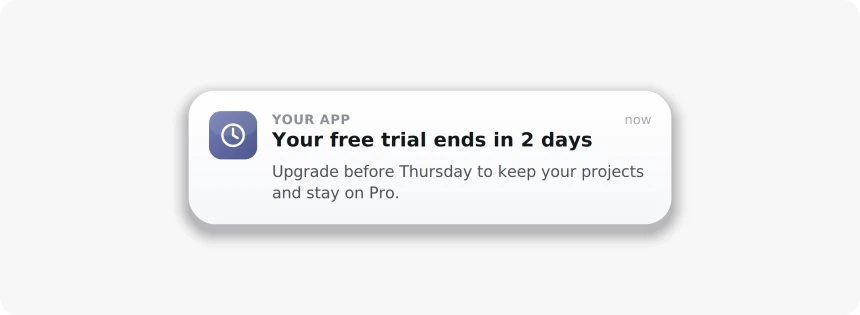
Result: the reminder arrives on a channel each user can actually receive, before the window closes.
Trials, renewals, expiring rewards, a held reservation — anything with a clock on it works the same way.
🔄 Win back quiet users on the channel they actually open
A user has gone dormant, and you don’t know which channel will reach them anymore.
Take my inactive-30d segment and win them back.Use whichever channel each user is most likely to open,and follow up with the non-responders in 2 days.What the MCP does: delivers on the channel the assistant picked for each user and returns a code per send, so the follow-up can target only those who didn’t respond.
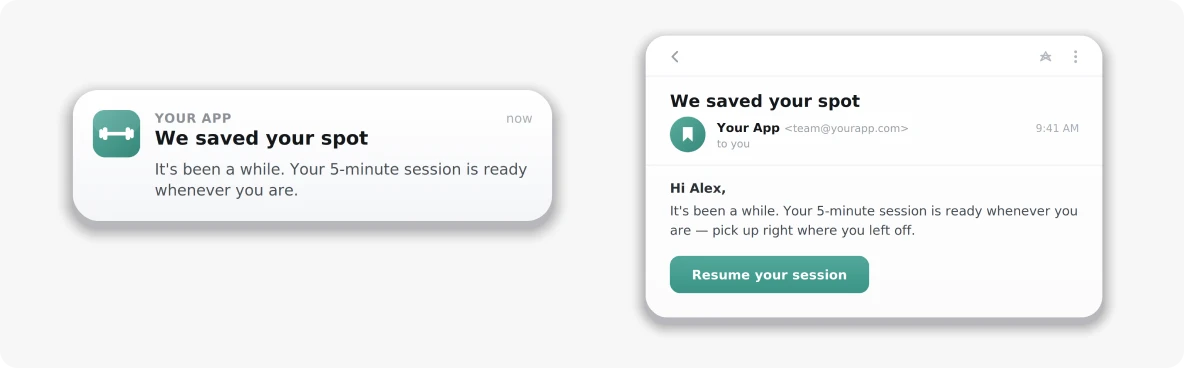
Result: a re-engagement attempt that meets each user where they’re still reachable, instead of one blast everyone ignores.
Lapsed players, churned subscribers, shoppers who stopped opening the app — the win-back logic carries across all of them.
📩 Send a message personalized for every user
Sometimes the point isn’t reaching one more user — it’s making sure each one gets a message written for them, not the same broadcast.
For everyone in my active-players segment,send a push recommending what to play nextbased on their recent sessions.Personalize each one.What the MCP does: delivers each user their own message — one send per person — and returns a code per send so you can track the whole batch.
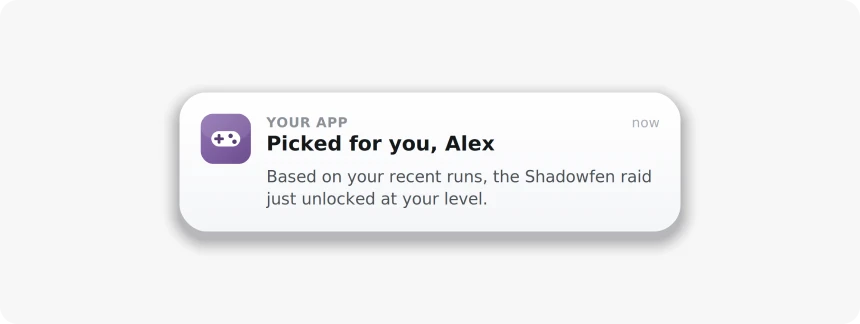
Result: every user gets their own version, at the scale of a segment, no manual copy per person, no generic blast.
Product recommendations, content picks, a usage recap — anywhere the message should change from one user to the next, the pattern holds. For the broader playbook on personalizing at scale without a big budget, see messaging personalization on a $0 budget.
How to connect it in minutes 🔌
The server is hosted, so there’s nothing to install. Setup takes minutes, and you don’t need to be a developer. 3 steps:
-
Get a Server API token
In the Pushwoosh Control Panel, go to Settings → API Access, generate a Server token, and scope it to the apps and channels your agent should send through.
-
Add the server to your AI client
Drop one URL and your token into your client's config (Claude Desktop, Cursor, Windsurf, or any MCP client use the same shape). Nothing to install — Pushwoosh hosts the server.
-
Try it on a test device
Open a new chat and ask your agent to send a test push. If it returns a message code, you're connected.
Full setup, per-client configs, and every parameter live in the Pushwoosh MCP documentation.
Give your AI agent a voice with Pushwoosh messaging MCP
Pick one of the prompts above and run it from the client you already use. Your agent does the thinking; Pushwoosh messaging MCP does the delivering on every channel. Right on time.