The most common tool to nudge a customer to buy again is a coupon. But most coupon programs hand everyone the same broadcast code and the same 20% off. That’s a discount habit, and it trains people to wait for the next sale.
Matched to the moment, a coupon becomes a scheduled reason to come back, and one of the cheapest ways to lift repeat purchases and customer lifetime value (CLV).
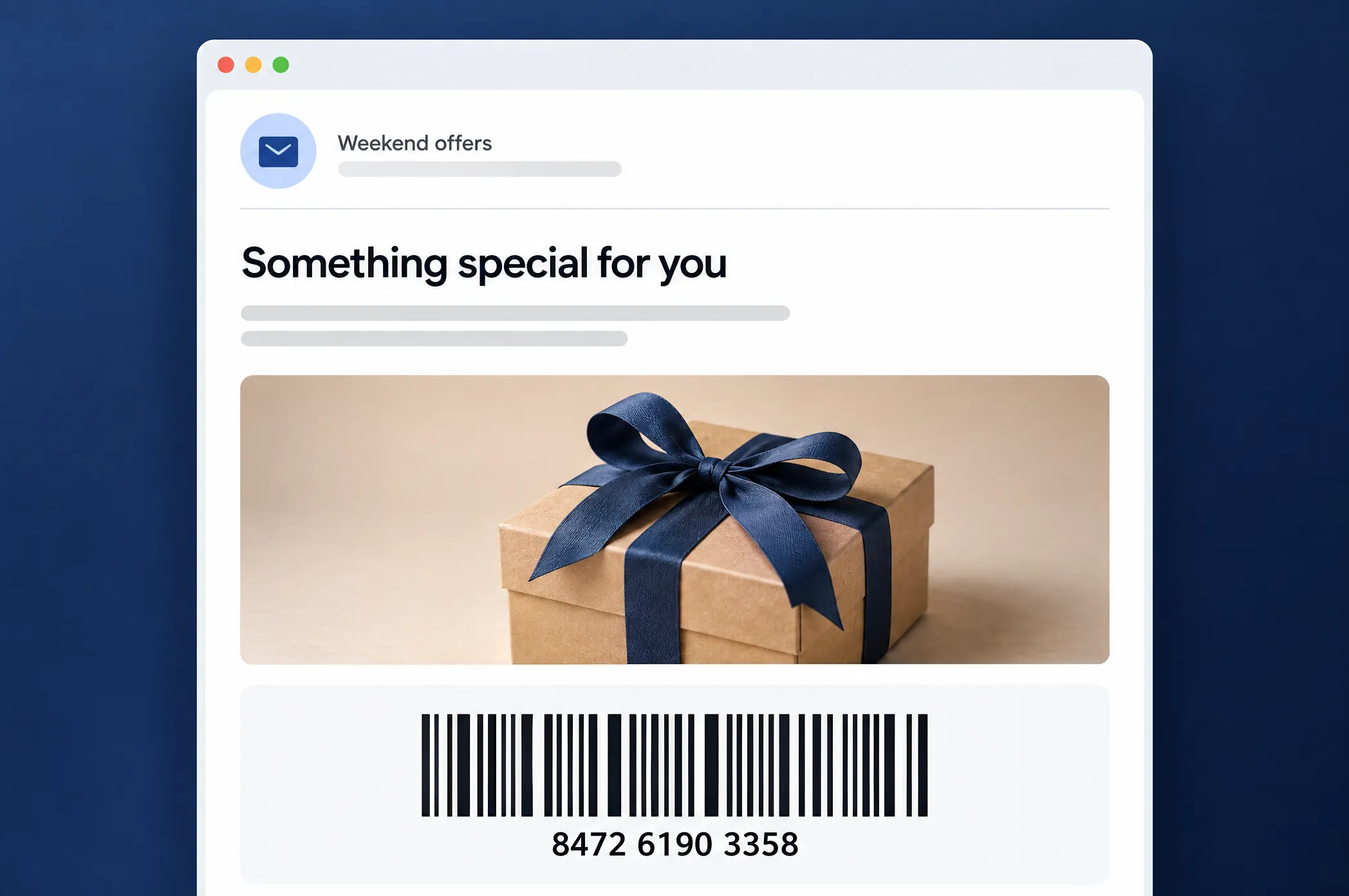
This guide covers how to send a coupon with a code that actually scans — native, personalized, no 3rd-party image, and give customers a real reason to come back and repeat purchase.
Send a coupon code that actually scans
A promo code the customer types works fine at an online checkout. But plenty of repeat purchases happen at a counter, in a store, a coffee shop, or a pickup point, and there the code has to be scanned.
A flat coupon image can’t be personalized or tracked, and a text code can’t be scanned at a till at all. That’s the gap between a coupon that redeems and one that stalls at the register.
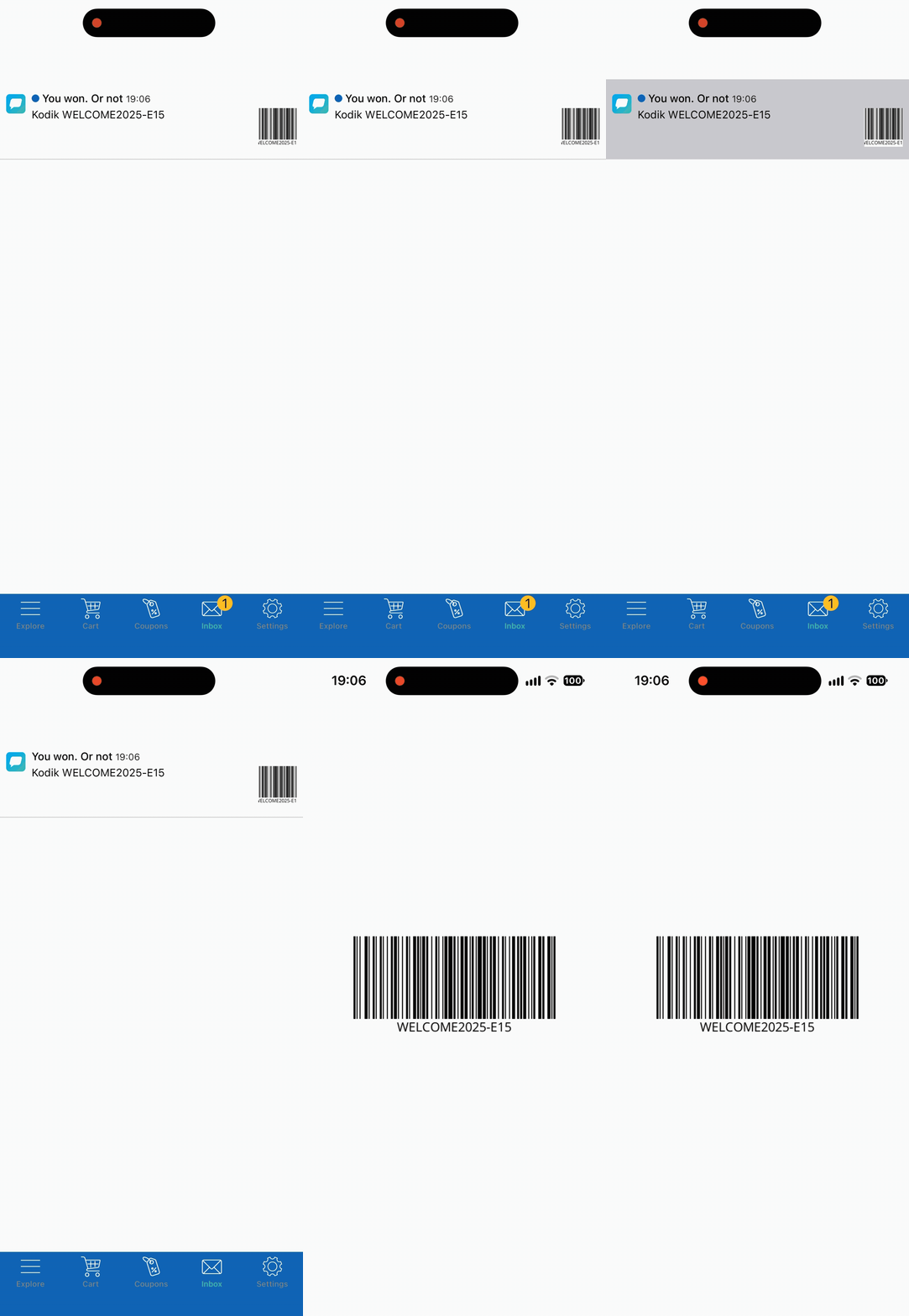
Delivering by push? A swiped-away push won’t be lost, as the message is saved to your app’s Message inbox, so the barcode stays in the app for the customer to open and scan at the register.
Why scannable coupons belong in your retention stack
Redeemable offers earn their place at specific lifecycle moments, not as a permanent sale:
- Welcome offer. A first-purchase code while onboarding intent is at its peak turns a new install into a 1st order.
- Winback. A lapsed buyer has already paid you once. A personal code tied to their last category is usually enough to reopen the relationship.
- Geo trigger. Physical proximity to your store is warm intent. A coupon delivered in that five-minute window converts a passer-by into a visit.
- Loyalty tier reward. A code unlocked at a tier bump makes an abstract status feel like something you can hold.
Each of these maps to a trigger, a channel, and a KPI worth watching:
| Offer type | Trigger | Best channel | KPI to watch |
|---|---|---|---|
| Welcome discount | Device registered | In-app + email | 1st purchase rate |
| Winback code | 14–30 days inactive | Email → push fallback | Reactivation rate, repeat purchase |
| Geo offer | Dwell near location | In-app (or push) | In-store redemption, repeat visits |
| Tier reward | Upgrade / tier change | In-app + email | CLV, redemption rate |
Read the table as a routing map: the moment picks the trigger, the trigger picks the channel, and the KPI tells you whether the offer paid for itself. The metric that ties them together is repeat purchase rate, and behind it, customer lifetime value.
Coupon marketing in action
4 scenarios, same scannable barcode/QR block, different lifecycle moment.
👋 New users: a welcome code they can’t lose
The problem: A 1st-time user gets a welcome discount by push, taps away, and by the time they reach the counter, the code is gone.
The capability: The welcome push notification saves to the Message inbox, where the barcode stays until they redeem it.
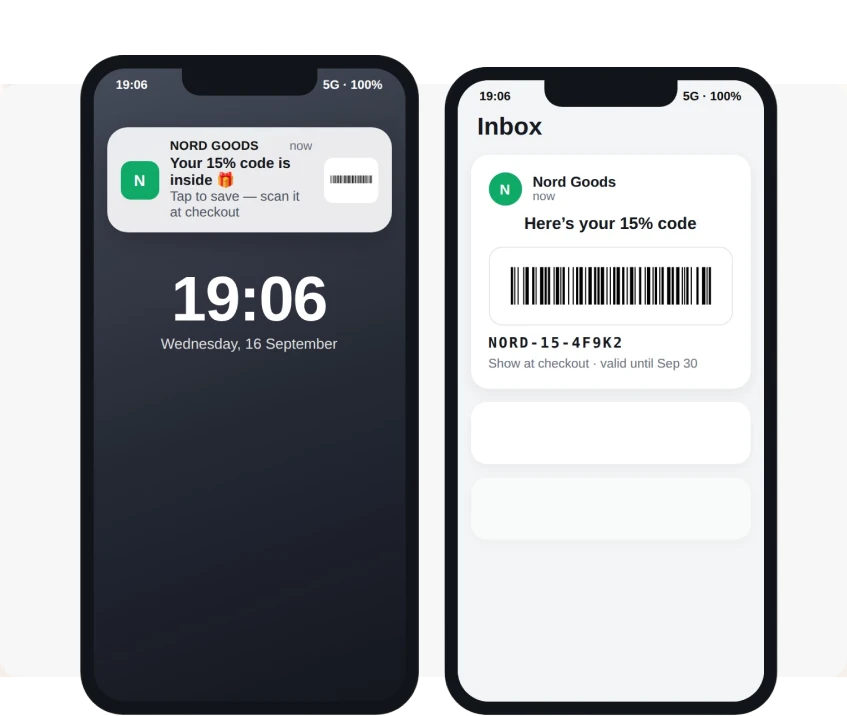
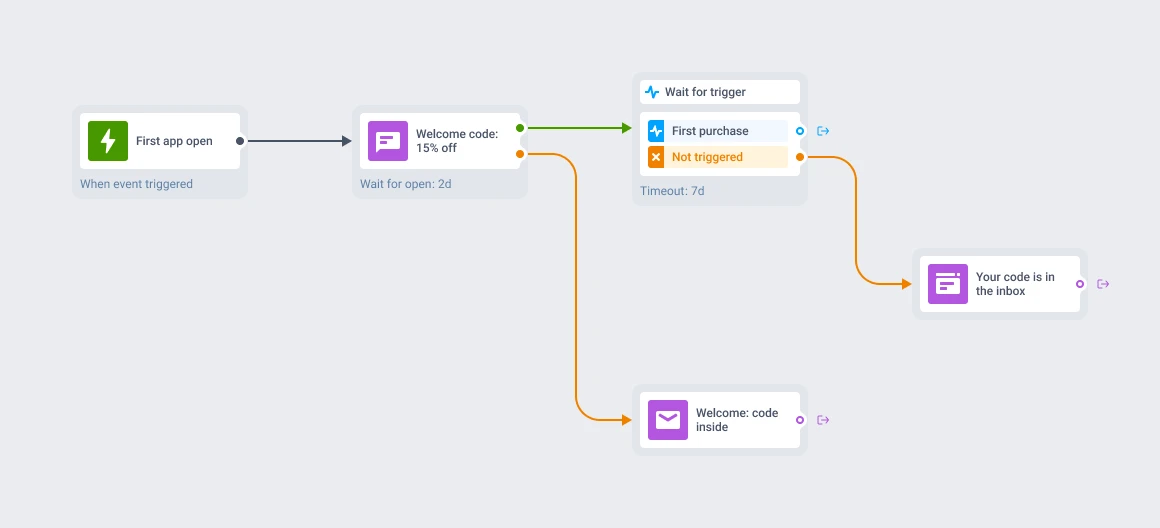
In Pushwoosh: When a new device registers, send a push: “Welcome — here’s 15% off your first order.” It lands in the Message inbox with the barcode inside, so the user opens the app at checkout and scans it straight off the screen. A 1st purchase, and no lost code.
🛒 E-commerce & delivery: a winback code that scans offline
The problem: a customer bought twice, then went quiet for 6 weeks. A “we miss you” email with no reason to act gets archived.
The capability: A voucher-pool code in an email, unique per user, tied to their last purchased category.
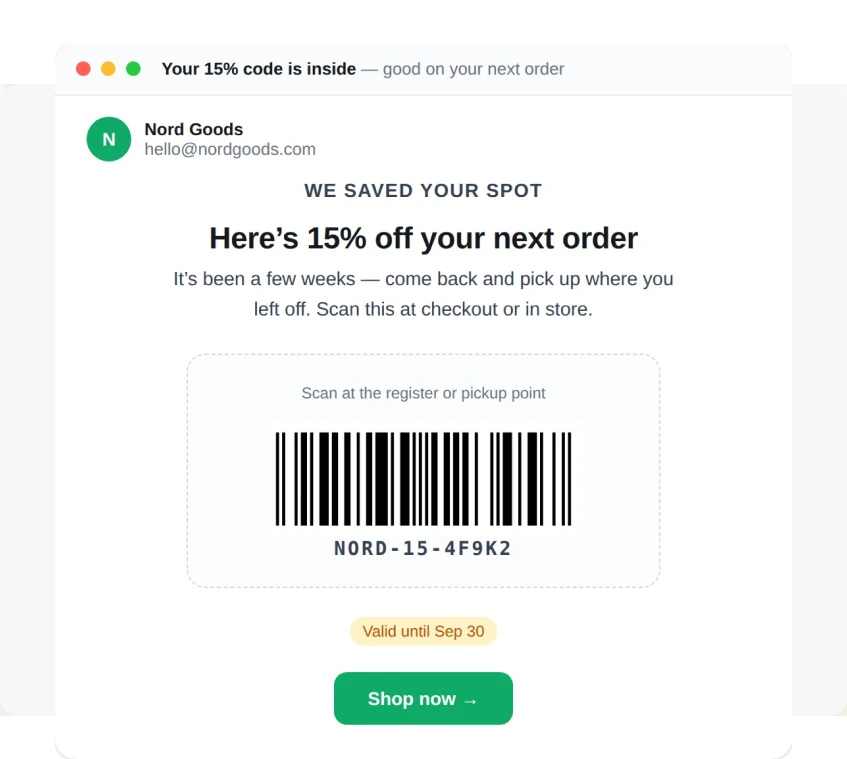
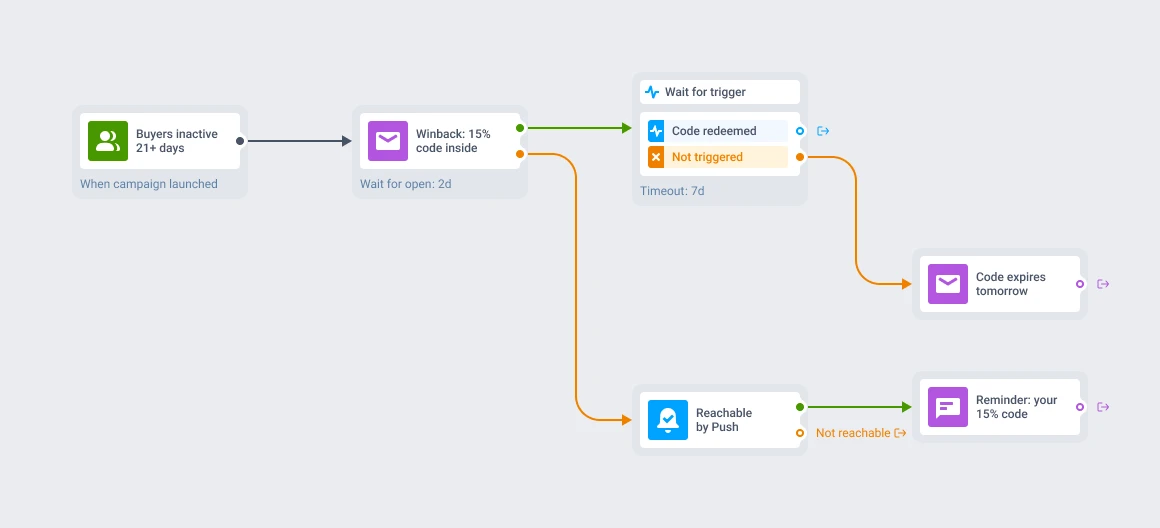
In Pushwoosh: Segment buyers inactive 21+ days. Send an email: “Your 15% code is inside — good on your next order.” The barcode renders inline with a unique code the customer scans at pickup or in-store. If email isn’t their reachable channel, the journey falls back to push. The cashier scans it at the counter; the code redeems once and expires.
💳 Subscription apps: a tier-reward code at the upgrade moment
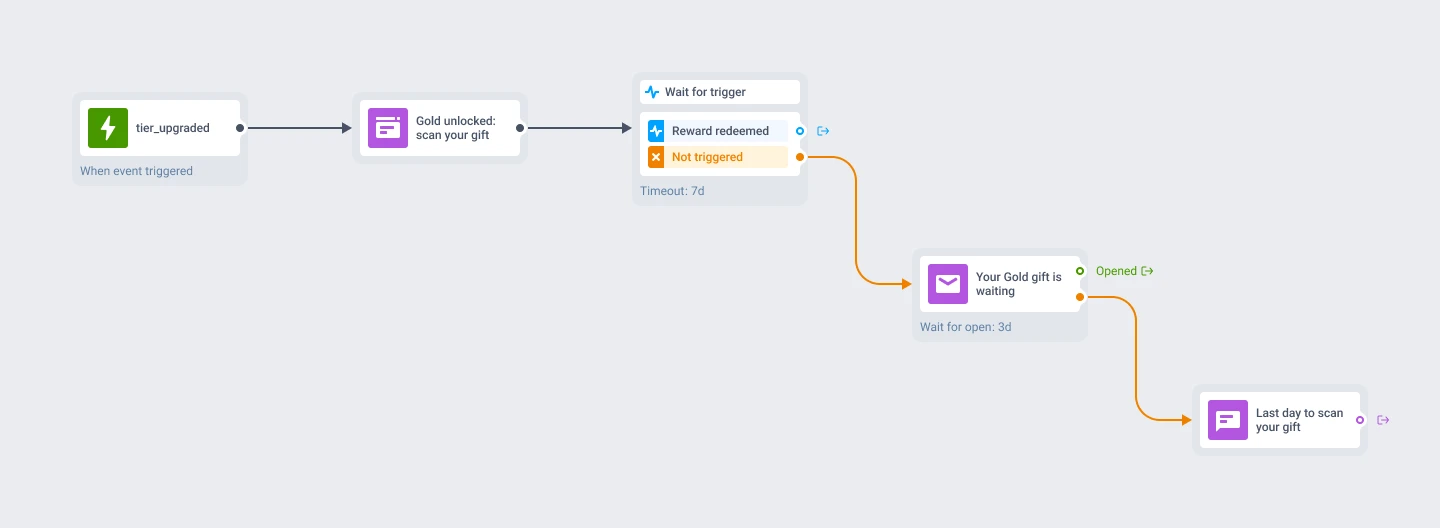
The problem: a user upgrades to a higher plan and gets a confirmation screen. The moment status changes is the moment to reinforce it, and most apps waste it.
The capability: an in-app message the instant the upgrade event fires, carrying a redeemable perk tied to the new tier.
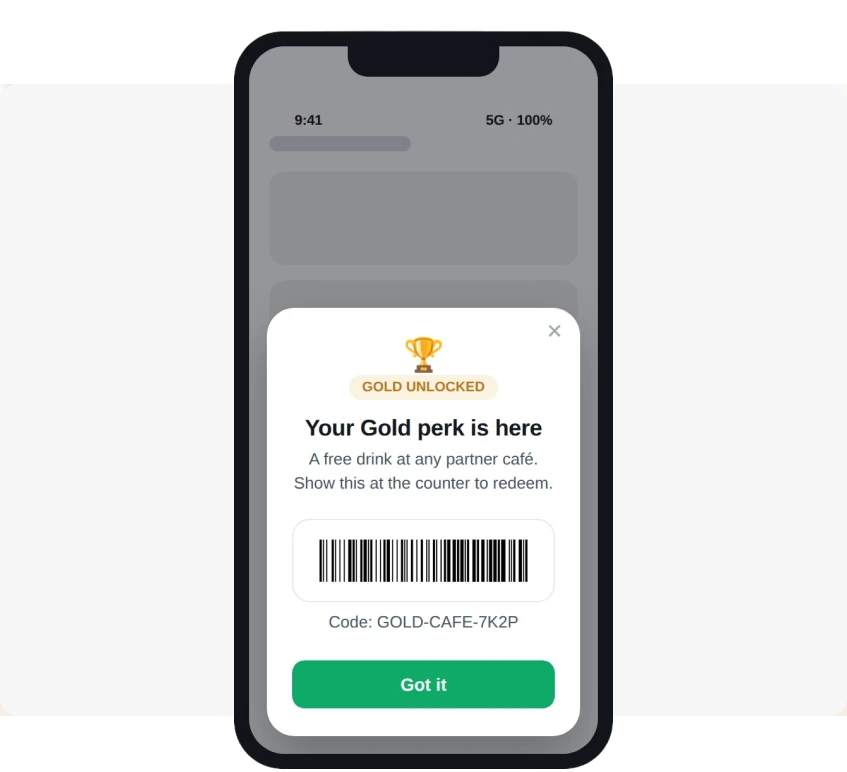
In Pushwoosh: on the tier_upgraded event, show an in-app message with a QR block pulling the reward code from a device tag — “Gold unlocked. Scan for your member gift.” One tap in the app, or one scan at a partner location. The reward is specific, immediate, and attached to the status they just earned.
🛍️ Retail + geo: dwell turns into a coupon in hand
The problem: a shopper is standing in your store zone right now, and your app knows it — but a plain push is easy to ignore mid-aisle.
The capability: a geo-dwell trigger that hands over an actual coupon, not just a nudge, while the customer is physically in range.
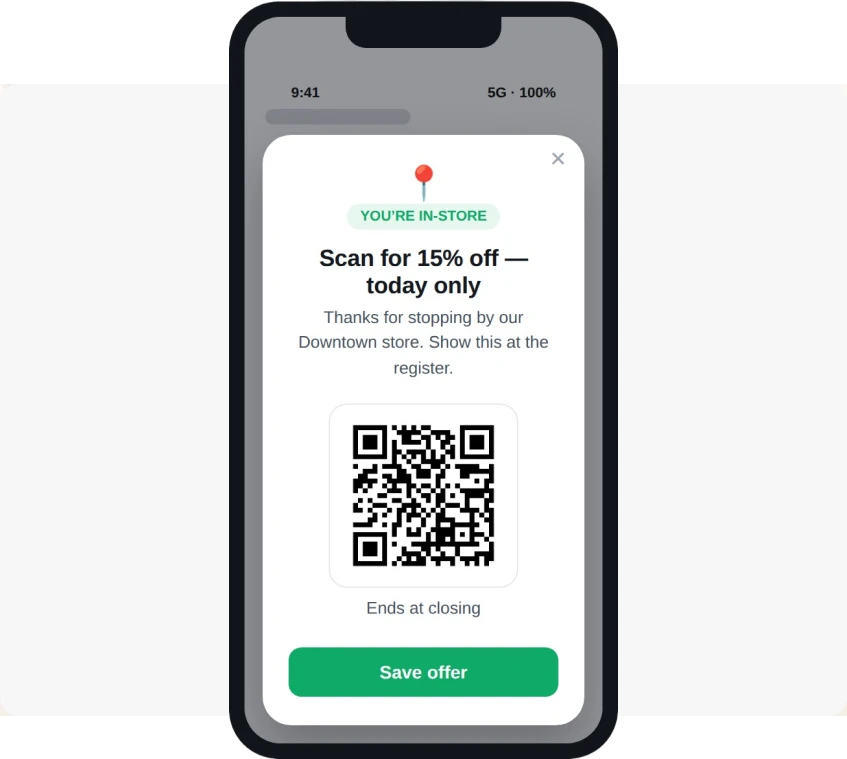
In Pushwoosh: A shopper enters the zone around your flagship and stays. After 3 minutes, the dwell event fires and an in-app message appears: “You’re in-store — scan for 15% off today.” The barcode sits right there in the message, personalized and scannable at the counter.
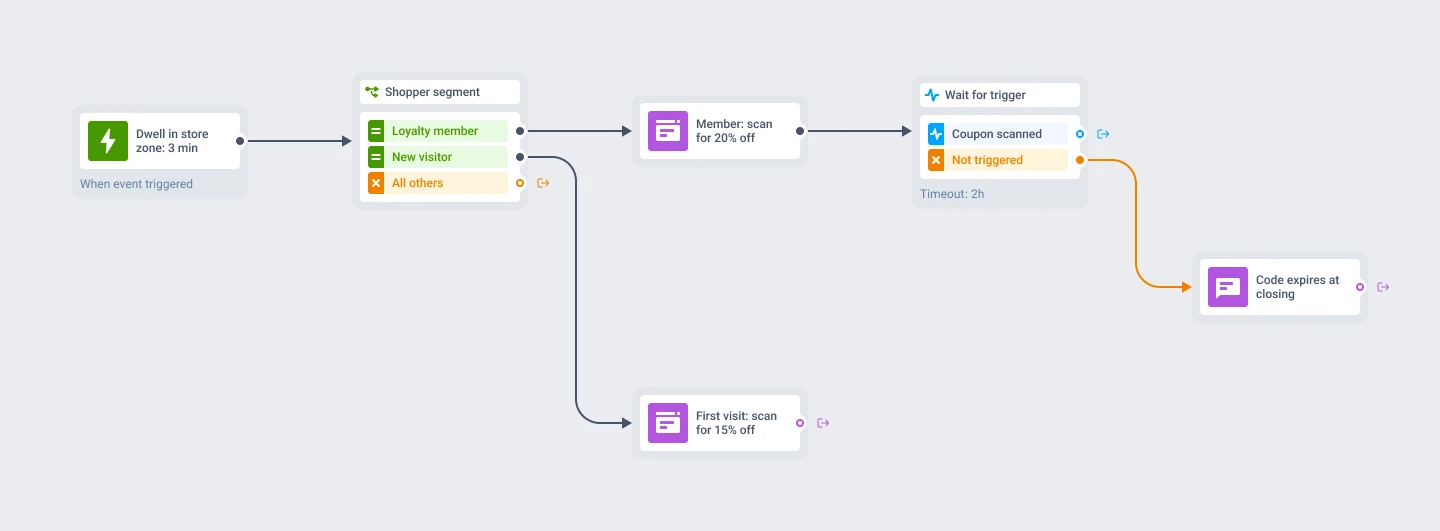
Geofencing gives you the trigger; the barcode block gives you the redeemable payload.
Build your 1st coupon journey
Every flow above is the same 4 moves. Here’s the shortest path from offer to live campaign in Customer Journey Builder:
-
Define the offer and the code
Decide the incentive and how codes are issued — a unique value per user (via
{{voucher}}in email or a device tag in-app). -
Drop in the barcode block
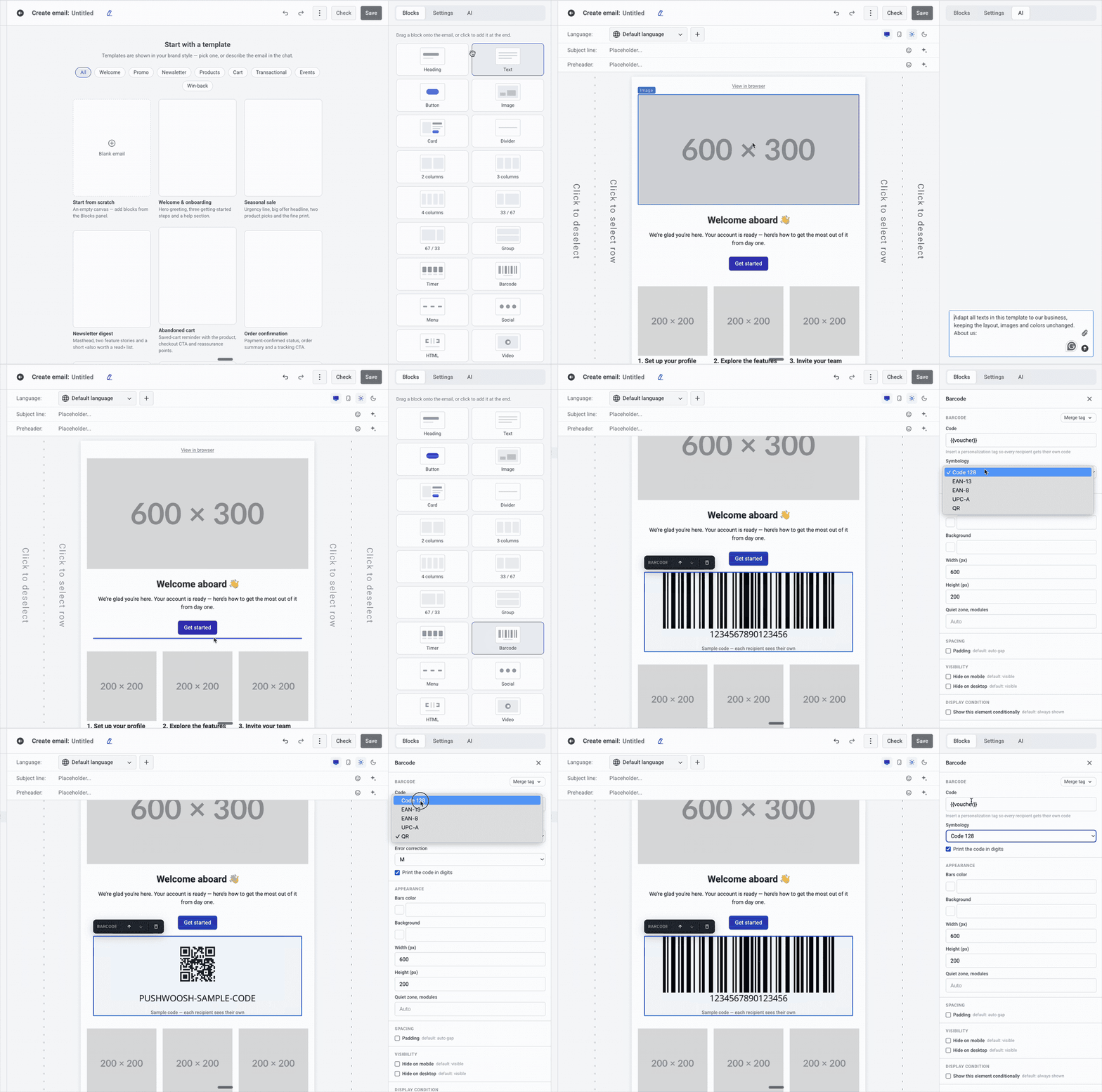
In the email or in-app editor, add the barcode block, set the symbology to match where it scans, and point the value at your merge tag or device tag.
-
Branch the journey
Set the trigger — inactivity, an upgrade event, a geo-dwell — then route by channel and reachability, with a fallback for users you can't reach on the first channel.
-
Set the guardrails
Add an expiry and a goal check so a redeemed code exits the user from the flow.
A few mistakes that quietly kill redemption:
- No expiry. A code with no deadline gives no reason to act now. Put a date in the copy and in the journey logic.
- A shared code. One code for the whole list means no per-user tracking, and it’s one screenshot away from your margins. Use a voucher pool.
- An uploaded image instead of the block. A flat image can break in the inbox, can’t be personalized, and can’t be tracked. The native block fixes this problem.
Where should the code live?
You can use coupons with a code in 3 places, depending on the level of persistence. So, pick by how long the code needs to stick around:
- In the message. The barcode block in an email or in-app: instant and personalized, for the moment you send.
- In the Message inbox. The message persists inside your app, so the customer pulls the code up at the till even after the push or in-app are long gone.
- In a wallet pass. Lives in Apple or Google Wallet — survives an uninstall and can resurface near the store.
Turn offers into repeat revenue with Pushwoosh
A coupon is only as good as the moment it lands and the code that scans. Pushwoosh gives you both: the barcode block renders native, personalized, trackable codes inside email, in-app, or Message inbox, and Customer Journey Builder fires them at the lifecycle moment that turns 1 purchase into the next.
Pick your highest-intent moment — a winback, a tier reward, a shopper near the store — and build the coupon flow behind it. Then watch the redemptions.