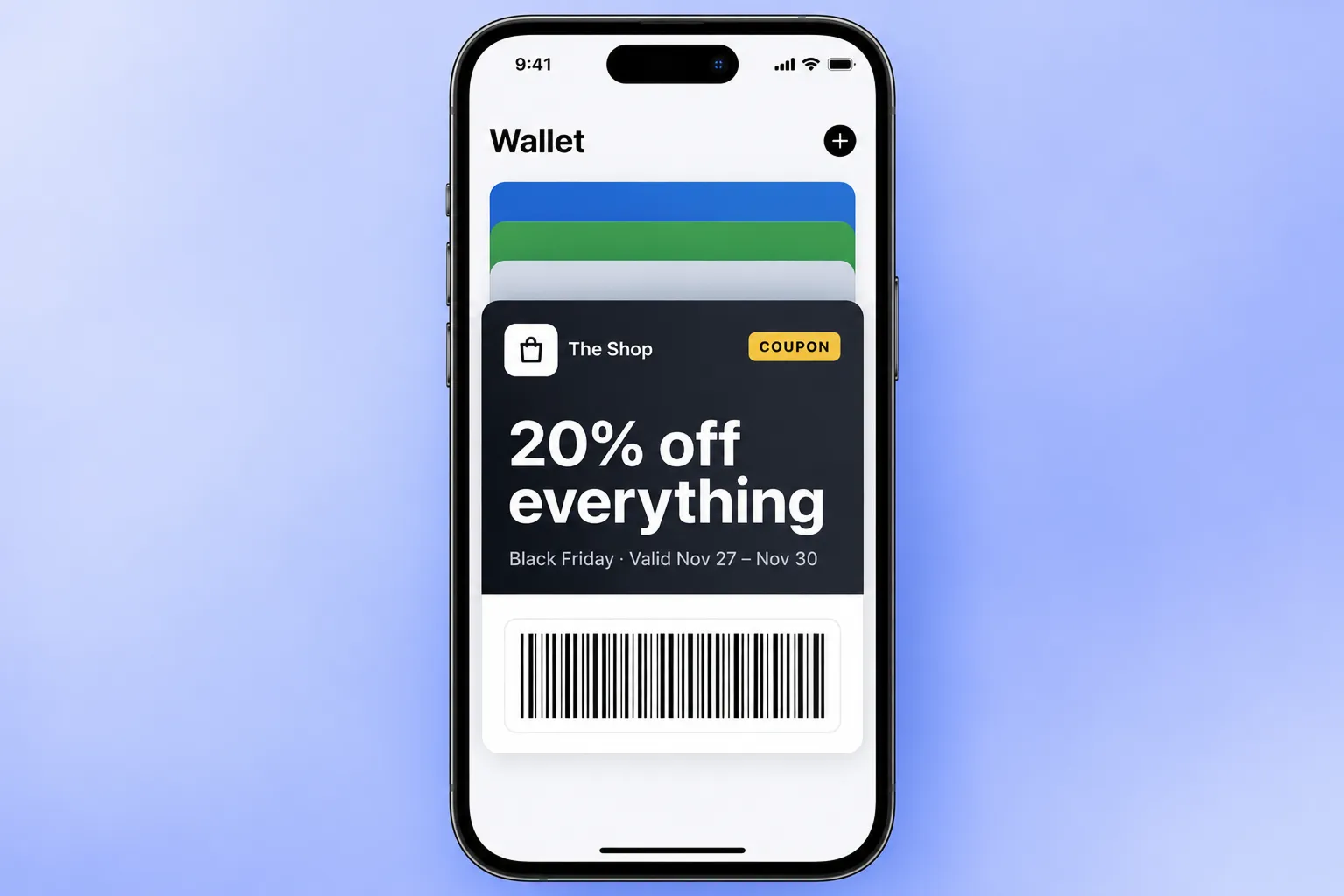
A wallet coupon is a digital coupon that lives in Apple Wallet or Google Wallet instead of an inbox or a PDF. It shows its own expiry date, can appear on the lock screen near your store, and scans at the till. For retailers it fixes the oldest coupon problem there is: the shopper can’t find it when it counts.
In Pushwoosh, coupons are issued by User ID from the same platform as your push and email, so you can run wallet coupons for ecommerce and retail inside the journeys you already have.
Why PDF and email coupons underperform
Email and PDF coupons live where shoppers don’t look at the till. The customer searches the inbox, opens a file and zooms in on a barcode while the queue waits behind them.
Anonymous shoppers make it worse. Braze estimates that 86% of shoppers in retail and ecommerce apps are anonymous (vendor estimate, analysis of 2.5 billion app users). A coupon in the wallet ties a discount to a known customer without asking them to log in first.
The market has tested the switch. Thai hypermarket chain Big C moved from PDF coupons to coupons in Google Wallet and saw a 38% higher average basket (competitor case from Google Wallet case studies, not a Pushwoosh result).
Coupon vs offer: the pass types
Apple and Google name the format differently, and the difference matters for alerts.
| Apple Wallet | Google Wallet | |
|---|---|---|
| Pass type | Coupon | Offer |
| Expiry | Expiration date, pass grays out | Expiration date, Google expires the pass |
| Mark as used | Voided flag | Invalidate or delete, pass moves to Expired passes |
| Lock-screen alert on update | Yes, if the field has a change message | No built-in alert for Offer; a custom notification through the API |
| Location relevance | Up to 10 locations | Up to 10 locations |
| Barcodes | QR, PDF417, Aztec, Code128 | Same, plus EAN-13 |
2 rows decide your setup. If your POS only reads EAN-13, Google supports it and Apple doesn’t. If you want an alert before expiry, Apple shows the change message, while a Google Offer needs a custom notification sent with the update.
The type is locked when you create the pass, so a coupon can’t later turn into a loyalty card.
Expiry and auto-void
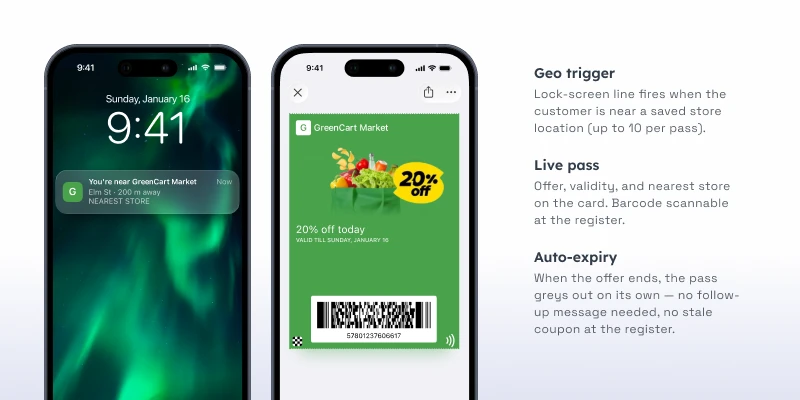
A coupon without a hard end date teaches customers to wait. Set the expiration date when you issue the pass and let Wallet handle the rest: the Apple coupon grays out, and Google expires the offer.
A day before expiry, update a field on the Apple coupon, like a “Valid until” line, and give it a change message: iOS shows the new text on the lock screen. For Google customers, attach a custom notification to the update (notifyMessage in the API), or send the reminder by push or email in the same journey.
After redemption, void the pass so nobody uses it twice. On Apple, mark it voided. On Google, invalidate or delete it.
Location-triggered coupons
Add your store locations to the coupon, up to 10 per pass, and it can appear on the lock screen when the customer is nearby. Wallet decides whether to show it, so think of it as a strong nudge, not a guaranteed trigger.
Chains with more than 10 stores should issue each customer a coupon with their nearest stores, through the API.
Redemption at the POS
The coupon carries a barcode. The cashier scans it and your POS applies the discount, same as a printed coupon. Pick a barcode format your scanners already read, and test it with a real phone before launch.
2 integration points need a developer on your side. The POS has to recognize the coupon code. And the redemption event should come back to Pushwoosh, so the journey can void the pass and stop sending reminders.
Personalization via journeys
Wallet coupons work best when each one is earned, not broadcast. Issue them from life cycle moments:
- First purchase. A next-visit coupon with a 2-week expiry.
- Lapsing customer. No order in 30 days triggers a coupon, delivered by email or SMS with the Add to Wallet buttons.
- Tier upgrade. A higher-value coupon for new Gold members.
Fields can hold the customer’s own values, like the discount or a personal code. Kiehl’s used Google Wallet loyalty cards with personal offers and notifications and reached 65% redemption (competitor case from Google Wallet case studies, not a Pushwoosh result). Quick-service chains use the same pattern for next-visit coupons.
What the coupon can say on its own
A coupon pass is something the customer chose to keep. Its alerts should be about that coupon: it expires tomorrow, it now works in a new store. Apple and Google don’t allow a pass to broadcast unrelated sales.
New promotions go by push, email or SMS, and you can run personalized coupon campaigns across those channels. The coupon pass is the thing the customer redeems.
Lift coupon redemption with Pushwoosh
Pushwoosh issues native Apple and Google Wallet coupons by User ID, with expiry, locations and barcodes set in the builder or through the API. 1 journey can issue the coupon, remind by push or email, and void the pass after redemption.
Coupon redemption doesn’t go up because the discount gets bigger. It goes up when the coupon is where the customer is, right when they’re ready to pay.