Post-purchase engagement is everything between the order and the next order: confirming it, keeping the customer posted, getting the item into their hands, and giving them a reason to come back. What you put next to the order confirmation decides whether they buy once or twice.
In Pushwoosh, every step runs on 1 customer profile, so wallet passes for ecommerce sit in the same journey as push, email and SMS.
The post-purchase window
The window has 4 stages. Each has a job and a natural channel.
| Stage | Customer question | Best channel | KPI |
|---|---|---|---|
| Confirmation | "Did it go through?" | Email, push | Delivery and open rate |
| Fulfilment | "Where is it? Is it ready?" | Push, SMS, order-ready pass | Contacts to support |
| Pickup or delivery | "What do I show?" | Wallet pass with barcode | Wait time at pickup |
| Next purchase | "Why come back?" | Loyalty pass, email, push | Repeat purchase rate |
The first 2 stages build trust. The last 2 are where retention starts, and they’re where a lot of brands go quiet. That’s the gap automated post-purchase messages close: every stage runs from 1 journey.
2 passes worth issuing after an order
An order-ready card for click-and-collect. For store pickup, a pass with the order number and a barcode gives the customer 1 thing to show at the counter. It can update when the order moves from “being prepared” to “ready”.
Pickup is where wait time is won or lost. Craft retailer JOANN rolled out location-based pickup across its stores and reported that over 80% of customers waited less than 3 minutes (competitor case, Flybuy, geofence-based, not a wallet pass). The lesson carries over even without the geofence: tell the store the customer is on the way, and give the customer 1 thing to show.
A loyalty card after the first order. The confirmation email is the best place to offer it, because the customer has just shown intent. Points from the first order make the card worth adding on the spot.
Review, reorder and referral triggers
Once the item arrives, 3 triggers do most of the work. None of them belongs on the wallet pass.
Send the review request after the expected delivery date, not at dispatch. A review request for something that hasn’t arrived reads as careless. Email suits longer reviews. Push suits a quick star rating in the app.
Time the reorder reminder to the product’s usual use cycle. Push for app users, email or SMS for everyone else.
Ask for a referral after a positive signal, like a high rating or a second order. Asking before the item has even arrived rarely works.
Personalization pays here. McKinsey estimates personalization typically lifts revenue by 5 to 15% (research). Base each trigger on what the customer actually bought, not on a calendar.
Where the wallet pass fits, and where it doesn’t
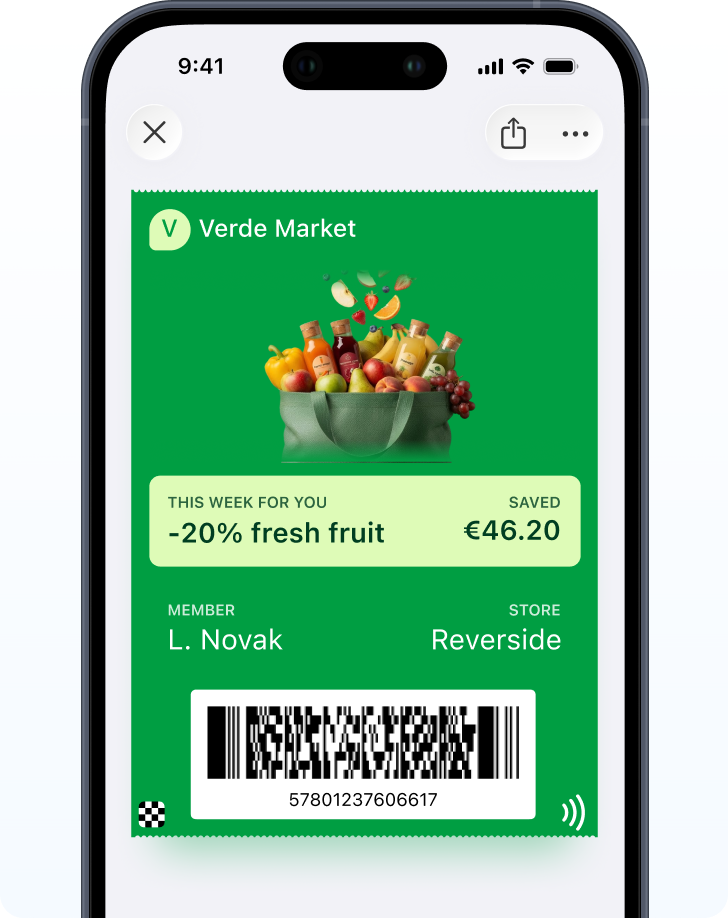
A wallet pass is the right tool for anything the customer needs to show or check: an order-ready barcode, a points balance, a coupon for next time. It updates in place and can surface near the store.
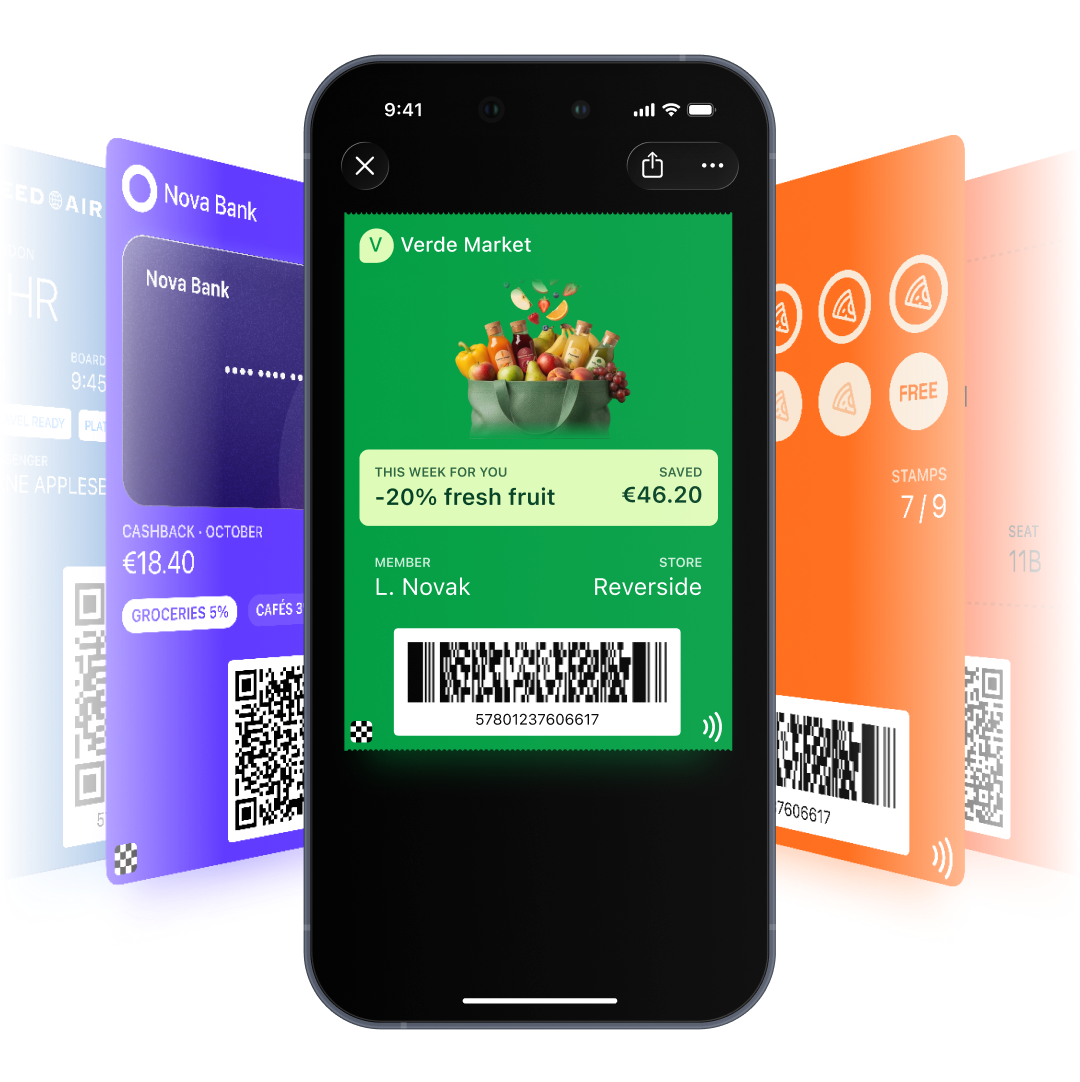
It’s the wrong tool for asking. Apple and Google only allow notifications related to the pass, so review requests, reorder reminders and referral offers go by push, email or SMS. Because the pass and the messages share 1 profile, a single journey can handle both.
A sample post-purchase journey
-
Order placed
Confirmation email with Add to Wallet buttons for the loyalty card.
-
Order ready (pickup)
Push and SMS to say it's ready. The order-ready pass updates its status.
-
Picked up or delivered
Points land on the loyalty card.
-
Day 5 after delivery
Review request by email.
-
Use cycle reached
Reorder reminder by push, with a next-visit coupon pass for store shoppers.
-
No second order in 45 days
Win-back by email or SMS.
The timings are a starting point. Your own delivery times and reorder data should set them.
What each channel is for
Email carries the confirmation, the receipt and the Wallet buttons. Push handles status changes and reminders for app users. SMS reaches customers without the app at pickup time, as long as consent and local rules are in place. The wallet holds what the customer has to show: the barcode, the balance, the coupon.
Grow repeat purchases with Pushwoosh
Pushwoosh runs the whole post-purchase window on 1 profile: wallet passes for what the customer shows, push, email and SMS for what you ask. 1 journey covers confirmation, pickup, review and reorder.
Repeat purchases don’t come from a better thank-you email. They come from making the next order the obvious next step.