Post-purchase engagement वह सब कुछ है जो order और अगले order के बीच होता है: order confirm करना, customer को update देते रहना, item उसके हाथ तक पहुंचाना, और उसे वापस आने की वजह देना। Order confirmation के साथ आप क्या रखते हैं, वही तय करता है कि customer एक बार खरीदेगा या दो बार।
Pushwoosh में हर step 1 customer profile पर चलता है, इसलिए ecommerce के लिए wallet passes उसी journey में रहते हैं जिसमें push, email और SMS हैं।
Post-purchase window
इस window के 4 stages हैं। हर stage का एक काम है और एक natural channel।
| Stage | Customer का सवाल | Best channel | KPI |
|---|---|---|---|
| Confirmation | "क्या order हो गया?" | Email, push | Delivery और open rate |
| Fulfilment | "Order कहां है? क्या ready है?" | Push, SMS, order-ready pass | Support से contacts |
| Pickup या delivery | "मुझे क्या दिखाना है?" | Barcode वाला wallet pass | Pickup पर wait time |
| अगली purchase | "वापस क्यों आऊं?" | Loyalty pass, email, push | Repeat purchase rate |
पहले 2 stages भरोसा बनाते हैं। आखिरी 2 वहां हैं जहां retention शुरू होता है, और यहीं बहुत से brands चुप हो जाते हैं। यही gap automated post-purchase messages भरते हैं: हर stage 1 journey से चलता है।
Indian e-commerce में यह window अक्टूबर–नवम्बर में सबसे ज़्यादा भरी होती है, जब Diwali, Big Billion Days और Great Indian Festival के orders एक साथ आते हैं। इन्हीं हफ़्तों में पहली बार खरीदने वाले customers सबसे ज़्यादा होते हैं, इसलिए sale के बाद का post-purchase flow तय करता है कि उनमें से कितने साल भर ऐप यूजर रिटेंशन में बदलेंगे।
Order के बाद issue करने लायक 2 passes
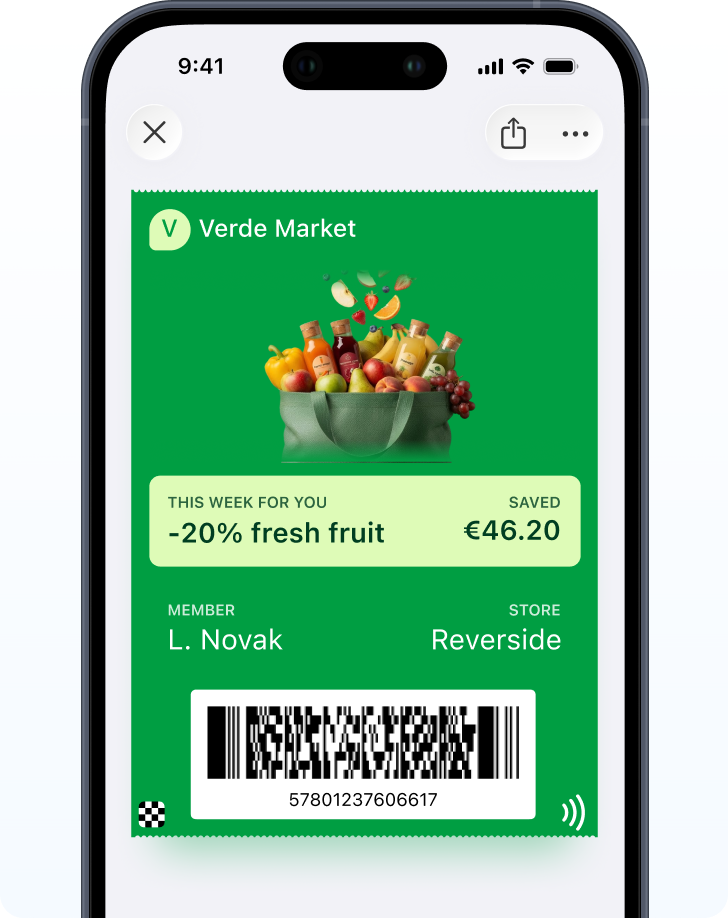
Click-and-collect के लिए order-ready card। Store pickup के लिए, order number और barcode वाला pass customer को counter पर दिखाने के लिए 1 चीज़ देता है। Order “तैयार हो रहा है” से “ready” होने पर यह update हो सकता है।
Pickup पर ही wait time जीता या हारा जाता है। Craft retailer JOANN ने अपने stores में location-based pickup शुरू किया और बताया कि 80% से ज़्यादा customers ने 3 मिनट से कम इंतज़ार किया (competitor case, Flybuy, geofence-based, wallet pass नहीं)। सीख geofence के बिना भी काम आती है: store को बताएं कि customer रास्ते में है, और customer को दिखाने के लिए 1 चीज़ दें।
पहले order के बाद loyalty card। इसे offer करने की सबसे अच्छी जगह confirmation email है, क्योंकि customer ने अभी-अभी intent दिखाया है। पहले order के points card को उसी वक्त add करने लायक बनाते हैं।
Review, reorder और referral triggers
Item पहुंचने के बाद, 3 triggers ज़्यादातर काम करते हैं। इनमें से कोई भी wallet pass पर नहीं आता।
Review request expected delivery date के बाद भेजें, dispatch पर नहीं। जो चीज़ अभी पहुंची ही नहीं, उसका review मांगना लापरवाही लगता है। लंबे reviews के लिए email ठीक है। App में quick star rating के लिए push।
Reorder reminder को product के usual use cycle के हिसाब से time करें। App users के लिए push, बाकी सबके लिए email या SMS।
Referral किसी positive signal के बाद मांगें, जैसे high rating या दूसरा order। Item पहुंचने से पहले मांगना शायद ही काम करता है।
यहां personalization का फ़ायदा मिलता है। McKinsey का अनुमान है कि personalization से आमतौर पर revenue 5 से 15% बढ़ता है (research)। हर trigger को calendar पर नहीं, customer ने असल में क्या खरीदा उस पर base करें।
Wallet pass कहां fit होता है, और कहां नहीं
Wallet pass उस हर चीज़ के लिए सही tool है जो customer को दिखानी या check करनी हो: order-ready barcode, points balance, अगली बार का coupon। यह अपनी जगह update होता है और store के पास दिख सकता है।
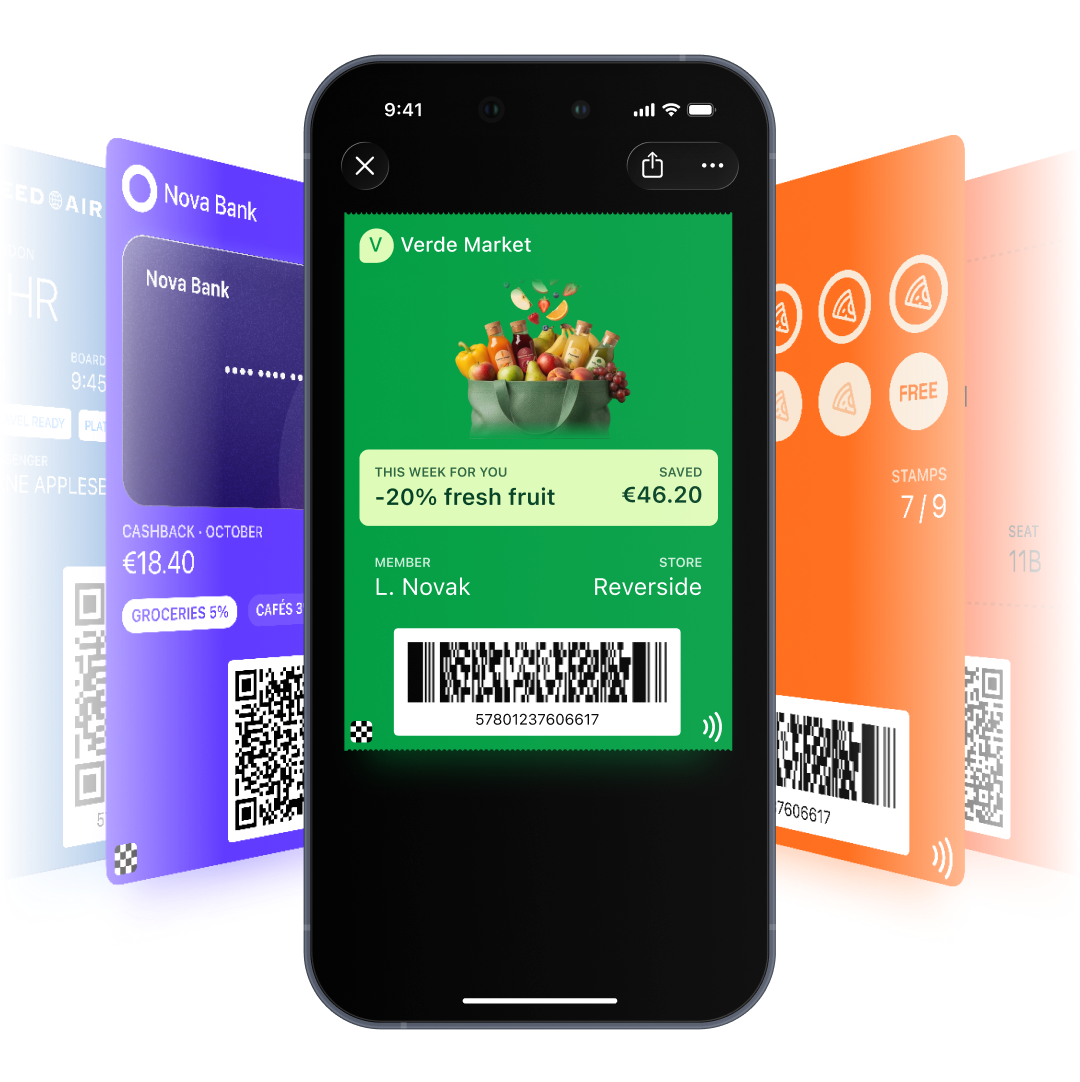
मांगने के लिए यह गलत tool है। Apple और Google सिर्फ़ pass से जुड़ी notifications allow करते हैं, इसलिए review requests, reorder reminders और referral offers push, email या SMS से जाते हैं। क्योंकि pass और messages 1 profile share करते हैं, एक ही journey दोनों संभाल सकती है।
भारत में Android का share 95%+ है, इसलिए confirmation email में Google Wallet वाला button ज़्यादातर customers के काम आएगा। Apple Wallet button भी रखें, ताकि iOS वाले customers छूट न जाएं, लेकिन loyalty card का design और testing पहले Google Wallet पर करें।
एक sample post-purchase journey
-
Order placed
Loyalty card के लिए Add to Wallet buttons वाला confirmation email।
-
Order ready (pickup)
Ready होने की खबर push और SMS से। Order-ready pass अपना status update करता है।
-
Pickup या delivery हुई
Points loyalty card पर आ जाते हैं।
-
Delivery के 5 दिन बाद
Email से review request।
-
Use cycle पूरा हुआ
Push से reorder reminder, store shoppers के लिए next-visit coupon pass के साथ।
-
45 दिन में दूसरा order नहीं
Email या SMS से win-back।
ये timings एक शुरुआत हैं। इन्हें आपके अपने delivery times और reorder data से तय होना चाहिए।
हर channel किस काम के लिए है
Email confirmation, receipt और Wallet buttons ले जाता है। Push app users के लिए status changes और reminders संभालता है। SMS pickup के समय उन customers तक पहुंचता है जिनके पास app नहीं है, बशर्ते consent और local rules पूरे हों। Wallet वह रखता है जो customer को दिखाना है: barcode, balance, coupon।
Pushwoosh के साथ repeat purchases बढ़ाएं
Pushwoosh पूरी post-purchase window 1 profile पर चलाता है: जो customer दिखाता है उसके लिए wallet passes, जो आप मांगते हैं उसके लिए push, email और SMS। 1 journey confirmation, pickup, review और reorder cover करती है।
Repeat purchases बेहतर thank-you email से नहीं आतीं। ये तब आती हैं जब अगला order सबसे स्वाभाविक अगला कदम बन जाए।