As long as your mobile app sits on the customer’s phone, you have channels: push, in-app, everything the install carries. The catch is the install itself — one storage cleanup, and every channel inside the app goes quiet at once.
A wallet pass doesn’t depend on the install. It lives in Apple Wallet or Google Wallet, apps that ship with the phone and never get deleted. The customer adds it once, and it stays for months, updating itself — a retention surface on the same audience your push and email already reach.
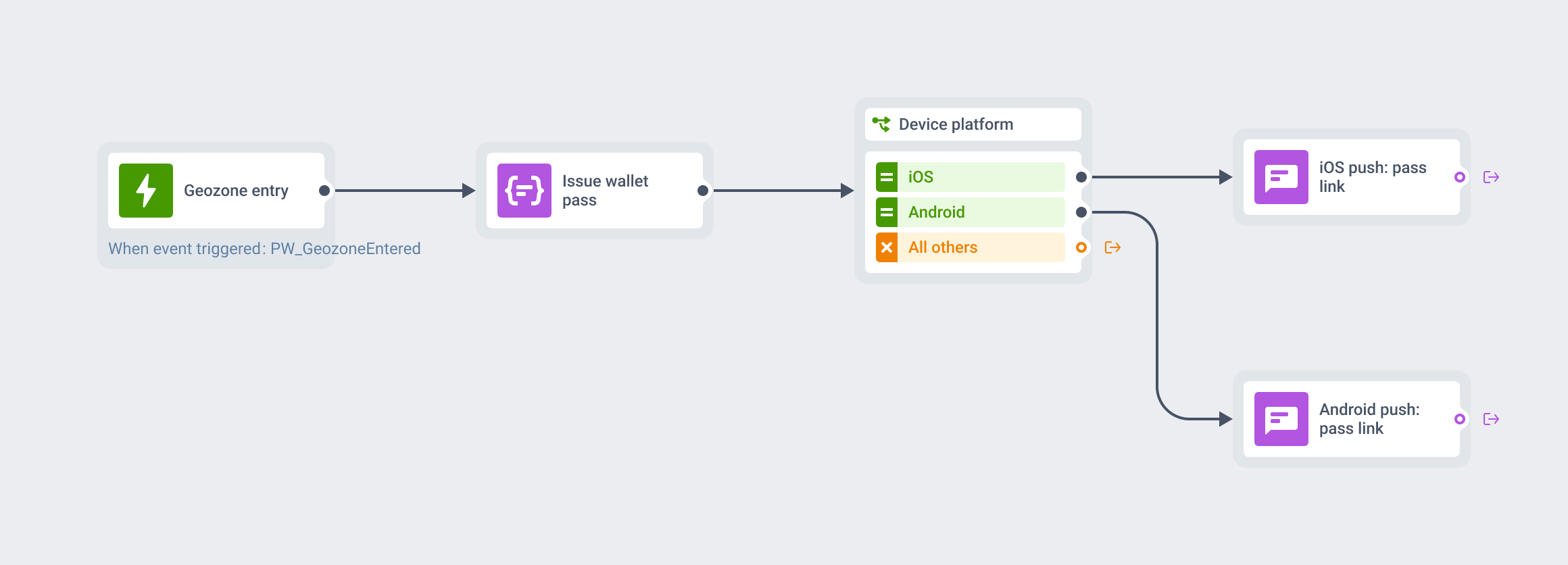
Issuing passes used to mean a dedicated vendor. Now any brand can design, issue, and update them right from Pushwoosh. This post covers what to do with that: the use cases, and how to combine passes with the channels you already run.
What a wallet pass is — and why it stays
A wallet pass is a way to put your coupon, loyalty card, or boarding pass right on the customer’s phone.
You design it once, the customer taps “Add to Apple Wallet” or “Save to Google Wallet,” and from that point the card maintains itself: you change the points balance, gate, seat, offer, or expiry date, and the pass updates on every device where it’s saved. When something important changes, the pass can show a notification on the lock screen. When the customer walks near your store or venue, the right card surfaces on its own.
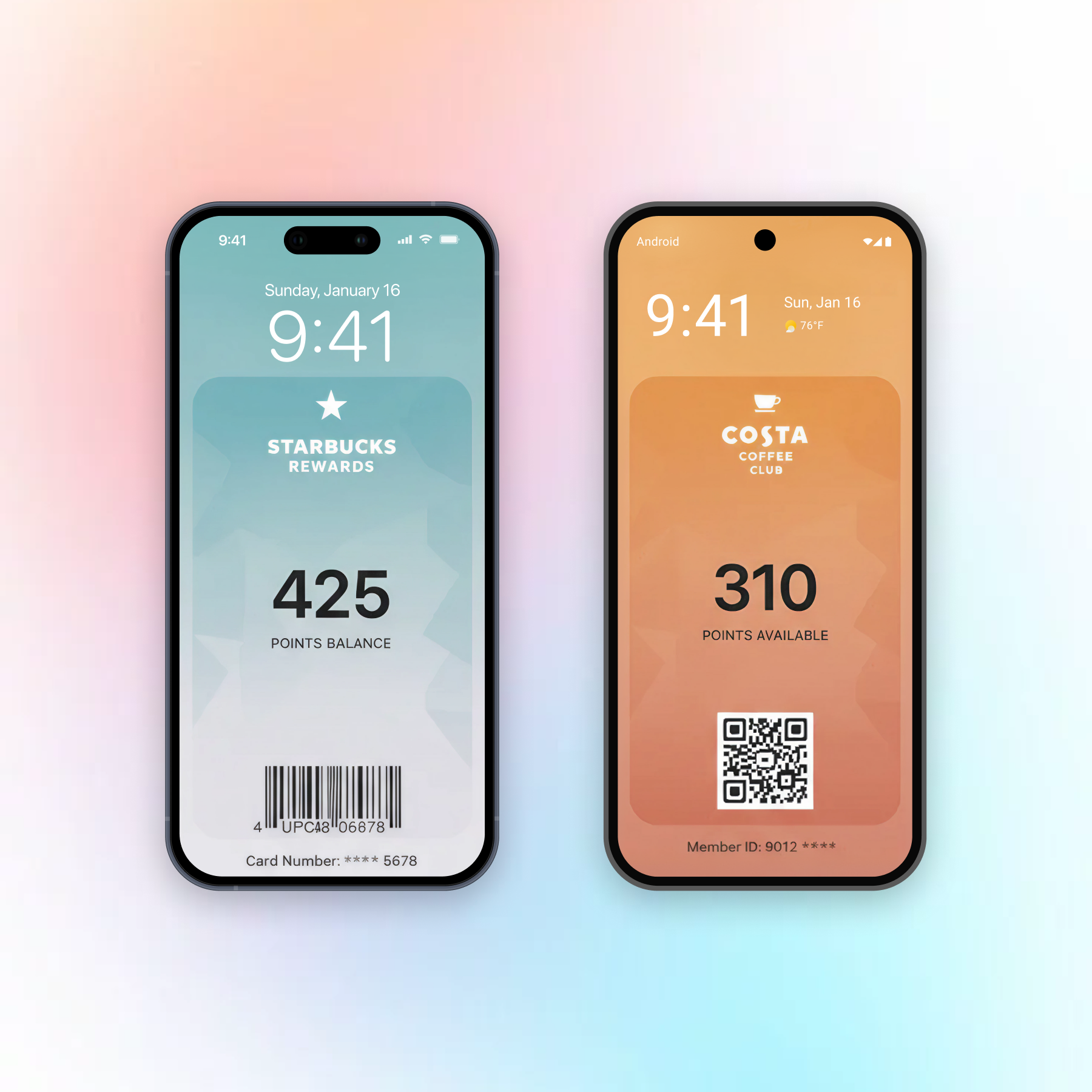
When loyalty lives inside a dedicated app, you’re one phone cleanup away from losing that member. Wallet passes survive because they live at the OS level, not the app level. What I wanted when we built this was passes sitting right alongside push, email, and in-app, in one place.

Why wallet passes don’t work as a promo channel
Treat wallet passes as an additional feature to your communication stack to build trust and increase retention. The wallet is the one place where your brand’s presence is always accurate and never noisy, which is exactly why customers keep passes for months while they mute push channels in an afternoon.
Promo pressure belongs in push, email, and in-app, where users expect it and where frequency is yours to manage. The wallet pass earns its spot by staying useful, increasing loyalty and trust.
Loyalty, stamp, and store cards: points that update themselves
Best fit: retail, QSR & coffee, grocery, fitness
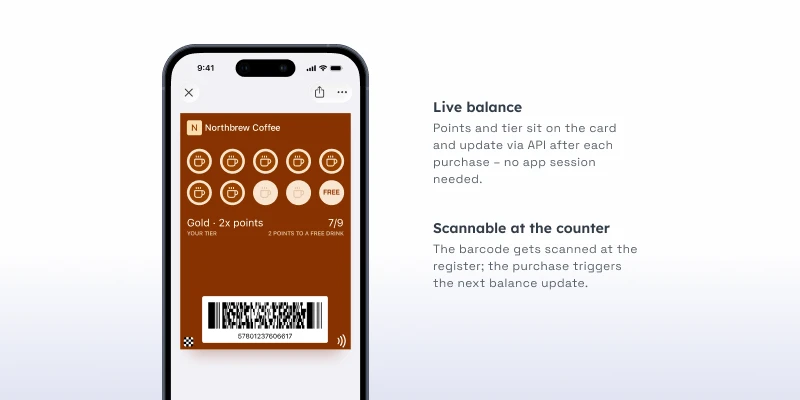
The loyalty card is the flagship use case. A wallet pass shows live points, tier, and rewards on the card itself, and refreshes the moment the balance changes.
Coupons and offers: show up near the store, expire on time
Best fit: retail, grocery, marketplaces
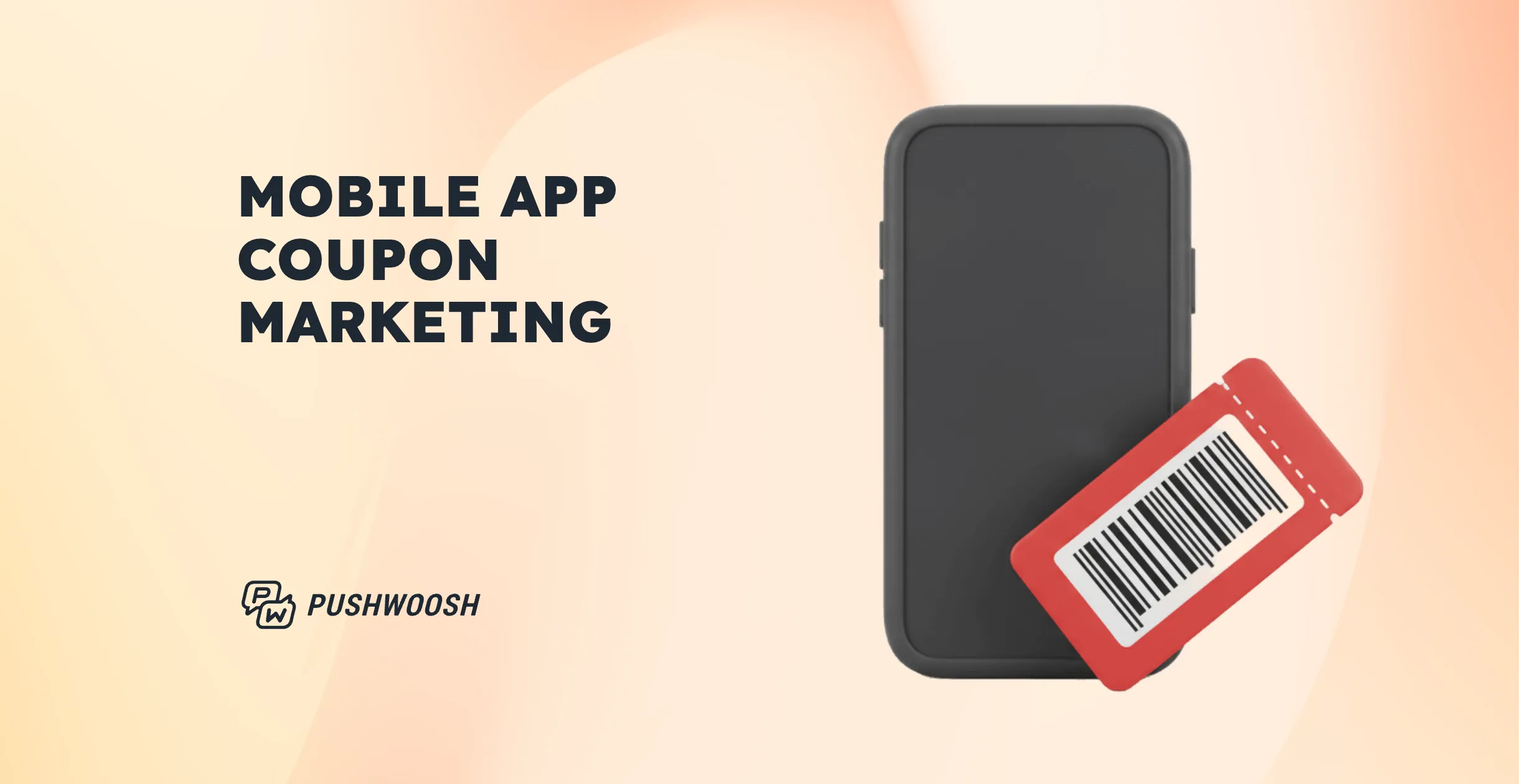
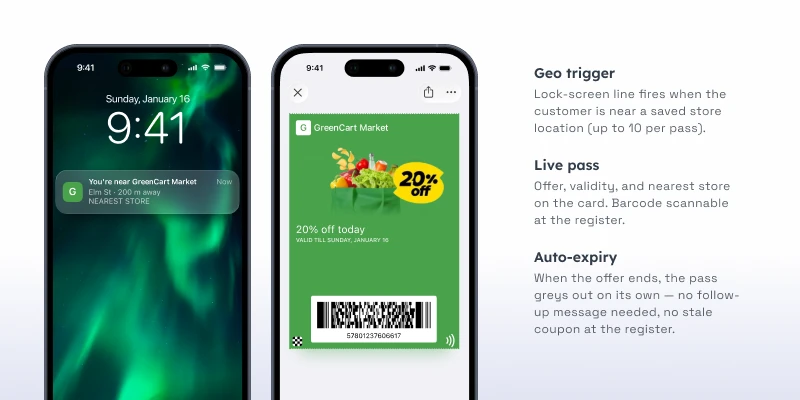
A promo code in a push notification is a one-shot: seen or missed, then gone. A coupon pass stays in the wallet until it expires, and it works the room while it’s there.
Boarding passes: gate changes that reach the traveler
Best fit: airlines, travel & OTA
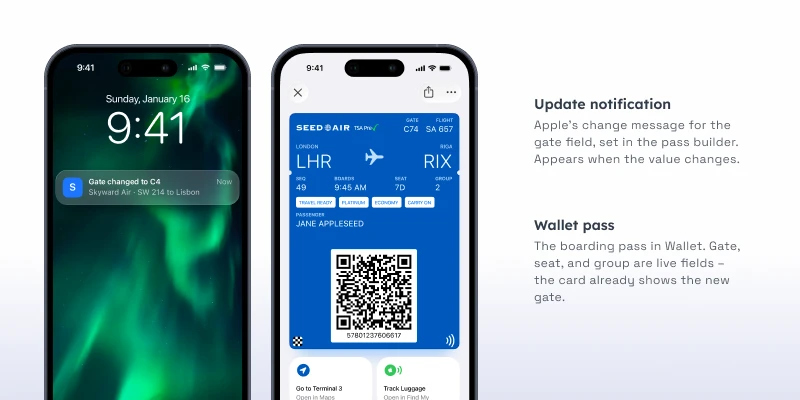
Nobody reinstalls an airline app for a single trip. But every traveler will add a boarding pass to their wallet, because the wallet is where boarding passes belong. That’s distribution the app never gets.
The pass carries the gate, seat, and boarding group — and updates live when any of them change. Gate moved from B12 to C4? The pass on the traveler’s phone already says C4 by the time they look at it.
Event tickets: scannable, current, and in the right pocket
Best fit: events & ticketing, live sports, theme parks, cinema
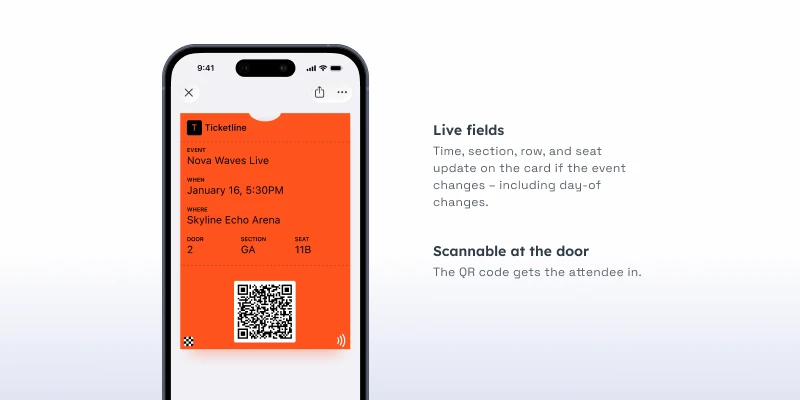
An event ticket pass is a scannable barcode with a memory. Seat, section, gate, and start time sit on the card; the barcode gets the attendee through the door without a PDF hunt or a screenshot folder.
Gift cards: re-engagement after the balance hits zero
Best fit: retail, F&B, gaming
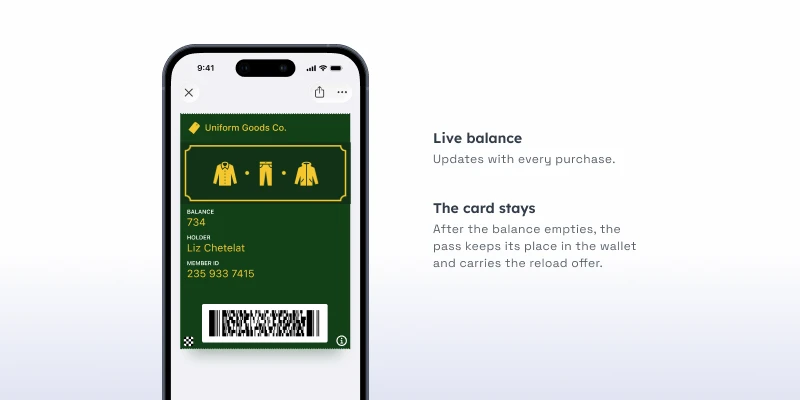
A plastic gift card dies twice: once when the balance empties, and once when it gets tossed. A wallet gift card skips both. The live balance sits on the card, updates with every purchase, and when it hits zero — the card is still there, in the wallet, carrying your brand.
More wallet pass types to put to work
More types follow the same logic, each with a narrower job:
- Transit tickets — single or round-trip passes for rail, bus, tram, or ferry, with legs and validity on the card. (rail, public transit)
- Membership and ID cards — a gym card, club membership, or insurance card that’s always current, always on the phone. (fitness & clubs, hotels, insurance)
- Season passes — one scannable ticket that covers the whole run: a theme park summer, a museum year, a home-game season. (theme parks, museums, live sports)
- Click-and-collect passes — an order-ready pass the customer shows at pickup, updated when the order status changes. (BOPIS, grocery, QSR)
The same mechanics work across every pass
Each use case above leads with one mechanic, but all of them apply to every pass type:
| Mechanic | What it does | Where it shines |
|---|---|---|
| Live updates | Change a field, and the card refreshes on every device where it's saved | Points balances, gates, seats, order status |
| Location relevance | Up to 10 locations per pass; the card surfaces on the lock screen nearby | Stores, venues, terminals, pickup points |
| Journey orchestration | The pass is a step in a customer journey, alongside push, email, and in-app | Delivery, save follow-ups, re-engagement |
| API control | Create, update, and invalidate passes programmatically at scale | Per-user passes, POS integration, live data |
Add wallet passes to the journeys you already run in Pushwoosh
If you’re already running push, email, or in-app campaigns, the wallet pass isn’t a new program to build. It’s a new step in the journeys you have: same audience, same segments, same opt-in — plus a card that stays on the phone after the campaign ends.
Pick the pass type your customers would actually carry. Issue it inside your highest-traffic flow. Let the card handle the always-current part, and let your other channels drive the moments around it.