About Cheaf
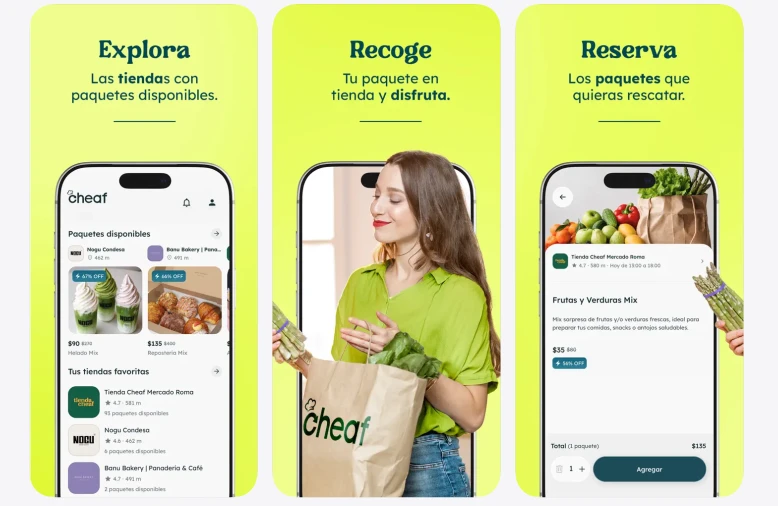
Cheaf is a food rescue marketplace in Latin America. Restaurants, bakeries and grocery stores list surplus food as discounted surprise packs. Shoppers reserve a pack in the app, collect it in store, and pay a fraction of the original price.
Cheaf started in Mexico and now runs in Mexico, Chile, Colombia and Argentina. Colombia opened a few months ago and is still in its launch phase. The consumer app has a 4.88 rating on the App Store and more than 5 million installs on Android. Merchants get their own partner app and a web dashboard, where they upload the day’s stock and see what sold.
The model puts marketing on a clock. A surplus pack is worth something at 4pm and nothing at 9pm. The business runs on sell-through, and Cheaf tracks it per store and per day, sometimes per hour. If a location still has unsold packs at midday, someone has to reach the right shoppers before it closes.
4 country teams do that work. Each one decides what its own market needs.
Every team decides. It depends on the moment of the market, on the number of stores, on the market conditions.
The challenge: selling today’s stock before today ends
2 things make this hard.
The first is timing. Every pack is 1 unit of perishable stock, and the window to collect it is a few hours long. A campaign that goes out late sells nothing. One that goes to the wrong city sells nothing and pings people who can’t use it.
The second is granularity. The decision is rarely “message Mexico”. It’s closer to “these 4 stores in this neighbourhood still have packs at 3pm, and the shoppers who can get there in 20 minutes should know”. Multiply that by 4 countries and a partner network that grows every month, and the sheer number of small decisions becomes the real limit.
Before Pushwoosh, those decisions went through engineering. Cheaf had journeys, but marketing couldn’t launch one without a developer, so every campaign meant a hand-off and a wait. With stock that expires the same day, that wait hurt most.
Email ran on a separate platform, so audience data sat in one system and messaging in another.
The solution: campaigns timed to sell-through
Cheaf moved push, in-app and email to Pushwoosh and rebuilt its campaign process in Customer Journey Builder.
The Cheaf backend sends the events that messaging depends on:
- registration, with the user’s country
- pack reservation, with the store, the brand and the order status
- merchant-side events for partner reporting and satisfaction
Most sends start with a reachability check. The team picked up the habit during onboarding, while working out what each channel costs per user reached, and kept it as volume grew.
Journey 1: daily sell-through pushes, per market, per daypart
Most of the daily work happens here. Each country team watches sell-through during the day, picks the audience that can still act on what’s left, and sends.
Chile runs lunch, afternoon and evening slots. Mexico sends in numbered batches to different audience slices across the day. Colombia builds around named partner locations. Argentina pairs low-sell-rate pushes with first-rescue flows for new users, one per province.
Depending on the hour and on our sales rate, we select an audience and then we send the messages to try to sell in these stores that still have a lot of boxes.
Most journeys Cheaf has launched include an A/B splitter. Subject lines, creative and timing get tested on a live audience every day instead of waiting for an occasional big experiment. At 60 campaigns a week, that’s a lot of tests.
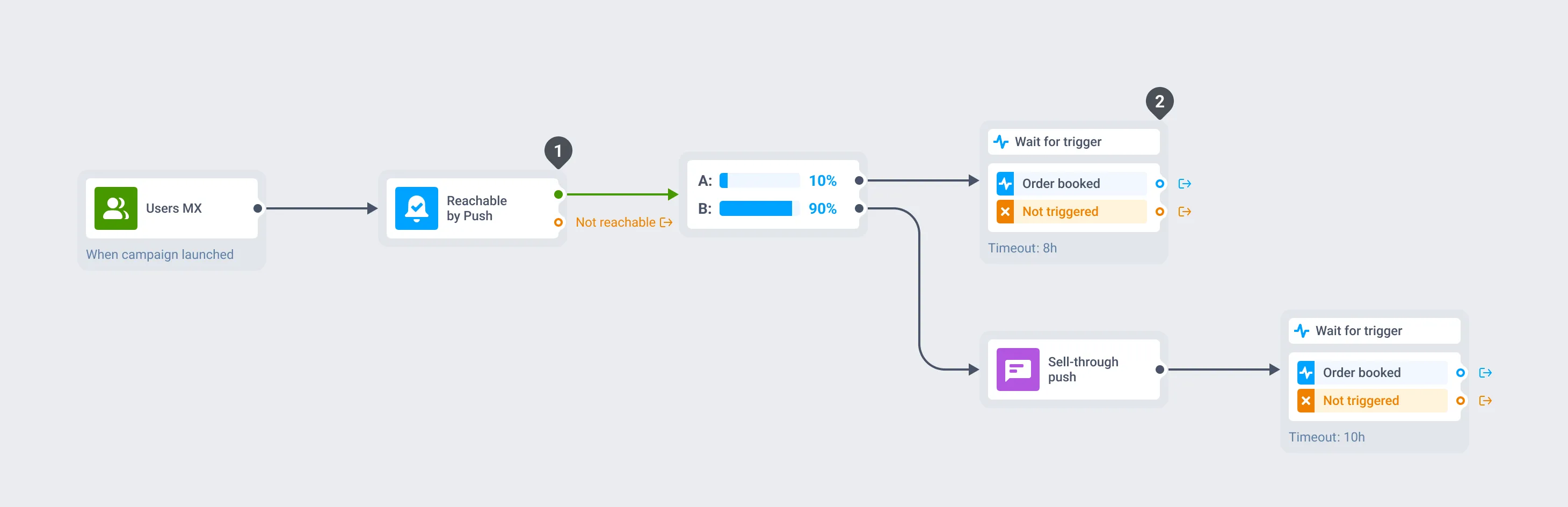
Mexico: several sends a day. Each send is a separate journey to Users MX, the segment of all users in Mexico.
- Push-enabled users only.
- 10% control group, no push.
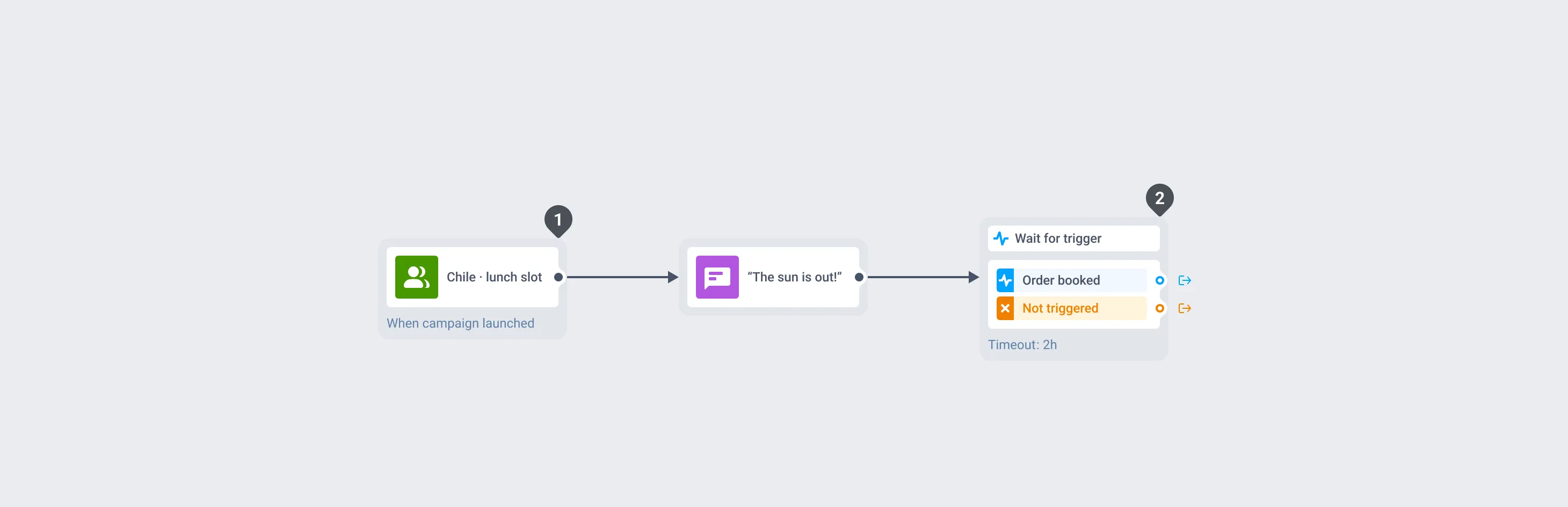
Chile: lunch slot. Separate pushes for lunch, afternoon and evening.
- Lunch-slot audience.
- 2 hours to book an order.
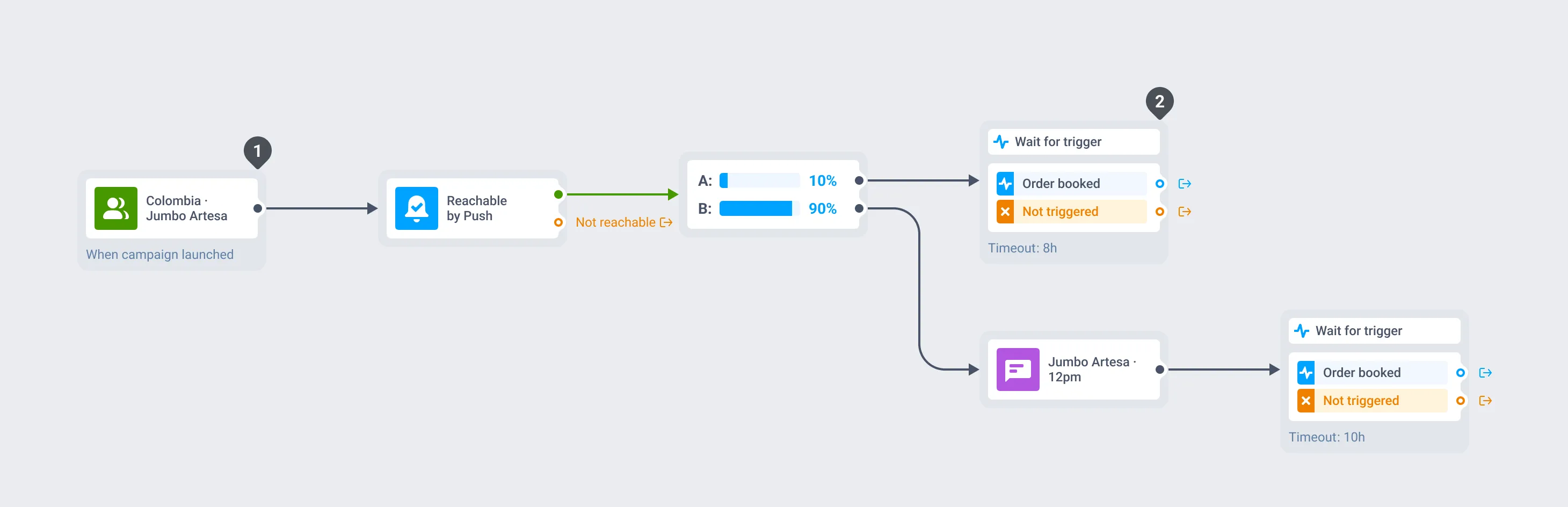
Colombia: named partner locations. Here, Jumbo Artesa at 12pm.
- Shoppers of this store.
- 10% control group, no push.
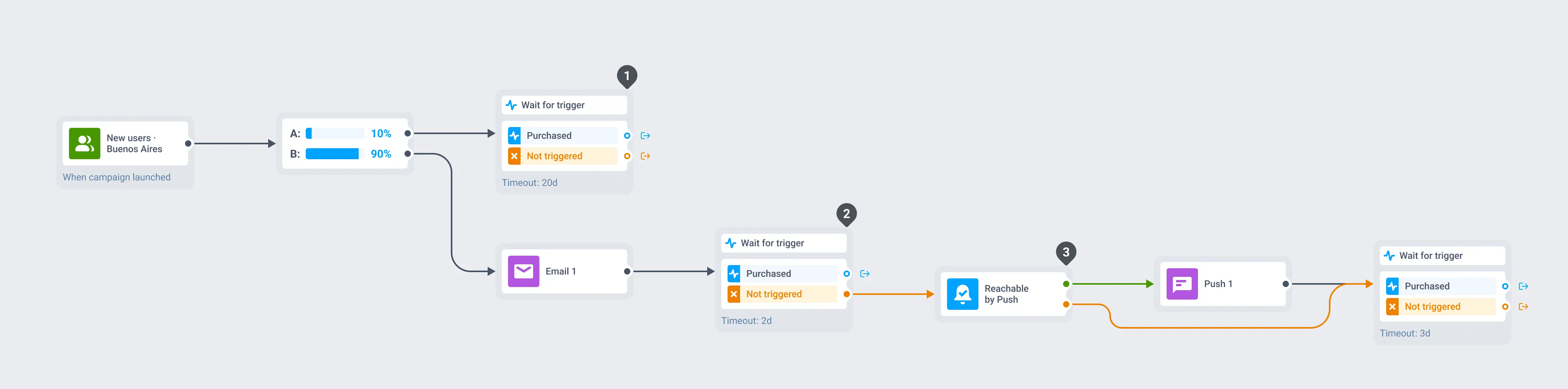
Argentina: new-user onboarding (1/4). Emails and pushes until the first order, or “rescue”.
- 10% control group, no messages.
- Ordered? The user leaves the flow.
- No push? Skip to the next wait.
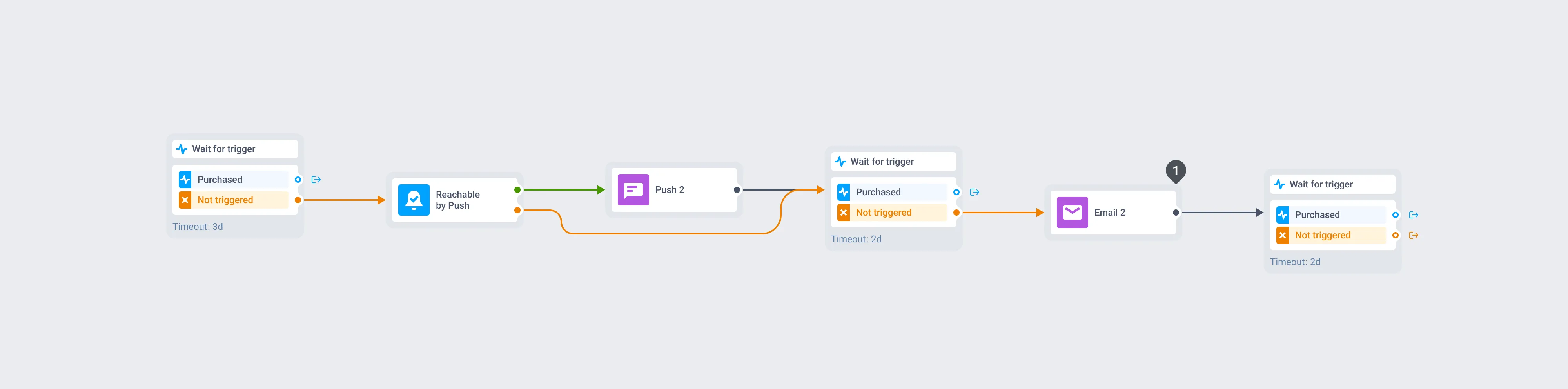
Argentina: new-user onboarding (2/4). Push 2, then Email 2.
- Email goes to everyone who hasn’t ordered yet.
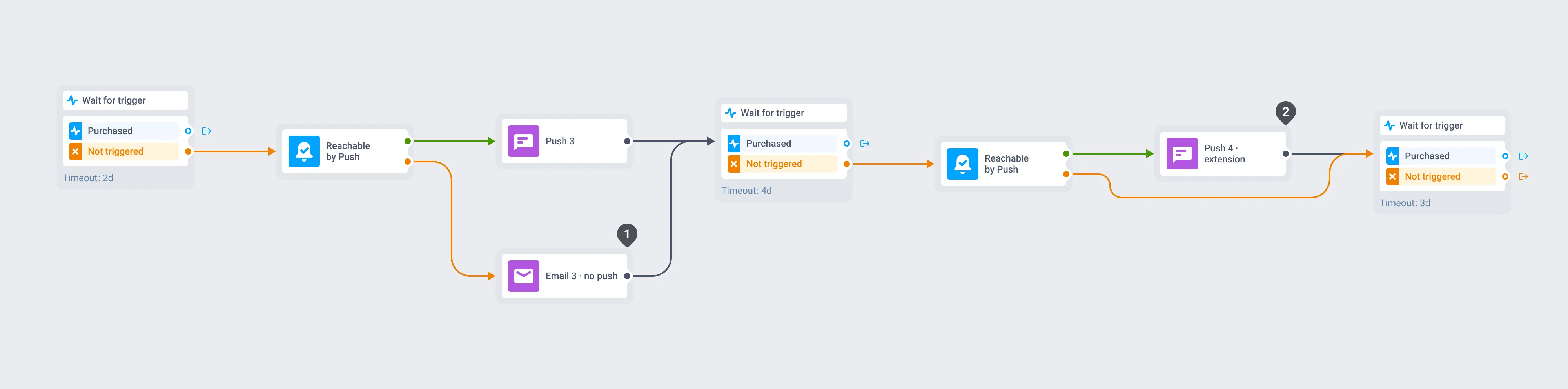
Argentina: new-user onboarding (3/4).
- No push? Email 3 instead.
- Push 4 extends the offer.
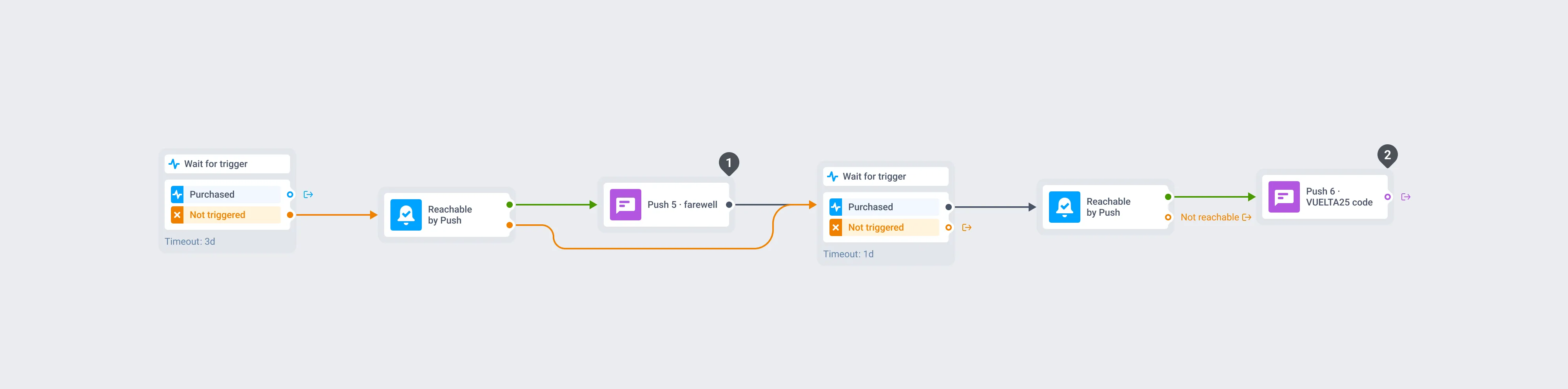
Argentina: new-user onboarding (4/4).
- Farewell push.
- Ordered after it? A VUELTA25 code.
Journey 2: messaging that follows the order
These journeys start from where a shopper is in an order.
When a shopper books an order, Cheaf sends an in-app message tied to that store or brand. Finding the pickup point in a large supermarket isn’t obvious, and several partner locations have their own pickup rules, so the message tells the shopper exactly where to go in that store.
When the Jumbo Costanera Center store in Santiago moved its collection point, the in-app went only to shoppers with an order there. Nobody else saw it.
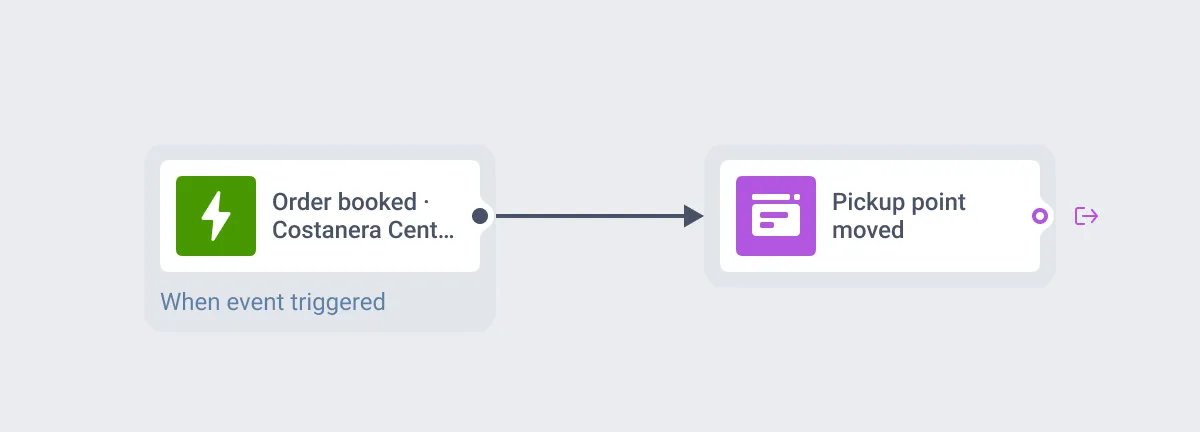
Trigger: an order booked at Jumbo Costanera Center. Only these shoppers get the in-app.
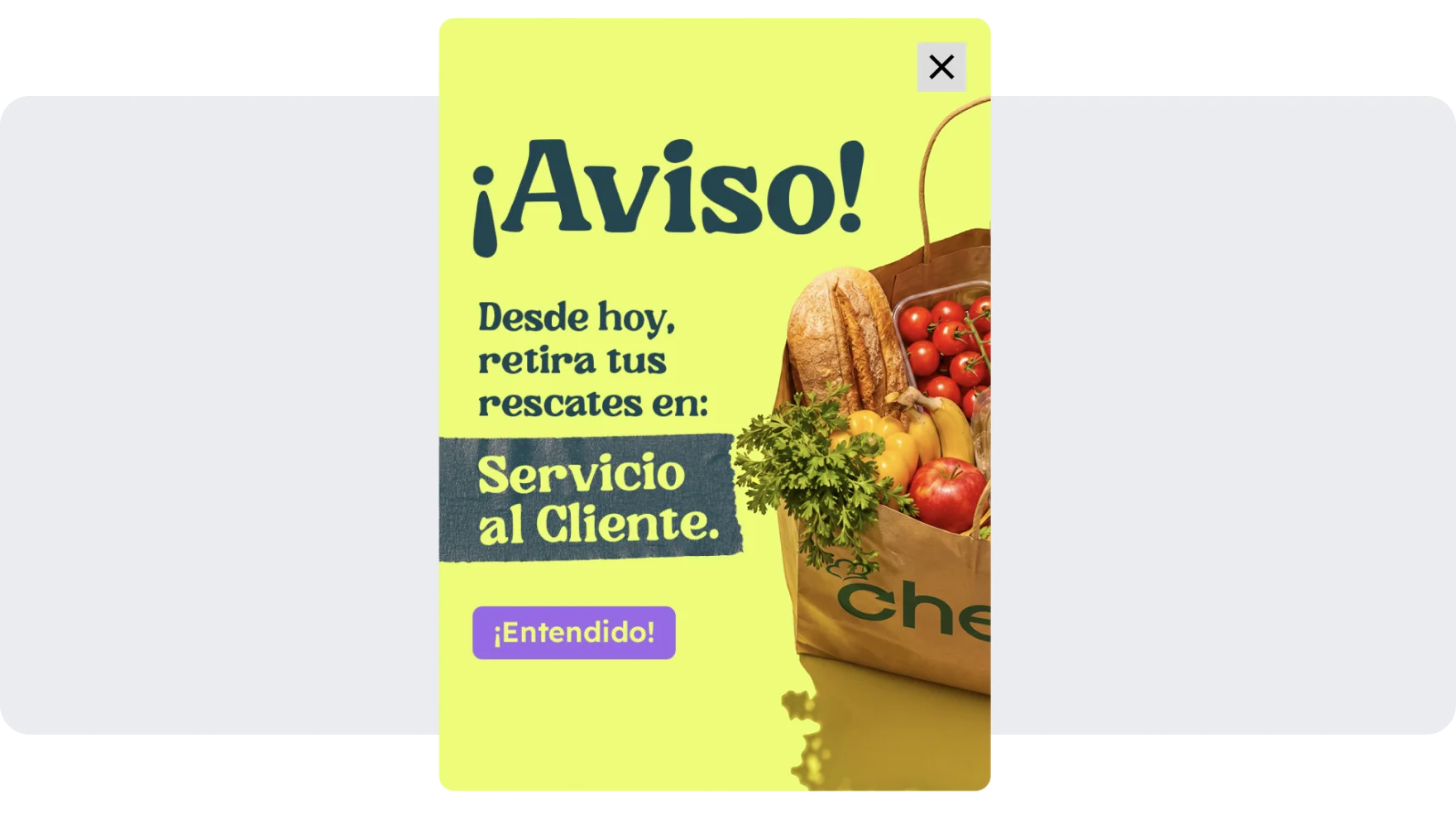
The in-app: “Heads up! From today, pick up your rescues at Customer Service.”
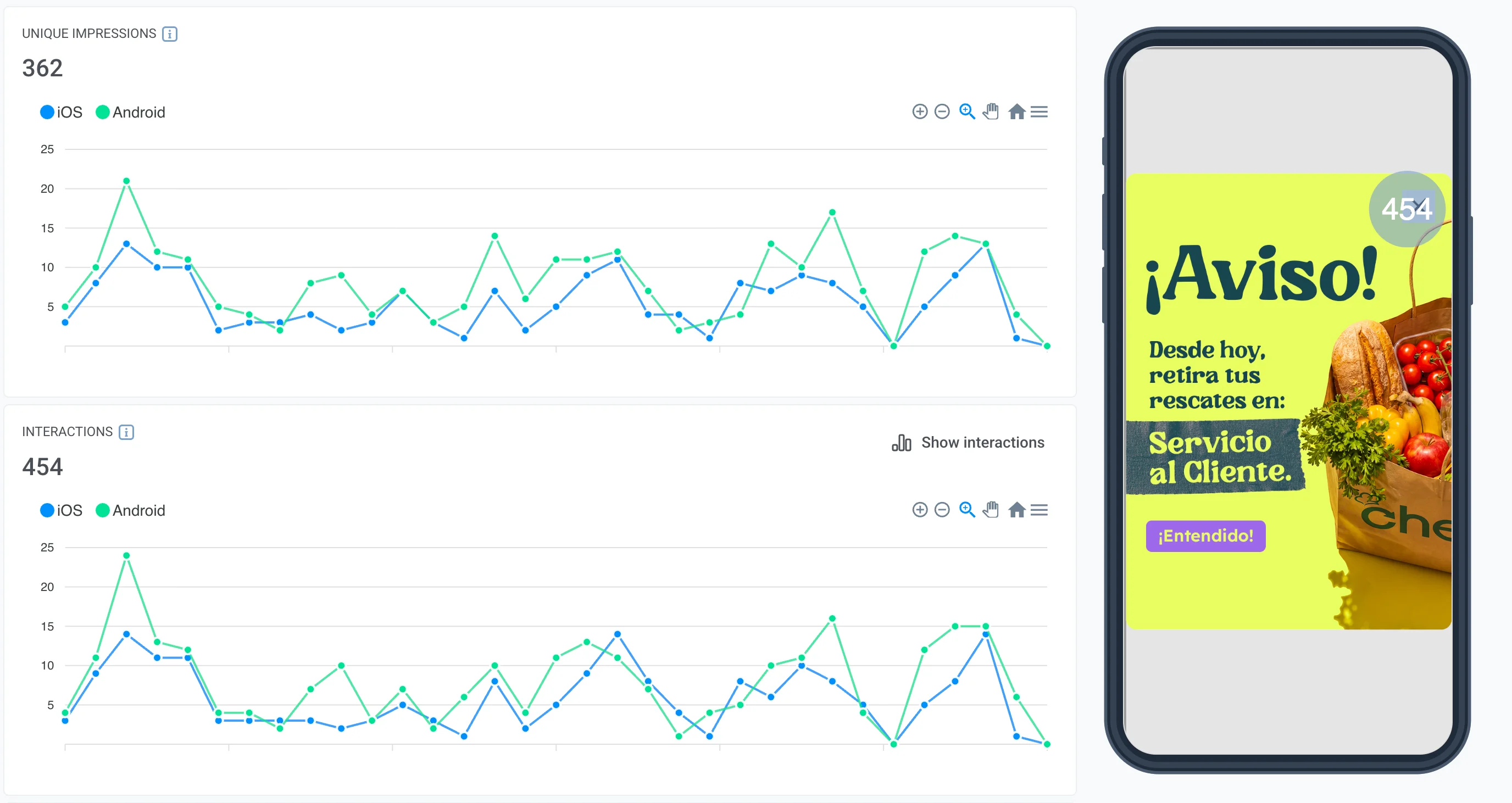
Statistics: unique impressions and interactions, iOS and Android.
Other journeys here cover a new shopper’s first days with the app, which is when they decide whether to come back. A first rescue order triggers a rating prompt, gated on the lifecycle attribute that marks it as a first purchase. When a new user books an order, a reminder to collect it goes out the same day. And a minute after sign-up, an in-app explains that stock arrives in the morning. Without it, a new user could open the app to an empty screen with no idea why.
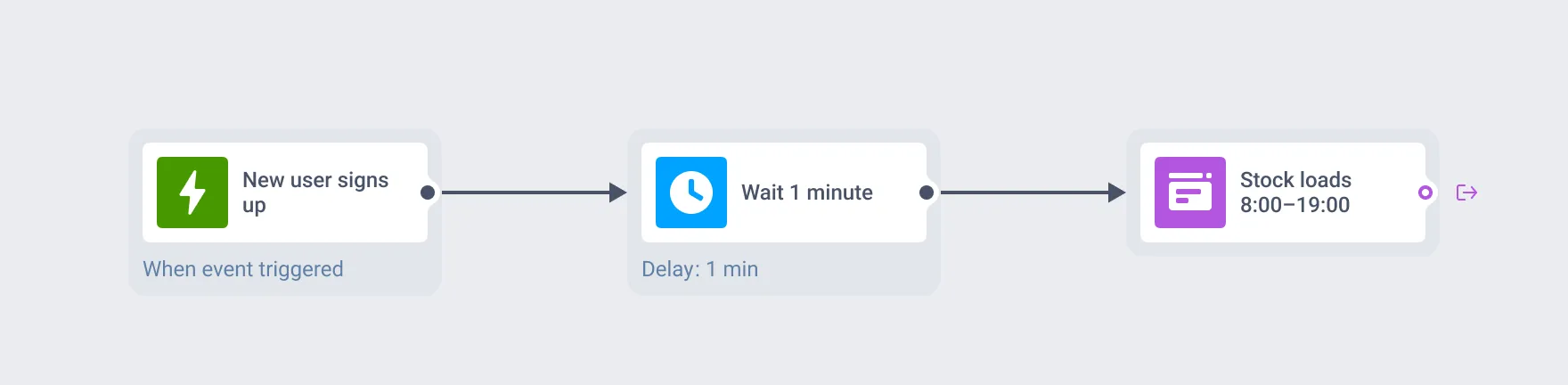
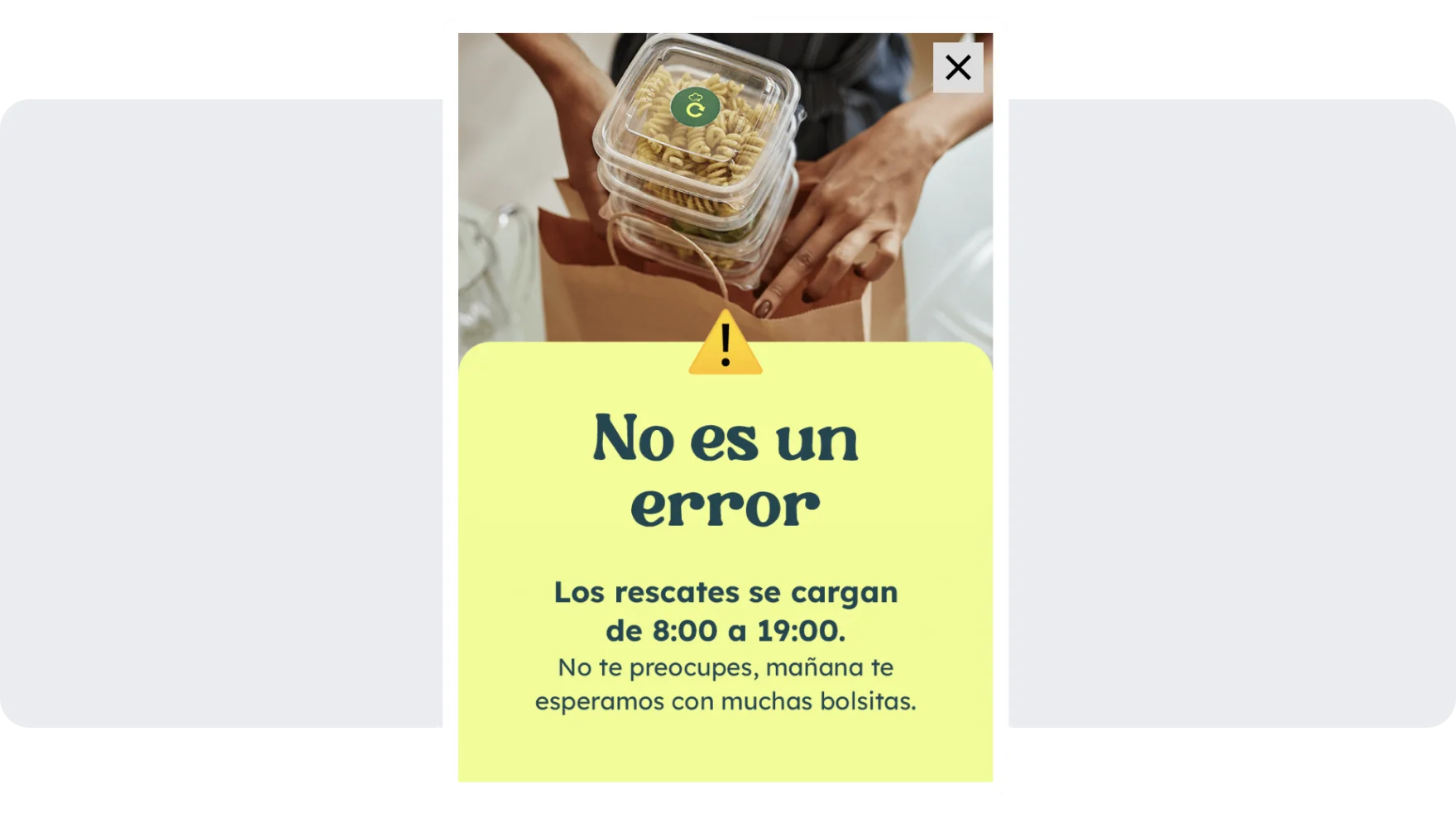
1 minute after sign-up: “It’s not an error. Rescues are loaded from 8:00 to 19:00.”
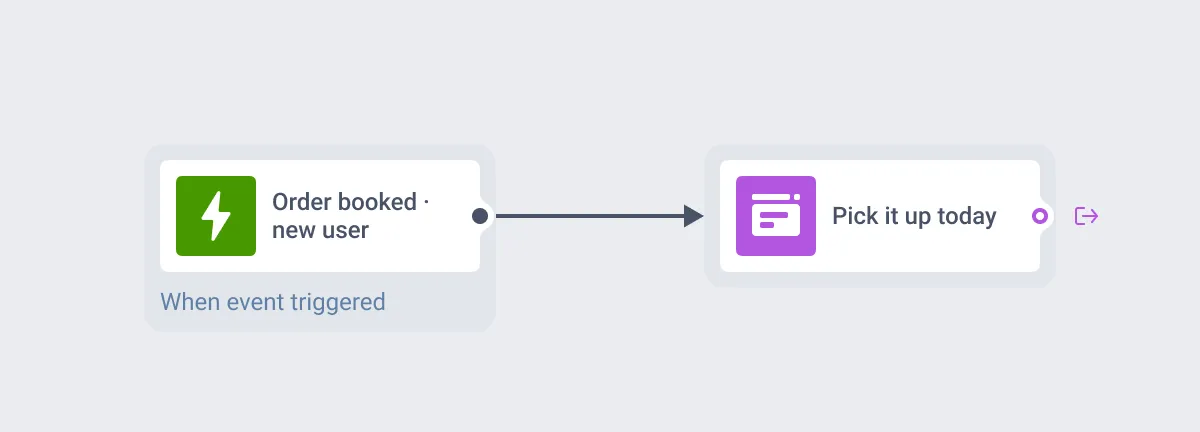
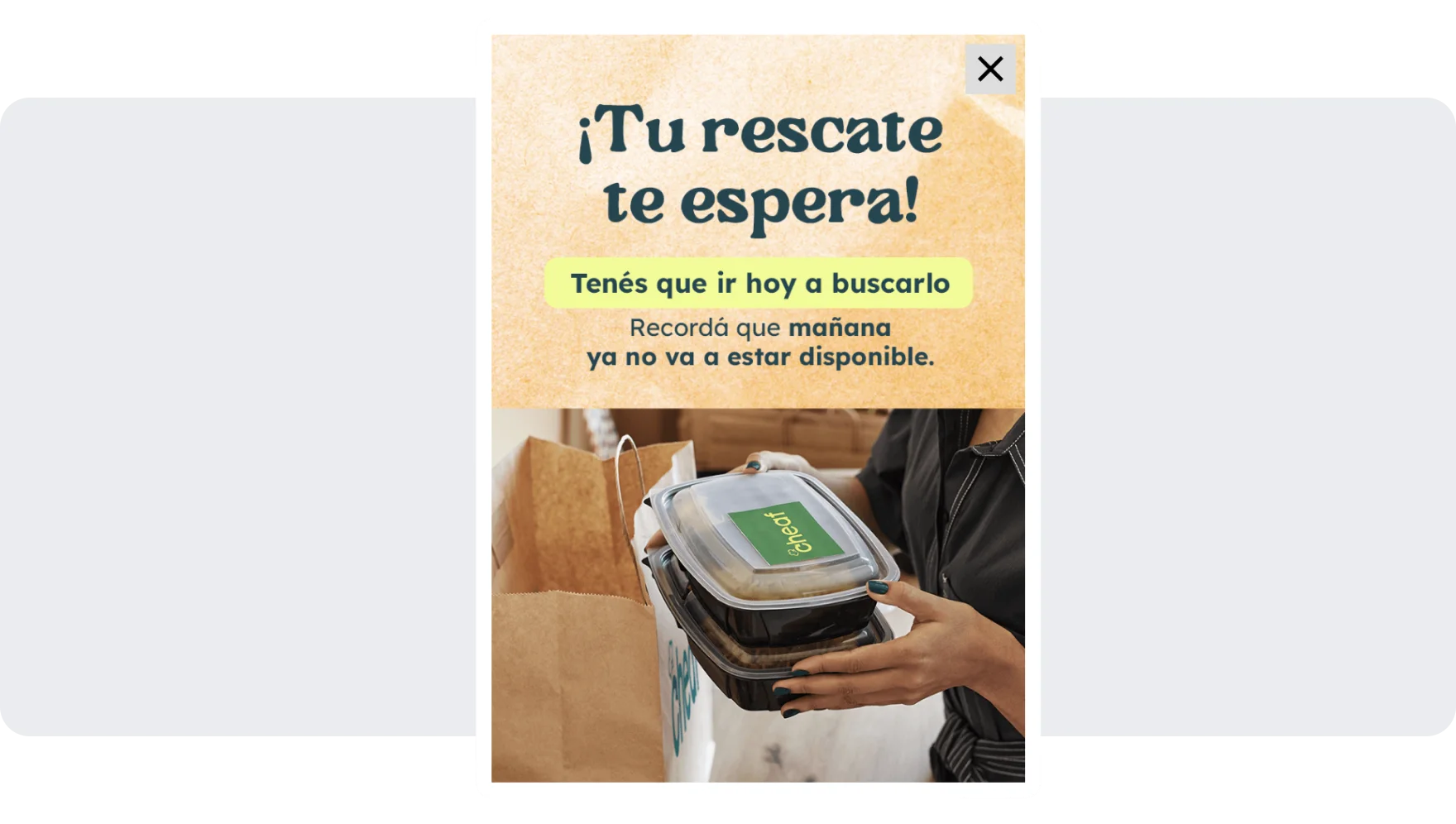
Same-day reminder after a new user books an order: “Your rescue is waiting! You have to pick it up today.”
Journey 3: cross-sell across the partner network
Cheaf’s largest consumer journey links the partner network to Cheaf’s own retail line. It has 46 trigger entries, one per partner location. Each one listens for an order at its store, and all of them lead to the same in-app offer. Re-entry is on, so a shopper qualifies again with every purchase.
If one user does an order in one store, we tell them there are five stores near the one you’re going to pick up from, so maybe you can order in these too.
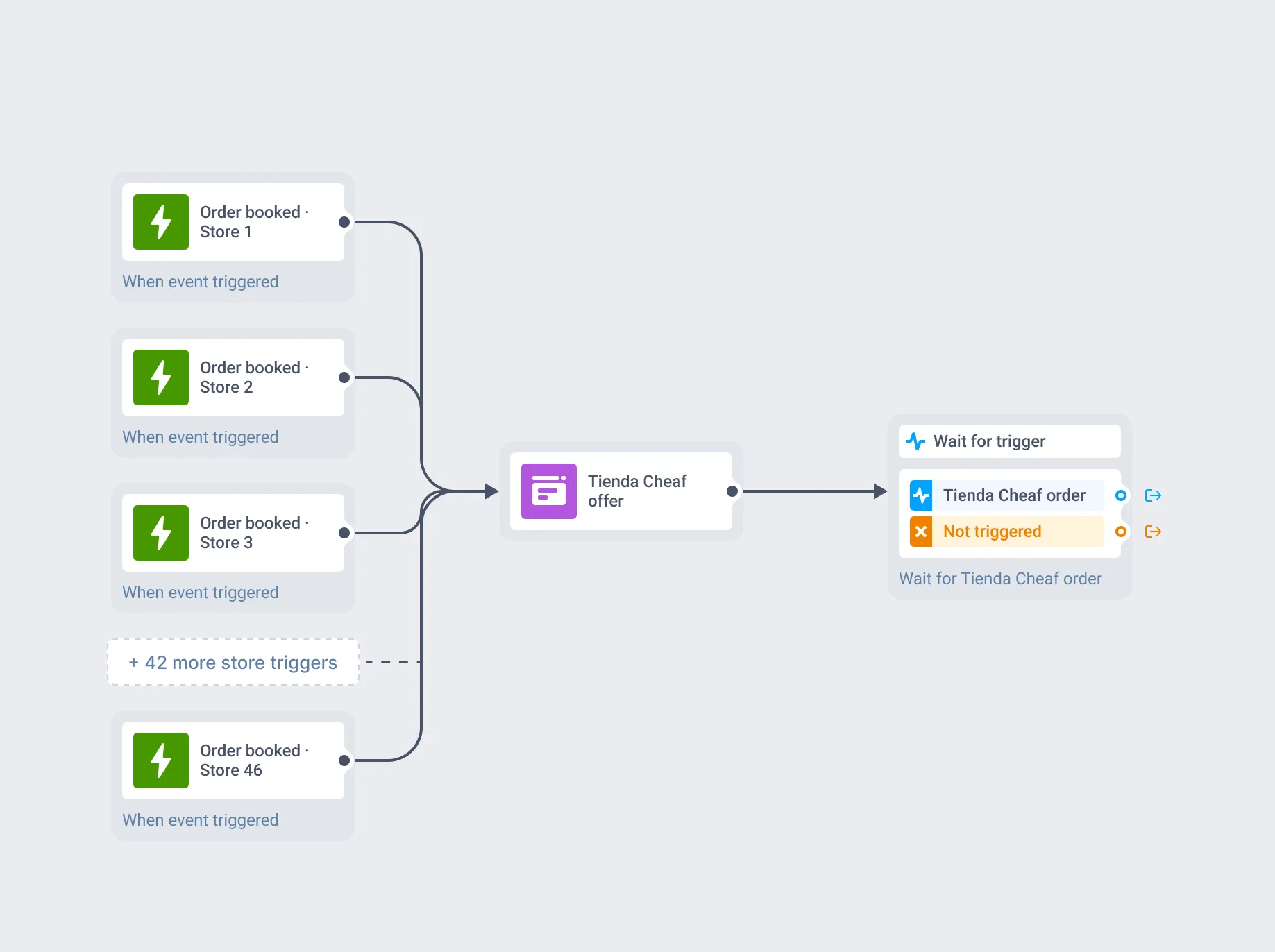
46 store triggers, 1 in-app.
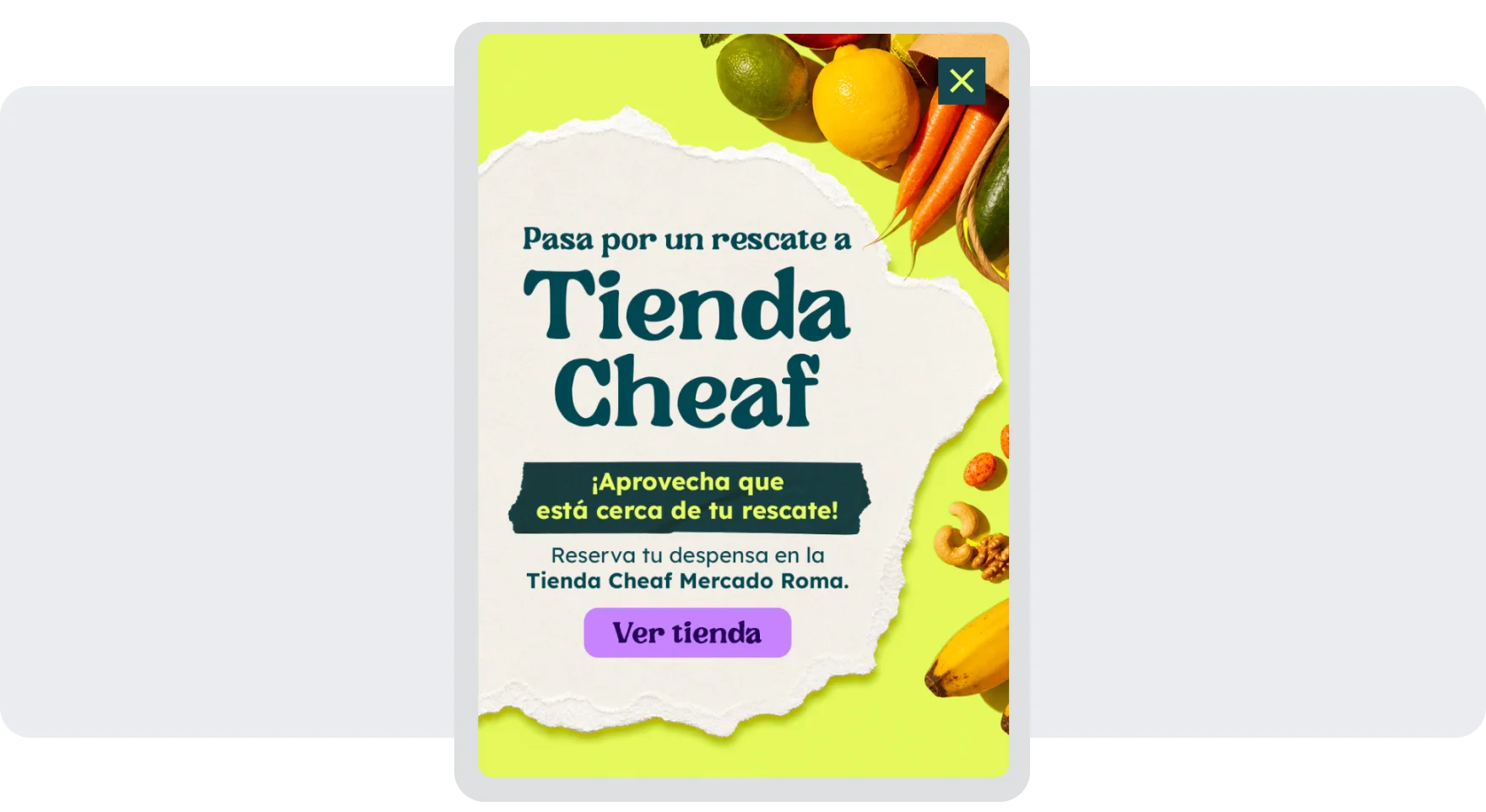
The in-app: “Stop by Tienda Cheaf for a rescue! It’s close to your pickup. Stock up your pantry at Tienda Cheaf Mercado Roma.”
The merchant side
Cheaf is a two-sided marketplace, and the partner side runs on the same account.
A set of always-on journeys is built for merchants, not shoppers: partner self-onboarding, terms and conditions signing, listing changes, invoicing, quality reports per store and per division, and support satisfaction surveys.
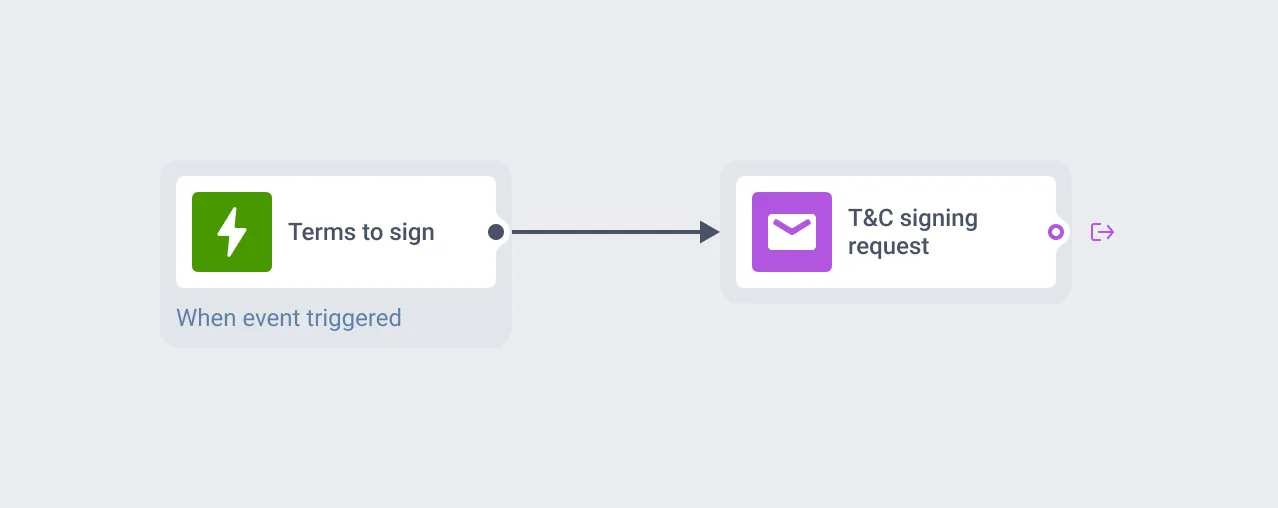
T&C signing: when a partner has new terms to sign, the backend sends an event and the email goes out.
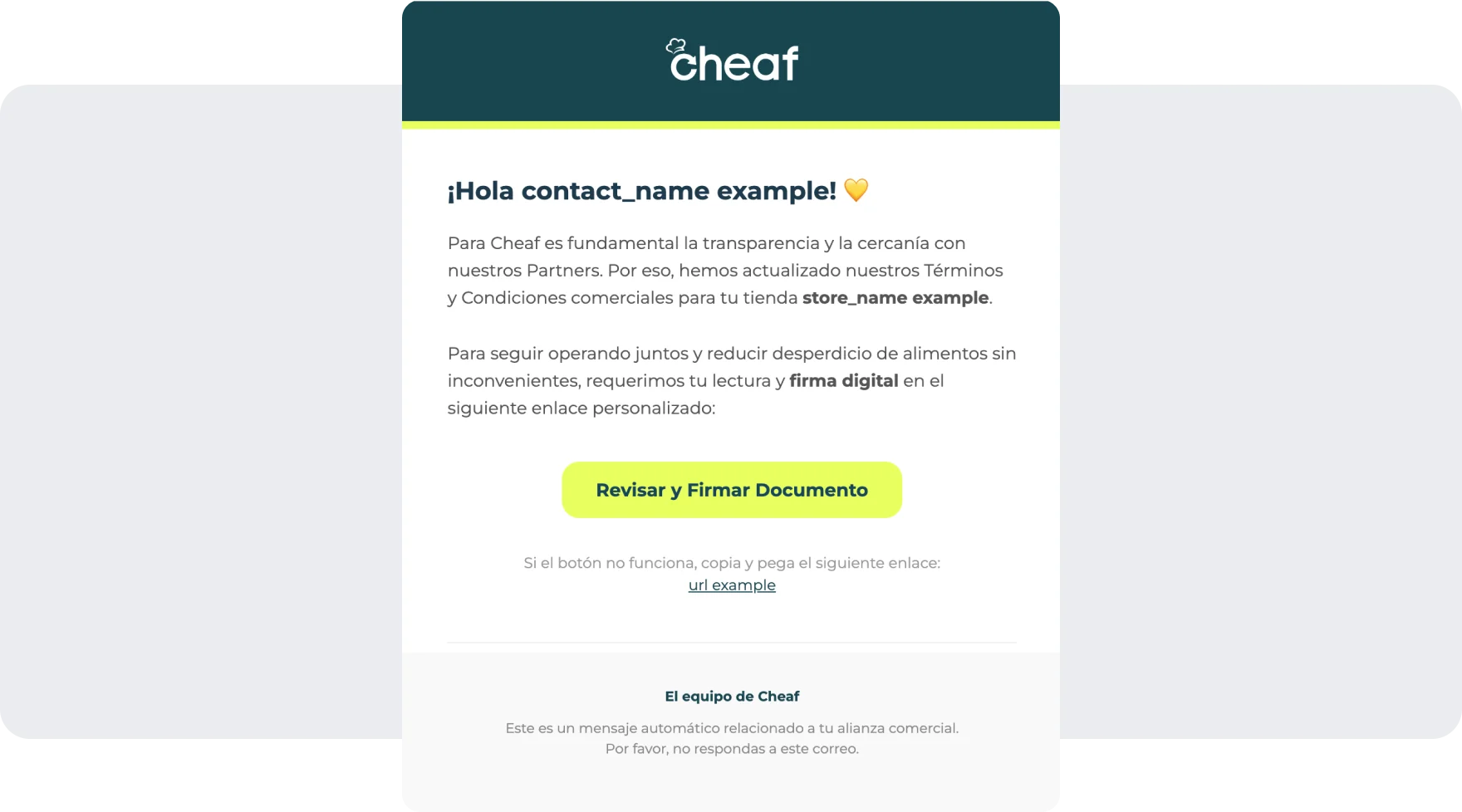
The email: “We’ve updated our commercial terms for your store. Please review and sign.” Contact and store names come from the event.
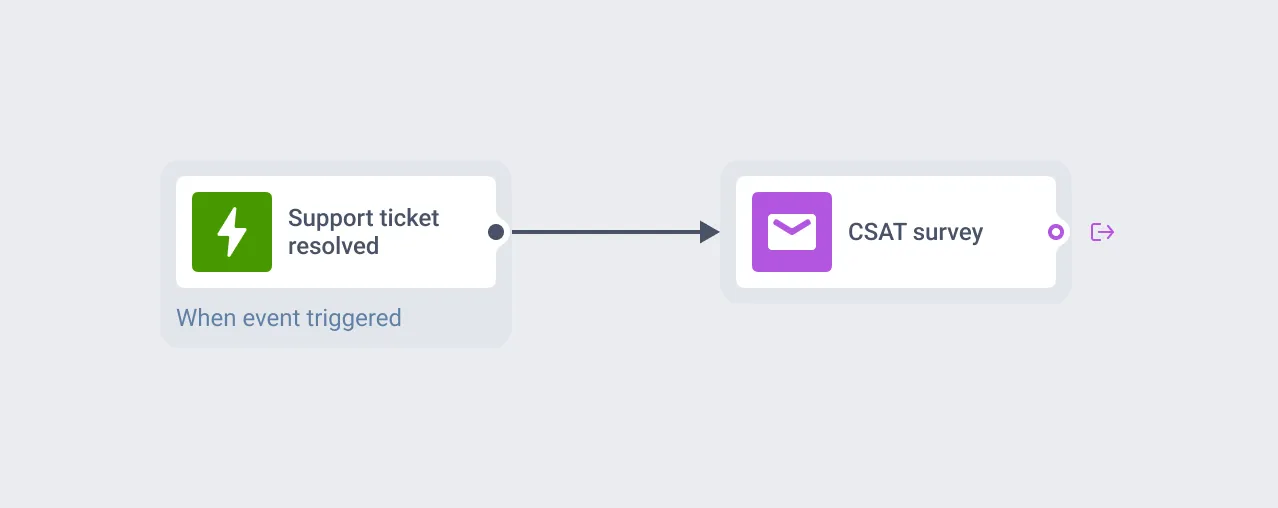
Support survey: a resolved support ticket triggers the satisfaction email.
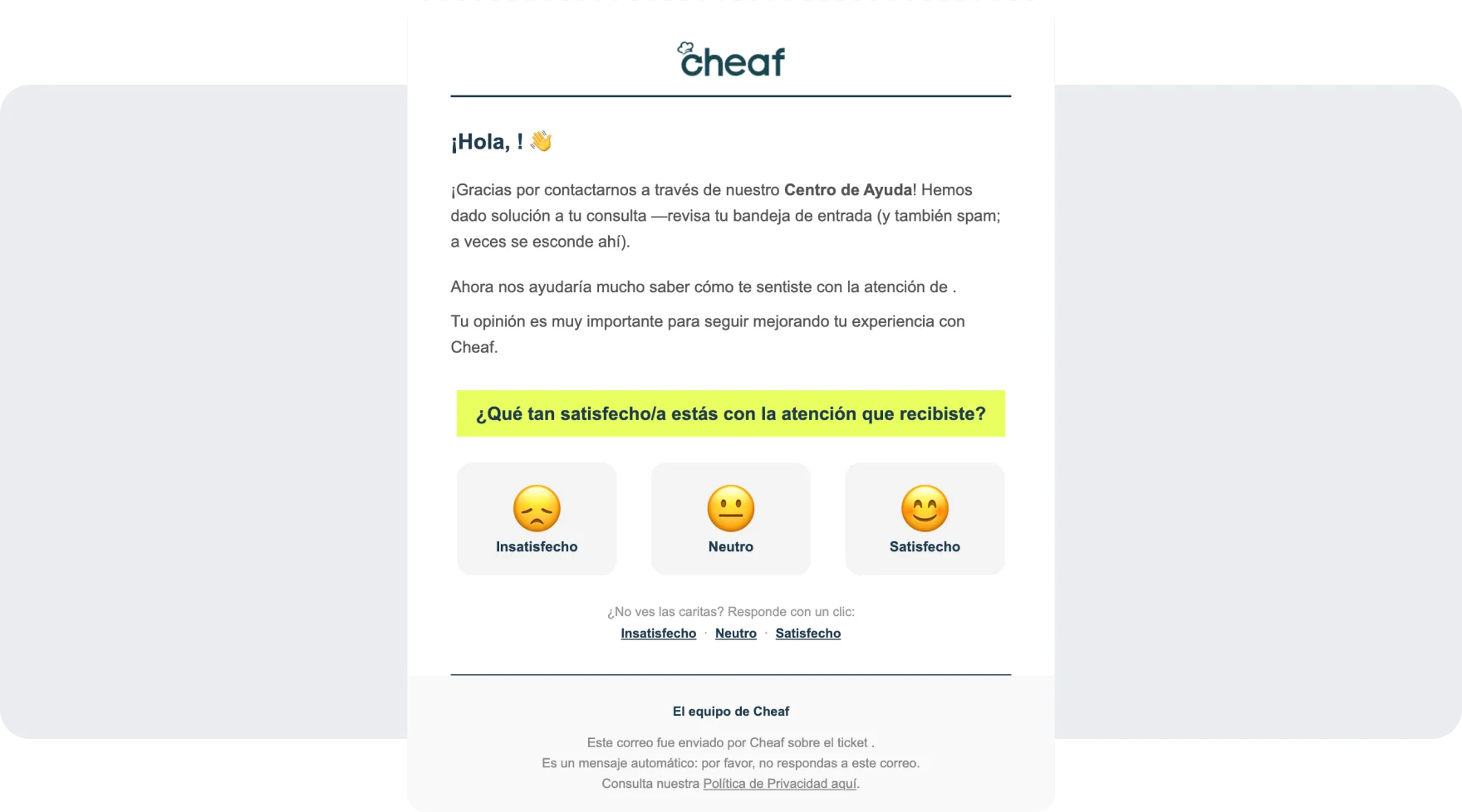
The email: “How satisfied are you with the support you received?”
Each template is built once and branched with Liquid. 1 quality-report email picks its subject line from an attribute, so the same journey node sends a per-store report, a per-division report or a finance report. Each function has its own sender address, so replies reach the right team.
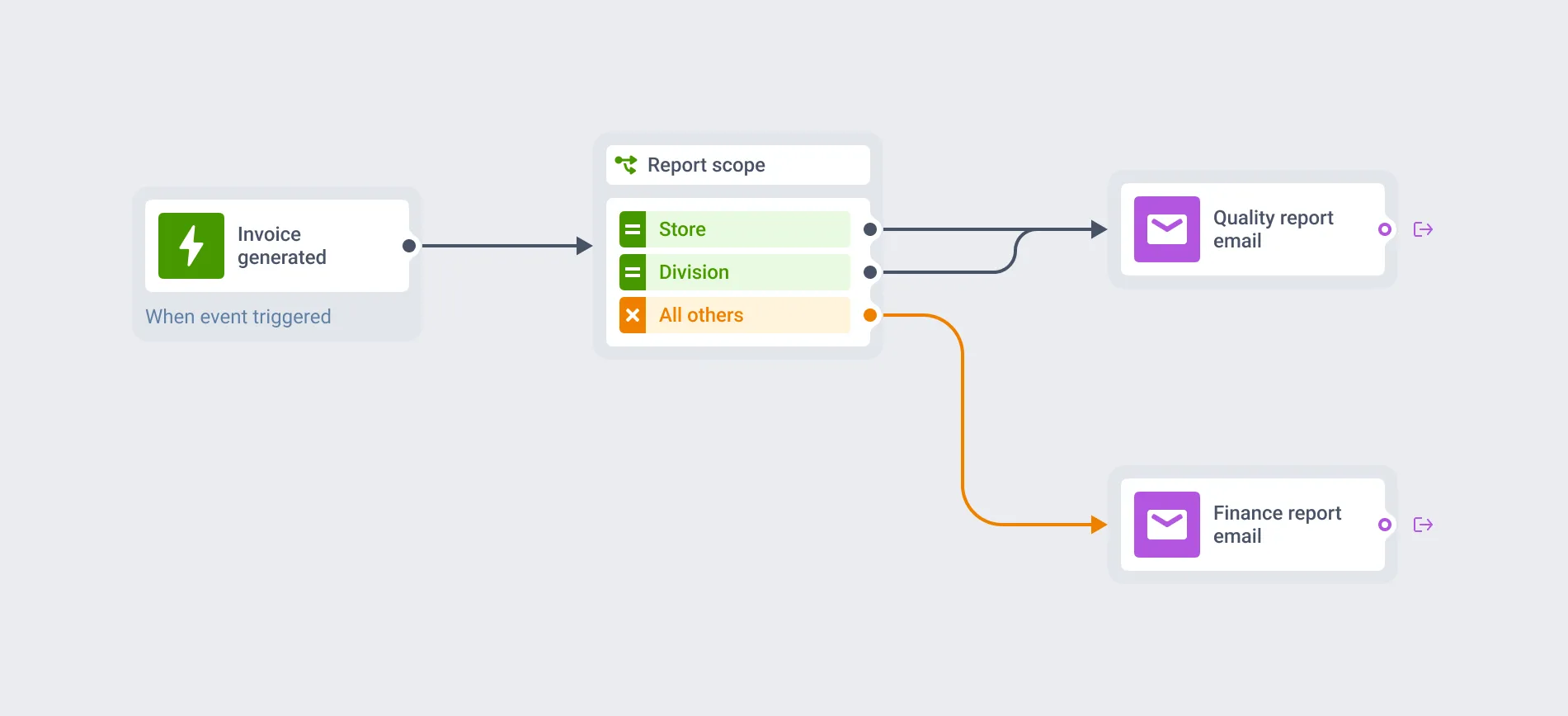
Invoice generated: store and division reports share 1 email node, everything else gets the finance email.
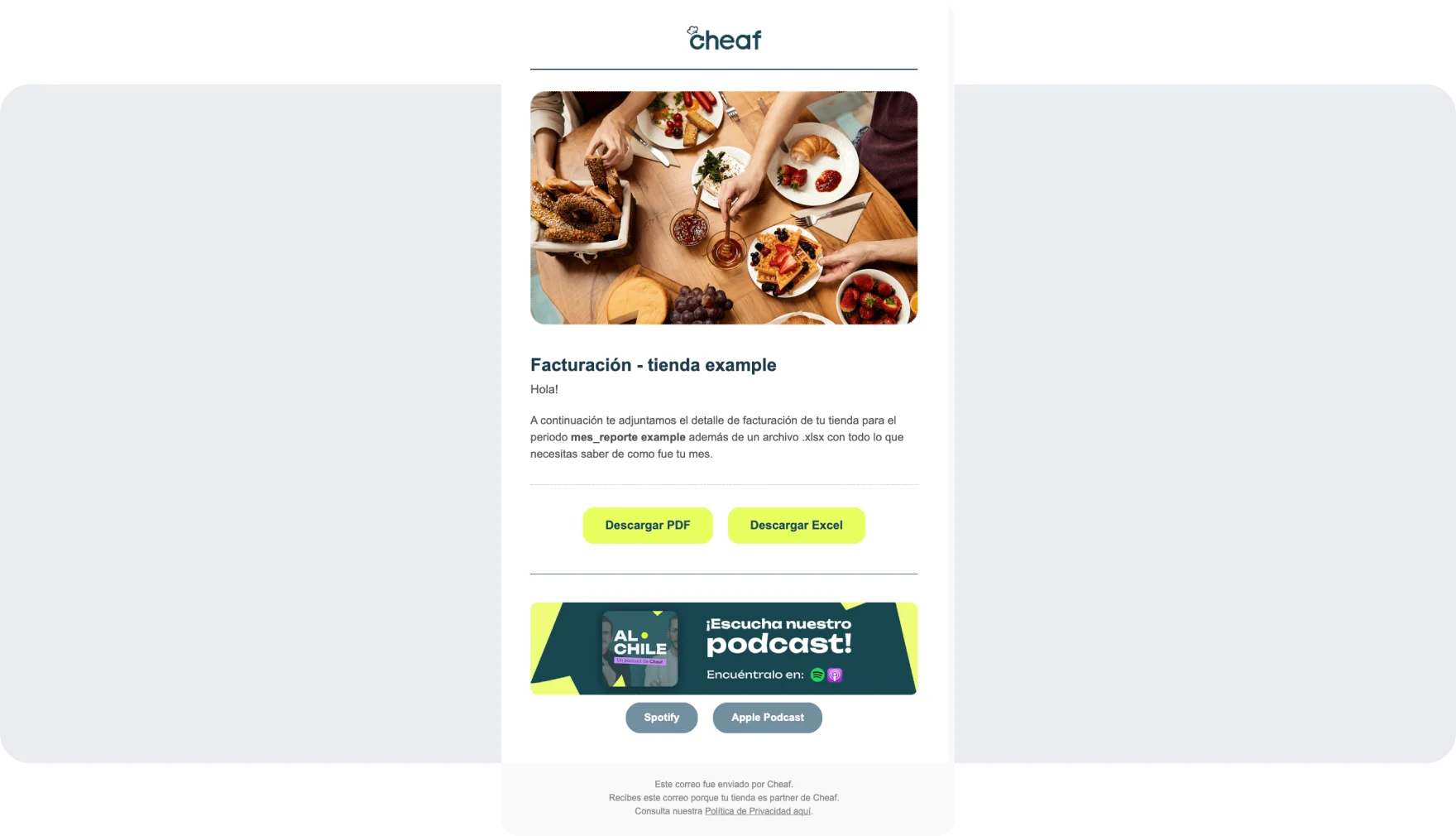
The email: the store name and billing period are filled in from event attributes.
Results
- 1.7 million push notifications per day, 60 campaigns a week across 4 markets
- 92.2% email delivery and a 25.5% open rate on delivered mail
- 4 country teams work independently on 1 account, each with its own strategy and cadence
- Marketers launch campaigns themselves; engineering owns the backend events, not individual sends
- A typical campaign goes from creation to launch in about 10 minutes
Why Pushwoosh
- All channels in one place.
Push carries the daily volume, in-app handles order updates inside the app, and email covers campaigns, promo codes and everything on the merchant side. The same audience definition works across all 3.
It has everything we were looking for in terms of communication. All the channels in one, email, push notifications, in-apps. And it’s very personalized in general, you can personalize everything.
- An interface marketers can work in.
It was the deciding factor when Cheaf compared platforms in 2024. It’s also why 4 teams can run their own markets without lining up behind 1 central team. - Event-driven journeys keyed to business state.
Store, brand, order status and lifecycle stage arrive as event attributes and decide who gets a message. The pickup note for one supermarket and the cross-sell across 46 partner locations run on the same mechanic. - Templates that branch instead of multiplying.
With Liquid conditions on event attributes, 1 journey node covers up to 7 transactional emails. The merchant side can keep growing without the template count growing with it. - Support that stays close.
We all agree that Pushwoosh has been a very useful tool, so thank you too for always supporting us when we have doubts.