September wasn’t finished with vol.1. We shipped a second batch, and this one leads with the biggest geozone upgrade in years, plus scannable barcodes, News Feeds in SMS, and a contact import that finally takes one file instead of four.
Here’s what shipped 👇
Geozones got their biggest upgrade 📍
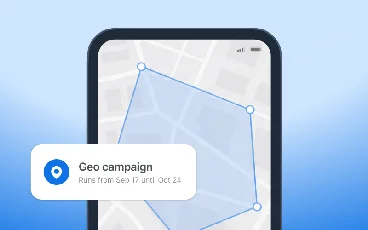
We’d waited more than 10 years for this. A geozone used to just send a push. Now it fires an event: on entry, on dwell, on exit. That’s what finally connects geozones to Customer Journey. And it all runs on your current SDK, so there is nothing to update, it works right out of the box.

4 things changed:
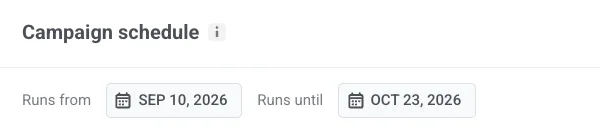
Start and stop dates. A geo-campaign used to run until you switched it off by hand. Now you set Runs from and Runs until, and any zone outside its window shows up as Scheduled or Expired in the list. Set a store promo to go live Friday and expire Sunday night, then forget about it.
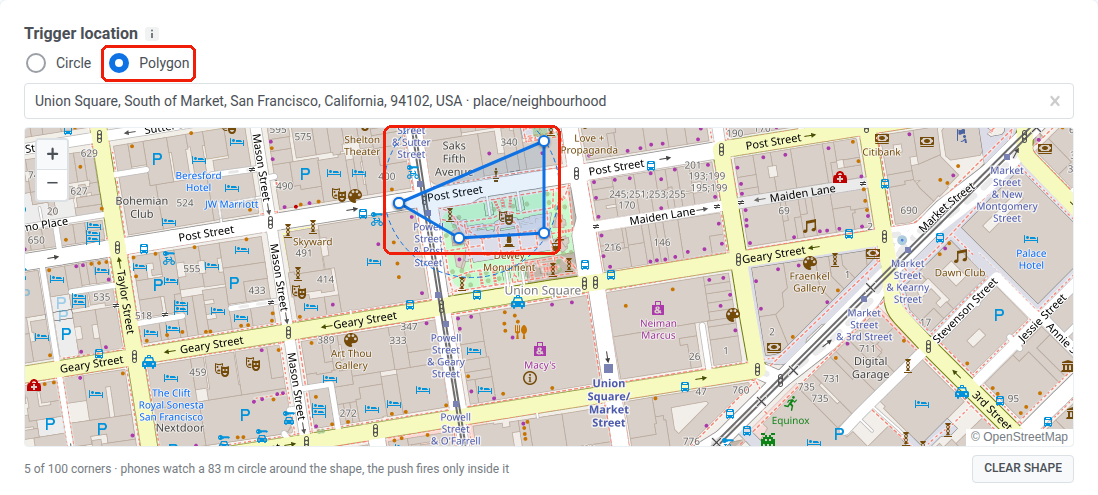
Polygon zones. The circle was the only shape on offer, so a zone always spilled past the actual building. Now you draw the zone as a polygon, and entry is judged by the shape you drew rather than the circle around it.
Events into journeys. The entry event is PW_GeozoneEntered (or a name you choose). The server adds a dwell event (“stayed inside for N minutes”) and an exit event. That’s the door into Customer Journey Builder.

CSV import. No more placing 500 store zones on a map by hand, as now zones load from a CSV.
Barcodes and QR codes, right in your content 🎟️
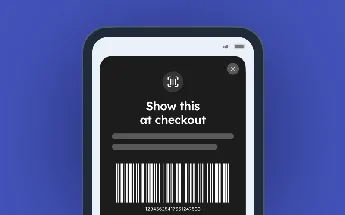
Getting a coupon into a message used to mean drawing the barcode somewhere else and dropping it in as an image.
Now it’s a block. Add a Barcode block in the email editor (or the barcode slot in the native in-app editor), point it at a personalization value, and Pushwoosh renders the code to PNG on our side.
Dark theme for in-app and web popup editors 🌙
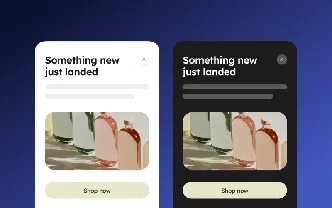
The in-app and web popup editors just got a dark theme. Turn on the Dark mode variant in the Color scheme settings to set separate colors for dark, and the preview detects the browser’s theme automatically.
2 more editor fixes:
- Layout you control. The preview was pinned to 360px. Now you pick the phone width, and a new in-app opens at a sensible width with side padding you can set, so it doesn’t stretch edge to edge on a big screen.
- No more empty drafts. Opening the editor no longer spawns a blank in-app in your list. The record is created only when you first save.
One CSV import for every channel 📥
Splitting contacts into a separate file per channel was busywork. Now a single upload maps your columns to email, SMS, WhatsApp, and Viber at once. Under Audience → Import CSV → Import Contacts, you point each column at a channel.
News Feeds come to SMS 📲
SMS presets had 2 content sources: a plain Regular SMS and Product recommendations from your catalog. Now there’s a 3rd — News Feeds.
Point a preset at 1 feed or all of them, pick a category, rank articles by Newest or Trending (trending reads recent opens and email link clicks), and pull up to 3 per message. Search by title and pin the articles you want to lead.

Cleaner commerce data feeding your campaigns 🛒
Shopify: carts and checkout, not just orders
Before, you got orders and abandoned carts. Now cart changes come through too: PW_AbandonedCartUpdate fires again as a shopper adds, removes, or swaps items and overwrites the stored cart, along with checkout milestones like contact info entered and payment info submitted.
Product Catalog checks the feed before you connect
A broken feed used to surface after you’d already connected it. Now you paste the feed URL, hit Check feed, and Pushwoosh reads it and reports back (products found, any skipped, a short preview) before anything imports. Connect & sync stays disabled until the feed passes.
Also shipped ⚙️
A few smaller ones worth knowing:
- Honest unique hits — Total unique hits now counts a true uniq(hwid) with no grouping, so the number stops inflating.
- Undo/redo in web popups — Cmd/Ctrl+Z is back, and the rating slot pulls its event from your account list instead of being typed by hand.
- In-app tidy-ups — the list now sorts by last modified, and the native editor picks images straight from Media storage.
Try the updates yourself
Everything above is live in your account. Draw a polygon, drop a barcode into your next email, or import a list and see how it feels.
For the full list, check our release notes.