September opens with two releases worth planning around: wallet passes you can now run as campaigns instead of issuing one at a time, and emails that build themselves from your news feed. Plus a batch of updates to journeys, sending, and data.
Here’s what changed 👇
Run wallet pass campaigns 🎟️
Wallet passes now work as campaigns: design 1 pass, issue it to as many users as you need, and manage all of them from 1 place.
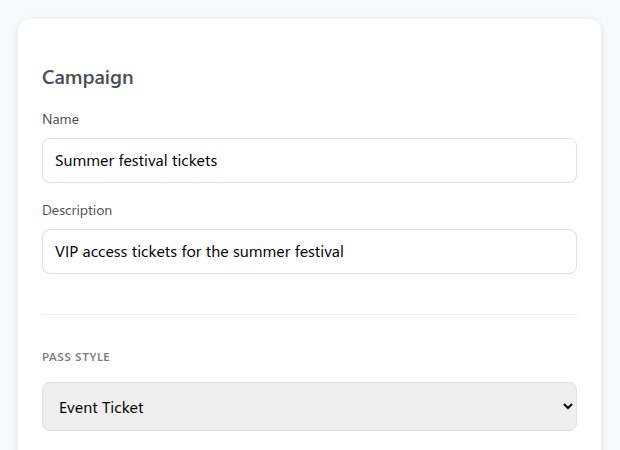
A pass used to be something you wrote out 1 user at a time. A campaign turns it into a master pass: set the shared fields once, keep the personal ones per user, and when something changes, 1 call updates every pass you’ve already issued.

What this looks like in practice: a concert ticket carries an event date and gate number that are the same for everyone, and a seat number and name that aren’t. The gate changes the week of the show, and you push the update to every ticket at once. Or a coffee shop runs one loyalty campaign where each member carries their own discount.
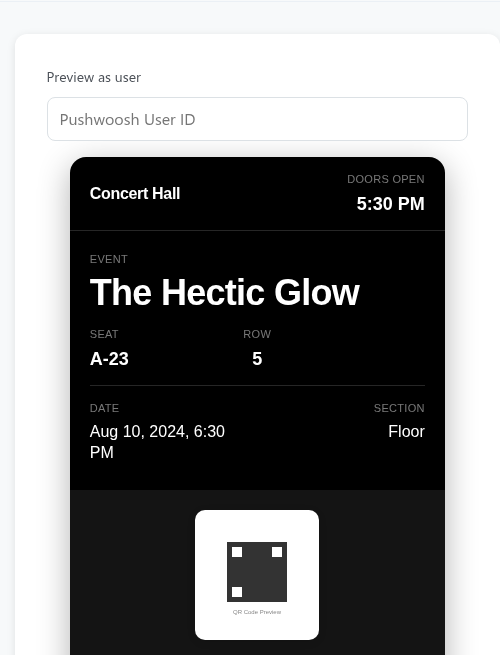
You can also link existing passes to a campaign, track how many have been issued, and find a specific one by barcode. Works for both Apple Wallet and Google Wallet.
Pull live news into your emails ✉️
The email editor has a new News block. Register your feeds under Content → News Feeds, and the block pulls articles straight into an email: sorted freshest-first or by most-read, with cards you can pin to the top, reorder, or filter by category.
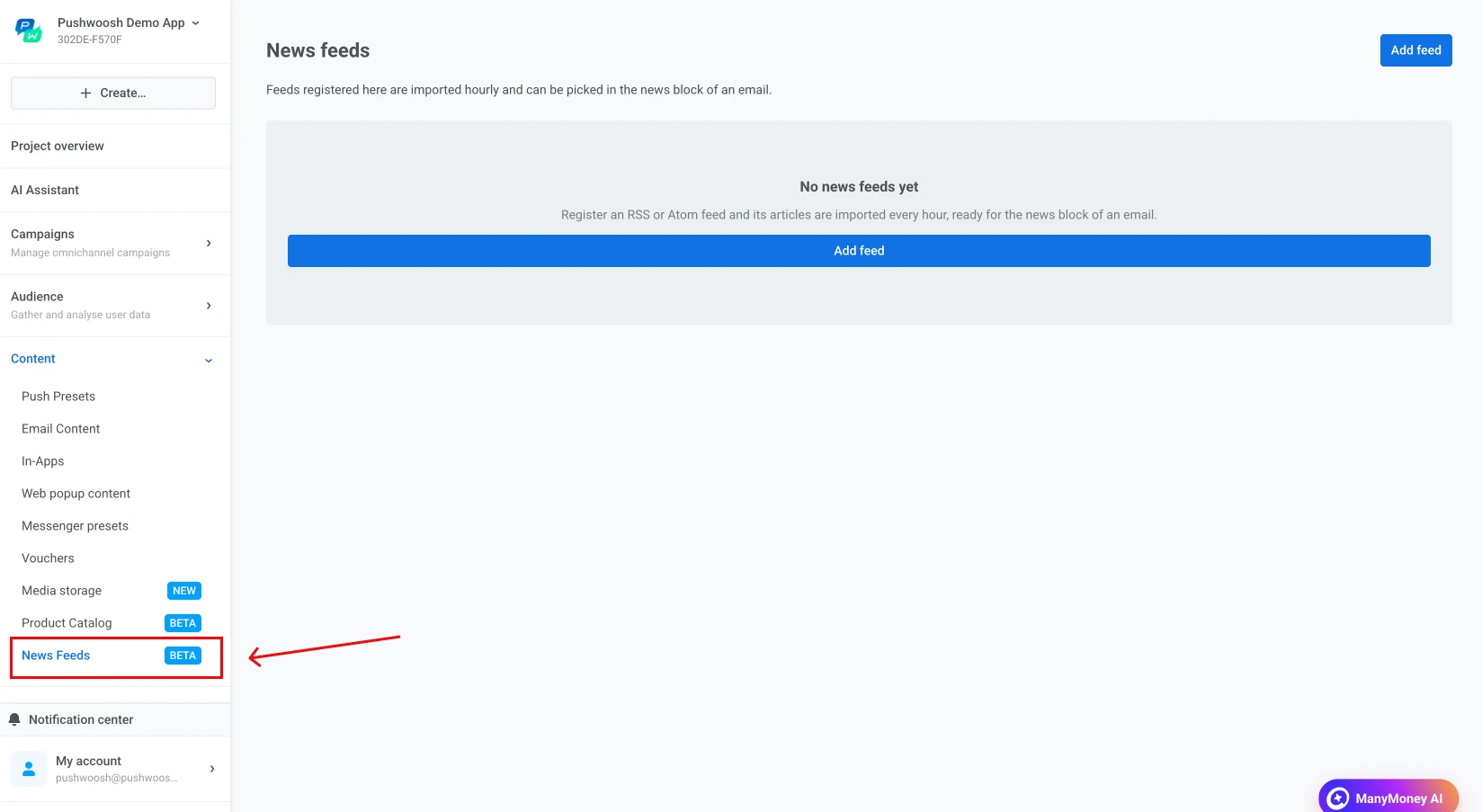
Use case: a news app sends a personalized hourly digest, ranked by reads and capped so no one gets buried in notifications.
A few more email editor upgrades in the same release:
- AI builder that finishes the job — the assistant now assembles a full email, not just a suggestion here and there, and edits a template you’ve already saved.
- Merge tags and emoji in the HTML block — a merge-tag panel and an emoji picker inside the raw HTML block.
- More styling control — edit a list as 1 text block, round individual corners, add gradient fills, and set mobile overrides for image geometry.
Journeys get more editable ✏️
3 changes that make live journeys safer to touch:
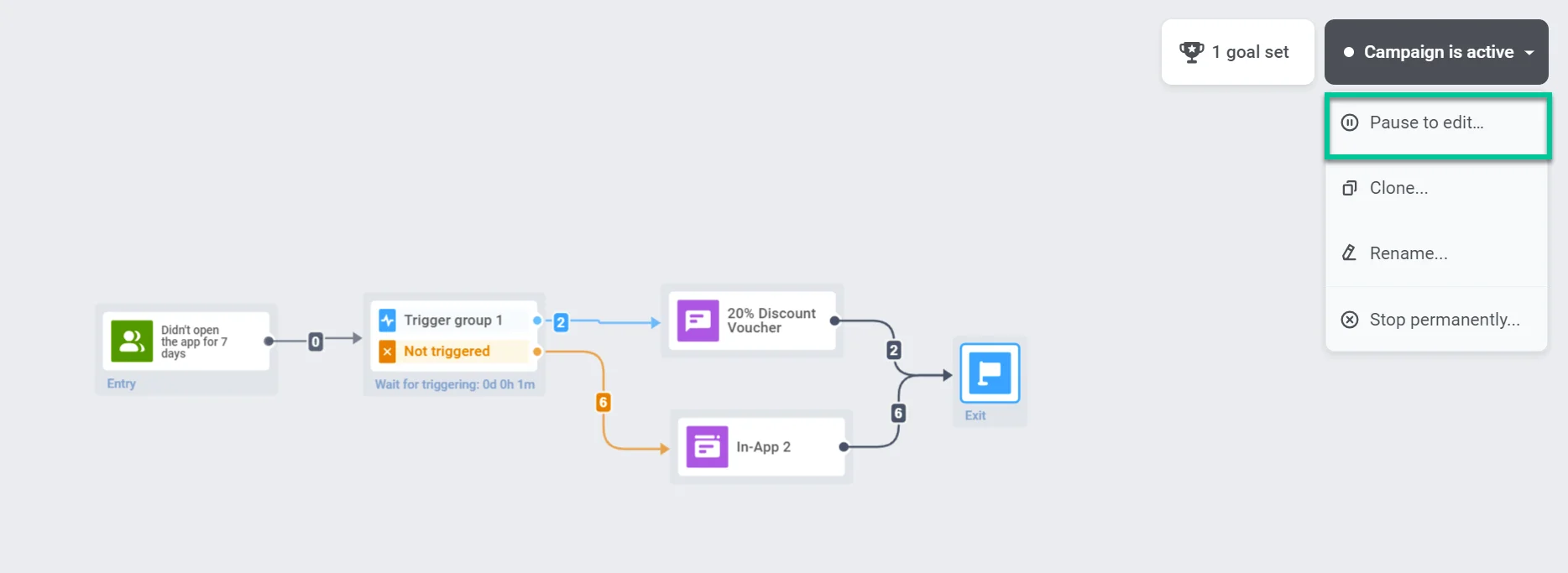
- Resume a stopped journey. A stopped journey used to be read-only. Now you can bring it back and keep configuring it, instead of building a replacement from scratch. Learn more →
- An open branch counts as an exit. A branch that doesn’t end in an explicit exit point now reads as one — those users land in “left the journey,” so your flow stays honest without a dangling dead end. A new canvas minimap keeps long journeys in view. Learn more →
- Condition Split reads relative dates. Condition Split can now branch on relative dates and a “days ahead” window, with values filled in for you — so you can split on logic like “renewal date is within 3 days” without hardcoding a date. Learn more →
More control over delivery and data 🔧
A batch of smaller updates that come up a lot day to day:
- Send to last active device (opt-in) — a checkbox in the send form delivers one push to the device where the user last opened the app, instead of every device they’ve registered. Learn more →
- Calendar-day frequency capping (opt-in) — cap “N messages per day” by the calendar day in a timezone you pick, rather than a rolling 24 hours. Learn more →
- Inbound webhook payload mapping — an inbound webhook used to log only that it fired. Now its payload fields unpack into profile tags and event attributes, and the activity log filters by group status. Learn more →
- Public API for instant in-app stats — instant in-app numbers are now exposed through a public API (
inapps:totalsandinapps:timeline), and the in-product summary adds unique impressions, platform splits, and capping suppressions. Learn more →
Try the updates yourself
Every feature above is live in your account. More September updates are on the way — until then, sign in and put these to work.
For the full list, check our release notes.
Related articles
View all