Checking in wallet tickets takes 3 things at the venue: scanners that read the barcode on your tickets, a ticketing system that accepts each code once, and a plan for the queue at peak arrival. The wallet ticket is just a barcode on a phone. Everything that makes check-in fast or slow happens at the gate.
In Pushwoosh, tickets are issued and updated from the same platform as your messages, so you can run wallet passes for events with check-in planned in from day one.
Scanners and barcode formats
Choose the barcode format before you design the ticket.
| Format | Common use | Apple Wallet | Google Wallet |
|---|---|---|---|
| QR | Most events and venues | Yes | Yes |
| PDF417 | Transport and some ticketing systems | Yes | Yes |
| Aztec | Rail and some ticketing systems | Yes | Yes |
| Code128 | Legacy linear scanners | Yes | Yes |
| EAN-13 | Retail-style linear codes | No | Yes |
Phone screens are harder to read than paper for older laser scanners. 2D imaging scanners read QR, PDF417 and Aztec from screens reliably. If your venue still runs laser scanners, test them with real phones at full and low brightness before the event, not on the night.
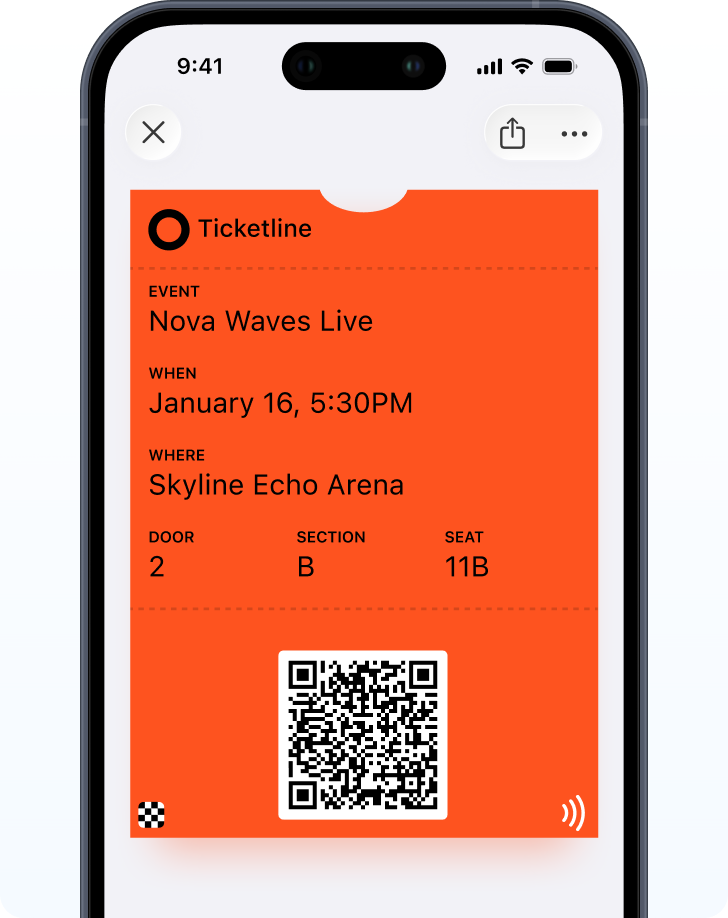
Validation: 1 code, 1 entry
The scanner reads the code. Your ticketing or access control system decides whether it’s valid: right event, right day, not used before. That check is what stops a forwarded screenshot from letting a second person in.
Wallet tickets don’t replace this step. A QR can be shared, and Pushwoosh has no separate anti-fraud feature. Validation stays with your ticketing system.
After a successful scan, you can update the ticket through the API, for example to show “Checked in” or to void it for single-entry events.
Offline scanning
Venues lose signal at the worst possible moment: when thousands of phones arrive at once. Plan for it.
The wallet ticket itself opens without a connection, so guests can always show it. Whether your scanners can validate offline is a different question, and the answer depends on your scanner and ticketing system. Ask your vendor whether they cache the list of valid codes and sync later. And give staff a manual fallback, like a lookup by name or order number, for when something breaks anyway.
Throughput at the gate
Scan speed can matter more than anything else on the day. At the Oscars, Passcreator reported peak scanning of more than 100 tickets a minute, over twice the 2022 rate (competitor case, Passcreator; the ceremony passes in that case were NFC, which Pushwoosh doesn’t issue).
For QR lines, 4 habits keep things moving:
-
Ticket ready before the gate
With lock-screen relevance by time and venue location, guests aren't hunting for the ticket in the queue.
-
Brightness up
A sign at the start of the queue: "Open your ticket and turn your brightness up."
-
Enough scanners for the peak
Plan for the first 30 minutes after doors open, not for the average.
-
Separate lanes
A fast lane for wallet tickets, a help lane for printouts and problems.
What guests should see before they arrive
Check-in starts the day before. Send doors time, entrance and transport by push or email, and make sure the ticket shows the same entrance.
SXSW, for example, issues a personal express pass by email with Add to Wallet buttons, available from 9:00 the day before (competitor case, Airship). The principle carries over: the pass and the message should arrive together and say the same thing.
If an entrance changes on the day, update the ticket field with a change message so guests see it on the lock screen. Keep pass notifications to changes on the ticket itself: Apple and Google don’t allow promotions through the pass.
Multiple passes per guest
Some guests need more than 1 pass: the event ticket, parking, a VIP area. Issue each as its own pass with its own barcode, so each gate scans only what it controls.
Check-in checklist
- Barcode format chosen to match your scanners.
- Scanners tested with real phones and real tickets.
- Validation in your ticketing system, single use where needed.
- An offline plan agreed with your scanner vendor.
- Staff briefed, with a manual fallback.
- A day-before message and lock-screen relevance set.
Speed up check-in with Pushwoosh
Pushwoosh issues native Apple and Google Wallet tickets with the barcode your scanners read, updates them on the day through the API, and sends arrival messages by push, email and SMS from the same journey.
Faster check-in isn’t about faster phones. It’s about guests arriving with the ticket already open and the entrance already known.