A class pack card in Apple Wallet or Google Wallet shows members how many classes they have left and updates after every visit. A booked class can sit in the wallet as its own ticket, with the time and studio on it. Together they answer “how many have I got left?” and “when’s my class?” without anyone opening an app.
In Pushwoosh, cards and messages share 1 member profile, so you can run wallet passes for fitness studios inside your booking journeys.
Why studios need this
Class-based studios lose revenue in 2 quiet ways: members who book and don’t show, and members whose pack runs out with no renewal.
No-shows are common. Glofox reports that 10 to 30% of booked group class spots go unused, and 20 to 40% for trial classes (vendor data, Glofox). Every empty mat is a spot someone on the waitlist could have taken.
The first purchase matters too. Mindbody reports 54% 90-day retention for clients who bought an intro offer, compared with 35% for others (competitor data, Mindbody).
Showing remaining classes
The class pack card is a Generic pass with a handful of fields. Keep it to what a member needs at a glance.
| Field | Example | Updated when |
|---|---|---|
| Pack | 10-class pack | Purchase |
| Remaining | 4 of 10 | Each check-in |
| Valid until | 30 Nov | Purchase or extension |
| Status | Active, Frozen, Expired | Status change |
| Code | QR for check-in | Issue |
On Apple, put “Remaining” in a header field, at the top of the pass. It’s the one number members look for.
Updating after each visit
The count lives in your booking system. When a member checks in, your system deducts a class and sends the new remaining count through the API, and the card updates on the member’s phone. The calls are in the Apple Wallet and Google Wallet API references.
On Apple, a change message on the remaining field can show “You have %@ classes left” on the lock screen. On Google, Generic passes update silently, so any alert goes by push or email.
Class tickets against no-shows
A booked class can be its own wallet pass: an Event Ticket with the class name, time, studio and instructor. On Apple, with a relevant date set, it can appear on the lock screen before the class. On Google, Event ticket passes can notify on updates near the event time, up to 3 per pass per day.
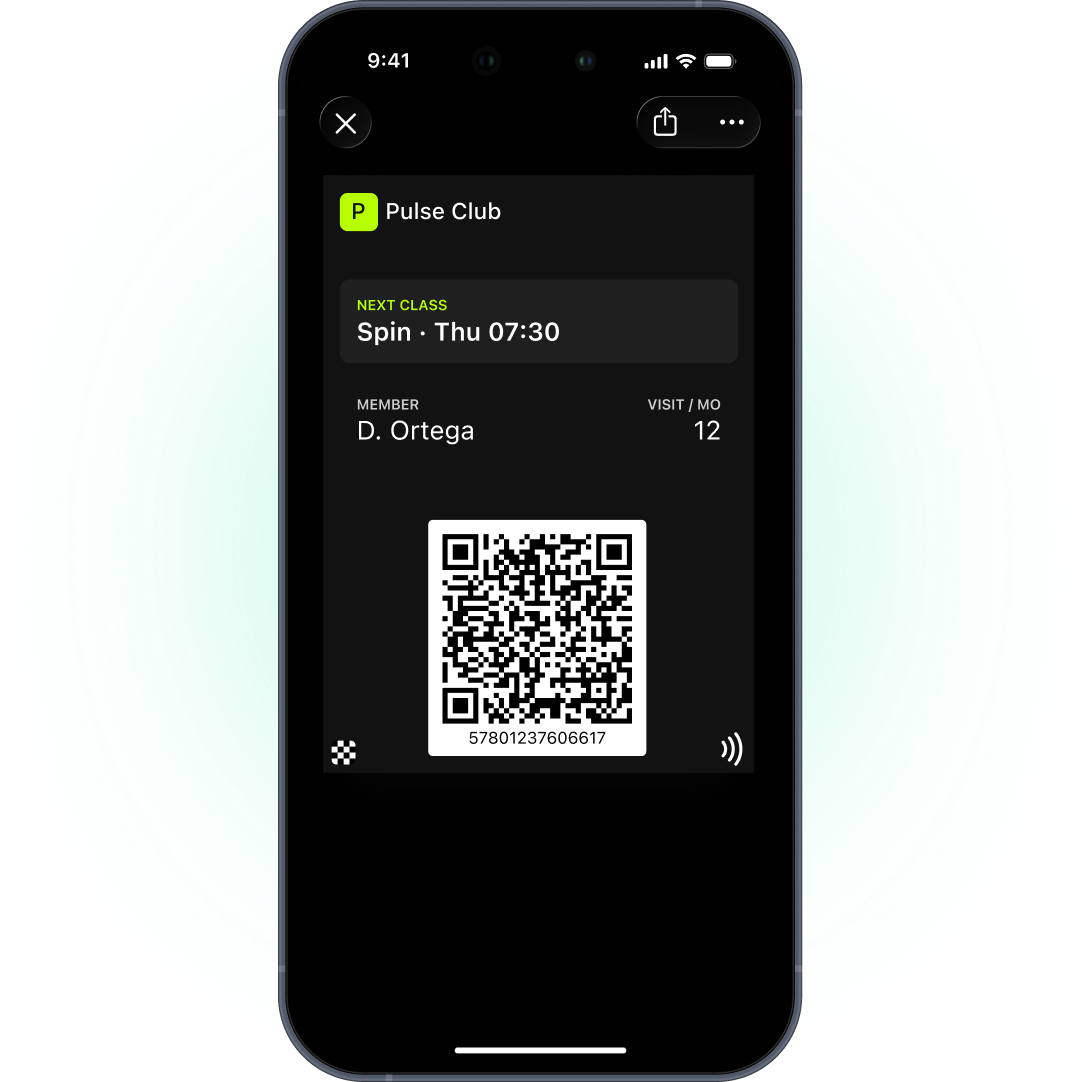
Treat the ticket as 1 part of a reminder plan, not the whole plan:
-
Booking
Issue the class ticket with the booking confirmation.
-
Evening before
Push or email reminder with a one-tap cancel link, so the spot goes back to the waitlist.
-
Before class
The ticket appears on the lock screen by time and studio location.
-
Change
If the room or time changes, update the ticket so the member sees the new details.
The cancel link matters as much as the reminder. A member who cancels early frees a spot. A member who simply doesn’t turn up wastes 1.
Low-balance upsell journey
When a pack drops to 1 or 2 classes, that’s the moment to sell the next one. The member is active and the value is fresh in their mind.
Trigger the journey from the remaining count in your booking system:
- 2 classes left. Email or push with the renewal offer and a direct link to buy.
- Last class used. The card shows “Pack used”. Push or SMS with the offer.
- 7 days later with no purchase. Win-back by email.
The offer goes by push, email or SMS, never through the card. Apple and Google only allow notifications about the pass. The card can say “1 class left”. The sales pitch belongs elsewhere.
Membership status for unlimited plans
Members on unlimited plans don’t need a count, but they still need a card. Show plan, status and valid-until date, and update them on renewal, freeze or payment issues.
Fill more classes with Pushwoosh
Pushwoosh issues native Apple and Google Wallet class pack cards and class tickets by User ID, updates them from your booking system through the API, and runs reminders and upsells by push, email and SMS from 1 journey.
Full classes don’t come from sending more reminders. They come from members who can see their plan and give back the spots they won’t use.