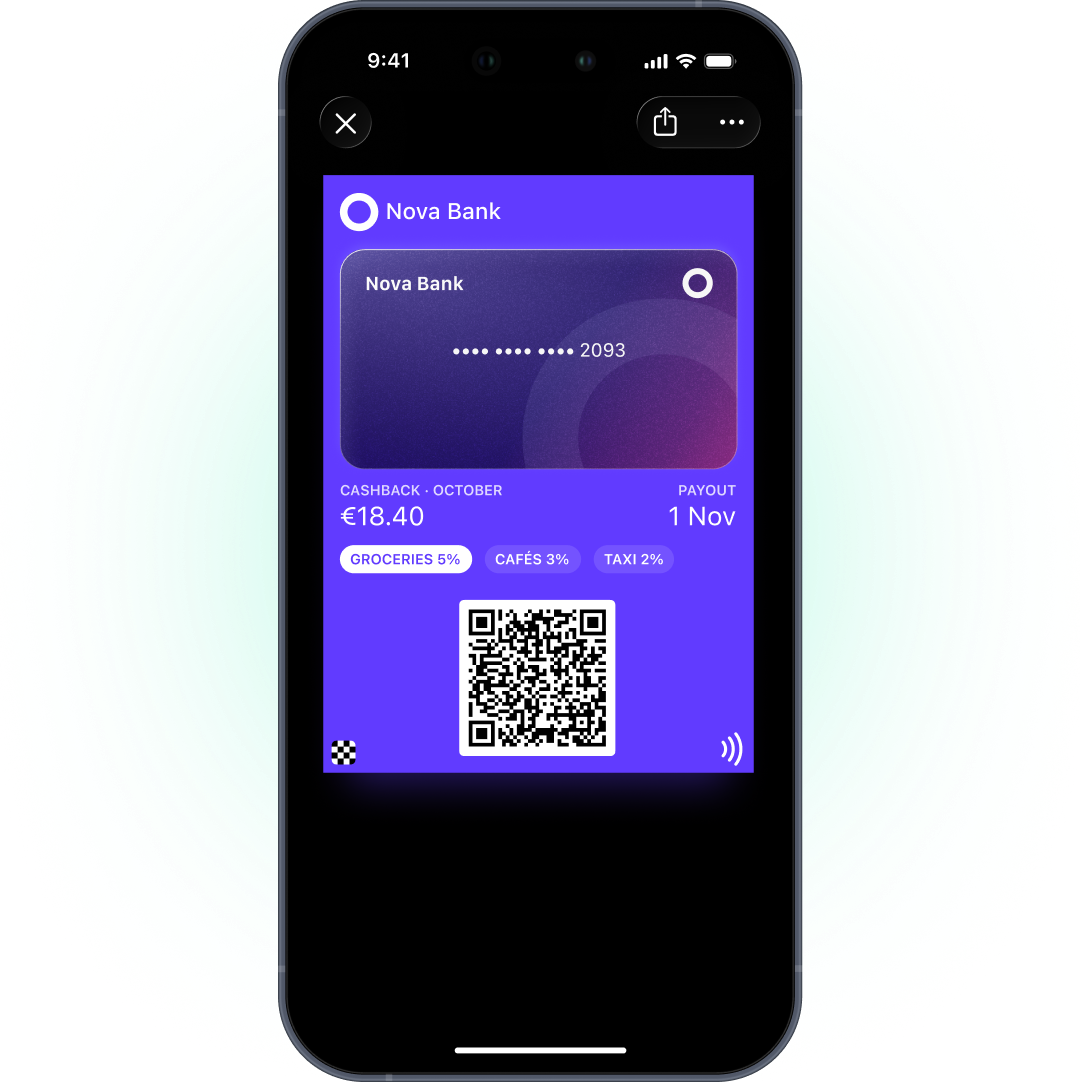
For banks and fintechs, wallet passes cover what sits around payments, not payments themselves: a rewards or cashback card, a membership tier, a partner benefits card. The pass lives in Apple Wallet or Google Wallet next to payment cards, shows a balance or a status, and updates after each transaction. Payment cards stay in Apple Pay and Google Pay.
In Pushwoosh, passes share 1 customer profile with push, in-app, email and SMS, so you can run wallet passes for banks and fintech alongside the messages you already send.
Where wallet fits next to the banking app
The banking app is where customers check balances, pay and move money. A rewards program buried 3 screens deep inside it is easy to forget.
Digital experience drives switching in banking. Half of digital banking users say they’d change provider for a better digital experience, and 31% already have (Alkami, 2025 Generational Trends in Digital Banking Study). Bain found that better digital tools were behind 36% of switches to another provider for additional services (Bain, 2023).
A wallet card won’t replace the app, and it shouldn’t try. It gives the rewards program a visible, always-current home in the same wallet app customers open to pay.
What banks put in the wallet
| Pass | Apple type | Google type | What it shows | Updated when |
|---|---|---|---|---|
| Rewards or cashback card | Store Card | Loyalty | Points or cashback balance, tier | After each qualifying transaction |
| Membership tier card | Generic | Generic | Plan, tier, member since, benefits | Tier change |
| Partner benefits card | Generic or Coupon | Generic or Offer | Benefit, partner, expiry | Benefit change or expiry |
The type is locked at creation, so decide early whether the rewards card needs Google notifications. On Google, of these types only Loyalty passes send update notifications, up to 3 per pass per day. Generic and Offer passes update silently.
Rewards and cashback balance pass
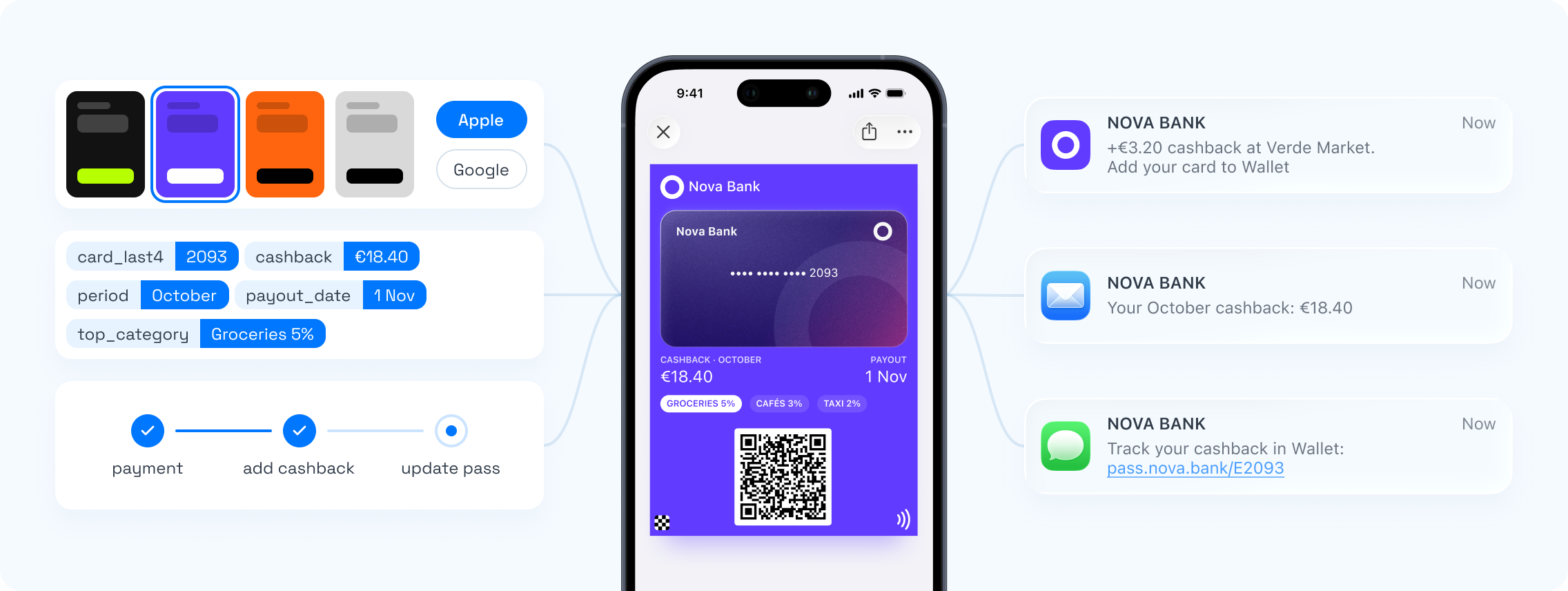
The cashback or points total comes from your core banking or rewards engine. After a qualifying transaction, your system sends the new balance through the API and the card updates on the customer’s phone.
On Apple, a change message on the balance field can show “You earned %@ cashback” on the lock screen. Use it sparingly. An alert after every coffee turns a useful card into noise. We’d alert only on milestones, like a reward reached or cashback paid out.
Membership tiers
Premium and metal tiers are a status product, and status the customer can’t see is worth less. A tier card puts the plan, the tier and the benefits in 1 place.
When a customer moves up, update the card and let the change message announce it. When a tier lapses, update the status honestly. An old tier left on display is a support ticket waiting to happen.
Compliance: what to keep off the card
A wallet pass can be seen on the lock screen and by anyone holding the phone. Treat it as public.
- No account or card numbers. The pass identifies the member, not the account.
- No account balances or transaction details. A rewards balance is fine. A bank balance isn’t.
- No other personal data beyond what the customer needs to use the card, such as a name.
- Payments stay in Apple Pay and Google Pay. A wallet pass isn’t a payment card.
Where your data is processed matters too. Pushwoosh runs on its own infrastructure in Germany and the US, hosts EU customers in Germany, and holds ISO 27001 and SOC 2 Type 2 certifications.
Journeys around the card
-
Account opened
Issue the rewards card and send the Add to Wallet link in the welcome email or in-app.
-
First qualifying transaction
The balance updates on the card. A push explains how cashback works.
-
Milestone reached
The card shows the reward, with a change message on Apple.
-
Tier upgrade
Update the tier card. Email the new benefits.
-
Inactive 60 days
A re-engagement push or email, never a promo through the card.
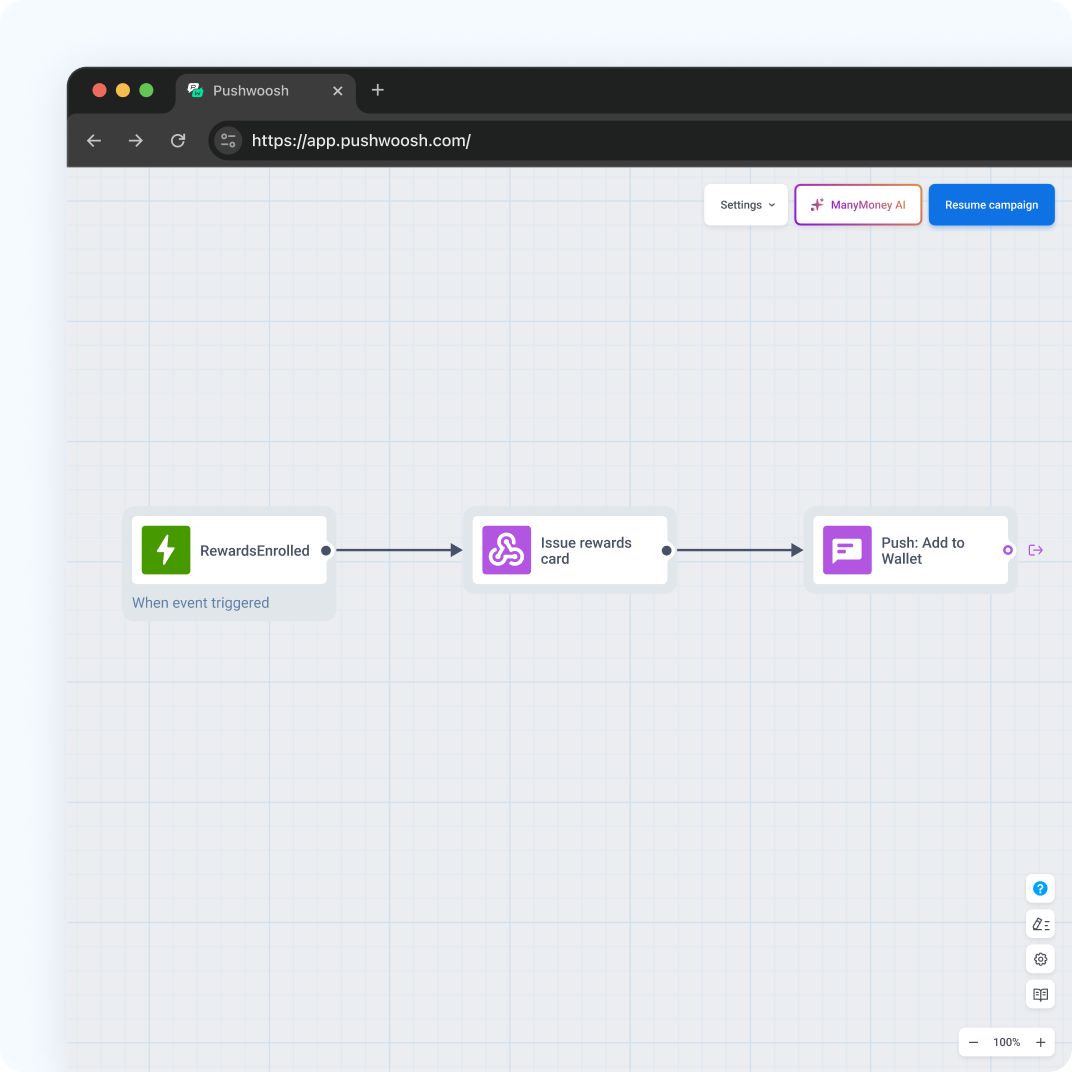
Apple and Google only allow notifications about the pass. Product offers, like a new savings account, go by push, email or in-app.
Make rewards visible with Pushwoosh
Pushwoosh issues native Apple and Google Wallet passes for rewards, cashback and membership tiers, updates them through the API, and runs push, in-app, email and SMS from the same journeys. Data is hosted in Germany and the US, with ISO 27001 and SOC 2 Type 2.
A rewards program doesn’t work because the catalog is richer. It works when the balance sits where customers look every day.