Credit where it's due
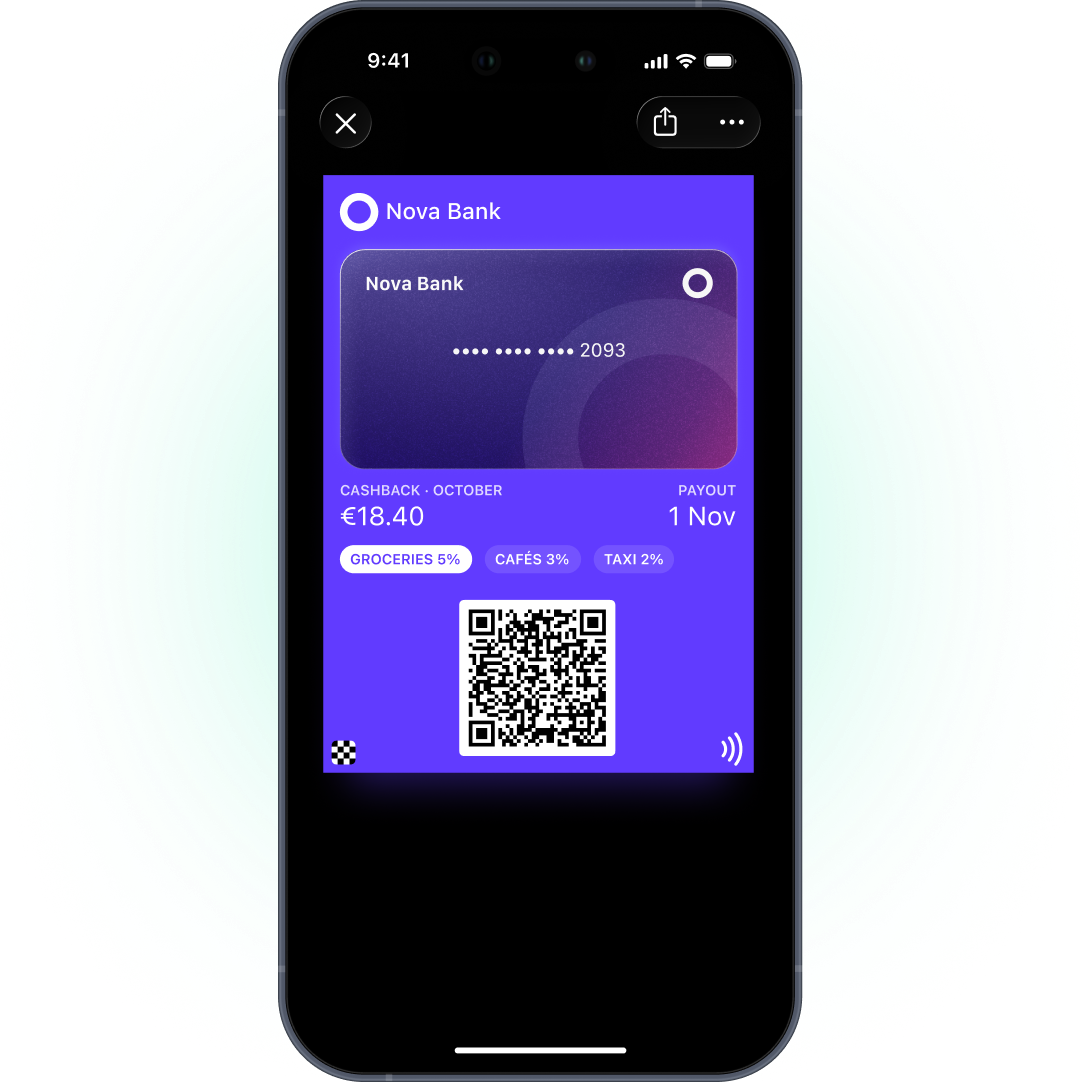
A bank loyalty program in Apple Wallet and Google Wallet: rewards, cashback tier, and partner offers on a card that sits next to your customer's payment card.
Why your rewards belongs in Wallet
Rewards hide three taps deep in the banking app. Customers don’t know their cashback tier, and partner offers expire unseen.
Next to the payment card
Rewards sit in the same wallet customers open to pay.
Status that stays current
Tier and cashback level update on the card when your systems change them.
You choose what's shown
Show tiers, rewards, and offers — account details stay where they belong, in your app.
How banks use Wallet
Each one is a model scenario — a typical setup, not a client case study:
Rewards card for members
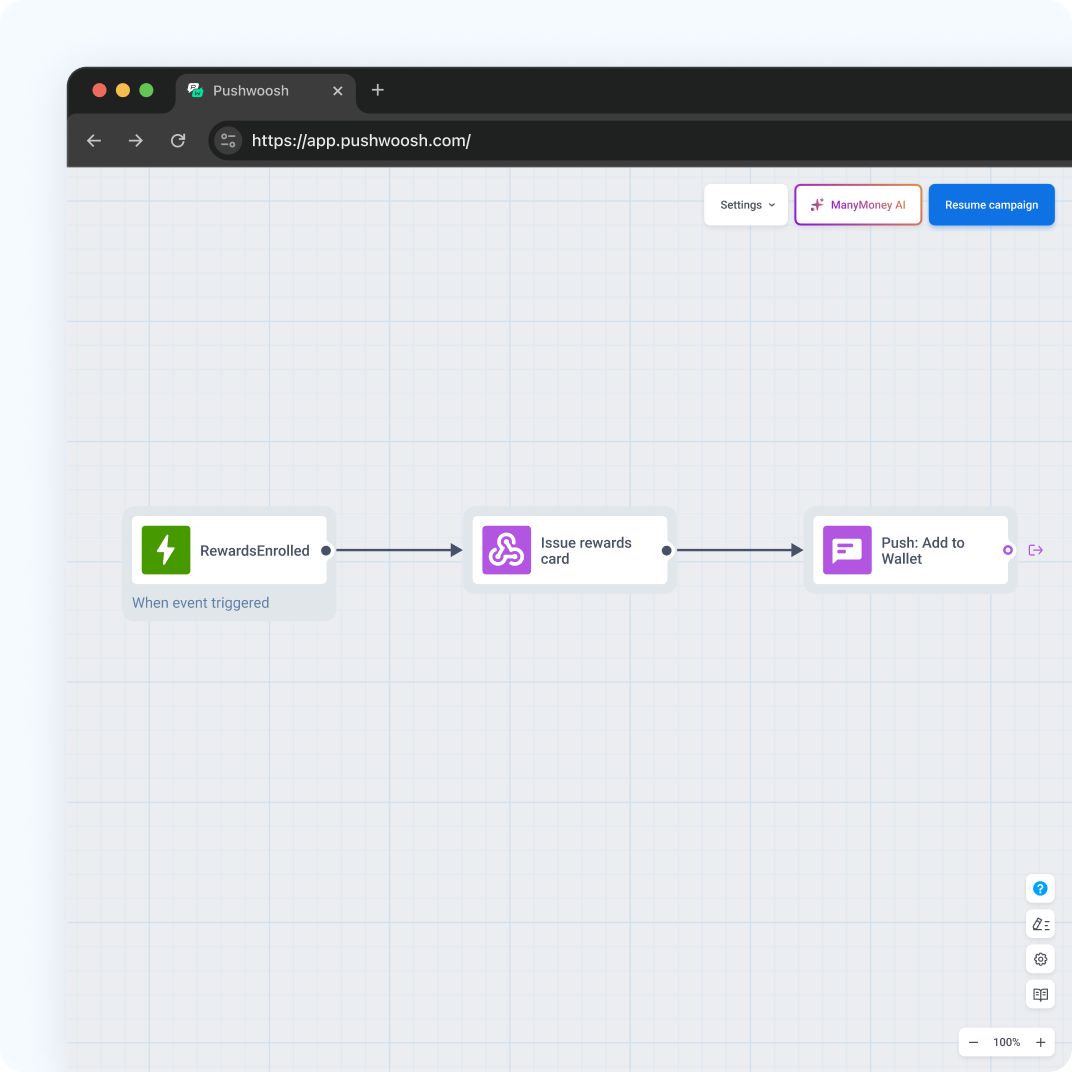
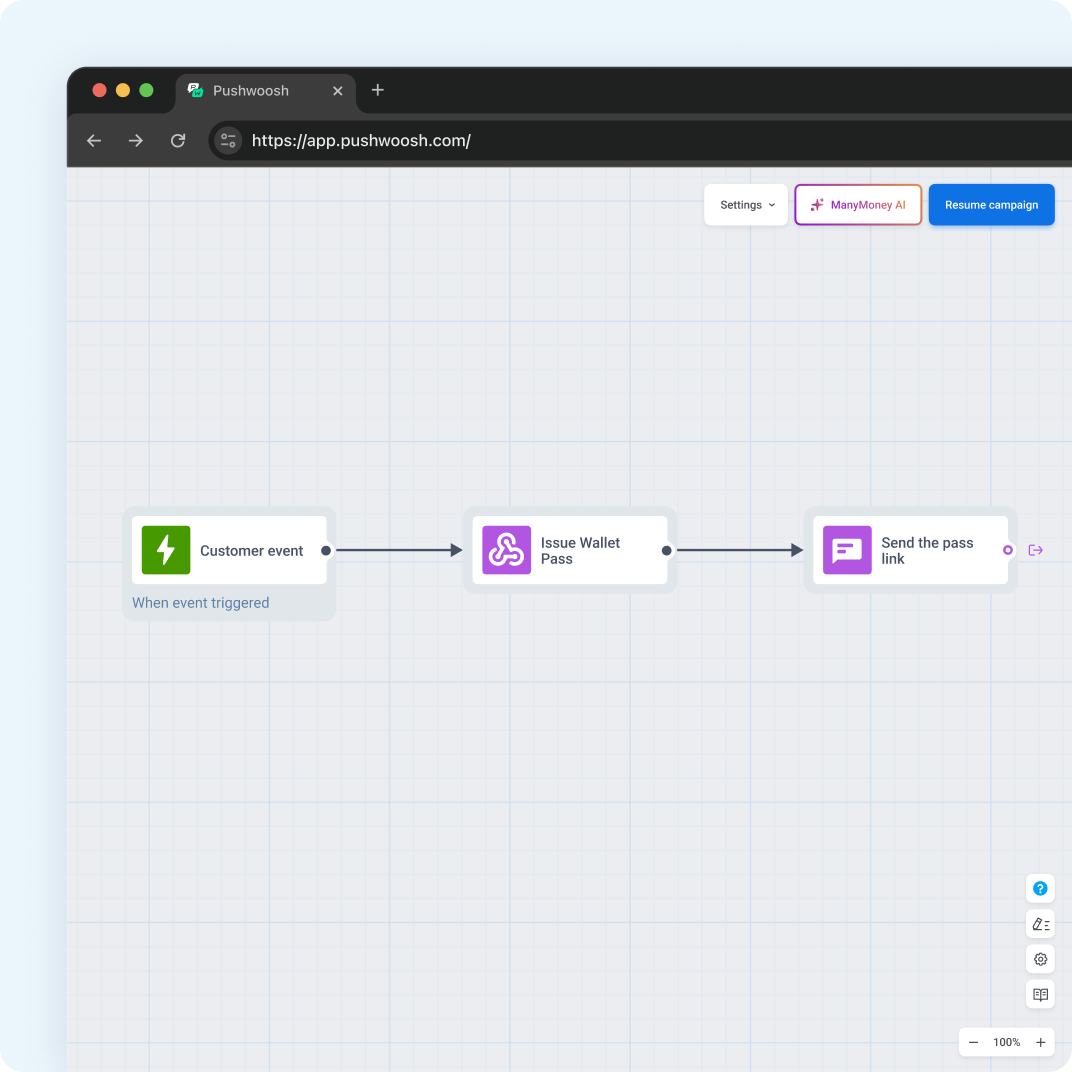
The enrollment event starts a journey that issues a personal card with tier and member number.
Monthly cashback status
Cashback and tier live in tags; tag sync refreshes the card when the month closes.
Partner offer
An offer pass with the partner, terms, and expiry — sent to exactly the right segment.
Onboarding milestone
Activation events update a status tag, and the card shows the next step to unlock a bonus.
Premium event invitation
An event ticket campaign issued to the top-tier segment.
Your scenario
A different flow in mind? Map it with our team on a demo — the setup is the same account either way.
One scenario, step by step
Here’s “Monthly cashback status” from both sides: what the customer sees and what your team sets up. A partner offer for a whole segment skips all of this — one shared pass from the builder.
-
A customer joins the rewards program
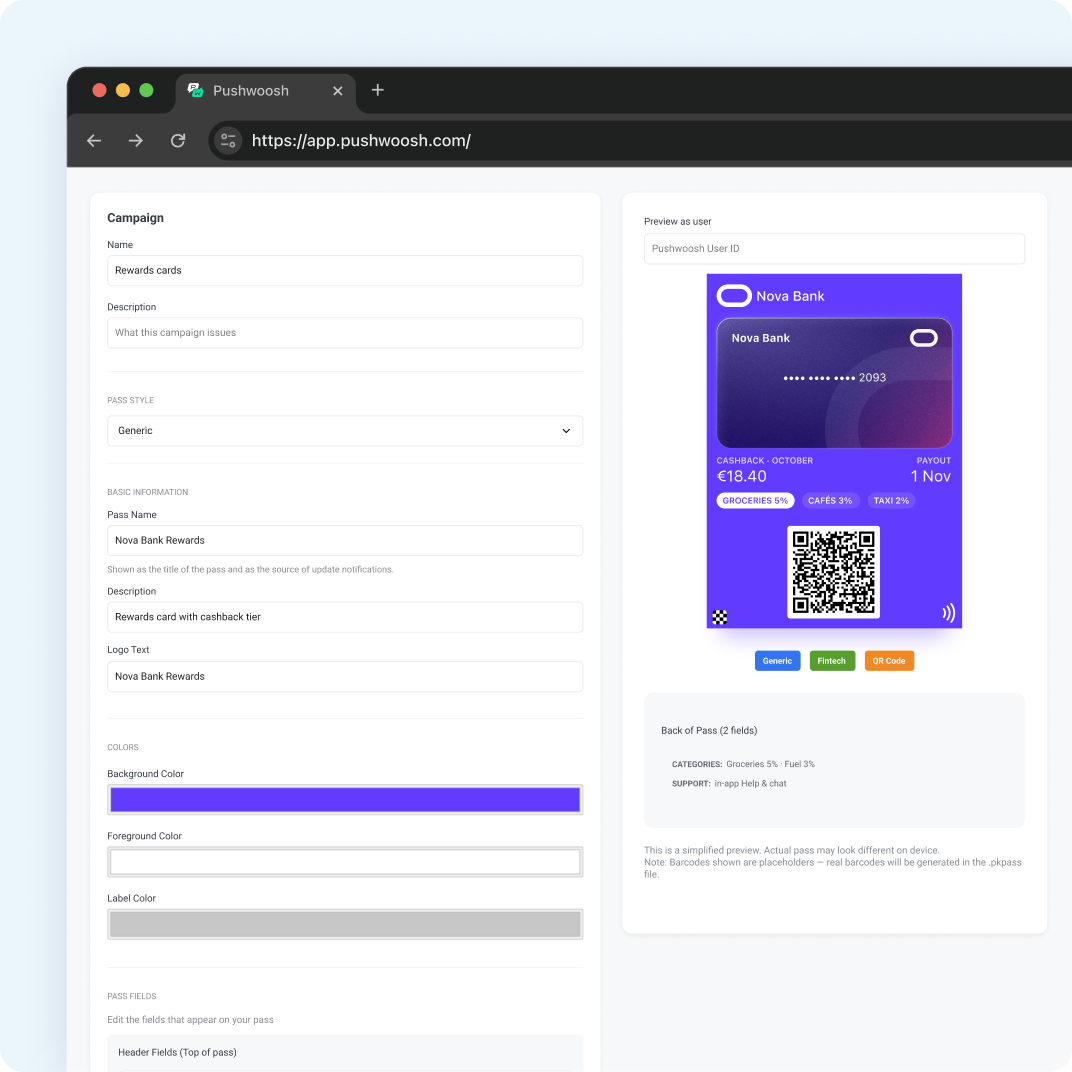
A pass campaign with shared fields (program name, terms) and personal fields (tier, cashback, member number). The enrollment event starts a journey.
Wallet Pass Campaigns ↗ -
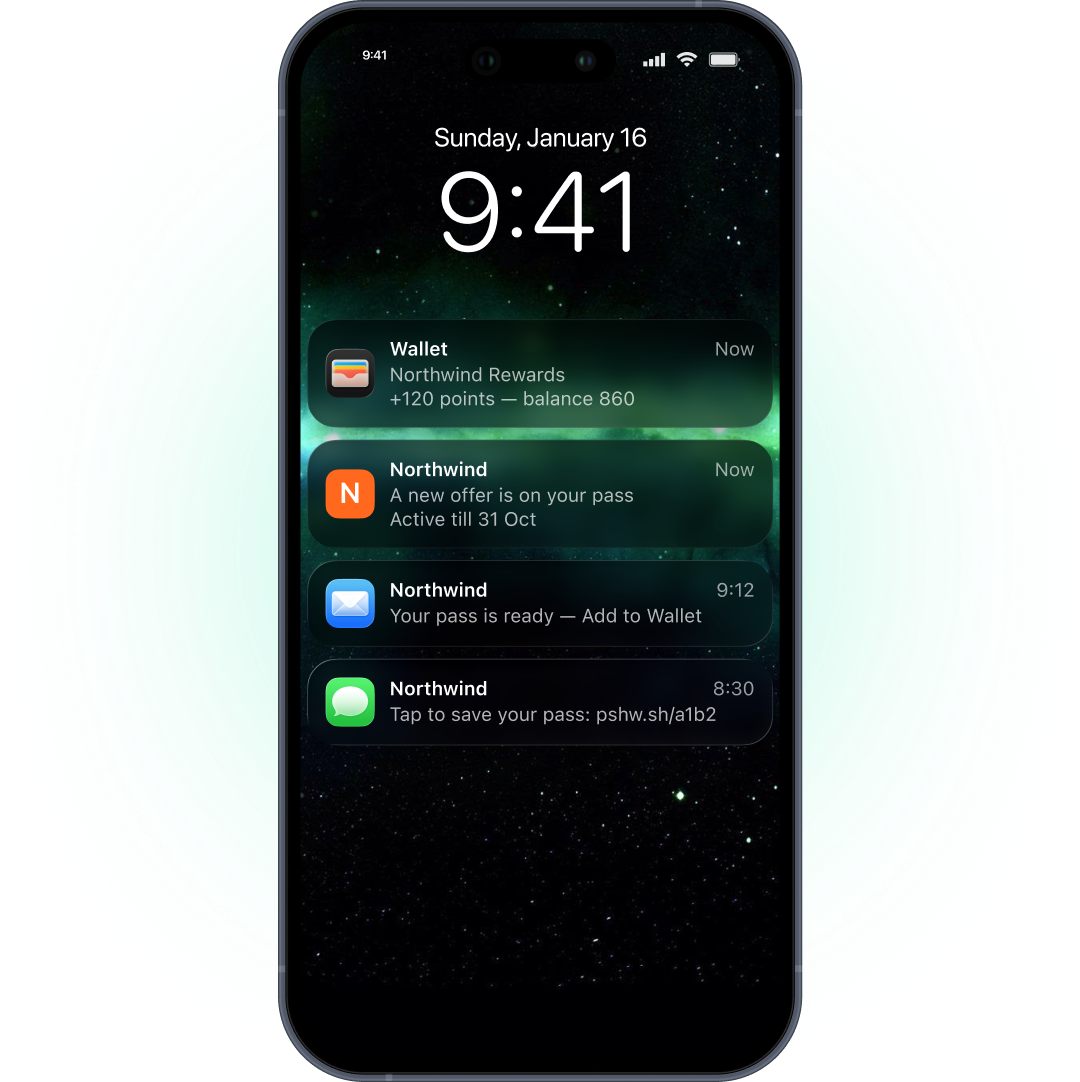
They get a push with an Add to Wallet link
Issue Wallet Pass creates the card for both wallets; Send Push adds the personal link.
Issue Wallet Pass ↗ -
They save the card next to the payment card
Nothing to set up here: the pass registers for updates on its own, and the holder shows up in the customer profile.
Apple Wallet ↗ · Google Wallet ↗ -
The month closes — the card shows new cashback
Your systems update the cashback tag, and tag sync refreshes the card. Or your backend calls the API.
Tag sync ↗
Safe choice

ISO 27001:2022
Pushwoosh meets industry standards for online security and is certified by ISO 27001:2022.
Ensuring GDPR compliance
We maintain the highest standards of compliance with data protection regulations.

Adhering to OWASP principles
Our platform embraces the Security by Design approach to prevent potential threats.

HIPAA
Pushwoosh is HIPAA compliant, ensuring the confidentiality, integrity and availability of PHI(ePHI).
SOC 2 Type 2
Pushwoosh possesses a SOC 2 Type 2 report, reflecting our commitment to ensuring the utmost security of user data.
DPF certified
Pushwoosh is officially certified under the EU-U.S. Data Privacy Framework, including the UK extension, and the Swiss DPF.
Two ways to launch
Start without code today, automate when you’re ready — both routes run on the same account.
1. Start without code
One shared pass for everyone — one partner offer for a segment. Build it once, then drop the link or QR code into push, email, SMS, your site, or the till; allow multiple holders on Google Wallet so one link works for all.
What you’ll need:
- Apple Wallet — a Developer Program membership and a signing certificate uploaded to Pushwoosh. No iOS app.
- Google Wallet — a Wallet Console issuer account and a service account key.
- Your data policy — you decide which fields the pass shows; account numbers and balances can stay off it.
2. Automate in Customer Journey
A personal rewards card for every program member: a pass campaign plus an Issue Wallet Pass step in a journey. Tag sync keeps tier and cashback live; the API covers data in your core systems.
Everything from Route 1, plus:
- Customer data — a User ID per customer, with tier and rewards in tags or events.
- A trigger event — the enrollment that starts the journey issuing the card.
Already in your Pushwoosh account
A pass doesn’t deliver itself. The channels that carry it and the customer data behind it are already in your account — so the price of running Wallet looks like this.
What your Wallet setup includes
- Mobile push — delivers the card link inside the moments your app already uses
- Segmentation & CDP — keeps tiers and cashback per customer
- Customer Journey Builder — issues the card at enrollment and offers by segment
- Analytics — shows how the messages carrying your passes perform
Wallet add-on fee: $0 — it’s part of the platform, your price depends on your plan.
Set. Now go.
Start with one partner offer for a segment — after the one-time Apple and Google setup, your team runs it without code. When you're ready, automate rewards cards with tier and cashback synced from your systems.

Questions banks ask before they start
Explore related products
Issue Apple Wallet and Google Wallet passes in Pushwoosh and send them to the right segment by push, email, or SMS. One platform, no add-on fees.
Put your ecommerce loyalty program in Apple Wallet and Google Wallet. Issue personal cards in Customer Journey and keep points current without code.
Move your grocery loyalty program into Apple Wallet and Google Wallet. One card at checkout, this week's offers on it, updated for every shopper at once.
Deliver reliable transactional notifications, integrate with core banking systems via API, and orchestrate cross-channel banking journeys with Pushwoosh.
Add labelled action buttons to the push you already send, so users accept, claim, approve or track in one tap. Build the iOS button sets no-code in the Pushwoosh Control Panel and send them from the same campaign and Journey.
Deliver time-critical trade alerts, personalize signals based on user portfolios, and orchestrate multi-channel trading journeys with Pushwoosh.