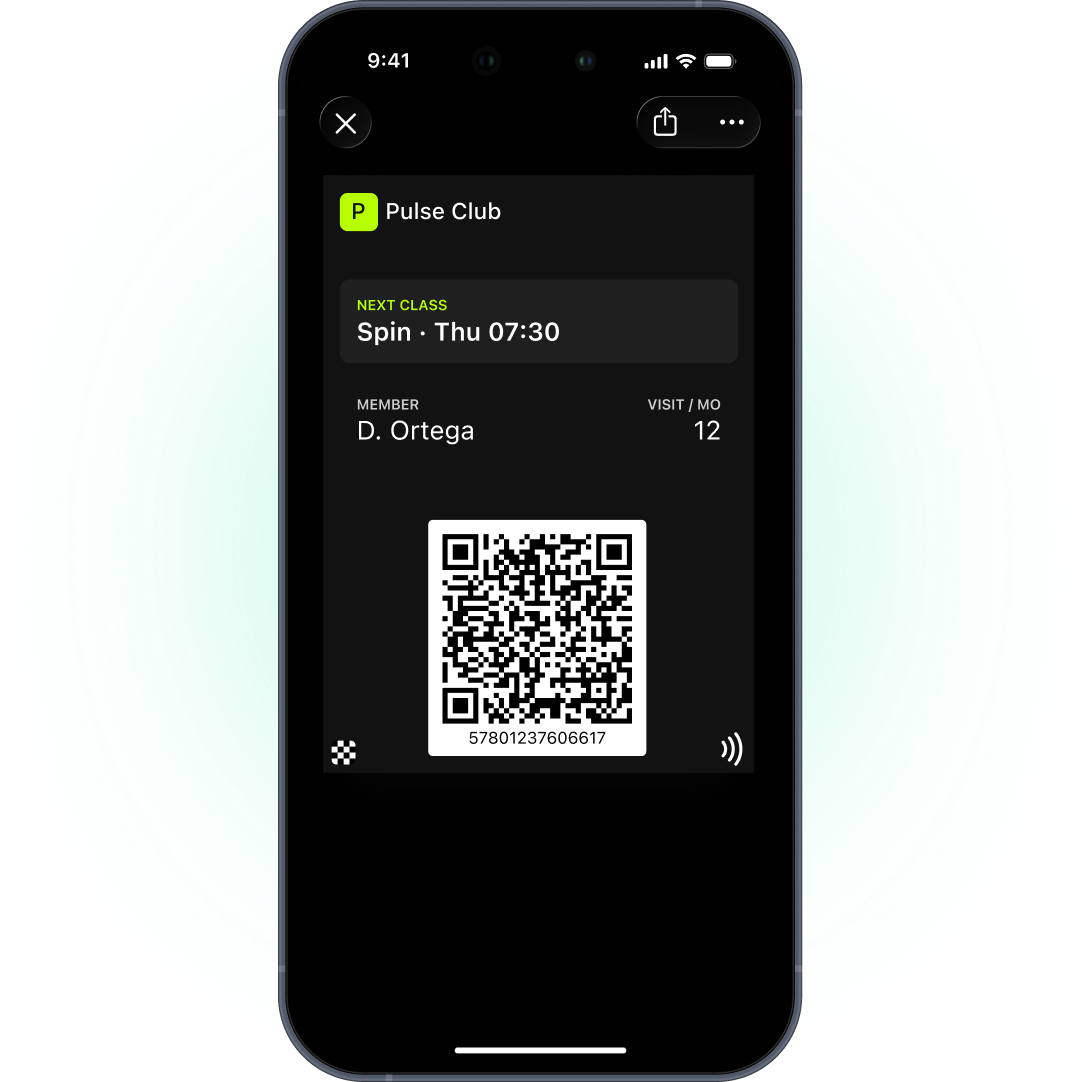
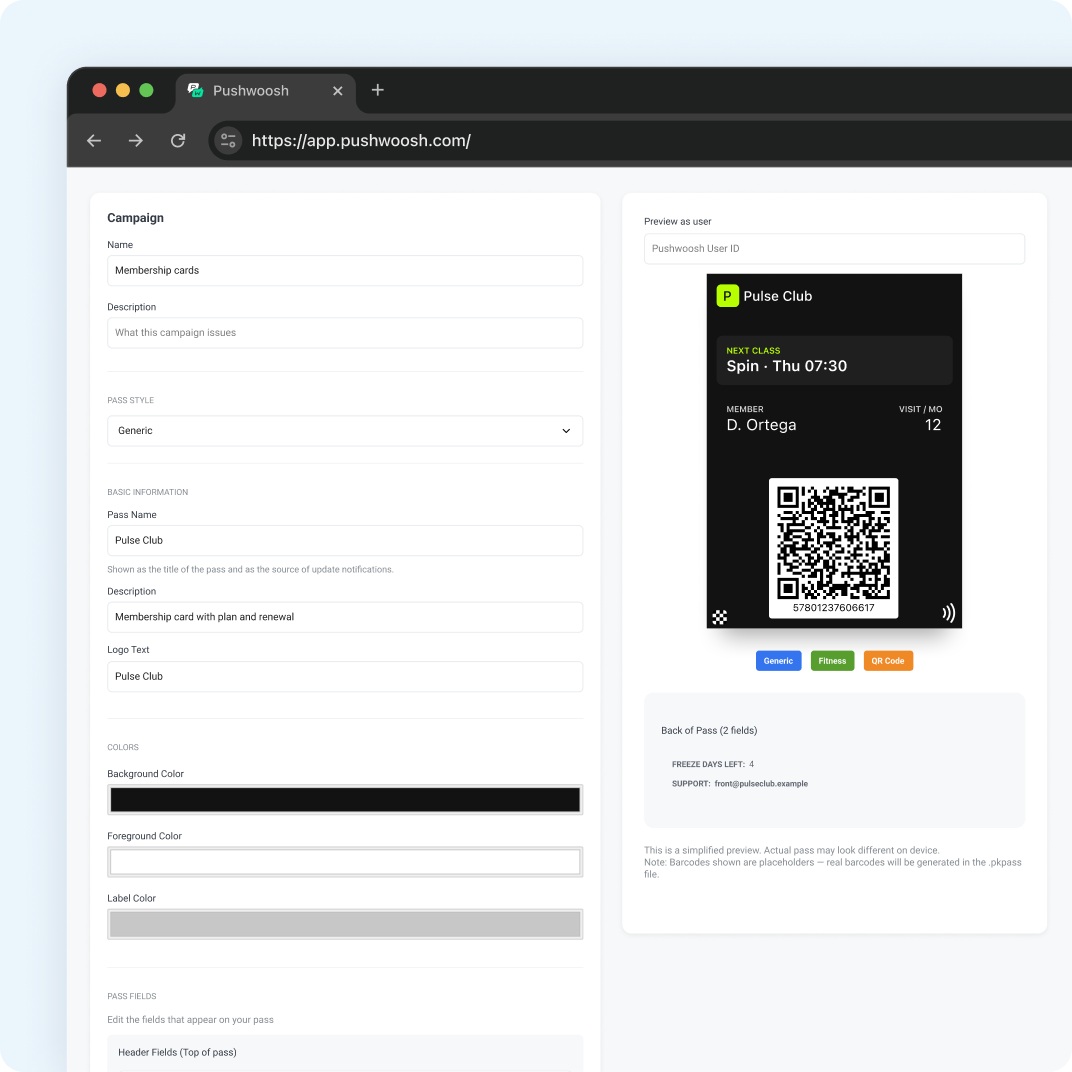
A digital membership card is a gym or club card that lives in Apple Wallet or Google Wallet instead of on plastic or behind a login. Members show a QR code at the front desk or turnstile. The card shows their plan and status and updates when they renew, freeze or upgrade. Nobody needs an app to get in.
In Pushwoosh, the card sits on the same member profile as your push, email and journeys, so you can run wallet membership cards for gyms and fitness clubs from 1 platform.
What a digital membership card replaces
Plastic cards cost money, go missing and say nothing about the member. App-only access makes every new member install and log in before their first workout.
What’s at stake is retention. Average annual retention in the industry is 66.4%, so roughly 1 member in 3 leaves each year (Health & Fitness Association, 2025 benchmarking report, via gymdesk). And 50% of new members cancel within 6 months (IHRSA, via gymdesk). The first months decide the membership. A card that’s always in the member’s pocket removes 1 small reason to skip.
Entry by QR
The card carries a QR code or barcode that your front desk or turnstile scanner reads. The scan checks the member in to your club management system, exactly like a plastic card. All you need is a scanner your access system supports.
Pushwoosh issues QR and barcode cards, not NFC passes, so entry works by scanning the code on the member’s screen.
Status and renewal updates
The card should always tell the truth about the membership: plan, status, valid-until date, home club. When your club management system changes any of those, it sends the new values through the API and the card updates on the member’s phone.
Failed payments are a common trigger. ABC Fitness reports that 7 to 12% of monthly membership transactions fail on the first attempt (vendor data, ABC Fitness). Update the card status and follow up by email or push, so the member can fix their payment before access stops, not after they’re turned away at the desk.
On Apple, a field with a change message can show a lock-screen alert, such as “Your membership renews on %@”. On Google, membership cards use the Generic type, which updates silently, so send that reminder by push or email.
Freeze and expiry
Members pause for holidays, injuries and busy months. Show it on the card: set the status to “Frozen until” a date, then change it back when the freeze ends.
When a membership ends, set the expiration date. On Apple, the card grays out in Wallet after it. On Google, expire the pass and it moves to the member’s expired passes. If they rejoin, restore it.
Onboarding and renewal journeys
The card is the hook. The journey around it does the retention work.
-
Sign-up
Issue the card and send the Add to Wallet link by email or SMS.
-
First week
Welcome email and push with the class schedule. First scans show up in your system.
-
Day 30 with few visits
A personal check-in by email or push.
-
7 days before renewal
An Apple card alert through a change message, plus email for everyone.
-
After cancellation
A win-back sequence by email.
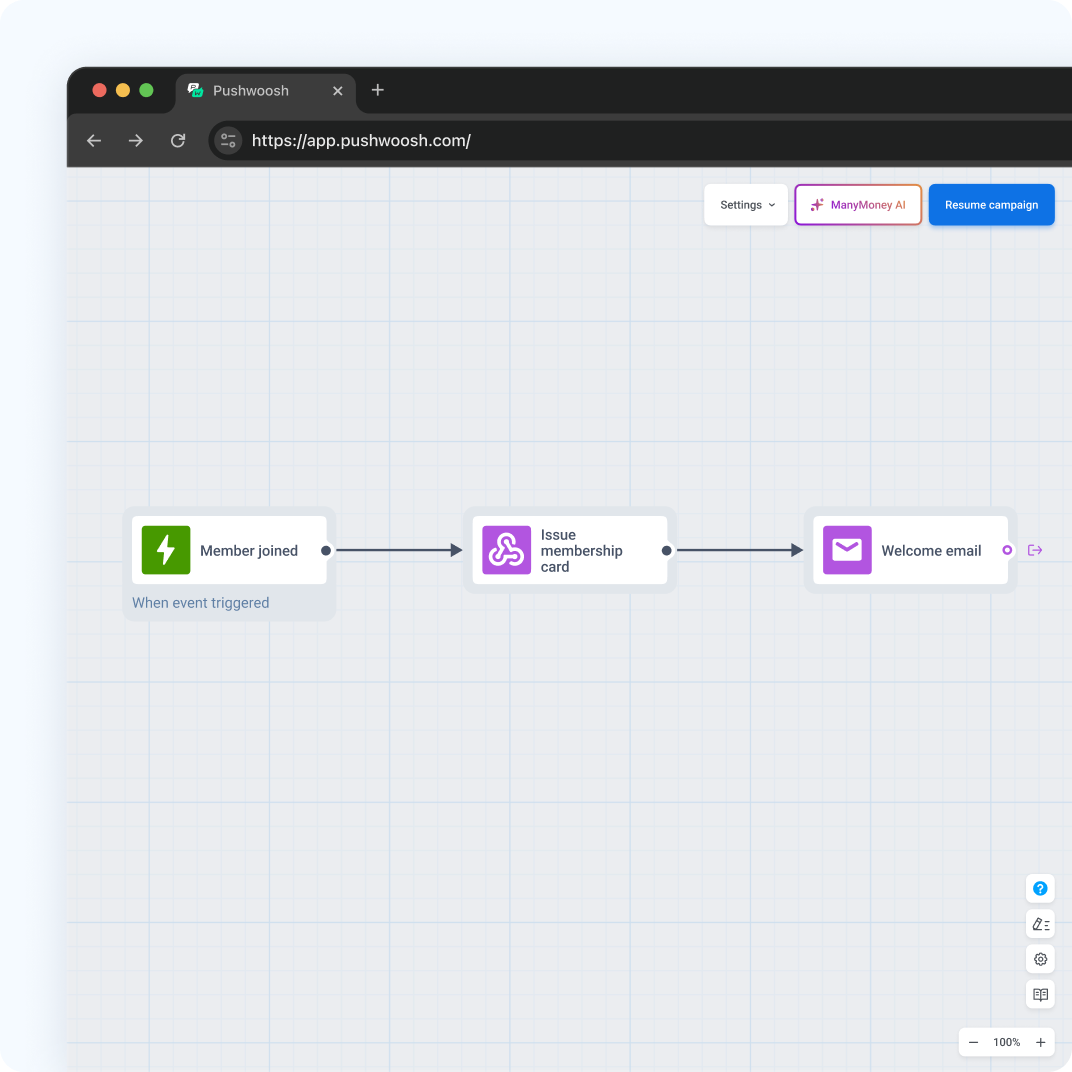
Onboarding pays off. Members who got an orientation session and 3 follow-up contacts were retained at 87% after 6 months, against 60% with minimal onboarding (IHRSA, via gymdesk). PureGym raised re-join campaign conversion by 206% compared with its standard email (competitor case, Braze, email channel), a reminder that win-back works best as a planned sequence.
Keep health data off the card
A membership card can be seen by anyone who sees the member’s phone. Keep it to plan, status, dates and the code. Never put health, body or wearable data on the pass. Wearable data tied to health assessments counts as special category data under Article 9 of GDPR and needs explicit consent.
Setup checklist
- An Apple Pass Type ID certificate (Apple Developer account, $99 a year) and a Google Issuer ID with a service account key.
- A Generic pass for the membership on both platforms, with plan, status and valid-until fields.
- A barcode format your scanners read.
- An API connection from your club management system to update status.
- Journeys for sign-up, renewal and win-back.
The one-time Apple and Google setup is described in the Pushwoosh docs on Wallet passes.
Retain more members with Pushwoosh
Pushwoosh issues native Apple and Google Wallet membership cards by User ID, updates status through the API, and runs onboarding, renewal and win-back by push, email and SMS from the same journeys.
Members don’t stay because the card looks sleek. They stay when every small reason to skip the gym is gone.