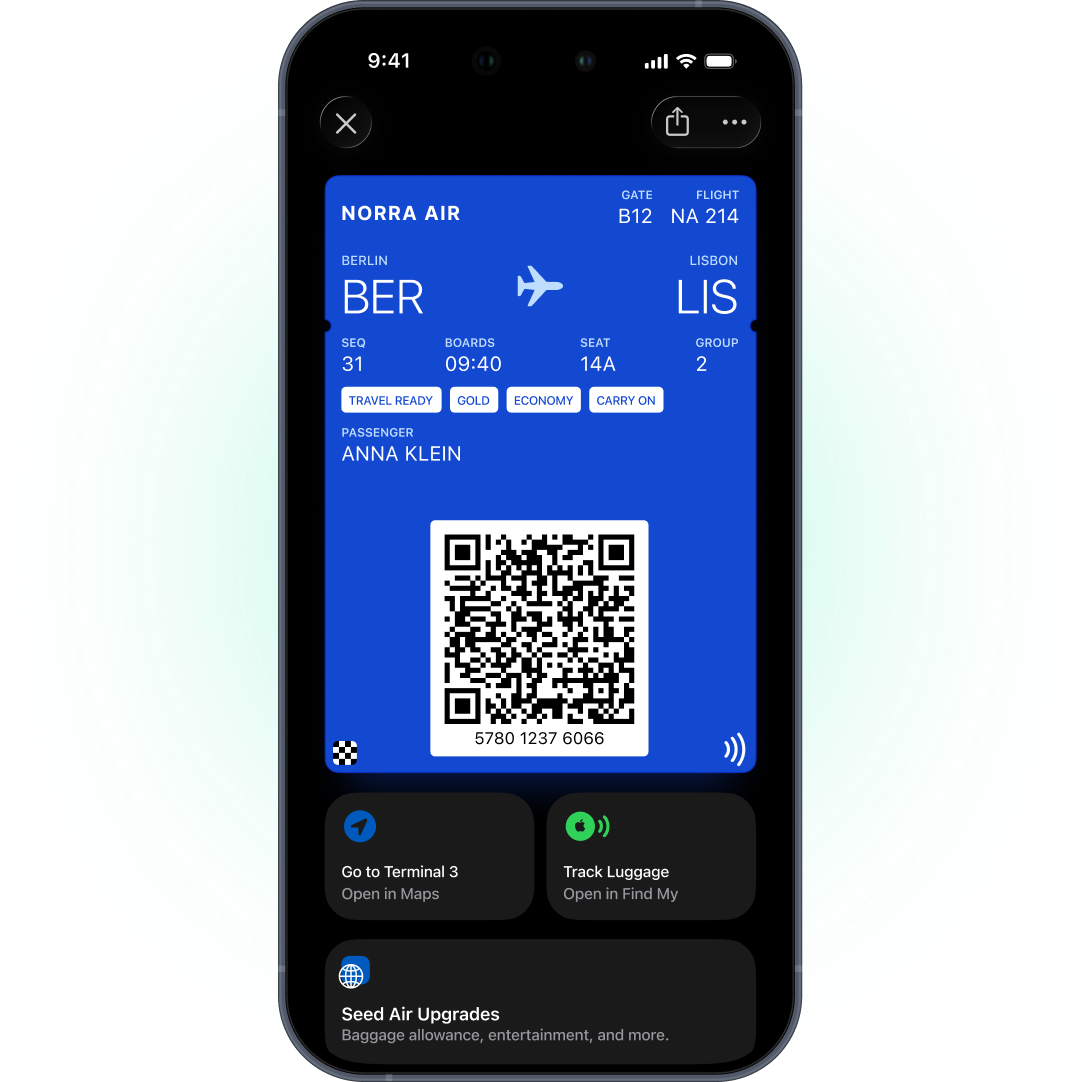
A digital boarding pass in Apple Wallet or Google Wallet gives passengers a scannable pass that updates itself when the gate, seat or boarding time changes. It works without the airline’s app, appears on the lock screen around departure, and stays through the day of travel. For airlines, it turns the boarding pass into a live channel for operational changes.
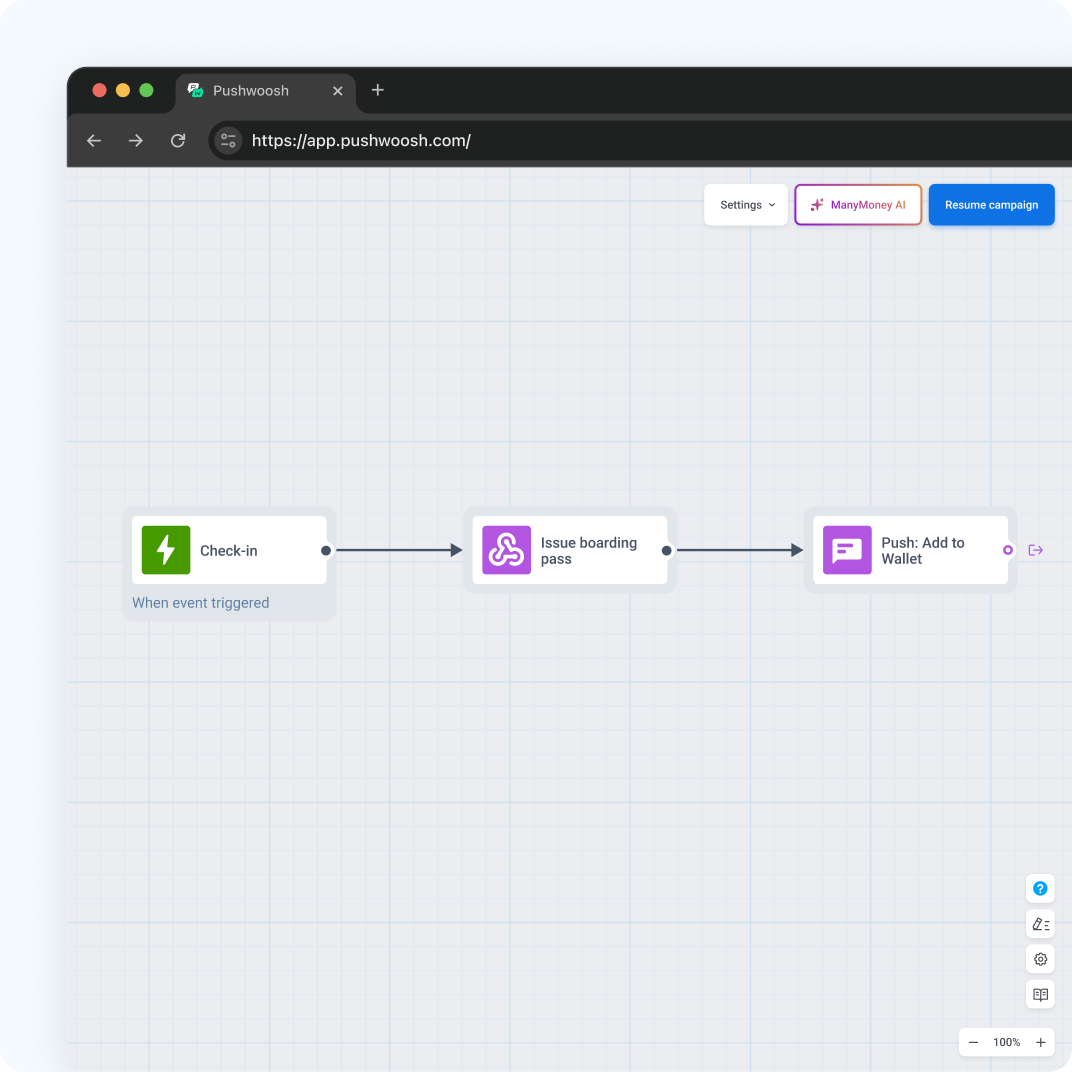
In Pushwoosh, passes and messages share 1 passenger profile, so you can run wallet passes for airlines inside your day-of-travel journeys.
Why the boarding pass should be live
Day-of-travel changes are where airlines lose trust, and regulators set a floor. In the EU, Article 14 of Regulation EC 261/2004 requires airlines to prove passengers were informed of a cancellation. In the US, the DOT Tarmac Delay Rule requires carriers to update flight status within 30 minutes of a change for flights in the next 7 days.
A paper or PDF boarding pass is wrong the moment the gate changes. A wallet pass redraws.
The market has moved. Alaska Airlines reported 35% year-over-year growth in wallet usage, with 90% of passengers checking in before they reach the airport (competitor case, Airship, 2025). Hawaiian Airlines launched boarding passes in Google Wallet as part of its day-of-travel program (competitor case, Airship).
Boarding pass types and barcodes
| Apple Wallet | Google Wallet | |
|---|---|---|
| Pass type | Boarding Pass, transit type air | Flight |
| Barcode | PDF417, also QR, Aztec, Code128 | PDF417, also QR, Aztec, Code128, EAN-13 |
| Update alerts | Fields with a change message | Yes, within about 3 hours of departure, max 3 per pass per day |
| Lock-screen relevance | Relevant date and airport locations | Airport locations you add |
PDF417 is often required for airline boarding passes, and both platforms support it.
Gate, seat and time updates
When your departure control system changes the gate, seat or boarding time, it sends the new values through the API and the pass updates on the passenger’s phone.
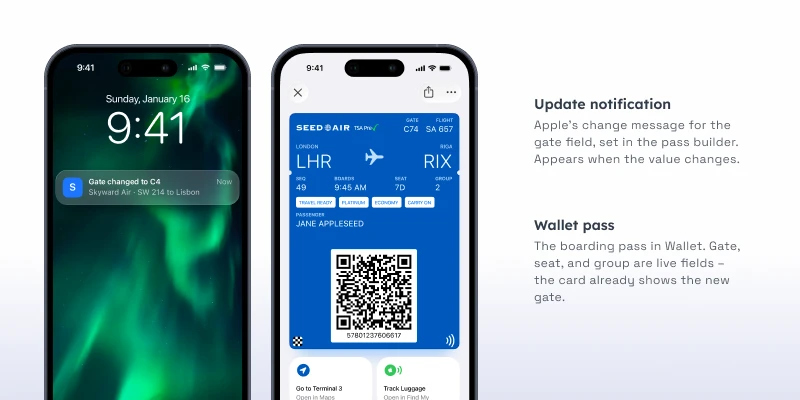
Put change messages on the fields that matter in the terminal: gate, boarding time, seat. On Apple, a message like “Your gate is now %@” appears on the lock screen when the value changes. On Google, Flight passes notify on updates near departure, within Google’s limits.
Leave cosmetic fields without change messages. A passenger running to a new gate doesn’t need to know you updated the logo.
Delay journeys: pass plus message
A pass update shows the new information. It doesn’t explain it. For delays and cancellations, pair the update with a message in the same journey.
-
Delay announced
The pass updates the departure time. A time-sensitive push explains the delay.
-
Device unreachable
SMS fallback for passengers without push.
-
Gate change
The pass updates with a change message. App users also get a push.
-
Cancellation
The pass is updated or voided, and the rebooking message goes out by push, email and SMS, so passengers hear about it on every channel they use.
Google caps update alerts at 3 per pass per day. On a messy operational day, push carries the rest.
Beyond the boarding pass
The same setup supports other passes around the trip.
Lounge passes are one. Alaska Airlines invites frequent flyers to the nearest lounge by geotrigger and puts the pass in the wallet (competitor case, Airship).
Frequent flyer cards are another: a loyalty card with tier and miles, updated after each flight.
Airports run their own programs too. Heathrow Airport ran a wallet-based loyalty program and reported an average of 1,245 extra sign-ups a day (vendor case, PassKit, an airport rather than an airline).
Keep alerts about the trip
Boarding pass alerts are for the trip: gate, time, seat, boarding. Apple and Google only allow notifications about the pass. Ancillary offers, like seat upgrades or paid lounge access, go by push, email or in-app.
Setup
- An Apple Pass Type ID certificate (Apple Developer account, $99 a year) and a Google Issuer ID with a service account key.
- Boarding Pass on Apple and Flight on Google, with PDF417 barcodes.
- An API connection from your departure control or reservation system for issuing and updates.
- Change messages on gate, seat and boarding time.
- Delay and cancellation journeys with push and SMS fallback.
The one-time Apple and Google setup is described in the Pushwoosh docs on Wallet passes.
Keep passengers informed with Pushwoosh
Pushwoosh issues native Apple and Google Wallet boarding passes by User ID, updates gate, seat and time through the API, and runs delay journeys by push, SMS and email from the same platform.
Passengers don’t need more messages on travel day. They need a boarding pass that’s never out of date.