Everyone on board
Boarding passes in Apple Wallet and Google Wallet, issued at check-in and kept current all the way to the gate.
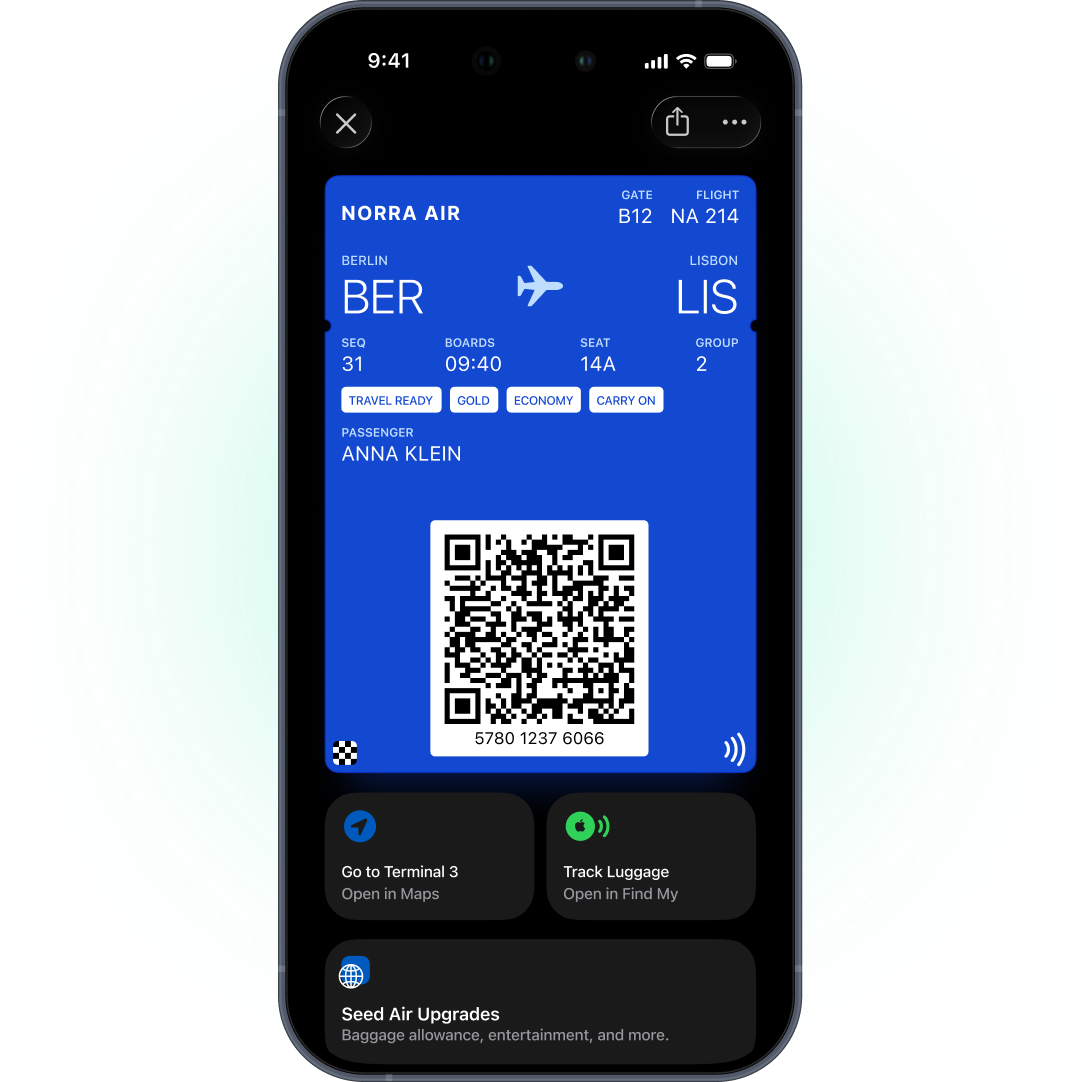
Why your boarding passes belongs in Wallet
PDF boarding passes get lost in the inbox. Passengers take screenshots that go stale the moment the gate changes — and the update arrives in a separate message they may not see.
Ready at the gate
The boarding pass is in Wallet, not buried in an email attachment.
Changes on the pass itself
Gate, seat, and time update on the pass the passenger already saved.
Same journey as your messages
Check-in, the pass, and departure reminders run from one platform.
How airlines use Wallet
Each one is a model scenario — a typical setup, not a client case study:
Boarding pass after check-in
The check-in event starts a journey that issues a personal pass with seat and gate, delivered by push.
Gate or time change
Your system calls the API with the new data — on Google Wallet, flight passes support Google's update alert close to departure.
Seat change or upgrade
The seat field updates straight from your booking system through the API.
Frequent flyer card
A pass campaign with tier and number filled from the passenger's tags.
Lounge or partner offer
An offer pass with airport locations, sent to the right passengers before boarding.
Your scenario
A different flow in mind? Map it with our team on a demo — the setup is the same account either way.
One scenario, step by step
Here’s “Boarding pass after check-in” from both sides: what the passenger sees and what your team sets up. Boarding passes depend on live flight data, so they always run on this automated route.
-
A passenger checks in online or in your app
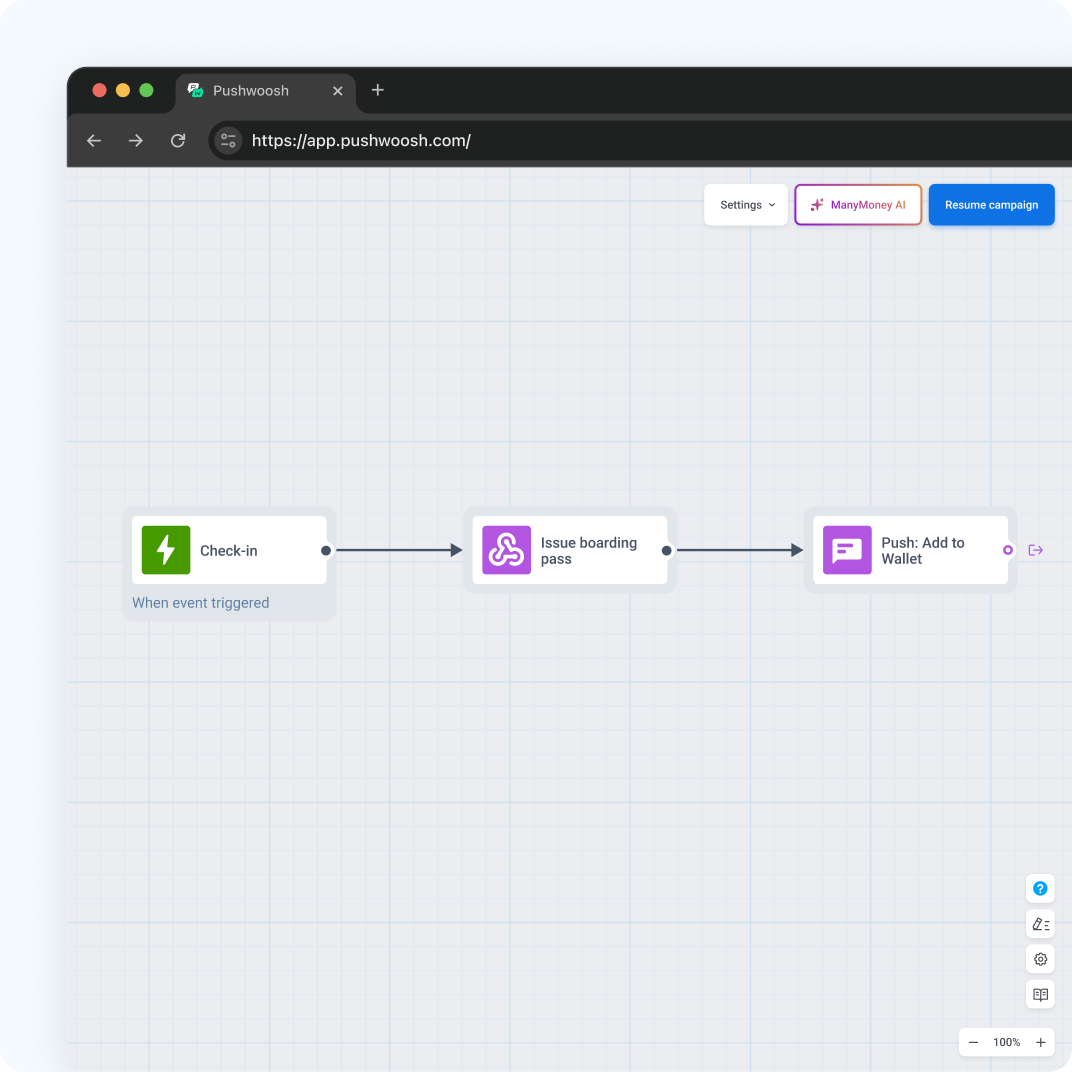
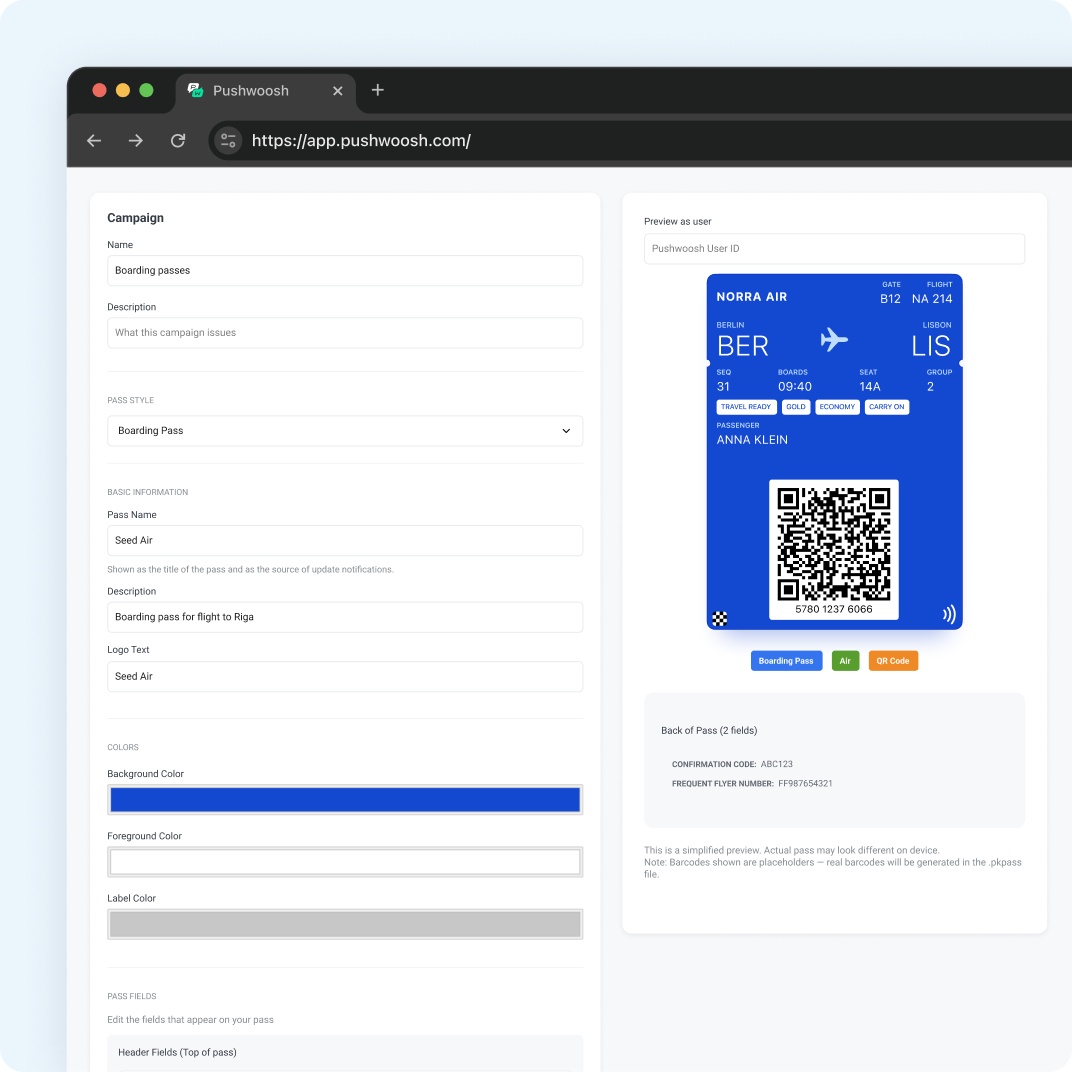
A pass campaign of the Boarding Pass style on Apple Wallet and the Flight type on Google Wallet. The check-in event with seat and gate attributes starts a journey.
Wallet Pass Campaigns ↗ -
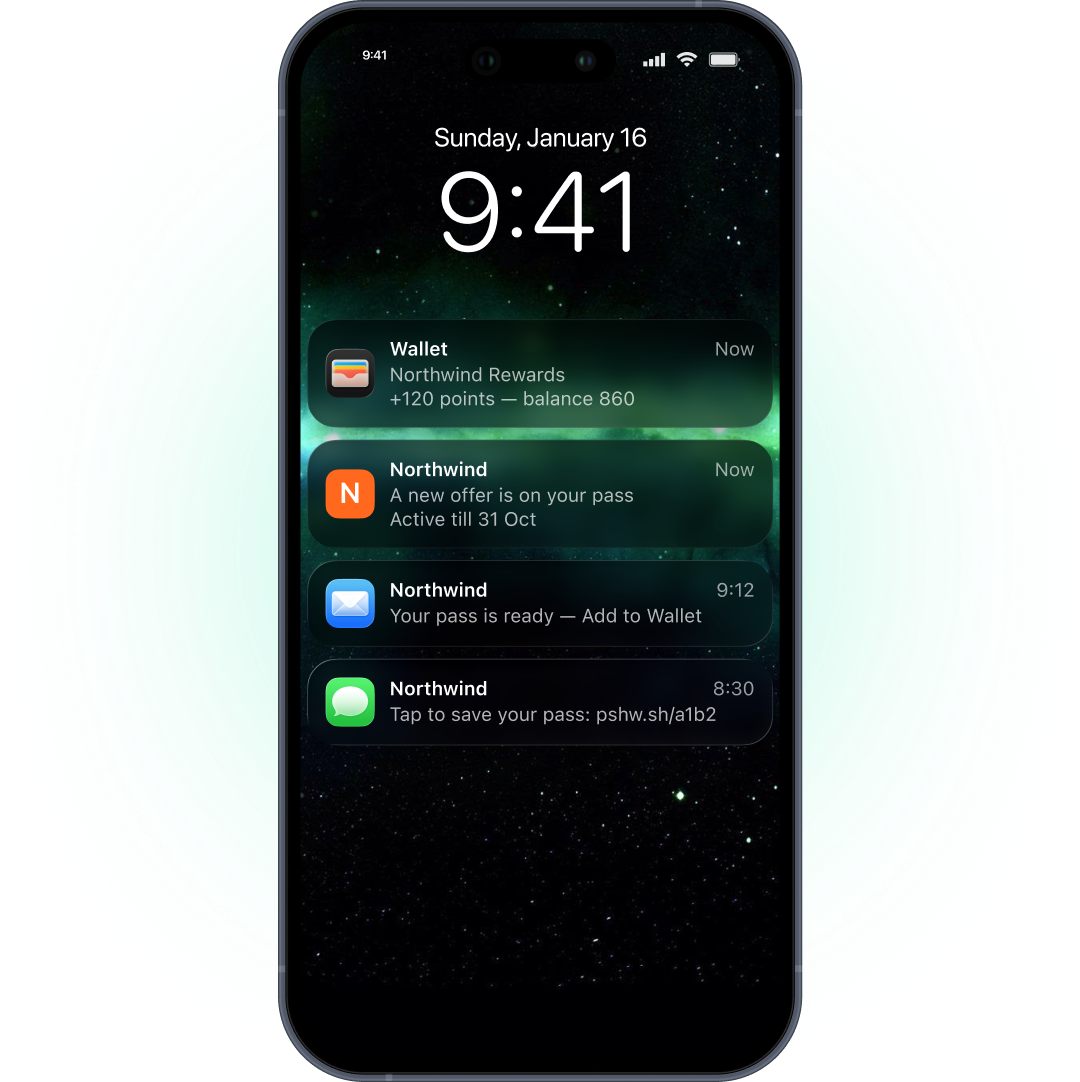
They get a push with an Add to Wallet link
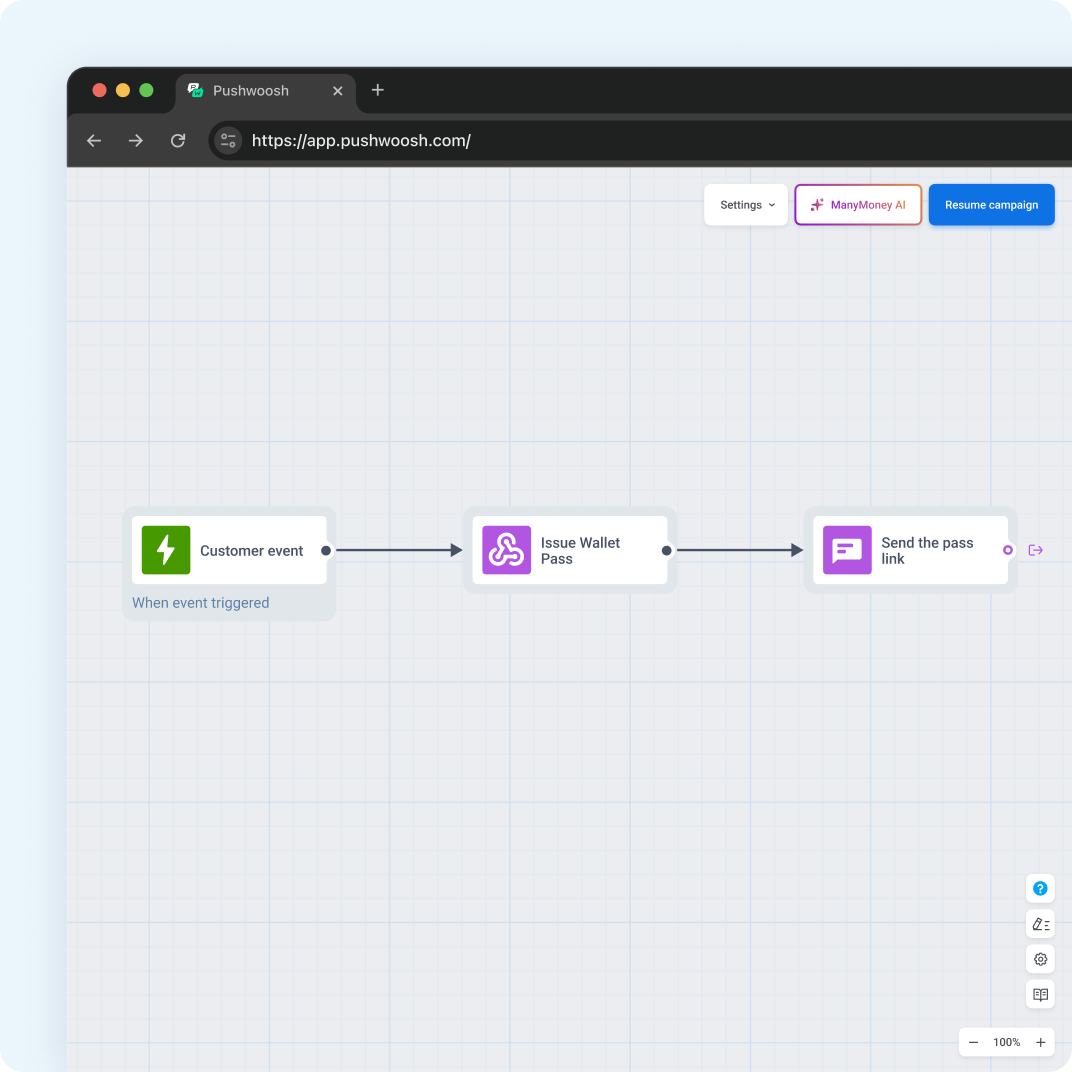
Issue Wallet Pass maps Seat and Gate from the event; Send Push adds the personal link.
Issue Wallet Pass ↗ -
They save the boarding pass
The barcode value comes from your departure control system, and the pass registers for updates.
Apple Wallet ↗ · Google Wallet ↗ -
The gate changes — the pass follows
Your system sends the change through the API the moment it happens; tag sync runs on an interval, which is too slow for a gate change.
Apple Wallet API ↗ · Google Wallet API ↗
Safe choice

ISO 27001:2022
Pushwoosh meets industry standards for online security and is certified by ISO 27001:2022.
Ensuring GDPR compliance
We maintain the highest standards of compliance with data protection regulations.

Adhering to OWASP principles
Our platform embraces the Security by Design approach to prevent potential threats.

HIPAA
Pushwoosh is HIPAA compliant, ensuring the confidentiality, integrity and availability of PHI(ePHI).
SOC 2 Type 2
Pushwoosh possesses a SOC 2 Type 2 report, reflecting our commitment to ensuring the utmost security of user data.
DPF certified
Pushwoosh is officially certified under the EU-U.S. Data Privacy Framework, including the UK extension, and the Swiss DPF.
Two ways to launch
Start without code today, automate when you’re ready — both routes run on the same account.
1. Start without code
One shared pass for everyone — a frequent flyer promo or a lounge offer for a segment. Build it once, then drop the link or QR code into push, email, SMS, your site, or the till; allow multiple holders on Google Wallet so one link works for all. Boarding passes themselves always run on Route 2 — they depend on live flight data.
What you’ll need:
- Apple Wallet — a Developer Program membership and a signing certificate uploaded to Pushwoosh. No iOS app.
- Google Wallet — a Wallet Console issuer account and a service account key.
- Offer redemption — the lounge or partner reads the code; that side stays with them.
2. Automate in Customer Journey
A boarding pass for every passenger who checks in: a pass campaign plus an Issue Wallet Pass step in a journey, with gate, seat, and time kept current through the API.
Everything from Route 1, plus:
- Flight data — check-in events with seat and gate, linked to a User ID.
- An API connection — live gate, seat, and time changes from your systems; the barcode value comes from your DCS.
Already in your Pushwoosh account
A pass doesn’t deliver itself. The channels that carry it and the customer data behind it are already in your account — so the price of running Wallet looks like this.
What your Wallet setup includes
- Mobile push — sends the boarding pass link and departure reminders
- Customer Journey Builder — issues the pass right after check-in
- Segmentation & CDP — knows which passengers fly today and their tier
- Analytics — shows how check-in messages perform
Wallet add-on fee: $0 — it’s part of the platform, your price depends on your plan.
Set. Now go.
Start with one lounge or partner offer — after the one-time Apple and Google setup, your team runs it without code. When you're ready, plan boarding passes issued at check-in with live gate and seat updates.

Questions airlines ask before they start
Explore related products
Issue Apple Wallet and Google Wallet passes in Pushwoosh and send them to the right segment by push, email, or SMS. One platform, no add-on fees.
Issue event tickets to Apple Wallet and Google Wallet after purchase and update time, venue, or door for every ticket holder at once.
Show your bank loyalty program in Apple Wallet and Google Wallet: rewards, cashback tier, and partner offers on a card next to your customer's payment card.
Show live order status, reach customers on push, SMS and WhatsApp, and turn first orders into regular ones with one food delivery marketing platform.
Boost repeat orders and reduce cart abandonment with order status Live Activities, abandoned cart recovery, 2nd-order conversion campaigns, and AI-powered reorder optimization for food delivery platforms.
iOS Live Activities put an order, a ride or a match on the iPhone lock screen as one live card, started and updated by push. Pushwoosh runs it from the same campaign and Journey as any other message.