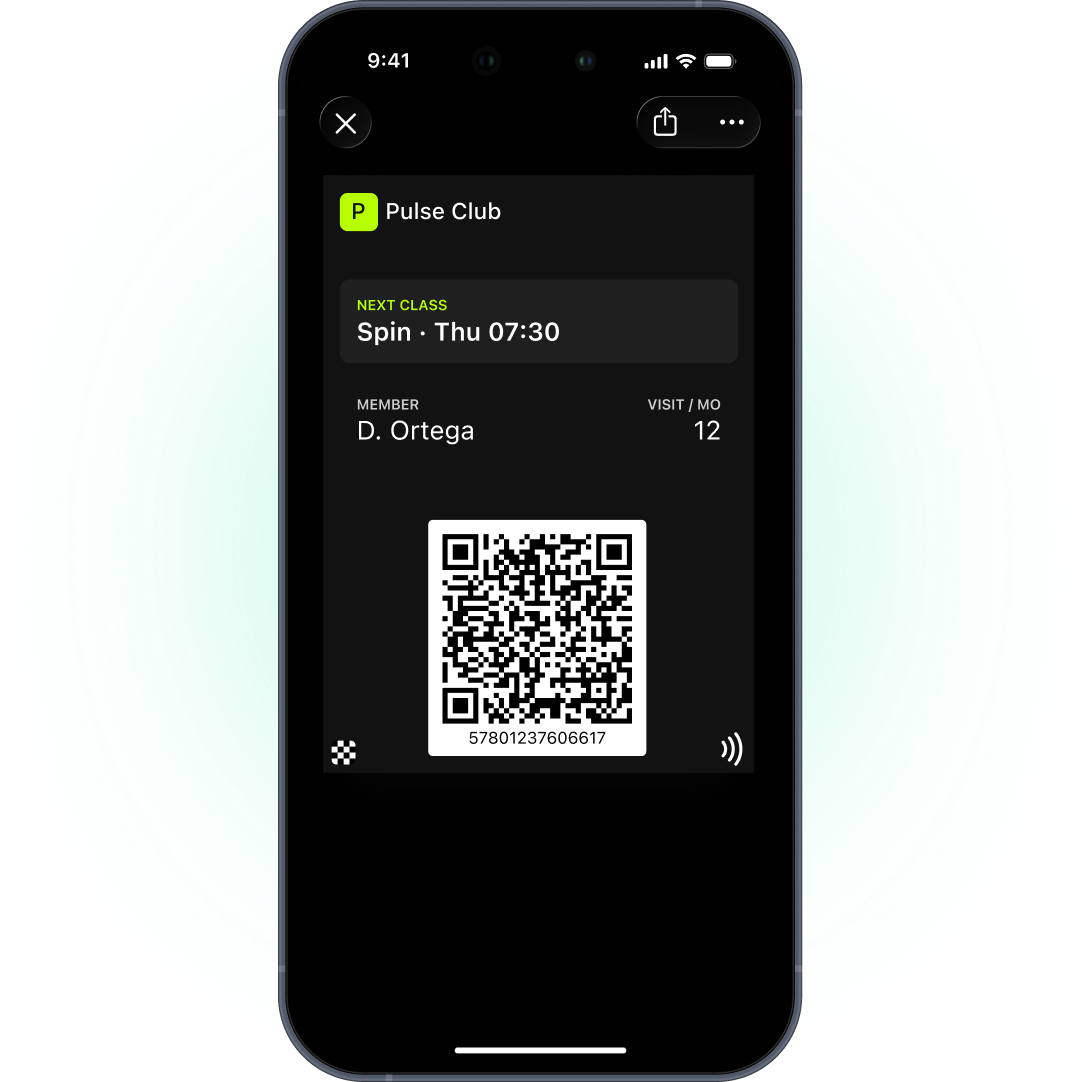
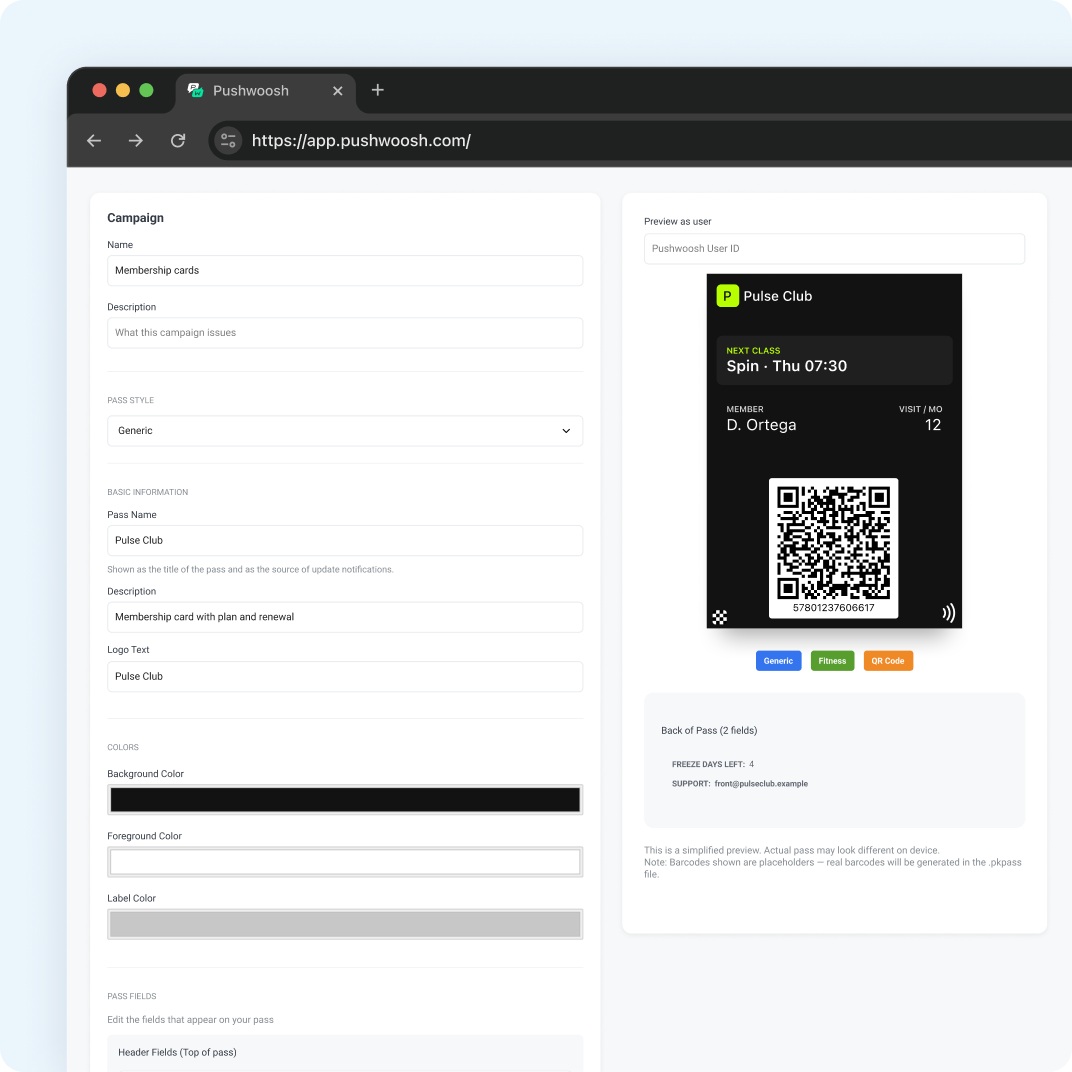
Digital membership card एक gym या club card है जो plastic पर या login के पीछे नहीं, बल्कि Apple Wallet या Google Wallet में रहता है। Members front desk या turnstile पर QR code दिखाते हैं। Card उनका plan और status दिखाता है, और renew, freeze या upgrade होने पर update हो जाता है। अंदर आने के लिए किसी को app नहीं चाहिए।
Pushwoosh में card उसी member profile पर रहता है जिस पर आपके push, email और journeys हैं, इसलिए आप gyms और fitness clubs के लिए wallet membership cards 1 platform से चला सकते हैं।
Digital membership card किसकी जगह लेता है
Plastic cards पर पैसा लगता है, वे खो जाते हैं और member के बारे में कुछ नहीं बताते। App-only access हर नए member से पहले workout से पहले ही install और login करवाता है।
असली दांव retention का है। Industry में average annual retention 66.4% है, यानी हर साल लगभग 3 में से 1 member छोड़ देता है (Health & Fitness Association, 2025 benchmarking report, via gymdesk)। और 50% नए members 6 महीनों के अंदर cancel कर देते हैं (IHRSA, via gymdesk)। पहले महीने ही membership का फैसला करते हैं। जो card हमेशा member की जेब में है, वह gym skip करने की 1 छोटी वजह हटा देता है।
भारत में जनवरी नए साल के retention campaigns का महीना है। अगर आपके नए members का पहला महीना card के साथ शुरू होता है, तो सबसे नाज़ुक दौर में skip करने की 1 वजह कम हो जाती है।
QR से entry
Card पर QR code या barcode होता है जिसे आपका front desk या turnstile scanner पढ़ता है। Scan आपके club management system में member को check in करता है, बिल्कुल plastic card की तरह। आपको बस ऐसा scanner चाहिए जिसे आपका access system support करता हो।
Pushwoosh QR और barcode cards issue करता है, NFC passes नहीं, इसलिए entry member की screen पर दिख रहे code को scan करके होती है।
Status और renewal updates
Card को हमेशा membership का सच बताना चाहिए: plan, status, valid-until date, home club। जब आपका club management system इनमें से कुछ भी बदलता है, वह API के ज़रिए नई values भेजता है और member के phone पर card update हो जाता है।
Failed payments एक आम trigger हैं। ABC Fitness के मुताबिक monthly membership transactions में से 7 से 12% पहली कोशिश में fail होते हैं (vendor data, ABC Fitness)। Card का status update करें और email या push से follow up करें, ताकि member access रुकने से पहले payment ठीक कर ले, desk पर लौटाए जाने के बाद नहीं।
Apple पर change message वाली field lock-screen alert दिखा सकती है, जैसे “Your membership renews on %@”। Google पर membership cards Generic type इस्तेमाल करते हैं, जो चुपचाप update होता है, इसलिए वह reminder push या email से भेजें।
भारत में Android का share 95%+ है, इसलिए आपके ज़्यादातर members Google Wallet वाला Generic card इस्तेमाल करेंगे। Renewal reminders के लिए push को मुख्य channel मानें, और Apple वाला alert iPhone users के लिए bonus।
Freeze और expiry
Members छुट्टियों, चोट और busy महीनों में pause करते हैं। इसे card पर दिखाएं: status को किसी date तक “Frozen until” पर set करें, और freeze खत्म होने पर वापस बदल दें।
Membership खत्म होने पर expiration date set करें। Apple पर उसके बाद Wallet में card gray हो जाता है। Google पर pass को expire करें, और वह member के expired passes में चला जाता है। अगर वे फिर से join करें, तो उसे restore कर दें।
Onboarding और renewal journeys
Card hook है। उसके आसपास की journey retention का असली काम करती है।
-
Sign-up
Card issue करें और Add to Wallet link email या SMS से भेजें।
-
पहला हफ़्ता
Class schedule के साथ welcome email और push। पहले scans आपके system में दिखने लगते हैं।
-
Day 30, कम visits के साथ
Email या push से personal check-in।
-
Renewal से 7 दिन पहले
Change message के ज़रिए Apple card alert, और सबके लिए email।
-
Cancellation के बाद
Email से win-back sequence।
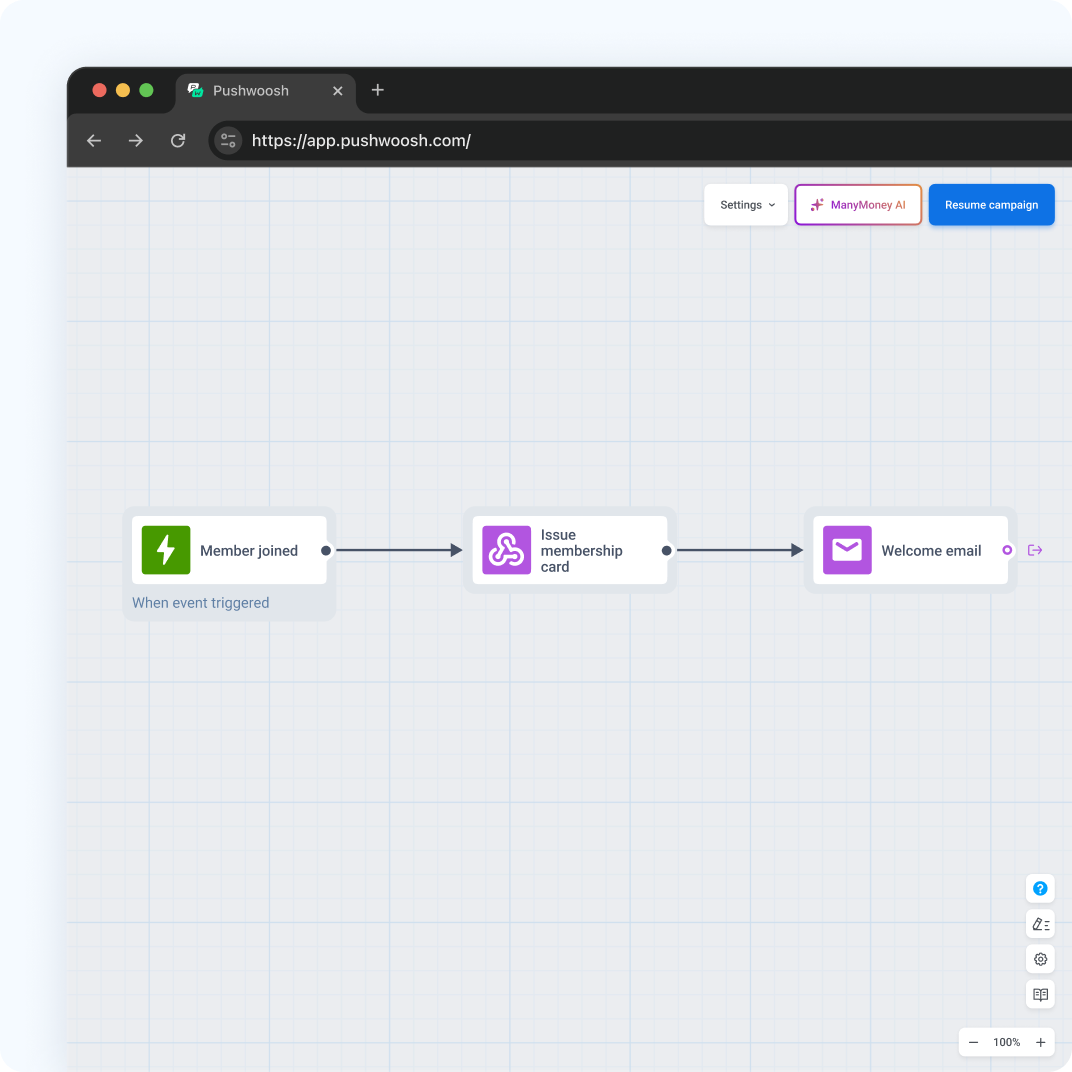
Onboarding का फ़ायदा मिलता है। जिन members को orientation session और 3 follow-up contacts मिले, उनका 6 महीने बाद retention 87% रहा, जबकि minimal onboarding में 60% (IHRSA, via gymdesk)। PureGym ने अपने standard email के मुकाबले re-join campaign conversion 206% बढ़ाया (competitor case, Braze, email channel), जो याद दिलाता है कि win-back planned sequence के रूप में सबसे अच्छा काम करता है।
Indian gym chain के लिए welcome push और check-in messages हिंदी या Hinglish में रखें, जहां वह natural लगे। Win-back के लिए Indian calendar के natural moments चुनें, जैसे जनवरी का new year retention push।
Health data को card से दूर रखें
Membership card कोई भी देख सकता है जो member का phone देखता है। इसे plan, status, dates और code तक सीमित रखें। Pass पर कभी health, body या wearable data न डालें। Health assessments से जुड़ा wearable data GDPR के Article 9 के तहत special category data माना जाता है और उसके लिए explicit consent ज़रूरी है।
Setup checklist
- Apple Pass Type ID certificate (Apple Developer account, $99 सालाना) और service account key के साथ Google Issuer ID।
- दोनों platforms पर membership के लिए Generic pass, plan, status और valid-until fields के साथ।
- ऐसा barcode format जिसे आपके scanners पढ़ते हों।
- Status update करने के लिए आपके club management system से API connection।
- Sign-up, renewal और win-back के लिए journeys।
Apple और Google का one-time setup Wallet passes पर Pushwoosh docs में बताया गया है।
Pushwoosh के साथ ज़्यादा members retain करें
Pushwoosh User ID के हिसाब से native Apple और Google Wallet membership cards issue करता है, API से status update करता है, और उन्हीं journeys से push, email और SMS के ज़रिए onboarding, renewal और win-back चलाता है।
Members इसलिए नहीं रुकते कि card sleek दिखता है। वे तब रुकते हैं जब gym skip करने की हर छोटी वजह खत्म हो जाती है।