Next-visit coupon, जिसे bounce-back coupon भी कहते हैं, ऐसा offer है जो customer इस order पर कमाता है और सिर्फ़ अगले order पर इस्तेमाल कर सकता है। यह तय window के अंदर वापस आने की वजह देता है। इसे Apple Wallet या Google Wallet में रखें, तो यह customer के साथ रहता है, अपनी expiry खुद दिखाता है और आपके restaurant के पास lock screen पर आ सकता है।
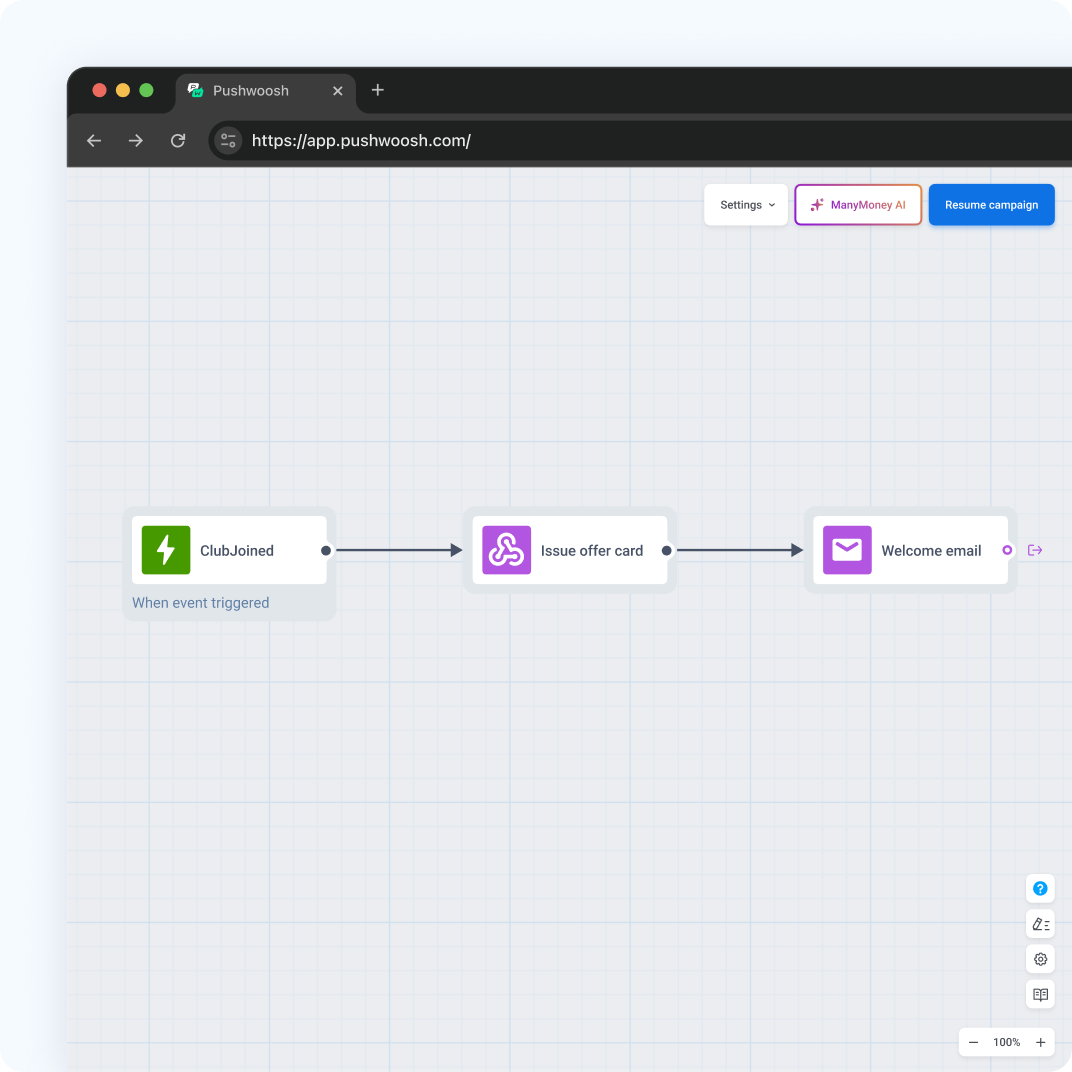
Pushwoosh में coupons, push और email 1 customer profile share करते हैं, इसलिए आप अपनी QSR journeys के अंदर restaurants के लिए wallet passes चला सकते हैं।
Bounce-back mechanics
Mechanic simple है: आज खरीदें, कल से एक तय date तक valid offer पाएं। यह इसलिए काम करता है क्योंकि customer ने अभी अच्छा खाना खाया है और वापसी का रास्ता पहले से जानता है।
हर bounce-back program 3 choices पर टिका है।
Indian customers के लिए coupon पर offer की value INR में लिखें, जैसे “अगली visit पर ₹ off”, ताकि customer को percentage का हिसाब न लगाना पड़े।
| Choice | Options | इससे क्या बदलता है |
|---|---|---|
| Trigger | कोई भी order, threshold से ऊपर का order, पहला order | Coupon किसे मिलता है |
| Offer | Discount, free item, double points | हर redemption पर margin cost |
| Window | Start date और expiry | Customers कितनी जल्दी लौटते हैं |
Receipt पर छपे paper bounce-back coupons में 1 बड़ी कमी है: receipt napkins के साथ dustbin में चली जाती है। Wallet coupon phone पर रहता है और उसकी expiry साफ़ दिखती है।
भारत में Android का share 95%+ है, इसलिए ज़्यादातर QSR customers यह coupon Google Wallet में save करेंगे। Apple version भी रखें, लेकिन campaign का design और testing Android-first करें।
Apple और Google Wallet में coupon passes
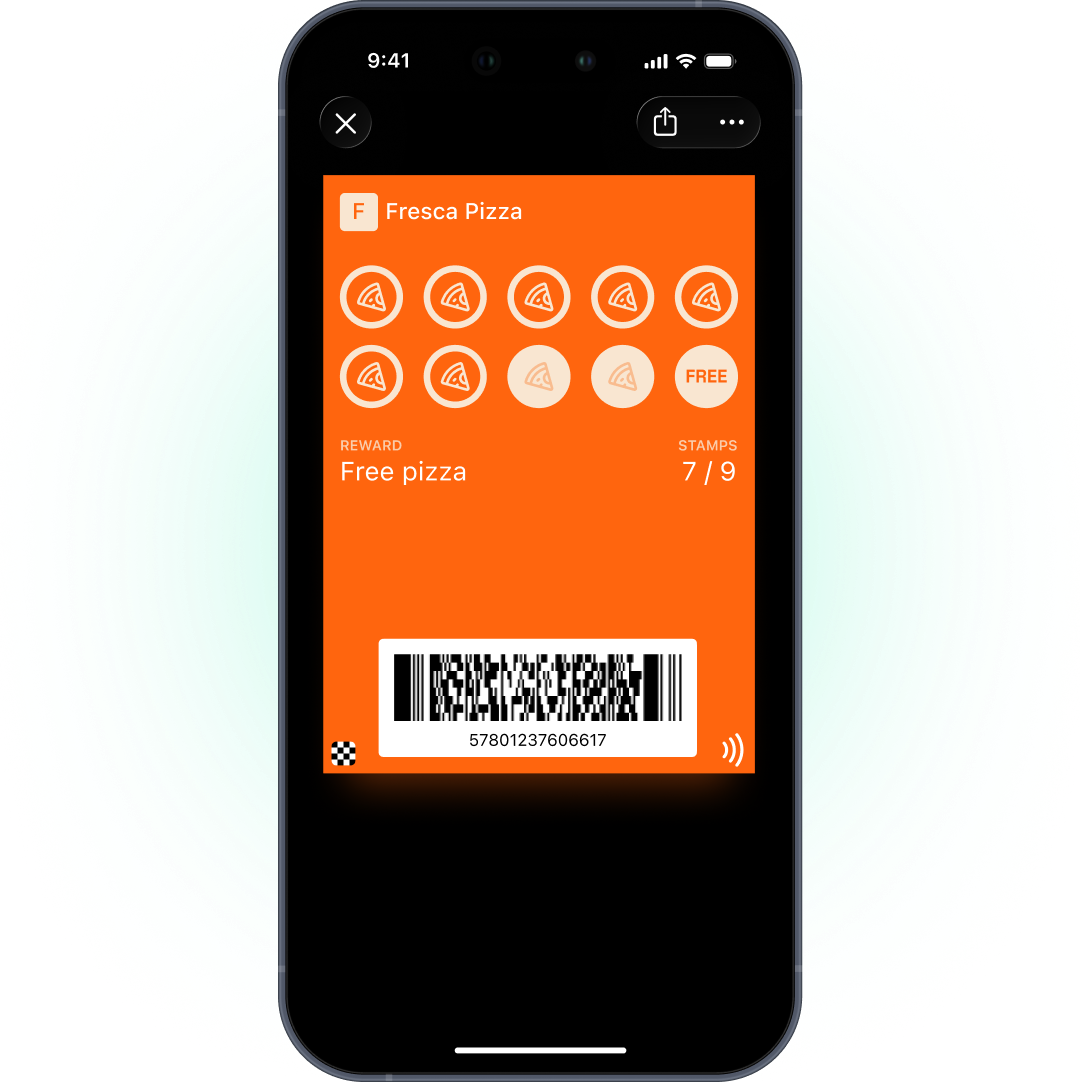
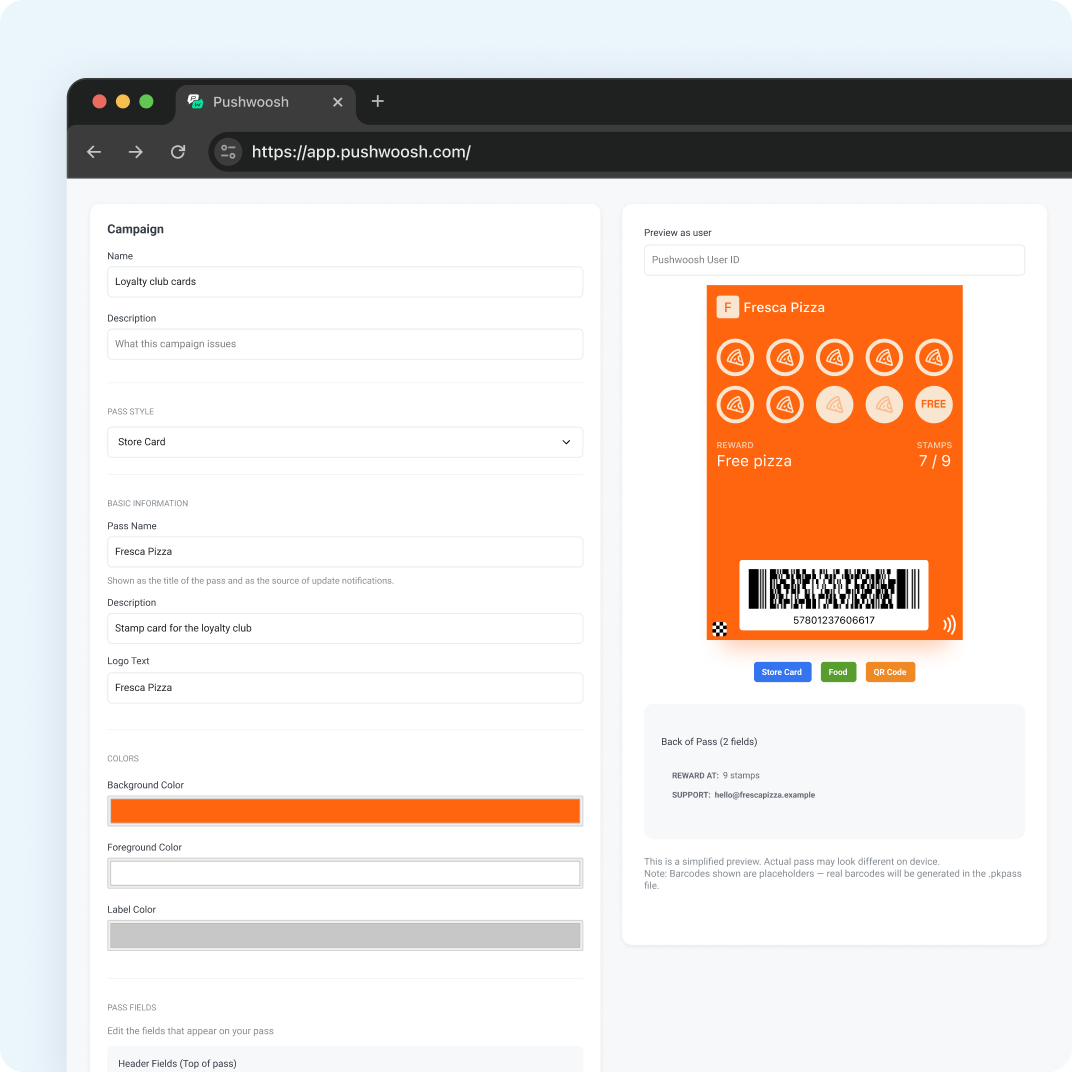
Apple पर Coupon style इस्तेमाल करें। Google पर Offer type। हर coupon एक User ID को अपने code और expiry के साथ issue होता है, इसलिए आपको हमेशा पता रहता है कि किसे कौन सा offer मिला।
Alerts platform के हिसाब से अलग हैं। Apple पर ऐसी field update करें जिसमें change message हो, जैसे “Expires %@”, और reminder lock screen पर दिखता है। Google Offer को automatic change alert नहीं मिलता, लेकिन API update के साथ custom notification text जा सकता है।
Timing window सही रखना
ज़्यादातर bounce-back programs window पर ही जीतते या हारते हैं। बहुत छोटी हो तो customers visit फिट नहीं कर पाते। बहुत लंबी हो तो coupon कोई urgency नहीं बनाता।
अपनी visit frequency से शुरू करें। अगर regulars औसतन हर 10 दिन में लौटते हैं, तो कल खुलकर 14वें दिन बंद होने वाली window अगली visit को आगे खींच लाती है। फिर 1 को roll out करने से पहले matched segments पर 2 windows को आपस में test करें।
End date के साथ start date भी set करें। कल से valid coupon लोगों को उसी counter पर 5 मिनट बाद redeem करने से रोकता है, जो उस visit पर discount होगा जो पहले ही हो चुकी है।
Festive calendar भी window तय करने में मदद करता है। Independence Day, नवरात्रि, दशहरा या दिवाली से ठीक पहले order करने वाले customers को ऐसा coupon दें जिसकी window festival week में खुले, ताकि अगली visit उसी festive season में आए। Festival की बाकी deals push या SMS से भेजें, coupon pass से नहीं।
Restaurant के पास reminders
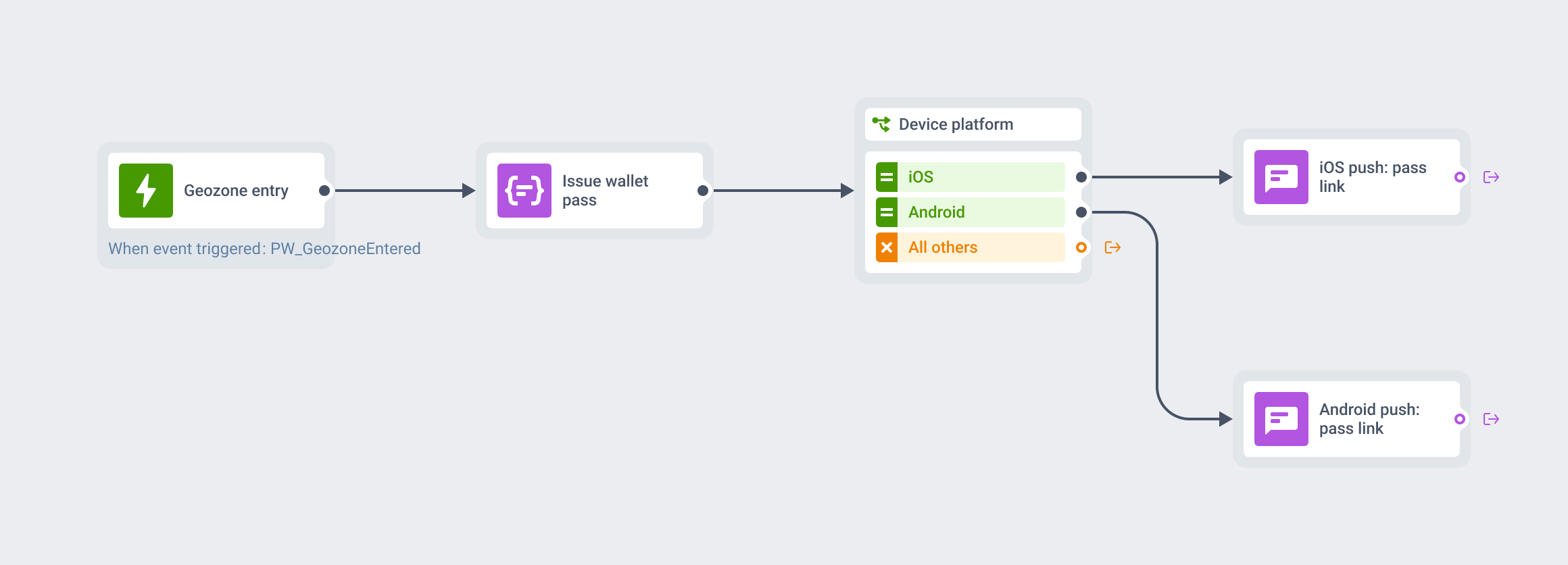
Coupon में अपनी नज़दीकी locations जोड़ें, हर pass पर 10 तक, और customer के पास होने पर यह lock screen पर आ सकता है। App users के लिए इसे उसी journey में geozone push के साथ जोड़ें।
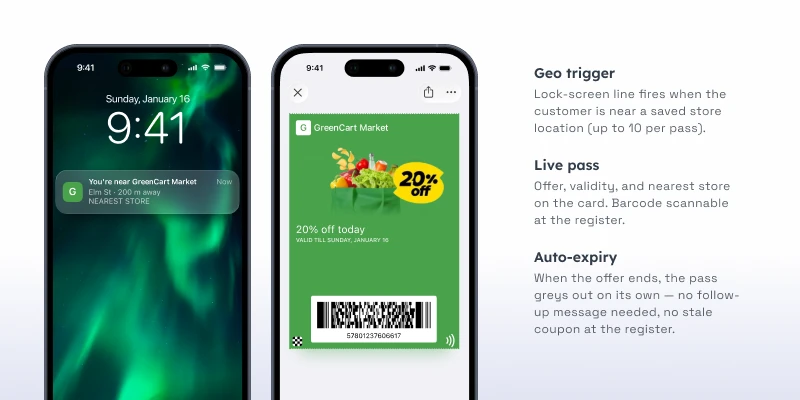
QSR में location offers का track record है, हालांकि wallet passes के ज़रिए नहीं। Burger King के Whopper Detour ने rival restaurants के आसपास 600-foot geofence के अंदर one-cent Whopper unlock किया और 1.5 million app downloads हासिल किए (competitor case, geo campaign)। GroundTruth के साथ Taco Bell के 2 हफ़्ते के campaign ने 170,000 restaurant visits दिलाईं (competitor case, location-based ads)। दोनों दिखाते हैं कि दरवाज़े के पास सही समय पर मिला offer क्या कर सकता है।
भारतीय QSR chain के लिए यही mechanic बिना geofence ads budget के चल सकता है: coupon pass पर अपने outlets की locations डालें, Android users के Google Wallet में coupon रहे, और app users को उसी journey से geozone push जाए। दिवाली या Big Billion Days जैसे sale हफ़्तों में यह reminder outlet के पास coupon को सामने ले आता है।
Redemption measure करना
Bounce-back coupon उतना ही अच्छा है जितना उसके पीछे का data। 3 numbers track करें:
- Add rate। Eligible customers का वह share जिसने coupon wallet में add किया।
- Redemption rate। Issue हुए coupons का वह share जो expiry से पहले POS पर scan हुआ।
- Incremental visits। Window के अंदर return visits, उस holdout group के मुकाबले जिसे coupon नहीं मिला।
Holdout ही असली number है। इसके बिना आप उन customers को discount दे रहे हो सकते हैं जो वैसे भी लौट आते, और redemption rate शानदार दिखेगा जबकि margin चुपचाप बहता रहेगा।
Loop बंद करने के लिए अपने POS से redemption event Pushwoosh को भेजें, ताकि journey उस customer को reminder भेजना बंद कर दे, और API से pass void करें (Google पर उसे inactive set करें)।
Coupon को coupon तक ही रखें
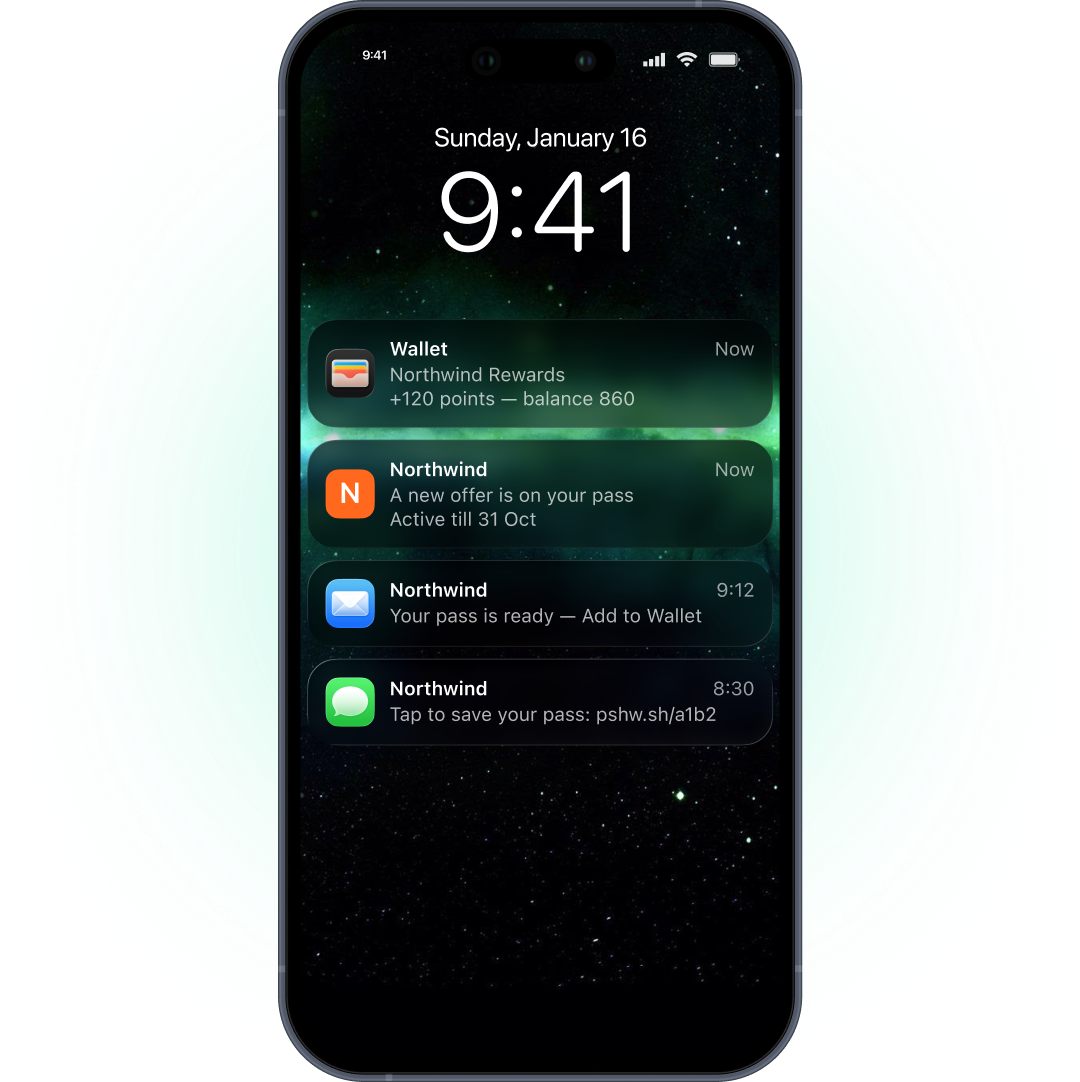
Coupon pass खुद के बारे में याद दिला सकता है: जल्द expire हो रहा है, पास में valid है। उस पर नए promotions नहीं होने चाहिए। Apple और Google सिर्फ़ pass से जुड़ी notifications allow करते हैं, इसलिए इस हफ़्ते की deal push, email या SMS से जाती है, और coupon वही offer रहता है जो customer ने कमाया।
Pushwoosh के साथ guests को जल्दी वापस लाएं
Pushwoosh User ID के हिसाब से native Apple और Google Wallet coupons issue करता है, हर pass पर expiry और locations set करता है, और उसी journey से push, email या SMS के ज़रिए reminders चलाता है। POS पर redemption API से pass void करके loop बंद कर सकता है।
Guests इसलिए जल्दी नहीं लौटते कि discount गहरा हो गया। वे इसलिए लौटते हैं क्योंकि offer खोना मुश्किल है और deadline देखना आसान।