Banks और fintechs के लिए wallet passes वह सब संभालते हैं जो payments के आसपास है, खुद payments नहीं: rewards या cashback card, membership tier, partner benefits card। Pass Apple Wallet या Google Wallet में payment cards के बगल में रहता है, balance या status दिखाता है, और हर transaction के बाद update होता है। Payment cards Apple Pay और Google Pay में ही रहते हैं।
Pushwoosh में passes push, in-app, email और SMS के साथ 1 customer profile share करते हैं, इसलिए आप banks और fintech के लिए wallet passes उन messages के साथ चला सकते हैं जो आप पहले से भेजते हैं।
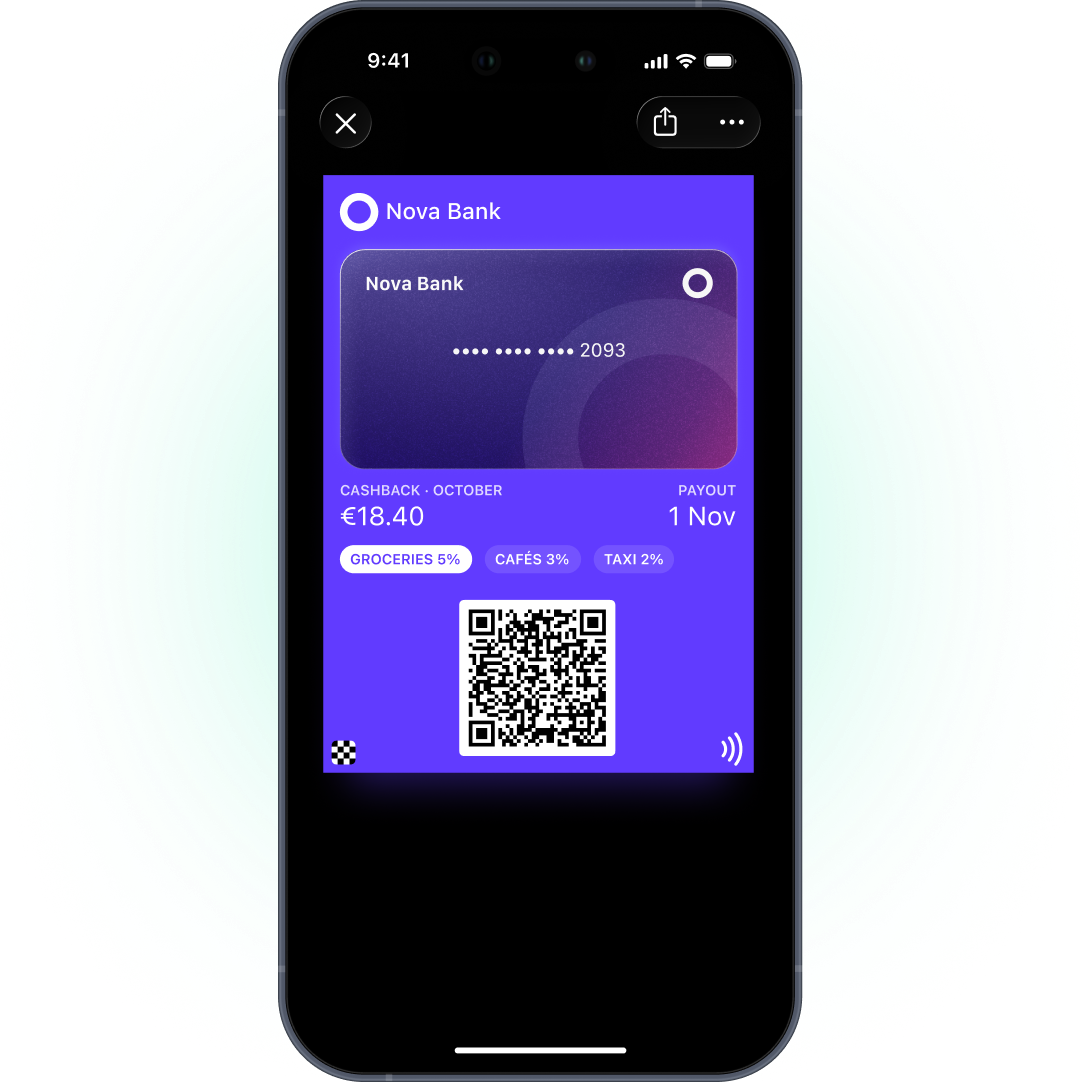
Banking app के बगल में wallet की जगह
Banking app वह जगह है जहां customers balance check करते हैं, pay करते हैं और पैसे भेजते हैं। उसके अंदर 3 screens नीचे दबा rewards program आसानी से भुला दिया जाता है।
Banking में switching को digital experience चलाता है। आधे digital banking users कहते हैं कि बेहतर digital experience के लिए वे provider बदल लेंगे, और 31% बदल भी चुके हैं (Alkami, 2025 Generational Trends in Digital Banking Study)। Bain ने पाया कि additional services के लिए दूसरे provider पर switch करने के 36% मामलों के पीछे बेहतर digital tools थे (Bain, 2023)।
Wallet card app की जगह नहीं लेगा, और उसे लेने की कोशिश भी नहीं करनी चाहिए। वह rewards program को उसी wallet app में एक visible, हमेशा current घर देता है जिसे customers pay करने के लिए खोलते हैं।
भारत PhonePe और Paytm जैसे UPI apps का market है, जहां customers के लिए phone से pay करना रोज़ का काम है। ऐसे में cashback balance को app के अंदर छिपाने के बजाय wallet card पर दिखाना उसे रोज़ की आदत के करीब ले आता है।
Banks wallet में क्या रखते हैं
| Pass | Apple type | Google type | क्या दिखाता है | कब update होता है |
|---|---|---|---|---|
| Rewards या cashback card | Store Card | Loyalty | Points या cashback balance, tier | हर qualifying transaction के बाद |
| Membership tier card | Generic | Generic | Plan, tier, member since, benefits | Tier बदलने पर |
| Partner benefits card | Generic या Coupon | Generic या Offer | Benefit, partner, expiry | Benefit बदलने या expire होने पर |
Type creation के समय lock हो जाता है, इसलिए पहले ही तय करें कि rewards card को Google notifications चाहिए या नहीं। Google पर इन types में से सिर्फ़ Loyalty passes update notifications भेजते हैं, हर pass पर दिन में 3 तक। Generic और Offer passes चुपचाप update होते हैं।
भारत में Android का share 95%+ है, इसलिए यह फैसला यहां और भी अहम है: आपके ज़्यादातर customers card Google Wallet में देखेंगे, और अगर milestone alerts चाहिए, तो rewards card के लिए Loyalty type चुनें।
Rewards और cashback balance pass
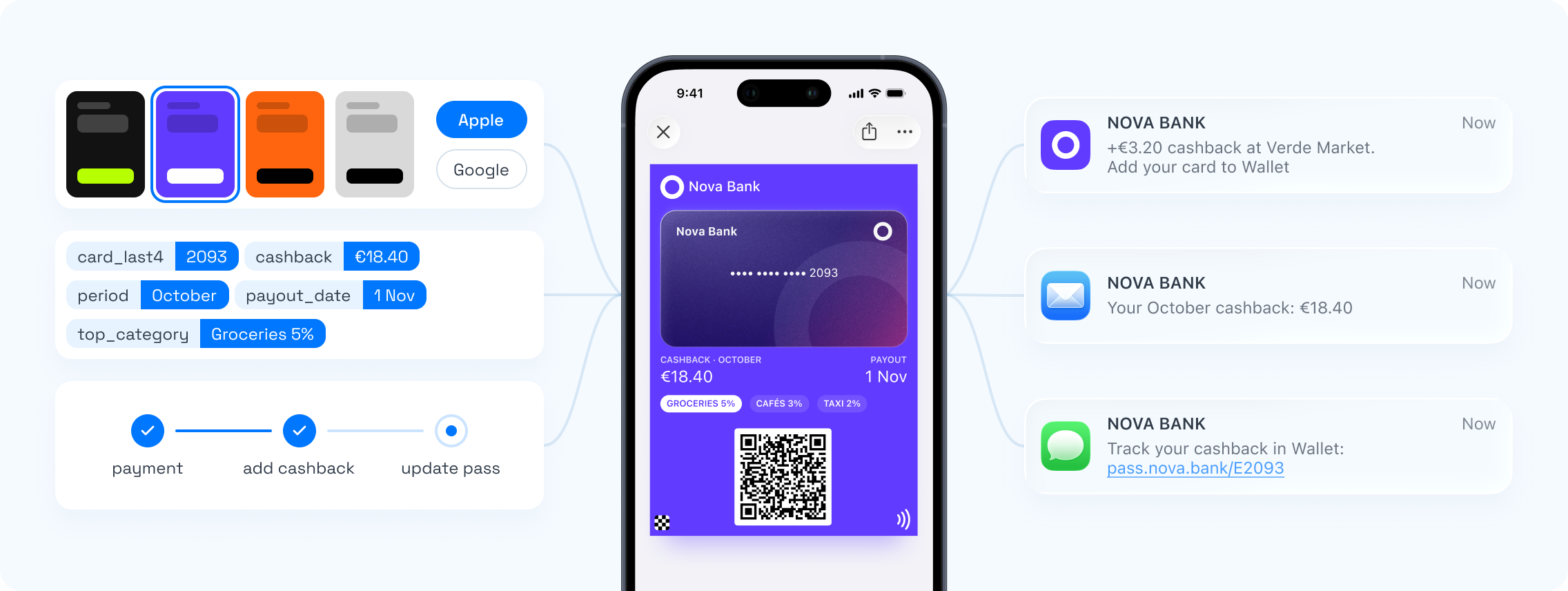
Cashback या points total आपके core banking या rewards engine से आता है। Qualifying transaction के बाद आपका system API के ज़रिए नया balance भेजता है और customer के phone पर card update हो जाता है।
Apple पर balance field का change message lock screen पर “You earned %@ cashback” दिखा सकता है। इसे संभलकर इस्तेमाल करें। हर coffee के बाद alert एक काम के card को noise बना देता है। हम alert सिर्फ़ milestones पर देंगे, जैसे reward पूरा होना या cashback payout।
Membership tiers
Premium और metal tiers एक status product हैं, और जो status customer देख नहीं सकता, उसकी कीमत कम है। Tier card plan, tier और benefits को 1 जगह रखता है।
जब customer ऊपर के tier में जाए, card update करें और change message से इसकी घोषणा होने दें। जब tier lapse हो, status ईमानदारी से update करें। Display पर छोड़ा गया पुराना tier एक support ticket है जो बस आने वाला है।
Compliance: card पर क्या न रखें
Wallet pass lock screen पर और phone पकड़ने वाले किसी भी व्यक्ति को दिख सकता है। इसे public मानें।
- कोई account या card numbers नहीं। Pass member की पहचान करता है, account की नहीं।
- कोई account balance या transaction details नहीं। Rewards balance ठीक है। Bank balance नहीं।
- कोई और personal data नहीं, सिवाय उसके जो customer को card इस्तेमाल करने के लिए चाहिए, जैसे नाम।
- Payments Apple Pay और Google Pay में ही रहते हैं। Wallet pass payment card नहीं है।
आपका data कहां process होता है, यह भी मायने रखता है। Pushwoosh Germany और US में अपने infrastructure पर चलता है, EU customers को Germany में host करता है, और उसके पास ISO 27001 और SOC 2 Type 2 certifications हैं।
Card के आसपास journeys
-
Account खुला
Rewards card issue करें और Add to Wallet link welcome email या in-app में भेजें।
-
पहला qualifying transaction
Card पर balance update होता है। एक push समझाता है कि cashback कैसे काम करता है।
-
Milestone पूरा हुआ
Card reward दिखाता है, Apple पर change message के साथ।
-
Tier upgrade
Tier card update करें। नए benefits email से भेजें।
-
60 दिन inactive
Re-engagement push या email, card से कभी promo नहीं।
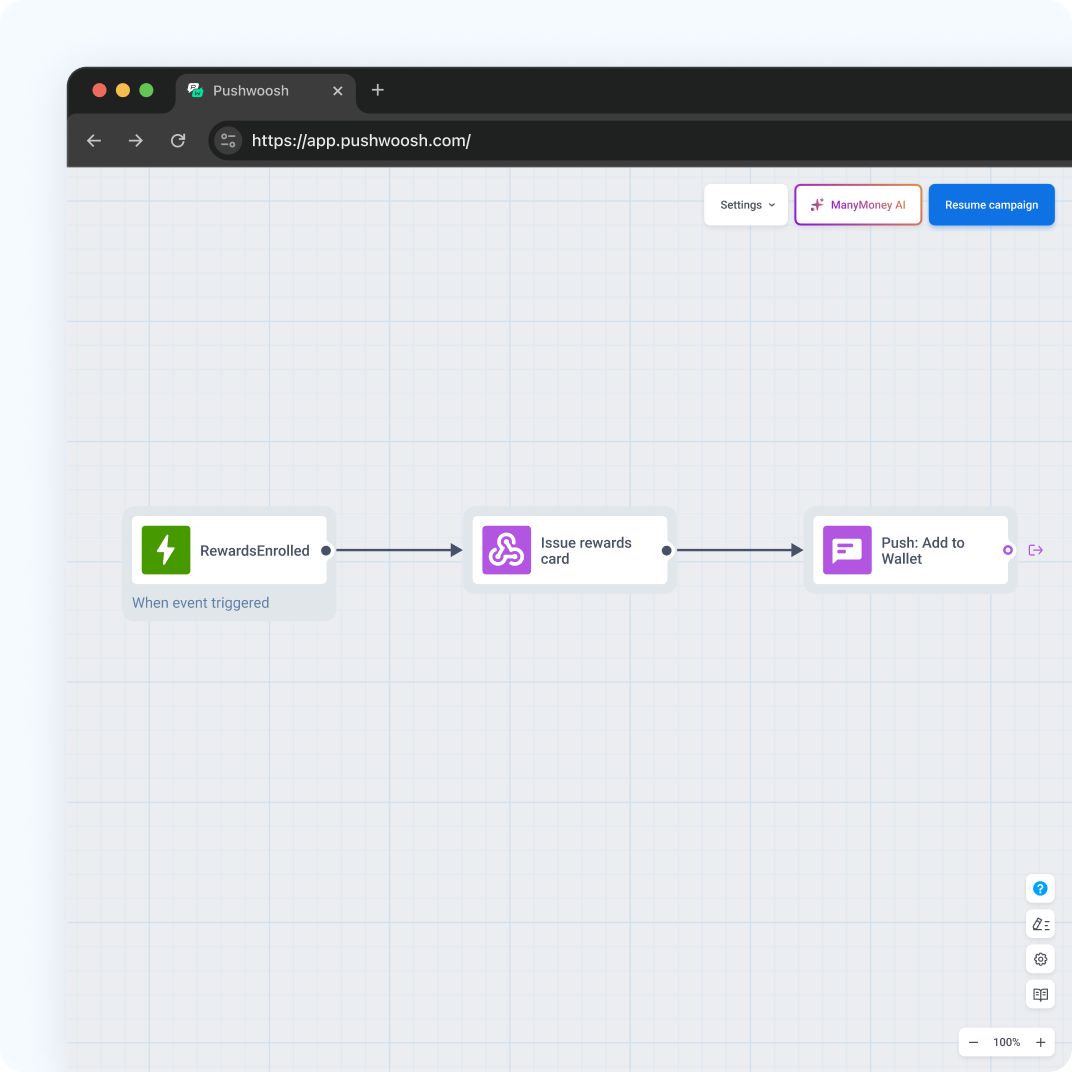
Apple और Google सिर्फ़ pass से जुड़ी notifications allow करते हैं। Product offers, जैसे नया savings account, push, email या in-app से जाते हैं।
Cashback explain करने वाला push और re-engagement messages हिंदी या Hinglish में लिखें, जहां वह natural लगे। Festive offers, जैसे दिवाली वाले, भी push या email से भेजें, card से नहीं।
Pushwoosh के साथ rewards को visible बनाएं
Pushwoosh rewards, cashback और membership tiers के लिए native Apple और Google Wallet passes issue करता है, API से उन्हें update करता है, और उन्हीं journeys से push, in-app, email और SMS चलाता है। Data Germany और US में host होता है, ISO 27001 और SOC 2 Type 2 के साथ।
Rewards program इसलिए काम नहीं करता कि catalog ज़्यादा rich है। वह तब काम करता है जब balance वहां हो जहां customers रोज़ देखते हैं।