Want to increase app users’ activity and see a 3X boost in DAU and MAU on your performance reports? Two tactics do most of the work.
The lever is automated messaging, the same approach Beach Bum used. Below are two proven ways to increase mobile app usage, and how to build each into your strategy.
Strategy 1: Increase app usage frequency by fitting into users’ daily routines
Getting users to build a habit around your app sounds hard, but as a product manager you have a few aces in the hole. The main ones: push notifications and email campaigns that pull users back in.
Here are six tactics you can run.
1. Establish a recurring schedule for push notifications to all users
Send push notifications at a set time and users start to build a habit. After a while, they expect them.
Take four examples from Babbel, a language-learning app that invites users to start the day with a morning lesson.
💡 Look at the copy, it’s warm and inviting. Keep that in mind when you write your own push messages:
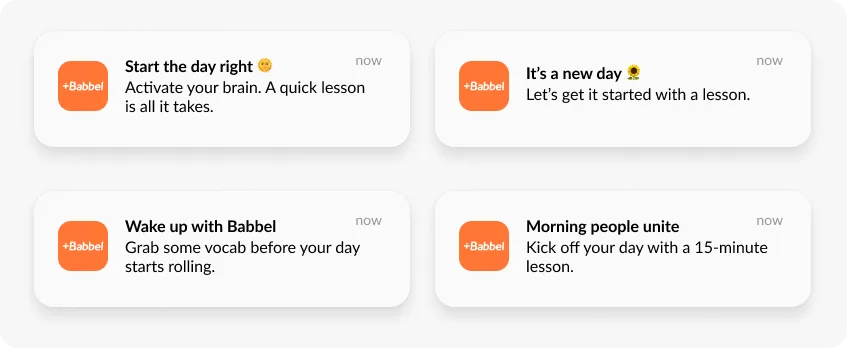
Building a campaign like Babbel’s is quick in Pushwoosh. You design a simple flow in the Customer Journey Builder:

Schedule it to autorun daily so it’s not another task on your list:

Done. That’s the lowest-hanging fruit picked. 🍎
2. Tailor push notifications to user behavior
Picture this: you’re a product manager at Scribd, a digital document library. Your behavior-tracking tool tells you a user just started reading “Tender is the Night” by F. Scott Fitzgerald. That lets you send a push asking whether they’d like to dive into another classic.
Look closely at this push. It’s built to pull the user back to Scribd because it’s based on what they actually did:
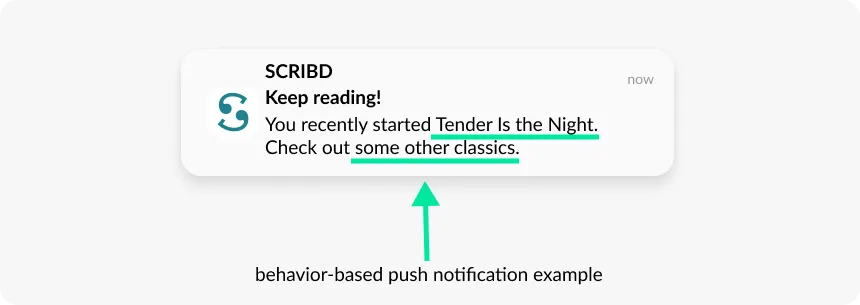
Before running a campaign like Scribd’s, you need a way to segment users. Use our default events, built from customer feedback, or integrate your behavior-tracking tool with Pushwoosh. It takes five or six steps to start sending events for segmentation.
To build the campaign, set up a trigger-based audience entry that targets users who opened the app today. Then add a “wait for trigger” element to catch those who started reading classic literature. Here’s a simplified version for reference:

3. Send push notifications based on user preferences
Ask users when they’d like to hear from you, and your push notifications get more valuable. Take two examples: Calm, a meditation and sleep app, and PunchLab, a boxing training app.
Both let users set notifications around their own schedule. Calm goes a step further and suggests good meditation times, like right after waking or before bed, and nudges users to practice daily:

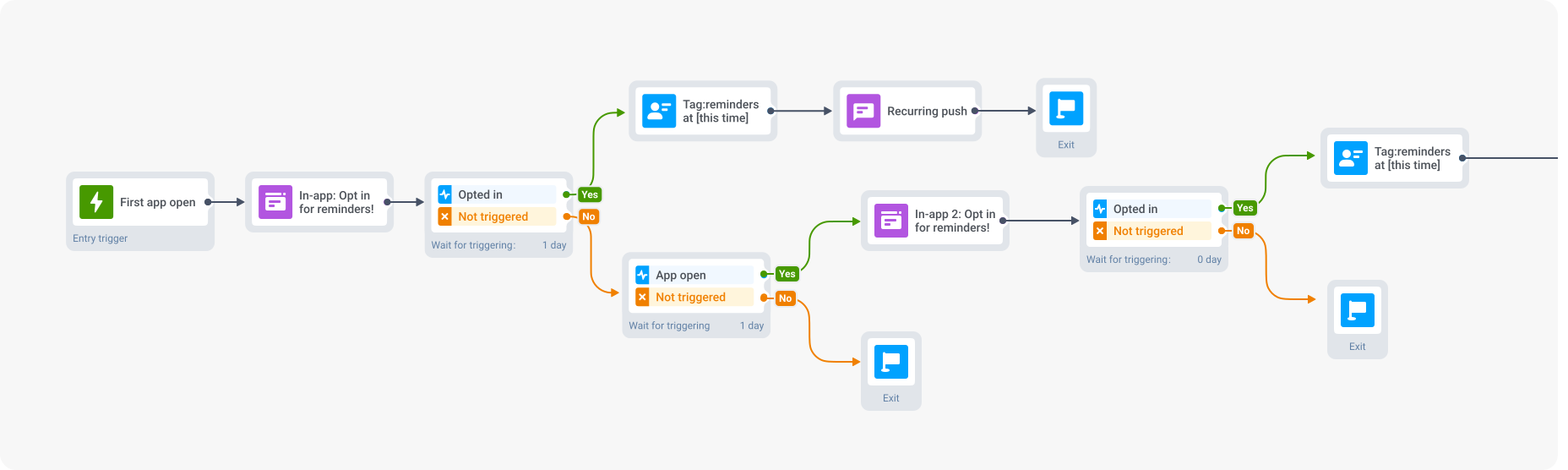
To send preference-based push notifications with Pushwoosh, follow these five steps:
- Target new users: focus on people opening your app for the first time.
- In-app message: show an in-app prompt asking users to set their notification schedule.
- Tag opted-in users: tag those who choose to receive push at that time.
- Follow up with non-opted-in users: for those who didn’t opt in, show the message again next time they open the app.
- Final tagging: tag everyone who opts in during the follow-up, and close the campaign.
Here’s a preview of the campaign:
4. Send personalized reminders
What about sending a push at a specific, personalized time, like reminding users about a live event they signed up for? Use the dynamic Time Delay feature.
Before the setup details, look at how Insight Timer, a meditation app with over 700,000 reviews, sends personalized reminders about live events.
Ten minutes before the event, users get a push reminder. Notice how it’s customized with the teacher’s photo (🤫 with Pushwoosh you can add pictures to push notifications too).
Insight Timer pairs these with in-app messages that spell out the tools users need for the practice:
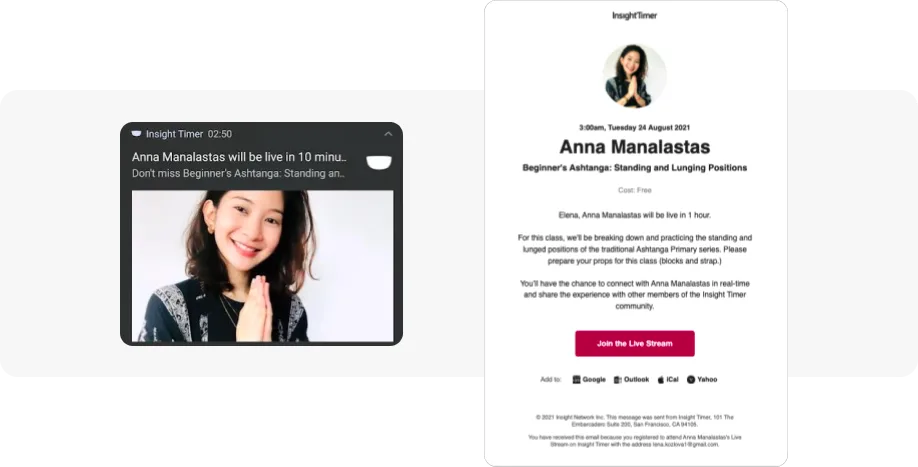
Live events let users connect more deeply with teachers and the community, which builds a real sense of belonging.
To build a campaign like this in Pushwoosh, first target users who registered for the event. Then schedule a push for one hour before it starts. To tighten it, do two things:
- Check whether the users who opened the push actually attended.
- Email the ones who didn’t open it 30 minutes before the start, and watch whether they join afterward, just like we did below:

5. Send push notifications based on in-app community activity
Got an engaged community? Nudge users with push about what their friends and rivals are doing in the app. Who resists a little peer pressure?
Take Duolingo, a language-learning app with bite-sized lessons, and how it uses social interaction to bring users back.
This push taps the user’s competitive streak, pushing them to reclaim a lost spot in a league:
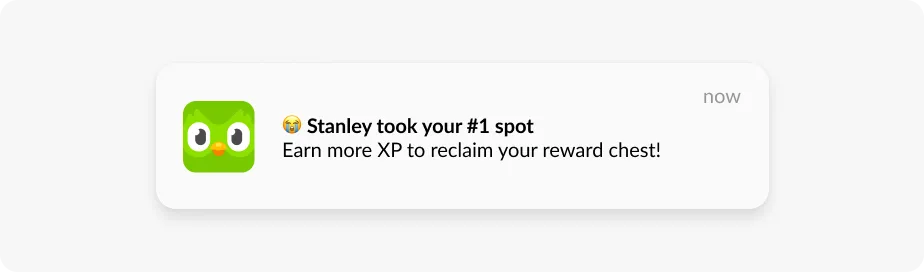
Let’s reverse-engineer Duolingo’s campaign for updating users on their friends’ activity.
Start with an API-based entry point targeting users who lost their spot in a league. Send a first personalized push with dynamic content that changes per user, reflecting their own league and lost position. Then wait four hours before either a second push or an in-app message that pushes anyone who opened the app to start a lesson:

6. Email last-chance reminders
Some users won’t respond to push, whether they’ve turned it off or are just too busy. An email can bring them back. Here’s how Duolingo reconnects with lapsed users.
Personalization carries this one, and Duolingo is good at it. The email includes the user’s name and reminds them how many days they’ve been away from their language.
Duolingo also steers attention to the CTA: Duo flaps its wings toward the button, pulling the eye to the click:

To re-engage inactive app users, use our re-engagement email template to tell them what in-app activity they’re missing. You can personalize the template with tags.
Strategy 2: Increase session duration length
To keep users engaged and stretch sessions, use in-app messaging. In-apps come in a few forms, each with its own job:
- Half-interstitials and interstitials work for notification opt-ins, surveys, and important announcements.
- Modals (sticky header or footer) are good at prompting push subscriptions.
- Full-screen covers suit onboarding, tutorials, and subscription prompts.
- Inline in-apps let users act without leaving the screen they’re on.
- In-app stories grab focus fast, often with polls, quizzes, or swipe-ups that invite interaction.
Here’s a closer look at the most common in-app formats:

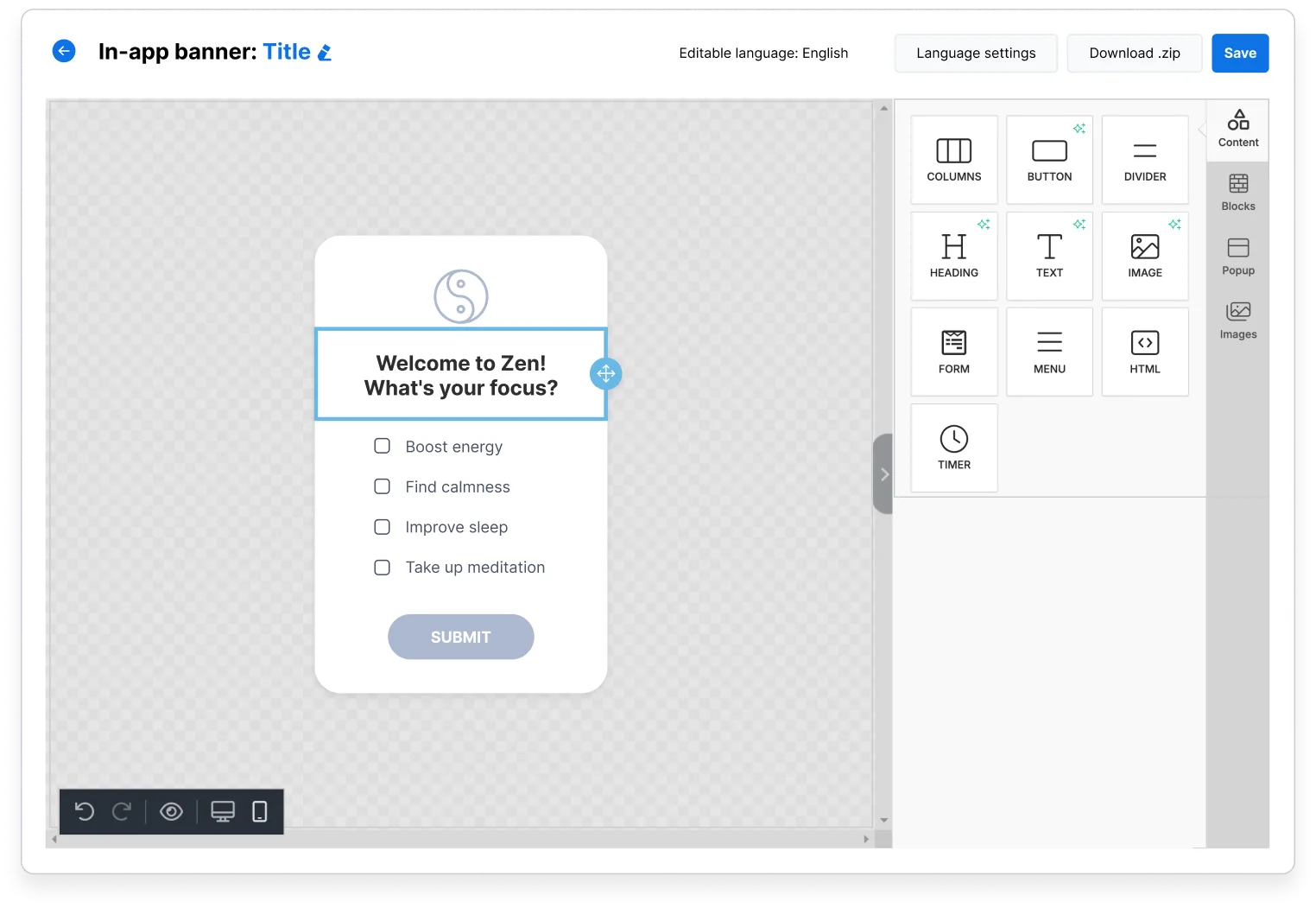
Promoting new features or upgrades, or gathering feedback? The Pushwoosh In-App Builder makes in-app messages easy. Pick a pre-made template or design your own with the drag-and-drop interface:
1. Drive feature discovery with in-app messages
Get users to adopt new features with in-app messages that highlight the latest functionality and speed up adoption. ASOS, a shopping app, uses a range of formats to promote new features: full-screen, sticky, and inline in-apps:
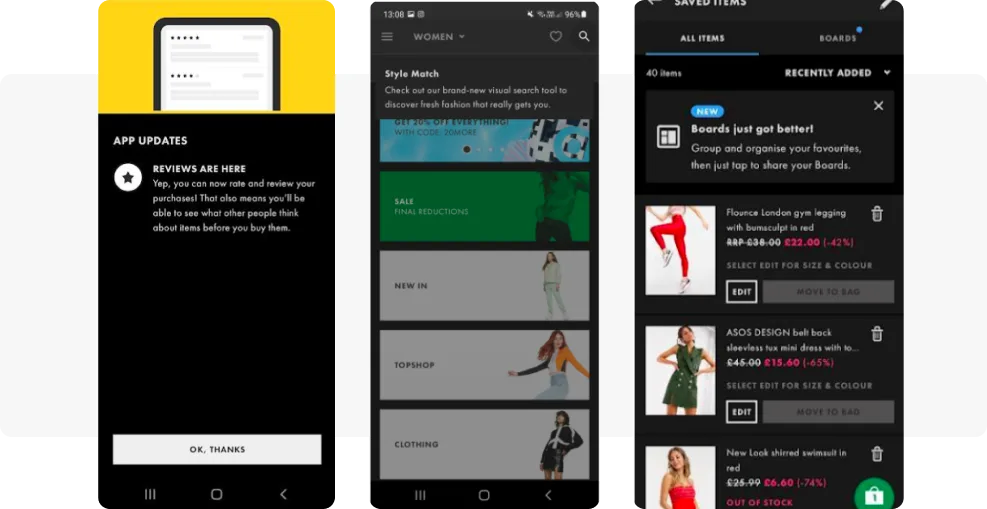
💡 Not sure a new feature suits your whole user base? Show it to a segment through in-app messages and watch how they react. That way you roll out the features that deliver the most value.
2. Personalize user onboarding
Use in-app messages to personalize onboarding. Ask questions to learn what users expect from the app.
MoneyCoach, a personal finance app, asks users to share their expectations to personalize the experience. Those answers also feed the team insight into user needs and shape which features get built next:
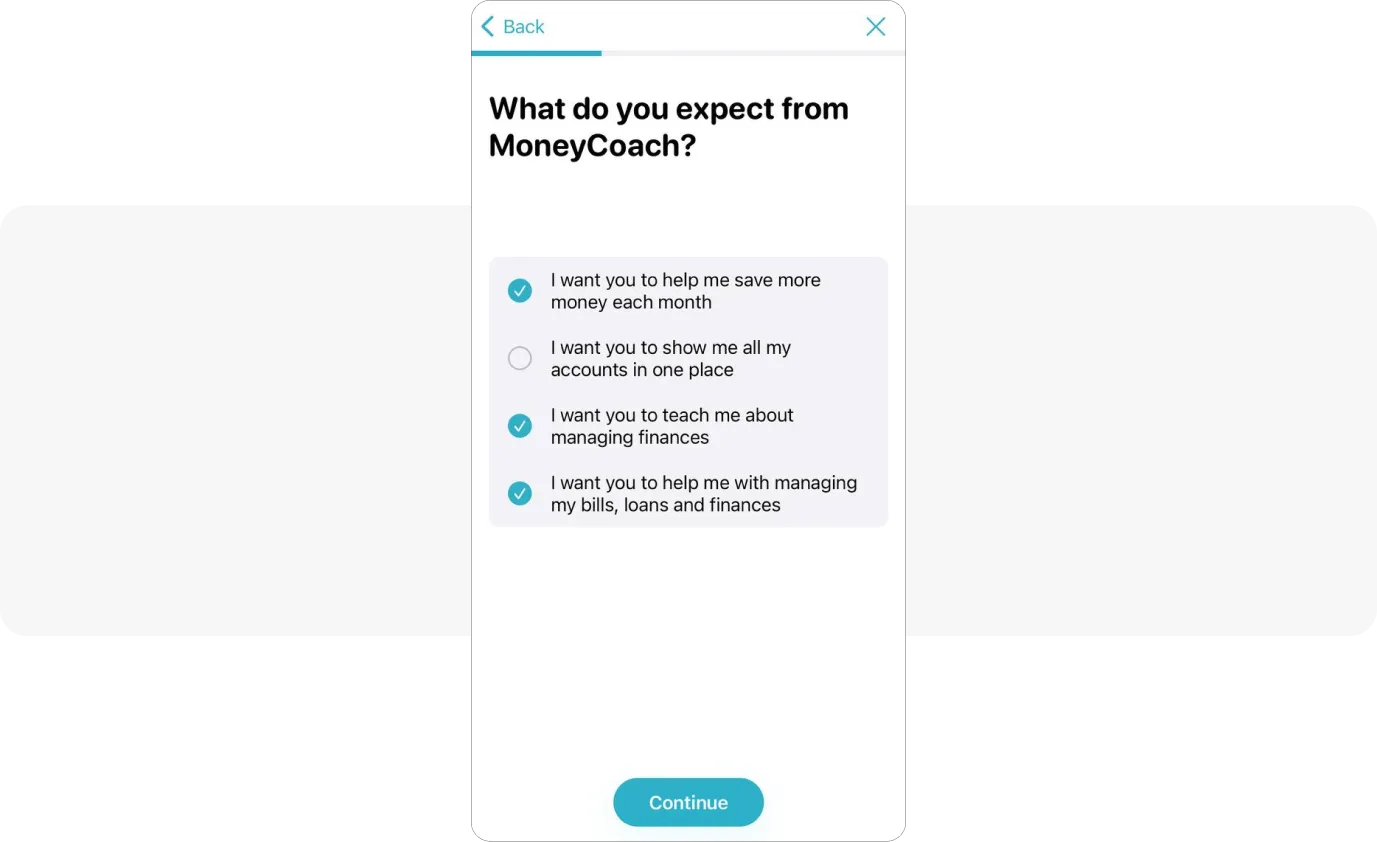
Pushwoosh customers use Default Events to spot new users and trigger targeted onboarding campaigns. Automating those campaigns off specific user actions gives new users personalized guidance, which improves onboarding and raises the odds of keeping them long term:

3. Encourage users to upgrade
If you run a subscription app, you can promote upgrades and, naturally, get users to spend more time in the app they’ve paid for. Show in-app messages that spell out the benefits of a premium plan. See how Lightroom uses in-app messages to showcase premium features:
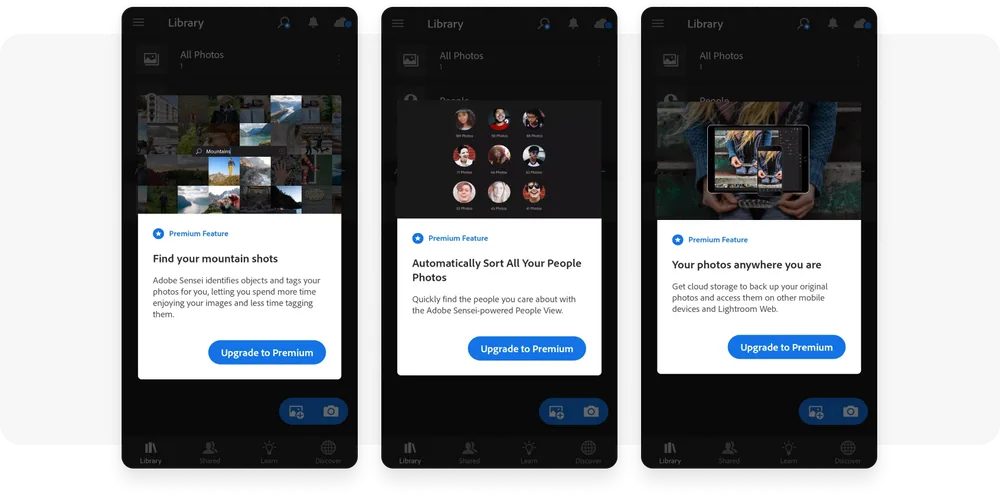
Want to target users who started a free trial but haven’t bought yet? Nudge them toward a plan with a sequence of in-app messages. Here’s how that segment looks in Pushwoosh:
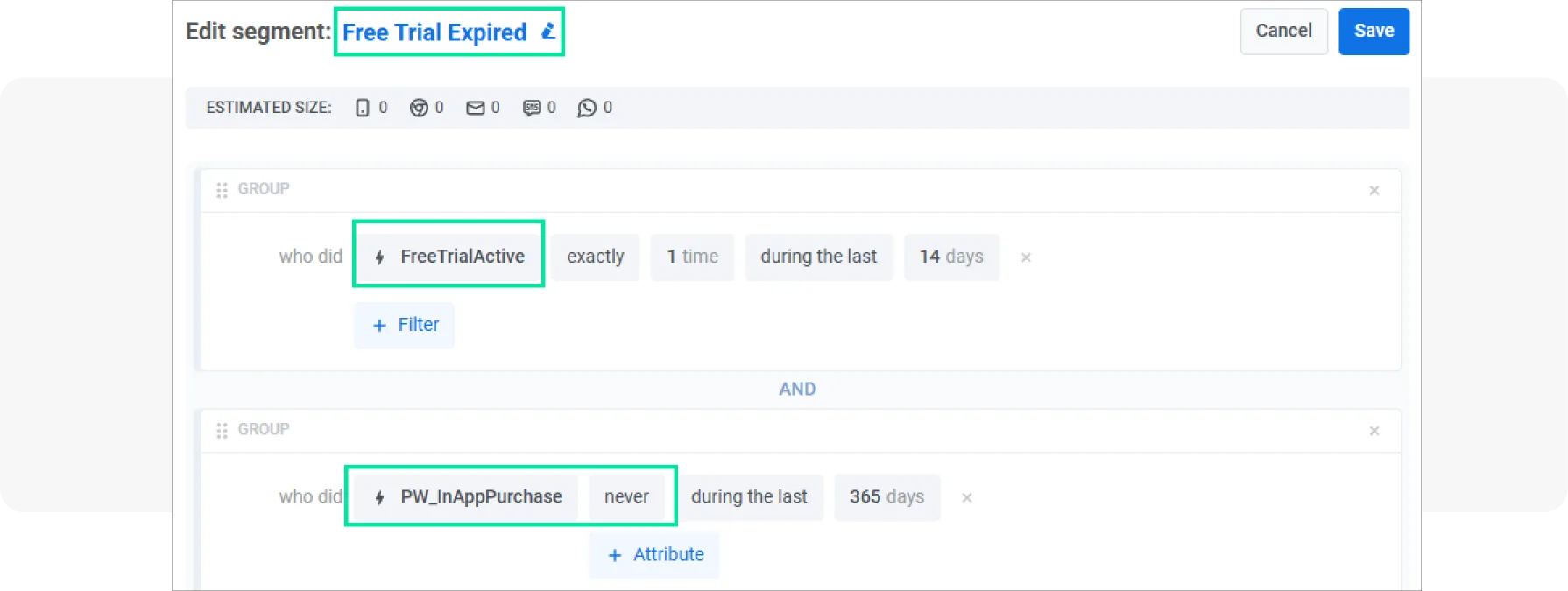
You can build custom segments from standard or custom tags and events. For instance, target users who subscribed just over a year ago to prompt an upgrade.
4. Incorporate interactive surveys
Add engaging elements like surveys to keep users interacting longer. Leave space for free-form feedback so people can say what they actually think.
Insight Timer, a meditation app, uses a five-star survey in a sticky in-app message that darkens the background to focus attention on the question.
One nice touch: the survey shows only to users who listened to the meditation start to finish:
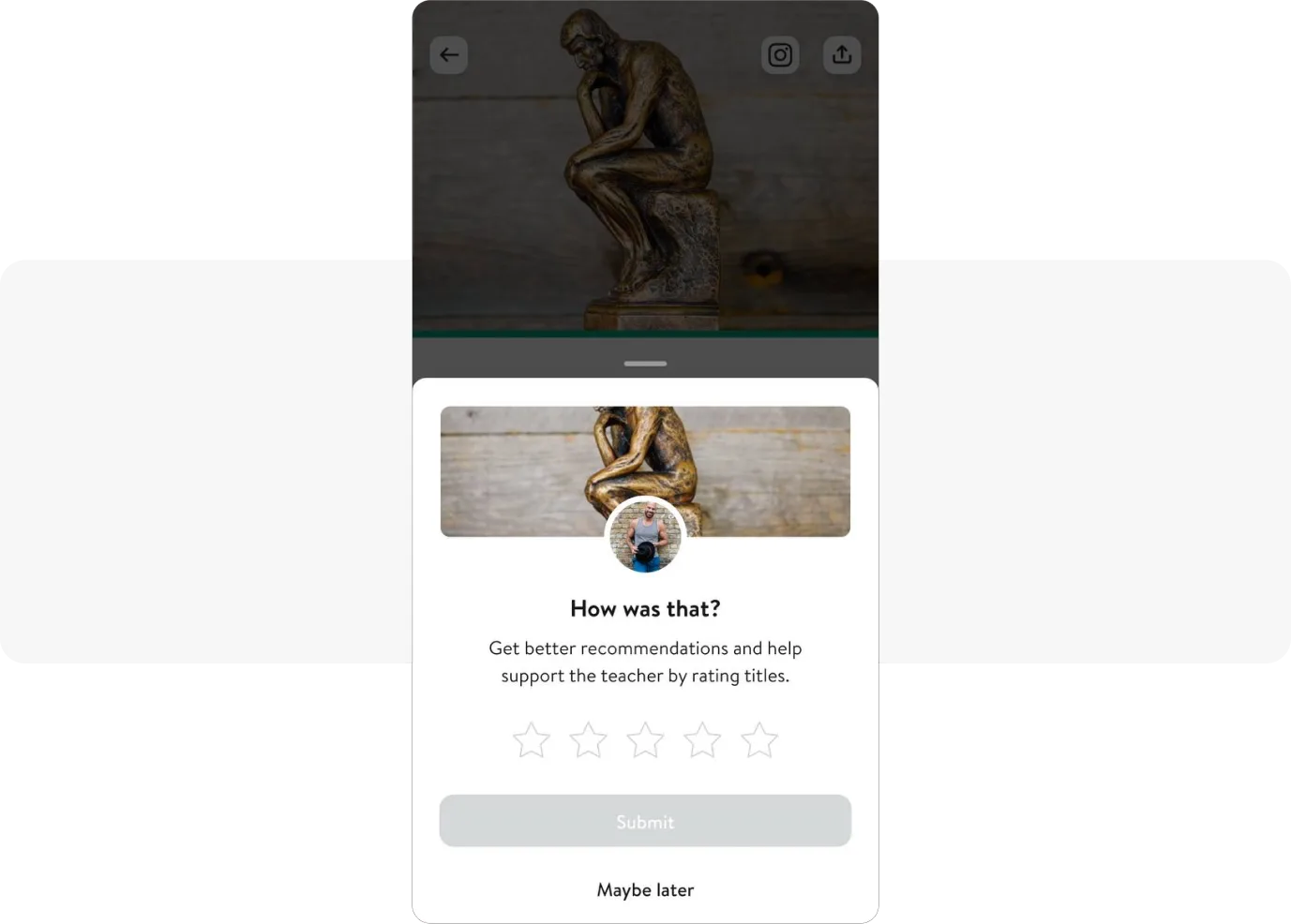
You can do the same, segmenting users who completed a meaningful action, like a purchase, before asking for a review. Use our Default Events to segment properly and ask at the right moment.
Increased app usage: what to expect?
With an engagement strategy running, you can grow session length and frequency, which lifts DAU and MAU. These are the tactics that increase app users’ activity over time, not just for a week.
Our customer Bladestorm, for one, grew MAU by 16.62% and kept players engaged in the app.
Pushwoosh’s tools make personalized engagement straightforward. Start building stronger connections with your users and watch your app’s numbers climb.