June की शुरुआत ही बड़ी है। Pushwoosh team ने important updates का एक पूरा stack ship कर दिया है — नए Web popups, एक messaging MCP server, sharper segmentation, और आपके dashboard में revenue।
यह रहा क्या-क्या नया है 👇
Web popups से website visitors को catch कीजिए 🌐
Web popups एक नया channel है: एक popup जिसे आप एक बार design करते हैं और अपनी website पर place करते हैं — कब show हो और किसे दिखे, इस पर पूरा control आपके पास।
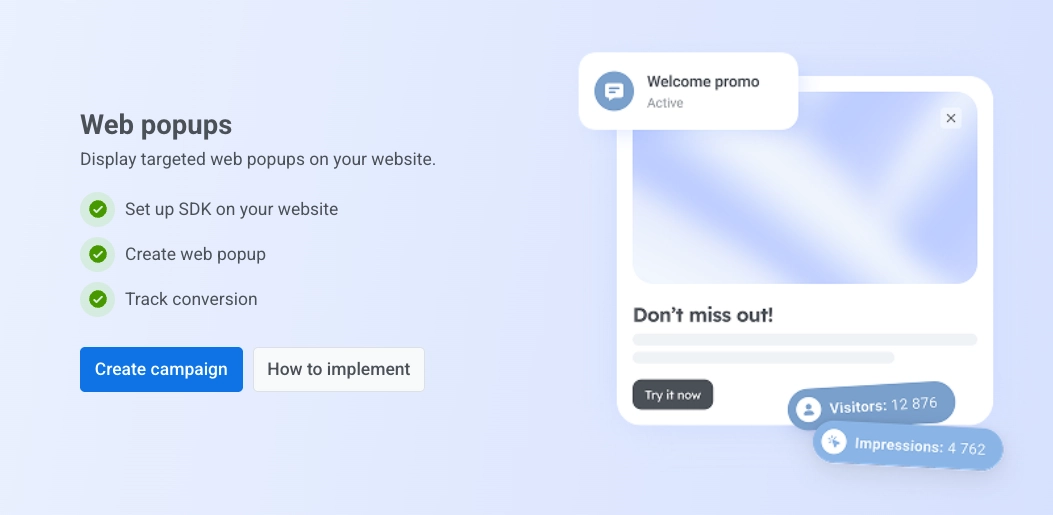
यह कैसे काम करता है: आप popup content बनाते हैं (AI Builder इसे आपके लिए draft कर सकता है 😉), फिर campaign set up करते हैं — device, new vs. returning visitors, और specific pages के हिसाब से target कीजिए, choose कीजिए कि कब appear हो, और हर visitor इसे कितनी बार देखे।
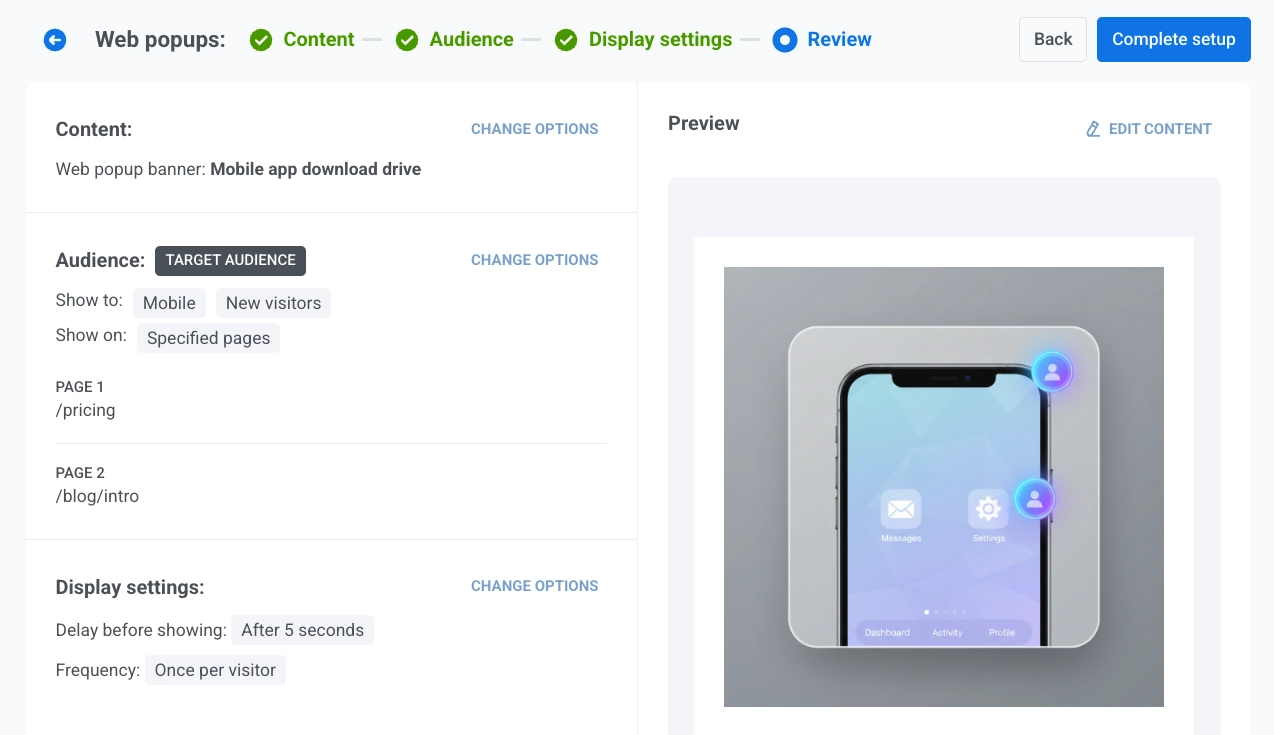
Web popups का असली advantage यह है कि ये आपको किसी visitor पर तब act करने देते हैं जब उसने अभी कुछ भी subscribe नहीं किया है: एक lead capture कीजिए, कोई offer दिखाइए, या returning visitor को पहले ही touch पर वापस ले आइए।
हमने इसे जानबूझकर Pushwoosh के अंदर ही launch किया है: ज़्यादातर teams अपनी site पर एक अलग popup tool bolt कर लेती हैं और फिर दो अलग data sets reconcile करती रहती हैं, पर यहाँ आप हर channel एक ही platform से manage करते हैं।
और सबसे बढ़िया बात है इसे बनाने का तरीका — AI Builder के साथ आपको न designer चाहिए, न developer। एक marketer idea से एक live, targeted campaign तक minutes में पहुँच जाता है।

अपने AI client से सीधे messages भेजिए 🤖
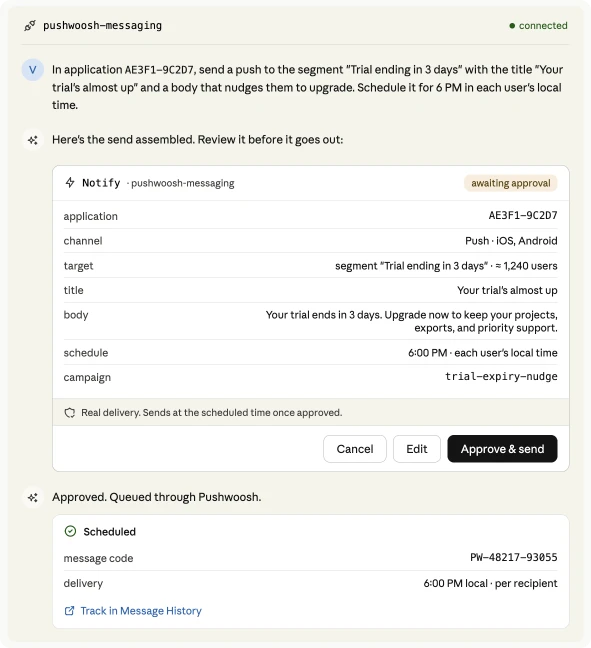
May में हमने ManyMoney AI MCP server ship किया था: Pushwoosh को Claude या Cursor से connect कीजिए और वहीं से campaigns plan व build कीजिए — segments, presets, journeys।
नया ManyMoney messaging MCP server उसी का sending counterpart है। आपका AI agent अब message खुद deliver कर सकता है — push notification, email, SMS, WhatsApp, Telegram, और बहुत कुछ — एक ही natural-language request से।
Sharper segments बनाइए (geo & User ID) 🌍
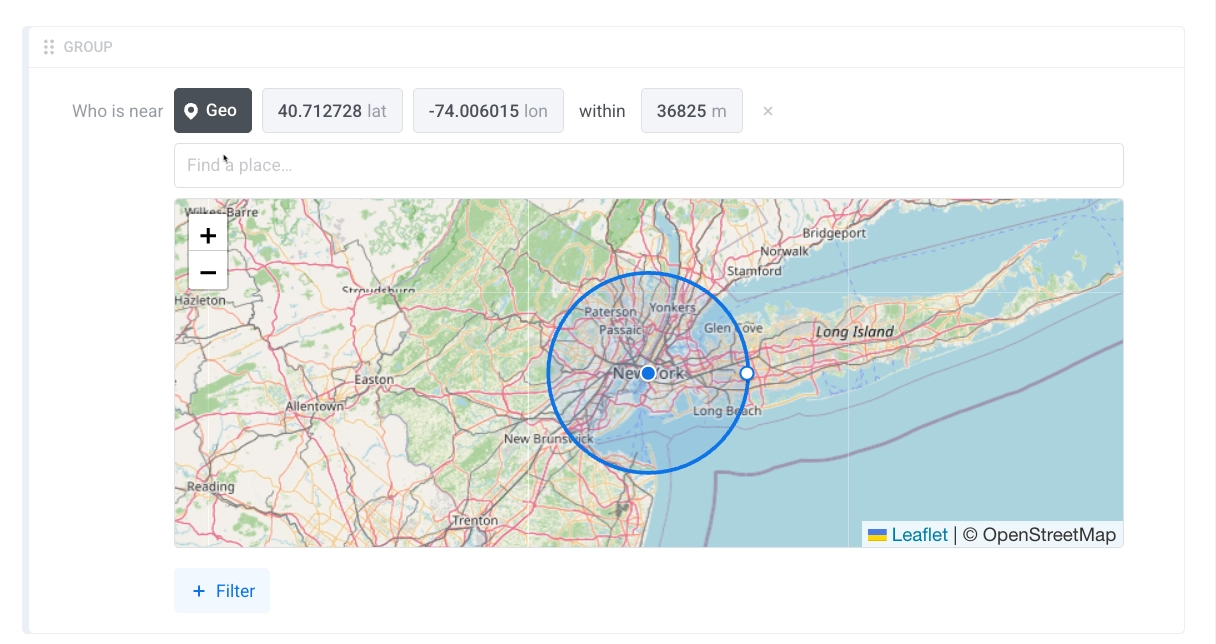
Segment बनाने के दो नए तरीके।
📍 Geolocation segments — map पर एक point चुनिए, radius set कीजिए, और उस area के सारे users आपके पास। किसी एक city के users के लिए promo, किसी venue के पास के लोगों के लिए heads-up, एक regional offer — सब बिना कुछ export किए या users को manually tag किए। भारत जैसे multi-city market के लिए, जहाँ tier-2/tier-3 cities तक एक ही app की audience फैली है, यह city-level targeting बेहद practical है।

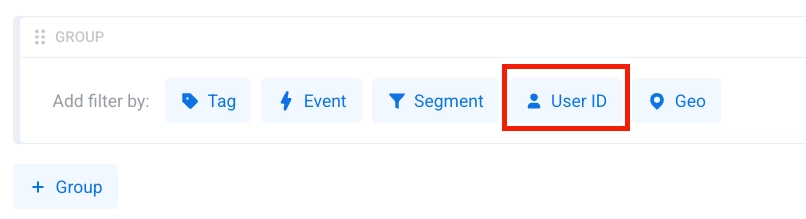
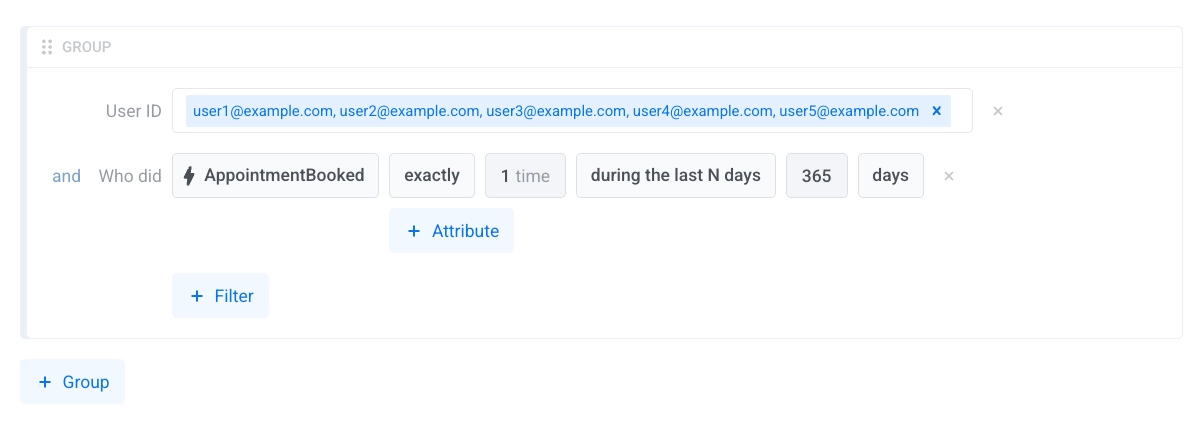
👥 User IDs की list से segment — User IDs की एक list paste या upload कीजिए और ठीक वही users एक segment के रूप में पाइए। तब handy है जब list Pushwoosh के बाहर से आती है: एक partner export, एक support cohort, एक manual VIP list।
अपना revenue Dashboards में देखिए 💰
एक बार Stripe connect कर लेने पर, दो finance metrics — Gross Revenue और New Subscriptions — Dashboards में available हो जाते हैं।
इससे क्या बदलता है: आपके app का money side अब किसी अलग BI tool या spreadsheet में नहीं, बल्कि आपके messaging metrics के ठीक बगल में बैठता है। आप dashboard खोलते हैं और opens व clicks के साथ-साथ revenue और new subscriptions देखते हैं।
किसी subscription app के लिए इसका मतलब है New Subscriptions को week over week ठीक वहीं track करना जहाँ आप पहले से campaign performance check कर रहे हैं — दोनों कहानियों को बाद में जोड़ने की ज़रूरत नहीं।
आपके user data में और signal 🔍
3 छोटे data additions जो target और inspect करने के लिए आपको और देते हैं।
- 🔤 Tags के लिए string operators — Tag filters अब starts with, ends with, और contains support करते हैं, सिर्फ़ exact match नहीं। तो आप हर उस user को target कर सकते हैं जिसके plan में
enterpriseहो, जिसका promo codeVIPसे start हो, या जिसका email@company.comपर end हो — हर एक के लिए अलग exact value set किए बिना। Learn more → - 📩 Last Email Open / Click Message Code tags — दो नए default tags record करते हैं कि user ने आख़िरी बार कौन-सा email खोला और कौन-सा click किया, उसका message code। उस actual email से segment कीजिए जिससे किसी ने आख़िरी बार engage किया — जैसे, हर वो user जिसका last click आपका renewal email था। Learn more →
- 💬 PW_WhatsAppReceived में coordinates — जब कोई user WhatsApp पर अपनी location share करता है, तो
PW_WhatsAppReceivedevent अब latitude और longitude carry करता है, ताकि आप उस पर वैसे ही act कर सकें जैसे किसी और event data पर। Learn more →
नया integration: message events को BigQuery में stream कीजिए 🔗
Pushwoosh अब आपके message events को Google BigQuery में real-time stream करता है। push, email, और SMS lifecycle events को सीधे अपने warehouse में pipe कीजिए और उन्हें वहाँ analyze होने वाली बाकी हर चीज़ के साथ join कीजिए — product usage, revenue, support tickets।
और भी ship हुआ ➕
कुछ छोटे updates जो day to day काम आते हैं।
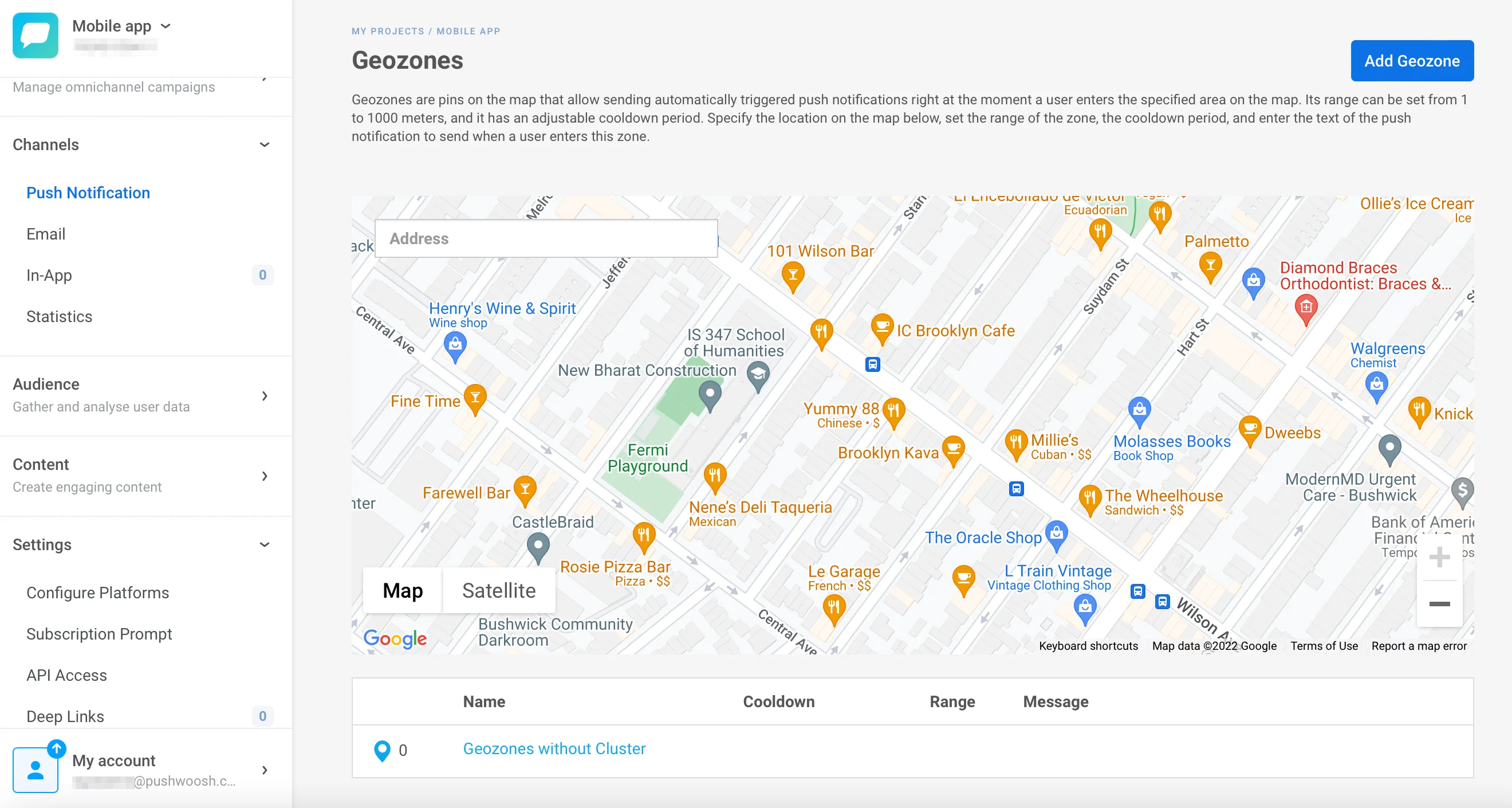
📍 Redesigned Geo Campaigns app — location-based push का interface एक cleaner redesign के साथ आया है जो set up करना आसान है। Learn more →
- Customer Journey stats में Delivered — Customer Journey के per-channel stats अब email के लिए एक Delivered count दिखाते हैं, ताकि आप देख सकें कि हर step पर actually inbox तक क्या पहुँचा। Learn more →
- Richer Message History CSV export — export में अब unique और total counts साथ-साथ शामिल हैं, plus unsubscribed, ताकि file extra math के बिना पूरी कहानी बता दे। Learn more →
- In-app messages clone कीजिए — किसी in-app campaign को एक click में duplicate कीजिए — वही creative, trigger, audience, और display settings — फिर copy को tweak करके launch कीजिए। Learn more →
- User Explorer subscriber view — User Explorer में subscriber view को एक update मिला है जो किसी single user की profile को एक नज़र में पढ़ना आसान बनाता है। Learn more →
Updates खुद try कीजिए
ऊपर का हर feature आपके account में live है। June के और updates रास्ते में हैं — तब तक, Pushwoosh release notes में recently ship हुआ सब कुछ browse कर सकते हैं, या sign in करके इन्हें work में लगा सकते हैं।