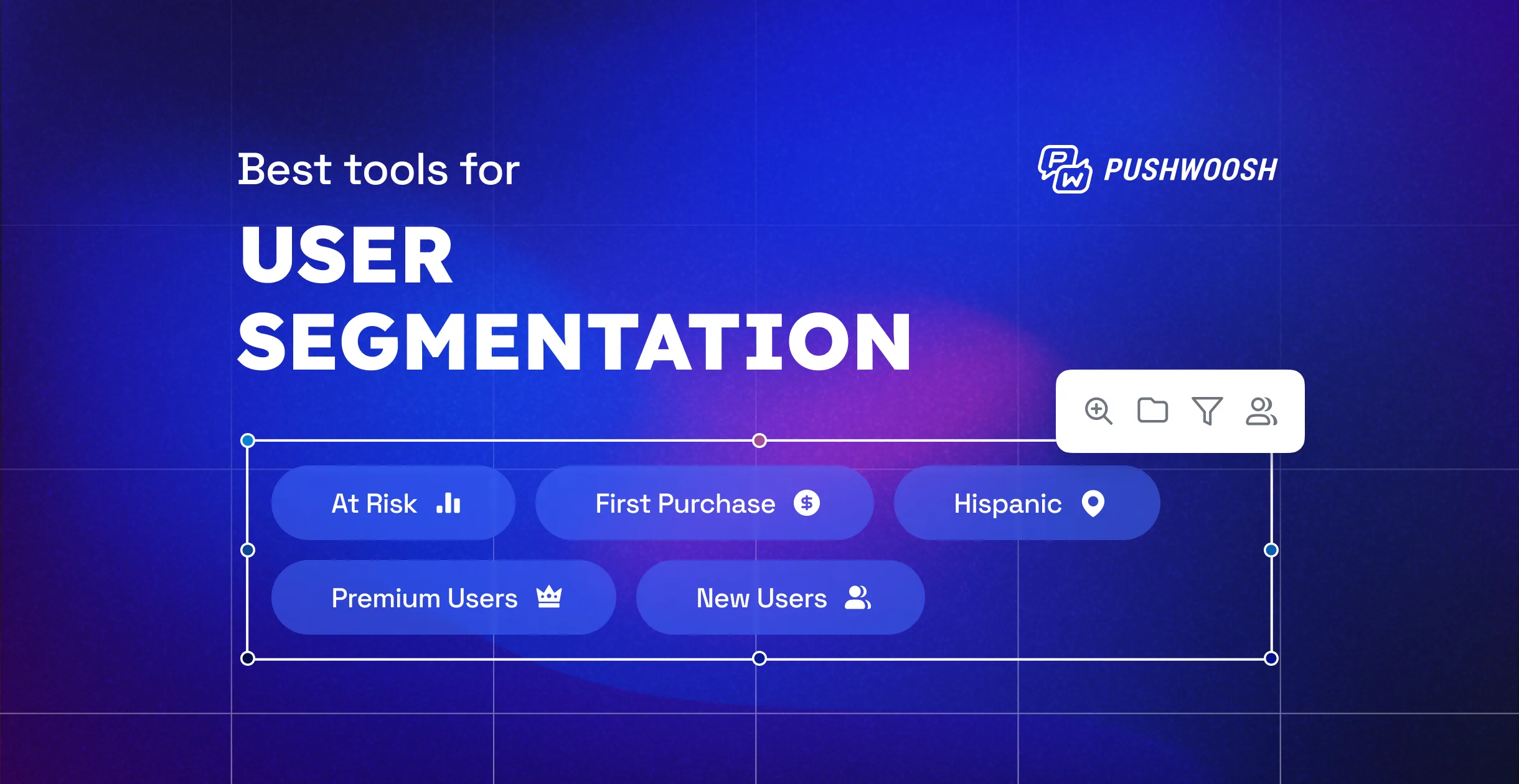
Quick and precise targeting is the key to successful marketing campaigns. Yet, behavioral segmentation can be time-consuming, especially if you’re new to the job or have just integrated a customer engagement platform. Is there a way to jumpstart event-based targeting and reduce the time-to-value of your new tool? Pushwoosh offers a solution: 10 Default Events that you can start using to create behavior-based segments as soon as the Pushwoosh SDK is installed. Launch highly targeted campaigns and achieve your business goals in a shorter time and at a lower cost.
What are Pushwoosh’s Default Events?
Pushwoosh’s Default Events are out-of-the-box solutions that allow you to segment your audience in a few clicks. They represent basic in-app interactions and can help you tailor your communications to users’ behavior and selected preferences.
Behavioral segments & campaigns you can create using Pushwoosh’s Default Events
Here, we have described several cases of using Pushwoosh’s Default Events to reduce your new platform’s time-to-value and significantly boost your marketing ROI.
Identify & onboard new users
Segmenting new users before launching messaging campaigns is a strategic approach that helps you communicate more effectively, optimize marketing spending, and ultimately improve the chances of converting new users into loyal customers.
The PW_DeviceRegistered Event allows you to identify users who have installed your app recently. Add this Event as a starting point for your onboarding campaigns or use it as a trigger for offering new users to opt-in for push notifications and emails.
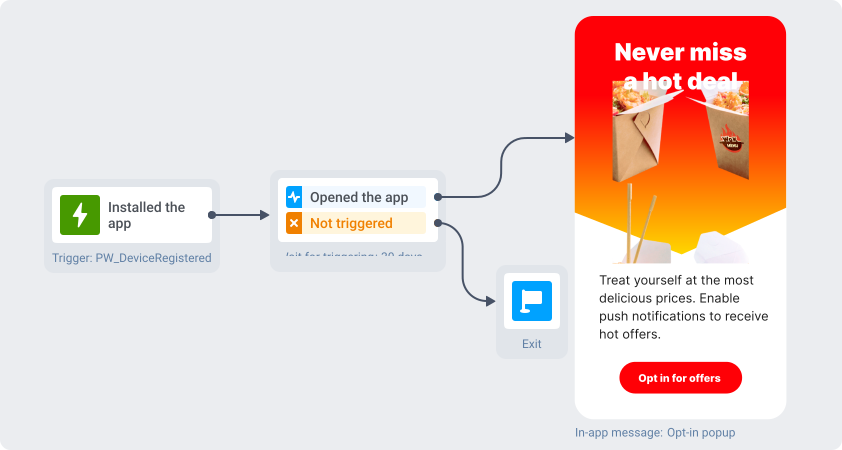
Customer journey with an opt-in popup shown to users after installing the app
💡Read the story about how Omada achieved a 67.4% conversion rate with a successful onboarding campaign for new users.
Focus on high-value customers
High-value customers typically generate a significant portion of a business’s revenue. By focusing on these customers, you can allocate your marketing budget and resources more efficiently, ensuring that the most valuable customers receive the attention they deserve.
You can use the PW_InAppPurchase Event to create a segment of users who have purchased something from you more than once. Loyal customers are likelier to buy again, especially if you send them highly relevant and personalized messages. Focus your marketing strategy on these users to maximize your revenue.
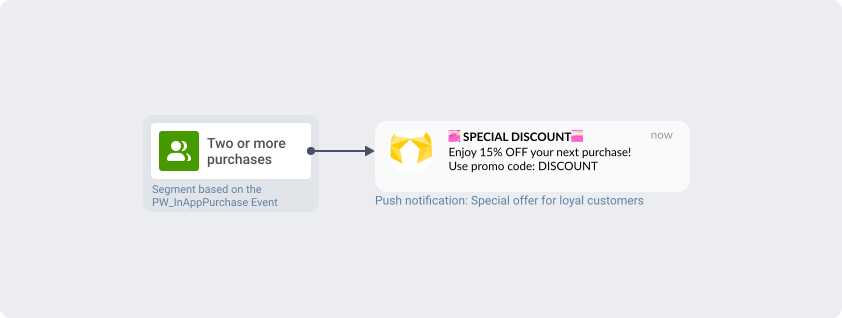
Customer journey with a special offer for users who made two or more purchases
💡Omada launched repeat conversion campaigns and motivated 3.3% of users to make another purchase — read their success story on our blog.
Re-engage inactive users
Acquiring new users can be significantly more expensive than retaining existing ones. Retention and re-engagement campaigns focus on keeping your current user base engaged and active, which can be more cost-effective in the long run.
Use the PW_ApplicationOpen Event in your retention and re-engagement campaigns to create special communication flows for those who have not opened your app for several days. This will help you keep users engaged and reduce the churn rate.
💡Omada shared their experience of running re-engagement campaigns in Pushwoosh: 5.5% of users returned after the first push!
Win back uninstalled users
Just like in the case of re-engaging recently inactive customers, winning back the users who uninstalled your app can cost you less than acquiring new ones. The PW_DeviceUnregistered Event will help you identify those who had your app on their devices once and create a re-engagement campaign for them.
Personalize campaigns based on the screens that users open
The PW_ScreenOpen Event is perfect for tracking which sections of your app users visit and how often they do so. This information will help you create deeply personalized campaigns and grow conversions. For example, you can create a segment of users who visit a premium feature screen and make them a personalized upgrade offer.
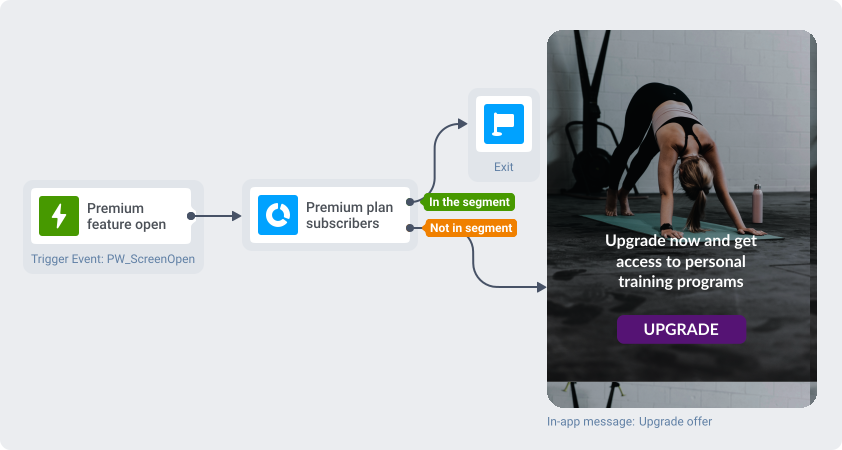
In-app message campaign targeted at users who open the Premium feature screen
Segment out the users who were sent specific messages
Different users may have varying levels of tolerance for messages and notifications. Some users might appreciate frequent reminders or updates, while others may find them annoying. By segmenting based on the number of messages sent, you can tailor your communication frequency to each group’s preferences, thus enhancing the personalization of your outreach.
Use the PW_NotificationSend Event to create user segments based on the number of messages sent through all channels. Combine this information with user behavior data to analyze how well users react to your messaging approach.
Analyze user behavior to improve your marketing strategy
Some default Events can be used to build segments for analytical purposes. You can see how many users performed certain actions in the app, which may help you gain insight into user behavior, optimize user experiences, and improve conversion rates.
Create and analyze app funnels
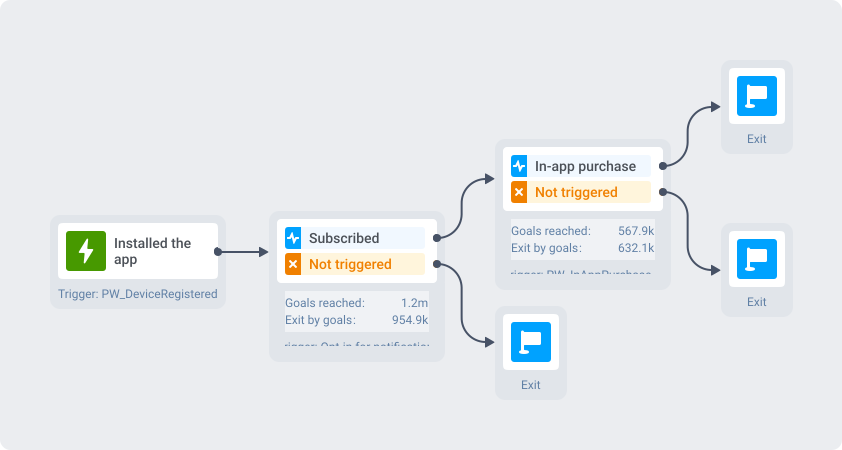
App funnel created in Customer Journey Builder
First, create a basic segment of all users who installed your app using the PW_DeviceRegistered Event. You can generate in-app behavior funnels based on this segment, applying various filters to it. For example, you can create a segment of users who installed your app and subscribed to notifications. After that, you can create one more segment consisting of users who also purchased something soon after subscribing to notifications. You can create different funnels depending on your needs using events and tag values as filtering conditions.
Analyze churn rates
To analyze the app churn rates, create a segment based on the PW_DeviceUnregistered Event. Apply additional filters to this segment to get insights into user behavior before uninstalling your app. This information will help you improve your marketing strategy and reduce churn rates.
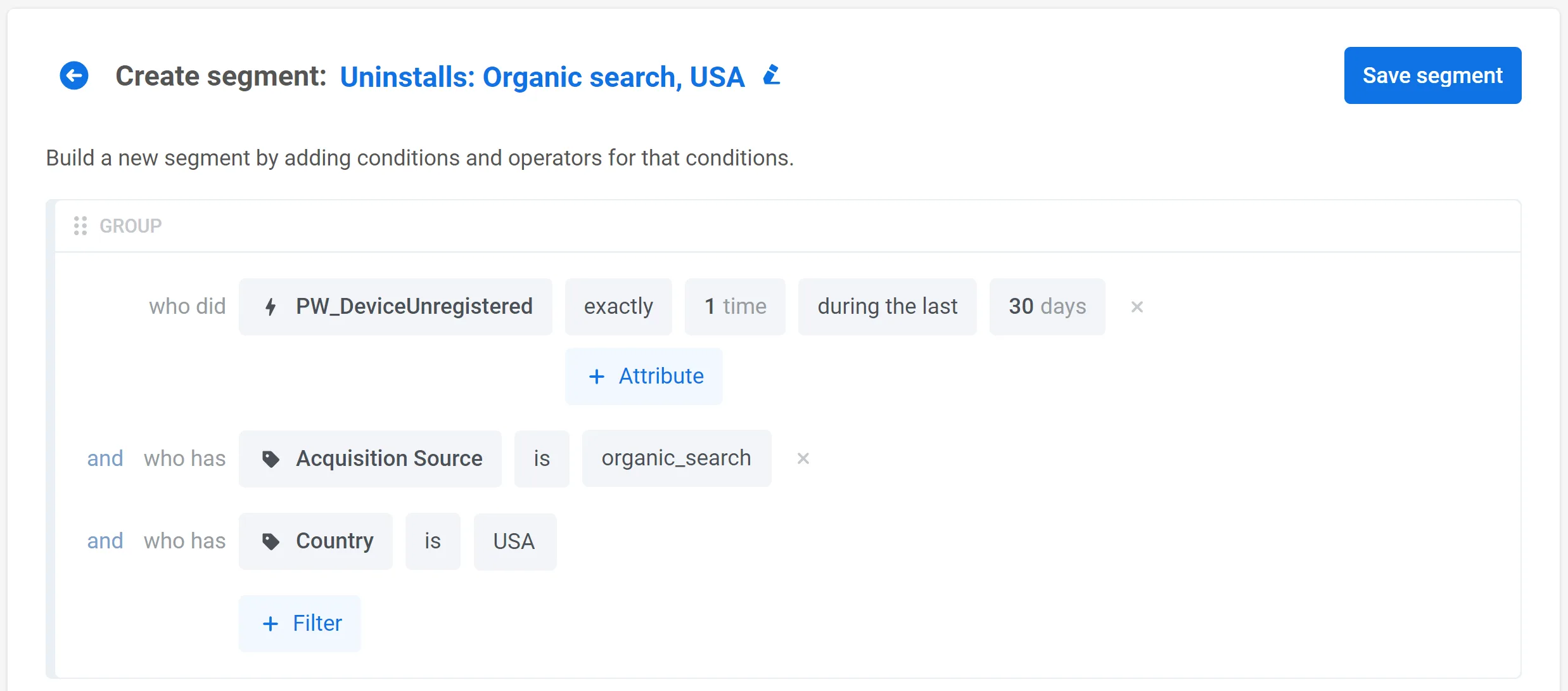
Segment of users who uninstalled the app with additional conditions
Analyze user retention rate
Tracking user retention is crucial for your business success. Focus on improving this metric to reduce user acquisition costs, increase customer lifetime value, and ensure long-term business growth and sustainability.
Using the PW_ApplicationOpen Event, you can create segments of users who have opened your app a certain number of times within a specific period (or not). This allows you to evaluate the retention rate and take measures to improve it if necessary.
Track user clicks in emails
Click tracking allows you to measure the effectiveness of your email campaigns. By monitoring which links within your emails are clicked and how often, you can assess the success of your content, calls to action, and overall email strategy.
Moreover, you can run targeted campaigns for users who click on a specific link in an email or send another message to users who ignored the link in the first email. Use the PW_EmailLinkClicked Event to track user clicks in emails and create segments based on this data.
These are just a few ways you can leverage Pushwoosh’s Default Events. Explore the full power of our segmentation capabilities yourself:
Log into your Pushwoosh account
Haven’t tried Pushwoosh yet? Sign up for free and see the platform in action: