Q1 2026 Pushwoosh के अब तक के सबसे बड़े क्वार्टर्स में से एक रहा। हमने AI, email, journeys, analytics और integrations में 20 से ज़्यादा अपडेट्स शिप किए — खासकर इस बात पर फोकस के साथ कि मार्केटर्स अपने कैंपेन का असली इम्पैक्ट clean तरीके से मेज़र कर सकें, सिर्फ delivery metrics पर न रुकें।
इस पोस्ट में देखते हैं कि ये अपडेट्स आपके रोज़मर्रा के कैंपेन चलाने के तरीके को कैसे बदलते हैं — खासकर इंडिया के तेज़ स्केल वाले Android-first ऐप्स (E-commerce, EdTech, FinTech) के लिए।
ManyMoney AI अब हर प्लान पर उपलब्ध
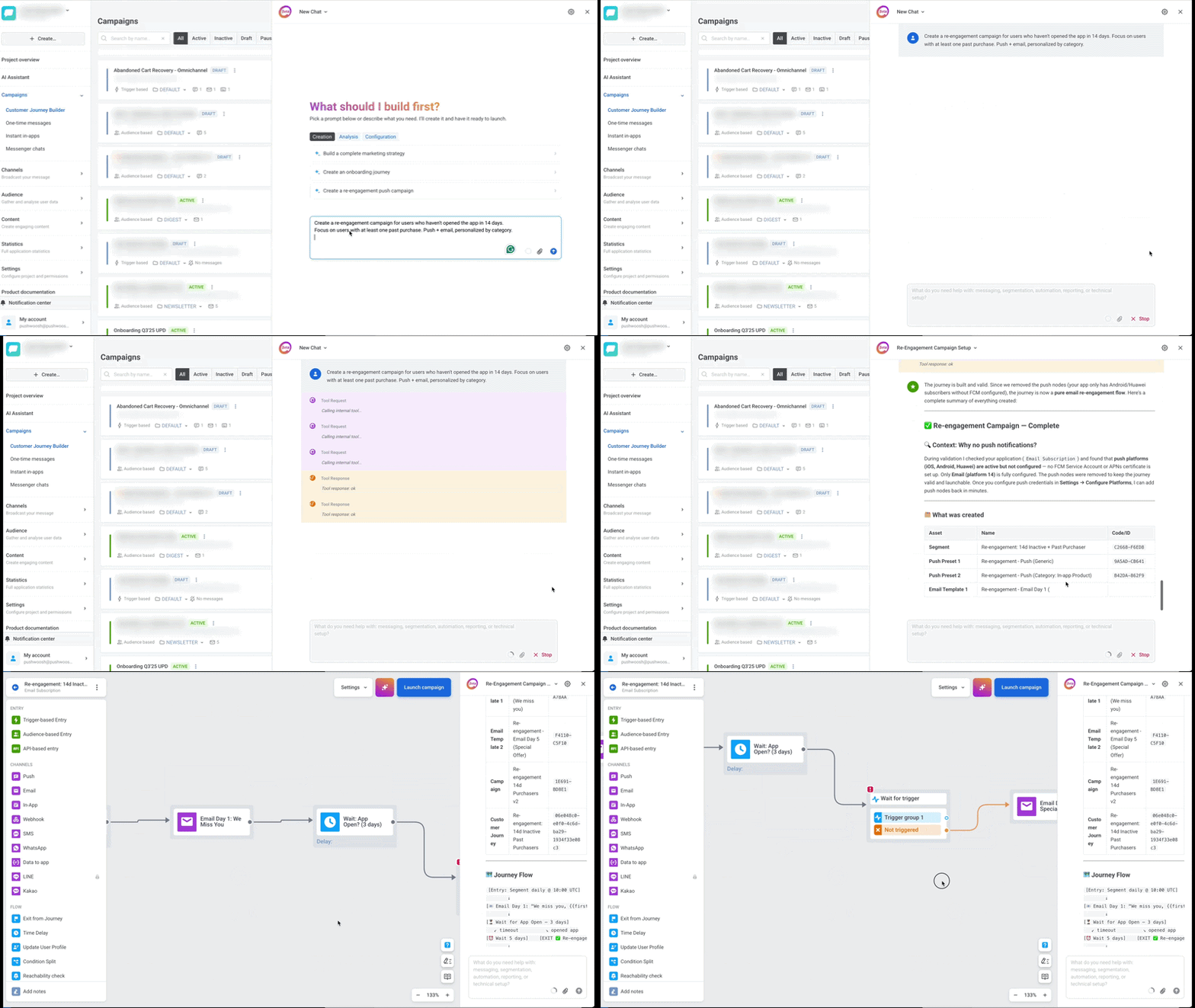
इस क्वार्टर का सबसे बड़ा बदलाव 🚀: Pushwoosh का मार्केटिंग को-पायलट ManyMoney AI अब सिर्फ higher-tier plans तक सीमित नहीं है। हर Pushwoosh अकाउंट इसे यूज़ कर सकता है।
यह करता क्या है: आप अपना goal describe कीजिए — activation बढ़ाना, churn कम करना, पहला purchase drive करना, dormant users को win back करना — और ManyMoney पूरा कैंपेन बना देता है: segments, messages, journey logic, A/B splits। सब कुछ draft के रूप में आपके review के लिए आता है।
ManyMoney के पीछे आइडिया simple है: आपको real revenue देने वाले कैंपेन चलाने के लिए पूरी मार्केटिंग टीम की ज़रूरत नहीं होनी चाहिए। AI execution संभालता है; आप strategy और goals पर focus करते हैं।
हमने इसे सभी plans पर खोला क्योंकि marketing automation में AI अब एक premium add-on नहीं रहा। यह foundational बन रहा है — और हम चाहते हैं कि हर Pushwoosh user को यह पहले दिन से मिले।

Email को एक serious upgrade मिला
नीचे दिए गए अपडेट्स मिलकर Pushwoosh को एक mature email channel बनाते हैं:
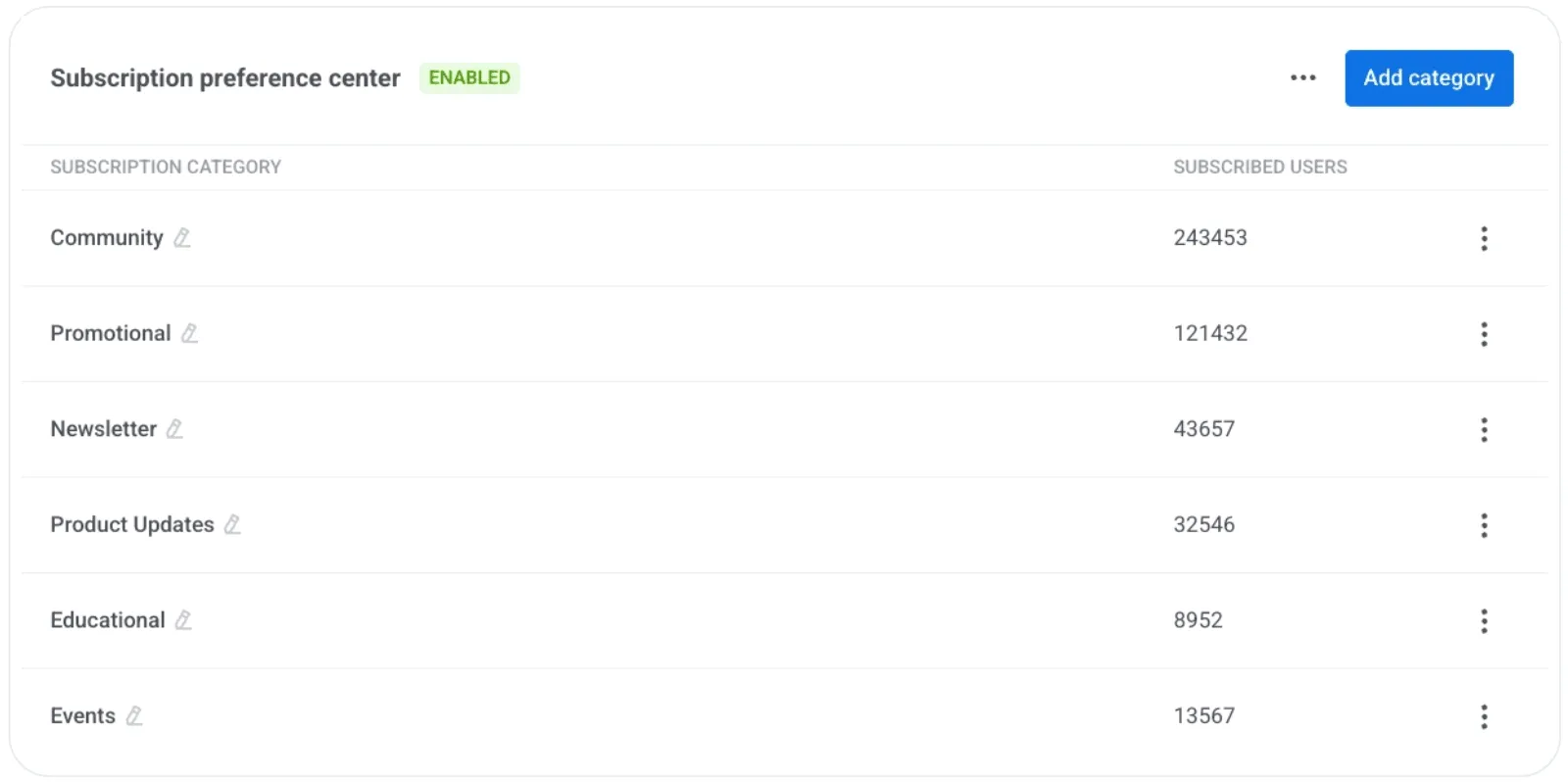
⚙️ Email preference center — binary unsubscribe के बजाय subscribers अब चुन सकते हैं कि उन्हें क्या मिले: newsletters, promos, product updates वगैरह। Categories आप define करते हैं; वो तय करते हैं कि क्या रहे। Full opt-outs कम, engaged lists ज़्यादा — और consent management भी clean। और जानें →
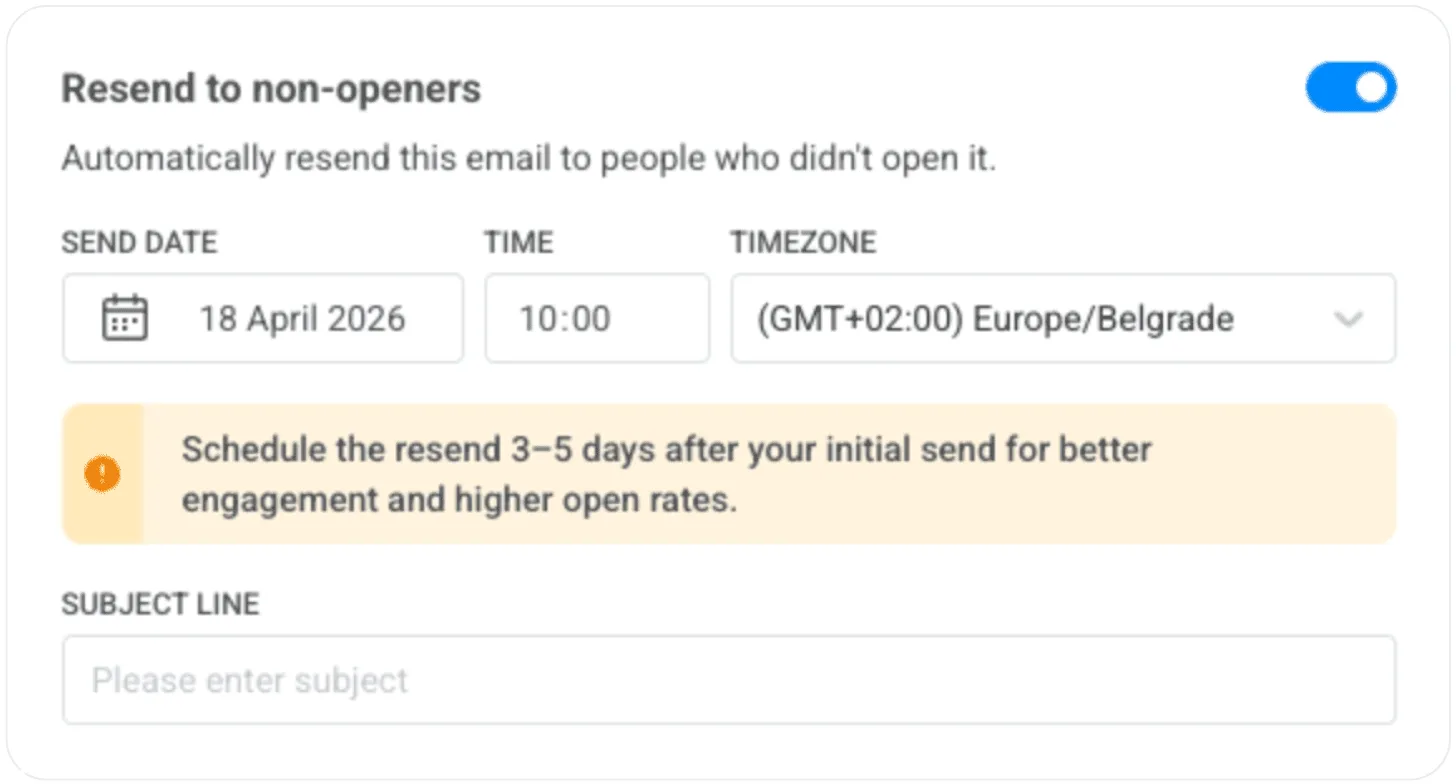
📩 Non-openers को auto-resend — email setup में एक toggle on कीजिए और Pushwoosh 3–5 दिन बाद उन सभी को अपने आप resend कर देगा जिन्होंने open नहीं किया। कोई duplicate campaign नहीं। और जानें →
💌 Custom tracking domain — email में tracking URLs अब आपके brand domain से match करते हैं, न कि किसी generic third-party के। Deliverability और inbox में brand trust — दोनों बेहतर। और जानें →
📋 Double opt-in वाले email subscription forms — अब email subscribers को Pushwoosh में सीधे collect किया जा सकता है। Website पर form embed कीजिए, DOI से subscriber confirm कीजिए और उसी वक़्त messaging शुरू। अलग list-building tool की ज़रूरत नहीं — और consent भी शुरू से clean documented। और जानें →
इसके साथ एक useful stats addition: Opened total अब email statistics में Opened Unique के बगल में दिखता है, ताकि आप सिर्फ first open नहीं, repeat engagement भी देख सकें।
हम email capabilities को steady rhythm में बना रहे हैं, और यह fully mature email channel की तरफ एक और बड़ा step है।
ये features ही basic email sender और proper email program के बीच फर्क बनाते हैं। अब आप अपना पूरा email program Pushwoosh के अंदर से run कर सकते हैं।
अपने messaging का real impact मेज़र कीजिए
यह prove करना कि आपकी messaging actually needle को move कर रही है — हमेशा से एक सबसे tough चीज़ रही है।
अब तक lifecycle campaigns से incremental lift measure करने का मतलब होता था — BI tools, segment exports और ढेर सारी spreadsheets को एक साथ stitching करना। Global control groups के साथ यह built-in हो जाता है। एक बार define कीजिए, Pushwoosh हर channel और हर journey से इसे automatically exclude कर देता है — और आप अपने कैंपेन का real business impact देखते हैं। कोई manual data wrangling नहीं।
यह prove करना कि messaging असल में impact ला रहा है — हमेशा एक सबसे मुश्किल काम रहा है, साफ़-सुथरे तरीके से। Global control groups इसे recurring data-stitching project से हटाकर एक one-time setup बना देते हैं।
practice में ऐसा दिखता है 👇🏻
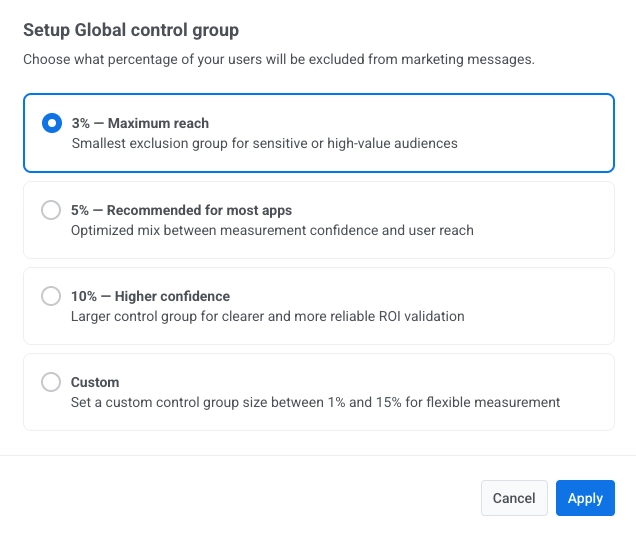
Global control group आपके user base का एक fixed percentage सभी marketing communications (push, email, in-app) से hold back करता है, transactional messages delivery जारी रहती है। फिर आप उनके behavior की तुलना उन users से करते हैं जिन्हें आपके कैंपेन मिले।
आपको क्या मिलता है: उस सवाल का एक clean, data-backed जवाब जो आपका CEO (या CFO) हमेशा पूछता है — “इस revenue में से कितना actually messaging की वजह से है?”
Customer Journeys और flexible हो गए
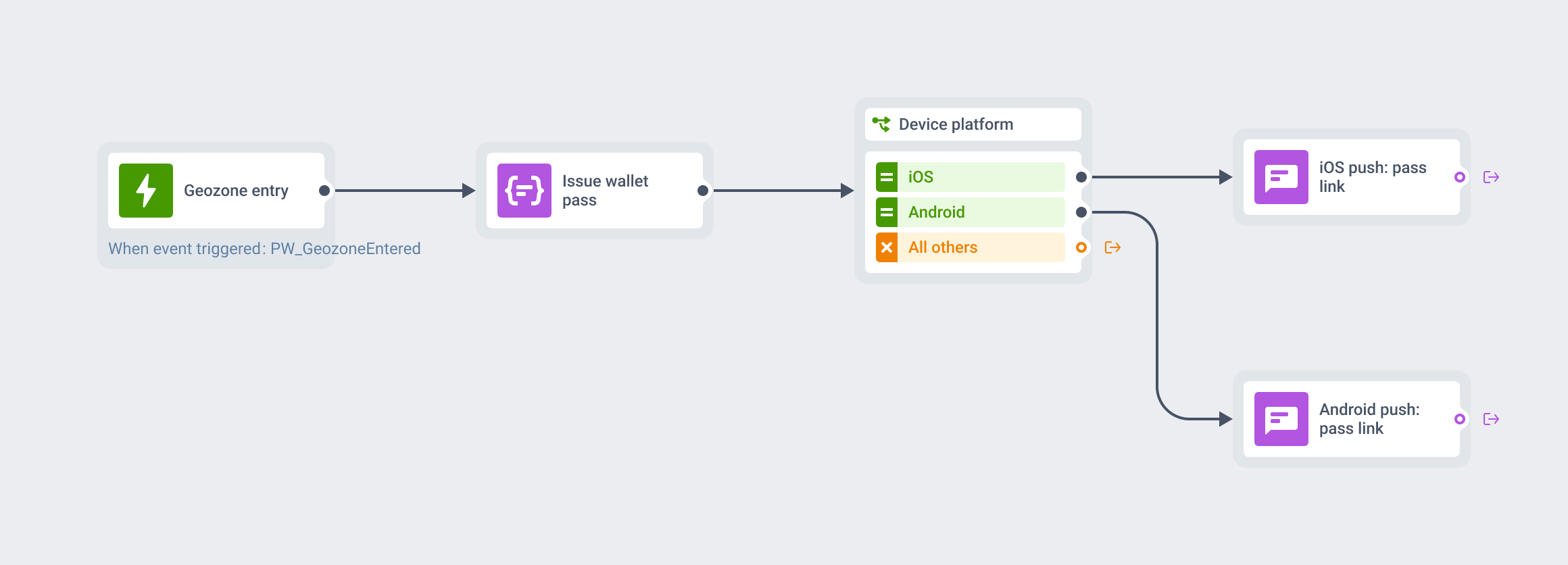
Customer Journey Builder में manual काम घटाने वाले 3 अपडेट्स:
- 🗓️ Always-on audience entry — एक setting on कीजिए, journey launch होने के बाद आपके segment criteria match करने वाले users अपने आप enter होते जाएंगे। Onboarding, loyalty या win-back जैसे ongoing flows के लिए journey restart या duplicate करने की ज़रूरत नहीं।
- 🚫 Actions के आधार पर auto-remove — action define कीजिए (milestone reach होना, unsubscribe, preference update), users journey से तुरंत exit हो जाते हैं। Conversion metrics clean रहते हैं। और जानें →
- 👥 Audience-based entry में segment sizes — journey launch करने से पहले देख सकते हैं कि कितने users enter करेंगे। कोई guessing नहीं।
और 2 जानने लायक अपडेट्स:
- ✏️ Scheduled one-time messages edit या delete करें — schedule hit करने के बाद mind change हुआ? अब कर सकते हैं। और जानें →
- 🔔 सभी channels पर marketing vs. transactional message types — हर message को explicitly tag कीजिए। Marketing opt-outs, silence periods, frequency caps और control group को respect करता है। Transactional हमेशा जाता है।
इनमें से ज़्यादातर अपडेट्स यह देखकर आए कि teams Customer Journey Builder को actually day-to-day कैसे use करती हैं: नए users को पकड़ने के लिए journey restart करना, convert हुए users को manually निकालना, audience size जाने बिना campaigns launch करना। हर एक अलग-अलग छोटी friction है, लेकिन मिलकर बहुत सारे workarounds बन जाते हैं।
ऊपर दी गई कोई भी feature अकेले कुछ flashy नहीं है, लेकिन मिलकर इसका मतलब है कि marketers journeys को manage करने में कम, और उन्हें improve करने में ज़्यादा वक़्त लगाते हैं।
नए Integrations और channels
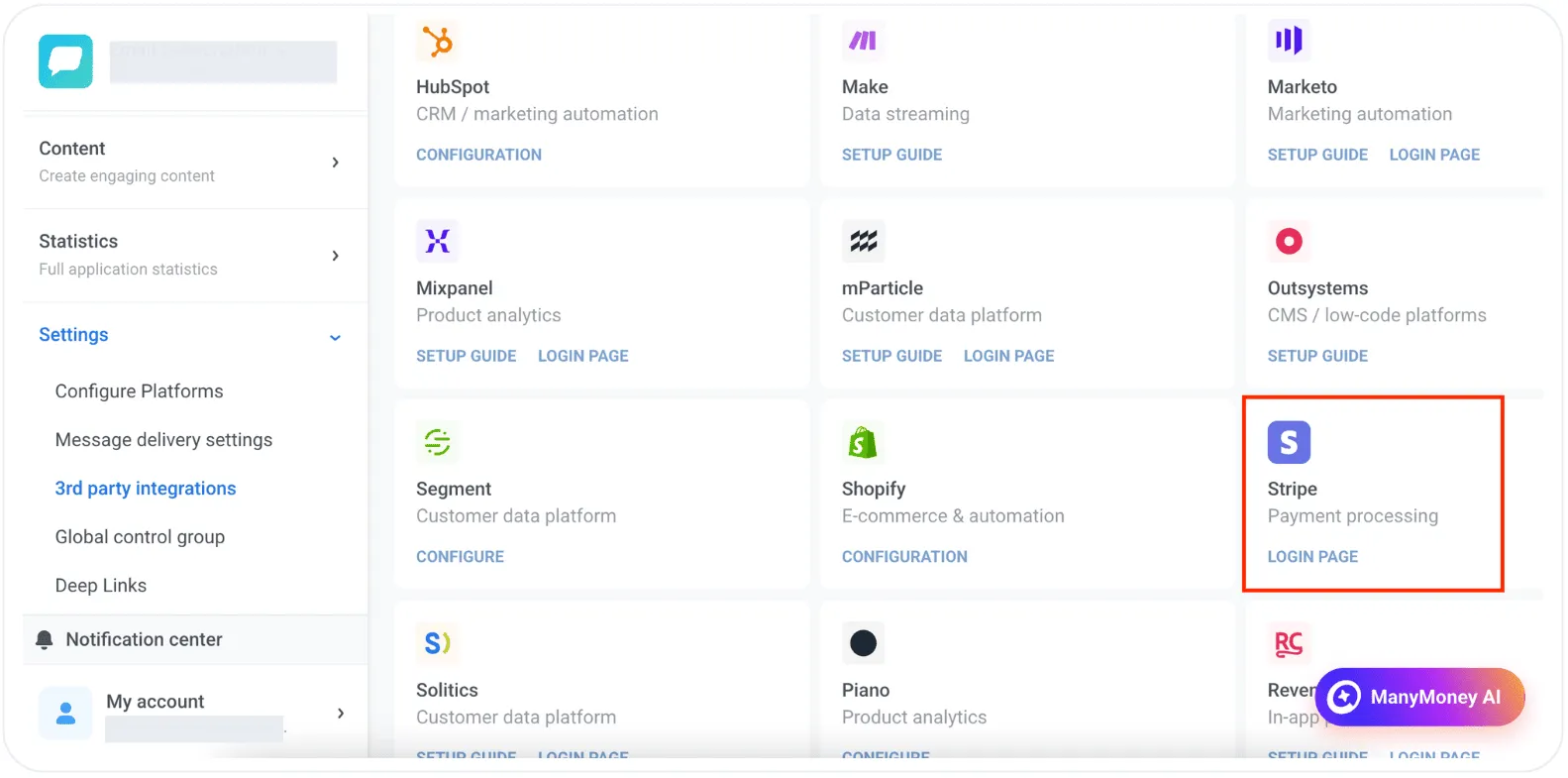
Stripe — payment और subscription डेटा Pushwoosh में आता है। Payment events से segment बना सकते हैं, journey-wise revenue देख सकते हैं, और ManyMoney AI को real data feed कर सकते हैं। और जानें →
AppsFlyer ESP 2.0 — Email clicks अब AppsFlyer में आपके बाकी channels के साथ attribute होती हैं। और जानें →
KakaoTalk — South Korea के लिए new messaging channel। Journeys या API से personalized, template-based messages भेजें। और जानें →
इस क्वार्टर के कुछ और अपडेट्स
जानने लायक कुछ और updates:
📊 WhatsApp frequency capping — सभी WhatsApp campaigns पर global message limits set कीजिए ताकि users पर over-messaging न हो। और जानें →
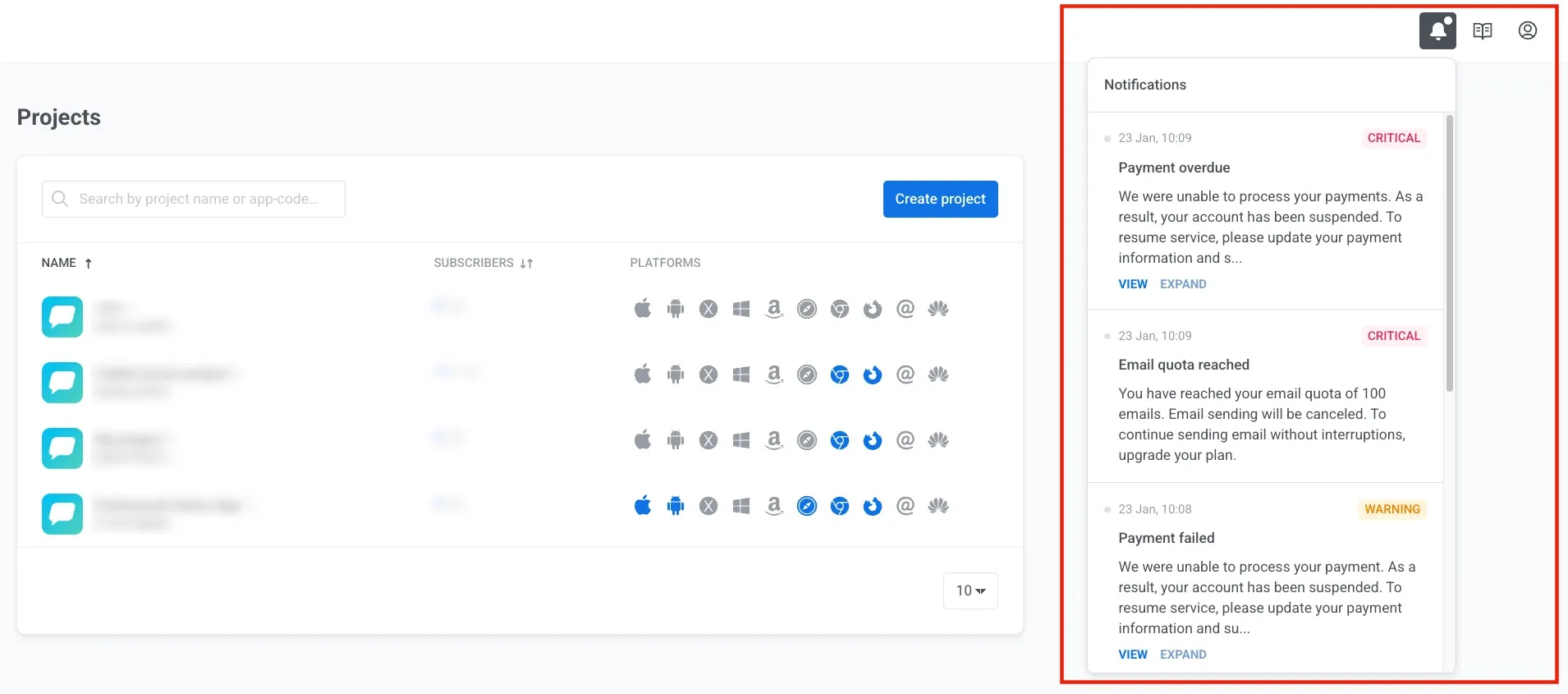
📣 Notification center — Pushwoosh के अंदर एक centralized alert hub, जिन projects और apps पर attention चाहिए उनके direct links के साथ। और जानें →
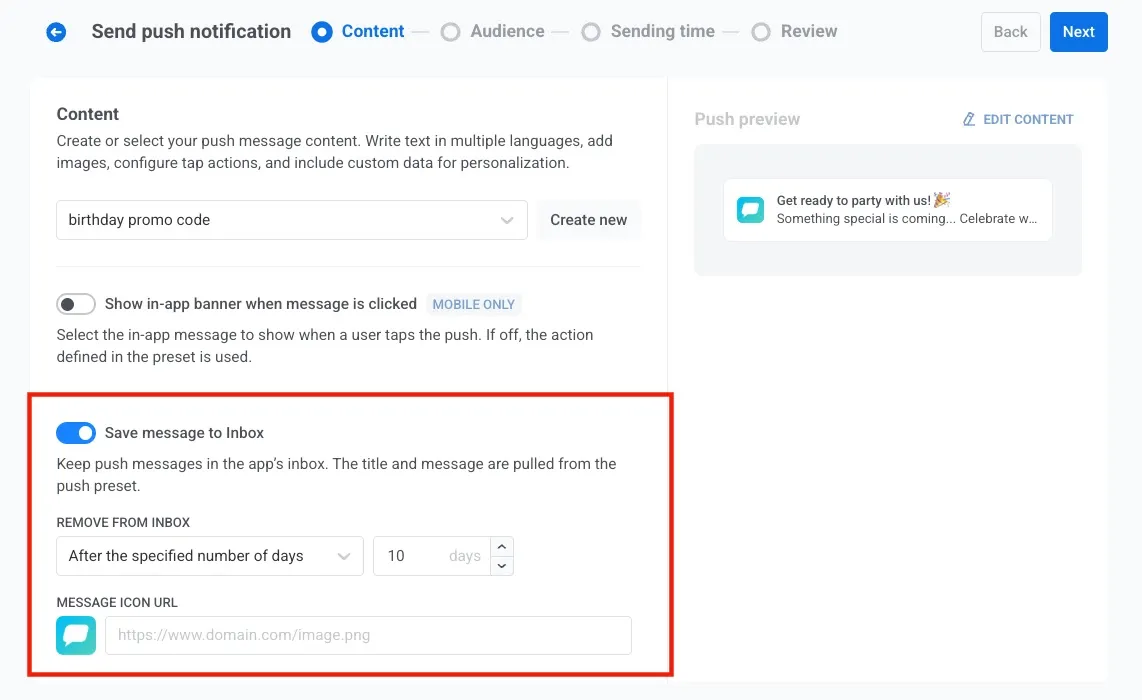
📥 One-time push को Inbox में save — users app के Inbox में push messages दोबारा देख सकते हैं, भले ही original notification miss हो गई हो। और जानें →
अपडेट्स खुद try कीजिए
ऊपर दिया हर feature live है और आपके account में use के लिए तैयार है।
कहां से शुरू करें, समझ नहीं आ रहा? ManyMoney AI मदद कर सकता है! आप क्या achieve करना चाहते हैं describe कीजिए, और उसे अपनी campaign का पहला draft बनाने दीजिए।
हर update की पूरी list के लिए हमारे release notes देखें।
संबंधित लेख
सभी देखें