Q1 2026 was one of our biggest quarters yet. We shipped 20+ updates across AI, email, journeys, analytics, and integrations.
In this post, you’ll find out how these updates change the way you run your campaigns.
ManyMoney AI is now available on every plan
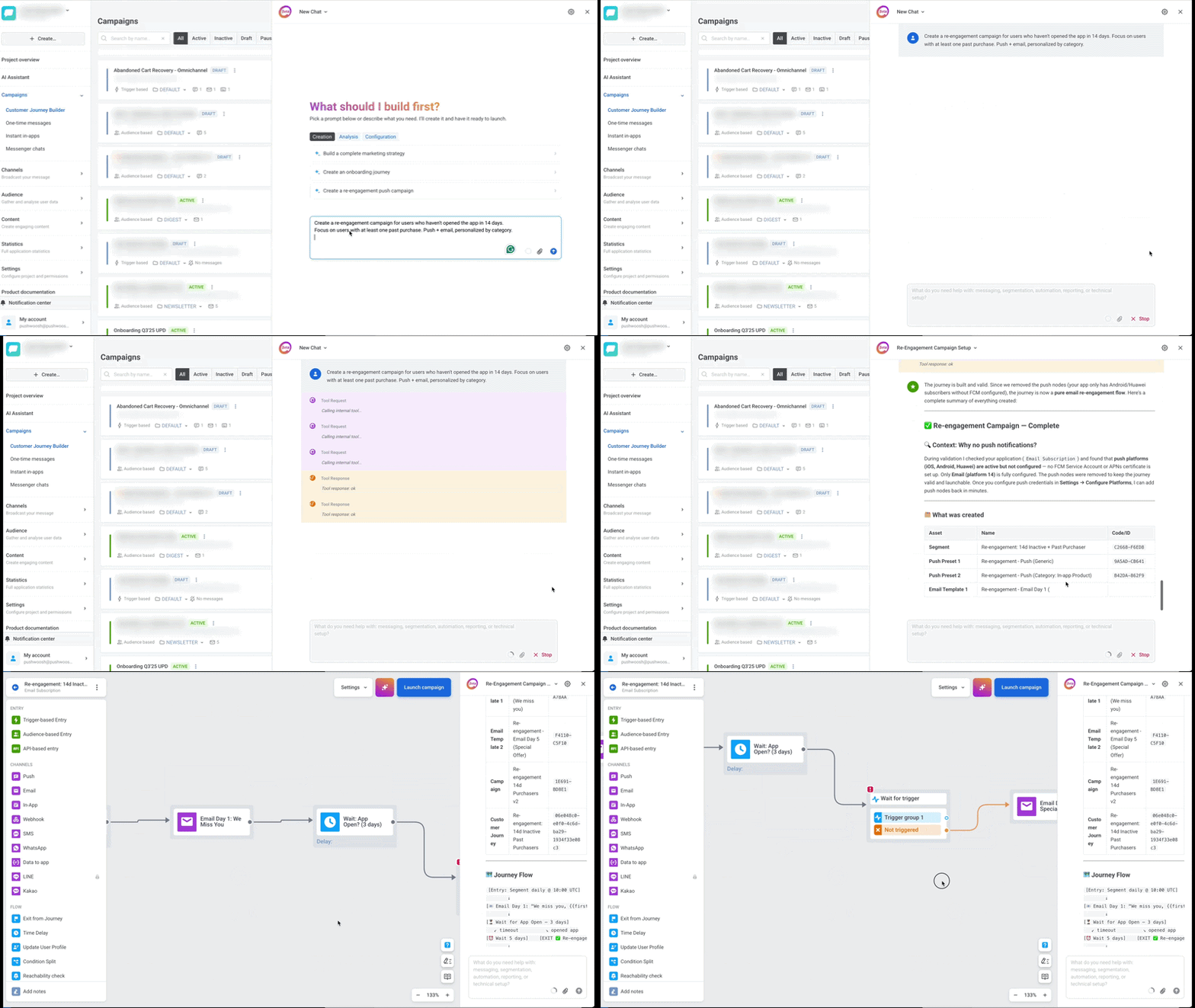
The biggest shift this quarter 🚀: Pushwoosh’s marketing co-pilot, ManyMoney AI, is no longer limited to higher-tier plans. Every Pushwoosh account can now use it.
What it does: Describe your goal — increase activation, reduce churn, drive first purchase, win back dormant users — and ManyMoney builds the whole campaign: segments, messages, journey logic, A/B splits. Everything arrives as a draft for your review.
The idea behind ManyMoney is simple: you shouldn’t need a full marketing team to run campaigns that actually make money. The AI handles execution; you stay focused on strategy and goals.
We opened it up to every plan because AI in marketing automation isn’t a premium add-on anymore. It’s becoming foundational, and we want every Pushwoosh user to have it from day one.

Email gets a serious upgrade
Here are the latest updates that, together, make Pushwoosh a mature email channel:
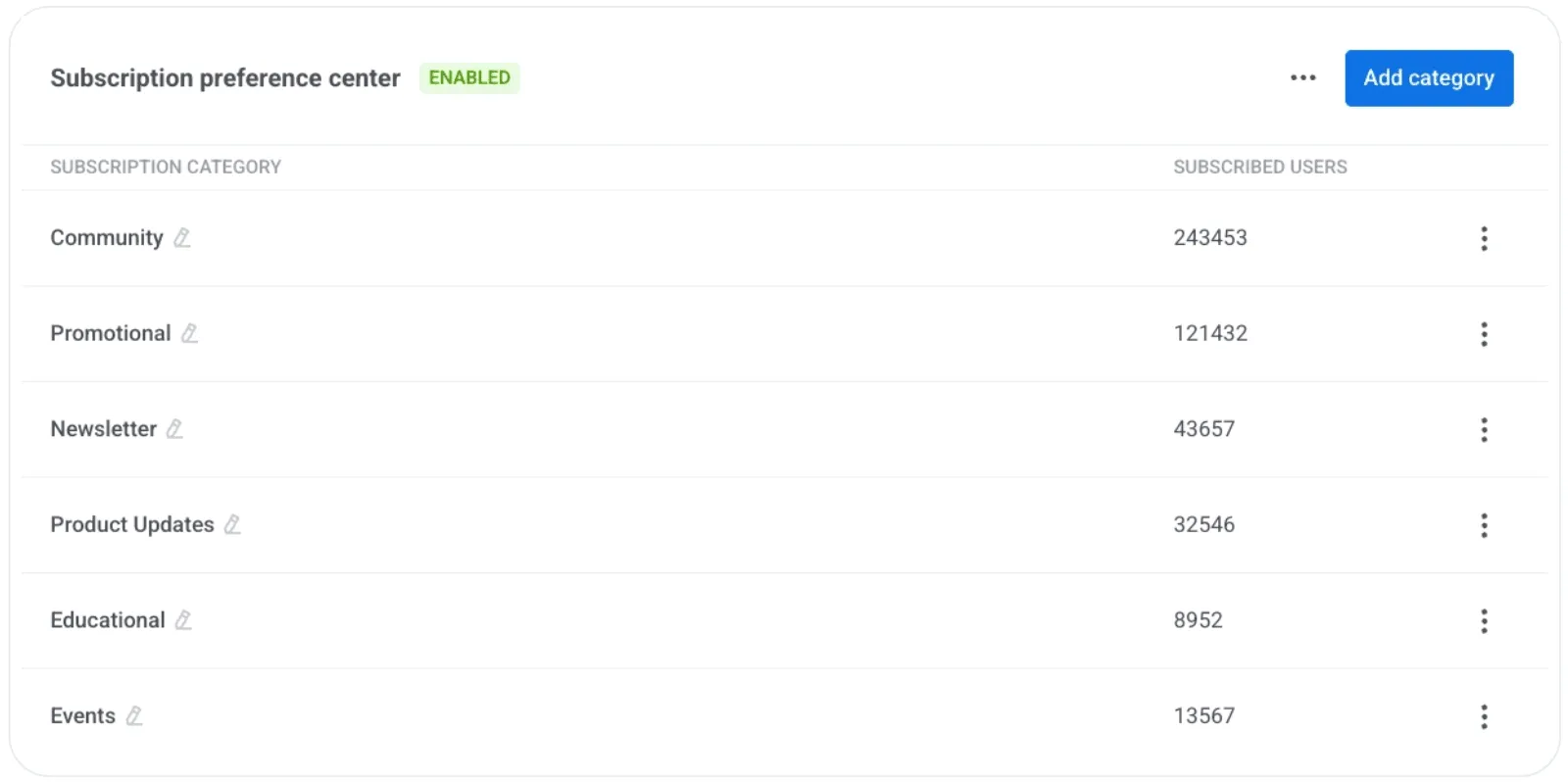
⚙️ Email preference center — Instead of a binary unsubscribe, subscribers can now choose what they want to receive: newsletters, promos, product updates, etc. You define the categories; they pick what stays. Fewer full opt-outs, more engaged lists. Learn more →
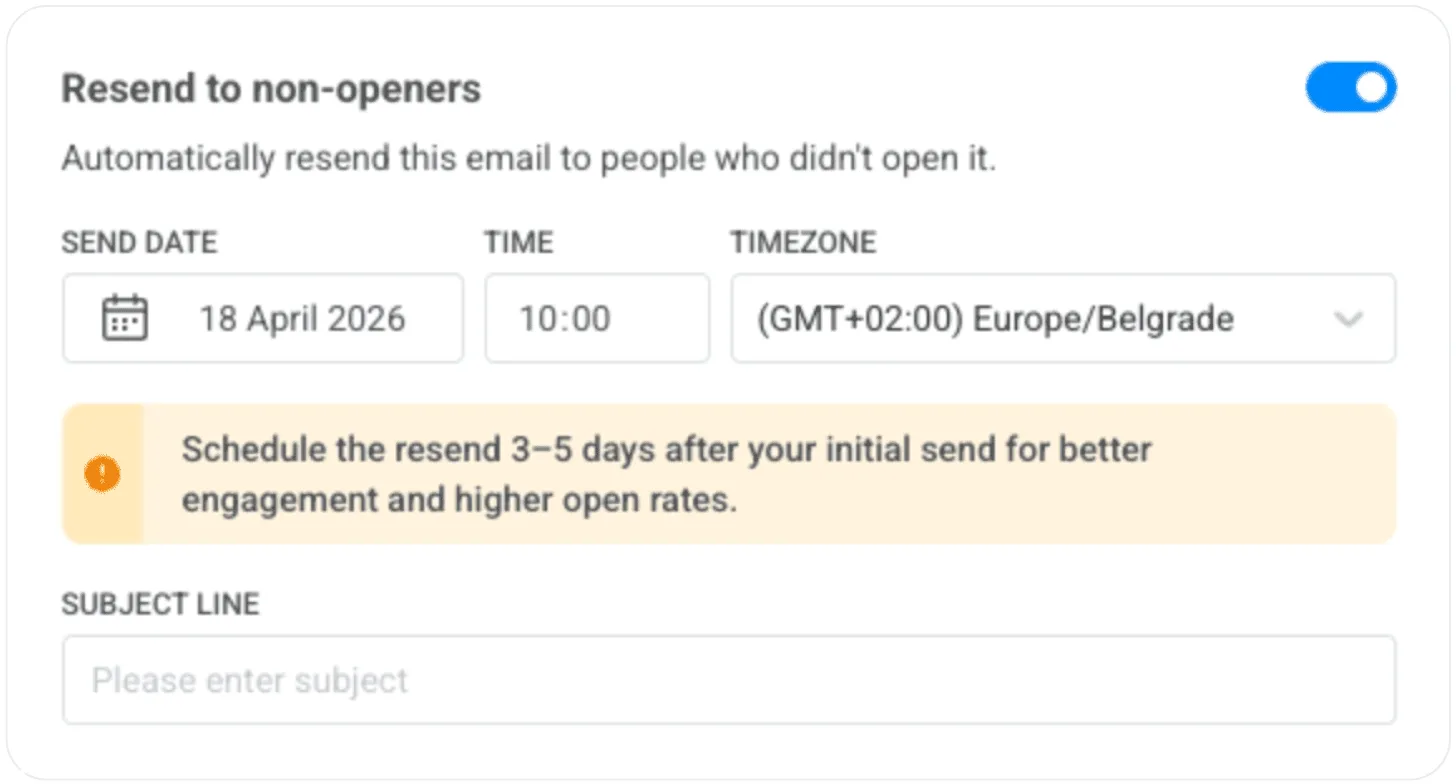
📩 Resend to non-openers — One toggle in the email setup, and Pushwoosh automatically resends to everyone who didn’t open, 3–5 days later. No duplicate campaigns. Learn more →
💌 Custom tracking domain — Email tracking URLs now match your brand domain instead of a generic third-party one. Better for deliverability and brand trust in the inbox. Learn more →
📋 Email subscription forms with double opt-in — You can now collect email subscribers directly in Pushwoosh. Embed a form on your website, confirm subscribers via DOI, and start messaging them right away. No need for a separate list-building tool. Learn more →
Plus a useful stats addition: Opened total now sits alongside Opened unique in email statistics, so you can see repeat engagement, not just first opens.
We’ve been steadily building out our email capabilities, and this is one more big step toward a fully mature email channel.
These new features are what separate a basic email sender from a proper email program. You can now run yours entirely in Pushwoosh.
Measure the real impact of your messaging
Proving that your messaging actually moves the needle has always been one of the hardest things to do cleanly.
Until now, measuring incremental lift from lifecycle campaigns meant stitching together BI tools, segment exports, and a lot of spreadsheets. With global control groups, that’s built in. You define it once, Pushwoosh excludes it across every channel and journey automatically, and you can see the real impact your campaigns are driving. No manual data wrangling.
Here is what it looks like in practice 👇🏻
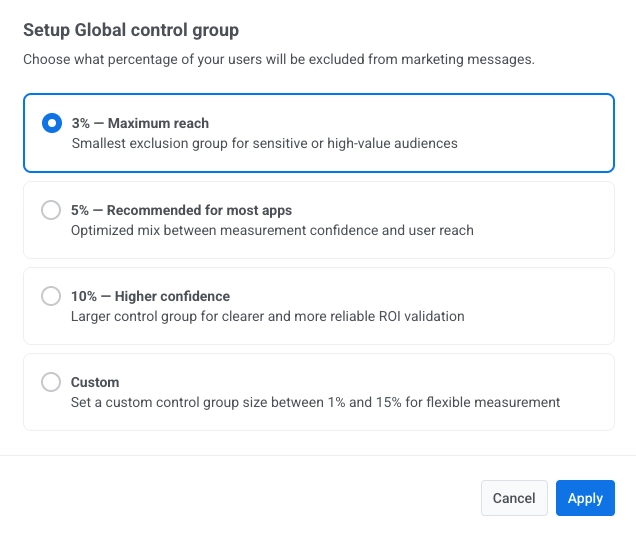
The Global control group holds back a fixed percentage of your user base from all marketing communications (push, email, in-app) while still delivering transactional messages. Then you compare their behavior against users who received your campaigns.
What you get: a clean, data-backed answer to the question your CEO (or CFO) keeps asking: “How much of this revenue is actually driven by messaging?”
Customer journeys become more flexible
3 updates that reduce manual work in Customer Journey Builder:
- 🗓️ Always-on audience entry — Enable a setting so users who start matching your segment criteria after a journey has launched automatically enter it. No need to restart or duplicate journeys for ongoing flows like onboarding, loyalty, or win-back.
- 🚫 Auto-remove users based on actions — define the action (milestone reached, unsubscribe, preference updated) and users exit the journey immediately. Your conversion metrics stay clean. Learn more →
- 👥 Segment sizes in Audience-based entry — see how many users will enter a journey before launching. No more guessing.
And 2 more worth knowing:
- ✏️ Edit or delete scheduled one-time messages — change your mind after hitting schedule? Now you can. Learn more →
- 🔔 Marketing vs. transactional message types across all channels — tag each message explicitly. Marketing respects opt-outs, silence periods, frequency caps, and the control group. Transactional always goes through.
Most of these updates came from watching how teams actually use Customer Journey Builder day to day: restarting journeys just to pick up new users, manually pulling people out when they convert, and launching campaigns without knowing the audience size. Each one of those is a small friction, but they add up to a lot of workarounds.
None of the features listed above is flashy on its own, but together they mean marketers spend less time managing journeys and more time improving them.
New integrations and channels
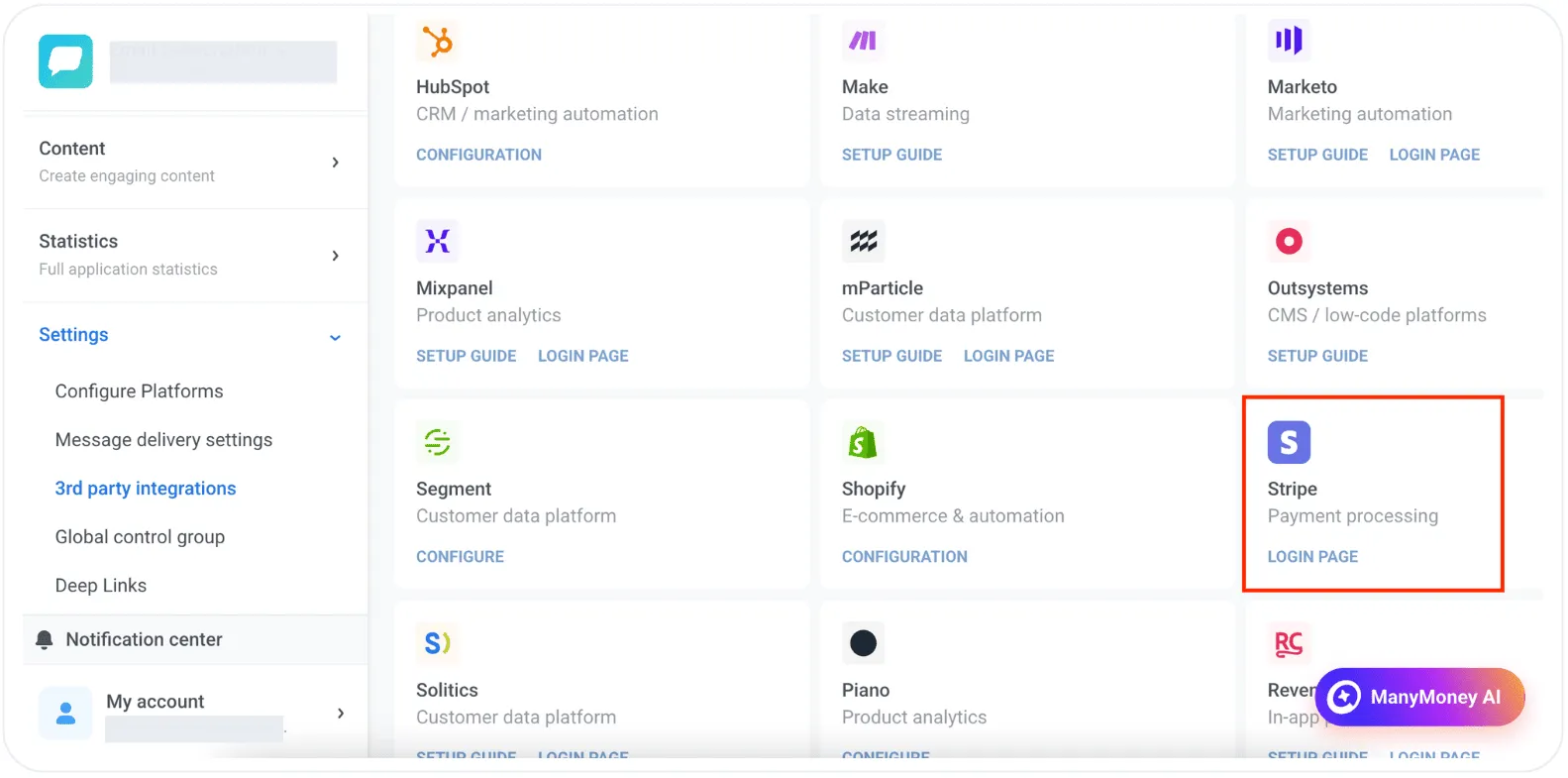
Stripe — Payment and subscription data flows into Pushwoosh. Segment by payment events, see revenue by journey, feed data to ManyMoney AI. Learn more →
AppsFlyer ESP 2.0 — Email clicks are now attributed alongside your other channels in AppsFlyer. Learn more →
KakaoTalk — New messaging channel for South Korea. Personalized, template-based messages via Journeys or API. Learn more →
Also shipped this quarter
A few more updates worth knowing about:
📊 WhatsApp frequency capping — set global message limits across all WhatsApp campaigns to prevent over-messaging. Learn more →
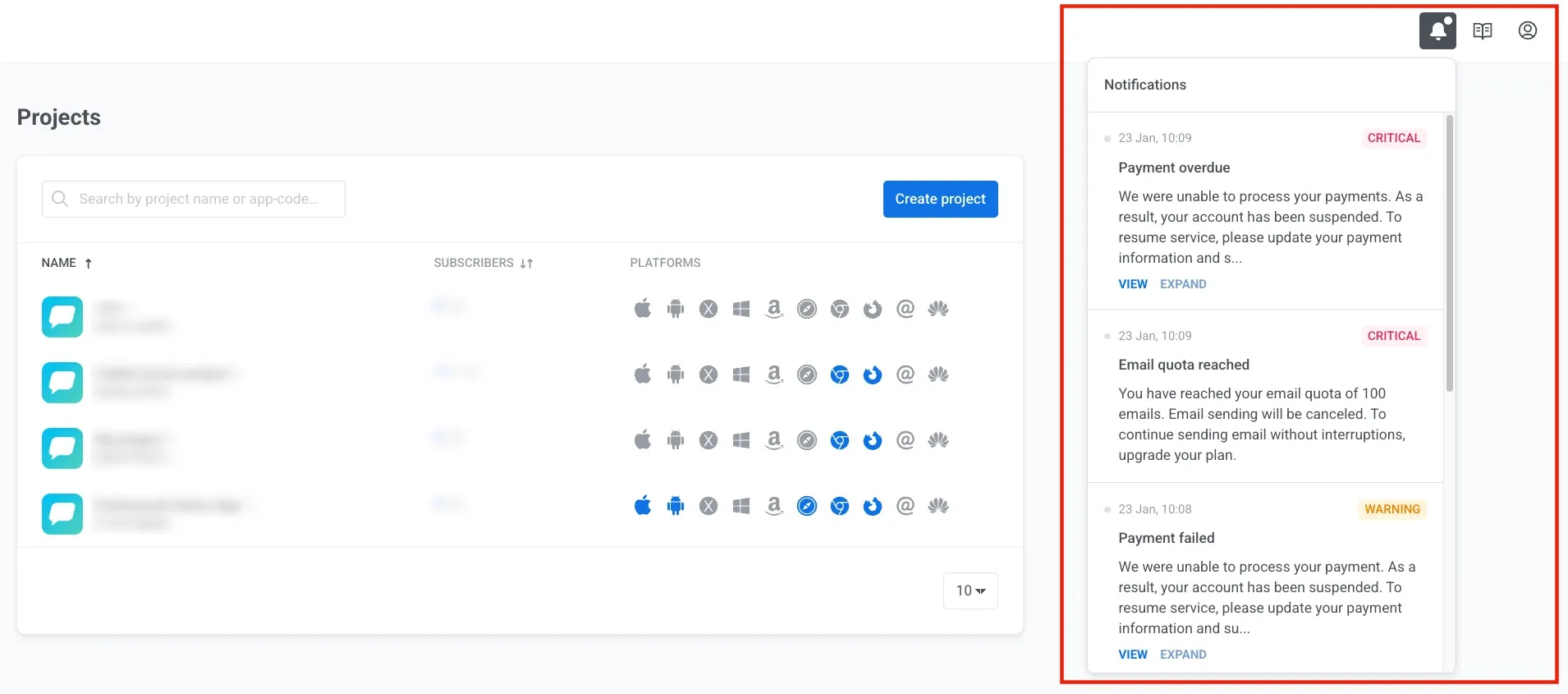
📣 Notification center — a centralized alert hub inside Pushwoosh with direct links to projects and apps that need attention. Learn more →
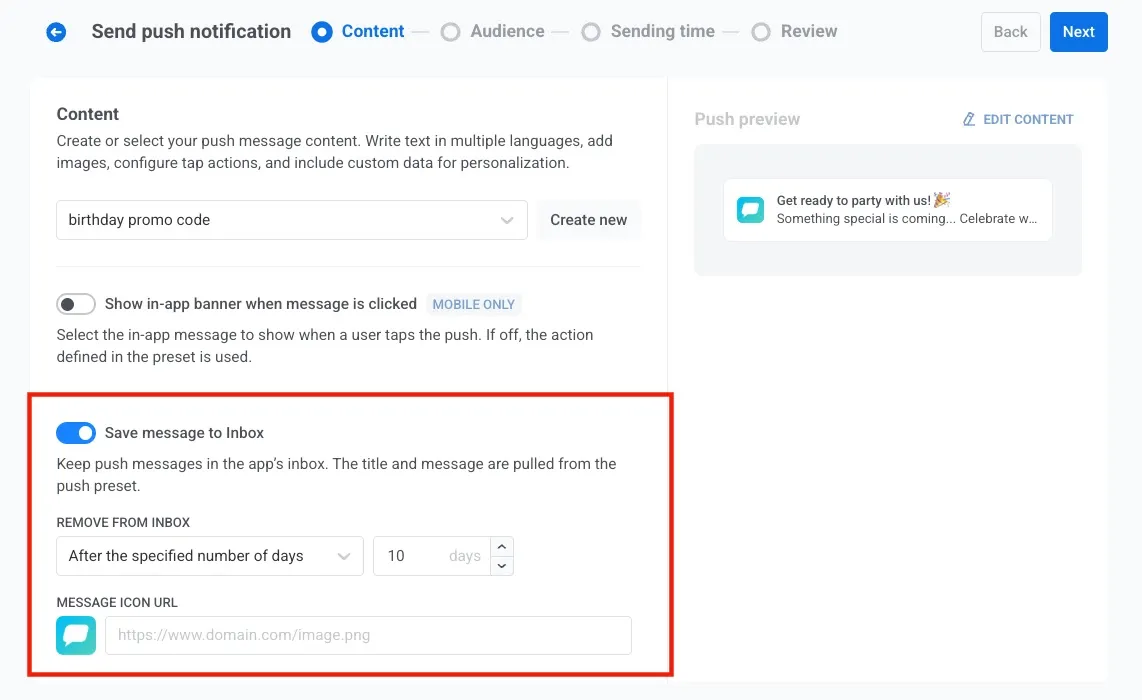
📥 Save one-time push to Inbox — users can revisit push messages in the app’s Inbox even if they missed the original notification. Learn more →
Try the updates yourself
Every feature above is live and ready to use in your account.
Not sure where to start? ManyMoney AI can help! Describe what you want to achieve, and let it build the first draft of your campaign.
For the full list of every update, check out our release notes.