Your list is clean. Your domain is warmed up. Your sender reputation is solid. And your email campaign still landed in the Promotions tab (or in spam).
That’s the frustrating part about deliverability: doing everything right at the account level doesn’t guarantee that this specific email reaches the inbox. A single broken link, an oversized template, or a missing unsubscribe header can quietly sink a campaign, even when your reputation and the sender list are spotless.
Below are 10 message-level checks to run before you hit send, plus how to automate the whole thing with Pushwoosh’s pre-send audit.
Deliverability breaks down at 3 levels
It helps to know where a send can actually break down. There are 3 levels, and they fail for different reasons.
- Sender health is your foundation — authentication, domain and IP reputation, warmup, staying off blocklists.
- List health is who you’re sending to — opt-in quality, inactive subscribers, spam traps, engagement signals.
- The message-level — a specific email, right before it goes out. It’s the one that silently fails even when the first 2 are green, and the one almost nobody audits on every send.
Here are the 10 checks it runs, and why each one can quietly sink a send.
The message-level checklist
They split into what’s wrong with the content and what’s missing for compliance:
Content checks: what quietly tanks the message
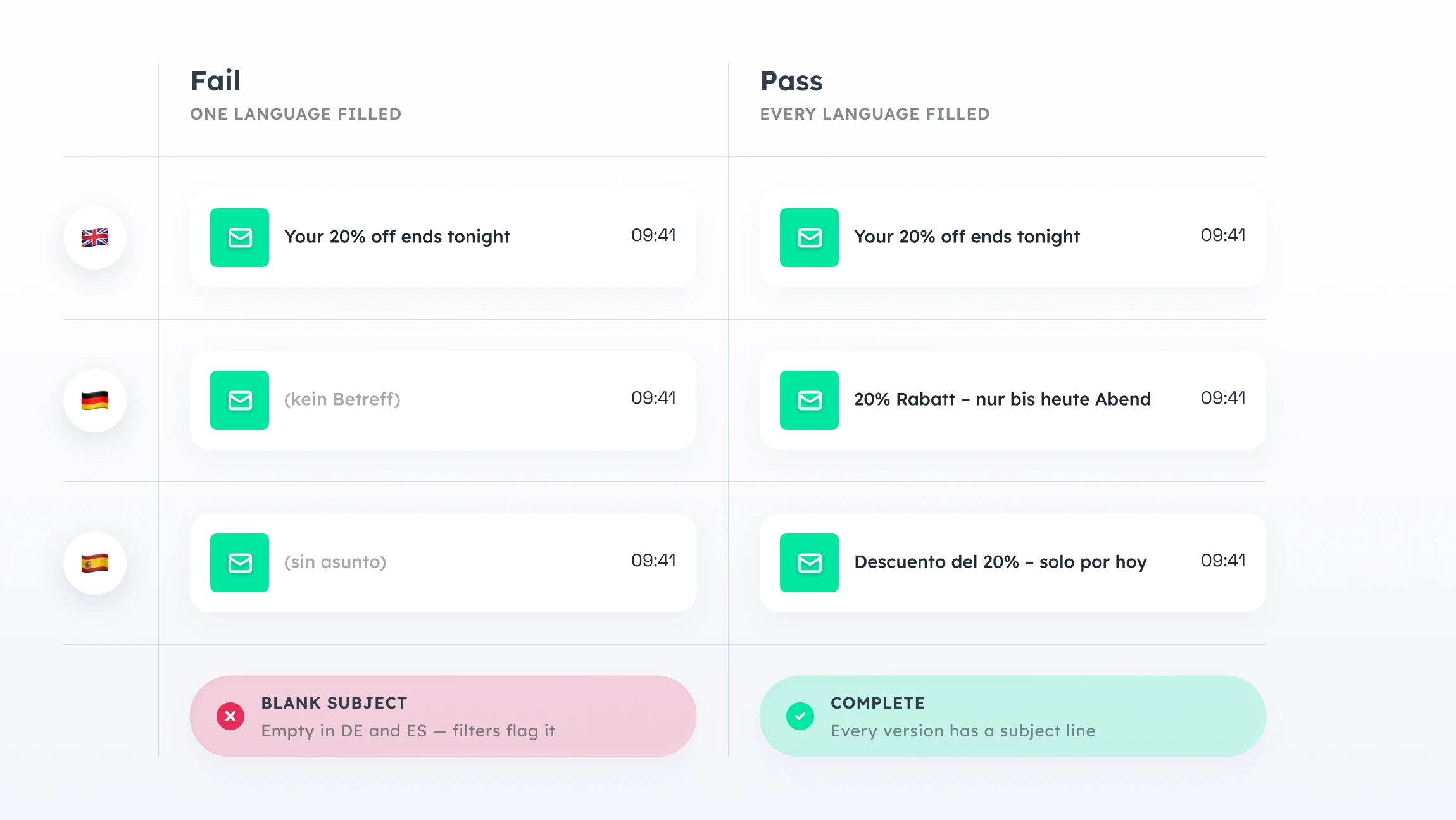
1. Subject line. An empty subject in any language version reads as spam to filters and as broken to humans. On multi-language sends, this is easy to miss: you fill in the English subject, ship it, and everyone on your German and Spanish lists gets a blank line.
2. Broken links. A 404 on your main CTA doesn’t just cost the click — dead links are a signal filters use to score a message as low quality.
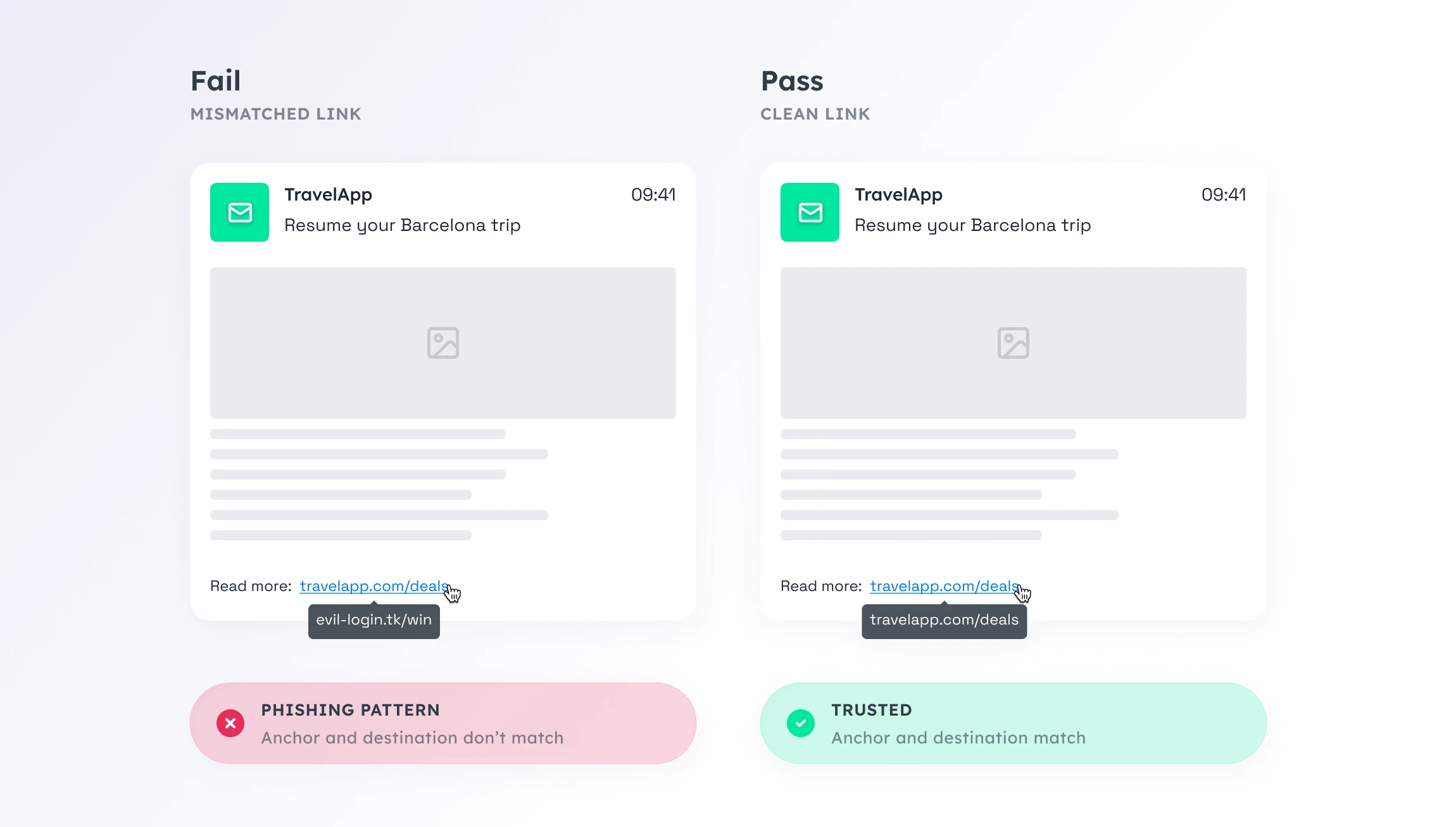
3. Link safety. URL shorteners, raw IP addresses, mismatched anchor text (the link says one thing, points somewhere else), and flagged domains all match patterns filters associate with phishing. Even one is enough to move a clean email toward the spam folder.
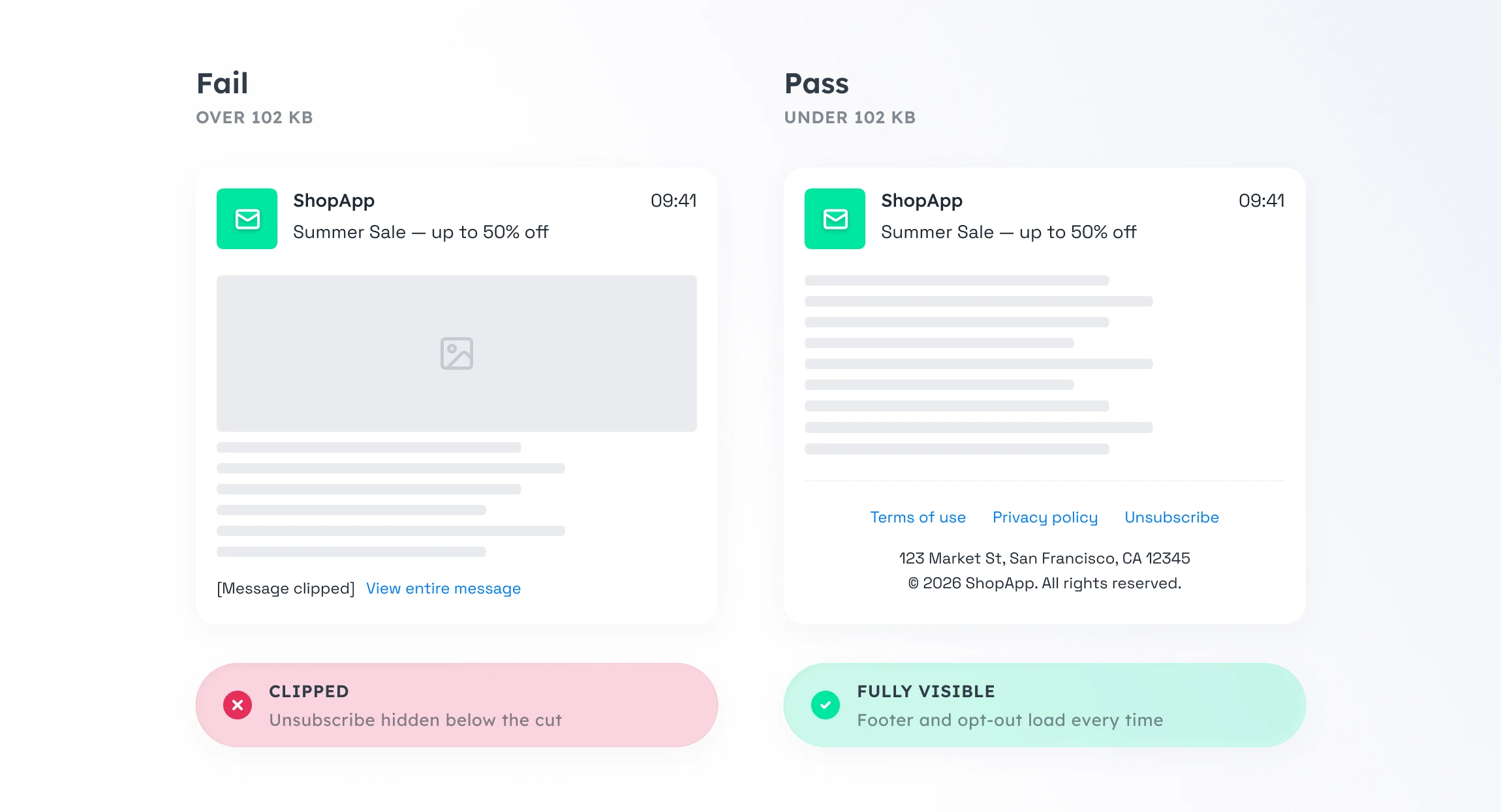
4. Email size. Gmail clips messages larger than about 102 KB. A clipped email shows “[Message clipped]” and hides everything below the cut — including your unsubscribe link. Recipients who can’t opt out hit “report spam” instead, and that hurts far more than one lost reader.
5. Click tracking. Links that aren’t wrapped by your click tracker won’t appear in your stats. You lose attribution on the precise clicks you’re trying to measure.
6. Spam score. A score from the antispam engine, with the rules that fired. It’s a useful indicator, not a guarantee of inbox placement — but a high score is a clear sign to fix something before sending.
Compliance checks: the ones that get you junked by rule
The next 4 are compliance rules, not content problems. Mailbox providers check them on every send and filter whatever doesn’t pass.
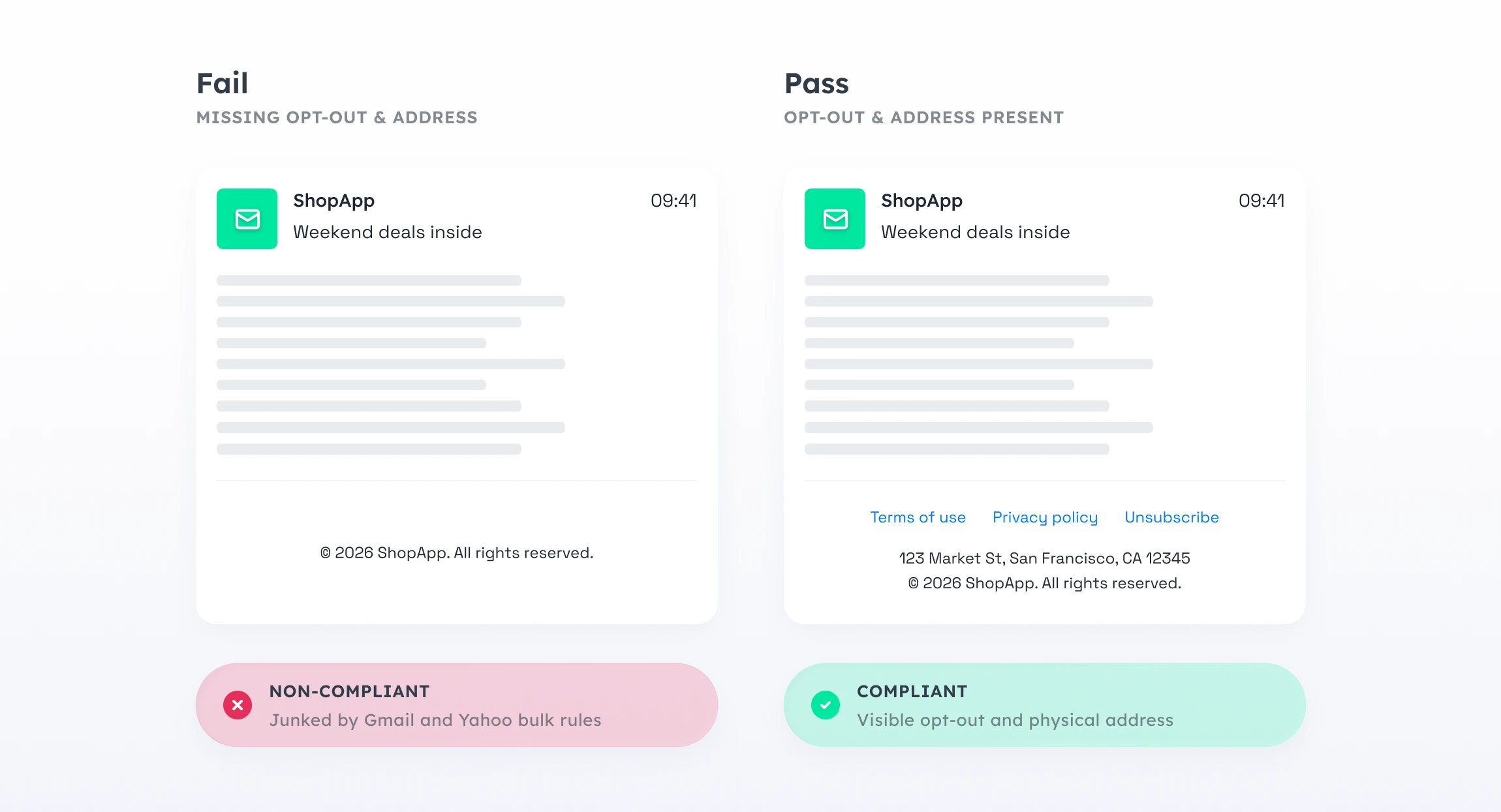
7. One-click unsubscribe headers. Gmail and Yahoo junk or reject bulk senders — anyone above 5,000 emails a day — whose messages don’t include a List-Unsubscribe header. This is the rule most teams don’t realize they’re breaking until open rates quietly collapse.
8. Unsubscribe link health. A broken unsubscribe link is worse than no link at all. Users who want out and can’t get out report the message as spam, which does real damage to your sender reputation.
9. Visible unsubscribe link. CAN-SPAM requires recipients to be able to opt out from inside the email. A header alone isn’t enough.
10. Physical address. CAN-SPAM and most ESP policies require a real mailing address in the footer. Its absence is a common reason legitimate campaigns get filtered.
The hard part isn’t fixing these. It’s catching all 10 on every send, on every language version, every time.
What the audit does that a manual check can’t
You’ve seen the 10 checks. Here’s what changes when Pushwoosh’s audit runs them for you: it lives right inside the email send flow, so the check happens where you’re already building the campaign — no separate tool, no copy-pasting into a validator.
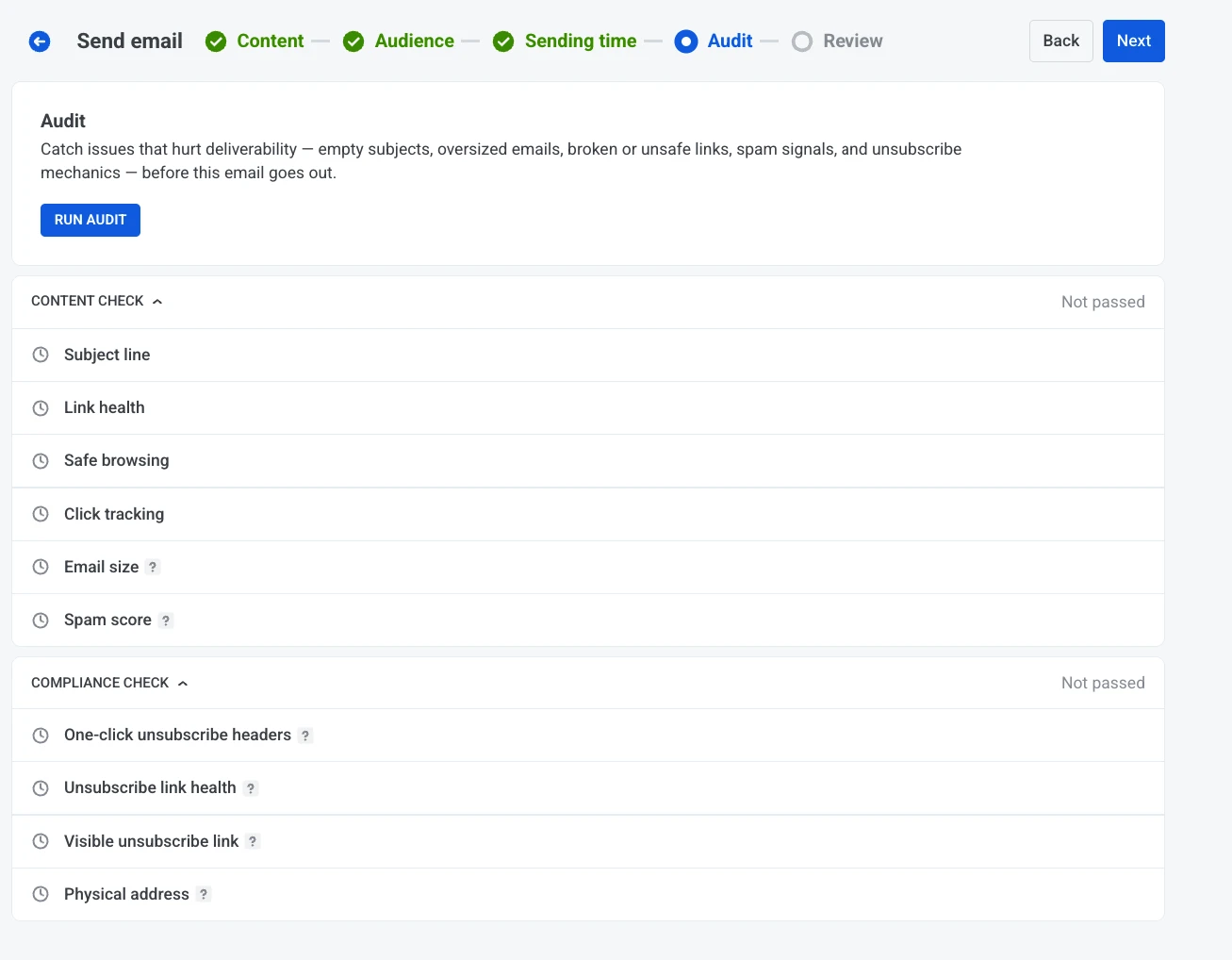
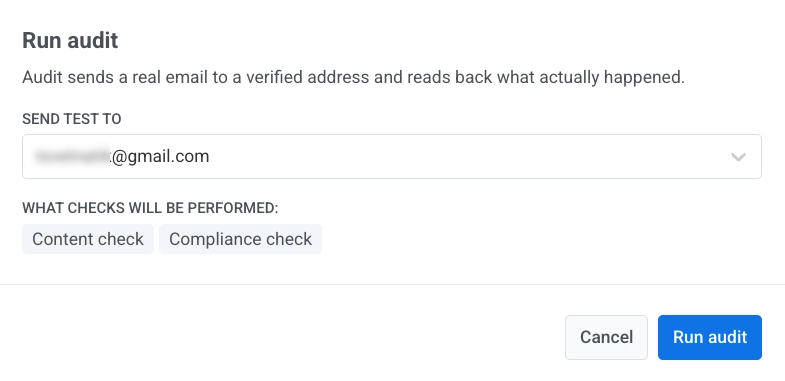
And it never blocks you. The audit reports issues; it doesn’t gate the send. If you want to ship with open warnings, Pushwoosh just asks you to confirm before it lets the campaign through. You stay in control of the call.
🛠️ Here’s how it runs inside the one-time email flow:
-
Run the audit
In the Audit step, pick a verified test address and start the check. Pushwoosh sends the test email and reads the result.
-
Read the results
Content and compliance issues come back grouped, each with the number of errors and warnings, so you know what's cosmetic and what will actually get you filtered.
-
Fix and send
Resolve what matters, re-run if you want a clean pass, and ship. For anything reputation- or domain-related, the email deliverability guide in the docs covers the account-level side.
Send every email with confidence with Pushwoosh
Account-level work gets your mail to the start line. The message decides whether each send actually lands — so make the audit your last step before hitting send.