हम email को लगातार मज़बूत बना रहे हैं। यह release तय करता है कि आपके marketing emails किसे मिलें, और पक्का करता है कि आपके stats असली readers को गिनें। Push को भी buttons मिले हैं।
यह रहा क्या-क्या शिप हुआ 👇
चुप हो चुके contacts को email भेजना बंद कीजिए 😴
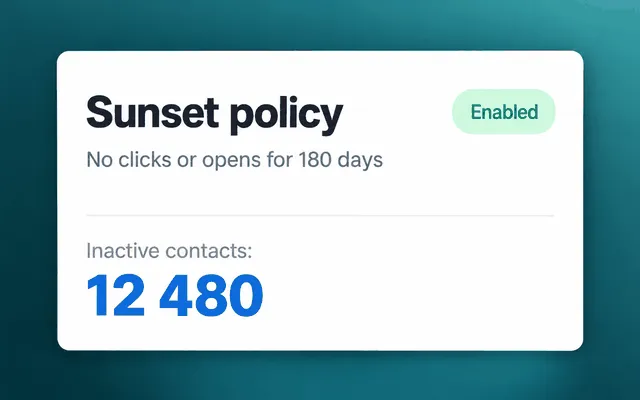
क्या बदला: अपने project की email settings में sunset policy चालू कीजिए, और Pushwoosh उन contacts को marketing emails भेजना बंद कर देगा जिन्होंने आपकी चुनी हुई अवधि में न open किया न click। Activity किसे माना जाए (open, click, या दोनों में से कोई भी) यह आप तय करते हैं, और अवधि चुनते हैं: 30, 90, 180, 365, या 730 दिन।
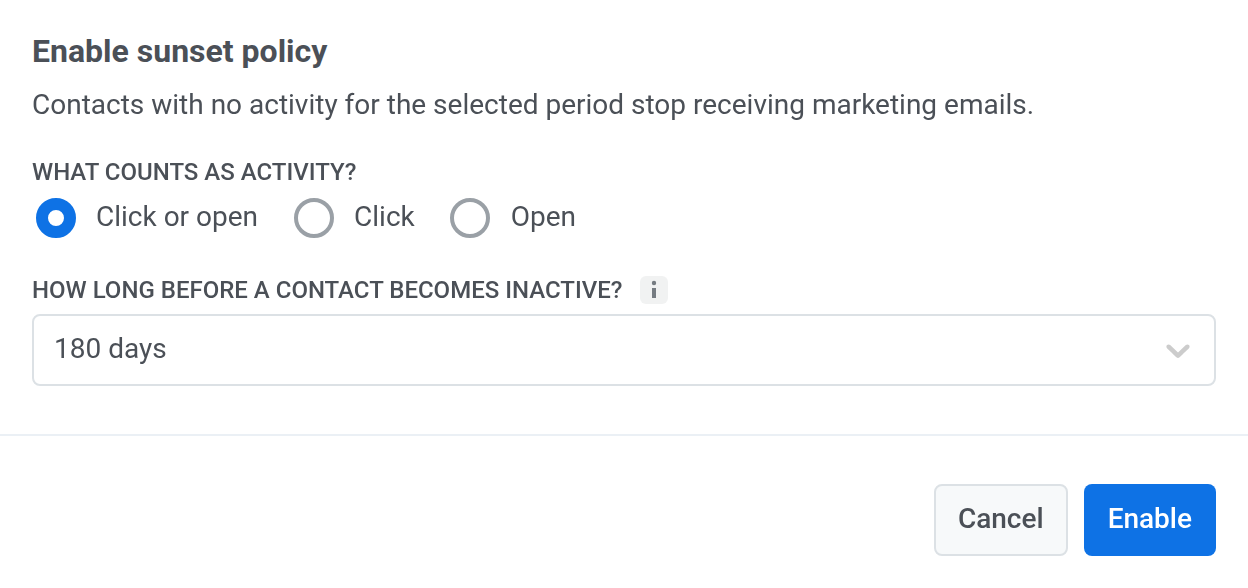
❗️यह क्यों मायने रखता है: जो contacts हर email को ignore करते हैं, वे आपके domain की reputation गिराते हैं, और फिर जो लोग सच में आपको पढ़ते हैं उन्हें आपके emails spam में मिलने लगते हैं। Policy चालू होने पर Pushwoosh inactive contacts को skip कर देता है, बिना उन्हें unsubscribe किए या उनके tags छुए। Transactional emails फिर भी सबको पहुँचते हैं।
Email stats में सिर्फ़ इंसानों को गिनिए 🤖🚫
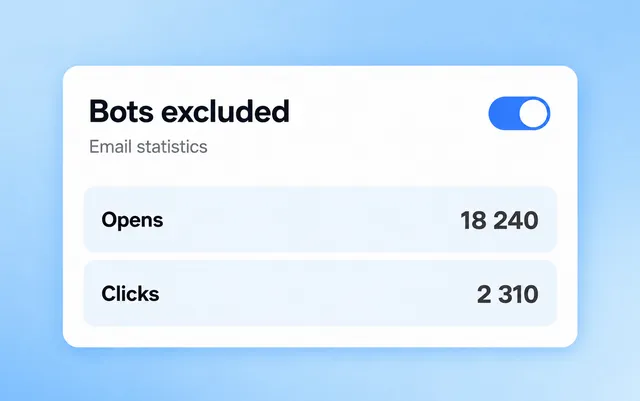
क्या बदला: Mail scanners और antivirus sandboxes, जैसे Microsoft Defender, Proofpoint, और Mimecast, किसी इंसान के देखने से पहले ही emails open करते हैं और links follow करते हैं। पहले ये opens और clicks आपके open rate और CTR में जुड़ जाते थे। अब Pushwoosh और API में email stats सिर्फ़ इंसानों को गिनते हैं।
यह क्यों मायने रखता है: Corporate mail servers अक्सर links को automatically check करते हैं, इसलिए B2B sends असल से बेहतर दिखते थे। अब A/B test जीतने वाली subject line वही है जो आपके readers को सच में पसंद आई।
Users को सीधे push से action लेने दीजिए 🌟
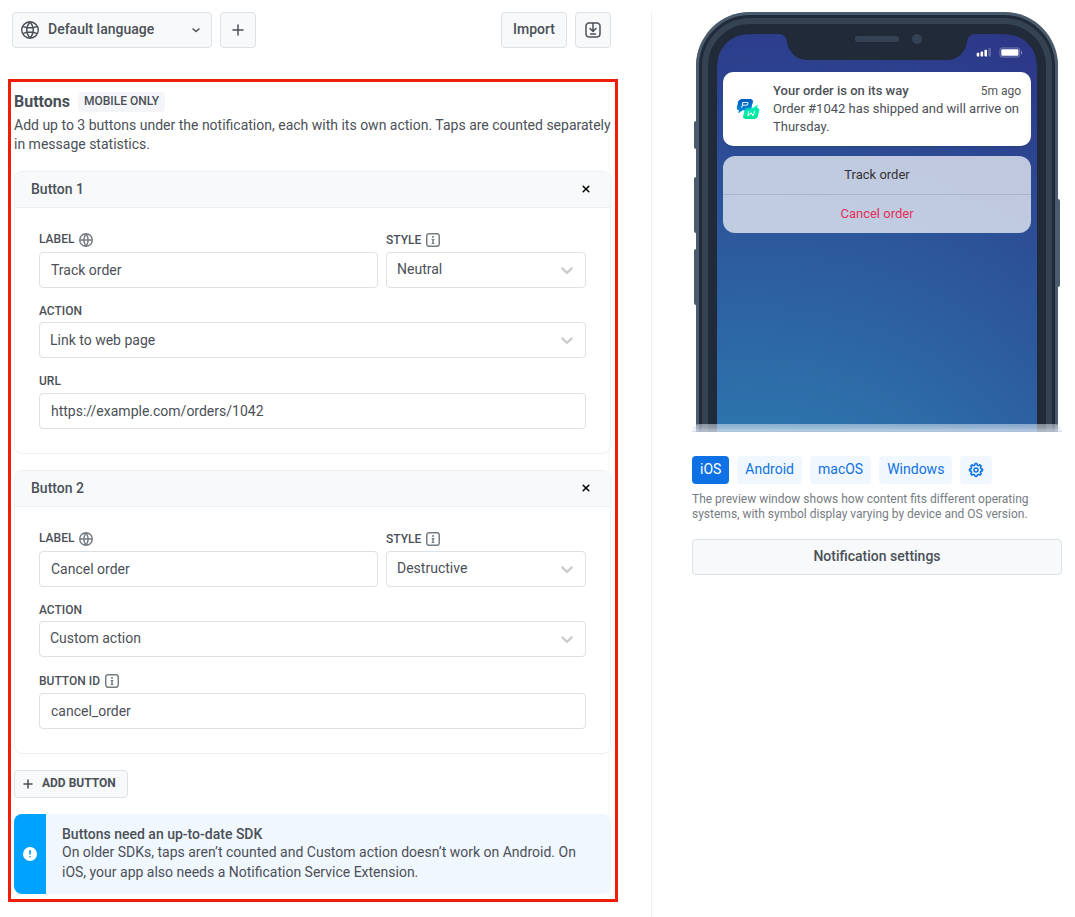
क्या बदला: Push presets में अब एक Buttons section है। iOS, Android, और Huawei पर mobile push में 3 buttons तक जोड़िए। हर button को preset की हर language में अपना label और अपना action मिलता है: एक deep link (सभी platforms के लिए एक या हर platform के लिए अलग), एक web page, या कोई custom action जिसे आपका app handle करता है। iOS पर आप किसी button को Destructive mark करके लाल रंग में दिखा सकते हैं।
यह क्यों मायने रखता है: Users app में ढूँढे बिना notification से ही काम पूरा कर लेते हैं। Message stats हर button पर taps अलग-अलग दिखाते हैं, ताकि आप देखें कि लोग असल में कौन-सा action चुनते हैं।
यह ऐसा दिखता है: Order update Track order और Cancel order buttons के साथ आता है। iOS पर Cancel order लाल रंग में दिखता है, जैसे iOS उन actions को mark करता है जिन्हें undo नहीं किया जा सकता।
आपको क्या चाहिए: iOS SDK 7.2.10 या बाद का और Android SDK 6.17.0 या बाद का। iOS पर आपके app को Notification Service Extension भी चाहिए। Web push buttons नहीं दिखाता।
देखिए और क्या शिप हुआ
Headline features email और push को मिले। Journeys, web popups, और testing को छोटे upgrades मिले हैं जो देखने लायक हैं।
ज़्यादा smart journeys ⚙️
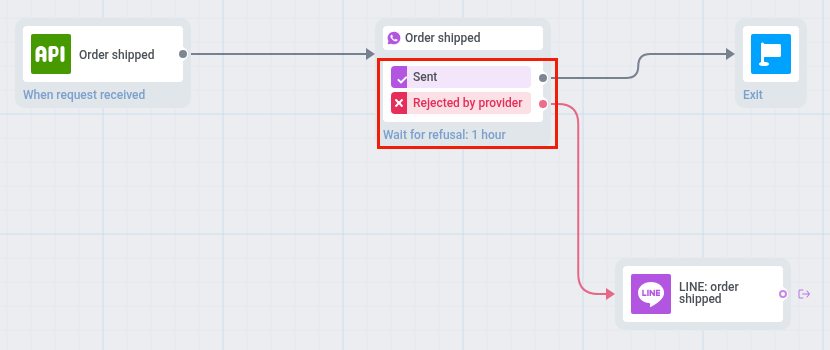
- Rejected messages के लिए एक branch। जब provider किसी SMS/RCS, WhatsApp, LINE, या Messenger message को reject करता था, तो user उसी point पर अटक जाता था। अब rejections के लिए अलग branch चालू कीजिए और कोई दूसरा channel try कीजिए, जैसे WhatsApp के मना करने पर SMS। Learn more →
- Event के तुरंत बाद in-apps। Journey का in-app पहले अगले app launch का इंतज़ार करता था। अब यह उसी session में, आपके चुने event के ठीक बाद, attribute conditions के साथ दिख सकता है। कोई cart में jacket जोड़ता है, और screen छोड़ने से पहले ही free shipping offer दिख जाता है। Learn more →
- Snapchat Ads के लिए audiences। Audience sync Google Ads और Meta के साथ काम करता था। अब अपना Snapchat Ads account connect कीजिए और journey users वहाँ भेजिए, जैसे cart छोड़ने वालों को retarget करने के लिए। कुछ Pushwoosh regions में उपलब्ध।
Web popups और testing 🧪
- Push subscription status के हिसाब से popups। Campaign सिर्फ़ उन visitors को दिखाइए जिन्होंने push subscribe किया, मना किया, अभी तय नहीं किया, या ऐसा browser इस्तेमाल करते हैं जिसमें push support नहीं है। “Notifications चालू कीजिए” वाला popup सिर्फ़ अनिर्णीत visitors को जा सकता है। Learn more →
- हर popup के लिए interactions। Campaign list में Submits column सिर्फ़ forms के लिए था। अब Interactions column हर content को cover करता है, और हर campaign page का अपना interactions card है। Display rules में page paths normalize हो गए हैं, और site-open event अब page path साथ लाता है, ताकि आप page के हिसाब से segments बना सकें। Learn more →
- User Explorer में recent और test devices। पहले खाली search पर खाली page दिखता था। अब आपको 2 tabs दिखते हैं, Recent devices (7 दिनों में आख़िरी 10 registrations) और Test devices, और user profile से Back आपको उसी tab पर लौटाता है। Settings में test devices list को pages, HWID से search, और हर user profile का link मिला है। Learn more →
और भी शिप हुआ
- Preference center को project settings menu में अपना item मिला है, और email categories Configure platforms से वहाँ चली गई हैं। Learn more →
- पुराना Project statistics page हटा दिया गया है। इसका menu item और पुराने links Project overview खोलते हैं। Learn more →
- Presets, rich media, popups, या WhatsApp templates चुनते समय campaign wizards आपका हाल ही में edit किया गया content सबसे पहले दिखाते हैं। Learn more →
- Instant in-apps list default रूप से last modified के हिसाब से sort होती है। आप dropdown से content बनाते हैं और उसे सीधे preview से edit करते हैं। Learn more →
- AI in-app builder में buttons Close In-App action से in-app बंद कर सकते हैं, इसलिए इसके लिए JavaScript लिखने की ज़रूरत नहीं। Learn more →
खुद Updates try कीजिए
ऊपर बताया हर feature आपके account में live है।
जो कुछ शिप हुआ उसकी पूरी list के लिए, release notes देखिए।
संबंधित लेख
सभी देखें