We keep making email stronger. This release decides who gets your marketing emails and makes sure your stats count real readers. Push got buttons, too.
Here’s what shipped 👇
Stop emailing contacts who went quiet 😴
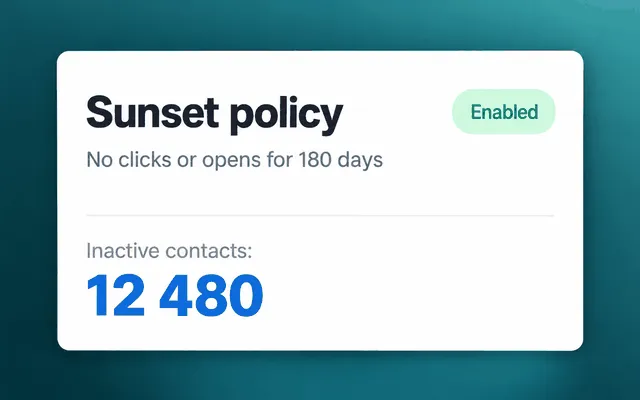
What changed: turn on the sunset policy in your project’s email settings, and Pushwoosh stops sending marketing emails to contacts who haven’t opened or clicked for a period you choose. You decide what counts as activity (an open, a click, or either) and pick the period: 30, 90, 180, 365, or 730 days.
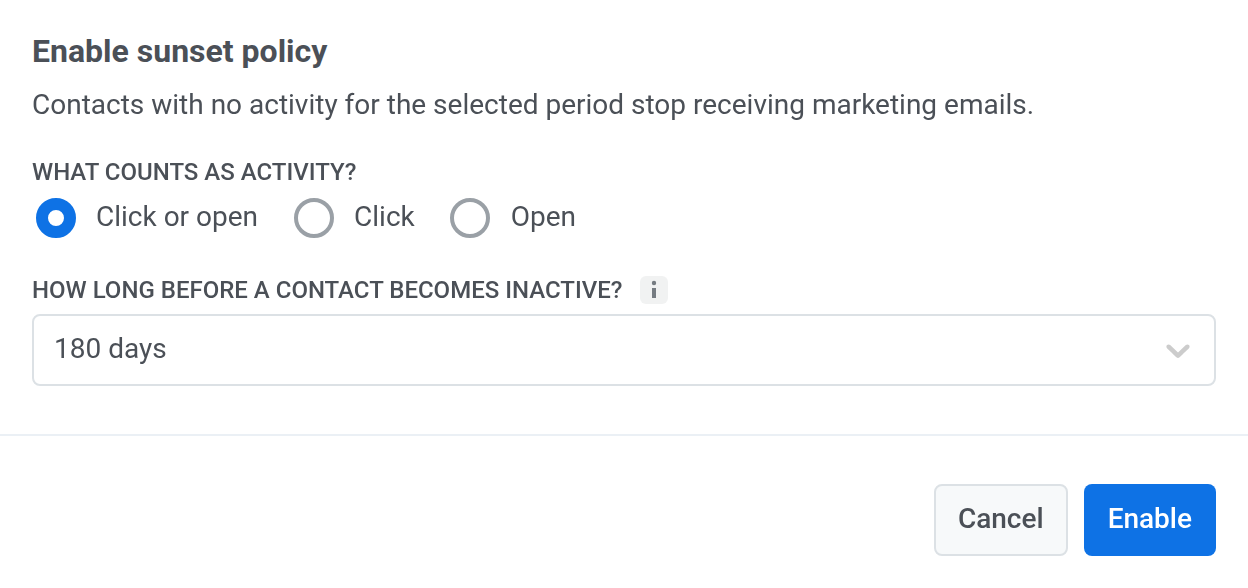
❗️Why it matters: contacts who ignore every email drag down your domain’s reputation, and then the people who do read you start finding your emails in spam. With the policy on, Pushwoosh skips inactive contacts without unsubscribing them or touching their tags. Transactional emails still reach everyone.
Count only people in email stats 🤖🚫
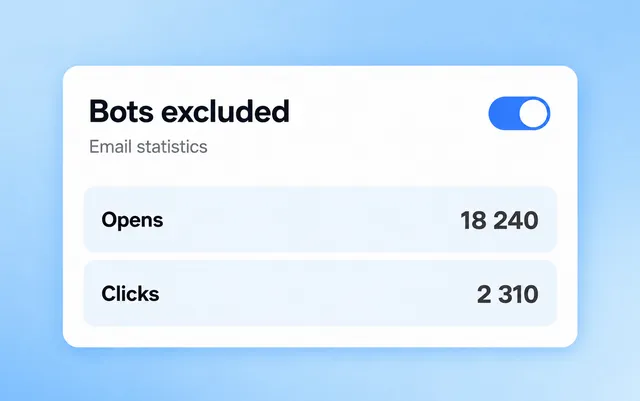
What changed: mail scanners and antivirus sandboxes, like Microsoft Defender, Proofpoint, and Mimecast, open emails and follow links before a person sees them. Those opens and clicks used to land in your open rate and CTR. Now email stats in Pushwoosh and in the API count people only.
Why it matters: corporate mail servers often check links automatically, so B2B sends looked better than they really were. Now the subject line that wins an A/B test is the one your readers preferred.
Let users act right from the push 🌟
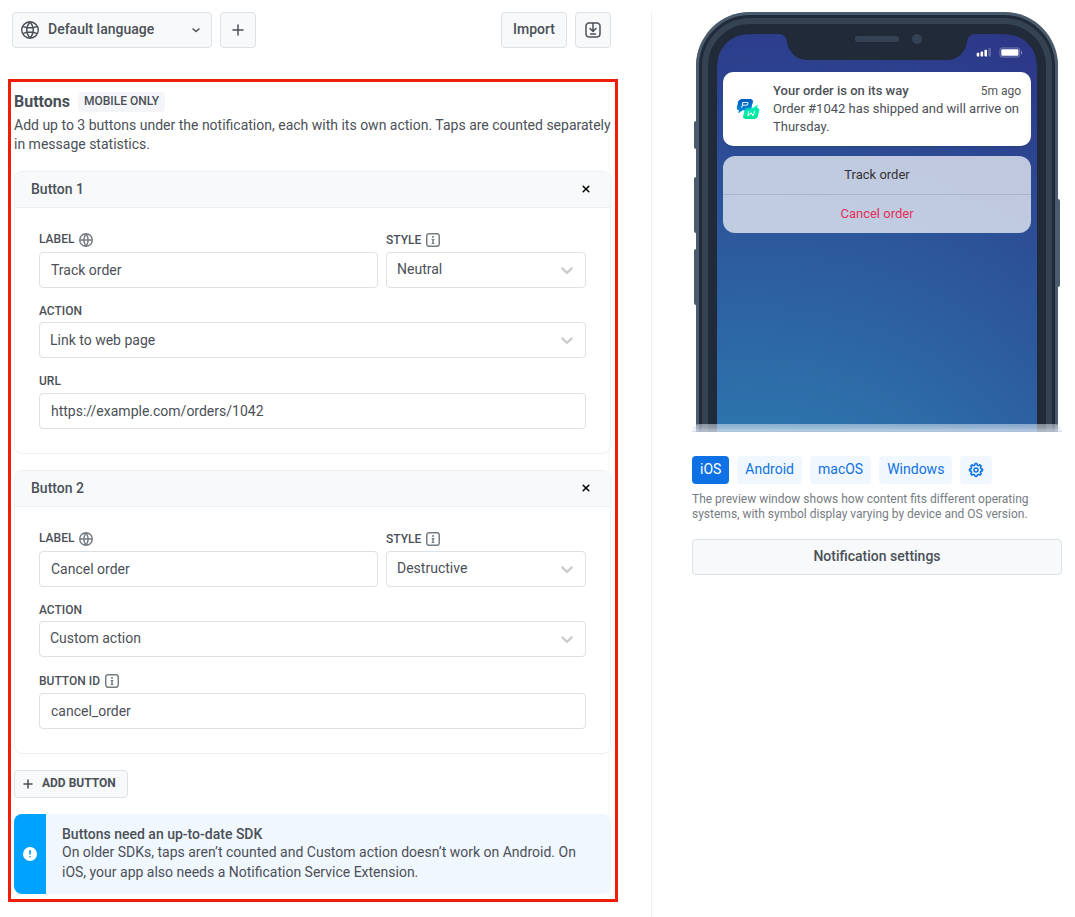
What changed: push presets now have a Buttons section. Add up to 3 buttons to a mobile push on iOS, Android, and Huawei. Each button gets its own label in every language of the preset and its own action: a deep link (one for all platforms or a separate one per platform), a web page, or a custom action your app handles. On iOS, you can mark a button as Destructive to show it in red.
Why it matters: users finish the task from the notification without looking for it in the app. Message stats show taps on each button separately, so you see which action people actually choose.
Here’s how it looks: an order update comes with Track order and Cancel order buttons. On iOS, Cancel order shows in red, the way iOS marks actions that can’t be undone.
What you need: iOS SDK 7.2.10 or later and Android SDK 6.17.0 or later. On iOS, your app also needs a Notification Service Extension. Web push doesn’t show buttons.
See what else shipped
Email and push got the headline features. Journeys, web popups, and testing got smaller upgrades worth a look.
Smarter journeys ⚙️
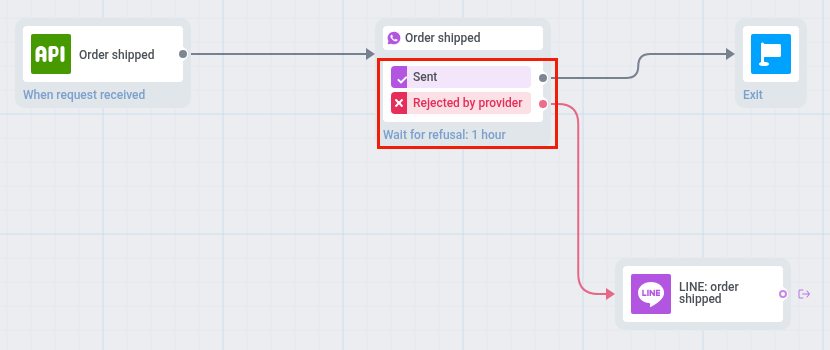
- A branch for rejected messages. When a provider rejected an SMS/RCS, WhatsApp, LINE, or Messenger message, the user simply got stuck at that point. Now turn on a separate branch for rejections and try another channel, for example SMS when WhatsApp says no. Learn more →
- In-apps right after an event. An in-app from a journey used to wait for the next app launch. Now it can show in the same session, right after the event you choose, with attribute conditions. Someone adds a jacket to the cart, and the free shipping offer appears before they leave the screen. Learn more →
- Audiences for Snapchat Ads. Audience sync worked with Google Ads and Meta. Now connect your Snapchat Ads account and send journey users there, for example to retarget people who abandoned a cart. Available in some Pushwoosh regions.
Web popups and testing 🧪
- Popups by push subscription status. Show a campaign only to visitors who subscribed to push, declined it, haven’t decided yet, or use a browser without push support. A “turn on notifications” popup can go to the undecided only. Learn more →
- Interactions for every popup. The campaign list had a Submits column for forms only. Now the Interactions column covers any content, and each campaign page has its own interactions card. Page paths in display rules are normalized, and the site-open event now carries the page path, so you can build segments by page. Learn more →
- Recent and test devices in User Explorer. An empty search used to show an empty page. Now you see 2 tabs, Recent devices (the last 10 registrations in 7 days) and Test devices, and Back from a user profile returns you to the same tab. The test devices list in settings got pages, search by HWID, and a link to each user profile. Learn more →
Also shipped
- The preference center has its own item in the project settings menu, and email categories moved there from Configure platforms. Learn more →
- The old Project statistics page is gone. Its menu item and old links open Project overview. Learn more →
- Campaign wizards show your most recently edited content first when you pick presets, rich media, popups, or WhatsApp templates. Learn more →
- The Instant in-apps list sorts by last modified by default. You create content from a dropdown and edit it right from the preview. Learn more →
- Buttons in the AI in-app builder can close the in-app with the Close In-App action, so you don’t have to write JavaScript for it. Learn more →
Try the updates yourself
Every feature above is live in your account.
For the full list of what shipped, check the release notes.