July के पहले भाग में Viber, email pre-send checks, और self-serve SMS आया था। इस बार: एक journey element जो आपका push खुद optimize करता है, Android पर real-time activity tracking, और popup editor में ज़्यादा design control।
यह रहा क्या-क्या बदला 👇
Multi-Armed Bandit: पुश जो खुद को optimize करे 🔔
Multi-Armed Bandit, Customer Journey में एक नया element है। एक ही push preset भेजने के बजाय, आप इसे कई content variants देते हैं और यह decide करता है कि कौन सा भेजना है। जैसे-जैसे opens आते हैं, यह ज़्यादा traffic उस variant की तरफ route करता है जिसे लोग actually open कर रहे हैं, और live data पर लगातार adjust करता रहता है।
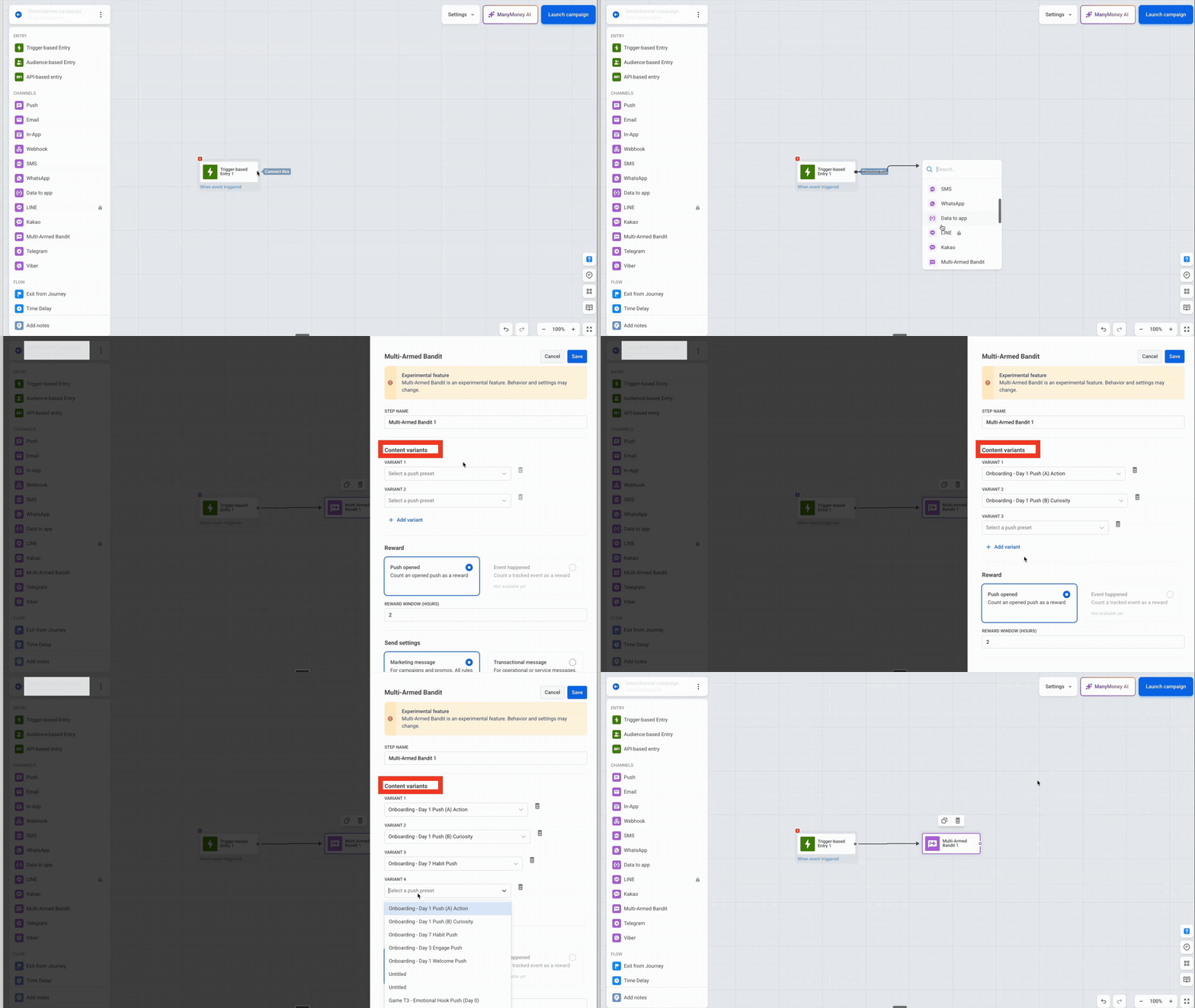
यह क्या बदलता है: A/B/n test के उलट, bandit action लेने से पहले statistical significance तक पहुंचने का इंतज़ार नहीं करता। यह शुरुआती कुछ ही opens के बाद best-opening variant को favor करना शुरू कर देता है, और बाकी variants को sample करता रहता है, ताकि एक धीमी शुरुआत करने वाला variant भी अपना मौका पाए।
भारत में Big Billion Days, Great Indian Festival, या दिवाली जैसे high-volume campaign windows में हर घंटा मायने रखता है — पूरा A/B test चलाने का समय नहीं होता। Multi-Armed Bandit यहीं काम आता है: यह live traffic से सीखता है और best-performing push variant की तरफ अपने-आप shift करता है, वो भी बिना campaign रोके।
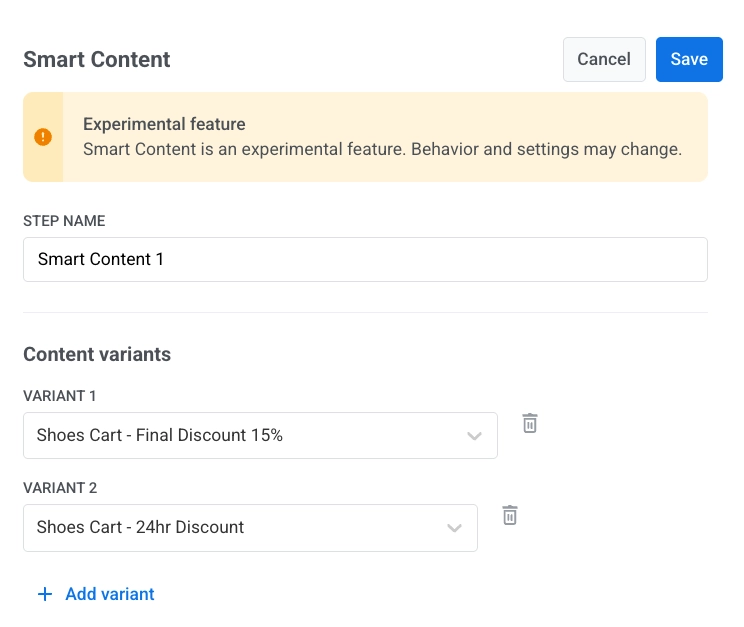
देखिए यह A/B/n split से कैसे अलग है।
Android पर Live Updates 📱
Live Updates, Android 16+ पर real-time, updatable notifications लाता है — iOS Live Activities का Android counterpart। एक ही progress-style notification lock screen पर, notification drawer में, और status bar में एक status chip के रूप में रहता है, और activity आगे बढ़ने के साथ refresh होता रहता है। आपकी mobile team इसे Android SDK के ज़रिए enable करती है।
भारत में यह खासतौर पर मायने रखता है: यहां Android का market share 95%+ है, इसलिए यह कोई iOS-first announcement नहीं बल्कि एक core platform capability है — quick-commerce (10-मिनट डिलीवरी), ride-hailing, और food-delivery apps के लिए, जहां लगभग पूरी user base Android पर है।

Delivery, mobility, और e-commerce apps के लिए, status screen वो जगह है जहां users सबसे ज़्यादा देखते हैं।
Web popups: बेहतर design control वाला redesigned editor 🎨
June के Web popup launch पर आगे बढ़ते हुए, editor अब आपको यह control देता है कि popup कैसा दिखे — designer के साथ कम back-and-forth में:
- नया Colors section — Text, Secondary text, और Text over image (आखिरी वाला background image वाले layouts के लिए) के लिए, Background और Accent के ऊपर।
- Image controls — किसी भी image पर Fit (Natural / Cover / Contain) और Blur; background image पर Dim।
- नया Layout section — image width और position (side-by-side layouts) और button width (bottom bar) के लिए।
- Per-page sizing — पूरे popup के लिए एक बार नहीं, बल्कि हर page के लिए अलग Width और Height सेट कीजिए।
- नया organize हुआ template gallery — एक नए Product tour (multi-page) example के साथ।
- ज़्यादा smooth page editing — ”+ Add page” अब Duplicate current page या एक single-page layout offer करता है, और page delete करने पर पहले confirmation मांगता है।
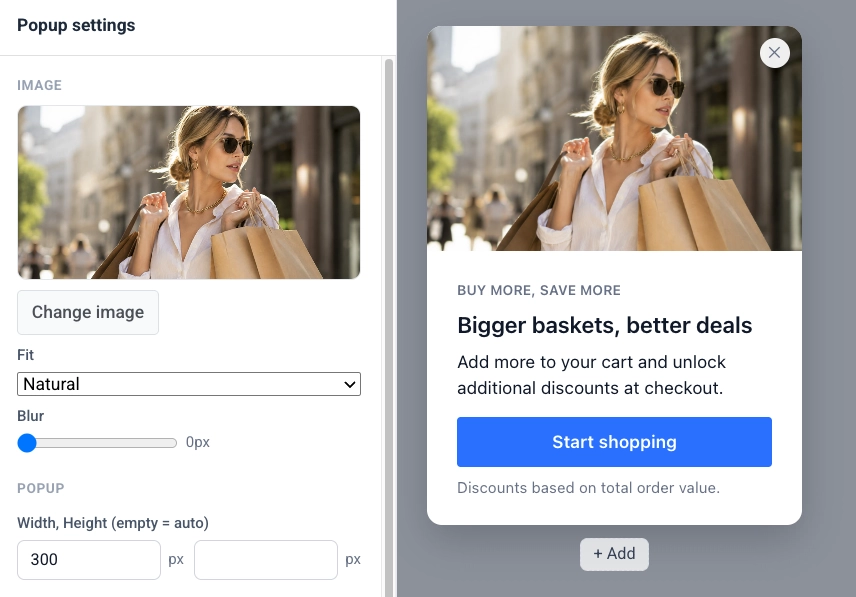
यह क्या बदलता है: आप popup को अपने brand से match कर सकते हैं और बिना designer या developer के एक multi-step product tour बना सकते हैं।
भारत के ज़्यादातर mid-market और startup teams के पास in-house designer नहीं होता — यह redesigned editor ठीक उसी gap को भरता है, जिससे marketing team खुद polished, on-brand popups ship कर सके।
Also new
2 छोटे updates जिनके बारे में जानना ज़रूरी है:
- 💬 One-time WhatsApp messages भेजिए — एक ही send में WhatsApp audience तक पहुंचिए: एक approved template चुनिए, अपना audience चुनिए, और अभी या schedule पर deliver कीजिए। कोई journey ज़रूरी नहीं, बिल्कुल वैसे ही जैसे one-time push, email, और SMS पहले से काम करते हैं। भारत WhatsApp का सबसे बड़ा user base वाला मार्केट है, इसलिए यहां one-time WhatsApp sends एक core channel है, ना कि एक niche add-on। और जानें →
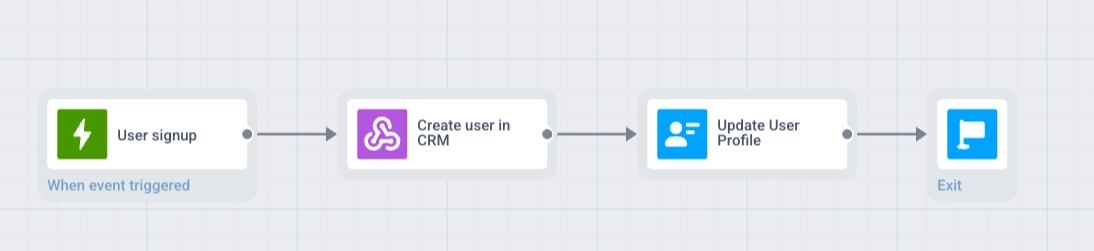
- 🔗 Webhook response mapping — अब एक webhook सिर्फ़ request बाहर भेजने के बजाय, data वापस journey में ला सकता है। Response से एक value pull कीजिए, उसे user के profile में save कीजिए, और उसे अगले step में इस्तेमाल कीजिए — जैसे किसी external system में user की कल की flight check करना और details के साथ एक reminder भेजना। और जानें →
खुद updates try कीजिए
ऊपर बताया गया सब कुछ आपके account में live है।
पूरी list के लिए, हमारे release notes देखिए।
संबंधित लेख
सभी देखें