Pre-send email check
An optional audit step between scheduling and confirming your send. Pushwoosh sends a real test email to your verified address, checks it for broken links, spam signals and size, and confirms the unsubscribe link and footer CAN-SPAM requirements, all before you confirm the send.
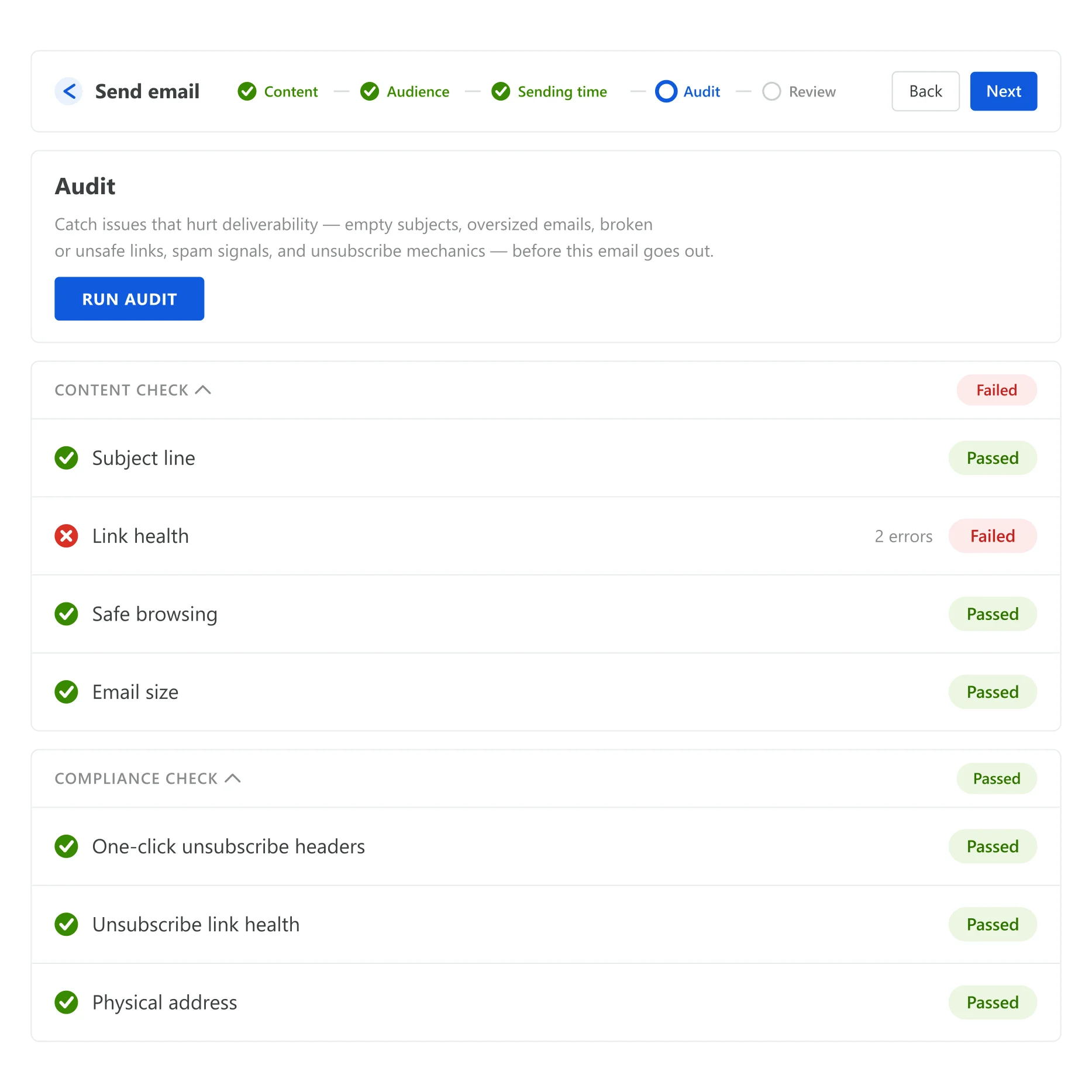
Catch it before your list does
You want to catch a broken link, a subject line that trips a spam filter, or a missing unsubscribe footer before an email goes out to your whole list. Catching it after a compliance complaint or a dent in your sender reputation is the expensive way to learn the same lesson. Checking by eye works fine at ten campaigns a year. It stops working once sending is a weekly habit and the list keeps growing.
What gets checked before you hit send
Audit your email runs a real test send to your verified address and evaluates the result the way a recipient’s inbox would render it, rather than scanning the template on the page.
| Check | What it looks for |
|---|---|
| Content | A subject line in every language version, broken links, a safe-browsing scan for malware, phishing, link shorteners and suspicious domains, message size against Gmail's clipping threshold, and an antispam score |
| Compliance | The List-Unsubscribe header, a working unsubscribe link, a visible unsubscribe link in the body, and a physical company address in the footer |
None of the competitors we reviewed combines automated content and compliance checks natively in one gate at no extra cost. The closest equivalent locks its version behind a paid add-on.
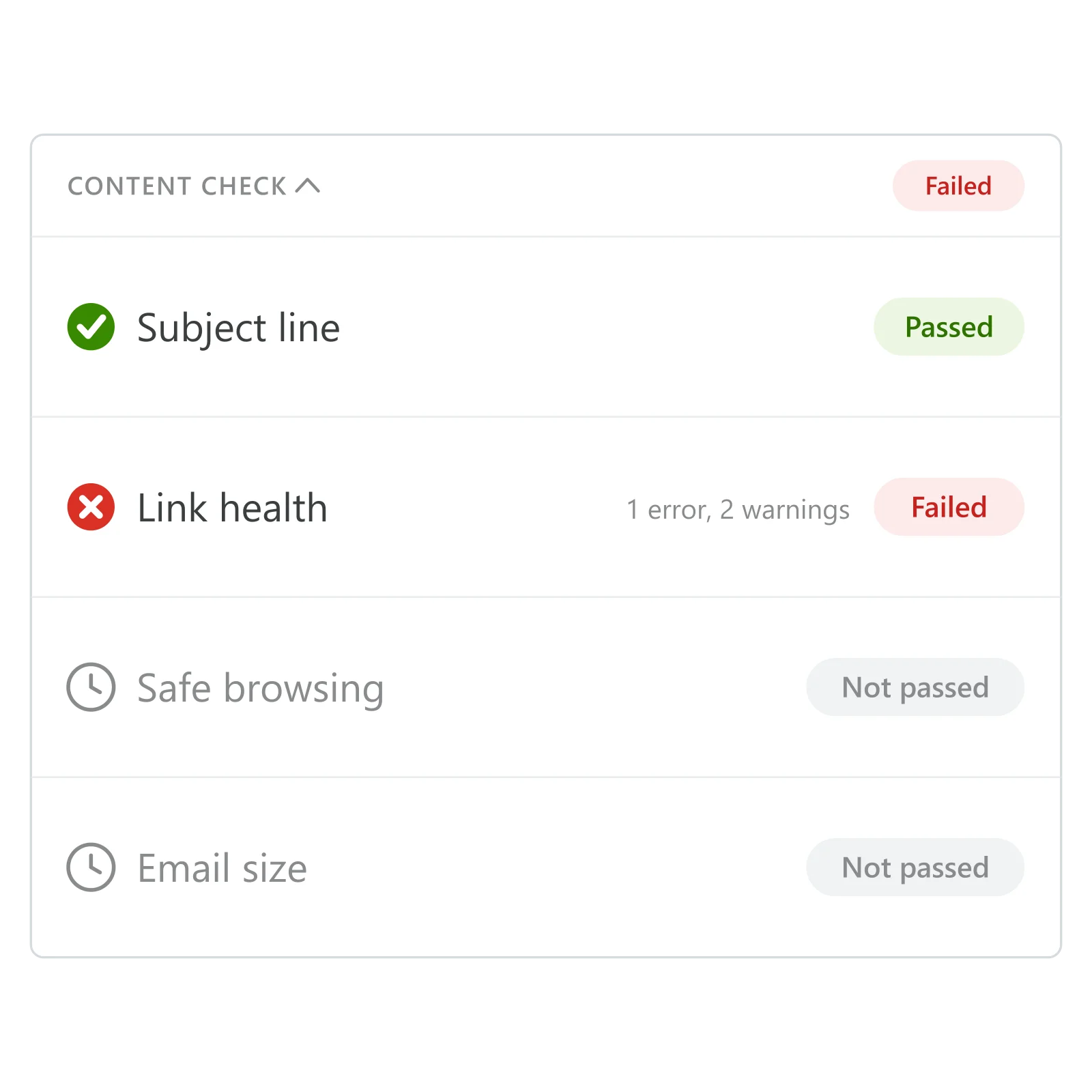
A pass or fail for every check
Every item reads “Not passed” before you run the audit. Run it, and each one switches to pass or fail with the number of errors and warnings behind it, so you know exactly what to fix.
Why this matters for Email
Email scales to hundreds of thousands of recipients on a single send, and a broken routing link or a missing unsubscribe footer scales right along with it. This audit sits between the drag-and-drop email builder and the send button, so Email can carry that volume without every campaign depending on someone remembering to check by hand.
How it works
-
Finish the email, then open the audit
From the send screen, click Audit your email once the message is ready in the drag-and-drop builder.
-
Pushwoosh sends a real test
A test message goes to your verified address and gets evaluated the way a recipient's inbox would render it.
-
Fix what's flagged, or confirm the bypass
Clear the checklist, or explicitly confirm you're sending anyway. Skipping is allowed, but Pushwoosh asks you to say so first.
Built to sit between the builder and the send
The drag-and-drop email builder builds the message. This audit checks what it actually renders. Email sends what passes. Skip the middle step, and you’re trusting that nothing changed since the last time you checked by eye.
- Email: the channel this protects
- Drag-and-drop email builder: builds what gets audited
How you know it worked
The audit screen is the report. Each check shows pass or fail plus the number of errors and warnings, updated the moment you run it.
What to keep in mind
One check, before every send
Turn it on from the same send screen you already use for Email, right next to the button that sends the real thing.
Explore related products
Email marketing platform by Pushwoosh — marketing and transactional email in one place with push, in-app, SMS and WhatsApp. Built-in deliverability, pre-send checks, no list-size fees.
Move fast with a visual editor that turns your ideas into clicks.
Put the unread count on your app icon and keep it honest. Set an exact number, bump it with +1, or clear it to 0 from the Pushwoosh Control Panel Badges field or the ios_badges API key, on the same campaign and Journey you already run.
Drive player return with smart re-engagement campaigns. Send strategic messages, limited-time events, and rewards that bring gamers back.
Build a push, email or in-app message once, with every language version, and reuse it across campaigns, journeys and API sends on all 7 Pushwoosh channels.
International roaming notification system for telcos. Alert subscribers when crossing borders, provide rates, and promote packages proactively.