Message presets
Build a message once – copy, media, personalization, every language version, every platform setting – and reuse it in campaigns, journeys and API sends. Push, email, in-app, SMS, WhatsApp, Kakao and LINE all read from the same saved preset.
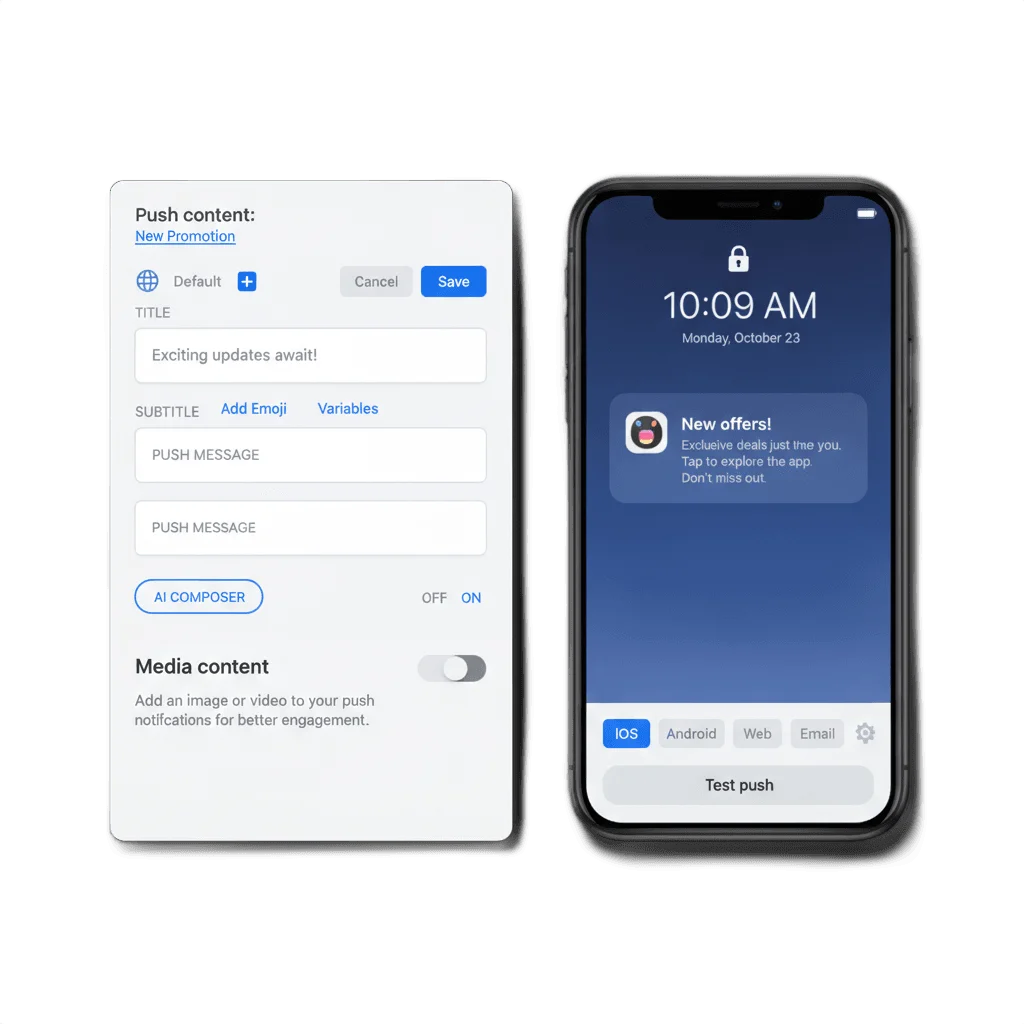
You are not writing this message for the first time
Somewhere on your team, the same order confirmation gets typed out again for the third campaign this quarter – same offer, same product line, a few minutes lost matching last month’s tone. Nobody decides to rebuild it from scratch; it just happens, every time a new campaign or journey needs a message a different one already had. A message preset is where that message lives once, so the next campaign picks it up instead of starting over.
What a preset actually holds
Full message definition
Title, body, media, personalization tags, custom data, badge behavior, sound, priority and the deep link it opens.
Built-in multilingual messaging
A version per language, matched to each device automatically, with a default fallback when nothing matches.
Test before you save
A test send, a live platform-specific preview, and Liquid syntax checked as you build.
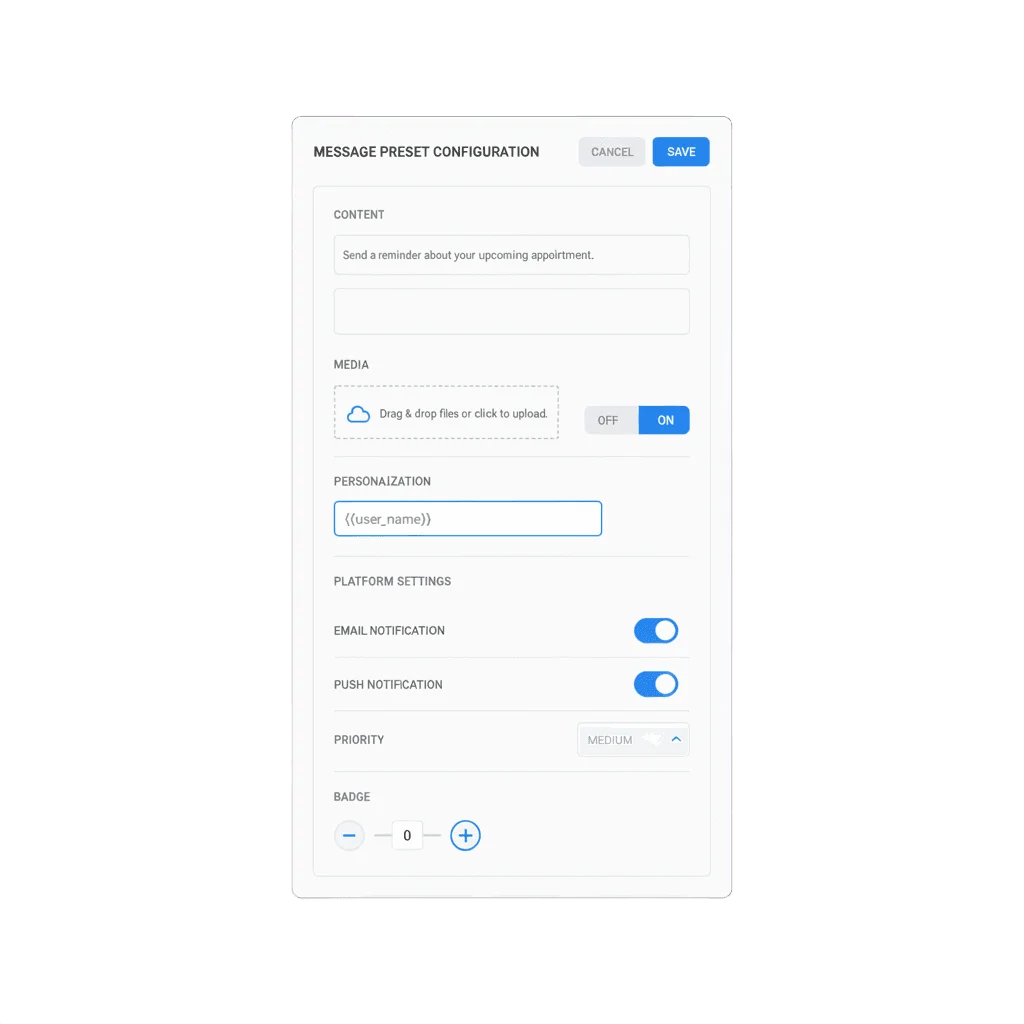
One model, built once, reused everywhere it fits
A push preset stores the title, subtitle on iOS, body text, media, personalization through user-data tags, custom JSON data, badge behavior, sound, delivery priority and Android notification importance. Build it in Content, or inline from a journey step – either way you get the same reusable object.
Every other channel has its own equivalent: email templates, in-app templates, SMS, WhatsApp, Kakao and LINE presets, all following the same assemble-once pattern. One consistent preset model spans all 7 channels, including Kakao and LINE – most template systems stop at email.
Why this matters inside Customer Journey Builder
A journey that rebuilds its message content at every step does not scale past a handful of campaigns, and it stops staying consistent the moment two people touch it. A preset lets a send step in Customer Journey Builder reference content that already exists, so the flow inherits whatever care went into building that preset the first time.
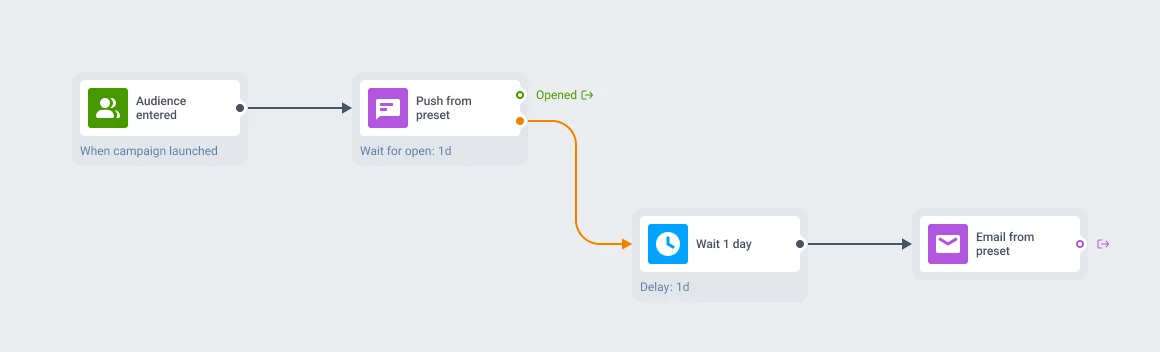
Confirmed at platform scale
Across the platform, 69% of send steps carry a saved preset rather than inline content, and that share reaches 93.4% for the two most common channel types – checked directly against production journey data. The same preset object also gets picked up in one-off campaigns and API sends, so a fix made once reaches every one of those places at the same time.
Where this pays off most
Reuse compounds fastest in a few recognizable jobs.
| Job | Who reaches for it | Why it fits |
|---|---|---|
| Transactional and compliance-checked libraries | E-commerce, fintech, airlines, food delivery | Approved content stays identical everywhere it is used, which matters as much for compliance as for consistency |
| Multilanguage campaign rollout | Global media, creator apps, marketplaces | One preset with every language built in serves the right version per device, without a duplicate campaign per market |
| Cross-channel reach into APAC | Businesses running LINE (Japan, Thailand, Taiwan) or Kakao (Korea) | The same reuse pattern extends to channels most platforms do not template at all |
How the pieces work together
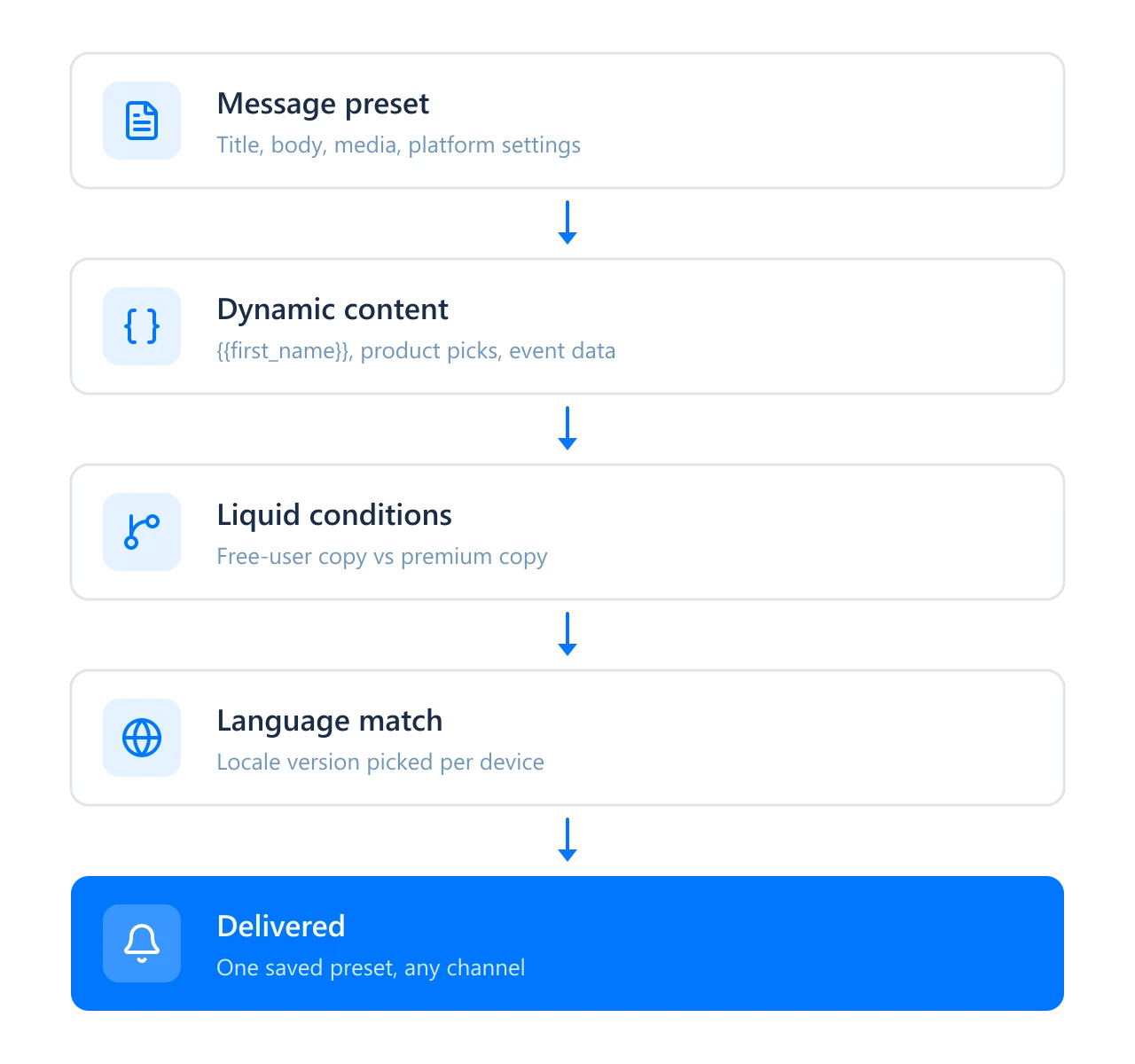
A preset carries the message. A few neighbors decide how that message adapts once it is picked: dynamic content drops in a name, a product pick or an event attribute, Liquid templates branch the copy itself between a free user and a premium one, and multilingual messaging swaps in whichever language version fits the device. Put them together and one saved preset already knows how to speak to each user, without a second version written by hand.
Where to go next
Saved presets get referenced most inside Customer Journey Builder, where the 93.4% figure above comes from. The dynamic content, Liquid conditions and language matching a preset plugs into live on the personalization page.
How it works
-
Create the preset
Open Content → Push content and start a new one, or save a preset inline from a channel step inside a journey – both create the same reusable object.
-
Fill in the message
Add the body, media, platform settings and a version per language where your base needs one. Personalization reads from user-data tags, so those need to exist first if you want them in the copy.
-
Test before you save
Send a test message and check the live, platform-specific preview. Liquid syntax gets validated in the same step.
Build it once, let every channel pick it up
Fix a preset once, and the fix lands everywhere it is used, on every channel that references it.
Explore related products
Map out and streamline your campaigns with one visual tool. Communicate, engage, retain, convert, segment, and experiment using Pushwoosh Customer Journey Builder.
Deliver personalized messaging across push, in-app, email, SMS, and WhatsApp. Tailor journeys, timing, and content to boost engagement with ease.
Mobile push notifications by Pushwoosh — every-device reach, rich content, precise targeting, cross-channel Journeys and 99% uptime. Turn notifications into loyal, paying users.
Pre-made templates, available right inside Pushwoosh email builder — tailor them to your brand or use as inspiration for your next send.
Send order, payment, delivery, and booking notifications on KakaoTalk, the channel 93% of South Koreans open every day, with automatic SMS fallback in the same journey.
Send branded, promo-capable LINE messages and reply 1:1 to your users, right alongside push, email, SMS, and WhatsApp in one journey backed by Pushwoosh.