Liquid templates
Add a condition, an operator or a live lookup to a push or email preset, and Pushwoosh renders a different message for every user it applies to – validated against the same engine that sends it.
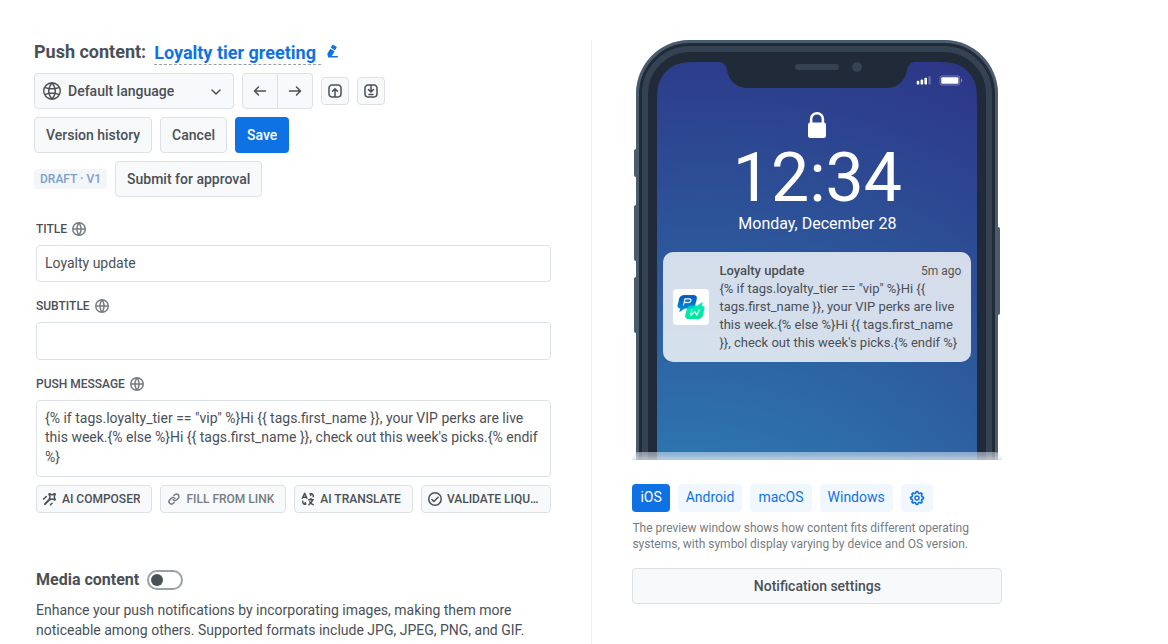
A placeholder can’t tell a VIP from a first-time user
Dynamic content can drop a name or a tag value into a message. Saying something different to a VIP than to a first-time user in that same push takes another approach, and so does showing a balance that changed five minutes ago. The common workaround is duplicating the message and its trigger for every segment, then keeping every copy in sync by hand. Liquid templates put the condition inside the message itself, so the logic lives in one place.
What Liquid templates give you
Objects and tags
Output with {{ }}, logic with {% %}: if, elsif, else and capture.
Comparison and logical operators
==, !=, >, <, >=, <=, or, and, contains, evaluated right to left.
Filter chains
capitalize, prepend and more from Shopify Liquid's standard filter set, chained one after another.
Connected Content
A {% connected_content %} tag calls a URL on your own backend at send time and drops the response into the message.
Validated against the live engine
Run a check on a tag and it's tested against the same engine that sends the message.
Push and email
The same Liquid syntax works in both content editors.
Connected Content passes the recipient’s UserID, HWID or tags as query parameters, so the endpoint you host can answer with something specific to that person.
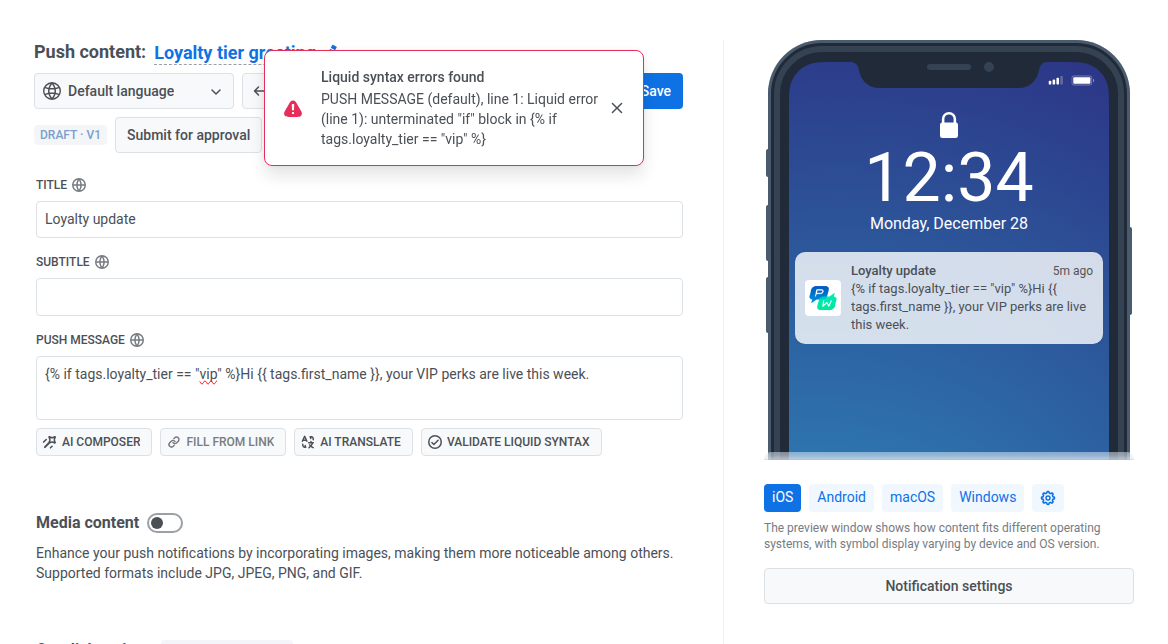
Check the condition before you save
Running Validate Liquid Syntax checks a tag against the same engine that sends the message, and flags anything that doesn’t parse right in the field, before the preset saves. A template that passes the check is the template that ships.
Why this matters inside Customer Journey Builder
A step that only fills in a name reads the same to a VIP and a first-time user the moment the message needs a branch instead of a value. Liquid templates let a single step in Customer Journey Builder carry that branch and a live lookup itself, instead of splitting into a version per condition.
Where a Liquid condition actually sits
A Liquid condition lives inside Message presets – the same push or email preset that also carries dynamic content placeholders and language variants. Add multilingual messaging on top, and one preset can greet a Spanish-speaking user in Spanish and treat a VIP differently inside that same language, without a second preset. Add Connected Content, and that preset can also show a live order status pulled from your own backend.
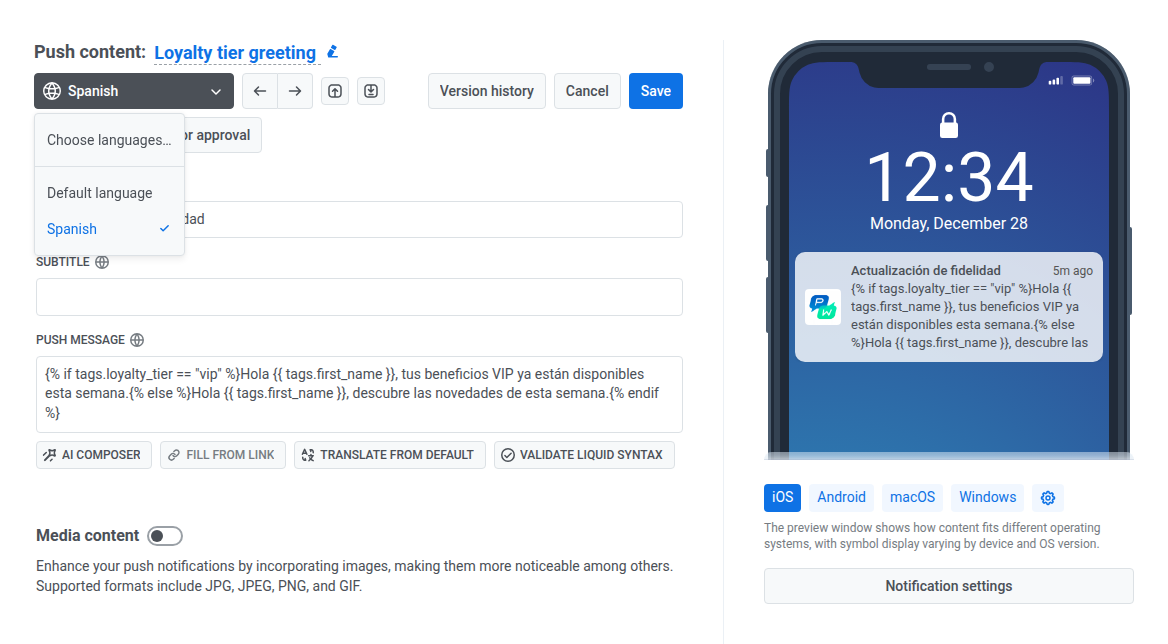
One preset, still one message
The condition sits inside whichever language variant it needs to apply to, so a VIP branch and a language branch stack inside the same preset instead of multiplying into a preset per combination.
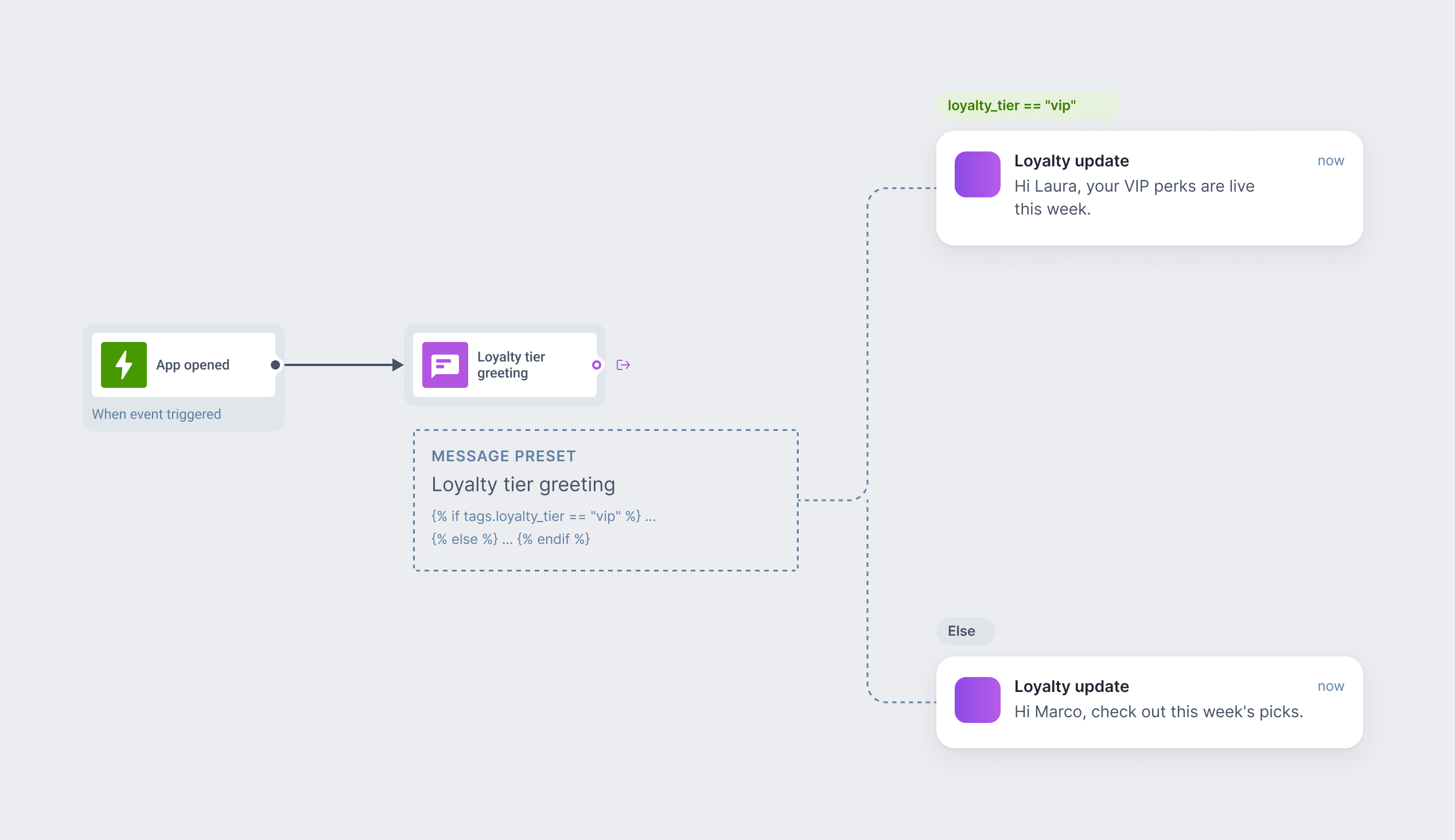
One step, its own version for every condition
A send step in Customer Journey Builder points at the preset once. Every recipient who reaches that step gets the branch their own tags match, without the canvas splitting into a path per segment.
How it works
Writing a Liquid condition is closer to a small scripting task than to filling in a form – plan for a developer to build the first template rather than a marketer.
-
Add the condition
Open a push or email preset and write Liquid syntax directly into the content field, in place of a static value or a bracket tag.
-
Validate before you save
Click Validate Liquid Syntax to check the tag against the production engine – a broken tag shows up as an inline error right away, before you save.
-
Add Connected Content where you need live data
Point a {% connected_content %} tag at an endpoint you host, passing the UserID, HWID or tags as parameters, and the response drops into the message at send time.
One message, every condition you need
Write the condition once, and every recipient who reaches it gets their own version of the message.
Explore related products
Insert tag placeholders like [first_name] into push, email, SMS, and in-app content through a built-in picker, with a documented fallback and case-format modifiers, and no separate campaign to build per segment.
Build a push, email or in-app message once, with every language version, and reuse it across campaigns, journeys and API sends on all 7 Pushwoosh channels.
Add a language variant to a push, email, SMS, or LINE preset once. Pushwoosh matches the right version to each user's device language automatically, no separate attribute to store or keep in sync.
Map out and streamline your campaigns with one visual tool. Communicate, engage, retain, convert, segment, and experiment using Pushwoosh Customer Journey Builder.
Deliver personalized messaging across push, in-app, email, SMS, and WhatsApp. Tailor journeys, timing, and content to boost engagement with ease.
Drive loyalty with birthday and anniversary campaigns. Send personalized messages, exclusive offers, and special discounts that make customers feel valued.